Power BI DAX optimization services for faster, more reliable reports
Slow measures and overloaded Formula Engine sessions cost your users time and undermine trust in your numbers. We fix both. Our Power BI DAX optimization service audits every measure, rewrites inefficient patterns, and ships documented before-and-after benchmarks.
average reduction in reporting and analysis time

The gap between what your reports do and what they should do
Most Power BI slow-report problems are not data volume issues. They are DAX pattern issues. The same dataset runs in 0.3 seconds or 12 seconds depending on how the measures are written.
Reports time out after 30 seconds
Visuals fail to load, users manually refresh hoping for different results.
No visibility into which measures are slow
Nobody knows whether [Total Revenue] or [YTD Variance] is the bottleneck.
Executives stop trusting the dashboards
When reports load slowly or inconsistently, leadership falls back to Excel.
Development is blocked by model performance
New reports cannot ship because the underlying measures cannot handle more load.
Formula Engine doing all the heavy lifting
Nested CALCULATE, FILTER(ALL()), and iterator overuse keep VertiPaq out of the loop.
Sub-second visual rendering every time
Reports open instantly and stay reliable across heavy filter combinations.
Measure-level performance audit in your hands
Every measure delivered with documented execution time before and after.
Executives return to the dashboards as their primary tool
Speed and reliability drive adoption. Analytics investment pays off.
Report development velocity increases
Clean DAX patterns and a lean semantic model make new report delivery faster.
Storage Engine handles the query load
Optimized patterns push work to VertiPaq, cutting response times dramatically.

See every measure's execution time before and after
Every optimization engagement ships with a full DAX audit report. The panel below shows what you receive: measure-level execution benchmarks, optimization scores, and real before-and-after timing data.
Every engagement includes a delivery like this: annotated DAX files, benchmark report, and a handoff session.
Six capabilities, one outcome: reports that load when your team needs them
Reports load in under a second. We identify which of these six capabilities closes your specific gap. Then scope only those.
Measure Audit and Profiling
You receive a ranked inventory of every slow measure. We do this before rewriting a single line of DAX.
Query Plan Analysis
Your queries shift to the Storage Engine, where they run up to 10x faster.
DAX Pattern Rewriting
Your existing measures are rewritten to faster patterns. No report rebuilds needed.
Data Model Restructuring
Your model is restructured so the engine handles queries cleanly. Visual load times drop immediately.
Calculation Groups
Time intelligence sprawl (MTD, QTD, YTD, PY, YoY across every base measure) is consolidated into reusable calculation groups, dramatically reducing measure count and maintenance overhead.
Performance Monitoring Dashboard
The engagement closes with a monitoring dashboard: a lightweight Power BI report that surfaces measure execution times, refresh durations, and model health scores over time. Your team sees when performance degrades before users notice.
- Execution time trending per measure
- Dataset refresh time history
- Model size and complexity indicators
From slow semantic model to sub-second performance
Five phases, every engagement. Click a phase to see exactly what happens at each step. No hand-waving: specific activities, specific outputs.
Catalog every measure, calculated column, and table relationship.
We export the full measure inventory from your PBIX or XMLA endpoint. We map all calculated columns, relationship directions, and cross-filter settings. No change is made to your model at this stage. The output is a structured asset register you keep regardless of what follows.
Run DAX Studio server timing profiler across every measure in scope.
Each measure is executed under representative filter context to record total duration, Storage Engine call count, Formula Engine call count, and any datacache reuse patterns. The profiling report ranks measures by impact and identifies whether each is Storage Engine-friendly or Formula Engine-bound.
Rewrite measures using high-performance DAX patterns, one at a time.
Common rewrites include: replacing FILTER(ALL(Table),condition) with REMOVEFILTERS; converting SUMX(Table,expression) to simpler aggregation patterns where possible; eliminating unnecessary CALCULATE nesting; and introducing calculation groups for time intelligence sprawl. Each rewrite is re-profiled immediately to confirm improvement before proceeding.
Benchmark before-and-after performance, confirm visual parity.
The optimized model runs against the same profiling suite used in Phase 2. Results are documented side by side in the benchmark report. Your team reviews all affected reports for visual accuracy. Any output discrepancy is treated as a blocking issue before sign-off. Nothing ships until numbers and visuals both match.
You own the work. Annotated DAX, benchmark report, and a training session.
Deliverables include the updated PBIX or XMLA file, a PDF benchmark report with before-and-after execution times for every modified measure, annotated DAX code with comments explaining each optimization, and a 60-minute walkthrough session for your analytics team. The performance monitoring dashboard described in the deliverables section is deployed as part of handoff.
From fragmented Excel reporting to a single trusted source
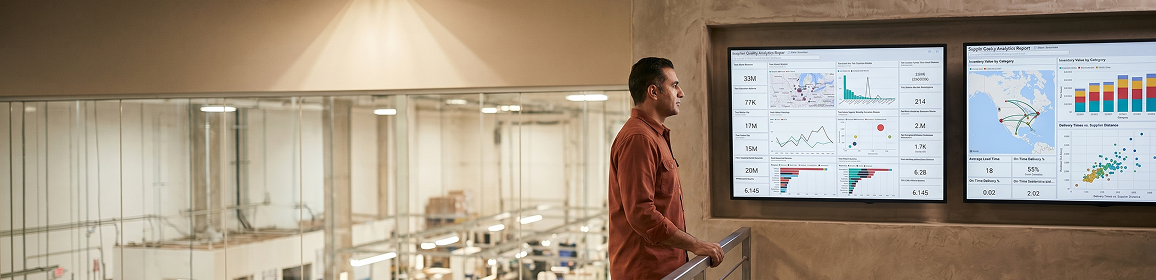
Multi-site manufacturing and distribution company with finance and operations teams across multiple regions.
Reporting relied on manual Excel workflows. Close cycles were delayed because finance and operations lacked a single source of truth. DAX measures written without performance consideration caused report timeouts, and leadership had limited confidence in the numbers.
A centralized Power BI data model was built on a SQL data warehouse integrating finance and operations systems. DAX measures were designed for reconciliation and auditability using high-performance patterns. Dashboards were structured to serve both executive and operational audiences from a single semantic model.
100% of reporting errors eliminated after model consolidation
faster average report load time after DAX optimization
Leadership gained clear, reliable visibility into performance drivers without manual consolidation.
Power BI Financial and Operations Performance Reporting engagement.
What separates a DAX-first power bi dax optimization firm from a report-first generalist
Typical Power BI consultants build reports. As a specialist power bi dax optimization partner, we start at the semantic model layer. The difference shows in performance, maintainability, and what you own when the engagement closes.
DAX-first, not report-first
Most teams start with the visual and build measures to fit. We start with the semantic model: data model architecture, relationship design, and measure pattern selection before a single visual is placed. Visuals built on a clean model perform and scale. Visuals built on a weak model always accumulate debt.
Documented before-and-after benchmarks
Every engagement ships with a PDF benchmark report: every modified measure with its execution time before and after. If your measure ran at 8.7 seconds and now runs at 0.5 seconds, that number is in the report. If an optimization did not meaningfully improve performance, we tell you why and what the constraint is.
Optimized DAX pattern library
We maintain a production-tested library of high-performance DAX patterns across manufacturing, retail, financial services, and SaaS. When a pattern from that library solves your bottleneck, we apply it directly. When it does not, we build a new pattern, profile it, and document it so your team can reuse it independently.
You own everything, without the black box
Annotated DAX code, a structured handoff session, and a monitoring dashboard mean your analytics team understands what changed and why. You are not dependent on us to interpret results or maintain the model going forward. The documentation is a requirement of sign-off, not an afterthought.
| Capability | Typical Power BI consultant | Redefine DAX optimization |
|---|---|---|
| Measure-level execution time profiling | ||
| Before-and-after benchmark report | ||
| Data model restructuring (star schema) | Sometimes | |
| Calculation group implementation | ||
| Annotated DAX code on handoff | ||
| Performance monitoring dashboard included |
Questions Power BI teams ask before booking
Most DAX optimization engagements run two to four weeks. A focused measure audit and rewrite for a single subject area typically completes in two weeks. Full model restructuring including calculation groups, relationship review, and performance monitoring dashboard setup runs three to four weeks. Your team's time commitment is four to six hours total across all sessions.
We need read access to the Power BI Desktop file (.pbix) or the Premium/Fabric semantic model, and read-only access to the underlying data source for query plan analysis. We do not need write access to your production workspace to run profiling. If your security policy requires a sandboxed environment, we work within it. All data viewed during profiling stays within your policy boundary.
Sometimes, yes. Storage engine bottlenecks and formula engine bottlenecks look the same to an end user but have different root causes. We use DAX Studio and VertiPaq Analyzer to distinguish them. If DAX rewriting cannot close the gap, we document exactly where the ceiling is and what infrastructure changes (aggregations, composite models, Premium capacity settings) would resolve it. You get an honest diagnosis, not a rewrite that does not move the number.
That is the intent. Every engagement ships with annotated DAX code, a benchmark PDF documenting each change and why it was made, and a one-hour handoff session walking your developers through the patterns used. If your team writes new measures afterward, the monitoring dashboard flags regressions before they reach production. Most clients do not need ongoing DAX support after a structured handoff.
Report development builds new visuals and dashboards. DAX optimization works on the semantic layer underneath existing reports: measure logic, query plan efficiency, data model structure, and relationship design. You can explore our Power BI report development service for net-new dashboard builds, or our Power BI data modeling service when your model architecture needs a full rebuild alongside optimization. Many clients start with optimization and add report development once the model is clean.
Get your DAX audit scoped in 3 days
Submit your brief and start your power bi dax optimization. We review your report environment, identify the top three performance bottlenecks, and send a scoped proposal. No commitment. No pitch.
Scoped proposal in 3 business days
Measure count, model complexity, and performance targets reviewed before a number is given
4 to 6 hours of your team's time across the full engagement
One model review call, async review of the benchmark report, and a final handoff session
Annotated DAX code and benchmark PDF on handoff
Every change documented with before-and-after execution time and reasoning
You own the model outright
No proprietary tools, no licensing dependencies, no ongoing retainer required
Submit your Power BI brief
Submit brief → call within 48 hours → scoped proposal in 3 days → Sprint 1 within 1 week of sign-off
Brief received
We will review your Power BI environment and send a scoped proposal within 3 business days. You will hear from us first at the email you provided.