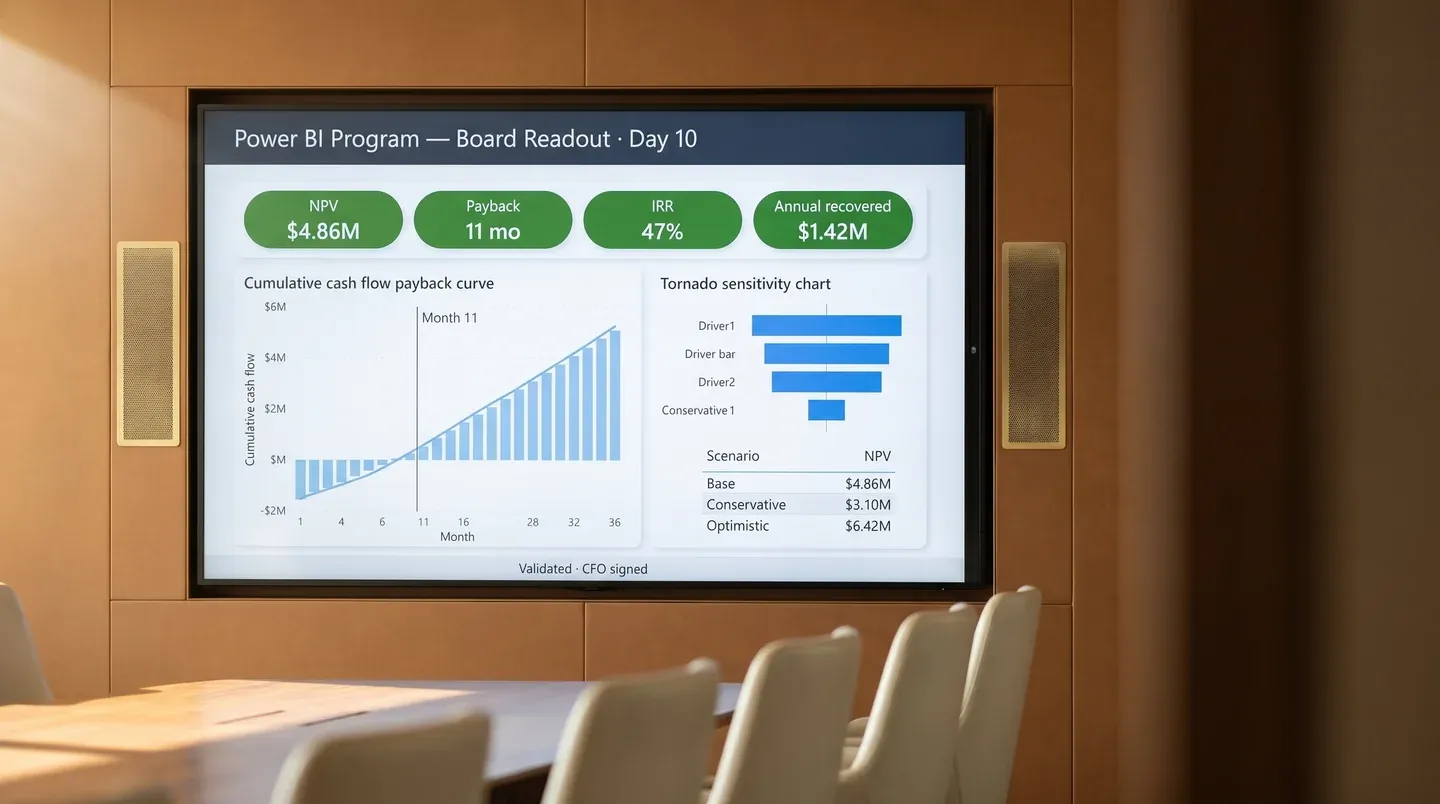
Run a Power BI ROI calculator on your return on investment before you spend a dollar.
A defensible business case for your Power BI program, with named cost lines, named savings lines, payback period, and a sensitivity model your CFO will sign. Ten business days. Fixed fee.
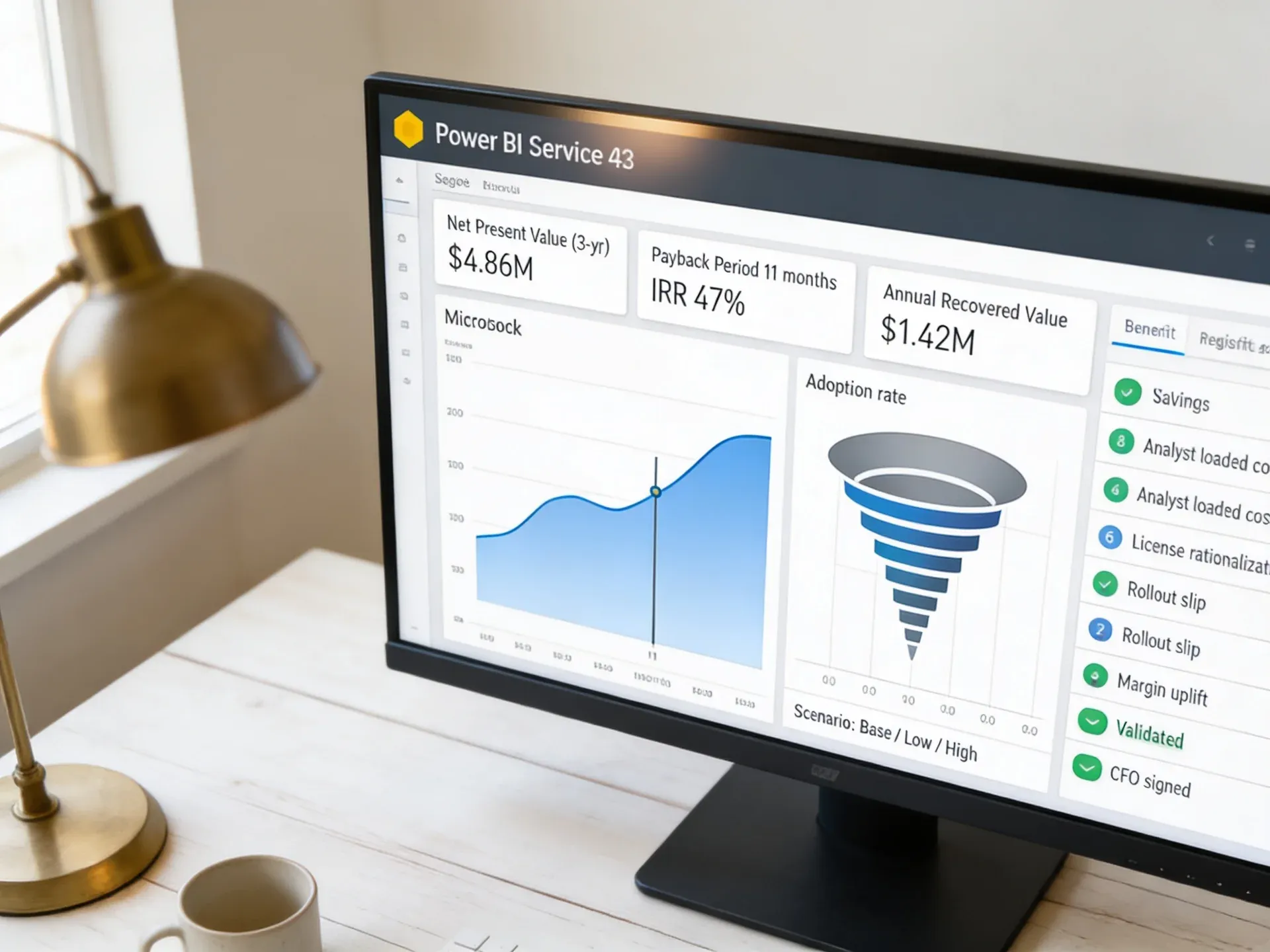
You already pay for the slow report. You just have not added up the line.
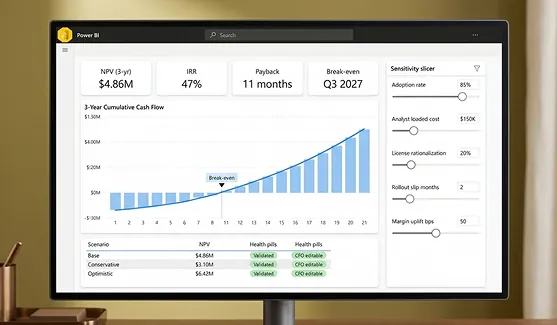
Every Power BI proposal lands on a CFO desk without three numbers: what staying put costs, what the program returns, and when the return arrives. Toggle below for the before and after view.
Your finance team rebuilds the same five reports every Monday. Nobody priced that work.
Two vendors quoted the project. Both gave you cost. Neither gave you payback.
The CFO asked for a sensitivity model. You sent a slide.
Month close still runs five days past the calendar date and three people stay late for it.
Last year's licensing renewal added 22% with no usage analysis to defend it.
These numbers come from the first 27 Power BI return on investment assessments Redefine delivered. The variance is wide. The pattern is consistent.

Every week without a return on investment model has a price tag. Watch it tick.
Four scenarios from real engagements. The ticker advances in real time at the rate that company actually burns. Scenarios auto-cycle every four seconds; click any scenario to lock it.
Six deliverables. Ten business days. One signed Power BI business case.
Every Power BI return on investment assessment from Redefine produces the same six artifacts. We do not invoice extra to write the document. We do not hand over a slide deck. You receive the workbook, the model, the document, and the readout.
- 01
Cost baseline workbook
Every recurring Power BI cost named: licenses, capacity, gateway hosting, analyst hours, vendor hours, training. Fully loaded.
- 02
Benefits register
Each saving and revenue lift tied to a named report, named owner, evidence source, and a confidence band. No round numbers.
- 03
3-year financial model
Net present value, internal rate of return, payback period, and break-even date. Inputs your CFO can edit. Outputs that recalculate live.
- 04
Sensitivity model
Five drivers, three scenarios. What if adoption is half, what if rollout slips a quarter, what if the saving is 60% of estimate.
- 05
Business case document
A board-ready PDF written in CFO language. Executive summary, assumptions log, risk register, and a recommended path.
- 06
Steering readout
A 60-minute readout for your steering committee. Recording, transcript, and the model running on-screen so anyone can challenge a number.
Write the business case document
Hunt for license usage data across admin portals
Time-track analysts to estimate report-rebuild hours
Build the financial model from scratch
Defend the numbers in the steering committee alone
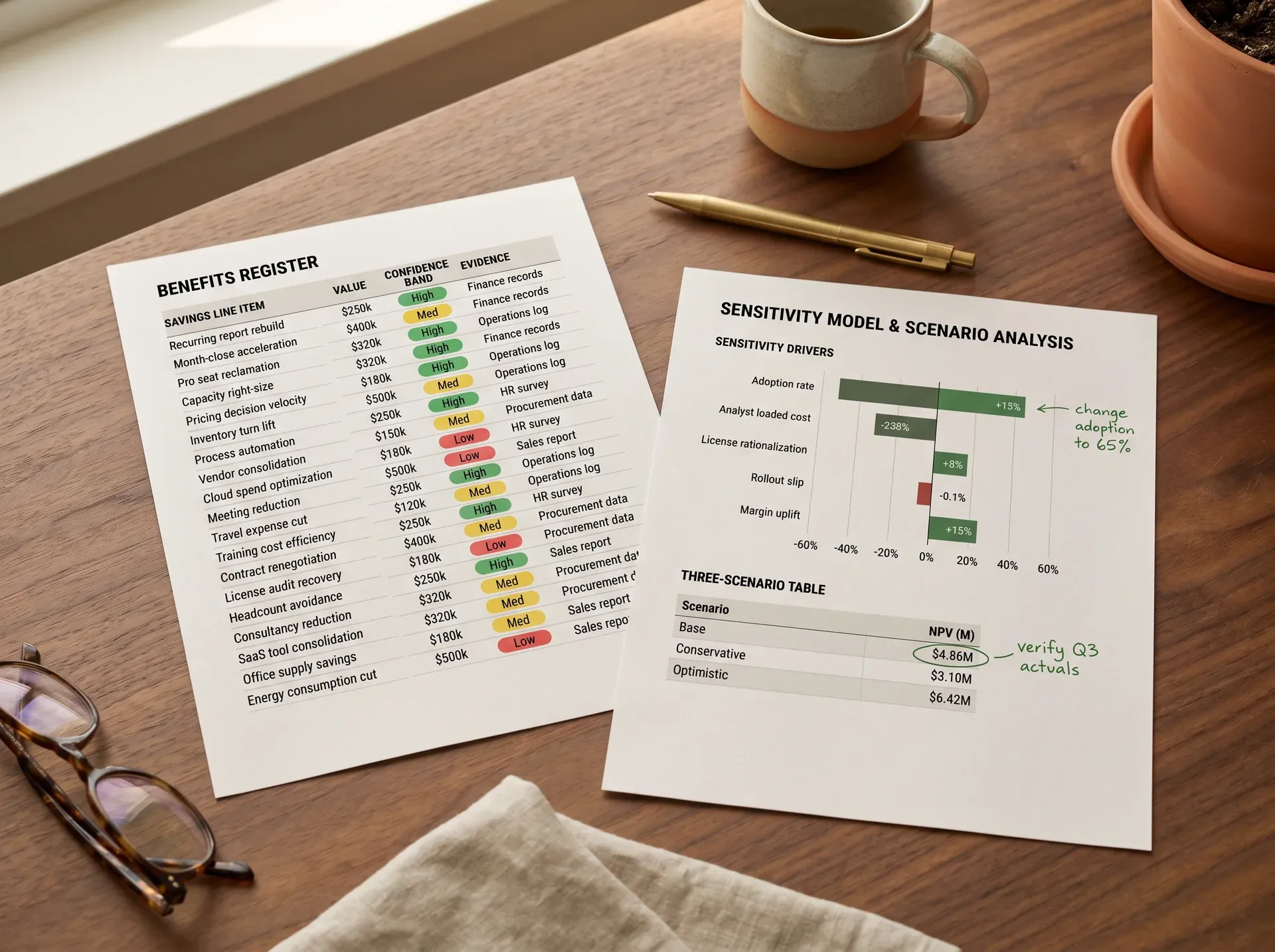
Manufacturer, 240 staff: $1.42M cost of inaction, $4.86M three-year net present value.
A mid-market industrial manufacturer had two competing Power BI proposals on the desk and a board meeting in four weeks. They needed a defensible recommendation. Below is the actual ten-day timeline.
Mid-market industrial manufacturer, 240 staff, $86M revenue, Sage X3 ERP, four Power BI Pro champions, 71 seats licensed.
Two Power BI implementation proposals at $410K and $640K. No model to compare. Board approval impossible without a defensible payback.
3-year net present value signed off in one board meeting. Project approved at $410K with phased milestones.
- Day 1 · MondayDiscovery call · data-room handover
90 minutes with finance and IT. License inventory, gateway map, top 14 reports identified.
- Day 2 to 3Cost baseline assembled
License usage by capacity. Analyst hours estimated from time-stamped report files. $312K annual cost identified, $74K previously unaccounted.
- Day 4 to 5Benefits register and validation call
19 named savings lines. Finance director signed off on the assumptions log in 45 minutes.
- Day 6 to 8Financial model and sensitivity
Three-year model with five editable drivers. Payback: 11 months on the lower proposal, 17 on the higher.
- Day 9 to 10Board readout
Model ran live in the meeting. Three questions answered on the spot. Decision made in session.
Phased statement of work signed within 9 working days of readout.
The lower-priced vendor was selected. The selection was not based on price. The model demonstrated their phased plan delivered 92% of the net present value at 64% of the cost. The model is now used quarterly to track realized versus forecast benefits.
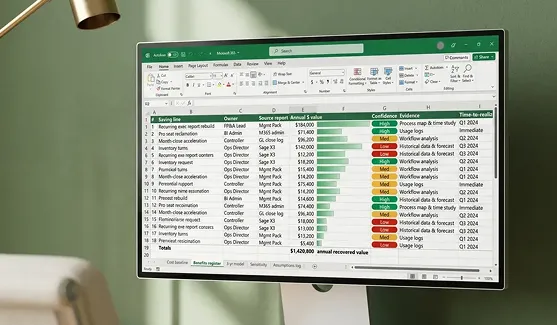
Power BI return on investment: five value buckets, three you can measure inside a month.
Of value comes from labour recovered and license rationalization. Both are visible inside one quarter.
Analyst hours recovered first, always
Every assessment surfaces five to nine recurring reports rebuilt manually each cycle. We time-stamp the source files, count the rebuild hours, and price them at fully loaded analyst cost. This bucket is the one your CFO trusts because it is the one nobody can dispute.
License waste is bigger than you think
Median Power BI estate carries 22% inactive Pro seats and one over-sized capacity. We pull usage from the admin portal, model the right-sized state, and produce a renewal-ready breakdown. License rationalization alone often funds the implementation.
Margin and working-capital are real, but slower
Faster pricing decisions and tighter inventory turns return more dollars than labour over three years. They take longer to land and depend on adoption. We model them at a lower confidence band and flag them as upside, not base case.

Most partners pitch the build. Our Power BI cost benefit analysis models whether the build is worth it first.
A return on investment assessment from an implementation partner has one bias. A return on investment assessment from a procurement consultant has another. Our model is built to be defended in front of your CFO, not sold by us.
| Capability | Typical implementation partner | Big-four advisory | Redefine |
|---|---|---|---|
| Fixed fee, fixed timeline | Time-and-materials, scope creep typical | 6-week minimum, six-figure budget | 10 business days, fixed fee |
| Vendor-neutral comparison | Biased toward their own quote | Neutral but rarely names tooling | We will model any vendor's proposal |
| Workbook delivered to client | Slide deck only | Slide deck plus locked spreadsheet | Editable workbook, model, and PDF |
| Sensitivity built in | Single scenario, no driver edits | Provided on request, extra cost | 5 drivers, 3 scenarios, included |
| CFO-language deliverable | Engineer-language, information-technology-first | Yes, but generic finance framework | Written for your CFO, with assumptions log |
| Operational realism | Strong on technical, weak on finance | Theoretical finance, light on operations | Both: 27 prior assessments, mid-market focus |
| Post-readout support | None unless you sign the build | Hourly rate | Two follow-up calls included |
The seven questions you will hear in the steering committee.
Your finance team can absolutely build a model. They rarely have time to extract Power BI license usage from M365 admin, count rebuild hours from time-stamped PBIX files, or benchmark against 27 prior assessments. We arrive with templates, telemetry queries, and a benefits library calibrated to mid-market Power BI estates. Your team validates the numbers. We do the assembly.
That happens. Roughly one in seven assessments concludes the proposed scope does not clear the hurdle rate. In those cases we recommend a phased scope, a smaller pilot, or a different starting point. You receive the same workbook either way.
No. The deliverables are yours. The model is editable. The business case names no preferred vendor unless you ask us to. About half of our assessment clients ultimately go with a different implementation partner. Both groups continue to engage us for periodic re-baselines.
We do not estimate, we count. PBIX file timestamps, version history, and refresh logs give us a measurable lower bound on labour. We interview two analysts to triangulate. The number lands within a 12% confidence band, which is documented in the assumptions log. Disputes get resolved during validation, not after delivery.
Yes. Roughly 60% of our assessments are run on existing estates to support a refresh, a license renegotiation, or a Premium capacity decision. The same workbook applies. The cost baseline shifts from forecast to actual, which makes the numbers tighter and the recommendations sharper.
M365 admin access for license usage, Power BI tenant settings, a sample of your top 10 PBIX files, a copy of any active vendor proposals, and one hour with the finance lead. If you cannot grant tenant access, we work from anonymized exports. We provide a Day 0 checklist on engagement signing.
Fixed fee of $14,400 for the standard 10-day scope (up to two business units, one Power BI tenant). Multi-entity or multi-tenant scopes are scoped on request, at $22,000 to $34,000. The fee is credited against any subsequent implementation engagement if you choose us. No additional charges for the workbook, model, document, or readout.
The return on investment assessment connects to nine related decisions.
Tell us your situation. Walk out with a signed business case in 10 business days.
One 48-hour discovery call. One fixed-fee engagement. One Power BI ROI calculator and workbook your CFO can edit.
No commitment. No pitch. Reply within one business day.