SAP BusinessObjects to Power BI Migration Your Team Fully Owns
We retire your Crystal Reports and Web Intelligence reports and rebuild every metric in a governed Power BI model. Your team opens it the next morning and trusts every number.
Submit your brief → call within 48 hours → scoped proposal in 3 days → Sprint 1 begins within 1 week of sign off
Hero · Migration team reviewing the report inventory

Team at a whiteboard, soft office light, wide three quarter angle · 1200 x 630
SAP BusinessObjects Is Still Running Because No One Wants to Touch the Reports
Every month you stay on it costs a license renewal, a server refresh, and another analyst who cannot answer a live question from a static export.
- Only one person knows the reports. When they leave, the business flies blind until someone rediscovers every formula by hand.
- Reports run overnight, not on demand. By the time leadership opens the export, the numbers are already stale and the decisions are reactive.
- Every metric lives in a spreadsheet. Crystal Reports drops a file, someone reformats it, someone else questions the number, and an hour is gone.
- License and infrastructure costs compound. The server, the administrative overhead, and the consulting dependency add up every year with no new capability to show for it.
- Live dashboards refresh automatically. Leadership opens Power BI each morning and reads the current number, not last night's export.
- Three or four analysts can build and publish reports without waiting on the one person who knew the legacy system.
- Row-level security means every user sees exactly the data they are authorized for, without manual filtering.
- Your SAP BusinessObjects to Power BI migration partner hands over full ownership. You pay no ongoing license to us and no server maintenance bill.
Pain · Analyst exporting a legacy report

Desk scene, late afternoon light, side angle · 720 x 540
Every SAP BusinessObjects Report Rebuilt as a Live Power BI Model
See what your reporting environment looks like today versus what your team works with after a completed migration.
What your team lives with today
- Reports run overnight on a schedule. A failed connection means the morning export is wrong or missing.
- Numbers are distributed as spreadsheet attachments. There is no single version and no way to audit which file was the source of a decision.
- Interactive filtering requires rebuilding the report from scratch. A single changed breakout takes hours of development time.
What your team works with after migration
- Dashboards refresh automatically on a schedule you control. Leaders see the current number every time they open Power BI, no export required.
- Slicers and filters are built in. Any analyst can break out numbers by region, channel, or product without touching development.
- One certified semantic model is the single source of truth. Every report in the workspace pulls from the same governed measures.
From Report Inventory to Live Power BI Model in Four Waves
Every SAP BusinessObjects to Power BI migration consulting engagement follows a fixed process. Nothing is invented on the fly, and nothing is handed over until your team validates it.
Wave 1 typically takes one to two weeks for environments up to 100 reports.
Wave 2 creates the single governed model all rebuilt reports will pull from.
Nothing is decommissioned until every report in the tracker reaches signed off status.
Your team receives complete code and workspace ownership. No ongoing dependency on Redefine.
Process · Developer mapping report fields
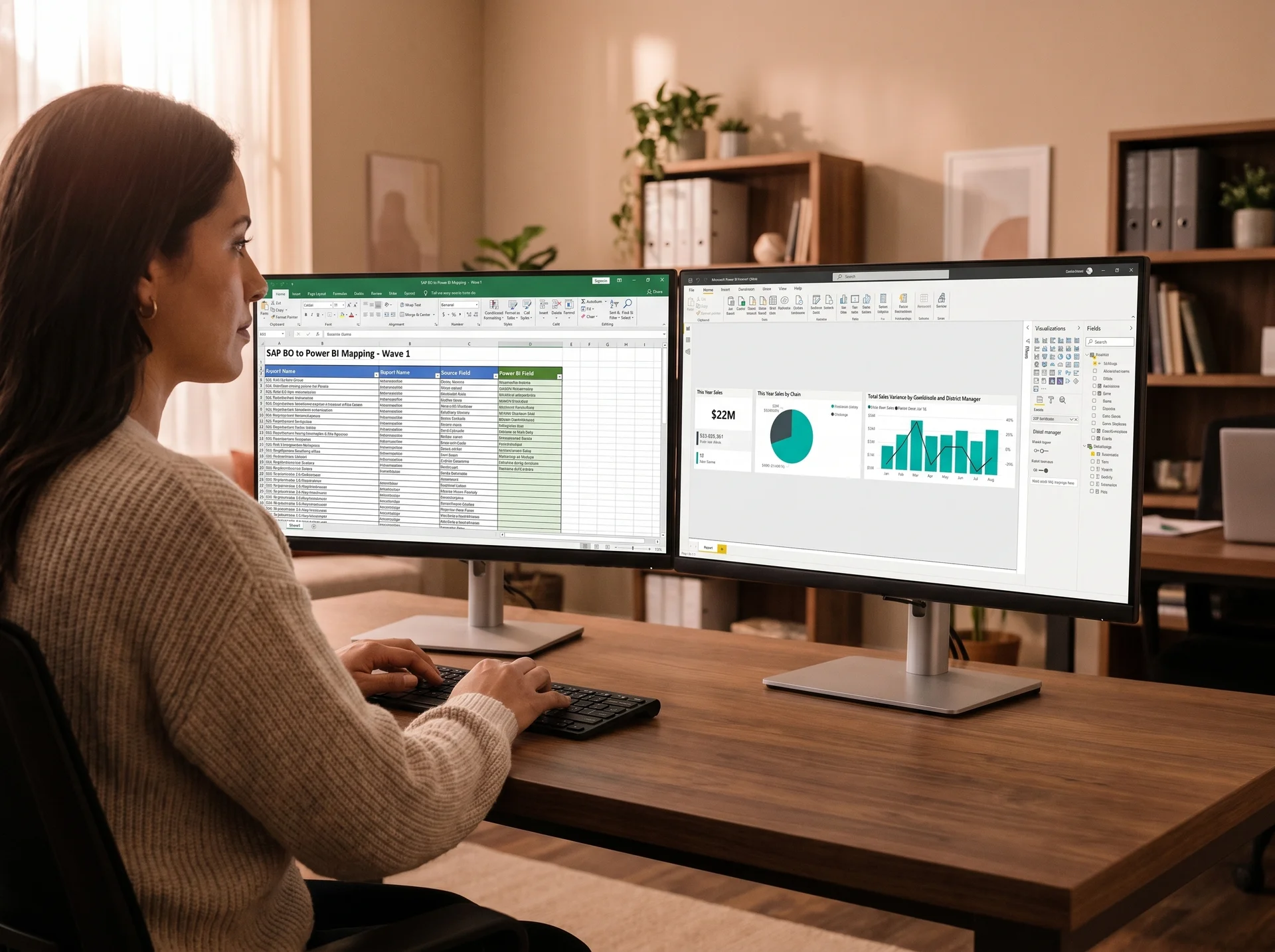
Over-shoulder angle, desk light, focused · 720 x 540
A Governed Power BI Workspace, Not a Project That Needs Ongoing Support
Every sap businessobjects to power bi migration company delivers reports. A migration partner delivers a system your team can own and extend.
Full report inventory and field map
A documented registry of every Crystal Report and Web Intelligence report, mapped to business owners, data sources, and rebuild priority before any development work begins.
Certified Power BI semantic model
A single governed semantic model with certified measures, consistent naming conventions, and row-level security built in. Every report in your workspace draws from one trusted source.
Row-level security and governance
Security roles configured so each user sees only the data they are authorized for. Audit logs, refresh monitoring, and workspace governance are set up before handover.
Scheduled refresh and gateway setup
On-premises data gateway configured, refresh schedules tested, and failure alerts set up so your team knows about a broken refresh before it affects a morning standup.
Team training and enablement
Hands-on training delivered using your own reports and your own data. Your team learns to build, publish, and maintain reports before the legacy system is decommissioned.
Full code and workspace ownership
All Power BI Desktop files, data flow definitions, and documentation transfer to you at handover. There is no ongoing license to pay Redefine and no code we retain access to.
Power BI Replaced Fragmented Reporting and Cut Analysis Time by 40 Percent
A multi-site apparel and retail operation ran their revenue recovery and customer analytics across disconnected legacy reporting tools. Reporting was fragmented and reactive, and preparing a single recovery analysis could take the team most of a working day.
- Unpaid invoice data lived across multiple systems. No single view existed to prioritize recovery actions.
- Customer segmentation was manual, taking hours to produce a single prioritized list for the recovery team.
- Analysis was reactive rather than predictive. High-risk accounts were not surfaced until they were already delinquent.
A centralized Power BI analytics model was built integrating data from Business Central and custom source systems. Predictive segmentation logic surfaced high-risk accounts automatically. Dashboards were structured for both executive oversight and operational recovery workflows.
Proof · Operations team reviewing the new Power BI dashboard

Team at a wall screen, soft office light, side angle · 960 x 540
"The analytics solution delivered measurable improvements in revenue recovery and operational efficiency. Recovery and targeting effectiveness improved by approximately 35 percent, while reporting and analysis time was reduced by around 40 percent."
Enterprise Apparel and Retail Client · Power BI Analytics Migration
What Sets a Real Migration Apart From a Report Rebuild
Any firm can take your Crystal Reports and recreate them in Power BI. What matters is whether your team is self-sufficient on the other side, and whether the numbers match before the legacy system goes offline.
Scoped before any work starts
We deliver a full report inventory and wave plan before you sign off on a single sprint. You know the scope, timeline, and cost before any development begins.
Parallel run with metric-level validation
Your SAP BusinessObjects environment stays live throughout the migration. We run both systems in parallel and validate every metric against source before anything is decommissioned.
Full ownership at handover, no dependency
Every Power BI file, data model, and gateway configuration transfers to you. Your team is trained on your own reports before the legacy system goes offline. You do not need us after handover.
Scoped before work starts. Line-by-line pricing. No commitment required to receive a migration assessment and proposal.
Request Your Migration AssessmentCommon Questions About SAP BusinessObjects to Power BI Migration
Our SAP BusinessObjects to Power BI migration service covers a full report inventory audit, field-level mapping from Crystal and Web Intelligence reports to Power BI measures, semantic model build, row-level security setup, scheduled refresh configuration, and user training. You receive a governed Power BI workspace your team can maintain without external support.
Most migrations complete in six to sixteen weeks depending on report count and data source complexity. We scope the timeline in wave one so you know the full delivery schedule before any work begins. Simple environments with fewer than thirty reports often finish in six to eight weeks.
Yes. We map Crystal Reports and Web Intelligence reports in the same inventory, prioritize by business impact, and rebuild them in Power BI Desktop with your semantic model as the single source. Reports that were pixel-perfect for printing are rebuilt as interactive Power BI pages.
No. Your SAP BusinessObjects environment stays live during the entire migration. We run both systems in parallel, validate every metric against source, and only decommission the legacy system after your team signs off on accuracy. Nothing is deleted until you approve it.
We have completed more than 140 Power BI builds and migrations. Our SAP BusinessObjects to Power BI migration process is wave-based, scoped before work starts, and priced line by line. Every deliverable is tested against your source data before handover, and your team receives full code and workspace ownership at the end.
Who This Migration Serves Well
- You are running SAP BusinessObjects, Crystal Reports, or Web Intelligence and want to reduce licensing and maintenance cost.
- Your team relies on one or two people who know the legacy system, and you want to spread reporting capability more broadly.
- Your business questions cannot wait for an overnight export and you need live, interactive reporting your analysts can slice without developer support.
- You already have Microsoft 365 or Power BI Pro licenses in your organization and want to consolidate your analytics onto that investment.
- Your primary output is pixel-perfect printed documents with strict formatting requirements that cannot move to interactive dashboards under any circumstances.
- You do not have a Power BI Pro or Premium Per User license in your organization and are not open to adding one.
- Your data sources are not accessible via direct query or scheduled import, with no pathway to connect Power BI to the underlying systems.
Not sure? Tell us your situation and we will be straight with you. Send us your brief.
Request Your Migration Assessment
Tell us your current environment and we will send a scoped migration plan within three business days. No commitment required.
Call within 48 hours · scoped proposal in 3 days · Sprint 1 within 1 week of sign off
Brief received.
We will review your environment and send a scoped migration assessment within three business days.
Leave SAP BusinessObjects Behind for a Live Power BI Model
Request a migration assessment and get a scoped, wave-based plan for your SAP BusinessObjects to Power BI migration consulting engagement. No commitment. No pitch.
Moving off another tool? SSRS to Power BI and other legacy reporting migrations are available.
Pre-footer · Analytics lead reviewing the new Power BI workspace