Retire Your Paginated Reports for a Live Power BI Model
We move you off SSRS, Microsoft's SQL Server Reporting Services, onto one governed Power BI model. You keep every report detail and gain live, interactive views.
140+ dashboards delivered · legacy reporting moved onto Power BI without losing detail
Hero · Data team planning the migration

Static Reports Cannot Keep Up With Your Business
SSRS served you for years. Today it ships static pages, runs on aging infrastructure, and answers fewer questions than your team needs.
Why switch · The legacy report grind

An SSRS to Power BI migration keeps the reports you rely on and adds the interactivity, refresh, and governance a modern team expects.
Same Numbers, a Living Report
This is the before and after of an SSRS to Power BI migration. The views switch on their own. Tap a tab to compare them yourself.
What you have today
- Fixed pages, printed for a single period.
- No drill down, no filter, no slicing on the fly.
- A fresh question means a fresh report request.
What you get after
- Filter, drill down, and slice in the moment.
- Scheduled refresh keeps every number current.
- Print ready paginated layouts where you still need them.
Sample data shown for illustration. Your migration recreates your own reports on your own data.
A Full SSRS to Power BI Migration, Done for You
Our SSRS to Power BI migration services inventory your reports, rebuild them on a clean model, prove the numbers match, and hand over something you own. Outcome first, every step.
Report Inventory and Triage
We catalog every SSRS report, mark what is used, and retire what is not, so you rebuild only what matters.
One Governed Model
We rebuild your reports on a single semantic model, so totals reconcile and every chart traces to one source.
Numbers Proven to Match
We reconcile the new reports against the old line by line, so your team trusts the migration before go live.
Security Carried Over
We map your access rules into row level security, so each person sees only the data they should.
Paginated Where Needed
We keep print ready paginated reports for the cases that need them, alongside the new interactive views.
Yours to Keep
You own the model, the report files, and the workspace. We document everything and train your team, no lock in.
From Report Inventory to Go Live in Planned Waves
Your SSRS to Power BI migration runs in clear phases. We move the highest value reports first, then the rest with no surprises.
Assess and Inventory
We catalog every report, owner, and data source, then agree the order of migration with you.
Rebuild on a Clean Model
We rebuild the first wave of reports on one Power BI model wired to your data sources.
Reconcile and Validate
We match new numbers to the old reports line by line, and test access against your rules.
Go Live and Hand Over
We cut over, set scheduled refresh, document the model, and train your team to run it.
The Migration Risks We Remove Before They Bite
Most failed migrations break on the same few things. We control each one with a clear plan, so nothing stalls at go live.
Numbers Drift
We reconcile line by line against the old reports, so the new figures match before anyone relies on them.
Access Gaps
We carry your security rules into row level security and test them against real roles before go live.
Big Bang Cutover
We migrate in planned waves, so the business keeps running while reports move one set at a time.
Team Adoption
We document the model and train your team, so the new reports get used instead of gathering dust.
Manufacturer Moves Off Manual Reports to One Secure Model
What they do: a manufacturing and operations organization running reporting for teams across several departments.
The problem: operational reporting leaned on manual processes and a legacy reporting setup. It exposed more data than each user needed, which raised compliance risk and lowered confidence in the numbers.
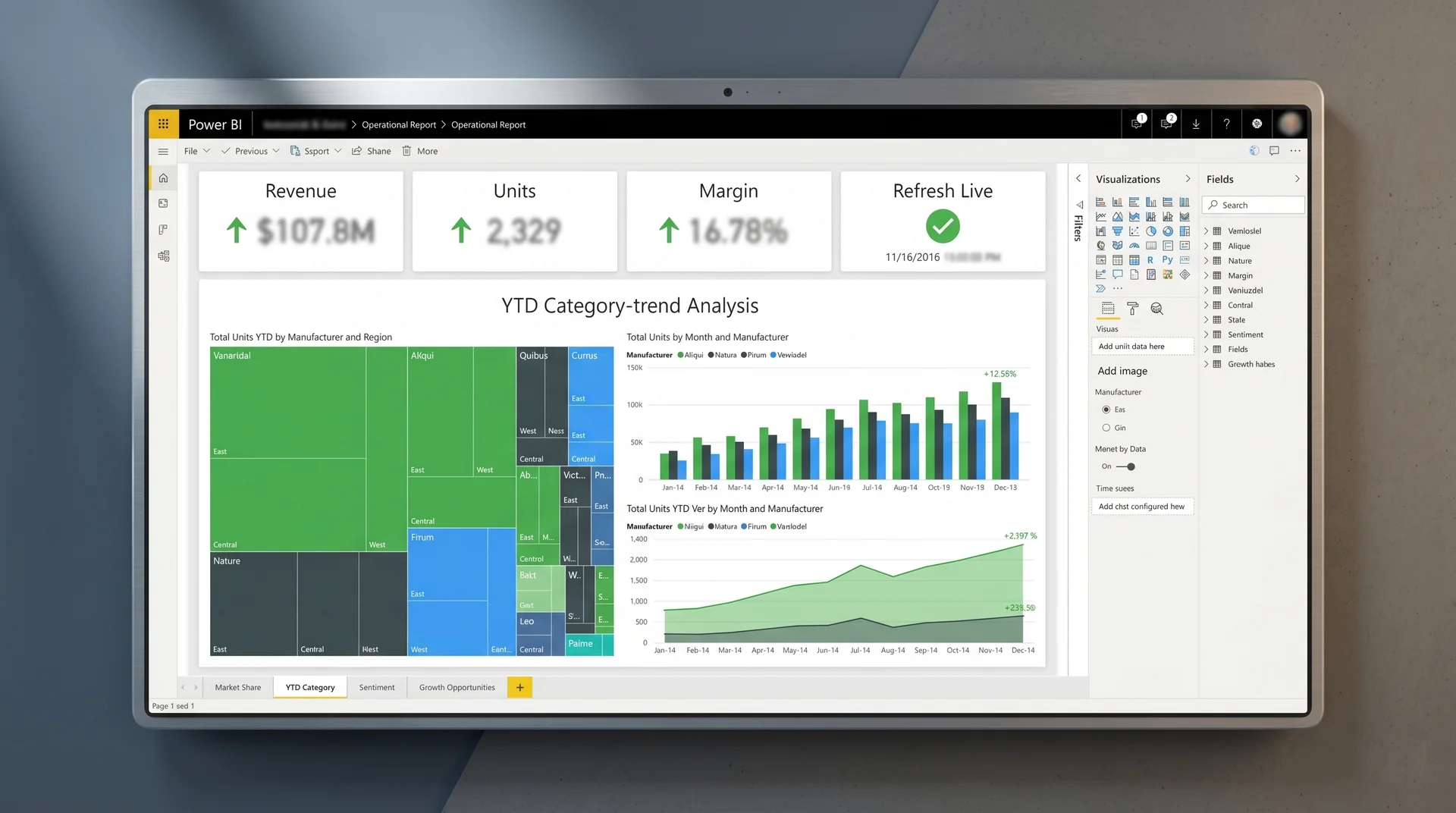
The solution and result: we built one centralized Power BI model on SQL Server, applied row level security so each user saw only their own data, and standardized shared metrics across departments.
Engagement reported stronger governance and less manual reporting effort. Figures describe the delivered solution and are specific to this project.
Proof · The delivered Power BI model
An SSRS to Power BI Migration Company That Proves the Numbers
Thin comparison pages promise a quick switch. As your SSRS to Power BI migration partner, we bring a playbook, reconcile every report, and stay until the team trusts it.
Reconciled, Not Guessed
A typical partner declares the migration done. We match new numbers to old, line by line, before go live.
A Real Playbook
Other implementation partners improvise. We run a wave based plan with a timeline and a risk checklist.
We Stay After Go Live
We train your team and document the model, so the reports get adopted, not abandoned after handover.
Part of our Power BI migration services. Moving off a different tool? See Tableau to Power BI migration, Cognos to Power BI migration, or Excel reporting to Power BI migration. Build support: report development and semantic model development. That is the difference between a thin listing and a real SSRS to Power BI migration company.
Scoped to Your Report Count, Priced Before Any Work Starts
Cost tracks how many reports you keep, how complex your data sources are, and how strict your security needs to be. You get line by line pricing in a proposal, with no commitment to receive it.
Submit your brief → call within 48 hours → scoped proposal in 3 days → Sprint 1 begins within 1 week of sign off
Want the full menu first? See Power BI pricing and evaluation, our Power BI implementation services, or ongoing Power BI support services.
SSRS to Power BI Migration, Answered
Our SSRS to Power BI migration services move your paginated reports, your data sources, and your security rules onto one governed Power BI model. You keep every report detail, plus you gain live, interactive views.
No. Power BI supports paginated reports, so the SSRS to Power BI replacement keeps print ready layouts where you need them, while adding interactive dashboards on top of the same data.
A first wave of an SSRS to Power BI migration lands in two to four weeks. We migrate the highest value reports first, prove the numbers match, then move the rest in planned waves.
Yes. Our SSRS to Power BI migration consulting starts with an assessment of your report inventory and data sources, so you get a scoped plan and a clear order of migration before any build.
We map your existing access rules into Power BI row level security, so each user sees only their own data. As your SSRS to Power BI migration partner, we test access against your rules before go live.
Tell Us About Your SSRS Reports
Send your brief and an SSRS to Power BI migration company that proves the numbers will scope a plan shaped to your report inventory.
Call within 48 hours · proposal in 3 days · Sprint 1 within 1 week of sign off
Brief Received
We will review your workflow and send a scoped proposal within 3 business days.
Leave Paginated Reports Behind for a Living Power BI Model
Request a migration assessment and get a scoped, wave based plan for your SSRS to Power BI migration. No commitment. No pitch.
Moving off another tool? Tableau to Power BI, Cognos to Power BI, and Excel reporting to Power BI migrations.
Pre footer · Team at the go live review