Can one store sell in two languages?
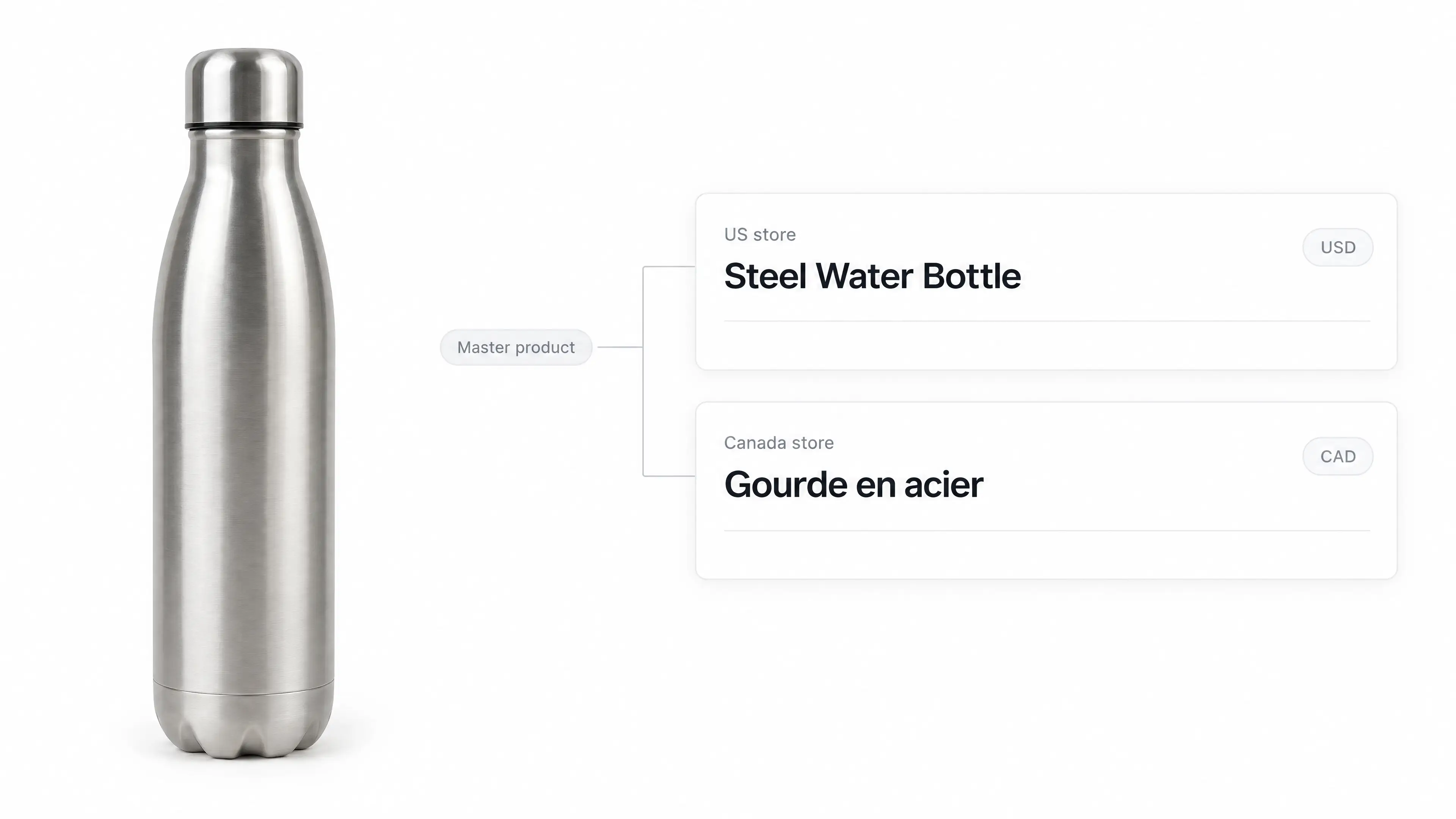
Yes. A store can sell in more than one language, like English and French on a Canada store.
Each language starts from the same master product. See product content management
Product localization
Redefine Suite keeps one master record for each product. Each store gets its own version in its own language, currency and categories. The agent drafts the French text, and a person checks it first.
See your own products localized in Redefine Suite.
A demo built on your own products and stores.
Short answer
Updated
Product localization gets each product ready for a new market: its language, prices, categories and search words. Redefine Suite by Redefine Innovations keeps one master record and gives each store and channel its own version, so a fix to the master reaches every market and local changes stay local.
A Canada store needs French text, prices in CAD and its own categories. If each store keeps its own copy of a product, a fix in one place never reaches the others. The copies drift, and a store sells with old or missing text.
In Redefine Suite each version takes its fields from the master. You change only what the market needs, and you can reset it to the master at any time.
Three ways to run more than one market
What a local version holds
See all of Redefine Suite.
Copies by hand
Text, price and channels. Here is how each one runs with copies made by hand, and how it runs in Redefine Suite.
01 Our way: With Redefine Suite
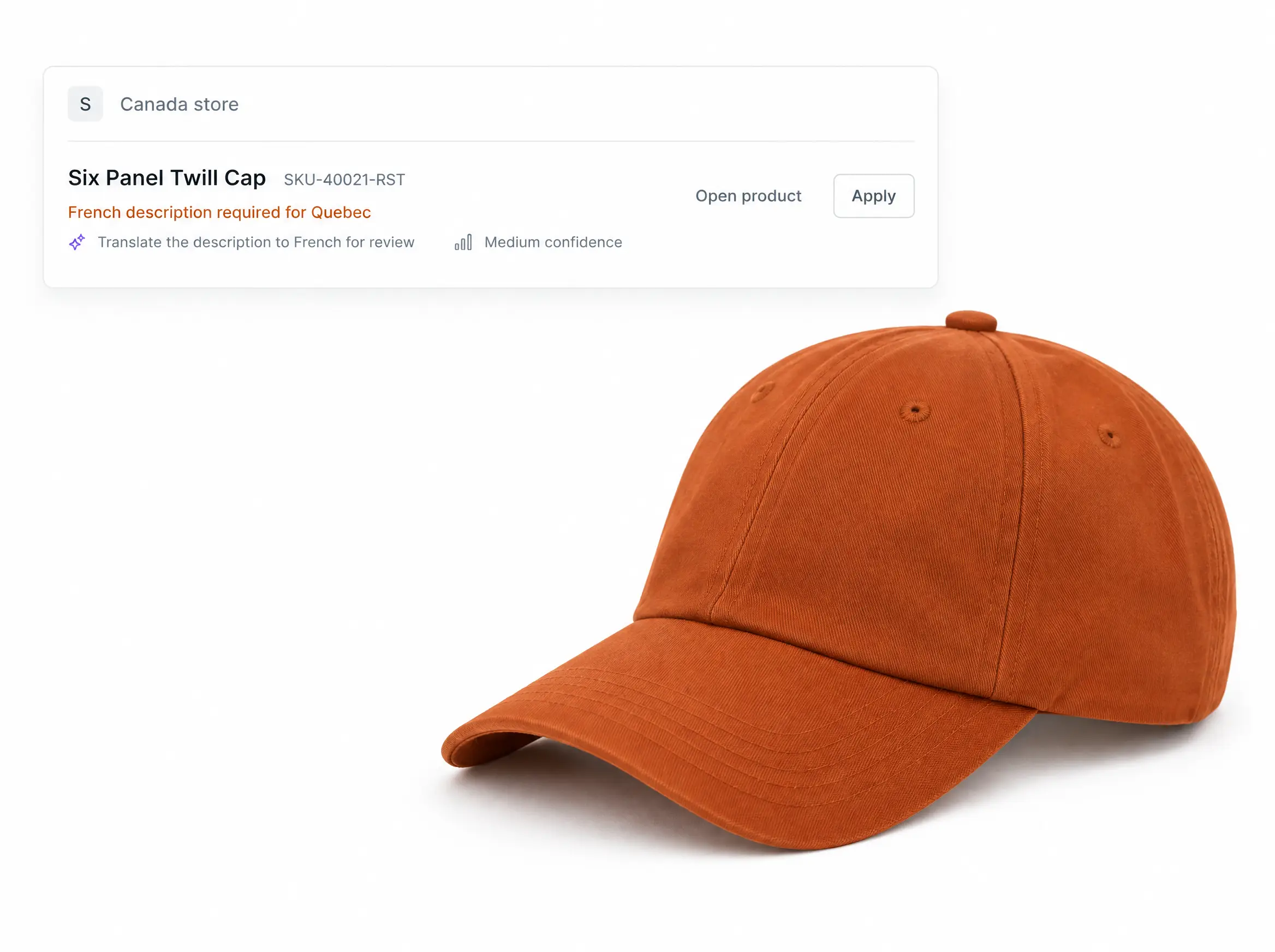
Text shows up in the right language.
The agent drafts French text in bulk, and a person checks each change. A listing issue flags a store that needs French, like Quebec.
Old way: Instead of
Text copied and translated by hand.
A store goes live in English only.
02 Our way: With Redefine Suite
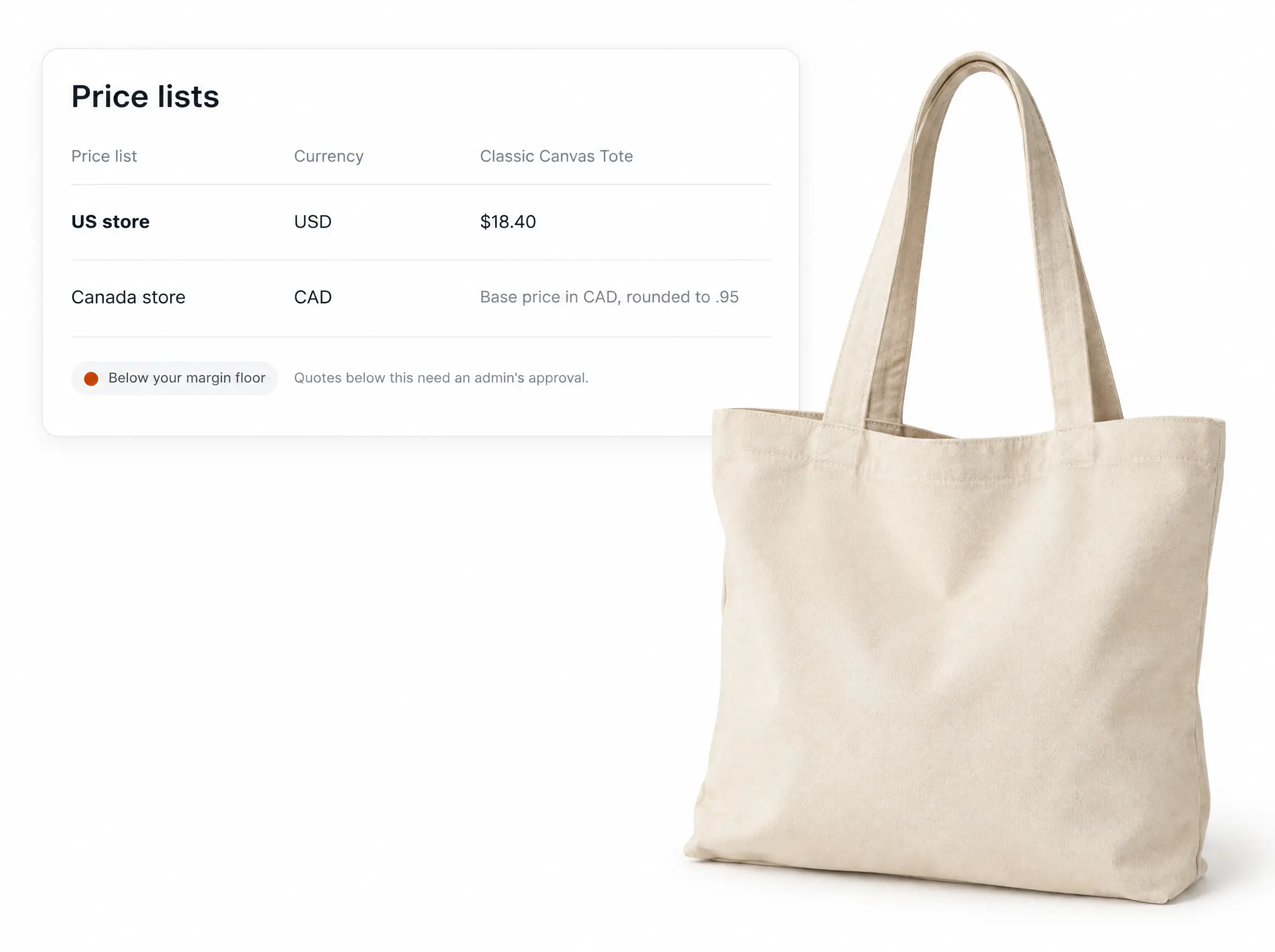
Each store sells in its own currency.
A US store runs in USD and a Canada store in CAD, from one admin. Price lists sync with Business Central and warn you before a price drops below your margin floor.
Old way: Instead of
One price changed on a spreadsheet.
Margin found too late.
03 Our way: With Redefine Suite
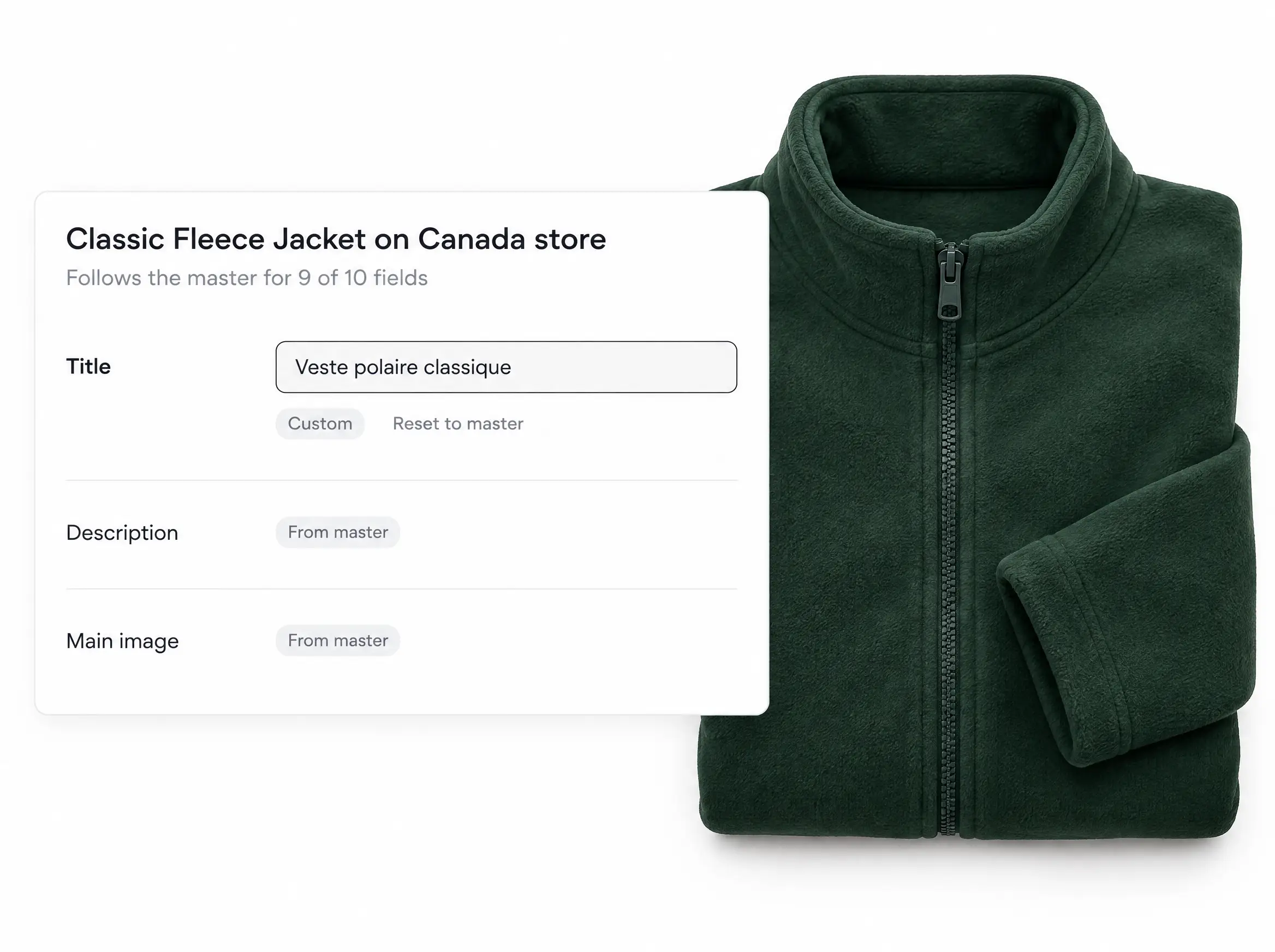
Each channel gets its own version.
A channel version takes every field from the master. Change one field for one channel, like a title, and reset it to the master any time.
Old way: Instead of
A new product set up per channel.
A fix on one channel misses the rest.
Score per store
Each product gets a sales score from 0 to 100 on every channel. The score lists what is missing, like a French description, and the agent can write it for you to check.
See product data validation and governance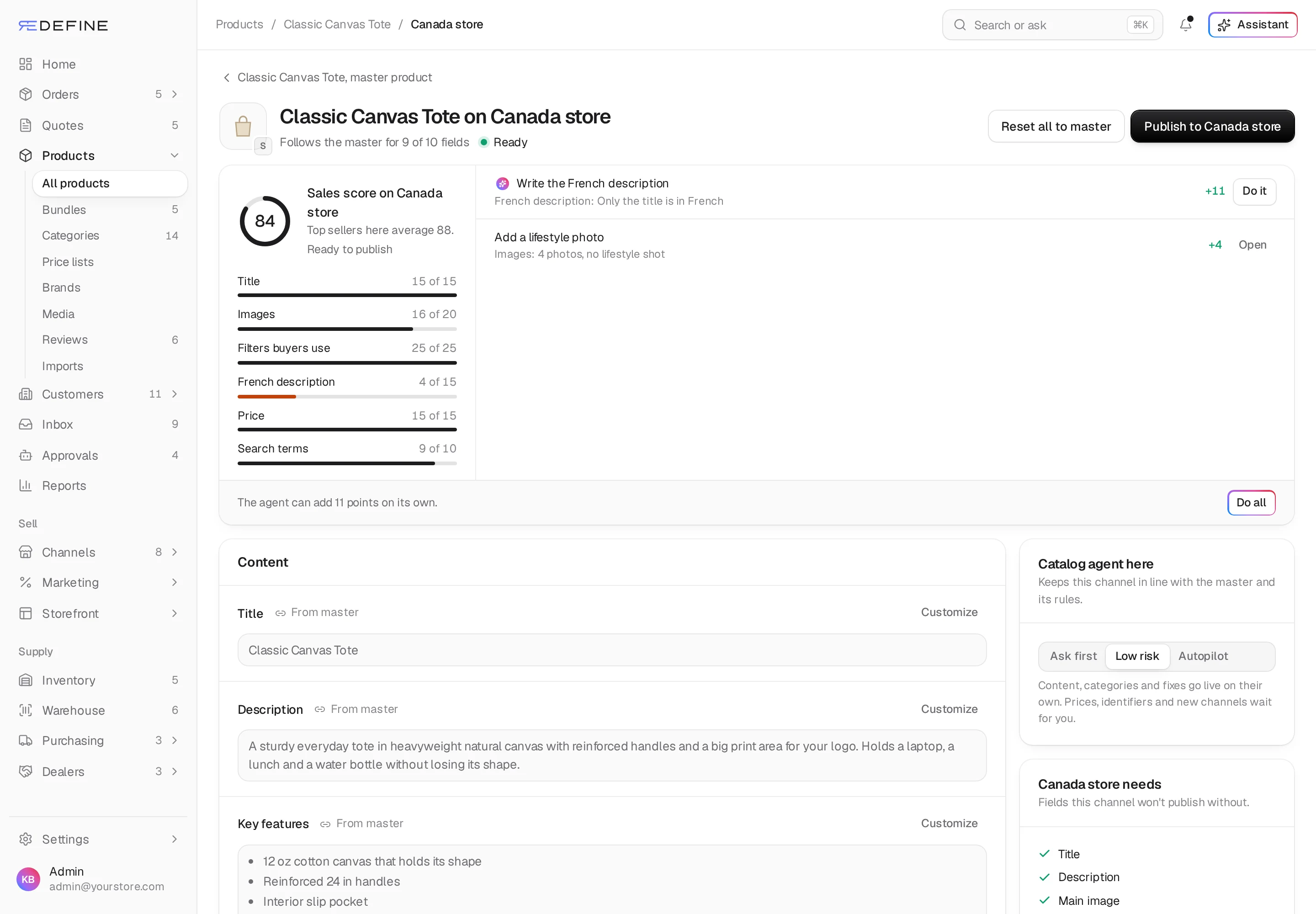
Localized catalog
Localization software only helps if every version stays tied to its product. Each part below keeps one product right for every market, from its text to where it ships.
The agent fills missing data, translates text and writes alt text in bulk. Each change waits in Approvals. You see what the agent changed, then apply it or send it back. Each product score shows what is still missing.
See product data enrichment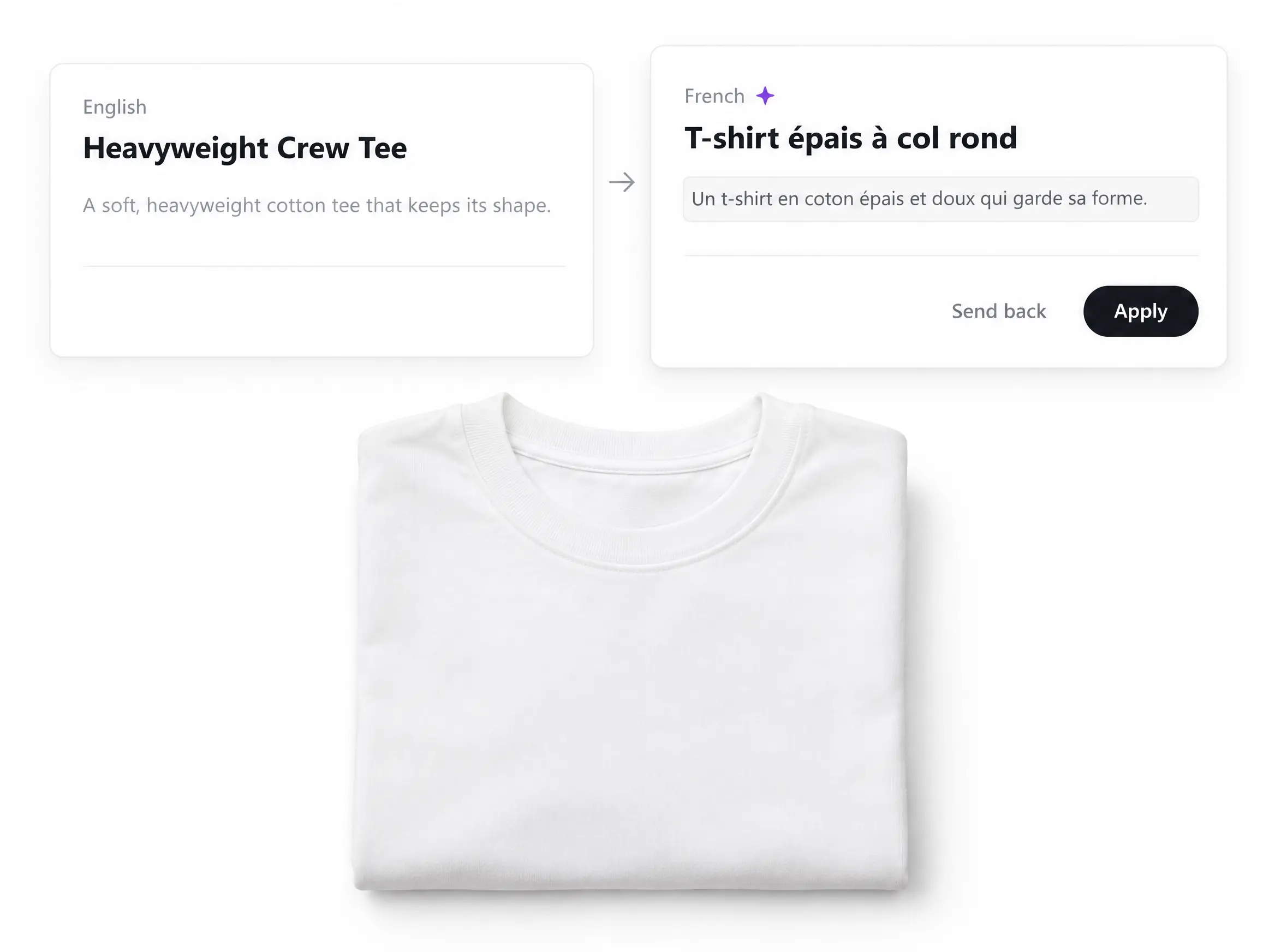
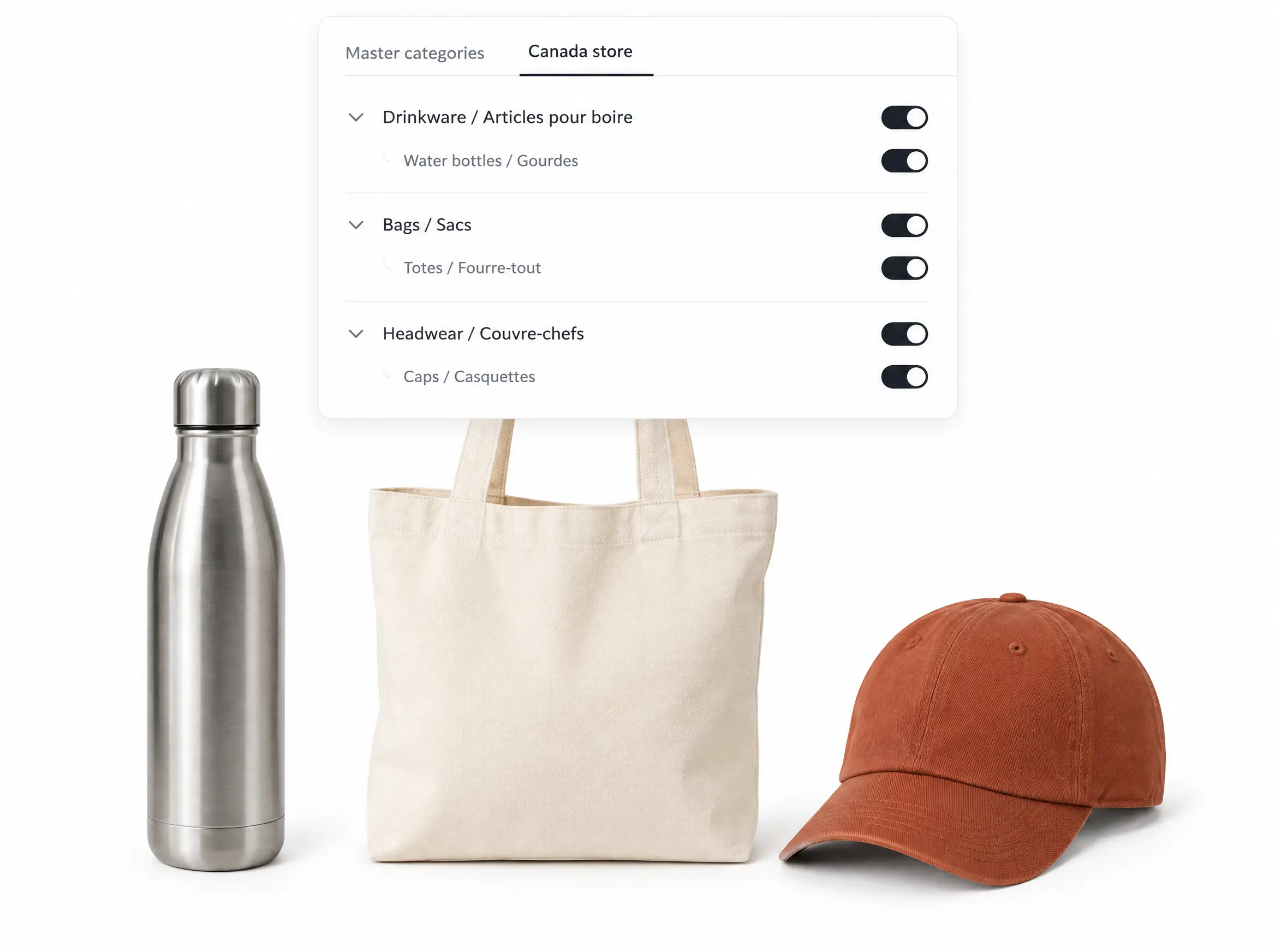
Each storefront has its own category tree, filled from your master categories. Products land in the right place for that market, and the agent asks when a pick is unclear. Each store can also sort its own brands.
Set the countries, states and provinces each store sells to. Shipping charges, carriers and tax rates are set for each store and region, so checkout is right in each market. You can also hide a product on a store that should not sell it.
See taxonomy and classification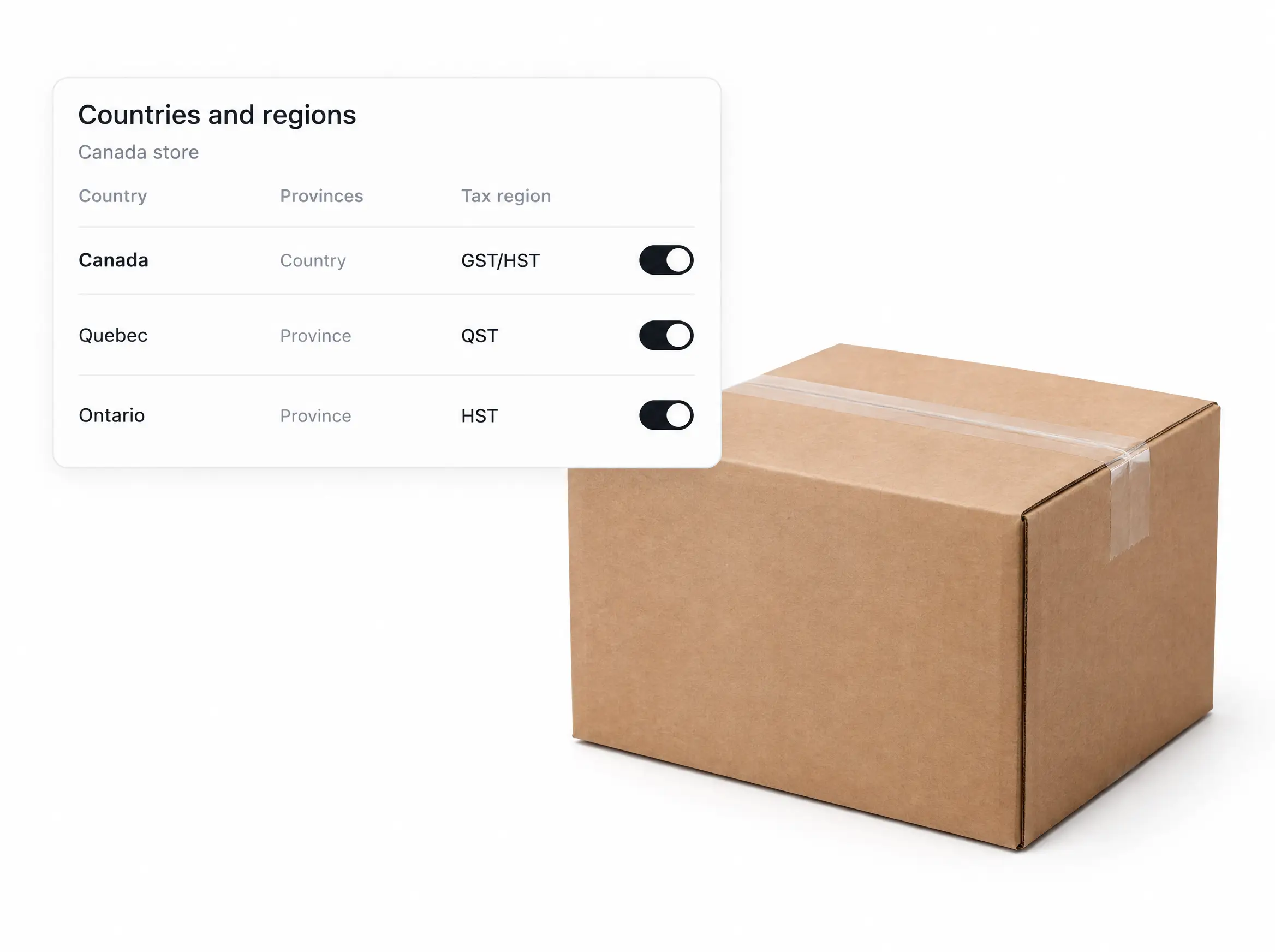
Client story

Built by Redefine
Redefine connected the catalog and the ERP for IMTRA, a marine and industrial products company with 13,000+ items. Read the IMTRA story.
Stock for each channel came from 4 sources, put together by hand.
Now one import from Business Central feeds every channel.
Items: 13,000+
Stock sources: 4 to 1 import
Manual ERP sync steps: about 85% replaced

Local search
Add search words for each store, like gourde for a water bottle on a Canada store. SEO titles, sitemaps and redirects are set per store too.
See product syndication readinessQuestions
Yes. A store can sell in more than one language, like English and French on a Canada store.
Each language starts from the same master product. See product content management
You do. The agent drafts text in bulk, and each change waits in Approvals until a person applies it.
Nothing reaches a store before that. See localization workflows
Yes. Each store runs in its own currency, with price lists synced with Business Central.
An account can also get its own price list on each store. See multi-brand and multi-region commerce
Change that field for that channel only. The rest still comes from the master, and you can reset the field any time.
Channel rules can also set title formats and categories. See marketplace and channel management
The agent can fill, translate and clean up products in bulk. You review its changes before they go live.
Saved views help you find the products that need work. See bulk product data operations
Yes. Set where each product shows on each store, and which countries each store sells and ships to.
You can also hide prices until a buyer signs in. See product data validation and governance
Book a demo
Tell us about one market you sell in today or want to open, like Canada. In the demo, we set up a store version with your own products, prices and language. A demo built on your own products and stores. You can also use the demo booking page.

Tell us which markets take your team the most time. We set up the demo around them.