
Low-angle view down a hyperscale AWS data center server aisle with dramatic ambient lighting and healthy green status lights, no people
CloudFront
8ms
EC2
12ms
Lambda
Serverless
EKS
Kubernetes
S3
11 9s durability
RDS Aurora
99.99% SLA
AWS Cloud Migration — Landing Zone Before Workload 1

Your AWS migration runs in production. Not just in a slide deck.

Engineering teams moving off on-premises or legacy cloud hire us for AWS cloud migration services that ship. We build a governed Landing Zone before workload 1 touches AWS. Every resource is Terraform-managed. Cutovers run parallel to your live system, with a tested rollback in place before traffic shifts. EKS, RDS, S3, Lambda, and CloudFront — chosen for your workload profile, documented in an architecture decision record before provisioning.

Active in all AWS regions
us-east-1us-west-2eu-west-1ap-southeast-1+ all AWS regions
Before and After: AWS Migration

This is what your infrastructure looks like now — and what it looks like after we move it to AWS.

Not a theoretical diagram. Every item on this card is a pattern we migrate away from and a result we deliver. Flip it to see both sides.

Before migration
Click to flip
Manual server provisioning
6 weeks to deploy new capacity. Ops team fires tickets. Hardware sitting idle 60% of the time.
Single-region deployment
Full outage when the datacenter fails. RTO of 4 to 12 hours. No automated failover.
Release day dread
Every deploy needs a maintenance window. Teams dread release day. 2am rollback war stories.
Infrastructure cost doesn't flex
Same bill at 5 users and 50,000 users. Over-provisioned always. Scaling requires a purchase order.
Pain metrics (typical)
6 wk
to provision new server capacity
4 hr
average recovery time per outage
40%
hardware utilization. The other 60% is waste.
After migration to AWS
Click to flip back
Capacity scales in 8 minutes
New capacity in 8 minutes via Horizontal Pod Autoscaler. All environments reproducible from repo.
AZ failure is invisible to users
99.99% SLA. AZ failure transparent to users. RDS Multi-AZ and Route 53 health checks fire automatically.
Ship multiple times a day
Zero-downtime deploys. Blue-green rollout with automated rollback on health check failure.
Pay for what you use
Reserved instances for baseline, spot for bursts, Lambda for events. 40 to 60% cost reduction in year 2.
AWS metrics (year 2)
8 min
to scale capacity via auto-scaling
0
planned maintenance windows needed
50%
infrastructure cost reduction in year 2
Tap the card to flip
AWS Migration Process

Your workloads reach production on AWS in 12 to 16 weeks. Here is exactly how.

Every project follows the same five-phase process. Each phase delivers a concrete output in your AWS account before the next one starts. Select a phase below to see what you receive.

Phase 1 of 5 • Weeks 1-2
Phase 1 of 5 — Weeks 1-2: Workload inventory and migration plan

We catalog every workload: OS, runtime, dependency graph, network flows, data volumes, compliance requirements, and performance baselines. Every integration point gets documented. You receive a workload migration profile and a prioritized migration backlog before we write a single line of Terraform. Mid-project surprises start here.

🔍 Workload inventory (OS, runtime, deps)
🗺 Dependency graph per workload
📋 Migration backlog with wave plan
💰 AWS cost model per workload
Migration Readiness Report • Week 2 Deliverable
Workload inventory
WLapi-gatewayECS readyWave 1
WLpostgres-v12RDS readyWave 1
WLworker-serviceRefactor neededWave 2
WLfile-storageS3 readyWave 1
14 workloads assessed • Wave 1 starts Week 5
Phase 2 of 5 • Weeks 3-4
Phase 2 of 5 — Weeks 3-4: AWS Landing Zone

We build a governed multi-account AWS environment before workload 1 moves. VPC design, subnet layout, IAM permission boundaries, security groups, CloudTrail logging, GuardDuty, and AWS Config rules are all version-controlled in Terraform before migration begins. Your AWS environment is governed on day one, not patched six months later.

🏗 Multi-account structure (prod, staging, dev)
🌐 VPC with public, private, isolated subnets
🔐 IAM, GuardDuty, CloudTrail, Config
📜 All resources in Terraform, zero click-ops
Terraform plan • Landing Zone
module "landing_zone" {
source = "./modules/aws-lz"
regions = ["us-east-1", "eu-west-1"]
enable_guardduty = true
enable_config = true
vpc_cidr = "10.0.0.0/16"
}
Plan: 47 to add, 0 to change, 0 to destroy.
Apply complete! Resources: 47 added.
Phase 3 of 5 • Weeks 5-12
Phase 3 of 5 — Weeks 5-12: Migration with live rollback

Workloads move in wave order. Each one runs in parallel on both environments while we validate. Route 53 weighted routing shifts 5%, then 25%, 50%, then 100% of traffic. A tested rollback is in place before any traffic moves. Data migrations run dry-run first with byte-for-byte validation before the real cut.

🔄 Parallel-run per workload before traffic shift
🏹 Route 53 weighted routing (5-25-50-100)
🔧 Tested rollback before production shift
Route 53 Traffic Routing
api-gateway traffic distribution
On-premises (source)0%
AWS ECS (target)100%
Wave 1 complete: api-gateway, postgres-v12, file-storage • 0 errors
Phase 4 of 5 • Weeks 13-14
Phase 4 of 5 — Weeks 13-14: Right-sizing and cost reduction

After 30 days in production, AWS Cost Explorer and CloudWatch reveal the real utilization profile. We right-size EC2 and RDS instances, buy Reserved Instances for baseline load, configure spot for burst workloads, and set up AWS Budgets with spend alerts. Most teams see 40 to 50% cost reduction here.

💰 Right-sizing from 30-day CloudWatch data
📈 Reserved Instance purchases for baseline
⏰ AWS Budgets and spend alerts configured
AWS Cost Explorer • Optimization
Before optimization
$8,400
monthly AWS spend
After optimization
$4,200
monthly AWS spend
50% cost reduction via right-sizing + Reserved Instances
Phase 5 of 5 • Weeks 15-16
Phase 5 of 5 — Weeks 15-16: Handover and 30-day stabilization

Your team receives a complete Terraform codebase, architecture decision record, CloudWatch dashboard configuration, and on-call runbook with incident playbooks. We stay active for 30 days after go-live. That stabilization window catches edge cases your team never saw during testing — before they become 3am incidents.

📜 Architecture Decision Record (ADR)
📊 CloudWatch dashboards and alert rules
📋 On-call runbook with incident playbooks
CloudWatch Dashboard • Post-migration
99.97%
Uptime (30d)
12ms
p99 latency
0
P1 incidents
All alerts green • Team handover complete • On-call runbook active
AWS Services We Migrate To

The right AWS service for your workload. Not the one we know best.

Value stack · cloud engineer reviewing AWS console with EKS cluster map on large monitor

Cloud engineer reviewing an AWS EKS Kubernetes cluster topology and node-health dashboard on a large monitor in soft side window light
Container orchestration
EKS and ECS

Your containerized applications run on EKS or ECS based on workload requirements and your team's Kubernetes depth. EKS handles complex multi-service architectures where you need full control. ECS handles simpler container workloads without the overhead of managing Kubernetes. Docker, Horizontal Pod Autoscaler, and Helm are standard.

DockerHPAHelm
🗄
RDS and Aurora

You stop managing database infrastructure. Automated backups, Multi-AZ failover, read replicas, and point-in-time recovery are built in. RDS fits standard workloads. Aurora fits high-throughput apps that need MySQL or PostgreSQL at cloud scale, where Aurora's replication speed matters.

0%
Multi-AZ SLA
Storage and CDN
S3 and CloudFront

S3 stores files with durability so high that losing an object is statistically rarer than a hardware failure hitting 11 data centers at once. CloudFront puts your content at AWS edge locations globally, cutting latency to under 10ms. Static assets, user uploads, and media move to S3 first, before compute workloads.

Serverless and queuing
Lambda and SQS

Background jobs, scheduled tasks, and event-driven processes move to Lambda. You pay per execution — no servers sitting idle between jobs. SQS decouples services so a spike in one queue does not cascade into a system-wide failure.

🔄
CI/CD and IaC
CodePipeline and Terraform

Any environment on this stack can be rebuilt from the Terraform repository in under 15 minutes. No manual console changes in production — ever. CodePipeline and CodeBuild handle CI/CD with rolling deployments and automated health-check rollbacks.

Client Result — B2B SaaS Platform

A SaaS platform shipped from monolith to microservices on AWS EKS. Zero unplanned downtime after go-live.

Release speed
8x
faster releases
from weekly to multiple deploys per day on EKS
Post-launch uptime
99.99%
sustained in the 90 days after go-live.
Zero planned maintenance windows.
Infrastructure cost
50%
reduction in year 2
via right-sizing, Reserved Instances, and spot

Proof · SaaS product team reviewing AWS EKS monitoring post-migration, all-green metrics
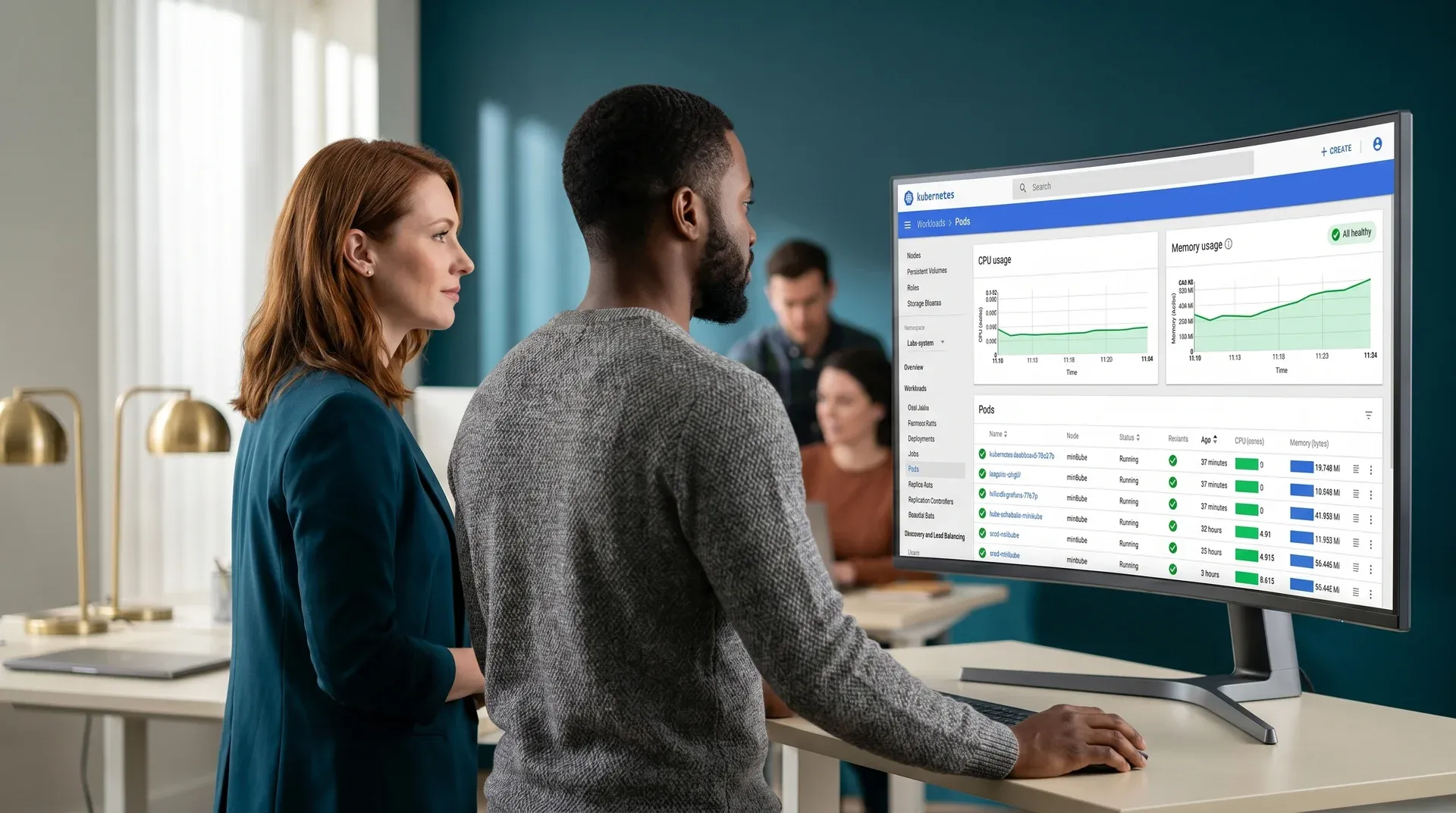
Product manager and lead engineer reviewing an all-green AWS EKS Kubernetes monitoring dashboard after migration in soft office light
SaaS / B2B PlatformAWS Cloud-Native Migration

The platform's engineering team carried a monolithic application that had outgrown itself. Releases required a full maintenance window. Outages happened at the database layer and cascaded across the whole product. Scaling any one service meant scaling everything. The team needed a path to independent services, faster deploys, and a database layer that did not become a single point of failure.

We re-architected the application into microservices, containerized each service with Docker, and ran orchestration on AWS EKS. Each service team got its own CI/CD pipeline in CodePipeline with rolling deployments and automated rollback on health check failure. Core APIs, authentication, and databases moved to independent services. RDS Multi-AZ replaced the single database. The platform now ships multiple times a day with no maintenance window.

AWS EKSDockerCodePipelineTerraformMicroservices
What sets this migration apart

Three things every AWS migration requires that most partners skip.

01
Landing Zone first
Your AWS environment is governed before workload 1 arrives
Migrating without a Landing Zone creates governance debt that multiplies with every new workload.
We build the account structure, VPC design, IAM, CloudTrail, and Config rules before any workload migrates. Your AWS environment is governed from day one, not patched six months after go-live.
02
Terraform for everything
No portal-click resources in production. Not one.
A resource that was clicked into existence cannot be recreated reliably under pressure.
Every EC2, RDS, EKS cluster, S3 bucket, security group, and IAM role is in Terraform and version-controlled. Your environment can be reproduced from the repo in under 15 minutes. We enforce this from Sprint 1.
AWS development services →
03
Rollback before cutover
Traffic does not shift until rollback is tested and confirmed
Most migration outages happen because the rollback plan was never tested.
We test the rollback path for every workload before shifting any production traffic. If the rollback cannot be completed in under 5 minutes, traffic does not shift. You validate the rollback, then we proceed.
All migration services →
Common Questions

What engineering leads ask before starting an AWS cloud migration.

An AWS cloud migration starts with a two-week discovery phase that maps every workload, dependency, compliance framework (SOC 2, PCI-DSS, HIPAA), and performance baseline. A Landing Zone is built in your AWS account before any workload moves. Workloads then migrate in priority order using parallel-run validation and Route 53 weighted routing for traffic cutover. See the five-phase migration process above for the full timeline.
We migrate to EC2, EKS, ECS, RDS, Aurora, S3, Lambda, API Gateway, CloudFront, ElastiCache, and SQS. Service selection is driven by workload profile — compute intensity, data access patterns, latency requirements, and team operational depth. Every decision is documented in the architecture decision record before provisioning. We do not choose services based on familiarity bias.
Yes. All AWS infrastructure is provisioned using Terraform or AWS CloudFormation. No manual console resource creation in production. Every environment is reproducible from the repository. See the Landing Zone phase above for an example of the Terraform output.
We use parallel-run patterns where the source environment stays live throughout. Traffic is shifted incrementally using Route 53 weighted routing at 5%, 25%, 50%, then 100%. Each increment is validated before the next. A tested rollback plan is defined for every workload before production traffic moves.
An AWS Landing Zone is a pre-configured, governed multi-account AWS environment. It defines account structure, VPC design, IAM permissions, security controls, and cost allocation before any workload migrates. Without a Landing Zone, each workload you add creates governance debt that grows exponentially and costs three to five times more to remediate later. We build the Landing Zone before migrating workload 1.
Start Your AWS Migration

Tell us about your project. We will scope your AWS migration in three days.

No commitment, no pitch. You receive a written migration scope, a workload inventory framework, and a proposed timeline — all within three business days of our call.

Form

Submit brief → call within 48 hours → migration assessment in 3 days → Sprint 1, week 2

48 hours
First response
100% Terraform
No manual click-ops, ever
0 downtime
Parallel-run cutovers
Rollback tested
Before traffic shifts

Pre-footer · cloud infrastructure team reviewing AWS CloudWatch all-green dashboard post-migration
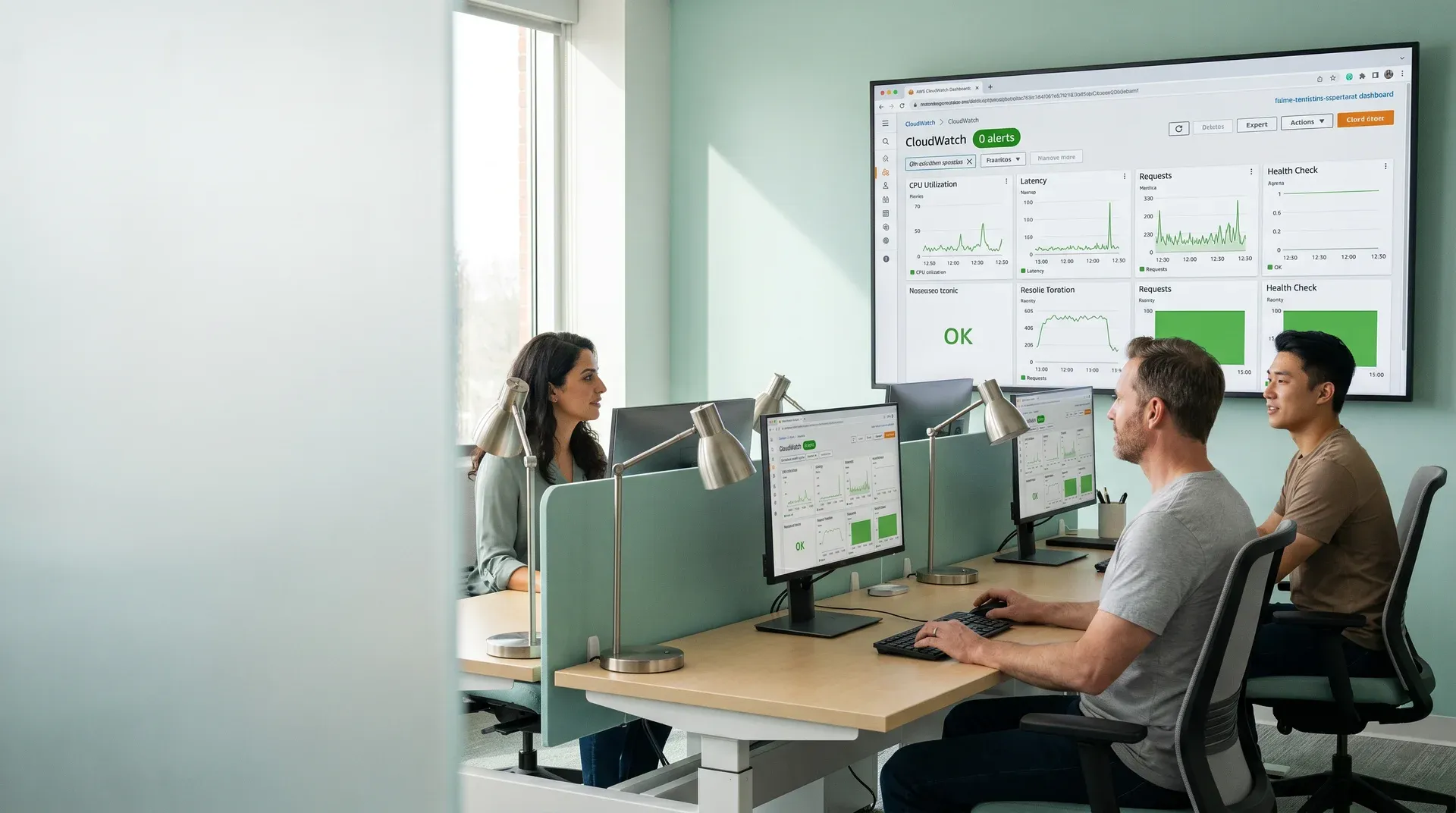
Cloud infrastructure team reviewing an all-green AWS CloudWatch dashboard with zero alerts after migration in soft office window light
Your workloads reach production on AWS. Landing Zone first. Terraform-managed. Rollback tested before traffic shifts.

No commitment. No pitch.

More migration and cloud services

Get on a call with us to see how we can help you

Get a Quote