Dynamics 365 Customer Insights implementation: churn signals live in 8 to 10 weeks.
Dynamics 365 Customer Insights consulting and implementation from a Microsoft Solutions Partner. We unify your enterprise resource planning, customer relationship management, and commerce data into a single customer profile, then activate it with predictive segments and real-time journeys.
What is Dynamics 365 Customer Insights?
Dynamics 365 Customer Insights is Microsoft's customer data platform for B2B companies. It is built for manufacturers, distributors, and professional services firms who manage hundreds of accounts across multiple disconnected systems. It solves the problem of silent account churn — customers who stop ordering before anyone notices. It matters because it gives your sales team a daily list of at-risk accounts with churn probability scores, 30 to 60 days before revenue is lost.
- Unified profiles in 7 weeks, predictions by week 10
- Fixed-price statement of work, zero change orders
- Microsoft Solutions Partner
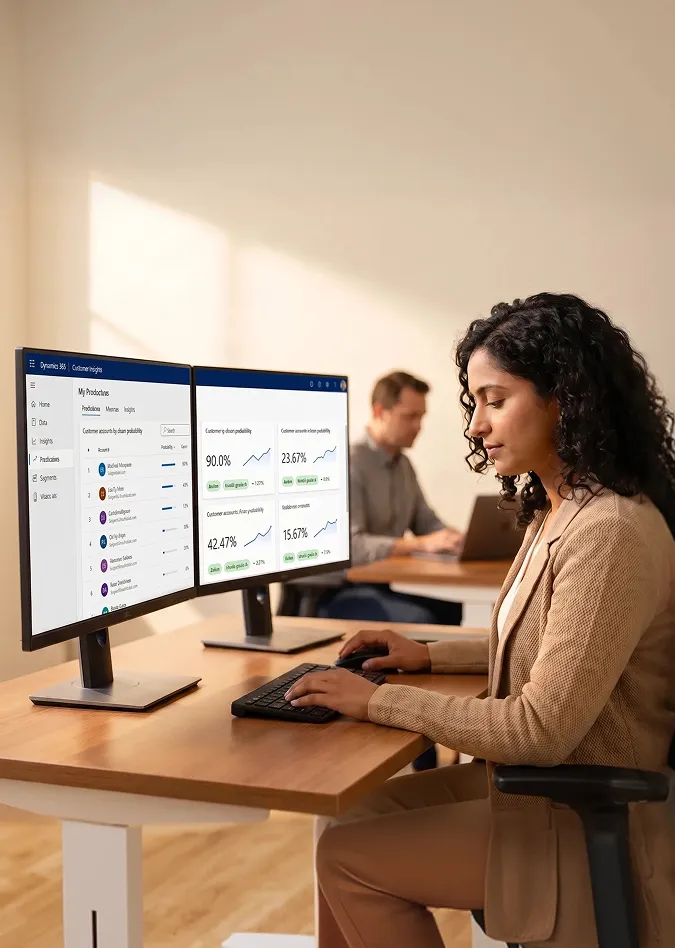
340 plus at-risk accounts flagged in first 90 days
8 - 10 weeks
Average go-live
4.9/5
Client satisfaction
Zero
Average change orders
47
Engagements completed
By the time you notice, the customer is already ordering from a competitor
"We lose accounts silently. By the time we notice, they're already ordering from a competitor."
Operations lead, wholesale distributor, before deploying Customer Insights
17%
Annual churn before Customer Insights, typical for accounts tracked manually
4.5 hours
Per representative per week reviewing account lists manually each Monday
Zero
Revenue recovered from at-risk accounts flagged before they churned
Data split across three systems
Account managers each carry their own spreadsheet tracking who is overdue for a call. No unified view exists.
Churn discovered at renewal
Sales finds out a customer is unhappy only at the renewal conversation. Not 90 days earlier when intervention is still possible.
Customer Insights resolves all three
Unified profile, predictive churn score, and automated journey alert, all from one platform, configured to your data.

Customer Insights replaces Monday morning manual account reviews with an automated churn score refreshed daily across every account in your system.
Customer Insights Data or Journeys, or both?
Microsoft split Customer Insights into two licensed products in 2023. Many clients start with Data and add Journeys once profiles are clean. We scope which combination fits your use case in the first call.
Customer Insights, Data
The customer data platform layer: unify every customer record into one trusted profile with predictive scoring.
Customer Insights, Journeys
The activation layer: fire real-time journeys at the moment behavior changes.
Standard statement of work includes
- Up to 6 data sources connected
- Up to 8 custom measures (recency, frequency, monetary, days since order)
- Churn, customer lifetime value, and next-order predictions
- Power BI dashboard built and connected
- Go-live: 8 to 10 weeks from signed statement of work
Customer Insights Data, Unified Profile View
Axion Tools Inc.
Account ID: AX-1492 · Industrial Distribution
Data sources merged
3 of 3
Business Central, Salesforce, Web
Days since last order
47 days
Average: 18 days
Customer lifetime value segment
Top 15%
$142K trailing revenue
Recency, frequency, monetary score
2-4-5
Recency low, frequency high, monetary high
500 plus connectors
Power Query
Powered by artificial intelligence
Identity resolution
Customer Insights Journeys, Reorder Reminder Flow
Trigger: Account hits 45-day order gap
Or churn probability exceeds 70%
Assign task to account manager in Dynamics 365 Sales
Subject: Follow up, Axion Tools (47 days)
Send re-engagement email to account contact
Template: Account-specific product recommendations
Log outcome in Power BI journey analytics
Measure: Reactivated revenue attributable to journey
Up to 5 journeys
In standard statement of work
All channels
Email, text message, Outlook
Eight things your account managers and sales leaders see the day Customer Insights goes live
Each capability is configured to your data model, not generic defaults. We scope which of these fits your business in the assessment call before a single line of configuration is written.
Unified Account Profiles
One record per customer merging enterprise resource planning transactions, customer relationship management contacts, and web behavior. No more spreadsheet reconciliation before a sales call.
Customer Insights, Data
Real-time Segmentation
Behavioral and firmographic segments that refresh as profiles update. Churn-risk accounts are always in the right segment, not yesterday's.
Customer Insights, Data
Predictive Churn Scoring
Artificial intelligence model trained on your order history flags accounts trending toward churn 30 to 60 days before revenue is lost. Sales gets the list before it is too late.
Customer Insights, Data
Recency, Frequency, Monetary Analysis
Recency, frequency, and monetary scoring across all accounts. Identify best customers, dormant accounts, and upsell candidates from one dashboard.
Customer Insights, Data
Journey Automation
Event-triggered email, text message, and Outlook task creation at the moment a customer hits a threshold. No manual monitoring, no batch delays.
Customer Insights, Journeys
Account Health Scoring
Custom health measure combining spend trajectory, order frequency, support ticket volume, and payment history. One number your team acts on without pulling three reports.
Customer Insights, Data
Reorder Propensity
Predicted next-order date and product category per account, surfaced in Dynamics 365 Sales. Account managers see it on the account card without switching tools.
Customer Insights, Data
Power BI Embedded Insights
Pre-built dashboards pulling Customer Insights profile data into Power BI. Customer health, segment distribution, churn trend, and journey performance in one reporting layer.
Customer Insights, Data and Business Intelligence
What Customer Insights connects to in the Dynamics 365 ecosystem
Over 500 out-of-the-box connectors via Power Query. Custom application programming interfaces and Azure Data Factory for any source without a native connector.
Business Central
Orders, invoices, and customer master. Native Dataverse connector.
Data source
Dynamics 365 Sales
Two-way sync. Customer Insights profiles surface in Sales contact cards. Scores push to opportunities.
Two-way sync
Dynamics 365 Finance
Accounts receivable aging, payment behavior, and invoice history feed into customer health segments.
Data source
Salesforce
Out-of-the-box Power Query connector. Contact, account, and opportunity data.
Data source
Shopify
Browsing, cart events, and order history enrich business-to-consumer and direct-to-consumer profiles with behavioral data.
Data source
Azure Synapse
Direct lake connection for large-scale historical data and custom machine learning model training.
Data source
Power BI
Customer Insights profiles, segments, and scores flow directly to Power BI dashboards for leadership reporting.
Destination
Custom sources
Any REST application programming interface, Azure Data Lake file, or comma-separated value feed via Power Query. No source is off-limits.
Flexible
Six phases. Named deliverables. No surprises.
Every phase has a defined acceptance criterion in the statement of work. You sign off on each deliverable before the next phase begins. No scope creep, no ambiguous hand-waving.
Three situations where Customer Insights pays for itself fast
Manufacturers
Direct and dealer channels with account data split between Business Central, a field customer relationship management system, and service records.
Your team is saying
"We don't know which dealers are at risk until they stop ordering."
"Our service and sales teams see completely different customer records."
What Customer Insights delivers
- Unified dealer profile from Business Central, customer relationship management, and service
- Dealer health score visible in Dynamics 365 Sales
- Churn alert 45 days before last order date
Distributors
High account volume, reorder-driven revenue, and customer data spread across Business Central, a legacy customer relationship management system, and an online ordering portal.
Your team is saying
"We lose accounts silently. By the time we notice, they're ordering from a competitor."
"Account managers each have their own spreadsheet for tracking who's overdue for a call."
What Customer Insights delivers
- Single profile per account from Business Central, customer relationship management, and portal
- Predictive churn list delivered weekly to representatives
- Automated reorder reminder on 45-day order gap
Professional Services
Engagement-based revenue with client renewal risk hiding in project and billing data that no one reads proactively.
Your team is saying
"We find out a client is unhappy at the renewal conversation. Never before."
"Upsell conversations happen based on gut feel, not actual engagement data."
What Customer Insights delivers
- Engagement health score from billing, project, and satisfaction survey data
- Renewal risk flag 90 days before contract end
- Upsell opportunity score surfaced in Dynamics 365 Sales
Industrial distributor cuts account churn from 17% to 11%
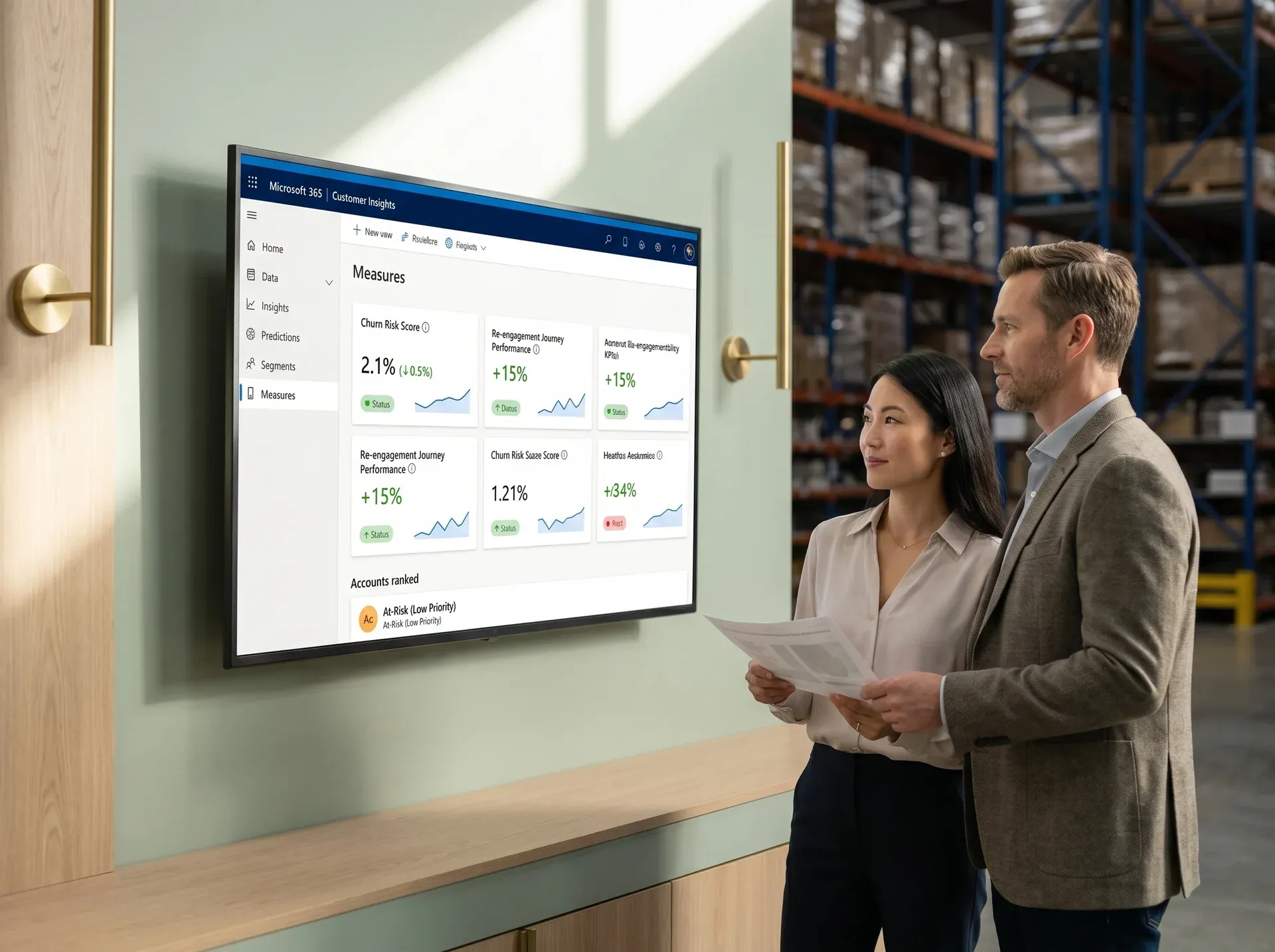
Industrial Parts Distribution · Customer Insights Data and Journeys
Mid-sized industrial distributor managing 1,840 active accounts across Business Central, a legacy ACT! customer relationship management system, and an Amazon Business portal. Account managers reviewed risk manually each Monday.
The problem
Customer account data was split across three disconnected systems. Account managers had no way to identify which of their 1,840 active accounts were trending toward churn. Annual churn sat at 17% of active accounts. The sales team was reviewing account lists manually each Monday morning with no predictive signal.
The result
17%
Churn rate reduced from 17% to 11% in the six months following go-live. Customer Insights Data unified three sources in seven weeks. Journeys automated re-engagement at the 45-day order gap.
17 to 11%
Churn rate
340 plus
At-risk accounts flagged (first 90 days)
$340K
Revenue recovered in first quarter
4.5 hours per week
Saved per representative
Most implementations fail after phase 3. Ours audit the data in week one.
Most Customer Insights implementations fail because the data quality issues are discovered after phase 3, not audited in week one. Our Phase 1 data audit gives you a written architecture recommendation document you keep regardless of what you decide next.
Fixed-price statement of work with named deliverables
The price does not change after Phase 1 sign-off. Change orders apply only to scope you explicitly add.
Microsoft Solutions Partner, verified annually
Certified across performance, skilling, and customer success criteria set by Microsoft. Not self-assessed.
Data quality audit before you commit
Phase 1 identifies data quality risks before you sign a full statement of work. If Customer Insights is not the right fit, you owe nothing for the call.
4.9 out of 5 from 47 client engagements
Verified across manufacturing, distribution, and professional services clients across North America.
Free 30-minute scope review
Not sure whether you need Customer Insights Data, Journeys, or both?
Walk us through your data sources and we will recommend exactly which module makes sense, scope the effort, and flag any data quality issues before you commit to anything.
- Exact module recommendation for your data sources
- Scope in weeks and cost, not a generic estimate
- Data quality risks flagged before you commit
No commitment. No pitch. Direct conversation with a consultant.
Dynamics 365 Customer Insights questions answered
If your question is not here, book a 30-minute call. No pitch deck, just a technical recommendation from a Dynamics 365 Customer Insights consultant who has implemented this before.
Book A Free AssessmentCustomer Insights Data is the customer data platform layer. It connects to your data sources, resolves customer identities, and creates unified profiles with segments, measures, and predictions. Customer Insights Journeys is the activation layer. It fires real-time journeys across email, text message, push, and internal alerts. Data is intelligence. Journeys is activation. Many clients implement Data first, then add Journeys once profiles are validated.
A Customer Insights Data implementation generally takes 8 to 10 weeks from signed statement of work. Adding Journeys extends the timeline to 12 to 14 weeks. The timeline, milestones, and acceptance criteria are written into the statement of work before work begins. Each phase has a named deliverable you sign off on before the next phase starts.
Yes. Customer Insights connects to over 500 sources via Power Query including Salesforce, HubSpot, Marketo, Shopify, SAP, NetSuite, Oracle, and Azure Synapse. For sources without native connectors, we build custom integrations using Power Automate or Azure Data Factory during the implementation engagement.
Customer Insights trains an artificial intelligence model on your historical order or engagement data to produce a churn probability score per account. We configure the model, validate it against your historical churn rate, and surface the output in Dynamics 365 Sales account cards and Power BI dashboards. Sales teams see a ranked list of at-risk accounts daily without pulling a single report.
Every engagement includes a 30-day hypercare period with service level agreement backed response times, profile refresh monitoring, and model accuracy validation. After hypercare, managed services retainers cover ongoing model retraining, journey refinement, segment optimization, and new use case development as your business needs evolve.
The cost of a Dynamics 365 Customer Insights implementation depends on your data sources, customer data complexity, required integrations, and personalization goals. Rather than charging open-ended hourly rates, we offer fixed-price implementation packages with clearly defined deliverables, timelines, and milestones—so you know exactly what you're investing in before the project begins.
Every engagement starts with a free scoping consultation, where we review your existing systems, business objectives, and customer data landscape. Based on that assessment, we'll recommend the most appropriate implementation package and provide a transparent, fixed-price proposal with no hidden surprises.
Whether you're implementing Customer Insights for the first time or expanding an existing Microsoft Dynamics 365 environment, we'll help you select the most cost-effective approach that aligns with your business goals. Contact us today to book your free consultation and receive a customized implementation estimate.
Free 30-minute call. Walk away with a clear recommendation.
Tell us your data sources, your current tools, and what you want to know about your customers. We will recommend exactly which module your Dynamics 365 Customer Insights implementation needs, scope the effort in weeks and cost, and flag any data quality risks upfront.
Fixed-price statement of work, every engagement has a named deliverable list
The price does not change after Phase 1 sign-off.
A Microsoft Solutions Partner and Dynamics 365 Customer Insights partner certified for customer experience
Annual recertification across performance, skilling, and customer success.
If Customer Insights is not the right fit, you owe nothing
Phase 1 data audit concludes with a written recommendation you keep regardless.
Brief received
We will review your workflow and send a scoped proposal within 3 business days.