Make your Adobe Commerce store WCAG-compliant, and remove the lawsuit risk for good.
A scoped audit, prioritised remediation, and signed WCAG 2.2 AA evidence for your Magento or Adobe Commerce store. Built for compliance leads who need certainty, not a widget that papers over the gaps.
0+
Adobe Commerce and Magento stores audited
WCAG 2.2 AA
Conformance target on every engagement
0 days
Median audit to first remediation pull request
Zero
Overlay widgets used or recommended

A demand letter, a frustrated shopper, or a missed quarter. Pick one.
ADA Title III filings against ecommerce brands cross 4,000 a year. Disabled shoppers spend an estimated $490 billion annually. Most Magento stores still fail basic screen-reader navigation on the cart and checkout. The risk and the revenue both sit in the same place.
Legal letters arriving without warning
A serial filer scans your store with axe-core, finds 38 contrast and ARIA failures, and the demand letter lands three weeks later. Settlement and remediation together: $20,000 to $90,000.
Screen-reader users abandon at checkout
Stepper labels read as empty divs. Card-form errors announce as "error" with no field name. Customers using JAWS or NVDA bounce silently.
An overlay widget that papers over the cracks
The widget on the corner of the page promises compliance. Courts in 2023 and 2024 have ruled it does not. Your underlying code still fails.
Signed WCAG 2.2 AA conformance report on file
When the letter comes, your counsel forwards a 60-page conformance report with Voluntary Product Accessibility Template, screen-reader traces, and a re-test log. Most demand letters never become suits.
Checkout works on keyboard, screen reader, and voice
Product Detail Page, cart, mini-cart, and the full checkout flow tested with JAWS, NVDA, VoiceOver, and TalkBack. Disabled shoppers complete purchase, not abandon.
An audit trail your development team can maintain
Issue list mapped to WCAG criteria, pull requests merged into your repository, axe-core in continuous integration pipeline, and a quarterly re-test schedule. Conformance stops being a sprint and becomes a habit.
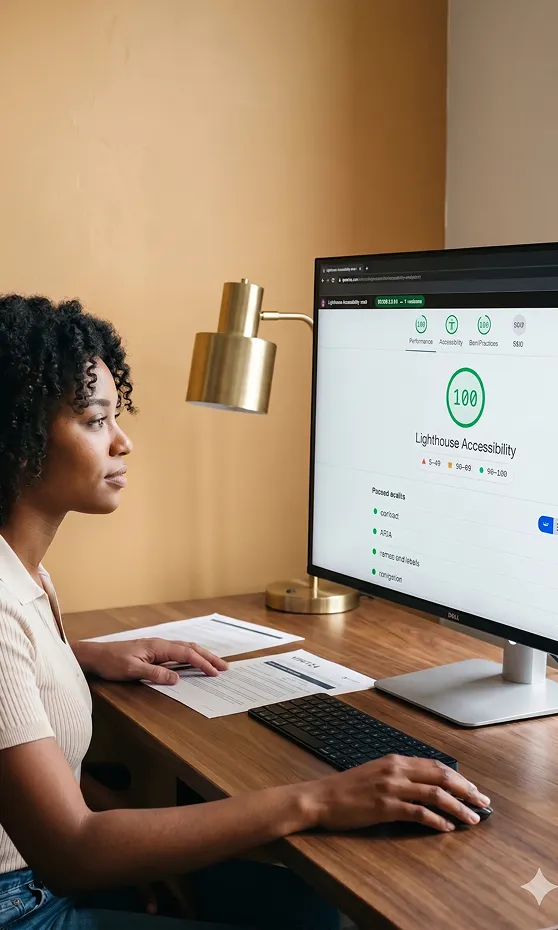
WCAG 2.2 AA coverage across every surface of your Adobe Commerce store.
We test against the four POUR principles, not against a generic checklist. Click each principle to see the criteria we test, the Magento templates we touch, and what evidence you receive.
Tested criteria, sample
- 1.1.1 Non-text content (image alt)
- 1.3.1 Info and relationships
- 1.4.3 Contrast (minimum 4.5:1)
- 1.4.11 Non-text contrast 3:1
- 1.4.12 Text spacing
Magento templates touched
Evidence delivered
Screenshot grid of every failed contrast pair, exported alt-text audit per stock-keeping unit, and a colour-token diff for your design system.
Tested criteria, sample
- 2.1.1 Keyboard accessible
- 2.4.3 Focus order
- 2.4.7 Focus visible
- 2.5.7 Dragging movements (2.2)
- 2.5.8 Target size minimum (2.2)
Keyboard traversal audit
Evidence delivered
Recorded keyboard walkthrough of the full purchase flow, focus-trap inventory, and target-size diff against the 24x24 CSS pixel rule.
Tested criteria, sample
- 3.2.2 On input (no surprise navigation)
- 3.3.1 Error identification
- 3.3.2 Labels or instructions
- 3.3.7 Redundant entry (2.2)
- 3.3.8 Accessible authentication (2.2)
Form audit, sample fields
Evidence delivered
Field-by-field label and error map, recordings of NVDA reading each form, and a replacement plan for image-only CAPTCHA.
Tested criteria, sample
- 4.1.2 Name, role, value
- 4.1.3 Status messages
- ARIA 1.2 dialog and disclosure
- Custom Hyva widget patterns
- Live region announcements
Assistive technology matrix
Evidence delivered
Accessibility-tree snapshots per template, ARIA pattern audit for custom widgets, and an axe-core continuous integration report exported to your repository.

Where does your store sit on WCAG 2.2 AA today?
Tick the items your team can confirm. Your live score updates as you go. At the end, you will see whether your next step is a full audit, a prioritised remediation sprint, or a quarterly certification cadence.
Recommended next step
Start with a full WCAG 2.2 AA audit.
You have meaningful exposure on more than five of the ten criteria. A 10 to 14 day audit will inventory the failures, score them by user impact, and give your legal counsel an evidence pack to lean on.
Request your auditRecommended next step
Prioritised remediation sprint.
Several criteria are mostly there. We scope a 4 to 6 week remediation that closes the legal-risk items first, then the conversion-impact items, with axe-core wired into the continuous integration pipeline for the rest.
Plan the sprintRecommended next step
Certify and monitor.
Strong base. Move to a signed Voluntary Product Accessibility Template, quarterly re-test cadence, and continuous integration accessibility checks so future Adobe Commerce releases never reintroduce regressions.
Book a Certification CallThis check is not a legal opinion. It surfaces the most common Adobe Commerce gaps so you know what to scope first.
Checkout focus traps
82%Missing product image alt text
74%Form fields without visible labels
68%Colour contrast failures (calls to action)
61%Missing ARIA on mini-cart and modal
55%Based on 148 plus Adobe Commerce audits.
From signed engagement to certified conformance in 28 days.
A repeatable five-phase path, mapped to the criteria, the templates, and the people who need to sign off.
Scope and prioritise
Kick-off call, template inventory, and a prioritised scope across Product Detail Page, cart, checkout, and account.
Audit and evidence
Automated scan, manual review against POUR, and assistive-technology testing on JAWS, NVDA, VoiceOver, and TalkBack.
Remediate
Adobe Commerce theme, layout XML, and ARIA-pattern fixes shipped as pull requests into your repository, reviewed by your development team.
Re-test
Independent re-test against the original criteria list, with axe-core integrated into your continuous integration pipeline.
Certify
Signed WCAG 2.2 AA conformance report, Voluntary Product Accessibility Template, and a quarterly re-test schedule handed to your counsel.
What your team handles
- One scope-and-prioritise call
- Repository access for pull-request review
- Final sign-off with legal counsel
What you do not handle
- Running JAWS, NVDA, or VoiceOver yourself
- Writing the Voluntary Product Accessibility Template, the conformance report, or the evidence appendix
- Mapping issues to WCAG criteria by hand
- Building the axe-core continuous integration integration from scratch

Real audits, real assistive technology, real evidence.
Every Adobe Commerce accessibility audit runs through the same toolchain. No overlays, no script-only scanners, no marketing certifications. Click through to see what runs and what comes out.
Automated scanning
Liveaxe-core 4, Lighthouse accessibility, Pa11y continuous integration, and a custom Adobe Commerce template walker.
Catches 30 to 35 percent of issues
Manual assistive-technology testing
LiveJAWS, NVDA, VoiceOver, TalkBack, Dragon, Windows Magnifier, and switch input.
Where the remaining 65 percent of issues live
Evidence artefacts
LiveVoluntary Product Accessibility Template 2.4, signed WCAG 2.2 AA conformance report, axe-core JSON, recorded walkthroughs.
Handed to your counsel and your continuous integration repository
axe-core 4
Industry-standard scanner, wired into continuous integration pipeline on every pull request
Screen readers
JAWS, NVDA, VoiceOver, TalkBack, recorded walkthroughs
VPAT 2.4
Signed template your counsel can hand to procurement
WCAG 2.2 AA
The conformance level US and EU courts read against
ADA web filings are not slowing down. Your inbox is the gap.
The longer your store stays out of conformance, the higher the chance the next demand letter lands on your desk. Watch the ticker, then ask whether your current setup would survive an Adobe Commerce checkout walkthrough by a serial filer.
Estimated count, current calendar year. Source: published court trackers, updated weekly.
0B
Annual spending power of disabled US shoppers ($)
$0K
Median ADA settlement plus remediation cost
0%
Repeat filings against the same brand within 12 months
0 days
Typical demand-letter response window
Real Adobe Commerce remediation, real conversion lift.
One representative engagement. Identical brief from many more on request.

Corporate Gear
Branded merchandise and apparel for businesses outfitting their teams, fulfilling business-to-business and business-to-consumer orders from the same storefront.
The operational problem
The site struggled to convert across a wide range of buyers. Usability and accessibility gaps were holding back lead generation and engagement, with optimisation work scattered across teams and no structured testing to back it up.
What we did
A user experience-focused remediation across the storefront. Accessibility and navigation were re-worked to widen audience reach, A/B and multivariate testing was layered on top to validate every change, and personalisation was extended so the new accessible patterns held up across audience segments.
Result
0%
Lift in measured conversion across the remediated journey
Result
3.1x
Increase in qualified lead capture from the same traffic
Pick your seat. We will show you why we are different.
Accessibility services look the same in a sales deck. They feel very different on day 35 when the demand letter actually arrives. Here is how Redefine compares against the default partner approach for each buyer.
Typical partner billing
Scanner report and an overlay widget
- axe-core export with no manual screen-reader testing
- Overlay widget that does not protect against US Title III suits
- No signed Voluntary Product Accessibility Template your legal counsel can lean on
- Fixes shipped on the partner's branch, not yours
Signed conformance, evidence pack, audit trail
- Automated plus manual assistive-technology testing on every template
- Zero overlay widgets: real markup-level fixes only
- Signed Voluntary Product Accessibility Template 2.4 and WCAG 2.2 AA conformance report
- Pull requests into your repository, reviewed by your team, owned by you
Typical partner billing
A list of failures with no context
- Tickets dropped into Jira, mapped to nothing
- No design-system contrast tokens, no component-level fixes
- Fixes leave the mini-cart, quick-view, and Product Detail Page gallery broken on assistive technology
- Regressions return on the next theme release
Fixes inside your design system, not outside it
- Contrast tokens and focus states baked into your design system
- Component-level ARIA patterns for mini-cart, quick-view, and modal
- Storybook entries showing the accessible state of every component
- axe-core in continuous integration pipeline to catch regressions before the next theme release
Typical partner billing
Retainer with no completion criteria
- Monthly fee with no defined end state
- No measurable reduction in legal exposure
- No measurable reach into disabled shopper revenue
- Lock-in via custom code your team cannot maintain
Scoped engagement with a certified end state
- Fixed-scope audit and remediation with a defined certified end state
- Measurable reduction in Title III exposure, signed and dated
- Access to the estimated $490 billion disabled-shopper market, evidenced
- You own every pull request. No proprietary lock-in. No retainer required after certification
Service hub
Adobe Commerce and Magento services
All build, support, and platform engagements
Parent
Magento support services
The cluster this accessibility offer sits inside
Sibling
Magento site audit services
Full-store technical audit, beyond accessibility
Sibling
Magento performance optimization
Core Web Vitals, Largest Contentful Paint, and Interaction to Next Paint work
Sibling
Magento service level agreement support plans
Ongoing cover after certification
Pricing
Magento support pricing
Audit and remediation, line-by-line
Adobe Commerce accessibility, frequently asked.
No. US courts in 2023 and 2024 have repeatedly ruled that overlay widgets do not protect against Title III claims, because the underlying code still fails WCAG. Real remediation happens in the markup, design tokens, and ARIA patterns of your Adobe Commerce theme. That is what we deliver.
Every engagement targets WCAG 2.2 AA. That is the level US Department of Justice guidance, EU EN 301 549, and most ADA Title III settlements read against. AAA is a stretch goal for specific surfaces, not a blanket requirement.
Yes. We run an expedited 5-day audit and remediation-plan engagement for active demand letters. You get an evidence pack your counsel can return with the response, plus a scoped remediation plan to start the same week. Email the letter and we will respond within 24 hours.
No. Fixes are written into your theme and design system, not patched as a layer above. We also wire axe-core into your continuous integration pipeline so future commits, new pages, and Adobe Commerce upgrades surface accessibility regressions on the pull request before they reach production.
Pricing depends on template count, custom widget surface, and conformance target. Most engagements scope between $12,000 and $40,000 for audit plus remediation, with a defined certified end state. We send a line-by-line proposal in 3 business days, with no commitment to receive it.
Get a scoped Adobe Commerce accessibility audit proposal in 3 days.
Tell us what your legal counsel is asking for. We review your store, then reply inside 48 hours with a line-by-line proposal. No commitment. No pitch.
Submit your brief
3-minute form: store URL, what is failing, what legal wants.
Discovery call within 48 hours
A senior accessibility lead reviews your store before we speak.
Scoped proposal in 3 business days
Line-by-line pricing, defined scope, and a WCAG 2.2 AA certified end state.
148 plus Adobe Commerce engagements
You own every pull request, every artefact
WCAG 2.2 AA · certified end state
No commitment. No pitch.
What is on your plate? (pick any)
Call within 48 hours · proposal in 3 business days · first remediation pull request within 1 week of sign-off · No commitment. No pitch.
We have your brief.
A senior accessibility lead will review your store and reply inside 48 hours with a scoped proposal. If you flagged an active demand letter, we will reply inside 24 hours and include an expedited 5-day audit plan.
Expect the proposal as a Notion or PDF document, with line-by-line pricing.