Your order-to-fulfillment integration should run on its own
Every order your store accepts should flow on its own. Storefront to warehouse. Warehouse to carrier. Carrier to delivery confirmation. No person moves data between systems. We build the order-to-fulfillment integration layer that eliminates every manual step.
Workflow projects
120+
Average go-live time
3 weeks
Manual steps eliminated
100%
The 5 stages of your order-to-fulfillment workflow
Order Placed
Storefront / OMS
Inventory Check
WMS / ERP
Pick and Pack
WMS / Warehouse
Carrier Handoff
Carrier / 3PL
Delivery Confirmed
Storefront / CRM
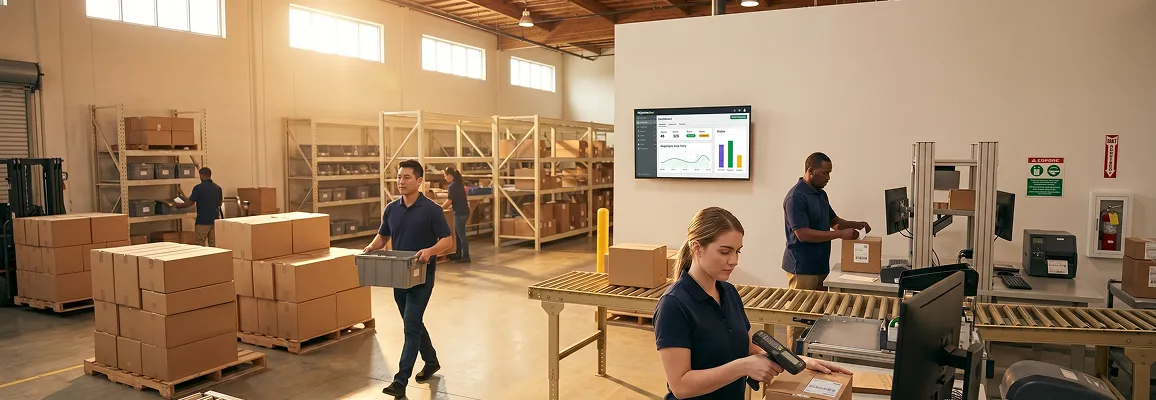
Hero: warehouse fulfillment team in motion
Pain: operations manager reviewing order failures

Six failure points that cost you every day
Without integration, each stage of your order-to-fulfillment workflow breaks. These are not edge cases. They are the daily cost of running disconnected systems. Click each one to see what it actually costs.
Oversell from inventory lag
Customer pays for stock that no longer exists in the warehouse.
Impact without integration
Average 2.3 hours per incident to cancel, refund, and re-communicate with the customer.
What we build
Real-time inventory sync between storefront and warehouse management system: every pick triggers an immediate storefront count update.
Manual pick ticket generation
Someone prints or re-enters the order into the warehouse management system by hand before picking starts.
Impact without integration
8 to 14 minutes of delay per order before the warehouse even starts picking.
What we build
Order-to-pick-ticket automation: confirmed storefront orders instantly create pick tasks in the warehouse management system.
Carrier rate shopping done manually
Staff opens a carrier portal to select a shipping method instead of the system choosing it.
Impact without integration
Rate errors and missed service level agreements on 4 to 9% of orders, especially at peak volume.
What we build
Automated carrier selection rules: weight, zone, service level agreement, and cost logic built into the integration layer.
Tracking number not pushed to customer
Carrier generates a tracking number, but it sits in the warehouse management system and never reaches the storefront.
Impact without integration
"Where is my order?" support tickets increase 60% without automated tracking updates.
What we build
Carrier confirmation push: tracking number written back to the storefront order and customer email triggered automatically.
Enterprise resource planning never knows the order shipped
Delivery confirmation from the carrier does not post to the enterprise resource planning system for revenue recognition.
Impact without integration
Finance runs a manual reconciliation at month-end, often 3 to 5 days of cleanup work.
What we build
Delivery-to-invoice posting: confirmed shipments auto-create invoices in the enterprise resource planning system with the correct date and order reference.
Returns processed outside the system
Returned stock re-enters the warehouse but inventory counts do not update for hours or days.
Impact without integration
Ghost inventory: stock visible on paper that cannot actually be sold because no one trusts the count.
What we build
Return receipt automation: warehouse management system receiving event triggers inventory restock and storefront availability update in real time.
47 min
Average manual processing time per order, end to end
6 systems
Typical number of disconnected tools in an order-to-fulfillment stack
3 to 5 days
Month-end reconciliation time without automated posting
The integrated order-to-fulfillment architecture
Click each stage to see what breaks without integration. See what we build to fix it and how much time you recover. Every stage connects through a single event-driven integration layer we own and operate.
Order Capture
Storefront → Order Management
Inventory Reservation
Order Management → Warehouse Management / Enterprise Resource Planning
Pick and Pack
Warehouse Management → Warehouse Ops
Carrier Dispatch
Warehouse Management → Carrier API
Confirmation Loop
Carrier → Storefront + Enterprise Resource Planning
Click any stage above to see integration details, failure modes, and what we build.
Order-to-fulfillment integration built for every layer of your stack
Layer 1
Storefront to order management
Every order from any storefront or marketplace appears in your order management system within seconds. No exports. No re-entry. No morning batch job. Multi-channel orders flow in as one clean stream your warehouse acts on immediately.
- Shopify, BigCommerce, Adobe Commerce, WooCommerce
- Amazon, eBay, and marketplace channel orders
- Real-time duplicate detection and fraud flag passthrough
Layer 2
Warehouse and inventory sync
Your warehouse management system and enterprise resource planning system stay in perfect sync. Every pick reduces live inventory in both systems simultaneously. Safety stock thresholds trigger replenishment automatically. Your storefront never shows a quantity that is not actually on the shelf.
- Warehouse management: NetSuite, Fishbowl, Logiwa, ShipBob
- Enterprise resource planning: Microsoft Dynamics 365, NetSuite, SAP
- Multi-warehouse location routing built into the sync rules
FedEx Ground
3-day service level agreement met
$7.42
UPS 2-Day
Overkill for service level agreement
$14.80
USPS Priority
Zone 8: miss
$11.90
Layer 3
Carrier selection and label generation
Your integration layer evaluates every eligible carrier against weight, zone, SLA, and negotiated rates. It selects the best option and generates the label automatically. No one opens a carrier portal. No rate is missed. The label prints with the pick slip.
- FedEx, UPS, USPS, DHL, and regional carrier APIs
- Custom routing rules: service level agreement, weight, zone, cost priority
- ShipStation, EasyPost, and third-party logistics provider passthrough supported
Layer 4
Delivery confirmation and financial close
When the carrier marks an order delivered, that event flows back through the integration layer. It updates the storefront order status. It triggers the customer notification. It posts a delivery confirmation to the ERP for invoice generation. Your finance team closes on day one, not day four.
- Carrier webhook delivery confirmation to enterprise resource planning posting
- Auto-invoice generation on confirmed delivery
- Exception handling: partial delivery, damage flag, refused shipment
Carrier webhook received
#SHP-9901: Delivered
Storefront order updated
Status: Delivered · email sent
Enterprise resource planning invoice posted
INV-40092 · General ledger posted
What a connected order-to-fulfillment workflow delivers
0
% faster
Average order processing time from placement to pick ticket: automated versus manual
0
order accuracy
When inventory sync runs at event-level rather than overnight batch, oversells drop to near zero
0
month-end close
When delivery confirmation auto-posts to enterprise resource planning, finance closes on the first day of the new month
0
% automation
From order capture to carrier label to financial posting: zero manual steps in a fully connected stack
Case study: fulfillment operations team with unified dashboard

From fragmented operations to automated order-to-fulfillment
Before: fragmented state
Inventory, orders, and delivery tracked in 4 separate systems
Sales and delivery operations created high transportation costs, inventory discrepancies, and missed revenue. A previous ERP implementation failed, making the team cautious about any new system. Manual delivery scheduling caused delays and driver confusion across distribution zones.
Sprint 1: integration layer
Enterprise resource planning centralized with handheld device and mobile integration
We implemented Microsoft Dynamics NAV to centralize data management across all workflows. We deployed handheld printers and a custom mobile app to the sales force and dealer network. This gave the team real-time order and delivery updates. We wired fuel requisition and fleet management tracking into the delivery flow.
Sprint 2: delivery automation
Live delivery tracking and financial automation activated
We configured automated workflows for financial reporting: trial balances, bank reconciliations, and depreciation calculations. We activated live delivery tracking inside the ERP to improve scheduling and optimize routes. Production forecasting and material requirement planning went live.
Result: 4 months post-launch
10% turnover increase in four months
Efficiency and visibility improved across sales, delivery, and finance. Fleet and fuel management changes lowered operating costs. Better inventory control and sales force efficiency drove the 10% revenue increase. The company expanded into neighboring markets with a fully automated operating model.
FMCG Distribution Operations
Beverages / DistributionA leading bottled water manufacturer and distributor with an extensive sales and delivery network across multiple regional markets.
0%
turnover increase in 4 months post-launch
Map every gap in your order-to-fulfillment workflow
Check every integration point your operation currently handles automatically. Your score tells you where the manual work is hiding.
Automation score
0 / 8 integrated
Select the integration points your team currently has in place.
Orders appear in the order management system within 30 seconds of placement
Inventory levels update in the storefront after every pick
Pick tickets generate automatically without manual entry
Carrier selection and label generation require no portal login
Tracking numbers push to the storefront and customer email automatically
Delivery confirmation posts to enterprise resource planning for invoice generation automatically
Returns received in the warehouse immediately update storefront inventory
Month-end close requires zero manual order-to-revenue reconciliation
The difference between an order-to-fulfillment process page and a process build
01
An order-to-fulfillment integration company builds the swimlane, not just the connector
Other integration partners build point-to-point connections between two systems. We map your entire order-to-fulfillment process first: identifying every manual handoff, every data transformation point, and every failure mode, before we write a single line of integration code. You get an architecture document in week one, not a surprise in week four.
Very few integration partners build commercial pages with process maps and architecture depth: that is our competitive opening.
02
Operational triggers, not just data sync
A data sync copies a field from one system to another. An operational trigger takes an action based on what that data means. When a pick is complete, we do not just update a field: we trigger the carrier API call, decrement inventory, and queue the invoice post simultaneously. That is the difference between integration and workflow automation.
See how we audit your current workflow →03
Failure modes designed in before launch
We test cancelled orders mid-pick, partial deliveries, carrier API timeouts, and duplicate webhook events before anything touches production. The failure cases that keep operations leaders up at night: we enumerate them in the scoping document, assign handlers to each, and test them in user acceptance testing before you sign off on go-live.
Common questions
We have built order-to-fulfillment integrations with NetSuite warehouse management, Fishbowl, Logiwa, ShipBob, ShipStation, and custom-built warehouse systems using REST APIs or enterprise resource planning-native warehouse modules. For operations running their warehouse through their enterprise resource planning system directly (common in Microsoft Dynamics and NetSuite), we integrate at the enterprise resource planning level rather than introducing a separate warehouse management layer. We scope the right architecture for your specific stack in week one.
Split shipments and partial fulfillments are scoped as first-class scenarios, not edge cases we discover during user acceptance testing. The integration layer handles multi-line partial shipments by tracking each line item status independently. When a partial ships, the customer email references only the shipped items, the remaining items stay in "awaiting fulfillment" status, and the enterprise resource planning system only posts the partial invoice value. Full-ship reconciliation closes the order when the final item ships.
Our integration layer uses a persistent event queue. Orders are accepted and stored durably the moment they arrive. When the enterprise resource planning system comes back online, the queue replays in order: no events are lost, no gaps. For enterprise resource planning maintenance windows, we configure a "hold and release" mode that batch-processes queued events after the window closes. Your storefront continues accepting orders regardless of enterprise resource planning availability.
A third-party logistics provider handles the physical operation. An order-to-fulfillment integration handles the data layer that connects your storefront, your enterprise resource planning system, and your third-party logistics provider together. If you use a third-party logistics provider, we build the integration that connects your storefront orders to the third-party logistics provider's inbound API, receives fulfillment confirmations, and posts them back to your enterprise resource planning system. The third-party logistics provider sees a clean stream of orders; your enterprise resource planning system sees accurate financials; your customers see automatic tracking updates. We sit in the middle and handle all of that.
Yes. The most common entry point is storefront-to-order-management-system order capture: it is the highest-impact single stage and the most common request. From there, clients typically expand to inventory sync in Sprint 2 and carrier integration in Sprint 3. We architect the integration layer from the start to support the full five-stage stack, so expanding never requires rebuilding what already runs.
Schedule your order-to-fulfillment workshop
We map your entire order-to-fulfillment workflow in one session. Every manual step. Every system boundary. Every failure mode. You walk away with a scoped proposal before we start any build work.
Workshop call within 48 hours of brief submission
Scoped proposal with field mappings in 3 business days
Sprint 1 live within 1 week of sign-off
Submit your brief
Call within 48 hours · Proposal in 3 days · Sprint 1 in 1 week
Brief received. We will review your order-to-fulfillment workflow and contact you within 48 hours to schedule the process workshop.
Reply within 48 hours
Scoped proposal in 3 days
120+ workflow projects
You own the code
Every order, automated
Your next order should move itself from click to carrier
No commitment. No pitch. A scoped order-to-fulfillment integration workshop that maps your exact workflow gaps. You will know what it takes to close them.
Context: organized fulfillment center operations

3 weeks
Average go-live from signed scope
5 stages
Full order-to-fulfillment pipeline connected end-to-end