
Which languages can a store show?
A store can sell in more than one language, like English and French for Canada.
Each store shows what is still missing, like the French text. See product localization
Localization workflows
Redefine Suite gives each store its own words, prices and pages. It shows you what is missing, drafts the fix, and waits for your yes.
See your next country set up in one admin.
A demo built on your own products and countries.
Short answer
Updated
A localization workflow is the set of steps that gets your products and pages ready for a new country: the words, the prices, the search terms and the links. Redefine Suite by Redefine Innovations runs these steps for each store from one admin, shows what is still missing, and lets a person check each change before shoppers see it.
Many stores turn on a translation app and hope. Some text gets translated and some does not. Prices change by math, old links break, and shoppers search in words the store does not know.
Redefine Suite keeps one master product. Each store adds its own language, price and pages on top, and shows you what is still missing.
Three ways to sell in a new country
What each store can hold
See all of Redefine Suite.
What goes wrong
Store owners who sell in two languages tell the same three stories in public reviews and forums. The tool turned the words over, but no one could see what was left undone. Here is each one, and what Redefine Suite does instead.

What store owners say
Pages went live half translated, and nothing told us.
Seen again and again in app store reviews
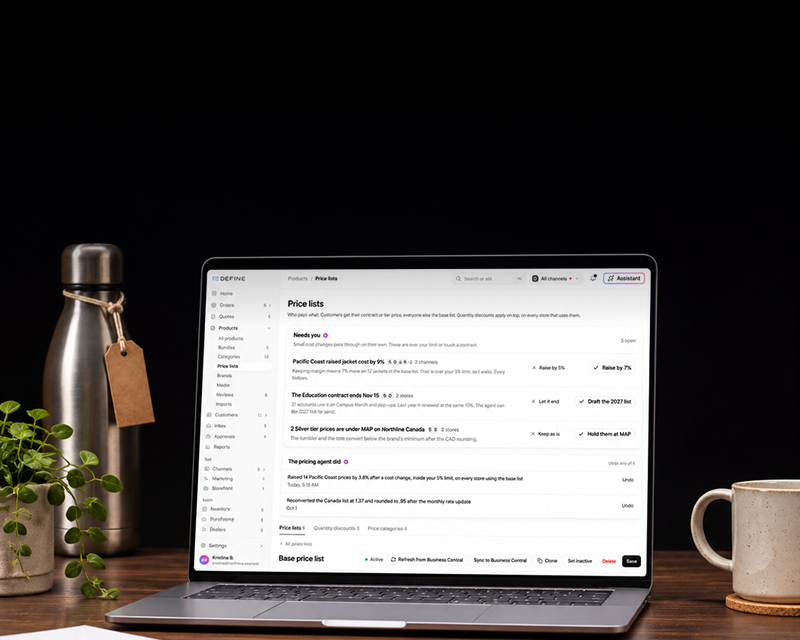
The app translated some text and skipped the rest. In the admin, the page looks done. Shoppers in Quebec still read English.
Shoppers leave a page they cannot read. Your team finds the gap weeks later, one page at a time, and a fix made by hand can be lost the next time the app runs.
Each store scores every product, so you see French text at 4 of 15 first. A store will not sell a product without its title, text, photo and price.
What store owners say
Our prices end in odd cents in the other country.
Seen again and again in store owner forums
The price is turned into new money by math alone. You get 31.37 when you wanted a price that looks right.
An odd price looks like a mistake, and it can stop a sale. Fixing it by hand means one more sheet for each country, kept up to date every time a price moves.
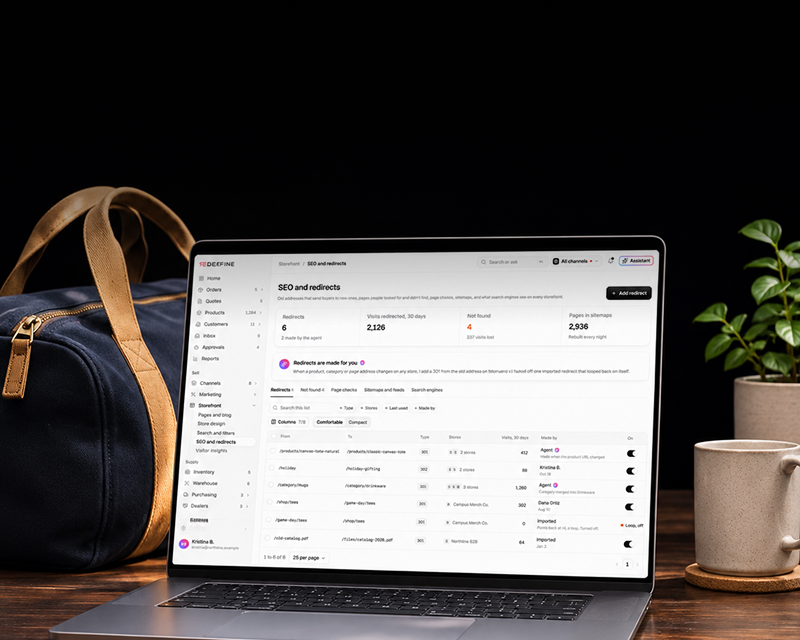
Each store has its own price rule. On the Canada store, the base price is set in CAD and rounded to .95. One product can still keep its own price.
What store owners say
Our old links broke when we added a language.
Seen again and again in store owner forums
New web addresses came with the new language. Old links in menus, emails and ads now go nowhere.
Shoppers land on a page that is not found, and they leave. Ads keep paying for clicks that go nowhere until someone spots it.
The admin lists the pages buyers could not find, each with a best match. Press Redirect there. Above 95% sure, it sends shoppers on its own.
One product, one country
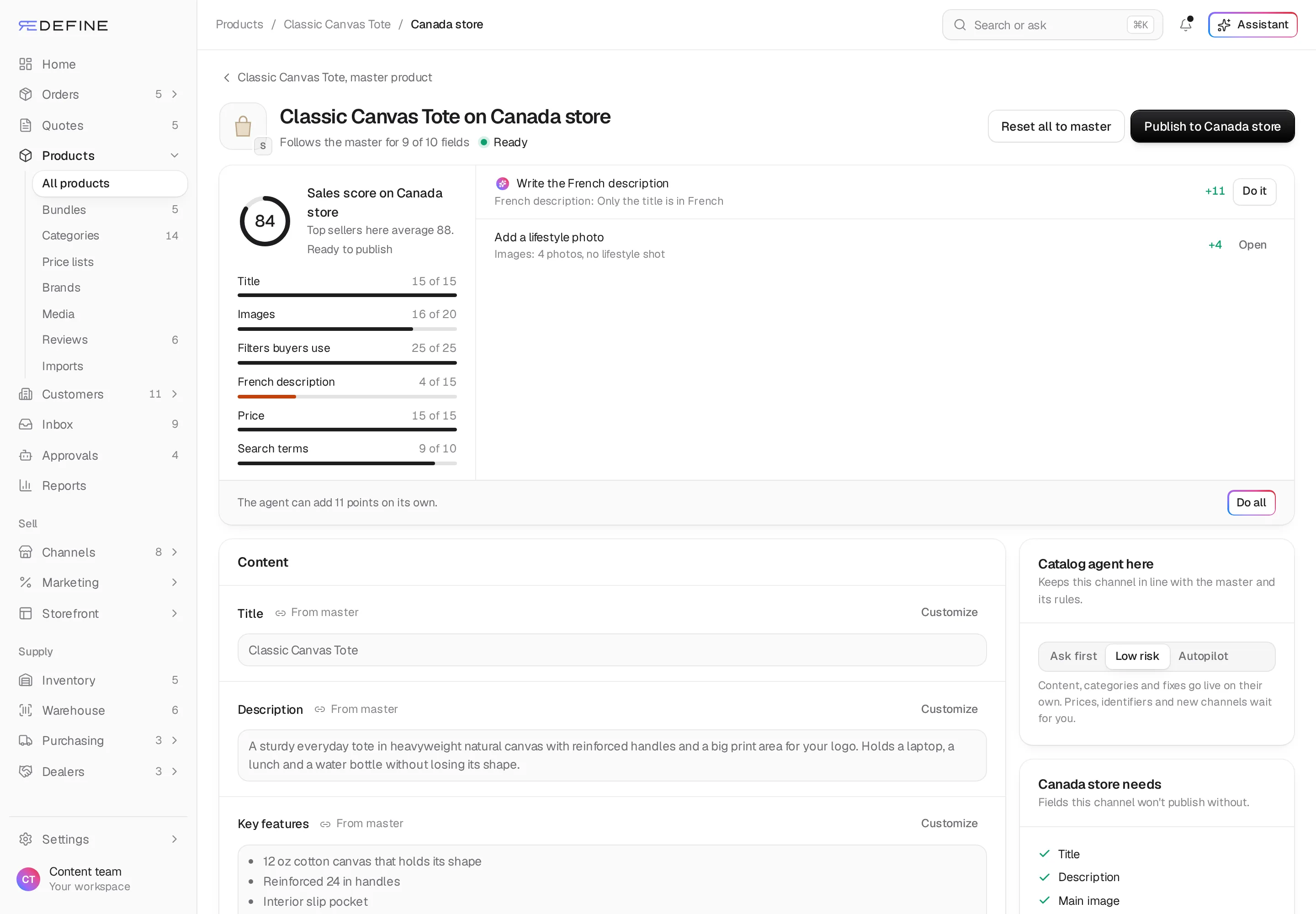
This is a real Redefine Suite screen for one canvas tote on a store in Canada. The three points show how a gap is found, fixed and checked.
A score for French
The French text scores 4 of 15, because only the title is in French so far.
One press to fix it
The agent can write the French text. Press Do it, and the score goes up by 11.
You pick who says yes
With Ask first, every change waits for a person. Low risk lets text go live and holds prices for you.
The tote on the Canada store, part by part
How it works
Pick a step to see who does what.
Step 01
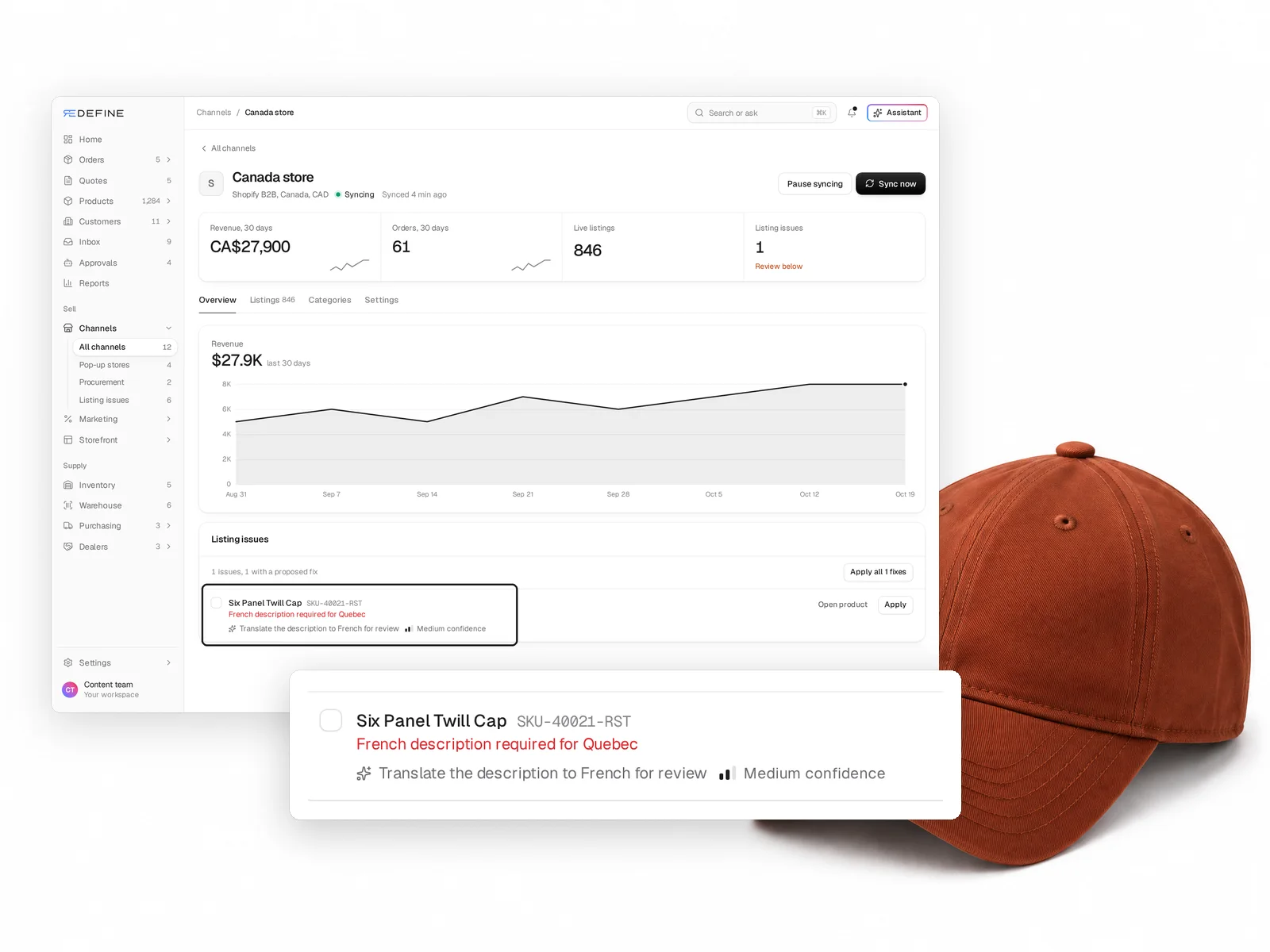
The admin lists each product a store cannot sell yet, like a cap with no French text for Quebec. It shows the fix it suggests and how sure it is. You do not hunt page by page. The list is the same for one product or a whole catalog, and it stays open until each gap is closed.
Step 02
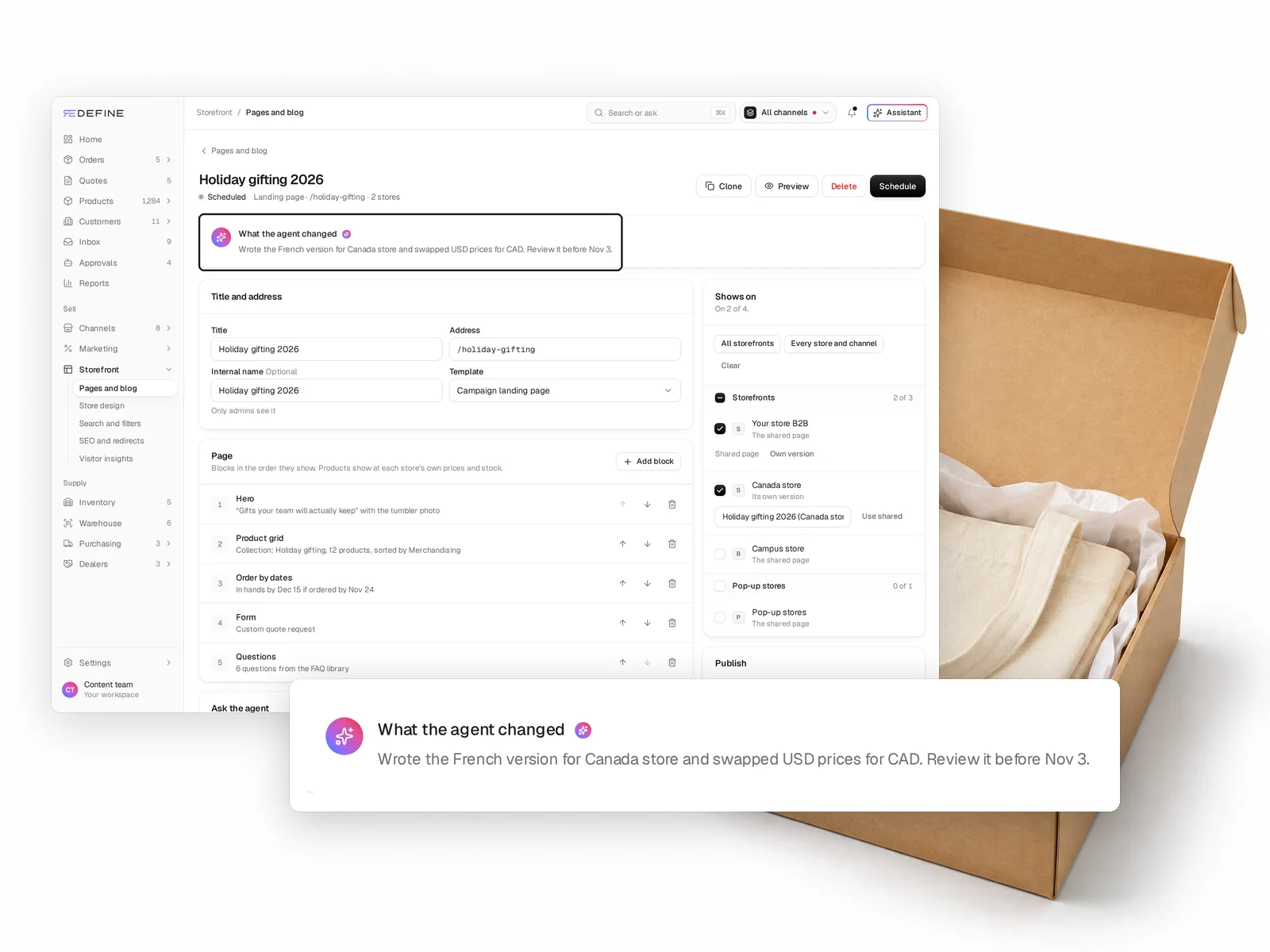
The agent writes the French version of a page and swaps prices to CAD. A person checks it before the date. One store can keep its own version while the rest share one page. Your own fixes stay put, and you can bring a store back to the shared page with one press.
Step 03
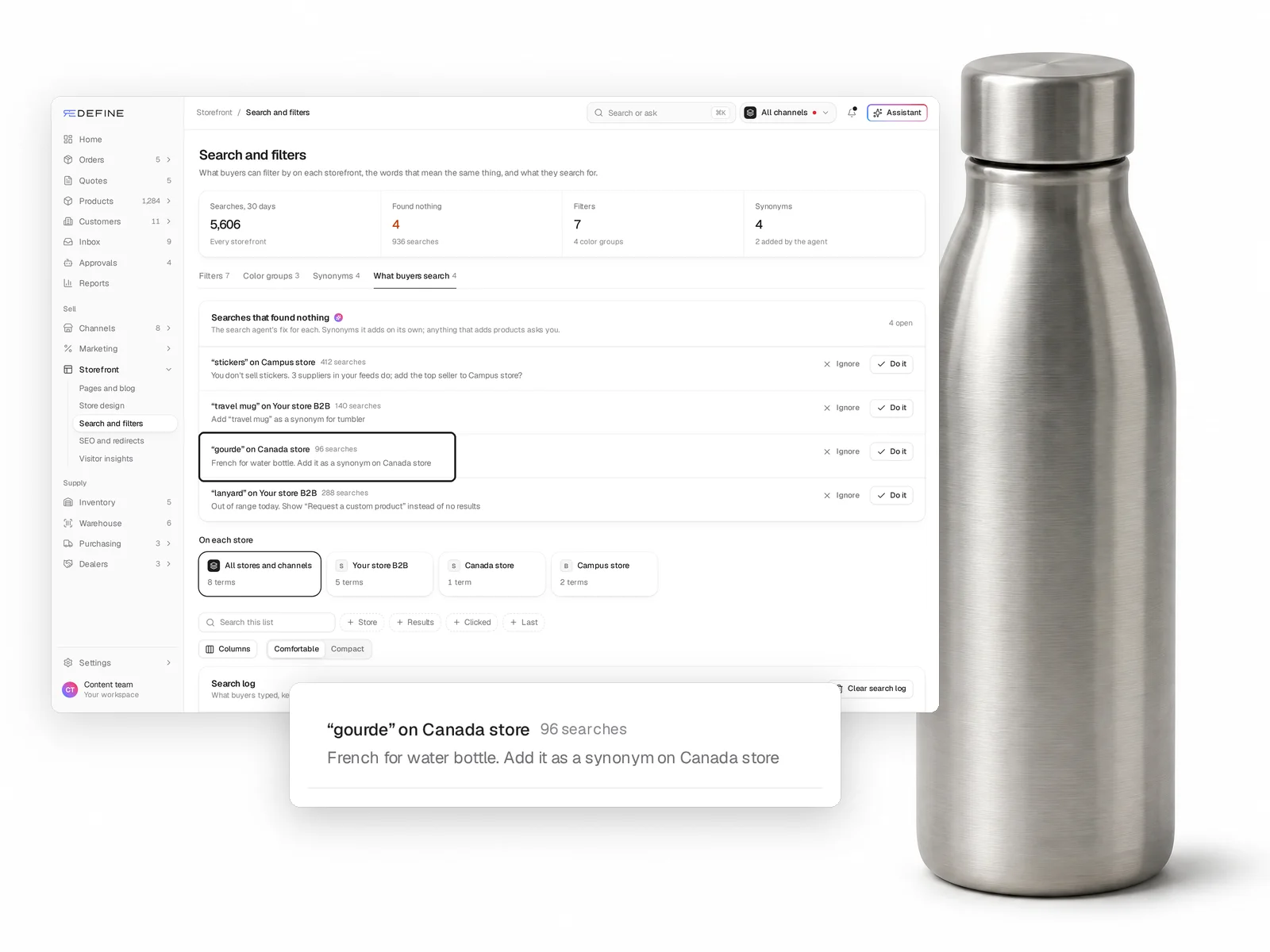
Shoppers search in their own words. When 96 searches for gourde found nothing, the admin knew it means water bottle. Press Do it to add the word to that store. Old links get the same care, so a shopper who clicks an old French link still lands on the right page.
One home team
You do not need a new team for each store. One person sees what each country needs, and the agent does the first draft.
Today
Tell us where you sell next
Next
A short talk about your stores
Demo
Your products in a new country
After
You decide what comes next
Questions
A store can sell in more than one language, like English and French for Canada.
Each store shows what is still missing, like the French text. See product localization
The agent writes a first draft. A person reads it and presses Apply or Publish.
With Ask first, every change waits for a person. See content governance
Drafts come as fixes you apply one at a time or all at once. With Ask first, nothing changes until a person says yes.
A field you change for one store is kept as its own until you press Reset to master. See content modeling
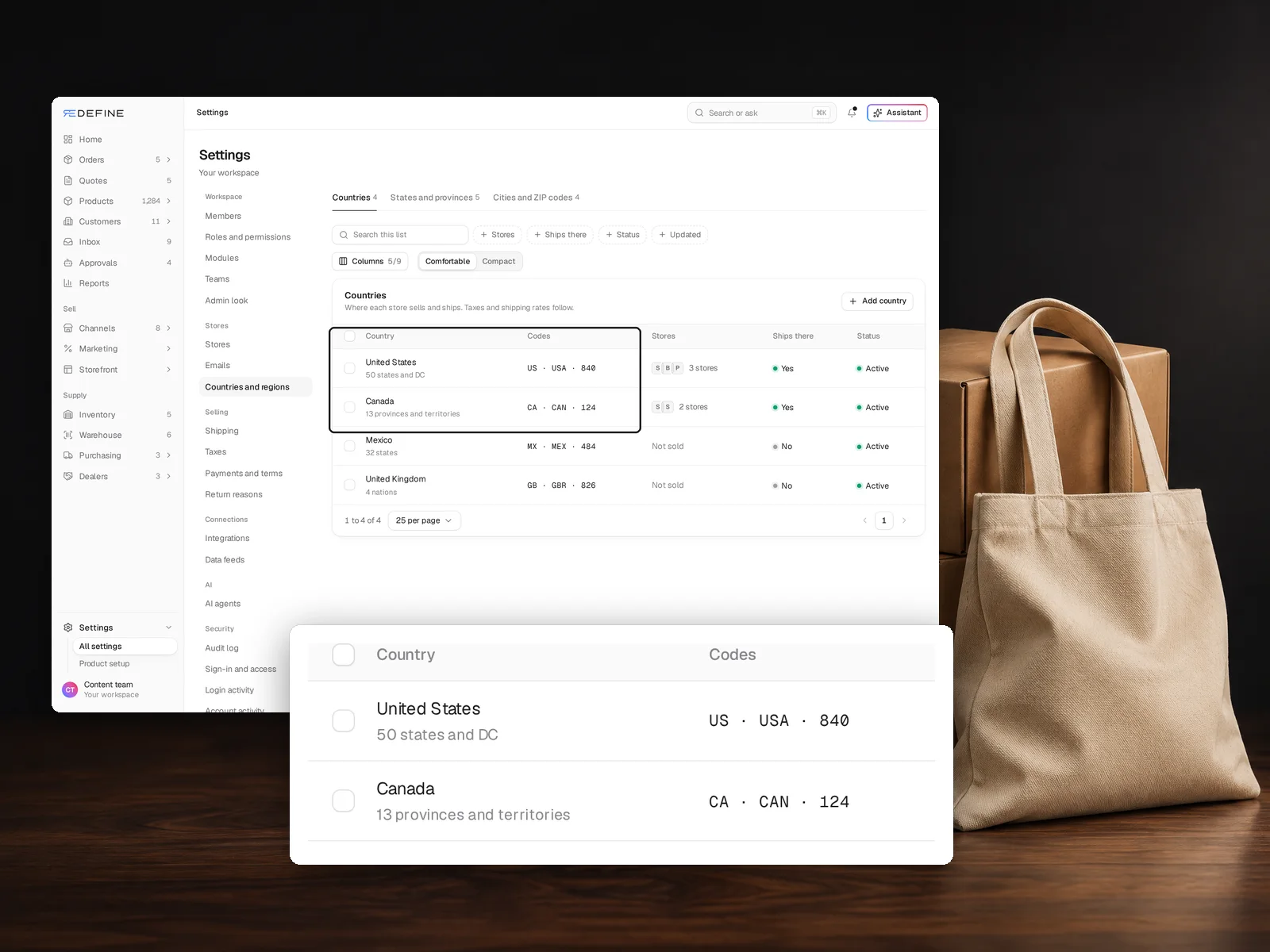
Each store has its own currency. A store rule turns the base price into that money and can round it, like to .95.
One product can keep its own price too. See multi-brand and multi-region commerce
Yes. A page can be shared by every store, while one store keeps its own version.
Press Use shared to bring it back in line. See publishing workflows
When an old link finds nothing, the admin shows the best match on that store.
Above 95% sure, it sends shoppers there on its own. Below that, you press Redirect there. See multi-site CMS
Book a demo
In the demo, we take one of your products and one of your pages into a new country, with its words and prices. A demo built on your own products and countries. You can also use the demo booking page.
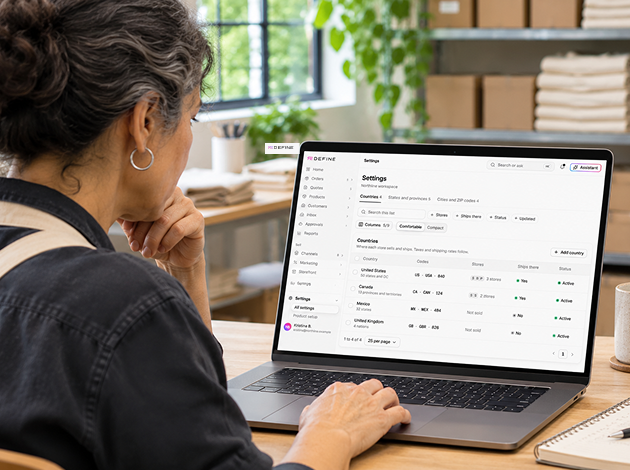
Tell us where you sell next. We set up the demo around it.