



Returns and exception management

Every return and held order, in one queue.

Returns software that clears the routine ones inside your rules. You decide the rest, and each return lands in Business Central.

  1. A receiving clerk photographs a carton of misprinted canvas totes to ask for a return

    01A buyer sends photos of a misprint

  2. An operations lead reads the agent's note on a return before approving it

    02The agent reads the claim: our fault

  3. A packer presses a prepaid return label onto a carton

    03Approved, with a prepaid label

  4. A warehouse worker scans returned totes back onto a shelf

    04Back in stock, refunded, in Business Central

See your own returns and holds in one queue.

A demo built on your own return rules and order holds.

Book a personalized demo

Short answer

What is returns and exception management?

Updated

Returns and exception management is how a seller handles the orders that do not go to plan: returns, refunds, held orders, failed payments and claims. Redefine Suite by Redefine Innovations puts them in one queue, lets an agent clear the routine ones inside your rules, and sends each return to Business Central as a return order.

Most teams run returns from an inbox and a spreadsheet. The refund is made in the store, then keyed again in the ERP. Held orders sit with no reason until a ship-by date is missed.

Returns management software runs the return from request to refund. Exception management covers the rest: credit, stock, address and payment holds. Redefine Suite does both in one admin.

How the options compare

Three ways to run returns and holds

OptionHow it worksWhat you getSee also
Redefine SuiteReturns and holds in one queue, with an agentEach return is a Business Central return orderOrder management system
A returns app plus the ERPReturns in one tool, refunds in anotherFinance fixes refunds that don't matchInventory visibility
Email and spreadsheetsSomeone looks up each order by handHolds wait until someone noticesOrder routing engine

What lands in the queue

  • [1] Returns and RMAs from every store
  • [2] Credit, stock and address holds
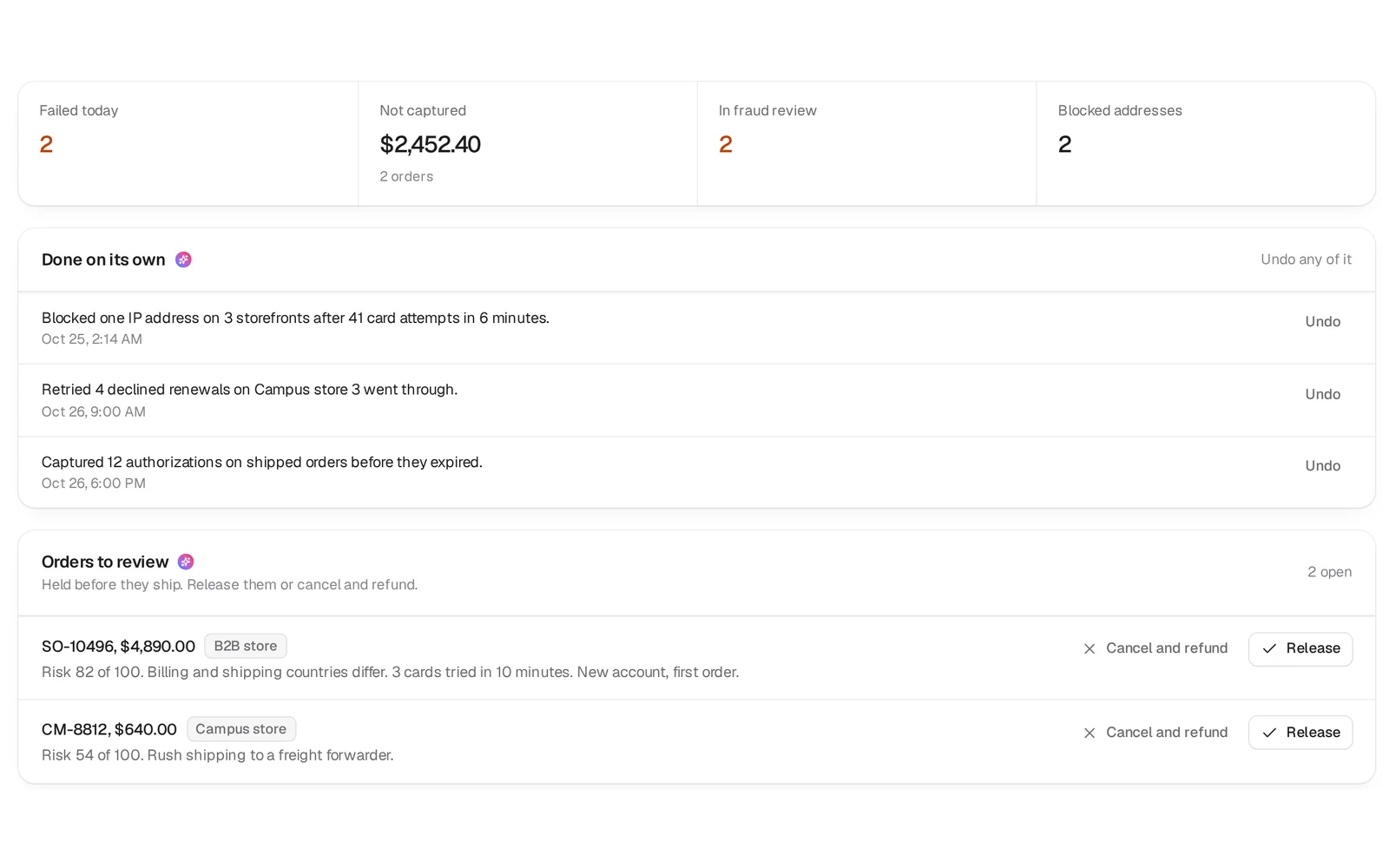
  • [3] Failed payments and fraud reviews
  • [4] Warranty claims from dealers

Part of Order and Inventory Operations in Redefine Suite.

Client story

Animation Shops runs every order from one list.

Redefine built one order system for Animation Shops, a licensed apparel store on Shopify and Facebook Marketplace. These numbers come from their case study.

Manual order time
Down -60%
Read the Animation Shops story
Orders fulfilled on time
98%
Read the Animation Shops story
Live list for every order
1
Read the Animation Shops story
Marketplace visibility
Up +74%
Read the Animation Shops story

Where returns go wrong

A return touches four systems. It should touch one.

Buyers say the RMA process can turn into a full-time job. Here are three places it breaks, and what changes with Redefine Suite.

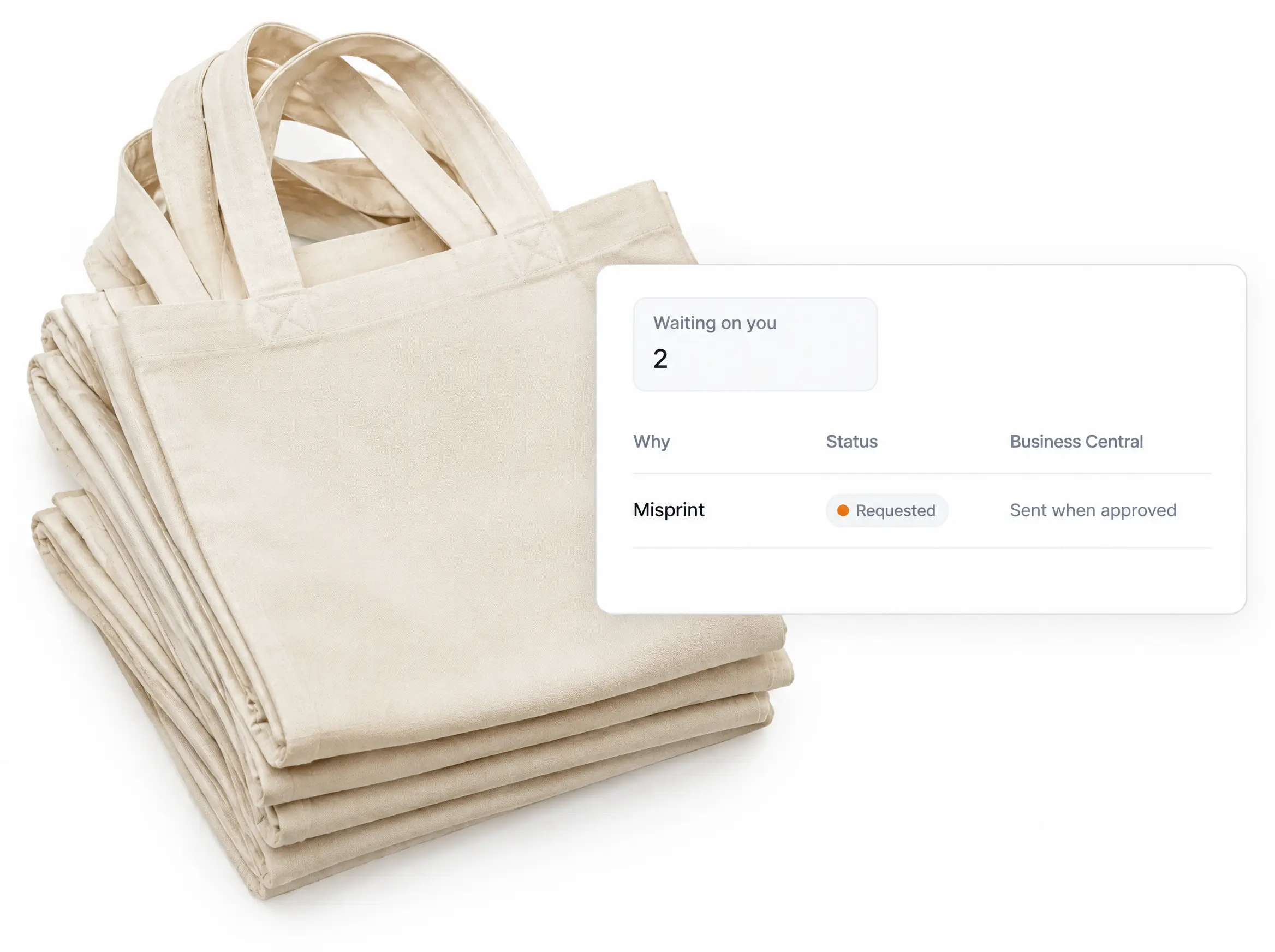
  1. A stack of canvas totes beside a return marked misprint, requested, and sent to Business Central when approved

    01 Our way: With Redefine Suite

    Every return in one list.

    Requests from every store and marketplace land in one list. Each one becomes a return order in Business Central.

    Old way: Instead of

    Returns in an inbox and a spreadsheet.

    Someone looks up the order, makes a label and keys the refund twice.

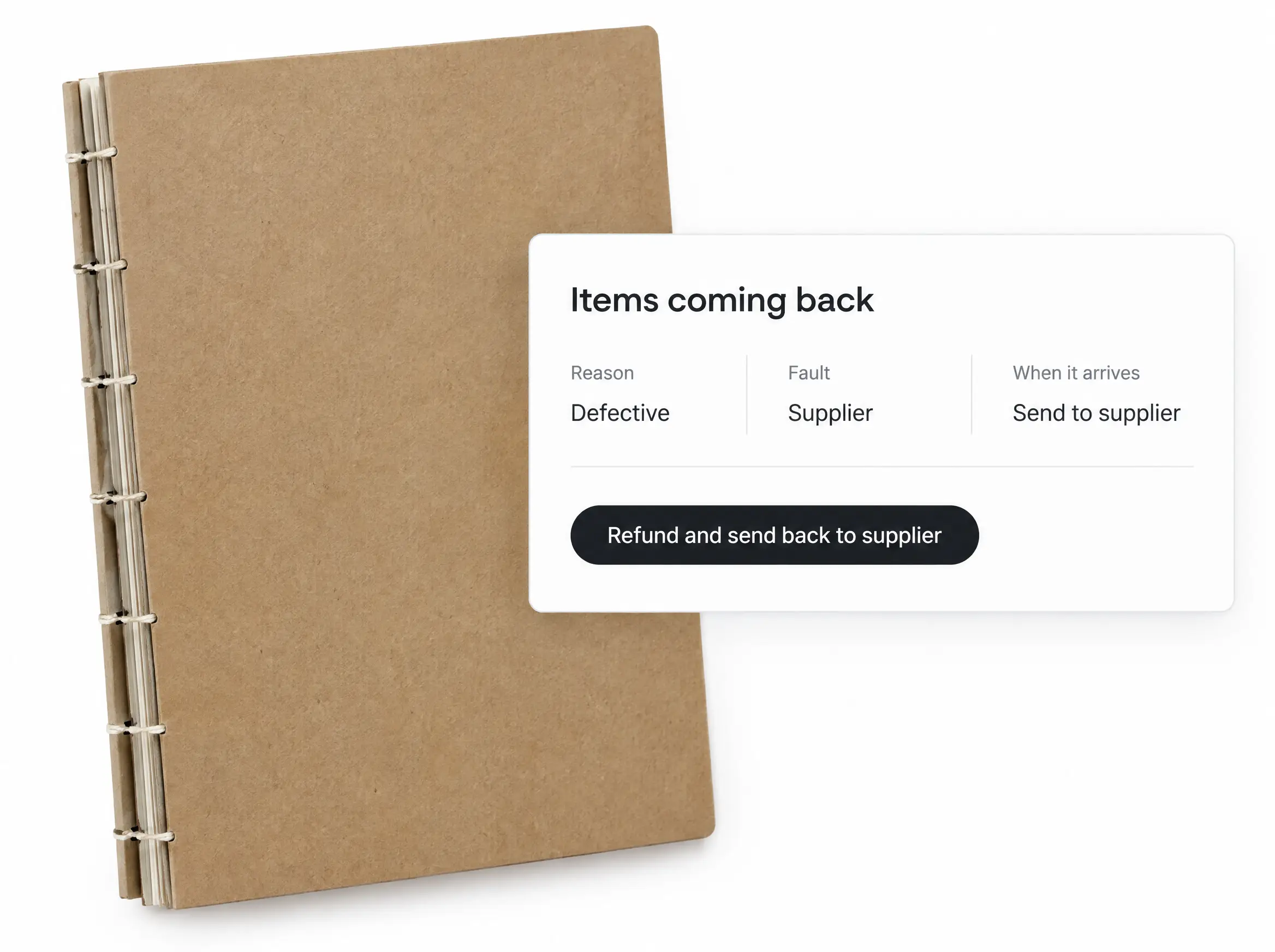
  2. A notebook with loose binding beside its return: defective, the supplier's fault, sent back to the supplier

    02 Our way: With Redefine Suite

    Each reason knows the next step.

    A wrong size goes back to stock. A misprint is reprinted free. A defect goes back to the supplier.

    Old way: Instead of

    Every return handled the same way.

    Items go back on the shelf before anyone checks them.

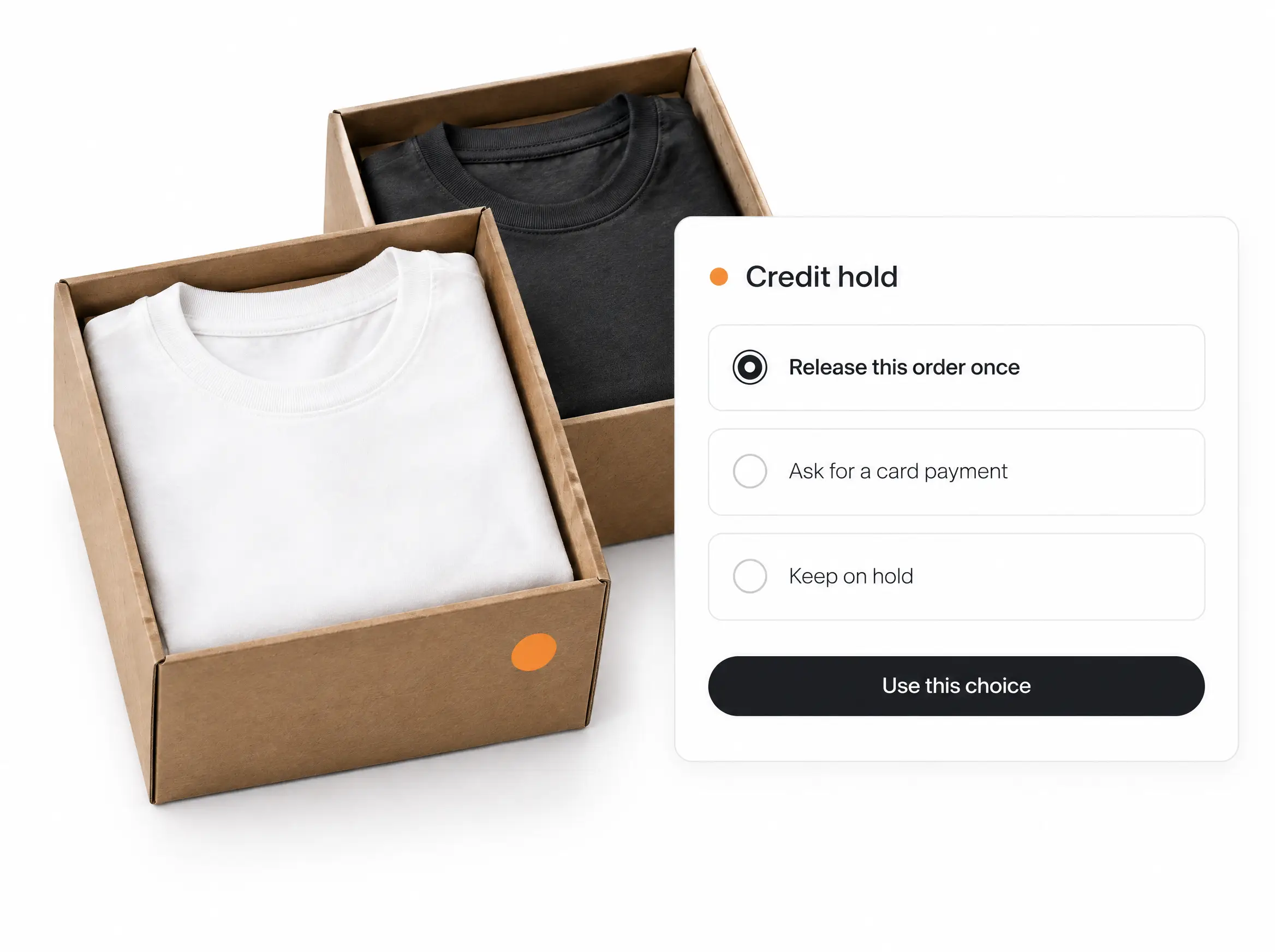
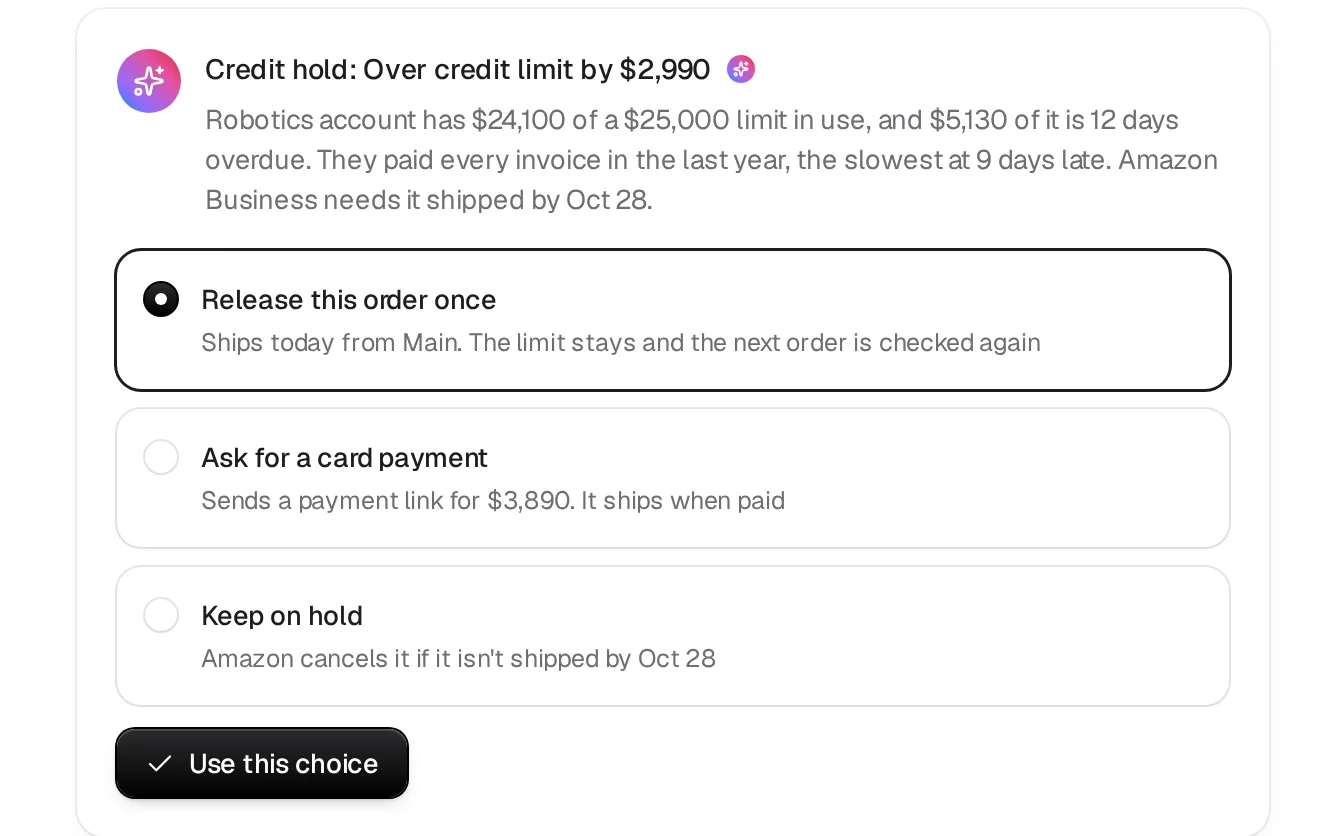
  3. Cartons of crew tees on hold beside a credit hold with three choices: release once, ask for a card payment, or keep on hold

    03 Our way: With Redefine Suite

    Every hold says why.

    A credit hold shows the limit and how the account pays. Release it once, ask for a card, or keep it held.

    Old way: Instead of

    Held orders with no reason.

    An order sits until someone notices, and the ship-by date passes.

Every return, one list.

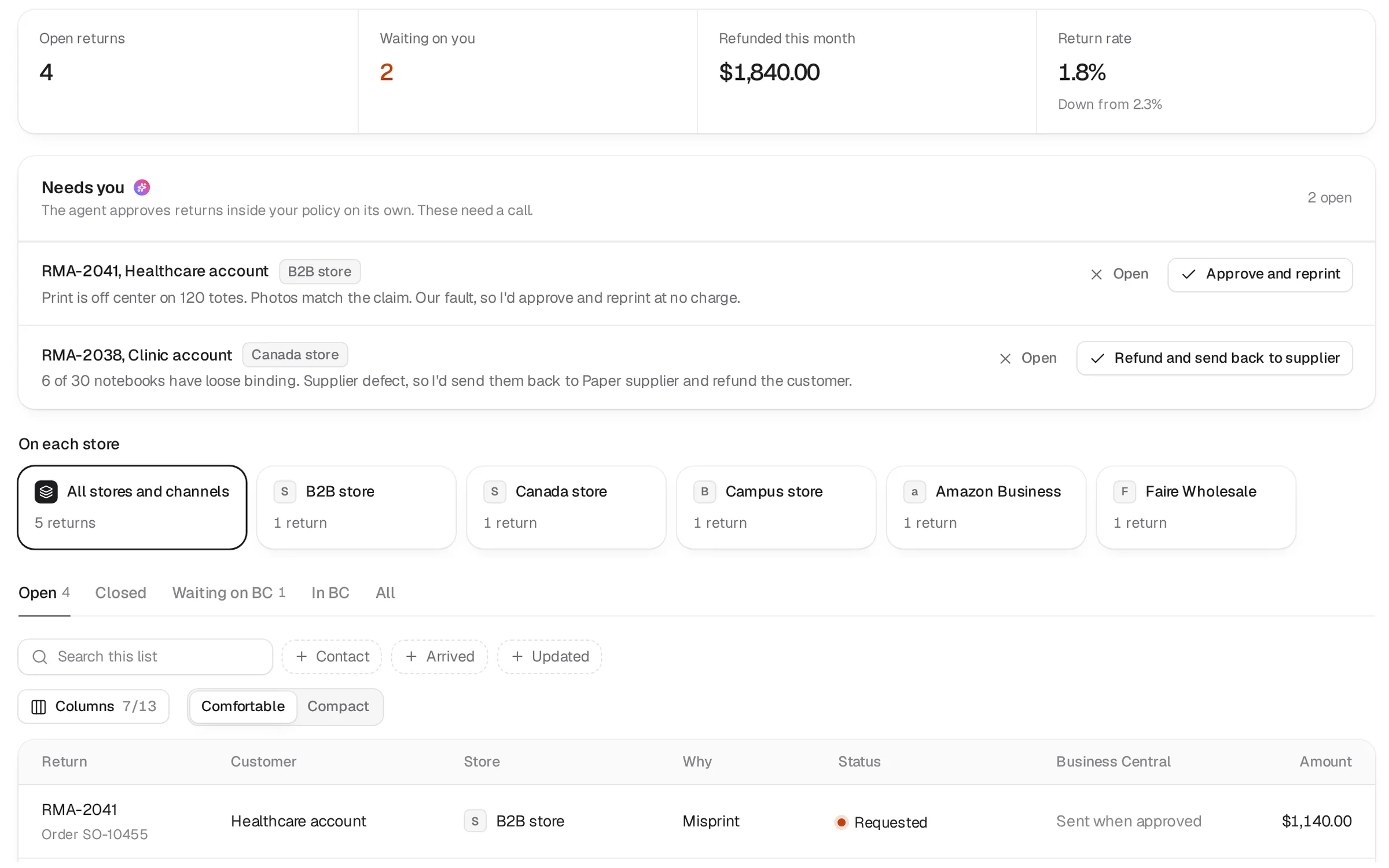
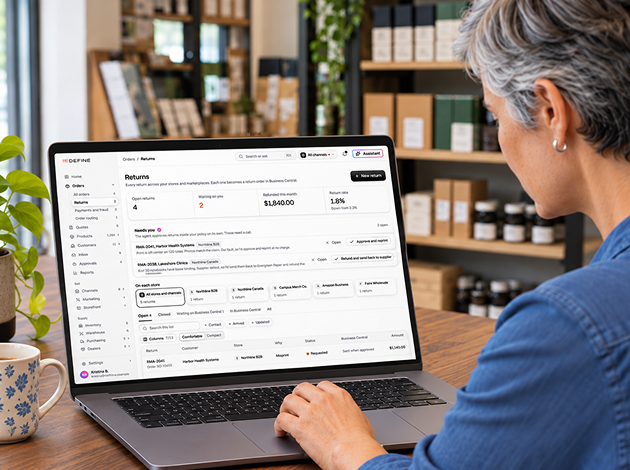
Returns from all your stores sit together. The agent approves the ones inside your policy. The rest wait for you.

See held orders
Redefine Suite returns list: open returns, returns waiting on you, the agent's read on two returns, and each return's

Held orders tell you why.

The order agent holds only what needs a person. Each hold names the reason and the choices. Pick a hold to see it.

Credit

Ship it, or ask for payment.

An order over an account's credit limit is held. You see the limit, what is overdue and how the account pays.

  • 01

    Release once. It ships, and the next order is checked again.

  • 02

    Ask for a card. A payment link goes out. It ships when paid.

  • 03

    Keep on hold. You see what the marketplace does if it misses the date.

See the order management system
Redefine Suite credit hold on an order over the credit limit, with the reason and three choices: release once, ask for

Your return rules

Set the rules once.

Your rules decide what the returns agent can approve and what happens to each item. The reason codes match Business Central.

Settings

Reason codes

Each reason knows who is at fault.

Each reason has a Business Central code, a fault and a default action. Add your own.

4reasons

  1. Wrong size

    Code SIZE. The customer's choice, so it goes back to stock.

  2. Misprint

    Code PRINT. Our fault, so it is reprinted free.

  3. Arrived damaged

    Code DMG. The carrier's fault, so you make a claim.

  4. Defective

    Code DEF. The supplier's fault, so it goes back to them.
Dealers send warranty claims the same way. The claims agent checks each one against your policy first. See dealer and distributor portals. Supplier defects go back through supplier operations.

Do returns go into Business Central?

Yes. Each return becomes a return order in Business Central, with the customer's photos and files attached. Reason codes match yours.

A filter shows returns still waiting on Business Central. See the order management system

Can the agent approve returns on its own?

Only inside your policy, and only if you turn it on. Returns outside the policy wait for a person, with the agent's read.

Every agent action can be undone. See AI automation

Is this RMA software?

Yes. Each return gets an RMA number, a return authorization PDF and a prepaid label. You can refund to the original payment or as store credit.

Return reasons set what happens to each item. See the order management system

Why is an order on hold?

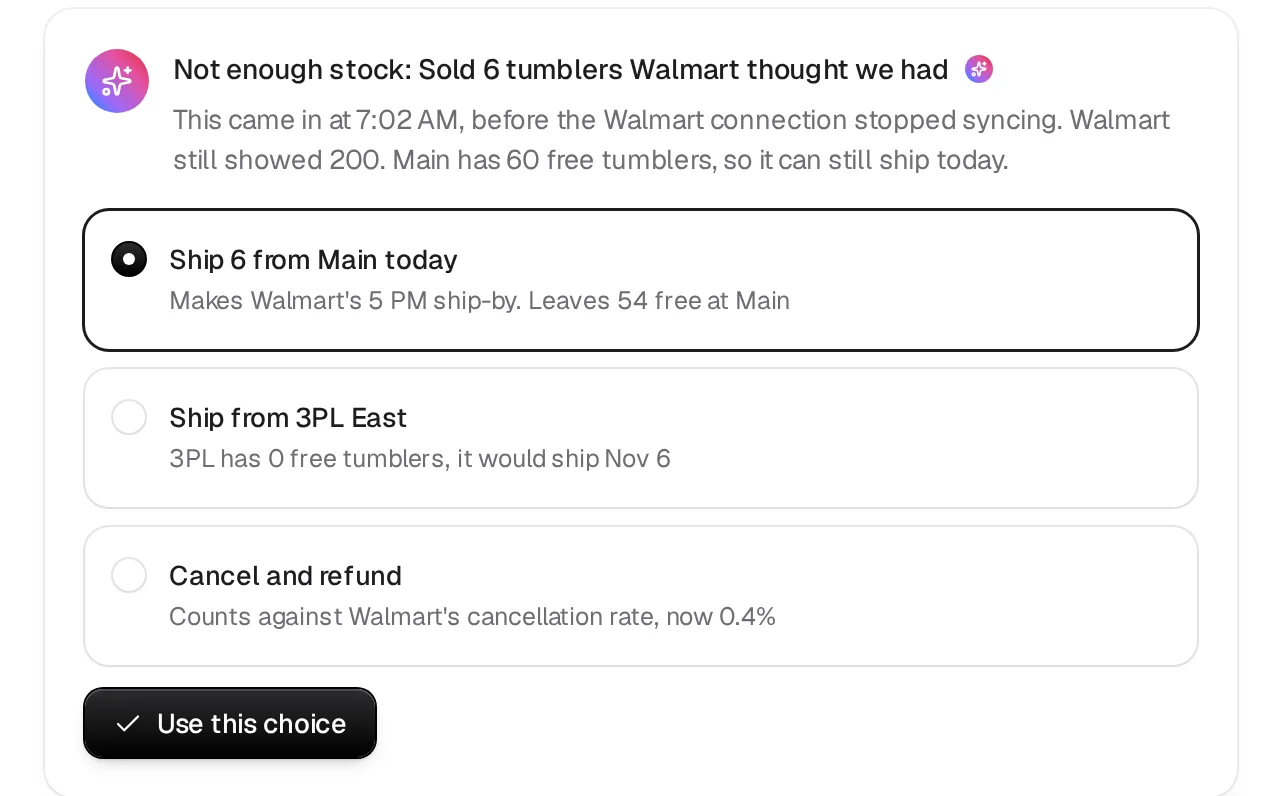
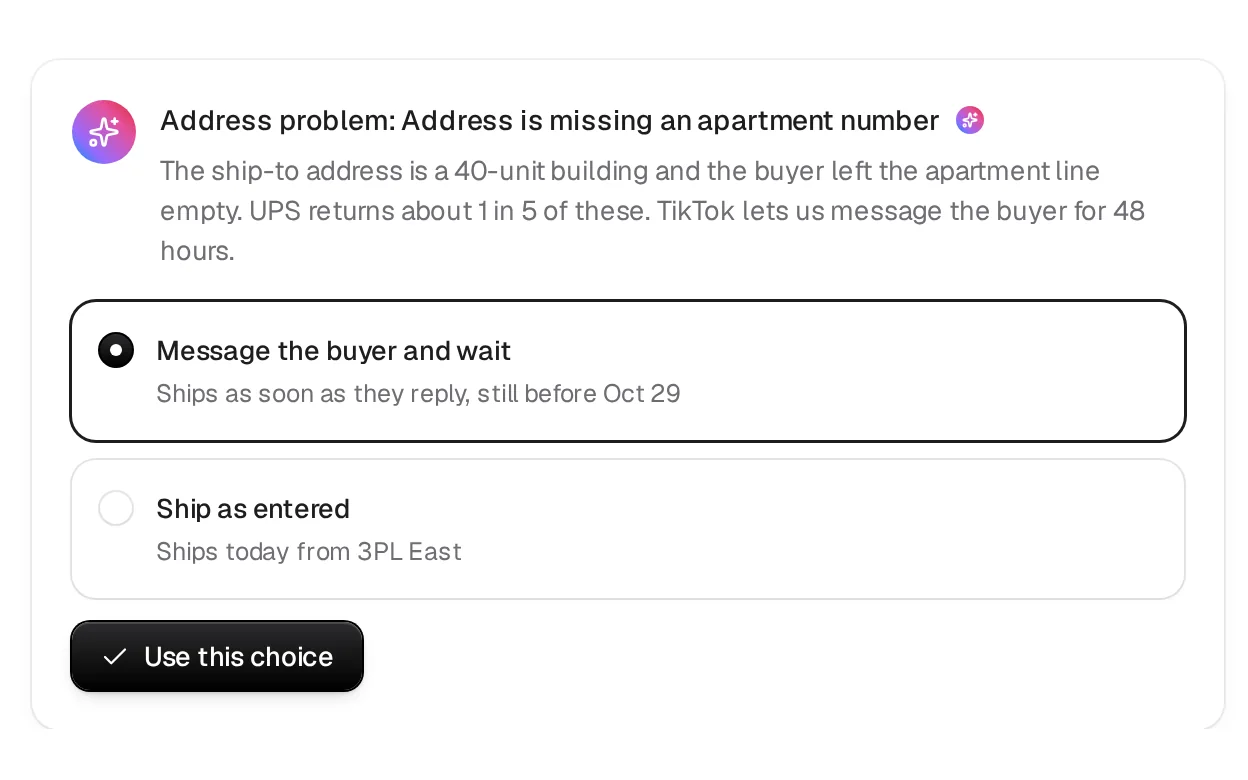
The order page says why: credit, payment, address, stock or routing. It lists your choices and what each one does.

Only held orders reach a person. See the order routing engine

Do returned items go straight back into stock?

Not until they are checked. A return shows Received, inspecting first, and its reason decides whether it goes back to stock, to the supplier or to scrap.

Stock then updates on every store. See multi-location inventory control

Can dealers send warranty claims?

Yes. Dealers and distributors send claims, and the claims agent checks each against your policy. Small claims with matching photos can be approved on their own.

It also flags a product when the same fault keeps coming back. See dealer and distributor portals

Book a demo

See your returns and holds in one queue.

Tell us where you sell and how returns run today. In the demo, we set up your return reasons and policy and walk through your held orders. A demo built on your own return rules and order holds. You can also use the demo booking page.

An operations lead and a finance lead agree on a returned tote at a packing table
  • Built on your own rules
  • Your stores and marketplaces
  • Business Central ready
  • 550+ projects delivered

Book a personalized demo

Tell us which problem costs you the most. We set up the demo around it.

  1. 1We confirm your request
  2. 2A short call about your returns
  3. 3Your personalized demo
  4. 4You decide what comes next