What approval rules can we set?
An order can wait for a yes when it is over the buyer's limit, over a set amount, or over a location's budget.
Very big orders can need two people to say yes. See B2B commerce
Approval workflow software
Redefine Suite sends big orders to each buyer's own approver. New trade accounts arrive checked. AI agents ask before they change prices. Every yes is kept on record.

See your approval rules set up in one admin.
A demo built on your own buyers and rules.
Short answer
Updated
Approval workflow software sends a request to the right person for a yes or no, based on rules you set, and keeps a record of the answer. Redefine Suite by Redefine Innovations does this for B2B orders, trade accounts, purchase orders and AI agent changes in one admin.
Many teams still approve big orders by email. The order sits in an inbox, the buyer waits, and later nobody can say who said yes.
Redefine Suite checks each order against your rules. If it needs a yes, it goes to the right person and waits there until they answer.
Three ways to get a yes
What each request shows
See all of Redefine Suite.
Where it slows down
Big orders, new accounts and price changes all need a yes from someone. Today that yes often lives in an inbox, a chat or a phone call. Pick one below to see how it goes today, and how it goes with Redefine Suite, from the first ask to the final yes.
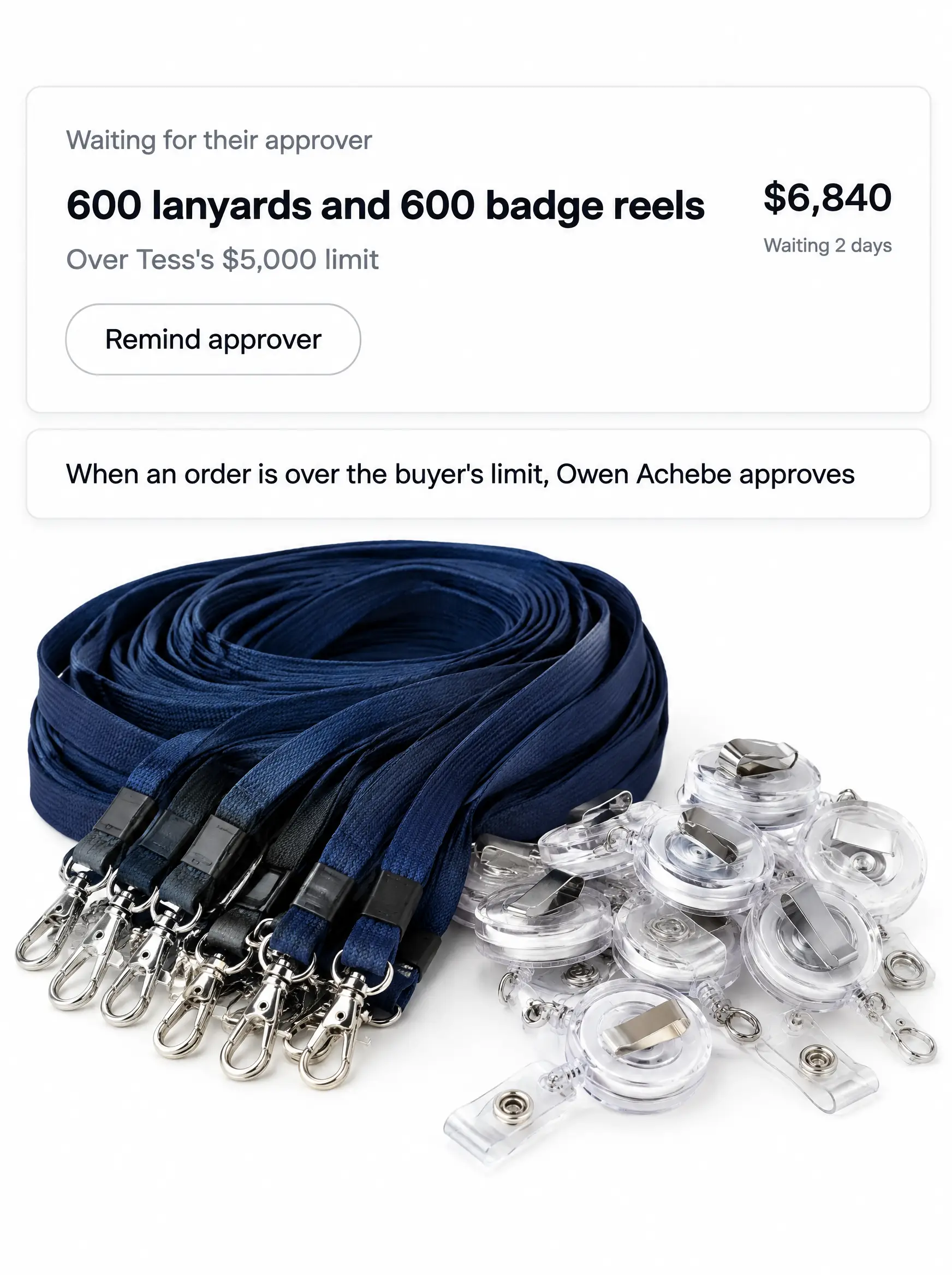
A buyer places a $6,840 order, but their limit is $5,000. So the order goes to someone's inbox by email. It sits there while that person is in meetings or out for the day.
The buyer waits and keeps asking for news. The order ships late, the event date gets close, and next time they may buy from someone else.
The order waits for the buyer's own approver, with the amount and the days it has waited. Your team sees the same list, so nobody has to chase by email. One tap sends the approver a reminder.
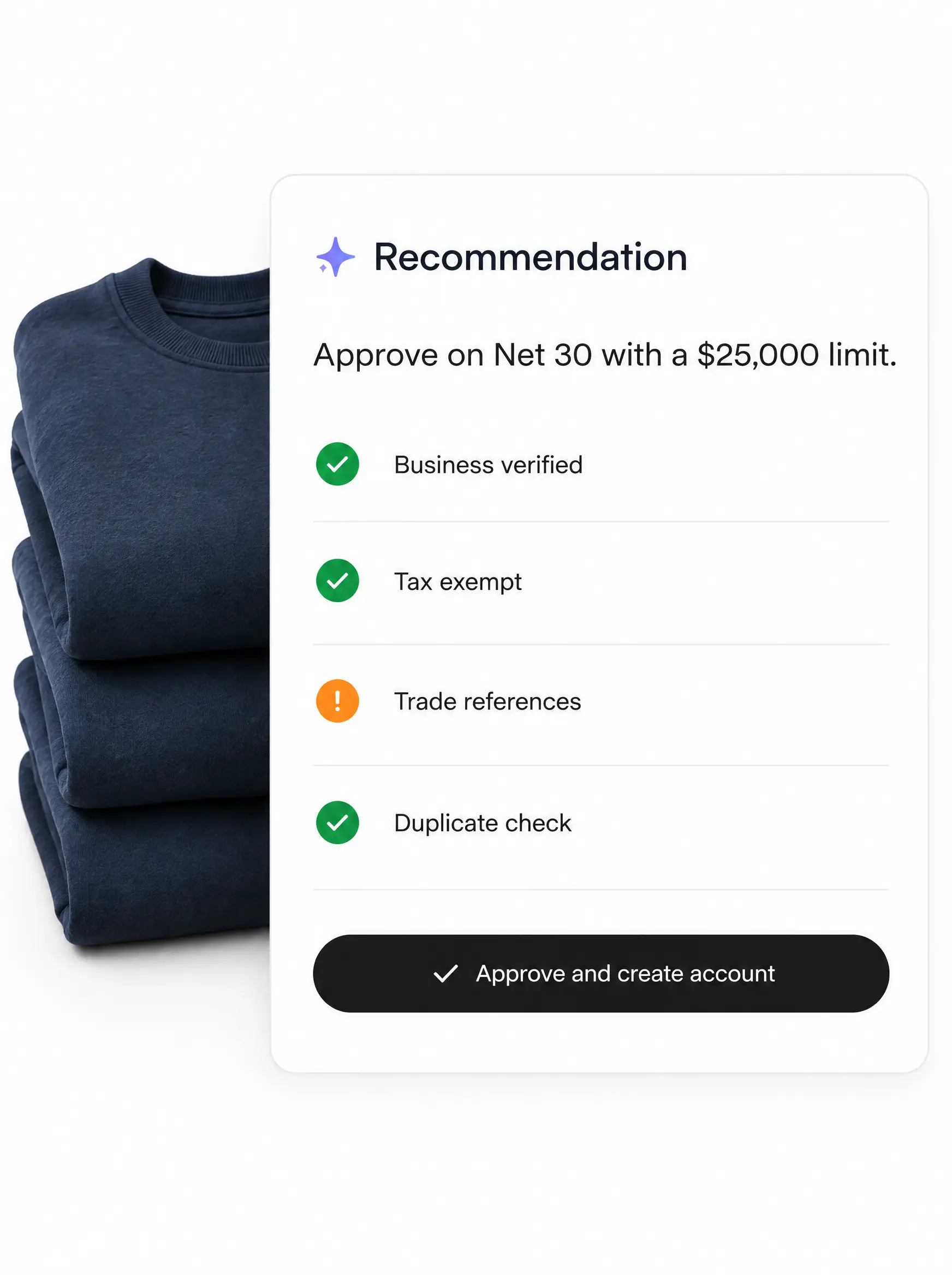
A school district asks for a trade account. Someone checks the tax form, the trade references and the credit limit by hand, one email at a time.
The checks take days, and the district waits a week to place its first order. Then someone still has to type the new account into Business Central.
The request arrives with the checks done and a suggested limit, like Net 30 with $25,000. Press Approve, and the account is made in Business Central. The buyer gets an invite, and the record shows who said yes.
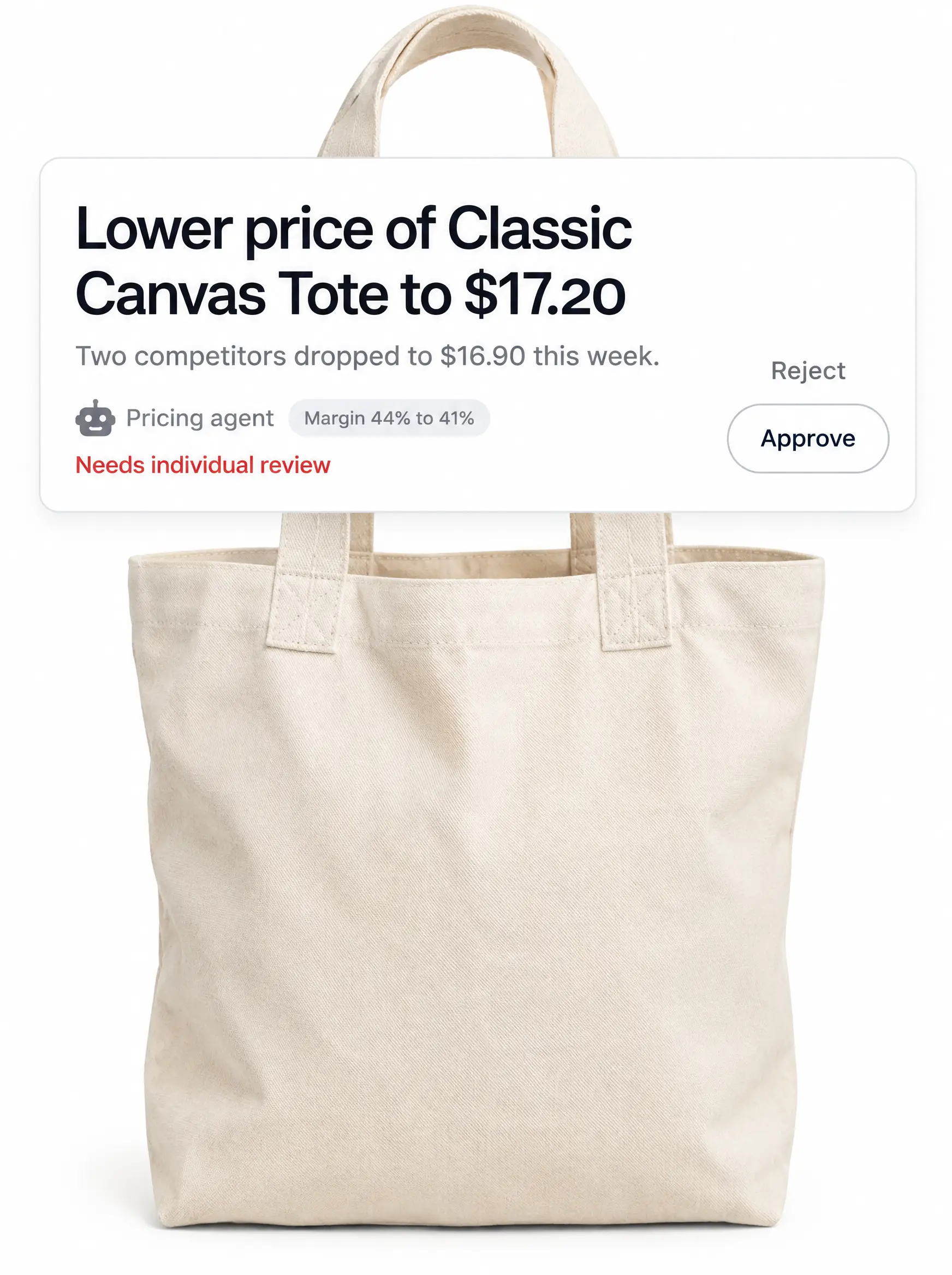
A rival drops a price on a best seller this week. Someone on your team, or some tool, cuts yours to match. Nobody checks the margin first, and nobody writes down why.
Margin slips from 44% to 41% on a best seller. Weeks later, no one can say who made the change, when it went live, or why.
The pricing agent asks first. You see the new price, the reason and the new margin in one row, then press Approve or Reject. Bigger changes get their own review, and every answer stays on record.
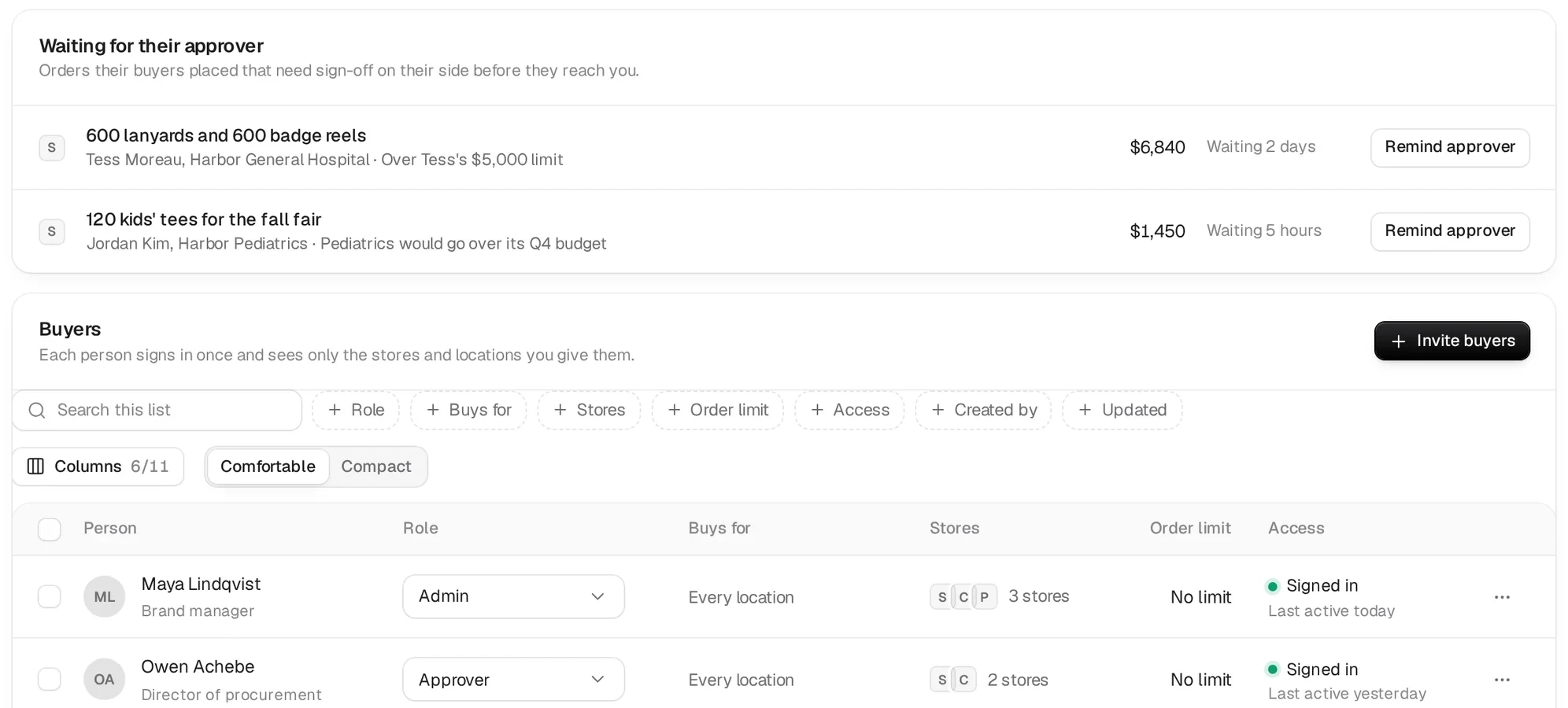
This is a real screen for one company account. Each buyer has a role and a limit, and orders over it wait for their approver. Tap a point to see more.
Orders that need a yes
Orders over a buyer's limit wait here. You see the amount and how long each one has waited.
A nudge in one tap
Press Remind approver, and the approver hears about the order again. Nothing sits for a week.
A limit for each buyer
Each buyer has a role and a limit, like $5,000, $2,500 or no limit. Accounts payable can't place orders.
Agent requests
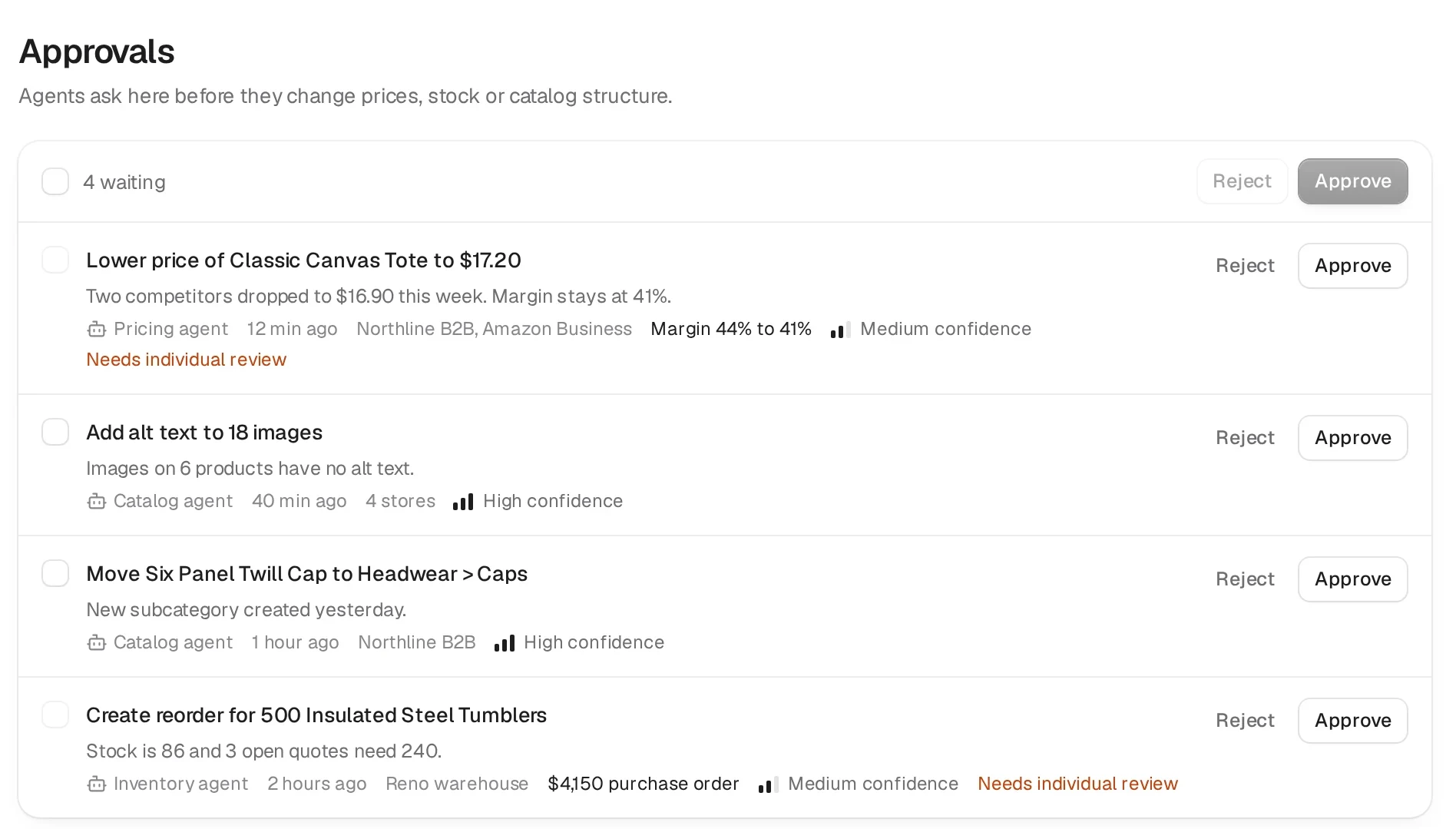
AI agents ask here before they change prices, stock or how your catalog is set up. Each row shows the agent, how sure it is and what it wants to do. Approve a few together, or open one that needs its own look.

Your day
Open the list, read why each request is there, and press Approve or Reject. The change goes ahead only after your yes.
See forms and workflowMore things that wait for a yes
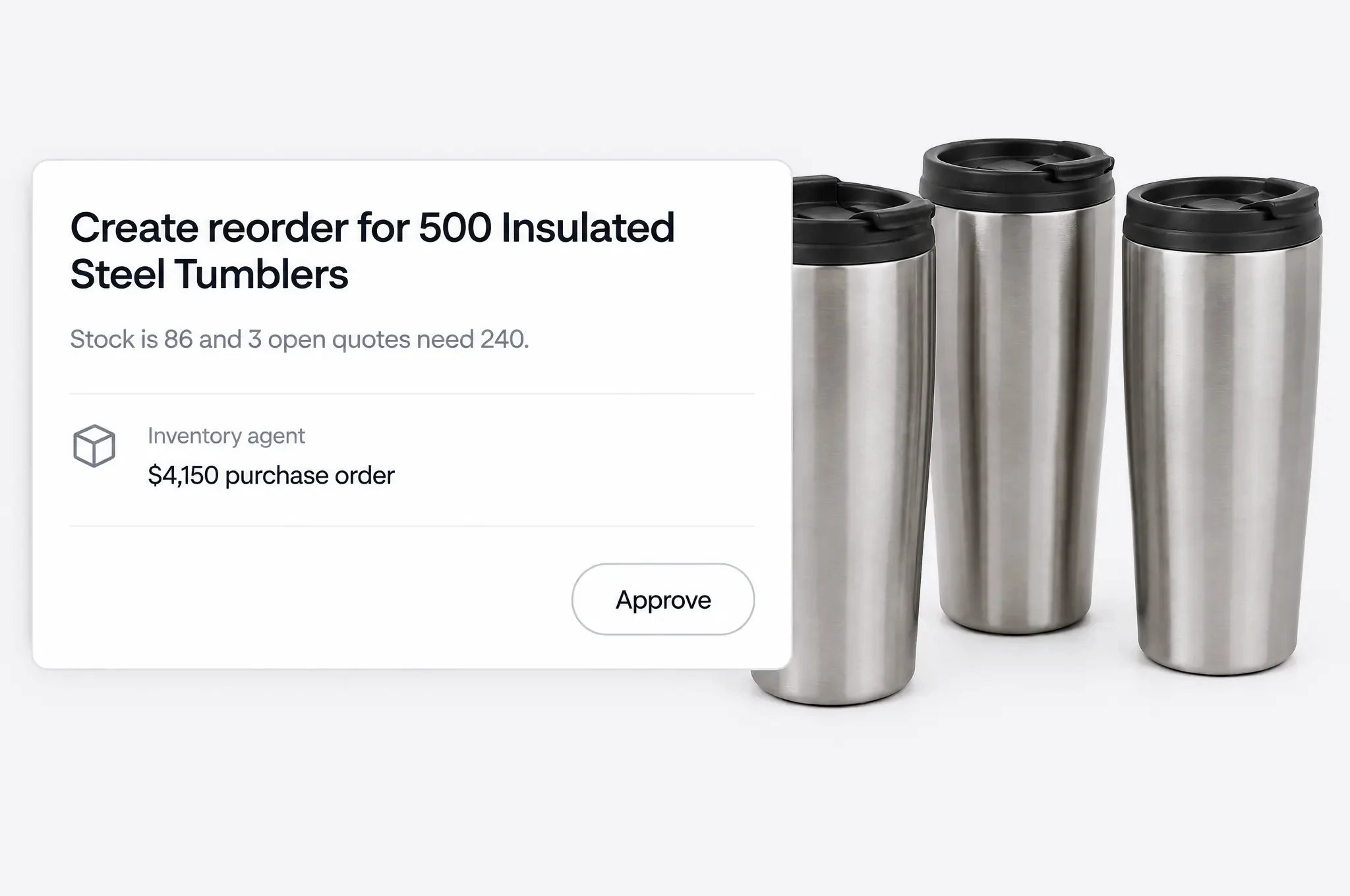
When stock runs low, the inventory agent drafts the reorder. It waits for your Approve.
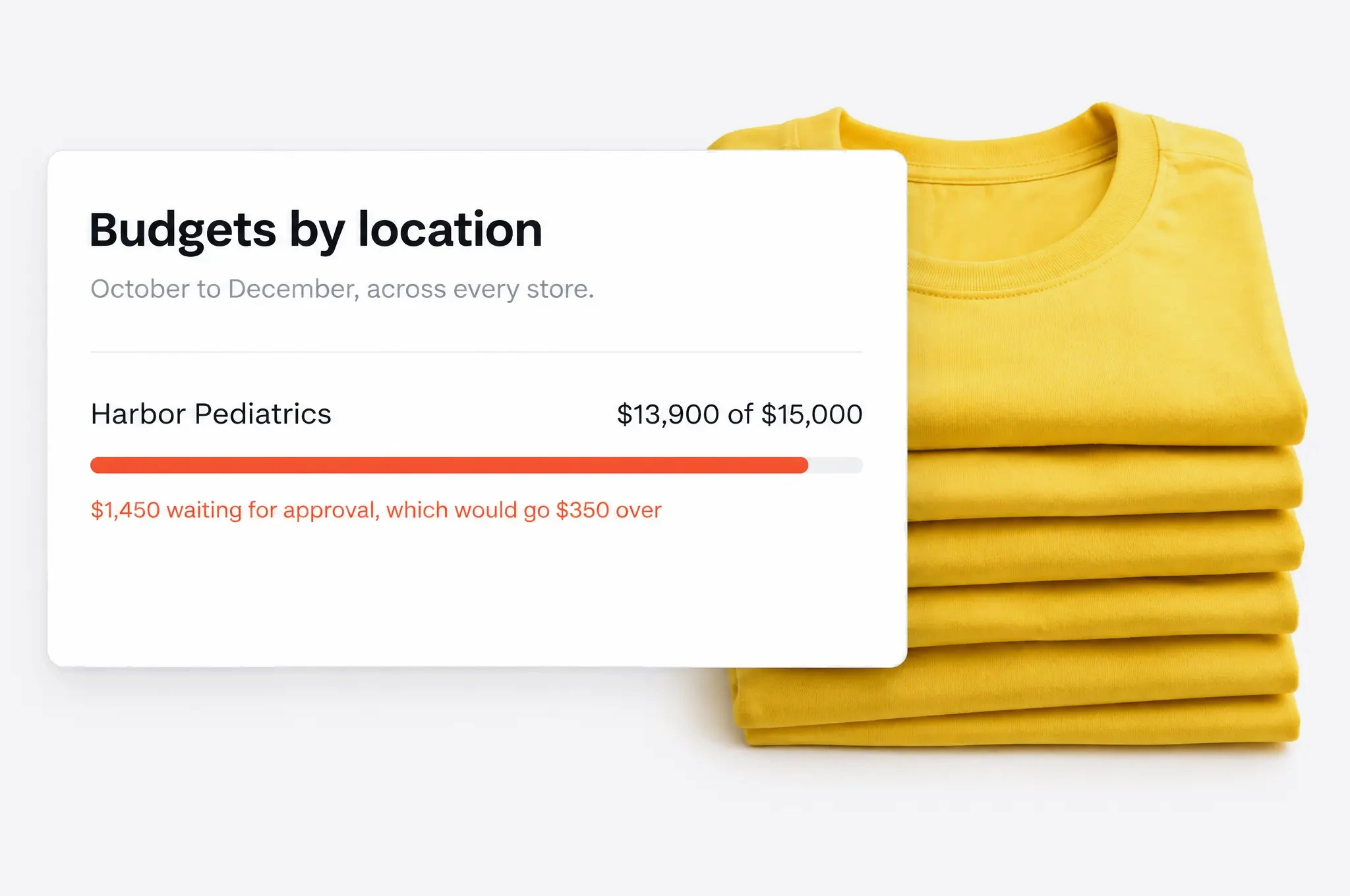
Each location has a budget. An order that would go over waits for an approver.
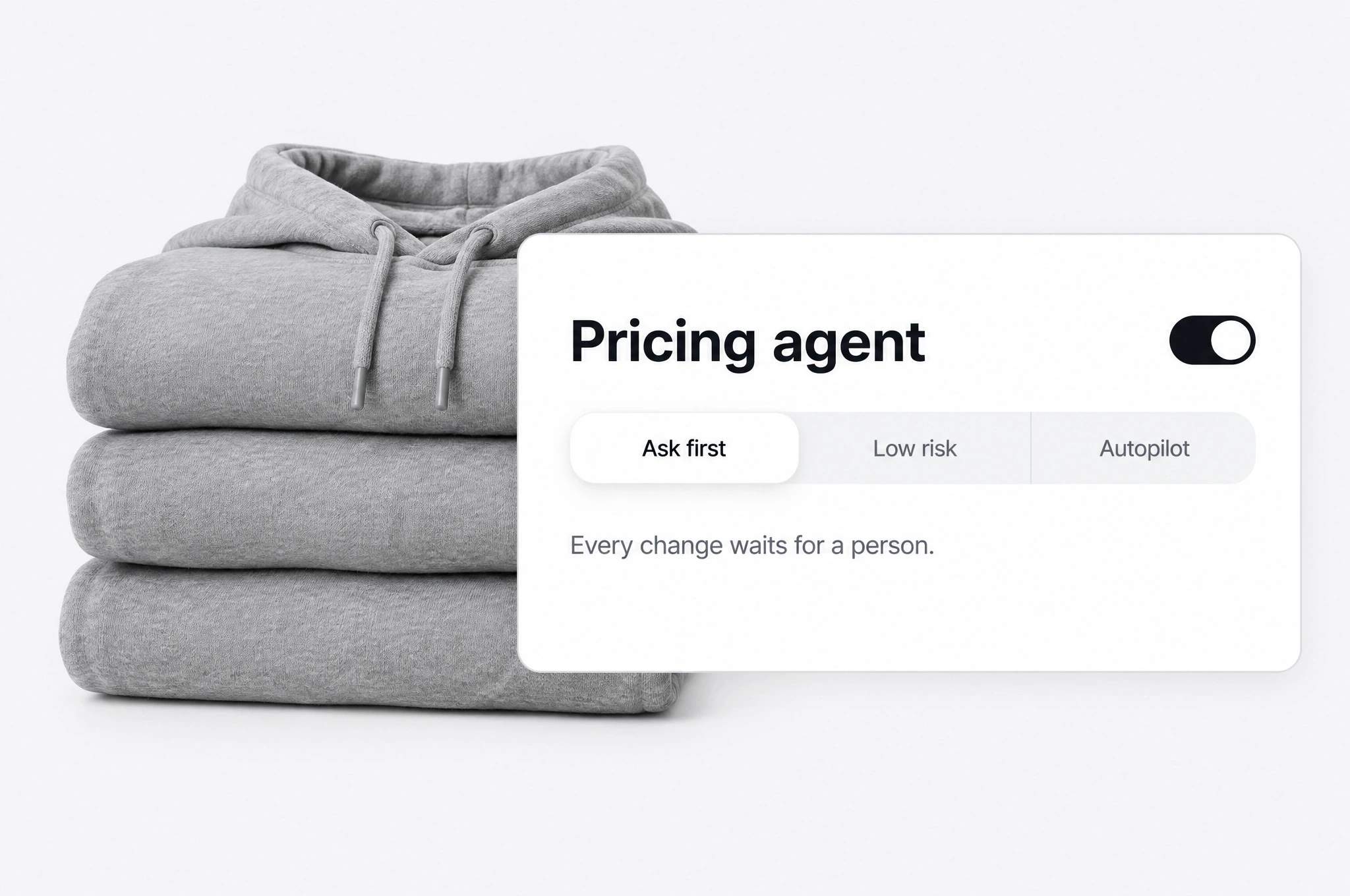
Pick Ask first, Low risk or Autopilot. With Ask first, every change waits for a person.
Questions
An order can wait for a yes when it is over the buyer's limit, over a set amount, or over a location's budget.
Very big orders can need two people to say yes. See B2B commerce
Yes. Each buyer gets a role, like Buyer or Approver, and an order limit.
Accounts payable can see orders but can't place them. See customer account management
Orders waiting for an approver sit in one list, with how long each has waited.
Press Remind approver to send a nudge. See workflow routing
Yes. Each request shows a suggested limit and checks, like business verified and tax exempt.
Approving it makes the customer in Business Central and invites the buyer to the account. See submission management
Not unless you let them. Agents ask before they change prices, stock or how the catalog is set up.
Set each agent to Ask first, Low risk or Autopilot. See governance and security
Yes. Pick the requests you want and approve them together.
Some changes need their own review, and the list marks them. See online form builder
Book a demo
In the demo, we set up approval rules for your buyers and walk through the list of requests. A demo built on your own buyers and rules. You can also use the demo booking page.

Tell us how approvals work today. We set up the demo around it.