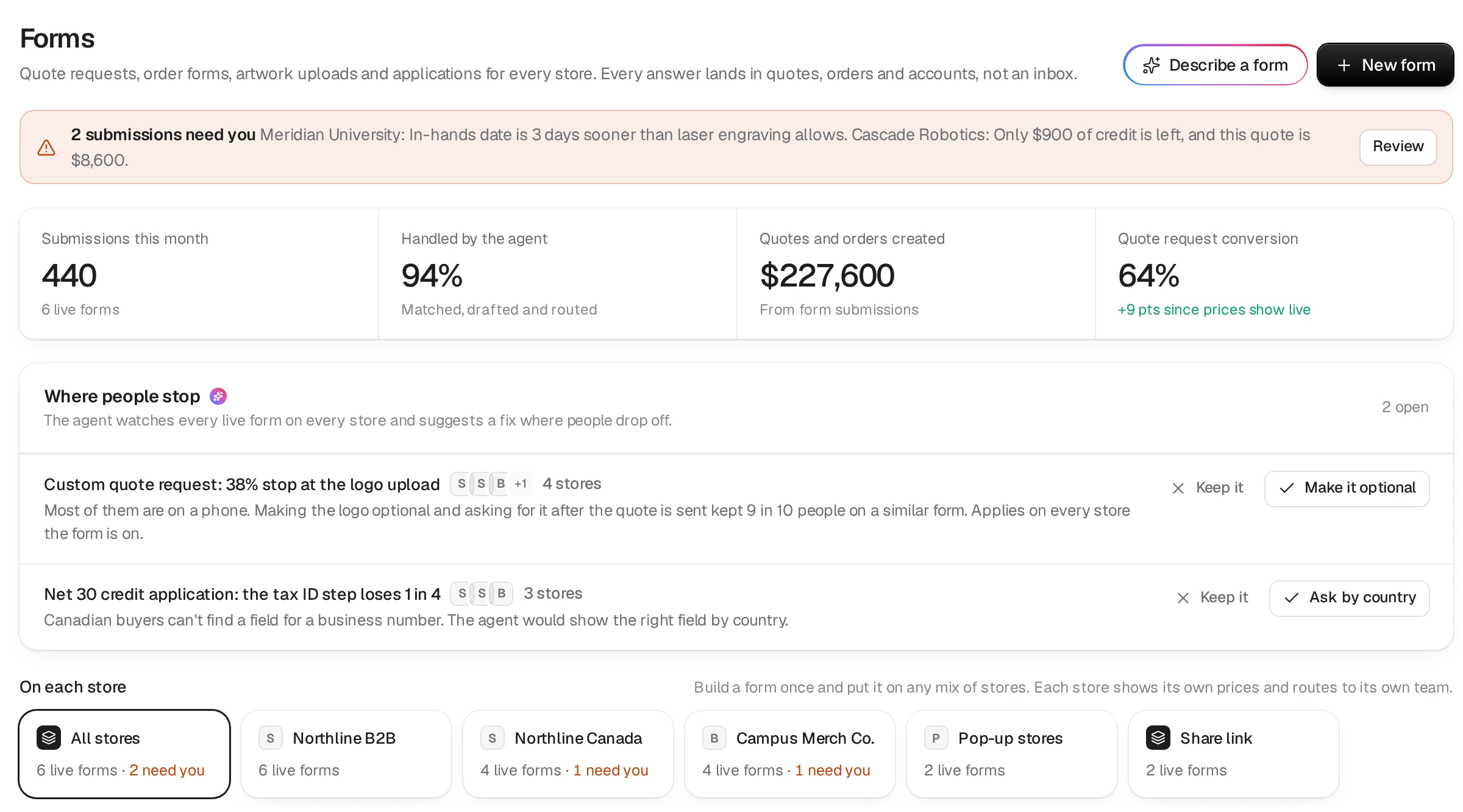
Forms
One form on every store
Build a quote form once and turn it on for any mix of stores. Each store keeps its own prices and sends answers to its own team.
Redefine Suite / Online form builder

Forms and workflow software
Redefine Suite workflow software turns each form, quote request and approval into a next step with an owner, in one admin for every store.
See your own forms and approvals in one admin.
A demo built on your own forms and teams.
Short answer
Updated
Forms and workflow software collects requests through online forms, then moves each one to its next step: the right person, an approval, or a record in your ERP. Redefine Suite by Redefine Innovations does this in one admin for every store, and its agents ask a person when they are not sure.
In many teams, form answers land in email or a spreadsheet. Someone types them into the ERP again. Approvals wait in long email chains, and some requests never get an owner.
Workflow software fixes the hand-offs. Each request gets an owner, a rule decides who must say yes, and the answers go where they belong.
Three ways to handle requests
What one admin covers
See all of Redefine Suite.
Pick your problem
Pick the one that sounds like your week. Each one shows the real screen that fixes it, and the tool to read about next.
A form in Redefine Suite runs steps when someone sends it. It finds the customer, makes the sales quote in Business Central and saves the PO number in the right field.
See the online form builder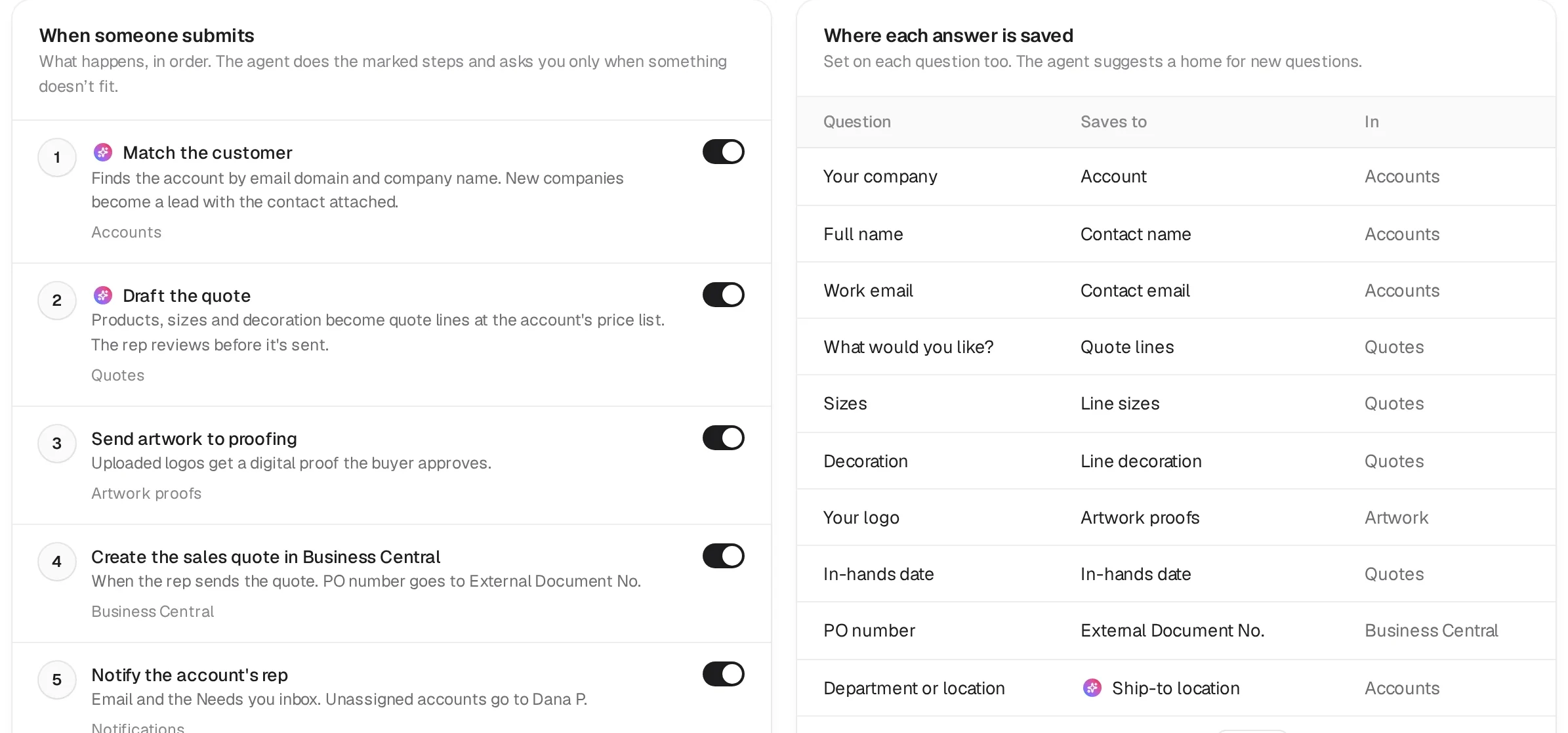
Agents ask before they change prices, stock or the catalog. Each ask waits in Approvals with its reason, and you tap Approve or Reject. Company buyers can have their own approvers too.
See approval workflow software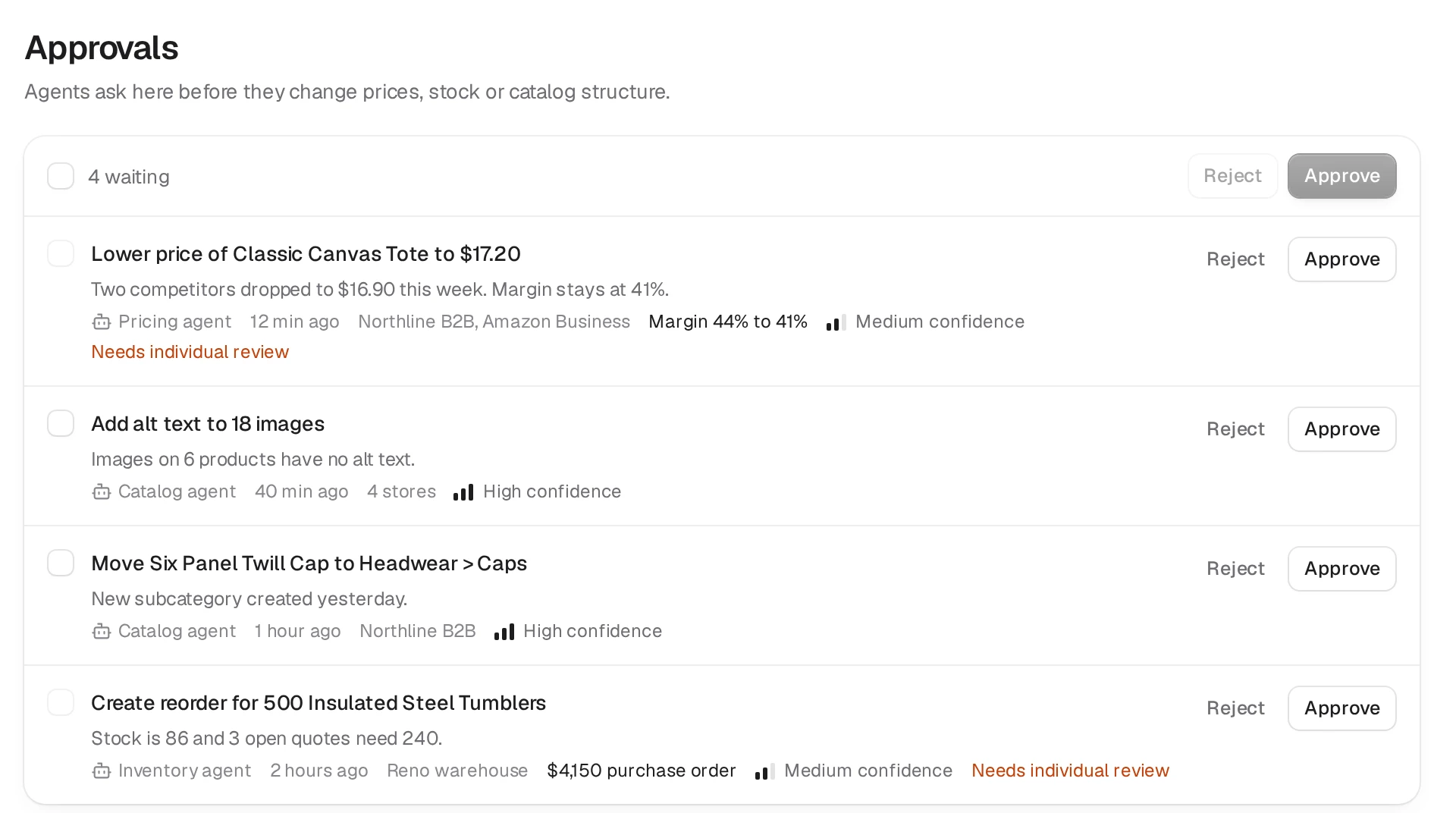
Quote requests, catalog asks and credit applications land in one Inbox. Each one shows its store, owner and status, and the inbox agent lists what it did.
See submission management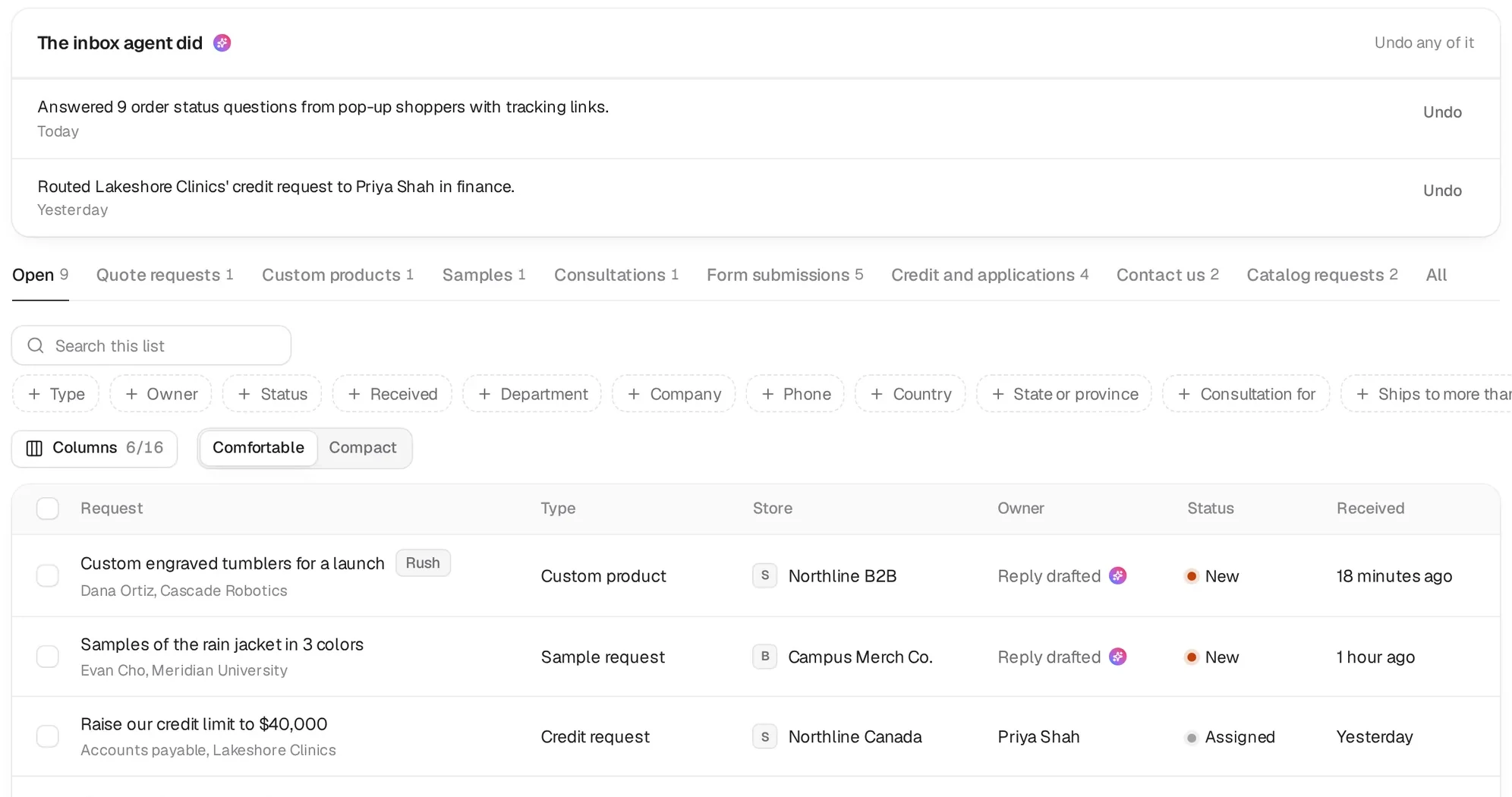
Set a rule once: when a quote is over $10,000, send it to the sales manager. Other rules route by store, answer or account.
See workflow routing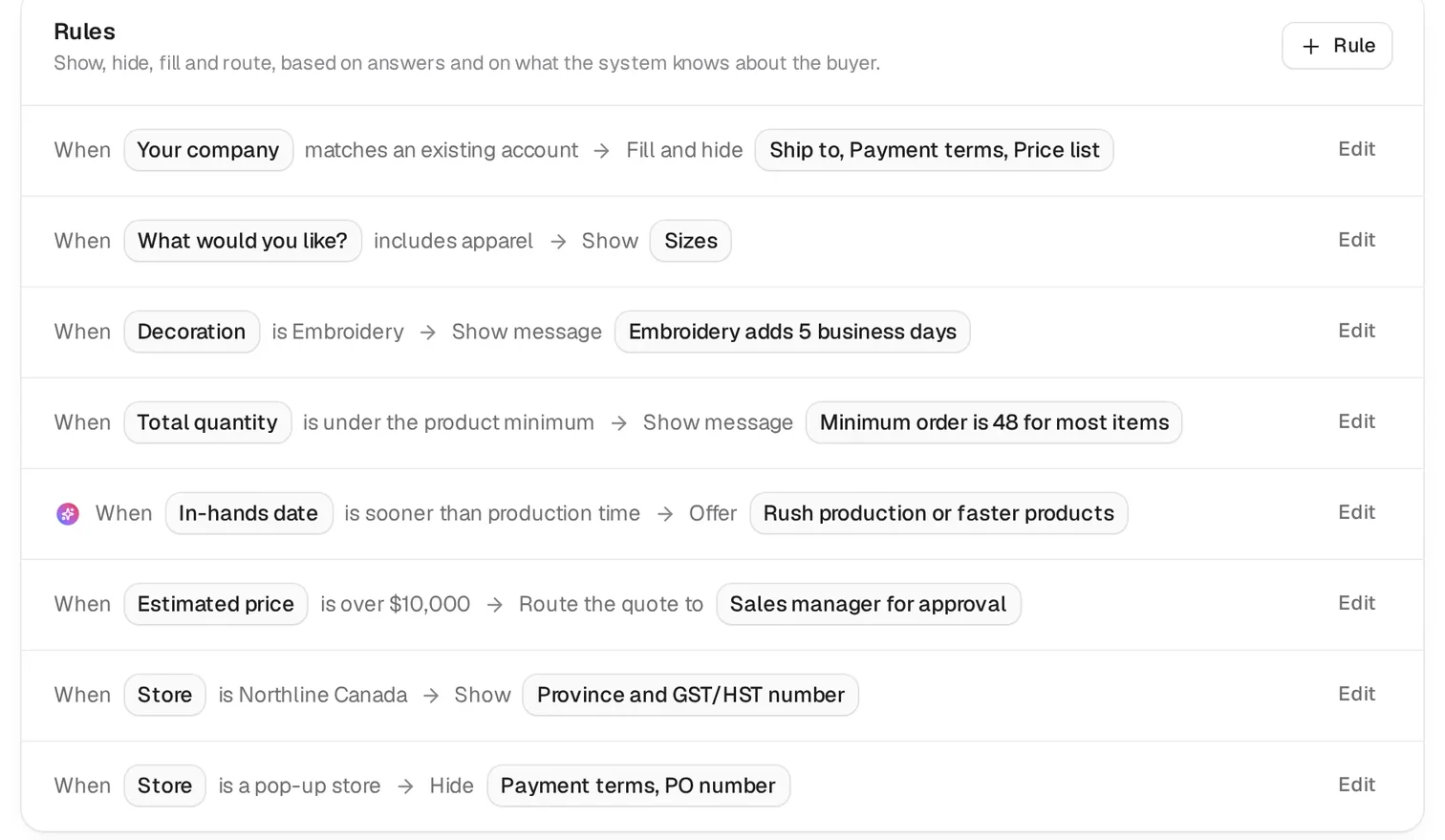
Ask for the logo, the tax certificate or a signature inside the form. The file stays with the request, so the next person can act on it.
See document collection workflows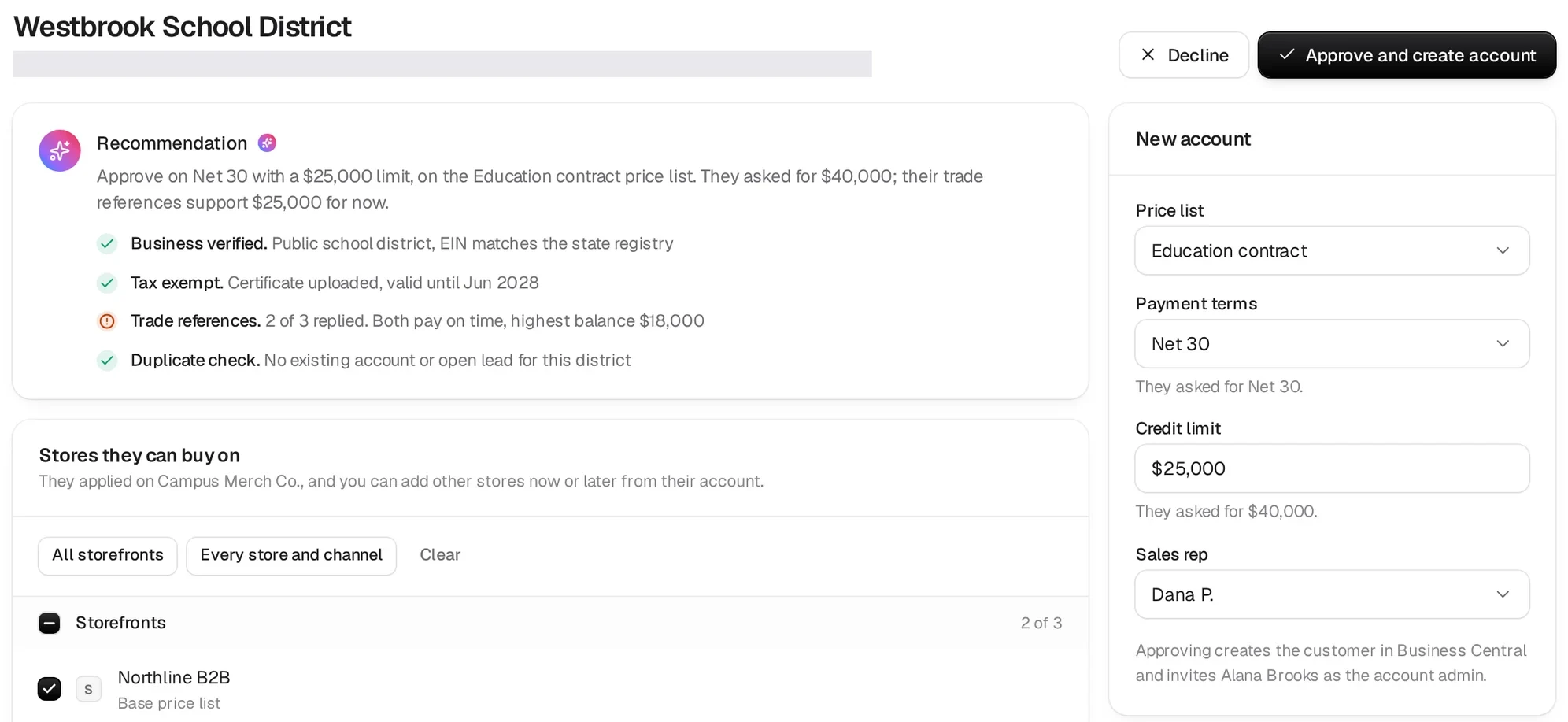
Home shows what needs a person today and what the agents did overnight. Each agent can ask first or run on its own, and you can undo any step.
See internal process automation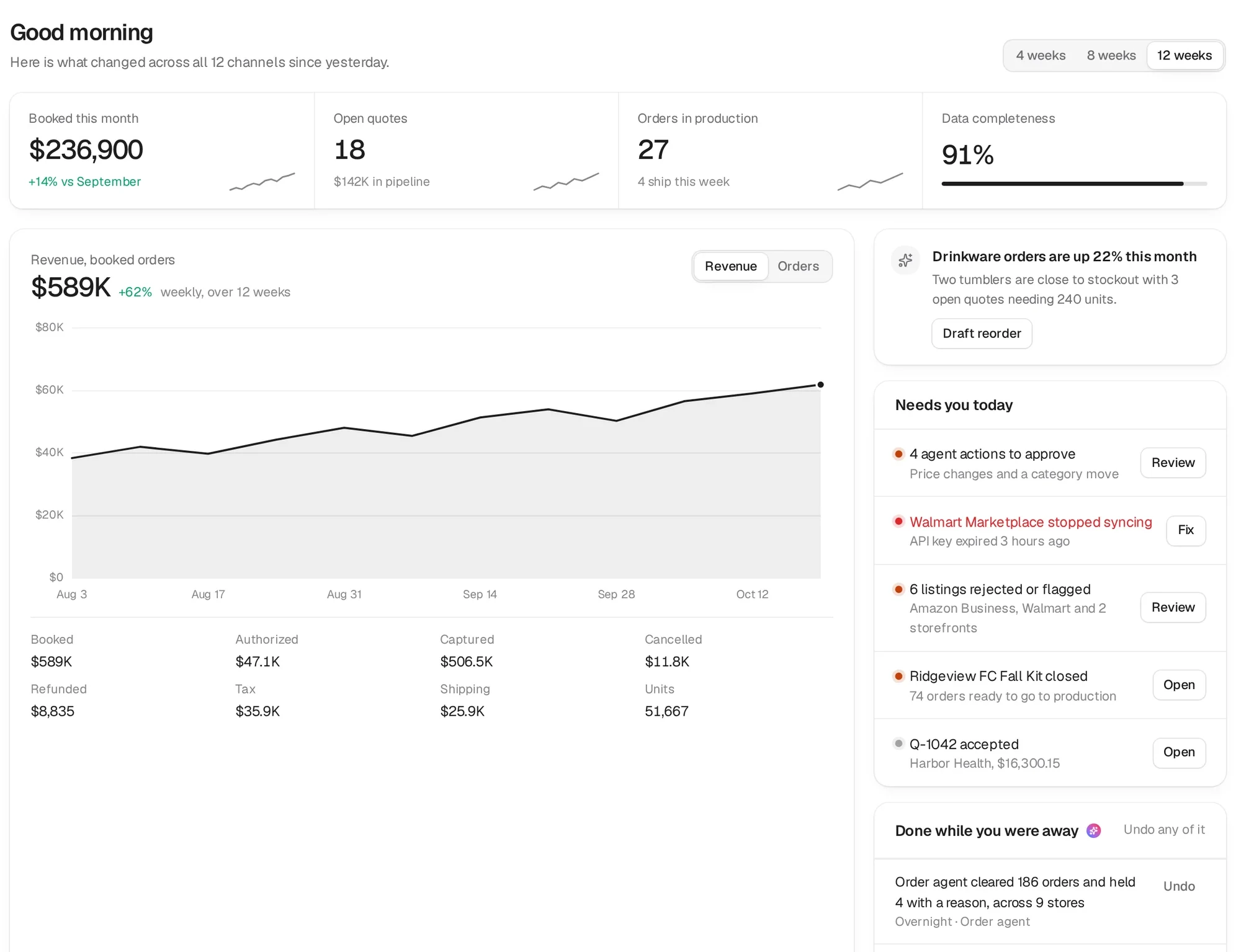
Walkthroughs
Forms
Build a quote form once and turn it on for any mix of stores. Each store keeps its own prices and sends answers to its own team.
Redefine Suite / Online form builder

Approvals
Over the buyer's limit, it waits for their approver. One tap sends a reminder.
Redefine Suite / Approval workflow software
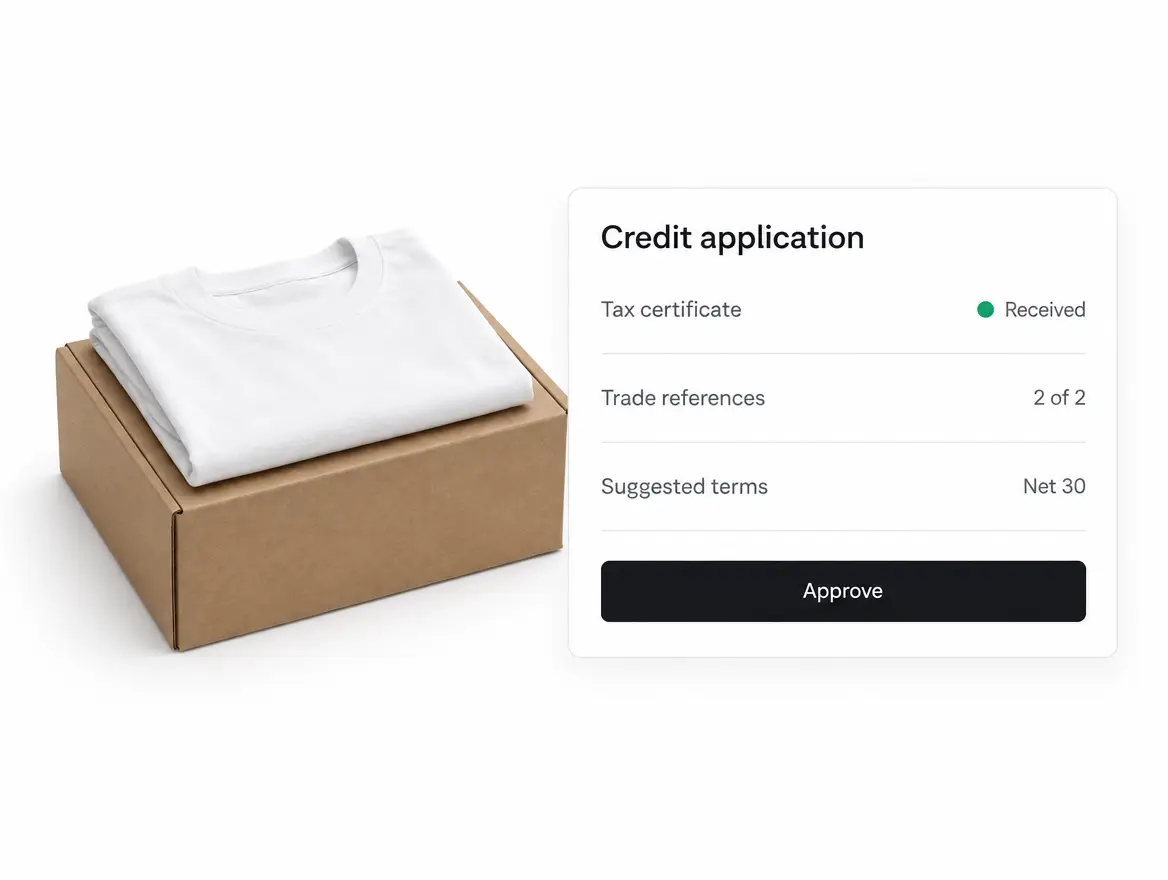
Files
The form asks for the tax certificate. The agent suggests terms, and a person says yes.
Redefine Suite / Document collection workflows
Forms, rules and approvals share one admin, so nothing is copied from tool to tool. Press the button to watch it.
Quote request workflow
Press Run a quote request to watch it.
09:02 Quote request for 120 jackets received, $12,400
09:03 Rule matched: over $10,000 goes to the sales manager
09:40 Approved by the sales manager, decision logged
09:41 Sales quote created in Business Central
Directory
Each tool is part of the same admin, so a request keeps its answers, files and owner from start to end. Pick a group to filter the list.
Related: workflow reporting shows where requests slow down, AI workflow assistance drafts replies and sorts requests, and the Redefine Suite page lists every product.
Questions
A form builder collects answers. Workflow software also decides what happens next: who gets the request, who must approve it and where the answers are saved.
Redefine Suite does both in one admin. See the online form builder
Yes. Each answer can be saved where it belongs. A PO number on a quote form can go straight to Business Central.
Nobody has to type it in again. See workflow routing
Yes. An order over a buyer's limit waits for that company's approver.
You can remind the approver with one tap. See approval workflow software
You choose. An agent can ask first, act only on low-risk work, or run on autopilot. Anything it does can be undone.
Big changes still wait for a person. See internal process automation
Yes. You can start with one quote or order form and one inbox, then add approvals and rules later.
Each tool is part of the same admin. See submission management
We take one of your own forms and show how its requests would reach the right people, with your stores and approval rules.
Bring the form that makes the most work. Book a demo
Book a demo
In the demo, we take one of your forms and follow its requests from the form to the right person, the approval and the order. A demo built on your own forms and teams. You can also use the demo booking page.

Tell us how requests reach your team today. We set up the demo around it.