
Redefine Suite AI and automation

AI for ecommerce that does the busy work and asks you first

17 AI agents work on your catalog, channels, orders, stock, buyers and reports. Small fixes go live. Big changes wait for your yes. You can undo any action.

550+ projects delivered · 25+ years building commerce · See all 12 AI pages

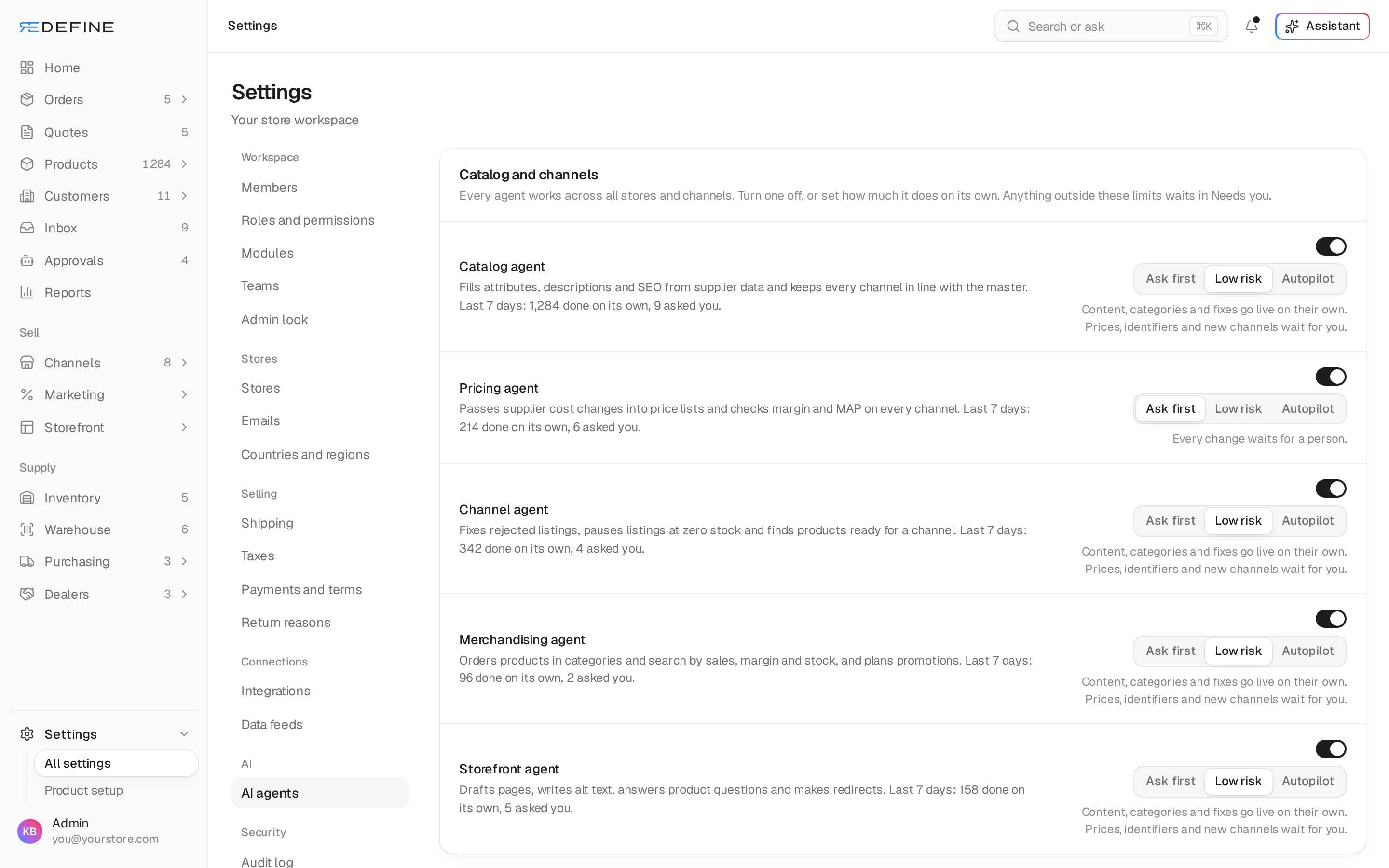
Redefine Suite AI agents settings: the catalog, pricing, channel, merchandising and storefront agents, each set to Ask
You pick how much each agent does alone, from Ask first to Autopilot.

See the AI agents work on your own store.

A demo built around your own catalog and channels.

Book a personalized demo

Short answer

What is AI for ecommerce?

Updated

AI for ecommerce is software that does store work for you. It can write product copy, fix listings, answer buyers and build reports. Redefine Suite by Redefine Innovations has 17 AI agents that work inside your catalog, channels, orders and stock, and ask before big changes.

Most AI tools sit in their own tab. You copy data in, copy the answer out, and hope it is right. That is why many teams stop using them.

In Redefine Suite, the agents work where your data already is. They use your own facts, follow your limits and log each step.

AI agent or automation?

Three ways to get store work done

Way to workHow it worksWhat you getSee also
AI agentsRead the data, pick the next step and say whyDrafts, fixes and answers inside your limitsAgentic commerce AI
Automation rulesRun the same fixed step each timeFast, but stuck when something is newAutomation engine
By handA person copies, checks and fixes each itemSlow work and missed itemsAI workflow assistance

What the agents cover

  • [1] Catalog and channels: 5 agents
  • [2] Orders and customers: 6 agents
  • [3] Supply: 4 agents
  • [4] Workspace: 2 agents

Part of Redefine Suite.

Pick your problem

Where does your team lose the most time?

Pick the one that sounds like yours. See the screen where the agent helps, and the pages that go deeper.

You stay in charge

Every agent works inside the limits you set. Big changes wait for your yes, and every action has an Undo.

Three reasons AI tools sit unused

Tap a card to see what goes wrong, then how the agents fix it.

Ask once. See the plan. Say yes.

  1. Step 1 of 4

    Ask in plain words

    Nothing is sent until you choose Apply.

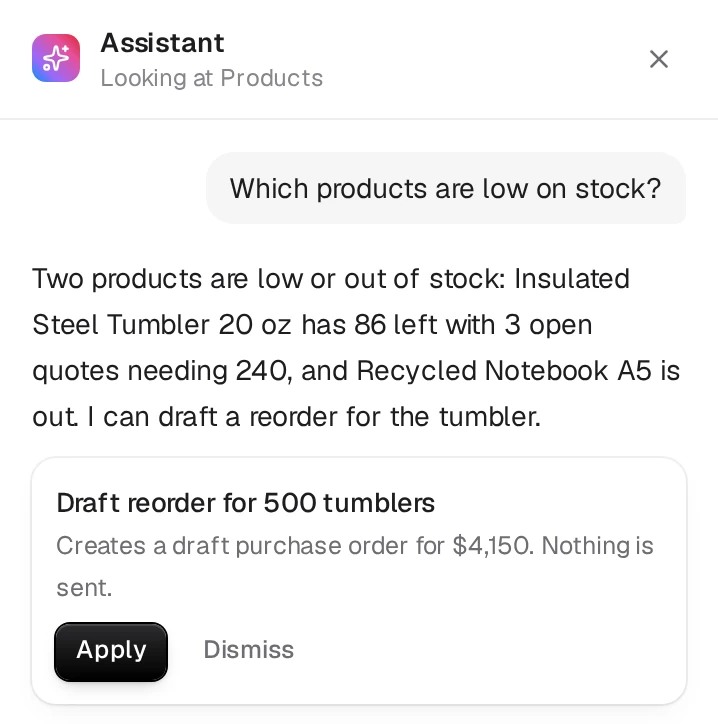
    Ask the Assistant, like "reorder tumblers." It shows a plan first. Not right? Choose Dismiss.

    Redefine Suite Assistant panel with a plan to draft a reorder for 500 tumblers, a note that nothing is sent, and Apply
  2. Step 2 of 4

    Only the calls that need you

    The rest keeps moving.

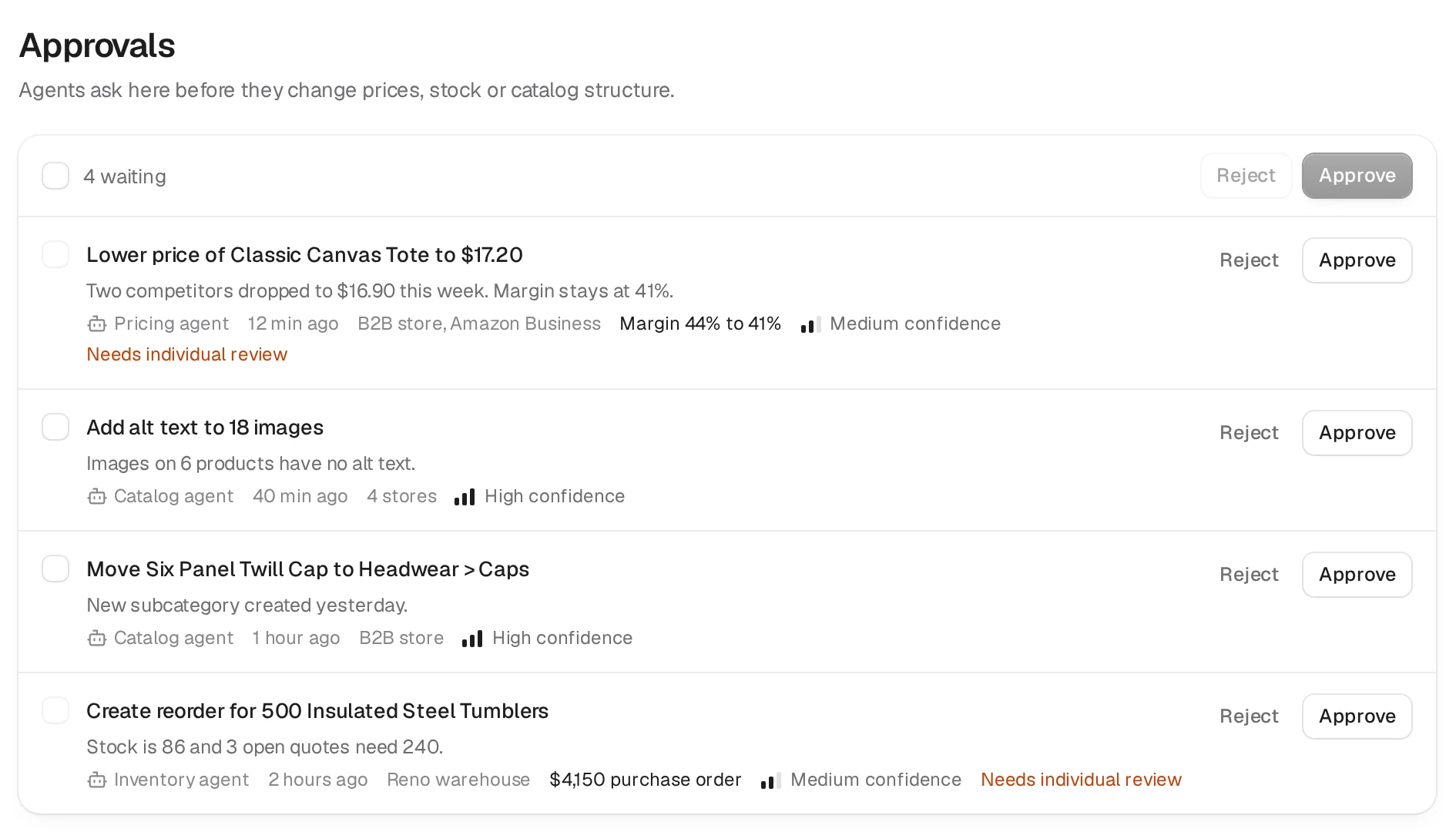
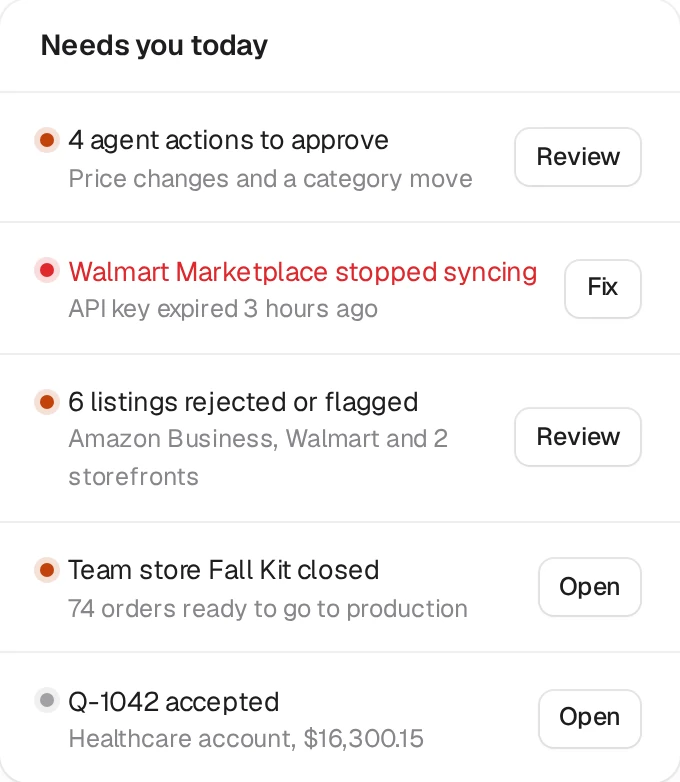
    Needs you today lists the few choices agents could not make alone. Read why, then say yes or no.

    Redefine Suite Home card, Needs you today, with the agent choices that wait for a person
  3. Step 3 of 4

    See what was done

    Each line has an Undo.

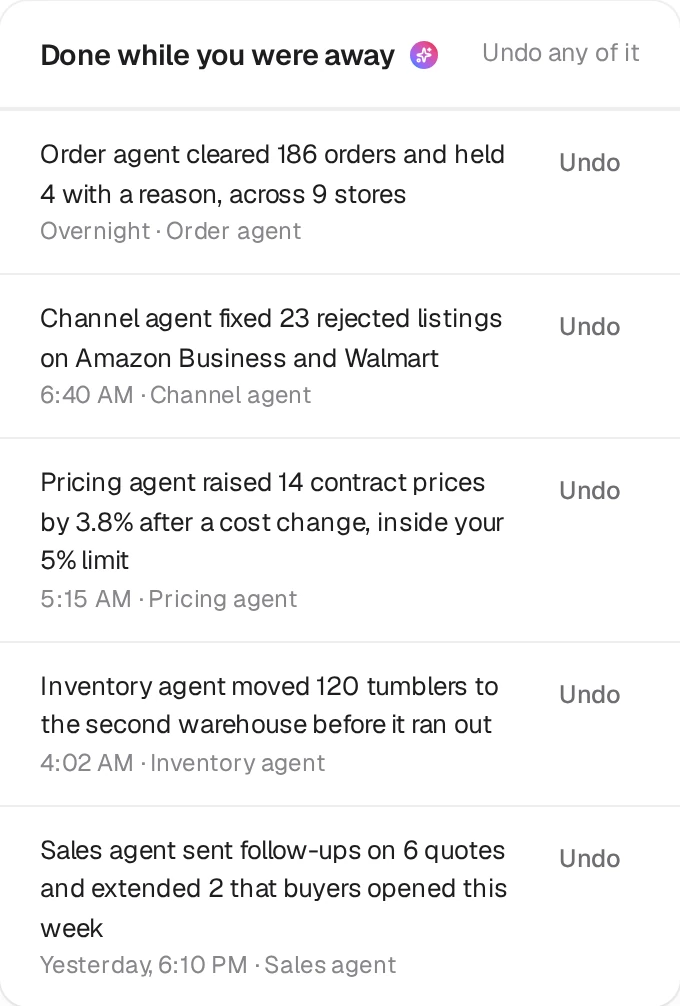
    Done while you were away lists what the agents did overnight. One click puts it back.

    Redefine Suite Home card, Done while you were away, listing what each agent did with an Undo on every line
  4. Step 4 of 4

    Set the rules once

    Every agent follows them.

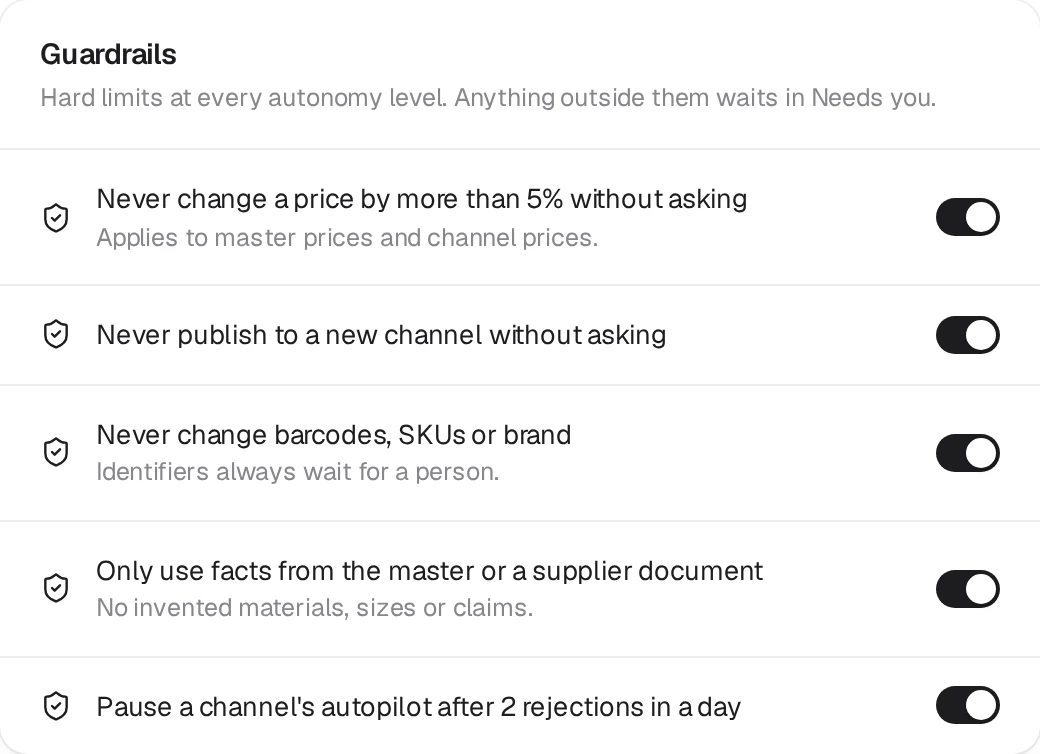
    Guardrails say what agents may never do, like change a price by more than 5% without asking.

    Redefine Suite Guardrails card: never change a price by more than 5% without asking, never publish to a new channel

Agent levels

Pick how much each agent does alone

Each agent has a level. Start at Ask first, and move up when you trust it.

  1. A pricing manager initials a printed price sheet at her desk before a change goes live

    01 Most careful

    Ask first

    Every change waits for a person. You read it, then say yes or no.

    Goes live alone
    Nothing, until you say yes
    Waits for you
    Every change, big or small
    Good for
    New agents, prices and your first weeks
    You can still
    See each change before it goes live
  2. A merchandiser moves a cap to a new spot on a showroom shelf

    02 In between

    Low risk

    Small fixes go live on their own. Bigger ones still wait for you.

    Goes live alone
    Content, categories and fixes
    Waits for you
    Prices, identifiers and new channels
    Good for
    Catalog and listing work
    You can still
    Undo any change from the log
  3. A packer seals a carton beside a cart of packed cartons ready to ship

    03 Most hands-off

    Autopilot

    Everything inside the guardrails goes live. You check the log when you want.

    Goes live alone
    Everything inside the guardrails
    Waits for you
    Anything outside the guardrails
    Good for
    Routine work you already trust
    You can still
    Undo any change from the log

Each agent has its own level and its own limits. You can change them any time in Settings.

Directory

Every AI and automation page

Twelve pages go deeper into each job the agents do. They all share the same admin, data and limits.

01 / Catalog and channels

AI Content Assistance

Pages, posts, alt text and search text. You see the plan first.

Plan firstEvery storeSee AI Content Assistance
02 / Catalog and channels

AI Product Data Enrichment

Drop in a spec sheet. Get a full product, with the source of each value.

Spec sheetsSources shownSee AI Product Data Enrichment
03 / All 17 agents

Agentic Commerce AI

Agents check orders, move stock, pass supplier cost changes into prices and fix listings across every store. Anything outside your limits waits for a person.OrdersStockPricesListingsSee Agentic Commerce AI
Agents in Redefine Suite17 in 4 groupsCatalog and channels5 agentsOrders and customers6 agentsSupply4 agentsWorkspace2 agentsEach agent has its own level and limits
04 / Catalog and channels

AI Marketplace Assistance

One agent fixes rejected listings on every marketplace.

Listing fixesUndoSee AI Marketplace Assistance
05 / Catalog and channels

AI Catalog Intelligence

See which products are not ready to sell, and why.

Sales scoreMissing fieldsSee AI Catalog Intelligence
06 / Orders and customers

AI Workflow Assistance

Agents do routine work. You make the calls in one list.

Needs youApprovalsSee AI Workflow Assistance
07 / Orders and customers

Automation Engine

Routine work runs on its own, inside your limits.

LevelsGuardrailsSee Automation Engine
08 / Orders and customers

Conversational Commerce AI

Every buyer question gets an answer, fast.

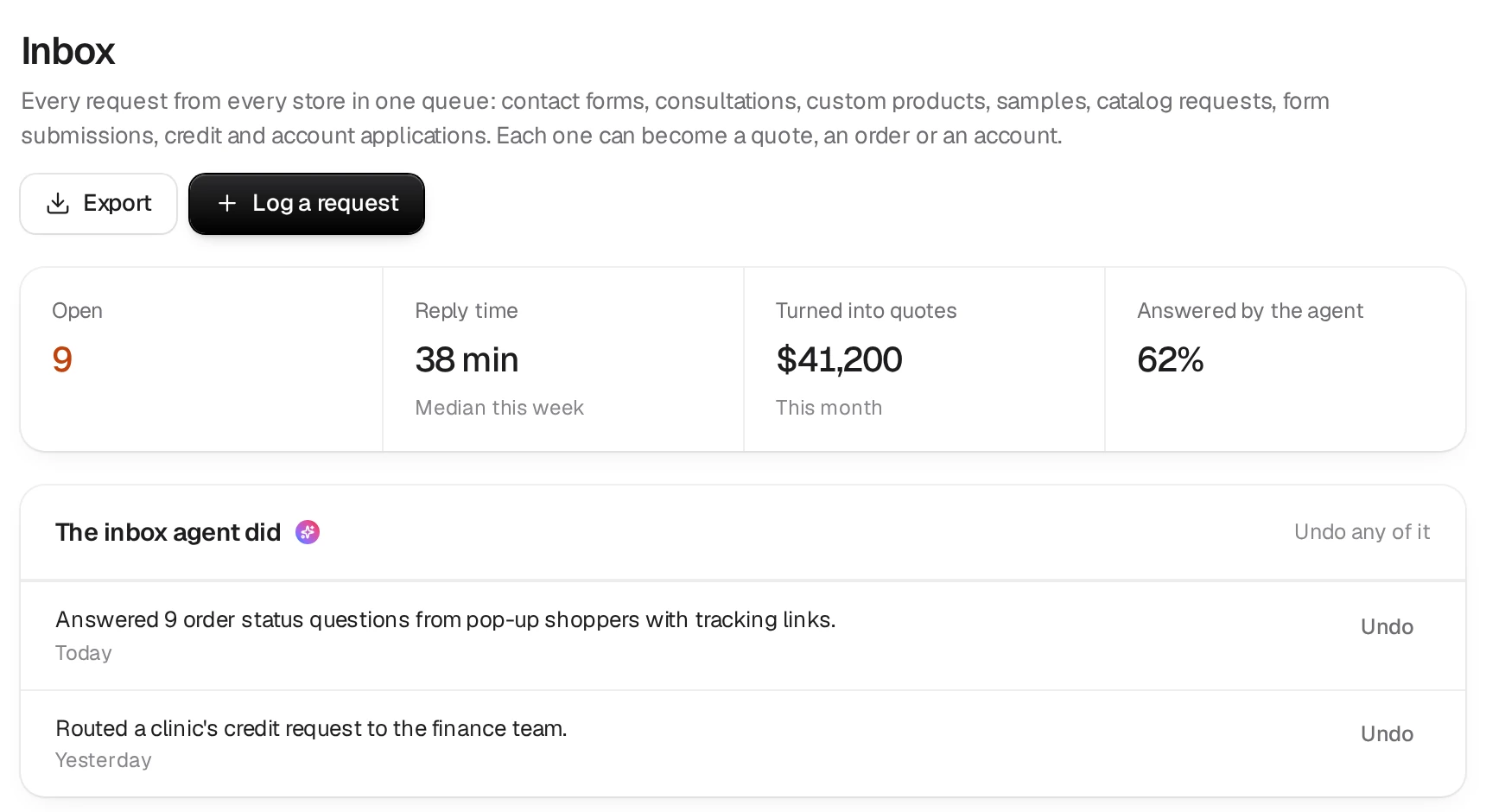
InboxQuotesSee Conversational Commerce AI
09 / Orders and customers

AI Personalisation Engine

Each buyer sees their own store, prices and products.

B2B accountsMargin floorSee AI Personalisation Engine
10 / Supply

Predictive Commerce Intelligence

See what runs short 8 weeks ahead, before it costs a sale.

ForecastDays of stockSee Predictive Commerce Intelligence
11 / Workspace

AI Operational Intelligence

A morning note on what changed and what to do next.

Morning noteWhat stands outSee AI Operational Intelligence
12 / Workspace

AI-Native Commerce Analytics

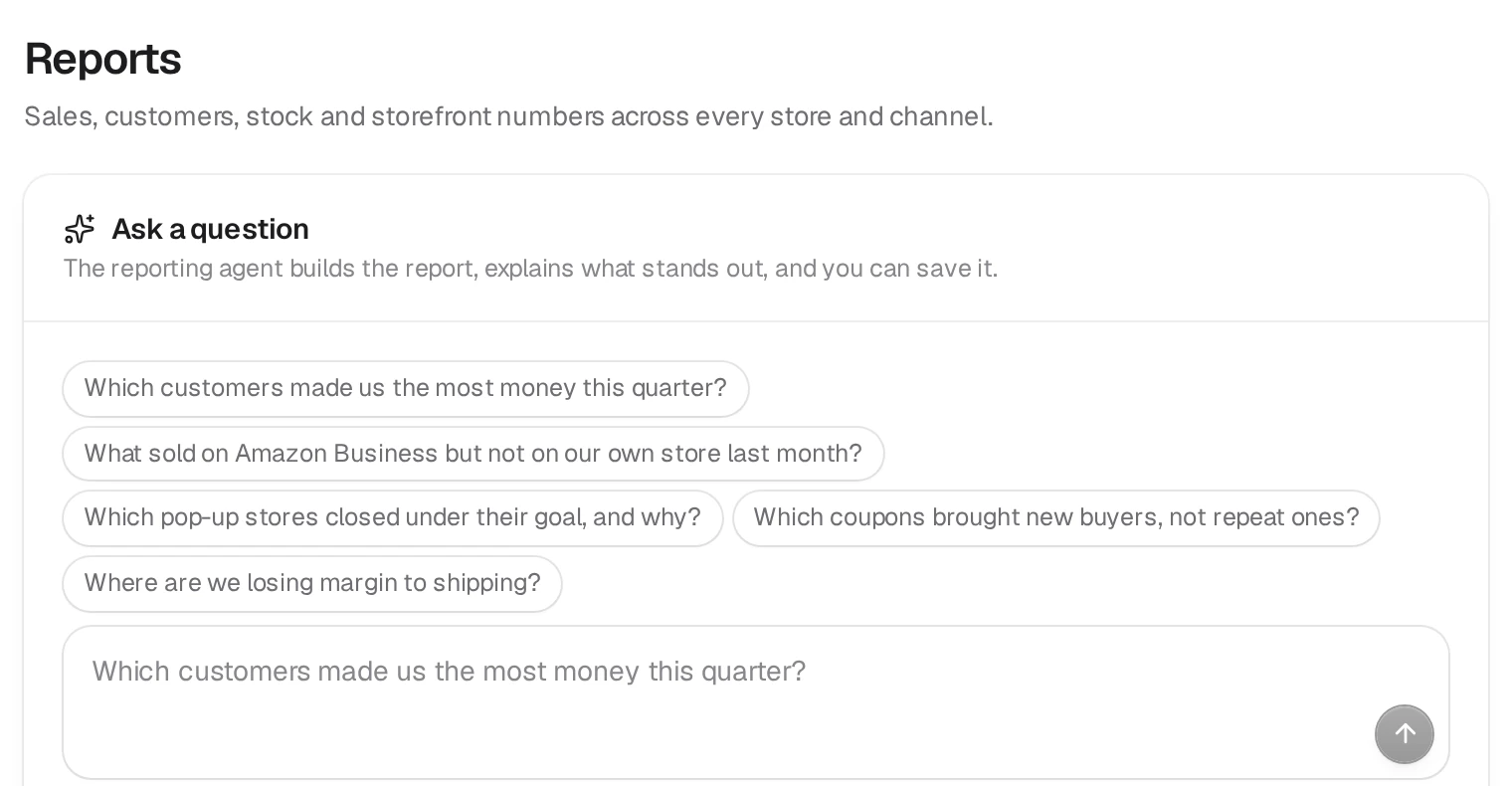
Ask a question in plain words. The agent builds the report.

42 reportsPlain wordsSee AI-Native Commerce Analytics

What can AI do for an ecommerce business?

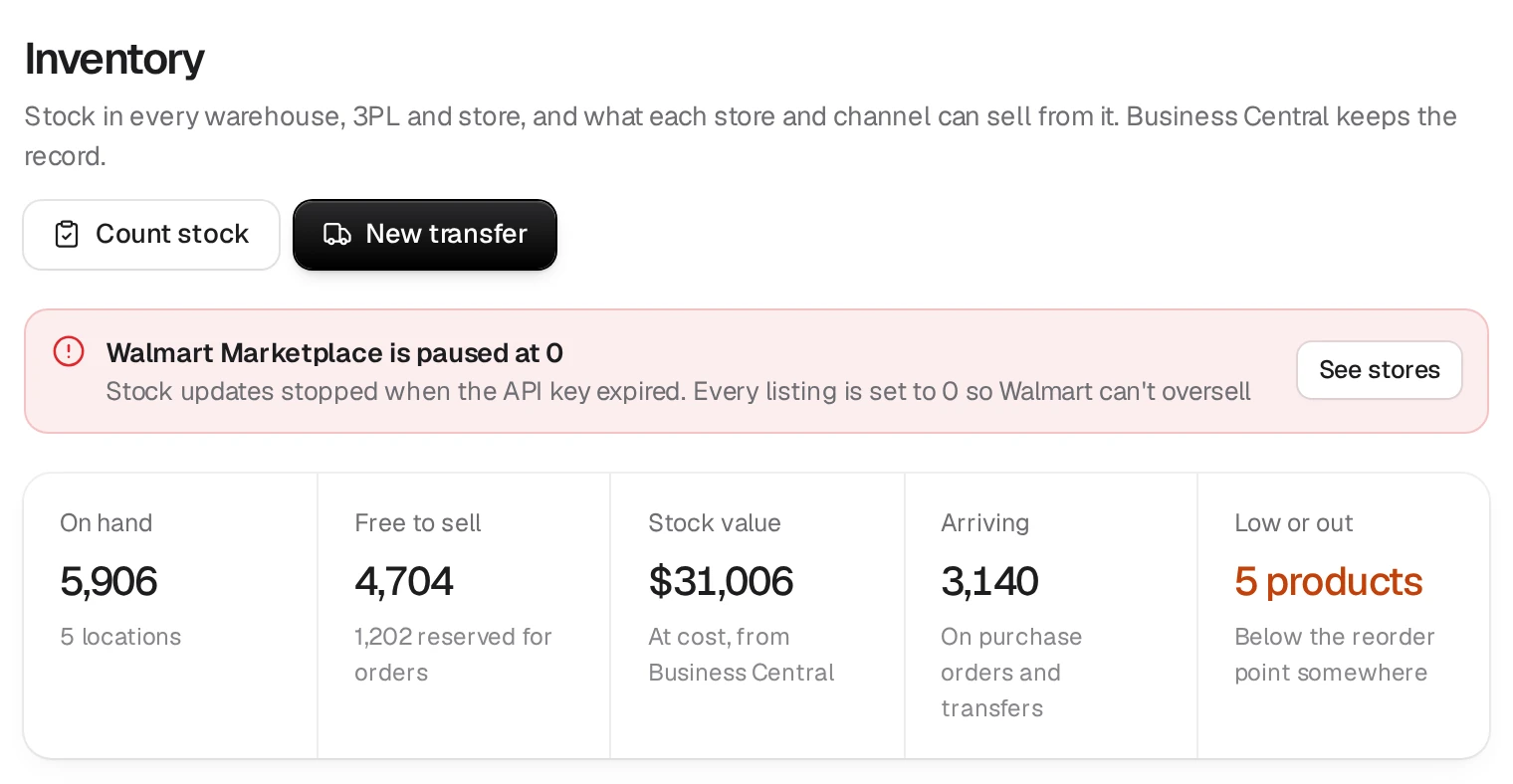
It can write product copy, fix rejected listings, answer buyer questions, spot low stock and build reports.

In Redefine Suite, 17 agents do this work inside your limits. See AI workflow assistance

Will the AI change my prices on its own?

Only inside your limits. By default, an agent cannot change a price by more than 5% without asking.

Bigger changes wait in Approvals for your yes. See the automation engine

Can I undo what an agent did?

Yes. Each action shows in Done while you were away and in the log, with an Undo.

You can also pause an agent at any time. See agentic commerce AI

Does the AI make up product facts?

No. Agents only use facts from your master product or a supplier document.

You see where each value came from before it goes live. See AI product data enrichment

What is the difference between AI and automation?

Automation runs the same fixed step each time. An AI agent reads the data, picks the next step and tells you why.

Redefine Suite uses both, with the same limits. See all of Redefine Suite

How do I start?

Book a demo. We show the agents on the problem you pick, with your own kind of products and channels.

Most teams start every agent at Ask first. See how booking works

Book a demo

See the agents work on your own store.

Tell us where your team loses the most time. We show the agents on that problem first. A demo built around your own catalog and channels. You can also use the demo booking page.

Two colleagues circle a task on a printed list beside the products it is about
  • Built on your own setup
  • Your problem first
  • Agents start at Ask first
  • 550+ projects delivered

Book a personalized demo

Tell us where your team loses time. We set up the demo around it.

  1. 1We confirm your request
  2. 2A short call about your work
  3. 3Your personalized demo
  4. 4You decide what comes next