Workflow engine software. Every module moves.
Redefine's workflow engine software fires a single if/then rule and simultaneously updates your product information management, routes your orders, syncs your marketplace listings, and sends your notifications. This business automation engine needs no middleware and no manual hand-offs.
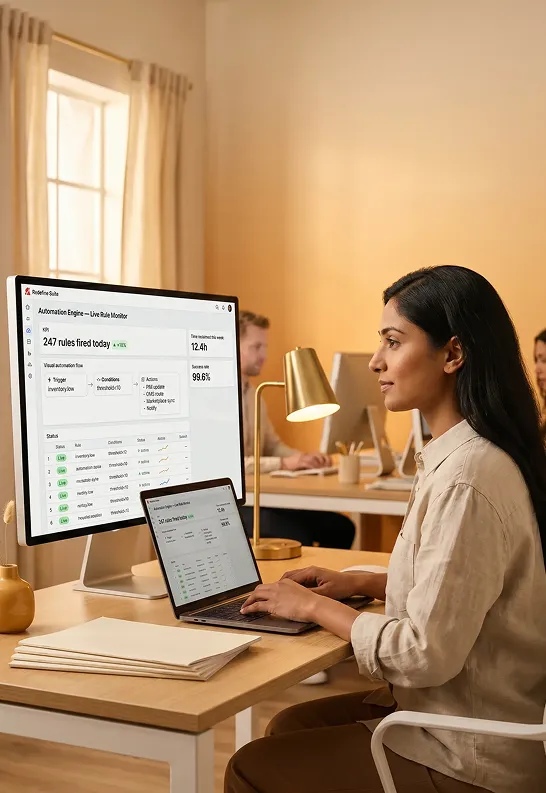
Your operations are running on manual band-aids
- A stock alert fires in your inventory system. Someone manually copies the product identifier into the product information management system to flag it as low-stock. Another person updates the marketplace listing. A third sends an internal message. Two fields out of sync by the time it's done.
- Your storefront runs its own rules. Your product information management has its own workflow tool. Your order management has no automation at all. Three systems, three automation configurations, zero coordination.
- A batch job runs at 2 am. No one knows if it succeeded until the morning standup reveals data is wrong across four channels.
- One rule: "When inventory falls below threshold, update product information management status, pause marketplace listing, route to reorder supplier, and notify operations team." All four actions fire from a single trigger.
- The workflow engine software sits at the center of every module. Product information management, order management, Marketplace, Forms, and Reporting all respond to the same rule without manual coordination or middleware.
- Every scheduled job runs with live status tracking. Pass or fail, the team sees it immediately and the audit log captures every action for traceability.

A single workflow engine that governs your entire commerce stack
This workflow engine software is not a bolt-on. It is the coordination layer built into every Redefine module. One rule can touch product information management, order management, Marketplace, Forms, and Reporting simultaneously. No application programming interface glue required.
Rule-based workflow automation
Build if/then logic in a no-code visual builder. When a condition is met anywhere in the process automation platform, the rule fires across every connected module instantly.
Event-driven automation
Trigger automation from real commerce events: order placed, stock falls below threshold, form submitted, listing rejected, supplier confirmed. No polling. No scheduled jobs required.
Scheduled jobs and batch automation
Run data sync, enrichment batches, report generation, and feed updates on a schedule you define. Every job runs with a live status trail and failure alert built in.
No-code automation builder
Drag-and-drop rule composition. Operations managers, merchandisers, and channel leads build and edit their own automation without developer involvement or ticket queues.
Webhook triggers for cross-system automation
Send and receive webhooks to connect external enterprise resource planning systems, third-party logistics providers, supplier portals, and notification systems to your automation rules without custom middleware.
Cross-module automation
One rule fires simultaneously across product information management enrichment, order management routing, marketplace sync, and form notification. Their automation is module-local. Ours is not.
Watch your rules fire in real time
This is not a diagram. This is what the workflow engine software looks like when it is running. Pick a trigger below and watch the rule propagate across modules instantly.
Select a trigger event
Rules fired this session
Select a trigger event to see execution
Waiting for trigger...
Build, fire, and trace any automation in minutes

Compose your rule in the no-code builder
Open the visual builder and drag trigger blocks, condition filters, and action nodes onto the canvas. No YAML, no JSON, no developer ticket required.
- Choose from 40+ built-in trigger event types
- Add multi-condition filters with AND/OR logic
- Connect multi-module actions in a single rule
Test in sandbox before you activate
Run the rule against real historical data in a sandbox environment. See exactly which records would be affected, which actions would fire, and what the output looks like before anything goes live.
- Preview affected record set before activation
- Validate action outputs across all connected modules
- Approval flow before production activation
Rule
IF inventory.qty < 50 THEN ...
Rule fired: inventory.low: Product #AP-8821
Product information management updated · Order management routed · Marketplace paused · Email sent
Rule fired: order.created: #ORD-40291
Order management routed to Zone B · Supplier notified · Fulfillment queued
Batch job: feed-sync completed
2,841 products synced · 3 errors logged · Duration 4m 12s
Rule fired: product.enriched: PROD-1142
Amazon listing updated · Google feed refreshed · Search engine optimization tag set
Scheduled job: daily-report-gen started
Generating 5 reports for 3 users · Estimated time: 2 minutes
Trace every action in the full audit log
Every rule execution writes a timestamped audit record. Your team can see exactly which trigger fired, which modules it touched, and what the outcome was, in chronological order, with full drill-down.
- Full timestamped execution history for every rule
- Error alerts with root cause and affected record list
- Export audit records for compliance and governance review
From fragmented manual operations to fully automated sync

Lano Equipment
Heavy Equipment DistributionMulti-location dealer managing equipment, parts, rentals, and service across a headless commerce platform with full enterprise resource planning integration.
No integration between the enterprise resource planning system and the storefront. Inventory and parts data were incomplete or unavailable online. Manual data handling created inaccuracy across systems and delayed fulfillment.
Automated synchronization eliminated manual data handling. Marketing workflows became data-driven through real-time integration. The headless platform delivered complete inventory visibility and scalable operations from day one.
A complete headless rebuild using application programming interface-first architecture integrated directly with the enterprise resource planning system. Automated sync rules ran on schedule and on event, eliminating manual import, reducing data errors, and giving the team full real-time visibility across inventory, parts, rentals, and service.
Who gets the most from the Automation Engine

Multi-channel merchants with high product volume
When a product changes in product information management, you need marketplace listings, feed exports, and internal status fields to update without manual hand-offs across four systems.
Operations teams managing supplier workflows
Automate supplier onboarding forms, catalog import, approval routing, and notification sequences without building a workflow engine from scratch or maintaining spreadsheet trackers.
Business-to-business brands with complex order routing rules
Route orders by customer tier, order value, region, or product category automatically. Approval workflows fire for high-value orders before fulfillment without manual review queues.
Program and team store administrators
Automate budget enforcement, redemption cap resets, approval chain routing, and end-of-period reporting across all program stores simultaneously from a single rule set.
Retailers with high-velocity inventory changes
When stock crosses a threshold, an event fires immediately. Listings pause, reorder requests go to suppliers, and operations teams are notified, all before a human would have even seen the alert.
Enterprises connecting enterprise resource planning and commerce systems
Webhook triggers receive payloads from your enterprise resource planning system and fire rules that update product information management records, route orders, and push data back, closing the loop without custom middleware or fragile scheduled imports.
Every module shares one process automation platform
Point-solution automation platform software works inside a single module. The Redefine workflow engine is a platform-level service. It sits between all modules and can read from and write to any of them simultaneously.
Trigger sources
Product Information Management / Product Data
product.enriched · product.approved
Order Management / Order Events
order.created · order.shipped
Inventory / Stock
inventory.low · inventory.received
Forms / Webhooks
form.submitted · webhook.received
Scheduler / Scheduled Tasks
schedule.daily · schedule.hourly
Automation
Engine
Cross-module rule evaluation and action dispatch: one workflow engine, all modules
Action targets
Product information management: update product status or fields
Order management: route, approve, or flag orders
Marketplace: pause, publish, or update listings
Notifications: email, Slack, webhook out
Reports: generate, tag, or distribute
Other automation platform software stops at the module edge
- Automation platform software is scoped to one module. Storefront automation does not know about your product information management. Product information management automation does not know about your order management.
- Cross-system automation requires building application programming interface integrations, maintaining middleware, and managing authentication between tools. Engineering resources consumed every time a rule changes.
- No unified audit log. When something breaks across three systems, diagnosing which automation caused it means checking three separate logs in three separate interfaces.
- One business automation engine at the platform level. A rule can simultaneously update product information management, route an order, pause a marketplace listing, and send an email in a single trigger execution.
- No-code builder means operations managers and merchandisers build and edit rules themselves. No ticket queue, no application programming interface work, no engineering time per rule change.
- One audit log for every rule across every module. When a rule fires, every affected module, every record touched, and every outcome are visible in a single timestamped trail.
A single rule can touch this many modules simultaneously
Built-in commerce event triggers. No application programming interface mapping required
External middleware needed to connect a process automation platform across modules
Everything the Automation Engine connects to

AI and Automation Hub
The parent platform layer that houses the business automation engine and all AI modules.
AI Content Assistance
Trigger AI content generation rules when products are approved or imported in product information management.
AI Product Data Enrichment
Automation rules that fire enrichment jobs when new products are imported or flagged for review.
Order Management System
Order-event triggers route directly to order management routing rules, approval workflows, and fulfillment queues.
Inventory Visibility
Inventory threshold events fire cross-module rules that pause listings and alert suppliers in real time.
Channel Sync
Automation rules push updated product data and inventory status to all channels without manual feed management.
Workflow Reporting
Automation activity feeds directly into workflow reporting, giving teams visibility into rule performance and service level agreement compliance.
Audit and Traceability
Every automation action writes to the full platform audit trail for governance and compliance review.
Questions buyers ask before choosing an automation engine
Yes. The Redefine workflow engine software is a platform-level service, not a module-level tool. A single rule can simultaneously update a product information management field, route an order in order management, pause a marketplace listing, and send a webhook or email notification. No other commerce automation tool in the market offers true cross-module rule execution without external middleware.
No. The no-code visual builder is designed for operations managers, merchandisers, and channel leads. You drag trigger blocks, condition filters, and action nodes onto a canvas and configure them with form fields. No code, no YAML, no developer ticket required. Developers can still use the application programming interface and webhooks to extend automation if needed, but everyday rule building is entirely self-serve.
Webhook triggers let your enterprise resource planning system or third-party logistics provider send inbound payloads that activate rules in the process automation platform. Outbound webhooks let the engine push data back to those systems when a rule completes. This closes the loop without requiring custom middleware or persistent application programming interface integrations. Your external system sends an event, the engine evaluates it, and fires the appropriate cross-module actions.
The audit log captures the failure point, the affected records, and the error cause immediately. Operations teams are notified via their preferred channel. Completed actions before the failure point are logged as succeeded. The failed action and any subsequent actions that depend on it are flagged for review. No silent failures and no partial executions that go unnoticed until a standup the next morning.
Yes. The sandbox preview mode runs your rule against real historical data before anything goes live. You see exactly which records match your conditions, which actions would fire on each record, and what the output would look like across all connected modules. You can then adjust conditions, re-run the preview, and activate only when the result matches your intent.
Is this business automation engine right for your operation?
- You manage data across product information management, order management, and marketplace simultaneously and currently coordinate that manually
- Your operations team spends more than 5 hours per week on repetitive data-moving or notification tasks
- You want non-technical users to own and maintain automation rules without developer involvement
- You need a full audit trail of every automated action for compliance or governance requirements
- You only need automation within a single storefront and have no downstream module connections
- Your operation is at very early stage and your current manual process handles your volume without friction
- You are looking for an automation tool as a standalone add-on to a system you are committed to keeping
Not sure? Tell us your situation and we will be straight with you.
Tell us what your team handles manually and we will show you how to automate it
No commitment. No pitch. Submit your brief and we will send a scoped proposal within 3 business days showing exactly which automation platform software rules fit your operation.

Scoped before work starts · line-by-line pricing · no commitment to receive a proposal
- 1
Submit your brief: describe which operations you currently handle manually
- 2
Call within 48 hours to confirm scope and ask any clarifying questions
- 3
Scoped proposal within 3 business days showing the automation rules mapped to your operation
- 4
Sprint 1 begins within 1 week of sign-off
Brief received
We will review your operation and send a scoped proposal within 3 business days. A team member may reach out before then to clarify scope.
Call within 48 hours
Proposal in 3 days
50+ brands served
Platform owned by you
See the Automation Engine running on your actual workflows
We will map your current manual processes to workflow engine software rules, show you a live demonstration with your data, and hand you a scoped proposal before you commit to anything.