Redefine Suite program store software

Team, company and reward stores. All run from one admin, and each closed store ships as one order.

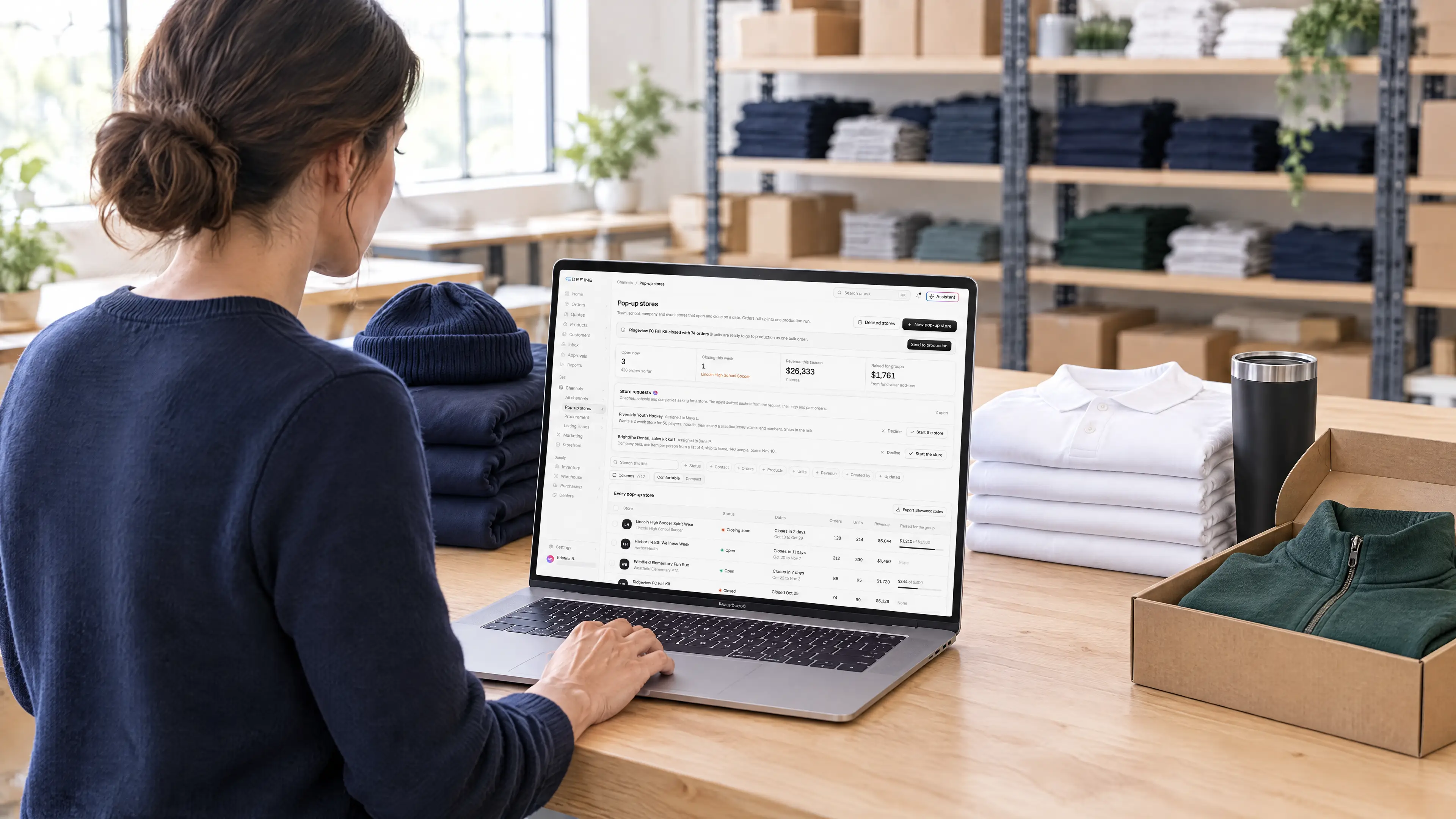
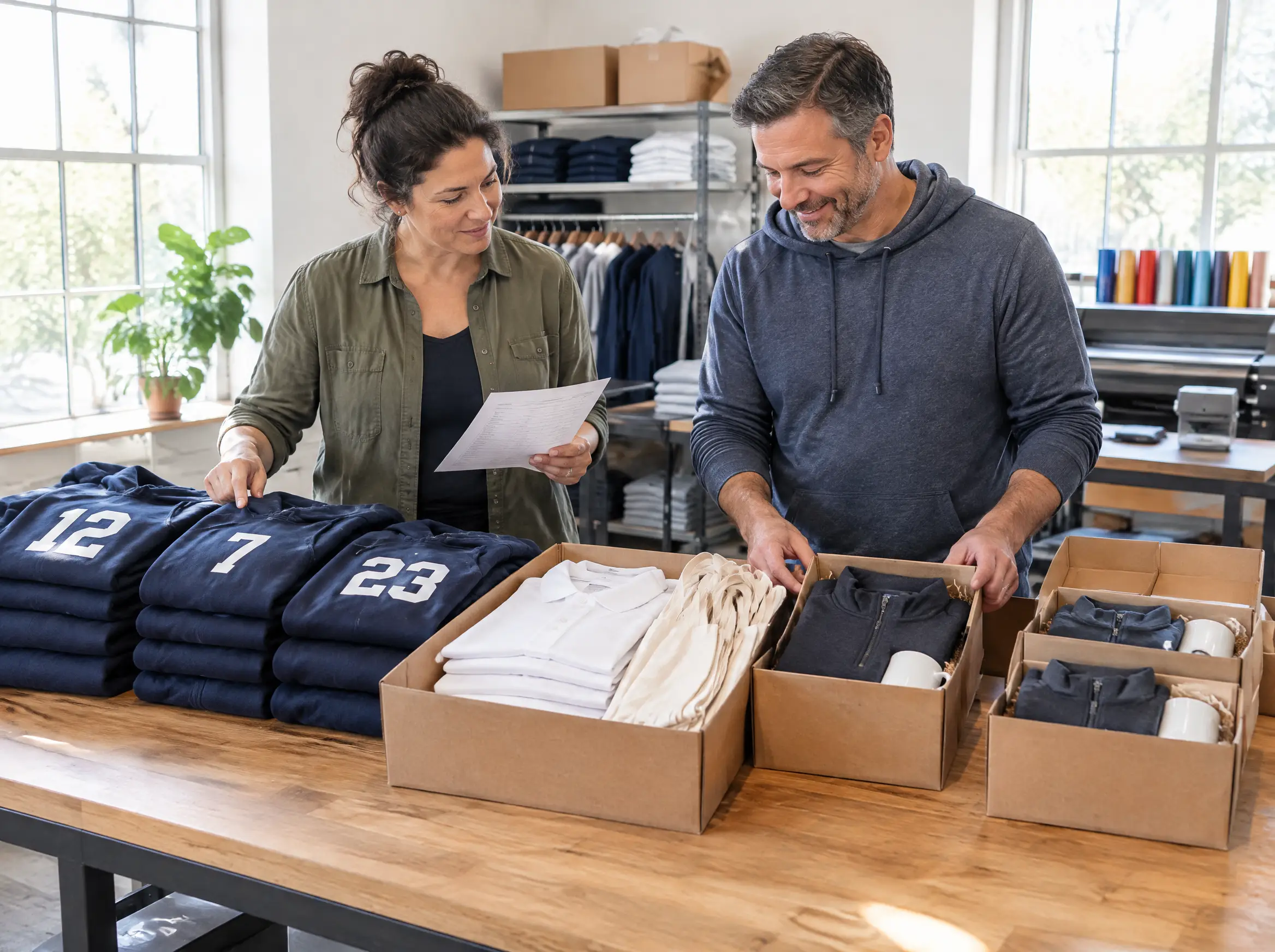
A program manager at a packing table checks the Redefine Suite Pop-up stores list on a laptop, beside folded team

See all your program stores in one admin.

A demo built on your own stores, buyers and suppliers.

Book a personalized demo

Short answer

What is program store software?

Updated

Program store software runs many branded online stores for teams, schools, companies and reward programs from one place. In Redefine Suite by Redefine Innovations, every store, its buyers, budgets, proofs and supplier products sit in one admin, and a closed store goes to production as one order.

Most program teams use one tool per store. Sizes come in on a sheet, logos come in by email, and budgets live in another file. Someone adds it all up by hand.

Here, each store, its orders and its production run share one record. You set a store up once and run it again next season.

How the options compare

Three ways to run program stores

OptionHow it worksWhat you getSee also
Redefine SuiteEvery store, budget and proof in one adminClosed stores go to production as one orderProgram store administration
One store builder per clientA new site and login for each storeOrders and sizes added up by handTeam store software
Forms and spreadsheetsSizes and logos collected by emailFine for one store, slow for manyCompany store software

What it covers

  • [1] Team, school, company and event stores
  • [2] Budgets, codes, points and gift cards
  • [3] Logos, proofs and supplier orders
  • [4] Supplier catalogs, kits and bundles

Part of Redefine Suite.

Find your problem

Five problems program teams tell us about.

  1. 1 of 5

    Stores

    Slow stores go unseen.

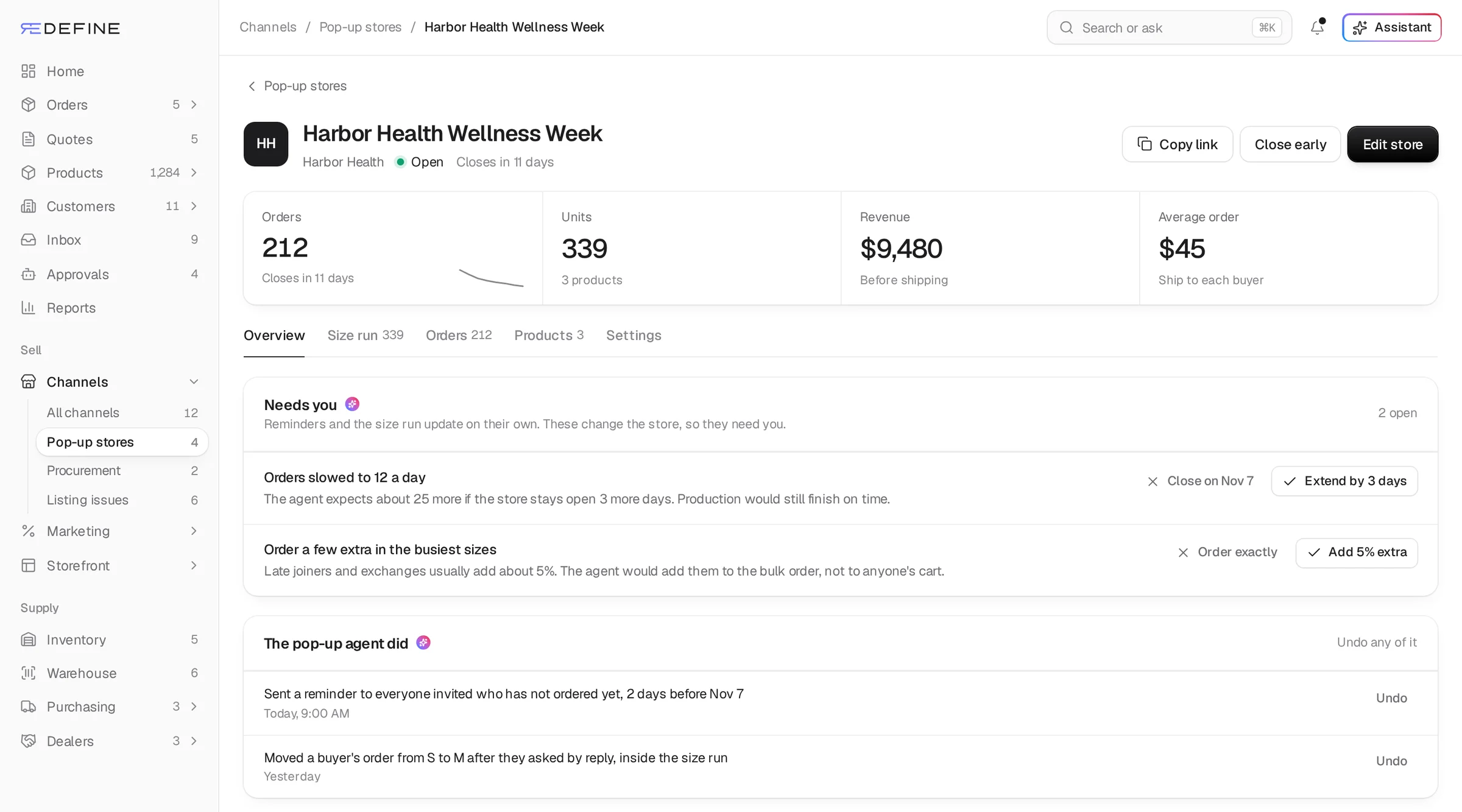
    When orders slow, the store asks to close or add days.

    See store admin

    A Redefine Suite store alert that says orders have slowed, with buttons to close the store or extend it
  2. 2 of 5

    Budgets

    Locations spend past their budget.

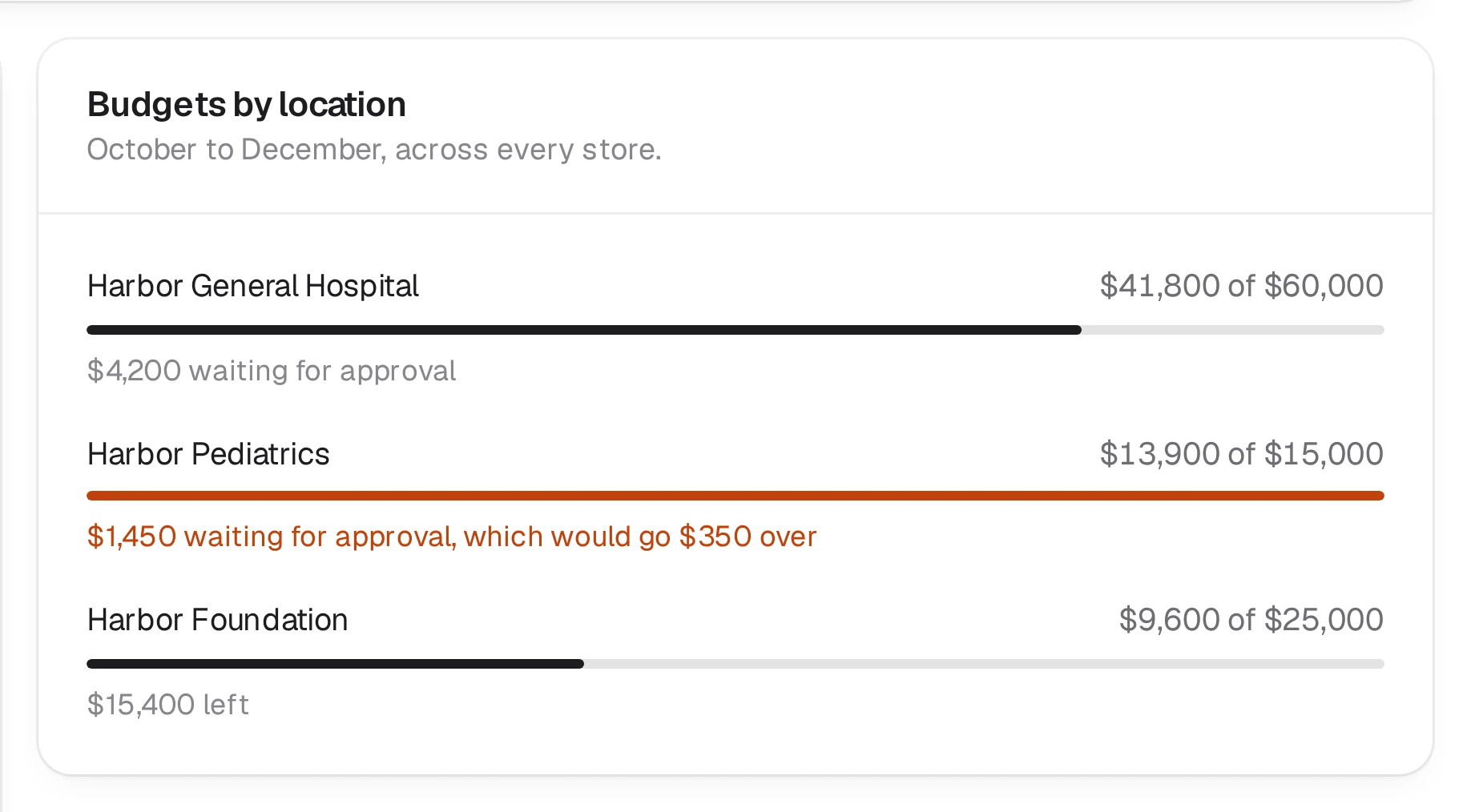
    Each order is checked against its budget. Finance sees what is left.

    See budget controls

    The Redefine Suite Budgets by location list showing what each location has spent and what is left
  3. 3 of 5

    Proofs

    Orders wait on a logo proof.

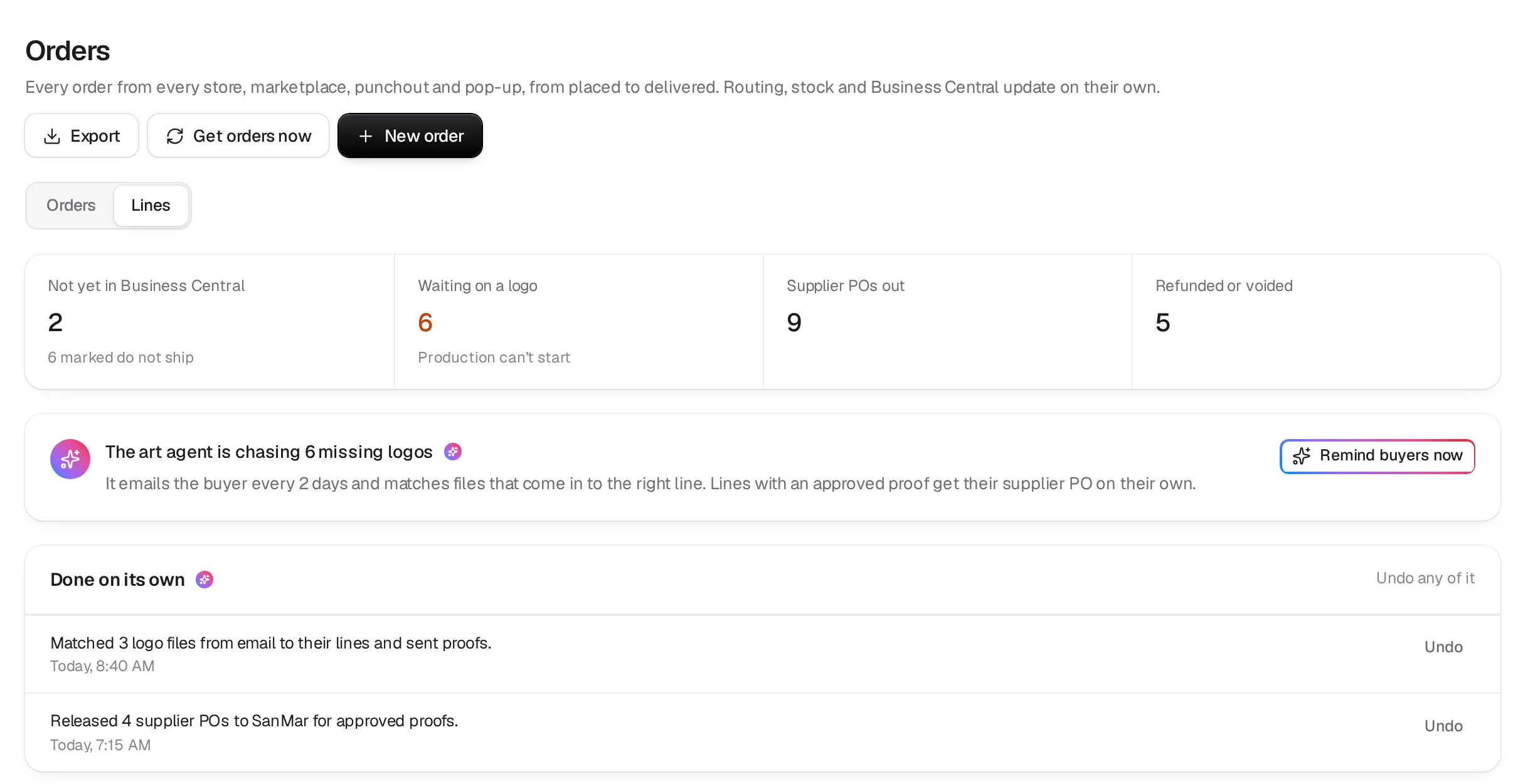
    The buyer approves the proof on the order line. Then production starts.

    See proof approvals

    Order lines in Redefine Suite, each with its logo proof and its approval status
  4. 4 of 5

    Suppliers

    Supplier stock and prices keep changing.

    Supplier files and stock counts feed one catalog for every store.

    See supplier catalogs

    Supplier stock and prices for a product in the Redefine Suite catalog
  5. 5 of 5

    Kits

    Welcome kits run out of stock.

    A kit gets its stock from the items inside it.

    See kits and bundles

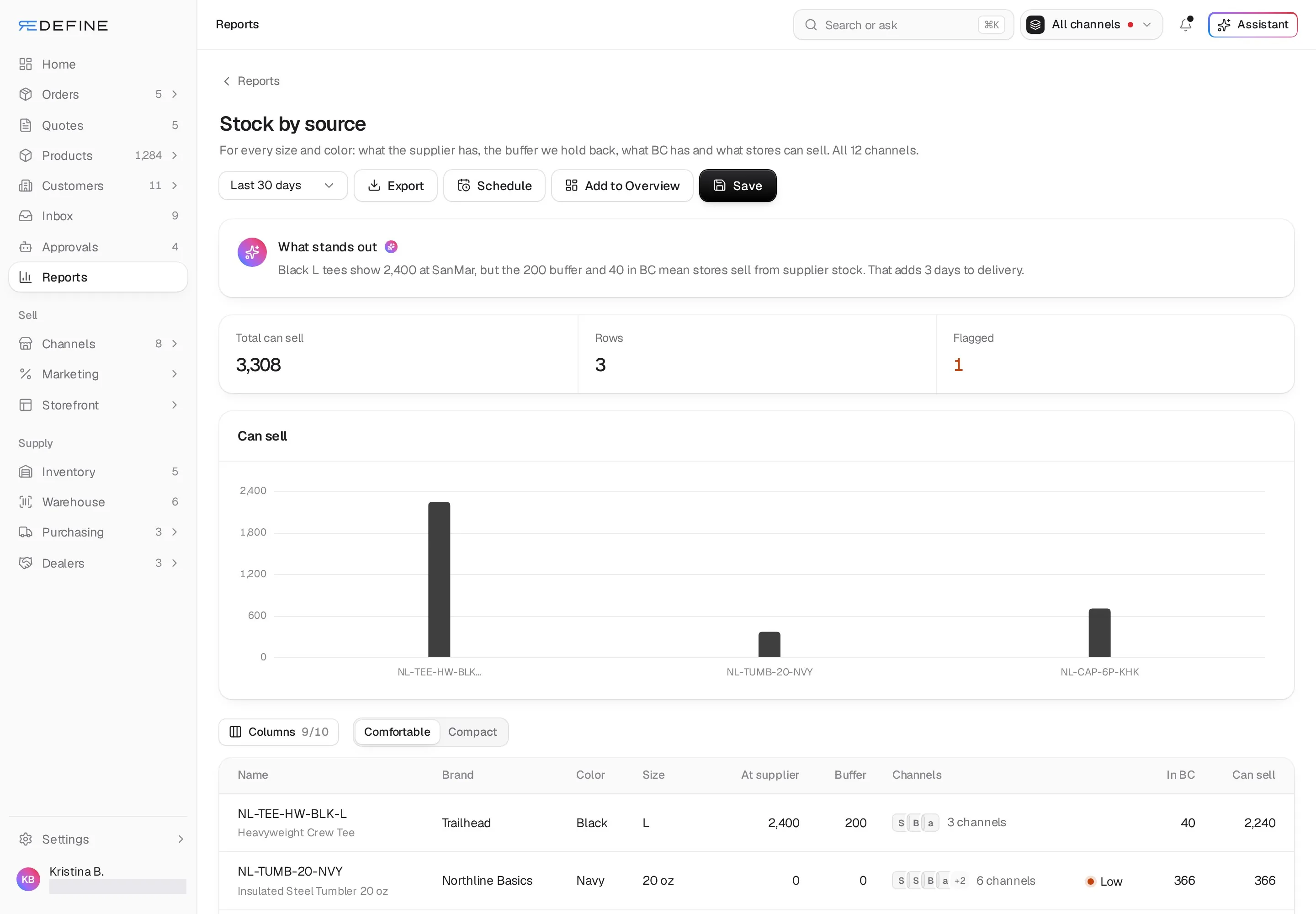
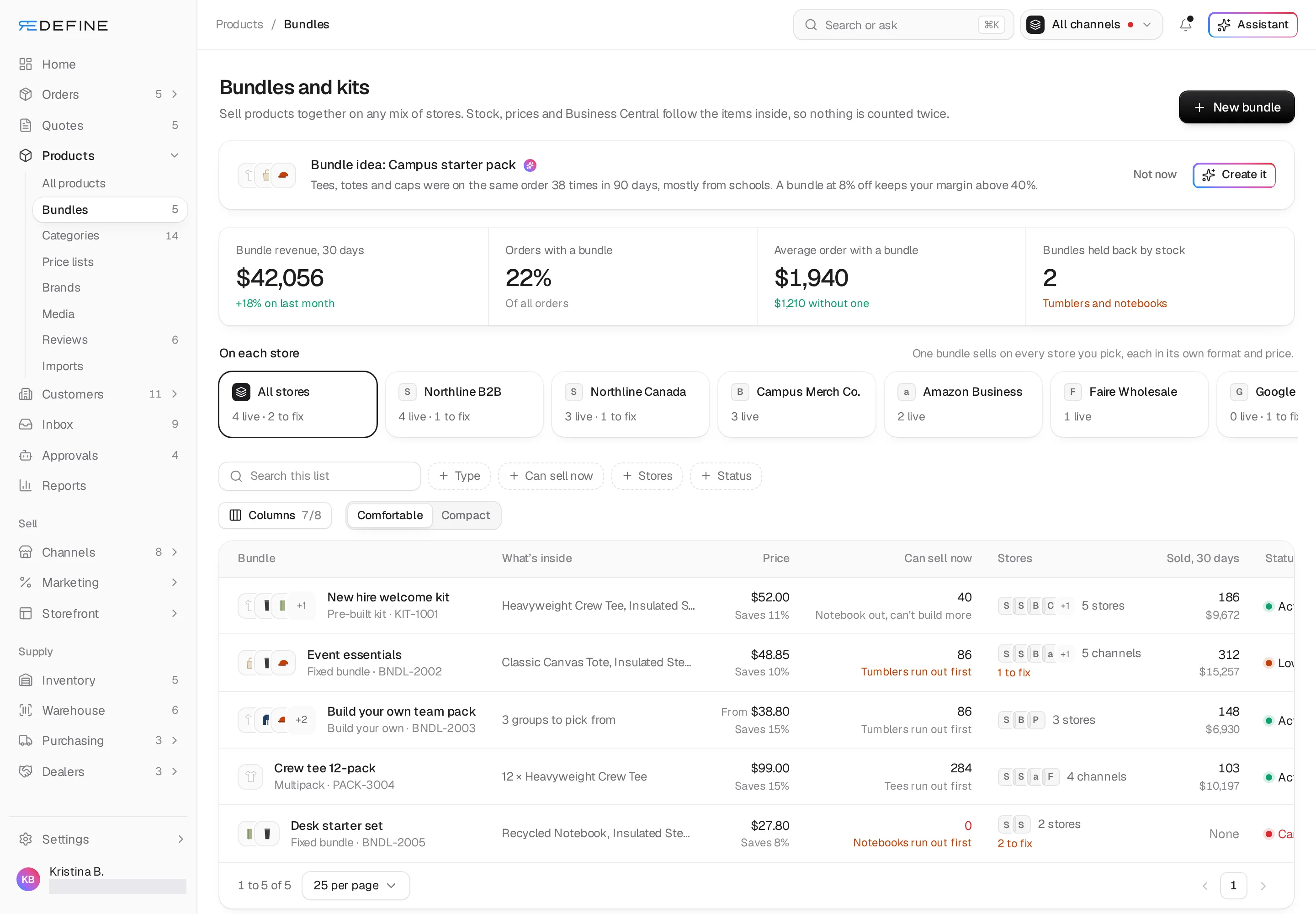
    The Redefine Suite Bundles list with each kit, its items and how many can be sold now

One list

Every store this season, on one screen.

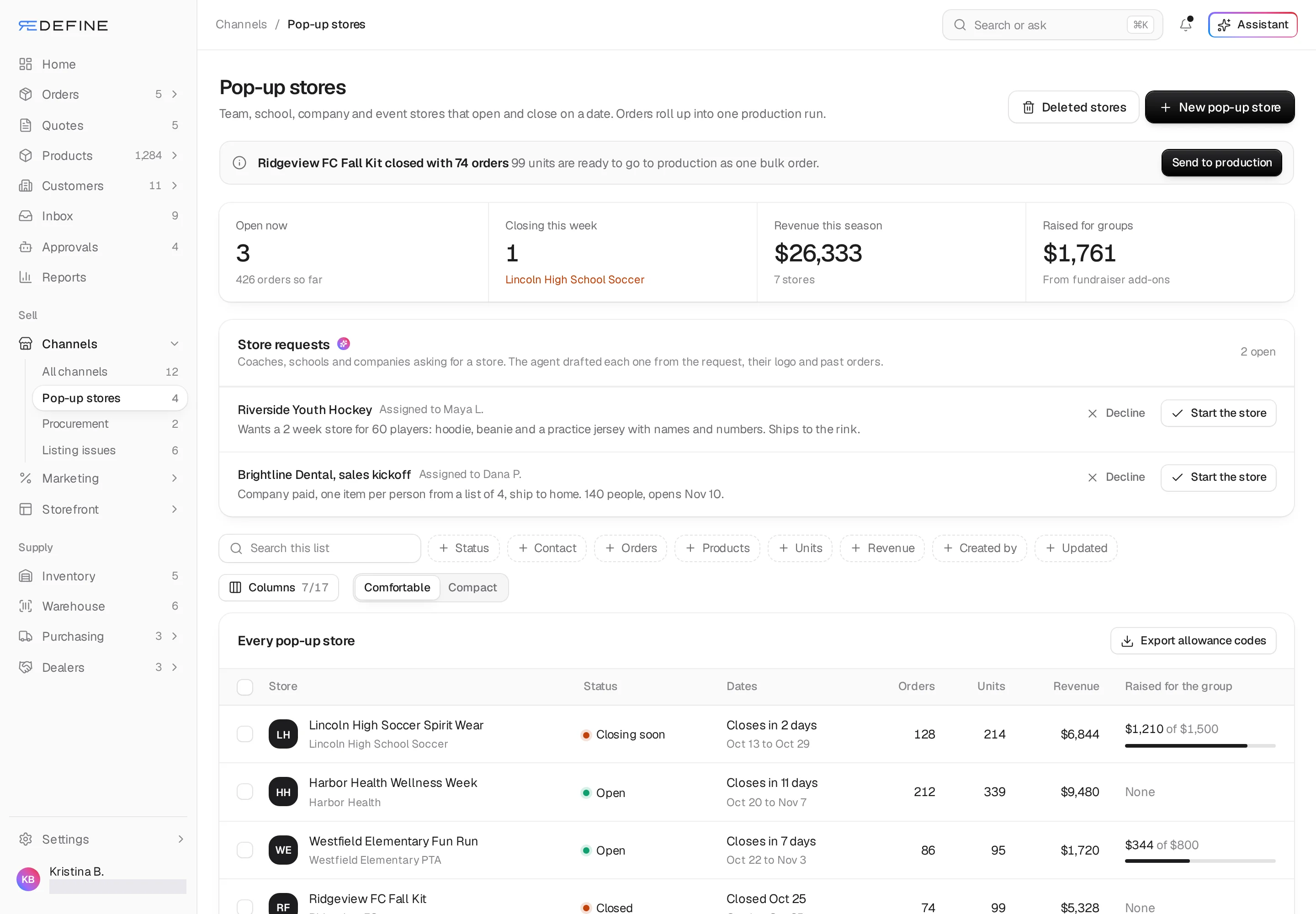
See what is open, what closes this week, and what each store sold. When a store closes, you send it to production from the same list.

See program store administration
The Redefine Suite Pop-up stores screen with stores open now, stores closing this week, season revenue, money raised

Three kinds of store. One admin.

Team stores

A team, school or club store that opens and closes on a date.

Buyer paysCard at checkout

See team store software

How long it runs

A few weeks

What it does

  • Sizes and names on each order
  • Fundraiser add-on per item
  • One bulk order when it closes

Company stores

A branded store for staff, with sign-off and budgets.

Company paidOr the buyer pays

See company store software

How long it runs

Open all year

What it does

  • Budgets by person or location
  • Manager sign-off on orders
  • Logo proofs on each line

Reward stores

People pick what they want with what they were given.

Points or codesOr gift credit

See redemption store software

How long it runs

Open for a program

What it does

  • Allowance codes and points
  • Gift cards and credit
  • Spend checked on every order

All three run in the same admin, so one person can run many stores of each kind.

Before and after

Same stores. One place to run them.

Scattered

Five tools. Someone adds it all up.

  • Store sites

    Kept apart

  • Size sheets

    Kept apart

  • Logo emails

    Kept apart

  • Budget files

    Kept apart

  • Supplier PDFs

    Kept apart

No shared record
Tools to add up by hand

5

One admin

One store record, from request to delivery.

  • Stores

    Same record

  • Orders

    Same record

  • Proofs

    Same record

  • Budgets

    Same record

  • Catalog

    Same record

  • Reports

    Same record

Shared store record
Admin where every store runs

1

Proof from a reporting project

Parsons Kellogg

30+ program stores, one view of the numbers.

This was Power BI and Dynamics 365 reporting work for a promotional products company, not Redefine Suite. It shows the same problem: many stores, numbers kept apart.

Branded apparel and promotional products for Parsons Kellogg program stores

Result

Manual reporting time

Before

By hand

After

-58%

Source: Parsons Kellogg case study.

  1. 01 / Problem

    Numbers were pulled by hand.

    Store, stock and order data sat in separate systems, across more than a million items.

  2. 02 / Diagnosis

    No one view across stores.

    Admins compared 30+ stores by copying numbers from each one.

  3. 03 / Action

    Reports built on Dynamics 365.

    Power BI reports with one view across every store, so the numbers came on their own.

  4. 04 / Result

    58% less manual reporting.

    Inventory accuracy reached 99.0%. Read the Parsons Kellogg case study The linked story documents 8x..

Can we start with one kind of store?

Yes. Many teams start with team stores or one company store. Company and reward stores run in the same admin when you add them.

Each kind of store has its own page. See team store software

How do I open a new store?

Open it from a store request or from scratch. Set the dates, the products and how people pay. You can copy last season's store and run it again.

Store setup has its own page. See program store administration

What happens when a store closes?

Its orders roll into one production order, with sizes and names. The decorator gets one size run, not a pile of small orders.

Logo proofs are approved on the order line first. See proof and approval workflows

Can the company pay instead of the buyer?

Yes. A store can be buyer paid, company paid, or paid with codes, points or gift credit. Every order is checked against the budget you set.

Limits by person, location or code have their own page. See budget and redemption controls

Where do the products come from?

From your supplier files, price sheets and stock counts. They go into one catalog, and each store picks its own products from it.

Kits are built from the same products. See supplier catalog management

Will it connect to what we already use?

Each store can be tied to its program in Business Central. For other systems, tell us what you use and we will show you what connects today.

Numbers for every store sit in one report. See program store reporting

When is it not worth it?

If you run one store a year, a simple store builder may do. It pays off when you run many stores each season and add them up by hand.

In the demo, we load your own stores. Book a personalized demo

Book a demo

See your own program stores in one admin.

Tell us what kinds of stores you run and what takes the most time. In the demo, we load your stores and show the list, the budgets and the production run. A demo built on your own stores, buyers and suppliers. You can also use the demo booking page.

A program manager and a coworker check a store list on a laptop beside folded team shirts and a company gift box
  • Built on your own stores
  • Team, company and reward stores
  • Your own questions
  • 550+ projects delivered

Book a personalized demo

Tell us which problem costs you the most. We set up the demo around it.

  1. 1We confirm your request
  2. 2A short call about your stores
  3. 3Your personalized demo
  4. 4You decide what comes next