Magento Open Source
The open base code you host.
Self-hostedYou run the servers
See Magento developmentBest when
You want full code control
What you get
- Your own servers
- Any extension
- No Adobe support

Adobe Commerce and Magento agency
One team looks at your store first. Then we fix what matters most.
Proof
These stores run on custom code, Shopify and Dynamics 365. The same team plans your Adobe Commerce work.
Sources: our case studies for Corporate Gear, Lano Equipment and Half Price Drapes. Other platforms. Past results, not a promise.
Get a written plan for your Adobe Commerce store.
See which service to start with, and why.
Short answer
An Adobe Commerce agency builds, fixes, upgrades, moves and grows stores on Adobe Commerce and Magento Open Source. Redefine Innovations is an Adobe Commerce agency. One team of developers, ERP engineers and marketers plans the work, builds it, links the store to your other tools and checks the results.
Updated
The open base code you host.
Self-hostedYou run the servers
See Magento developmentBest when
You want full code control
What you get
Paid Magento, sold by Adobe.
Yearly licenseYou run the hosting
See Adobe Commerce developmentBest when
B2B or many stores
What you get
Adobe hosts it for you.
Adobe hostedAdobe runs the servers
See managed servicesBest when
Less server work
What you get
Not sure? Your plan names it. See Magento upgrade services and the Magento to Adobe Commerce migration.
Pick the problem that sounds most like yours. See how we fix it and where to start.
Adobe Commerce speed
Big catalogs, cache set up wrong, heavy extensions and old hosting slow your pages, most of all on a phone.
What we check. Cache, indexers, extensions, images and hosting, on a real phone.
What we fix. The slowest step first. Then we test the speed again after each release.
Proof. Lano Equipment, a custom store: the catalog loads in 0.7s, down from 4.8s. Read it

Magento upgrades
Old extensions and custom code clash with the new version, so the store stays on an old one.
What we check. Your version, each extension and the custom code that touches it.
What we fix. We upgrade a staging copy first, test it, then go live.
After. A list of what changed, and what to watch next.
Adobe Commerce security
Missed patches, old admin users and weak extensions leave the checkout open to attack.
What we check. Patch level, admin users, two-step login and extensions.
What we fix. We apply the patches, lock down the admin and keep watch.
Help. Fast help if the store is under attack now.

Adobe Commerce developers
Good Magento developers are hard to find, and the backlog grows each week.
What we check. Your code, your backlog and what needs doing first.
What we fix. Developers who know Magento join your team and clear the list.
Choice. Hire for a project, or keep a team each month.

Adobe Commerce consulting
The store costs a lot to run, and nobody can say if Adobe Commerce is still the right fit.
What we check. Your costs, your needs and what Adobe Commerce can already do.
What we fix. You get a written choice, with the reasons and the first steps.
If you move. We map every old link so you keep your search traffic.

Adobe Commerce integrations
Orders get typed into the ERP by hand. Stock counts are off, so you sell what you do not have.
What we check. Which tool owns stock, orders, prices and customers.
What we fix. We link the store to your ERP or CRM and test the sync.
Proof. Half Price Drapes, on Shopify and Dynamics 365: stock counts went from about 82% to 99.2% right. Read it

An engineering mindset for Adobe Commerce
Redefine Innovations is an engineering company that does marketing. Developers, ERP engineers and marketers work on one team, so a fix reaches the store's code, not just the ad account.

01 Our way: Tested before it ships
Every change is a test with a success number.
Each task also has a "done when" line, so you know when it is finished.
Old way: Instead of the usual agency habit
Changes ship on opinion.
Work counts as done when it is sent.

02 Our way: One team, fixes in the code
Developers fix the store itself.
Speed, checkout, extensions and ERP data get fixed in the code.
Old way: Instead of the usual agency habit
Fixes stop at the ad account.
The store itself never changes.

03 Our way: Small releases, watched closely
Alerts fire the week a number drifts.
Each alert comes with a plan and one person in charge.
Old way: Instead of the usual agency habit
Problems wait for the monthly report.
By then, sales are already lost.
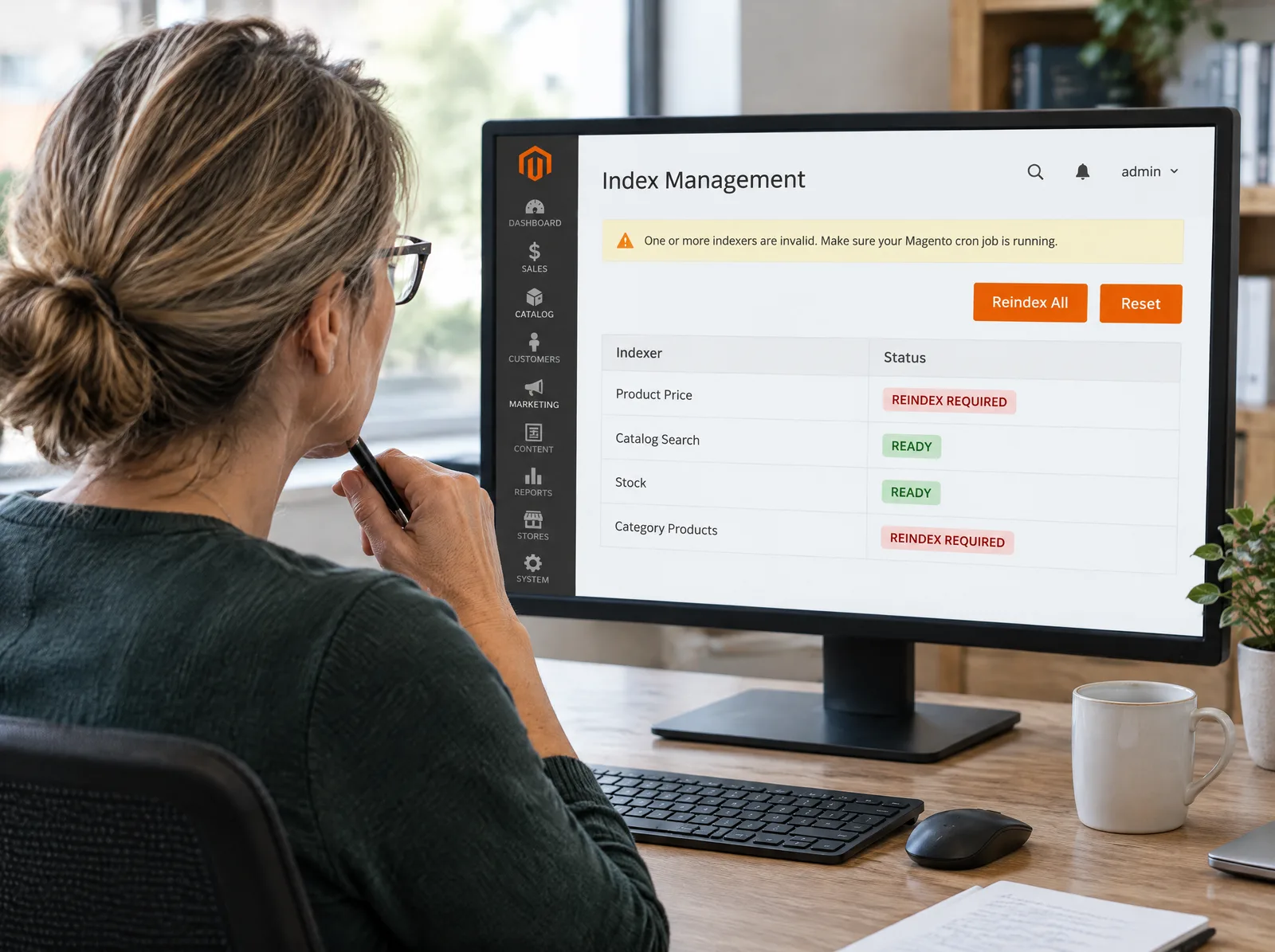
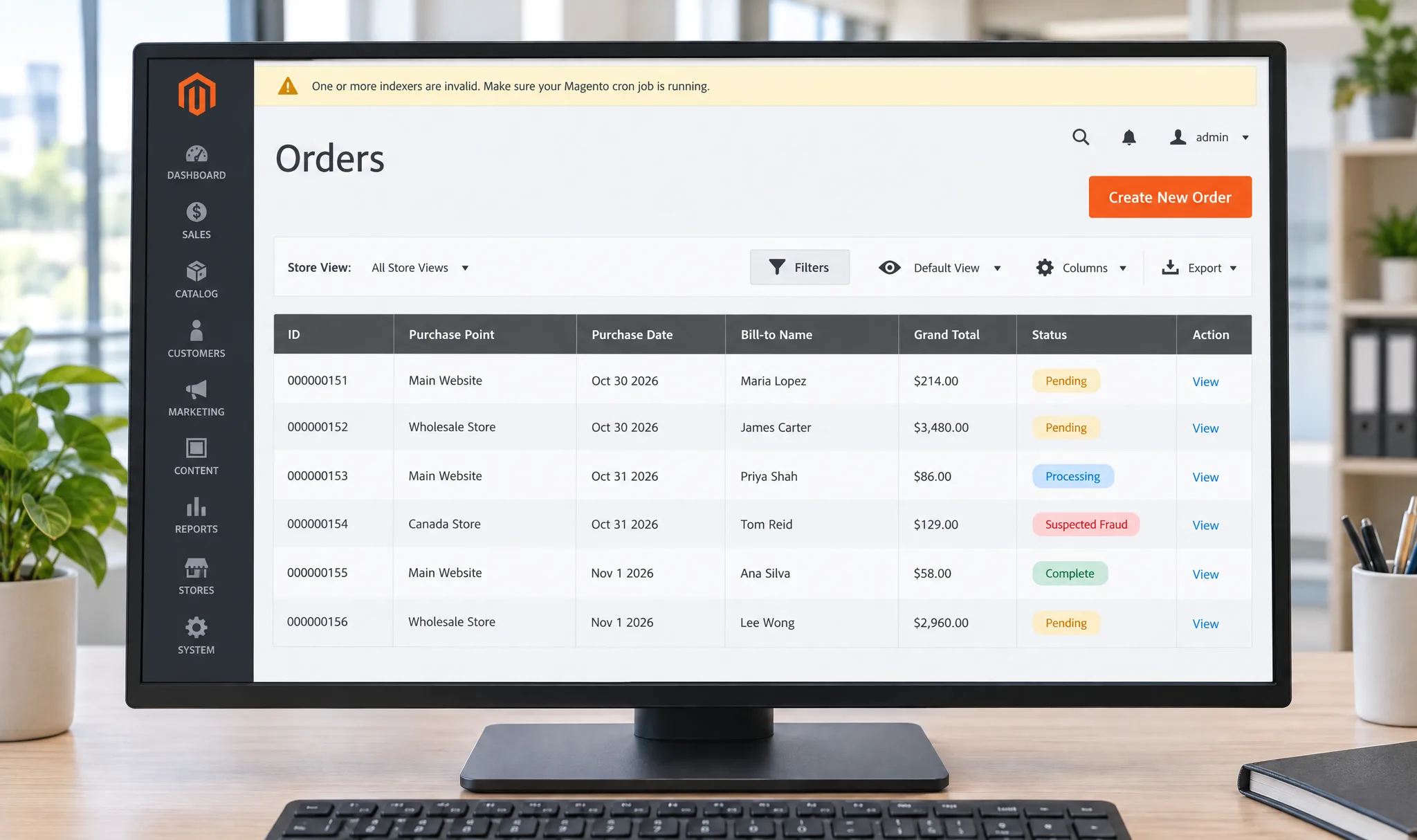
One admin screen already shows which service comes first. Tap a point to see how.
Indexer warning
Background jobs have stopped, so prices and stock can go stale. Support fixes the jobs and keeps watch.
Many store views
Wholesale, Canada and main stores share one admin. Multistore work sets prices and stock for each one.
Big order waiting
A large wholesale order still says Pending. An ERP link sends it on without anyone typing it in.
Suspected fraud
A flagged order can mean card testing on your checkout. Security work finds the gap and closes it.
What the Orders page of your Adobe Commerce store can tell us.
Before and after / Corporate Gear
Corporate Gear's old store next to the custom B2B store we rebuilt.


Custom B2B store, not Adobe Commerce.Read the case study
How we run Adobe Commerce work
Work together over time for a store that keeps getting better.
A new look is rarely the first job. When stock and orders still do not match the ERP, we fix the sync first and plan the rest around it.
You get a written Adobe Commerce plan for your store.
Why fixes go in this order
Version and extensions
We look at your version, extensions, cache, checkout, data links and numbers to find the main problems.
You receive A problem and goal list
ERP sync before looks
We pick what to fix first. A redesign waits while the ERP sync still loses orders.
You receive A top action list
Staging, then live
Our developers, ERP engineers and marketers ship small changes, tested on a staging copy first.
You receive A list of finished tasks
Against your goal
We check every change against its "done when" line and the goal we set at the start.
You receive A results report
Alerts and tuning
We keep reading the data and tune the store. Alerts fire the week a number drifts, and each has one owner.
You receive A next step plan
Problem and action lists, step reports and plan updates.
Case study / Custom store, ERP and email
Sells, rents and services heavy equipment, with a big parts catalog.
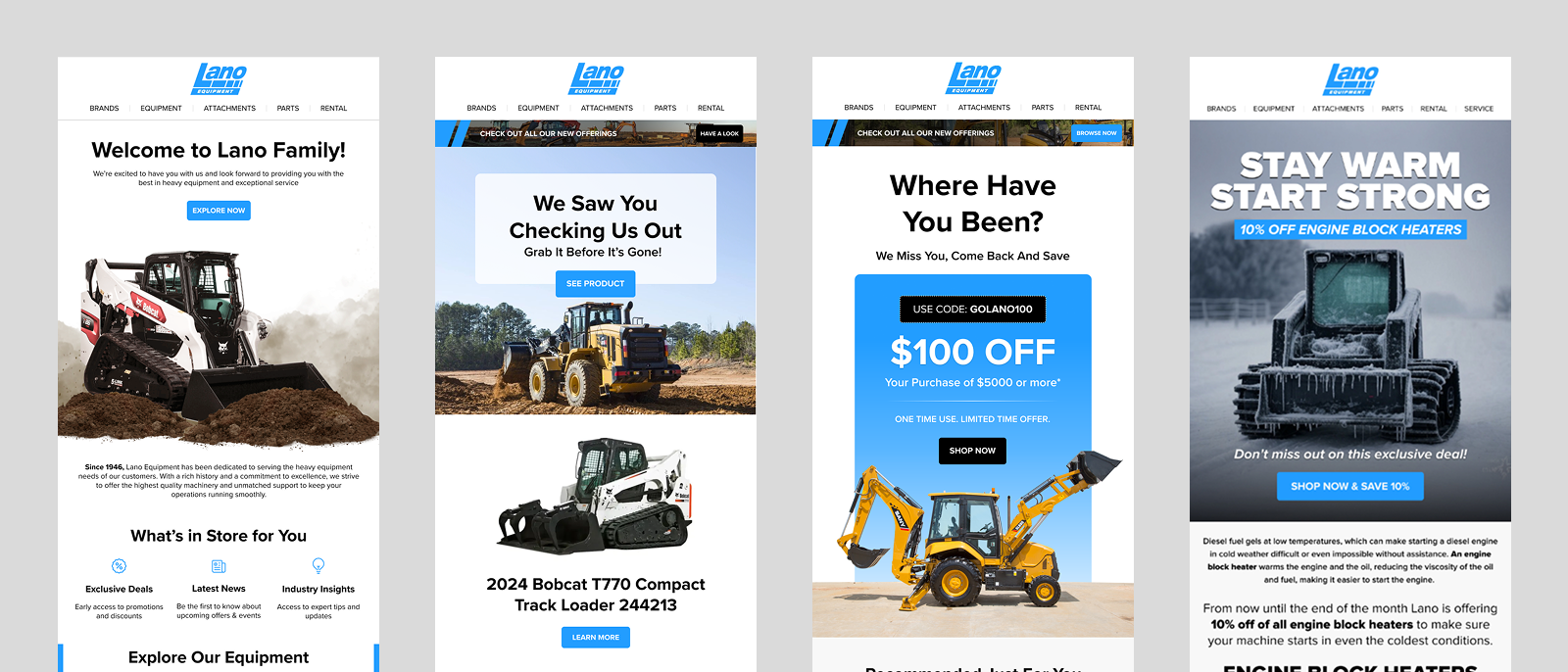
The old site was slow, and the parts catalog did not match the ERP.
Diagnosis
The site, the ERP stock and the email tool never shared data.
We rebuilt it as a fast headless store, synced it with the ERP and set up Klaviyo email flows. It is not on Adobe Commerce.
A big catalog, an ERP and email, joined by the same team that will plan your Adobe Commerce work.
Every Adobe Commerce and Magento page, grouped by the job it does.
Part of our ecommerce services, next to Shopify, BigCommerce and Amazon.
All Adobe Commerce services
32 pages
Questions
Clear answers before you ask for your Adobe Commerce plan.
Start with your Adobe Commerce plan. It names your main problem and the one service to start with, so you fix the most urgent thing first.
Not sure which problem you have? Pick your problem
Magento Open Source is the base code that you host and run yourself. Adobe Commerce is the paid version from Adobe. It adds B2B tools, more features and Adobe support.
Thinking of moving up? See Magento to Adobe Commerce migration
Adobe ships security patches through the year, and each version has an end of support date. We check your version and plan each upgrade on a staging copy first.
Running an old version? See Magento upgrade services
It depends on your license, your hosting, your extensions and how big the job is.
Once we know your needs, you get a written estimate before any work starts. See Adobe Commerce pricing
Not always. Many stores do well after an upgrade and a cleanup. When a move is right, we map every old link before launch, and you sign off on the list.
Planning a move? See Adobe Commerce migration services
You can keep us on a monthly support plan, or call us when something breaks.
Is your store down now? See emergency support
The REDEFINE Method is Redefine Innovations' business-first framework for identifying business constraints, prioritizing improvements, delivering appropriate solutions, verifying outcomes, and sustaining improvements.
It has five stages: Diagnose, Prioritize, Deliver, Prove and Improve. Read the REDEFINE Method
Let's start your Adobe Commerce plan
Tell us about your store. You get a written plan: what to fix first, which service to start with, and why.

Tell us what feels stuck in your Adobe Commerce or Magento store. We read every request.