
Budget and redemption controls

Set the budget once. Every order stays inside it.

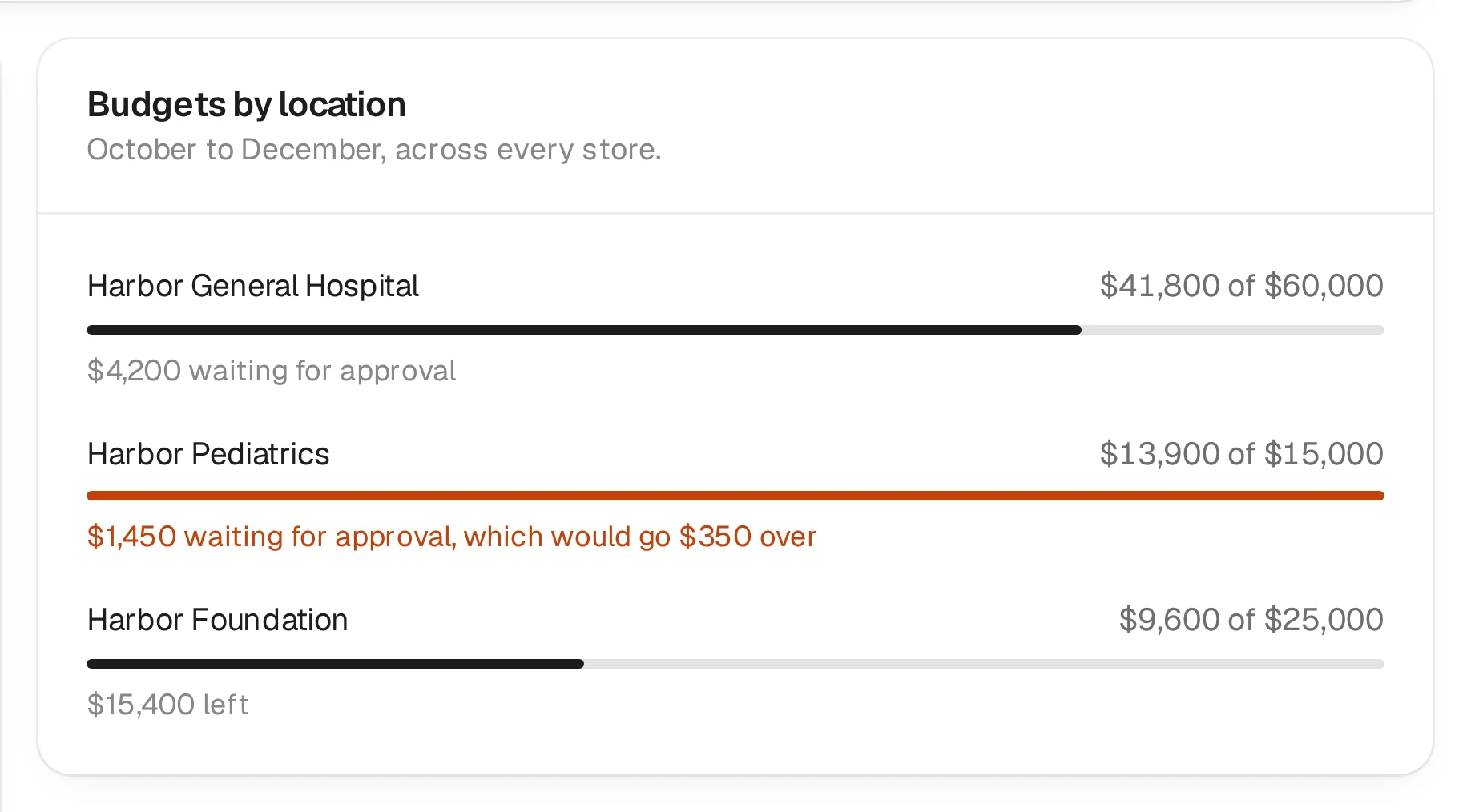
Give each buyer an order limit, each location a budget and each code a set amount. Redefine Suite checks them when people order.

Redefine Suite / Budget per location → Order over budget → Approver signs off

A stack of folded kids' tees and an open shipping box beside a Harbor Pediatrics budget card: $13,900 of $15,000 spent

See budget controls set up for your program.

A demo set up with your own budgets and codes.

Book a personalized demo

Short answer

What are budget and redemption controls?

Updated

Budget and redemption controls set how much each person, location or code can spend in a store, and how they pay. Redefine Suite by Redefine Innovations checks those limits on every order and shows finance what is left.

A budget is the pool of money. An allowance is what one person gets from it. Many programs keep both in a sheet, so people go over, codes get passed around, and finance finds out at month end.

In Redefine Suite, the limits live in the store itself. An order over a limit waits for an approver, and every balance sits in one place.

How the options compare

Three ways to control program spend

OptionHow it worksWhat you getSee also
Redefine SuiteLimits, budgets, codes and credit in the storeSpend and balances by account and locationProgram store software
A voucher or coupon toolDiscount codes on top of a storeCodes used, but not who spent whatRedemption store software
Sheets and emailAllowances kept by handOverspend found at month endCompany store software

What each control works from

  • [1] Your buyers and their roles
  • [2] Each location and its budget
  • [3] Your codes, credit and points
  • [4] Your Business Central customer

See all of Redefine Suite.

Corporate Gear / conversion

2.4%

Result

after a 1.6% at the start

Source: Corporate Gear case study. Store conversion rate, before and after.

Corporate Gear lifted conversion by half.

Corporate Gear sells branded apparel and gear to companies. Redefine rebuilt its store and kept testing it. Yearly revenue passed $45M.

+0.8

Points of conversion

+50%

Relative lift

Read the Corporate Gear story

Where budgets leak

Overspend starts when no one can see the limit.

The problem is not the people. It is a budget that lives in a sheet while the orders happen in the store, so nothing checks one against the other.

By hand

Budgets kept in a sheet

  • Anyone can go over

    Nothing stops an order that is over the allowance, so the extra cost shows up later on the bill.

  • Codes get passed around

    A code sent in an email works for anyone who has it, until someone spots it in a report.

    [!] Found at month end

  • Finance finds out last

    Someone runs a report at month end. By then the orders have shipped and the money is spent.

In the store

Budgets kept in Redefine Suite

  • Each buyer has an order limit

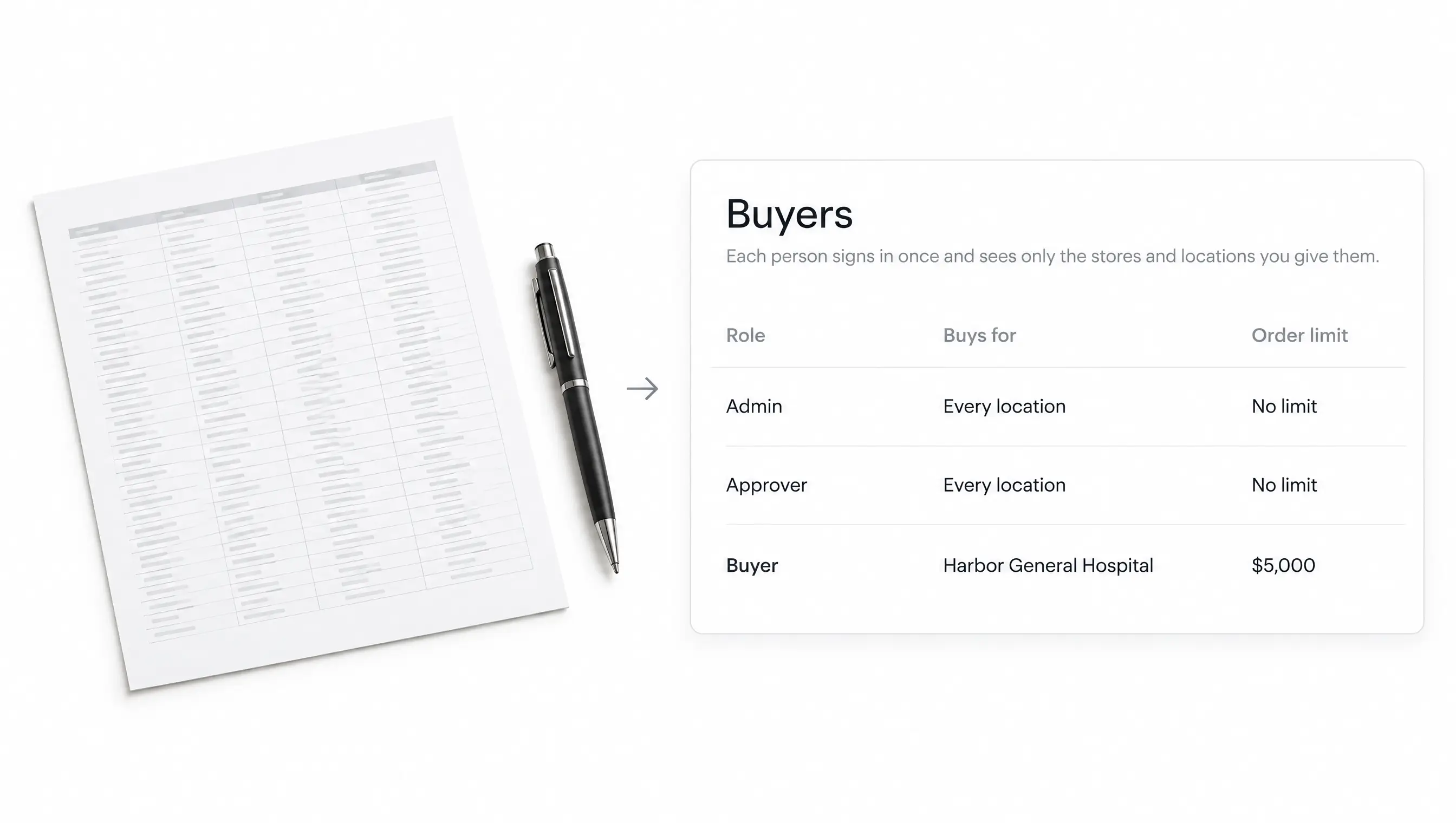
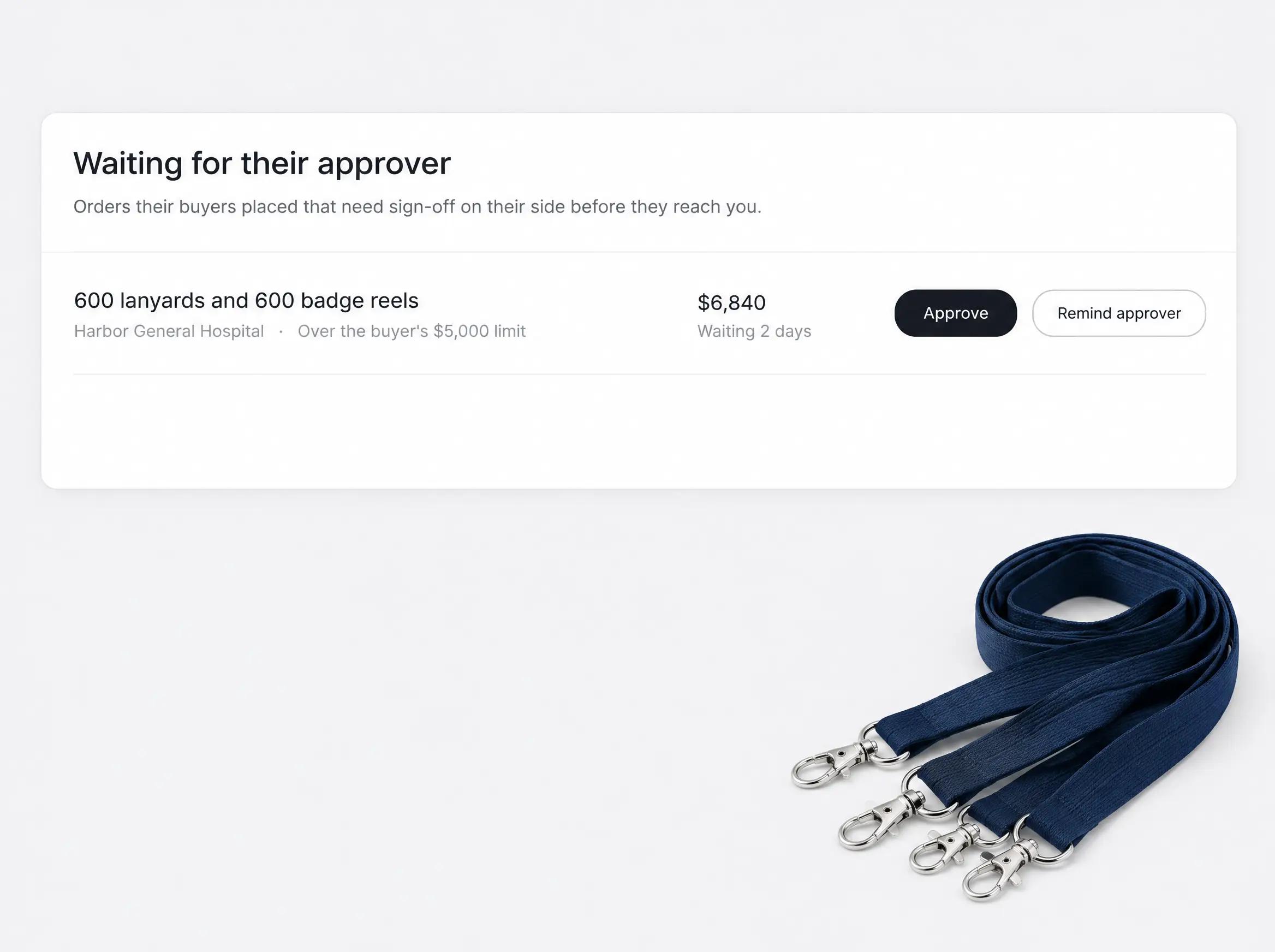
    Give each buyer a role and an order limit. An order over the limit waits for the approver you pick.

  • Each code has its own amount

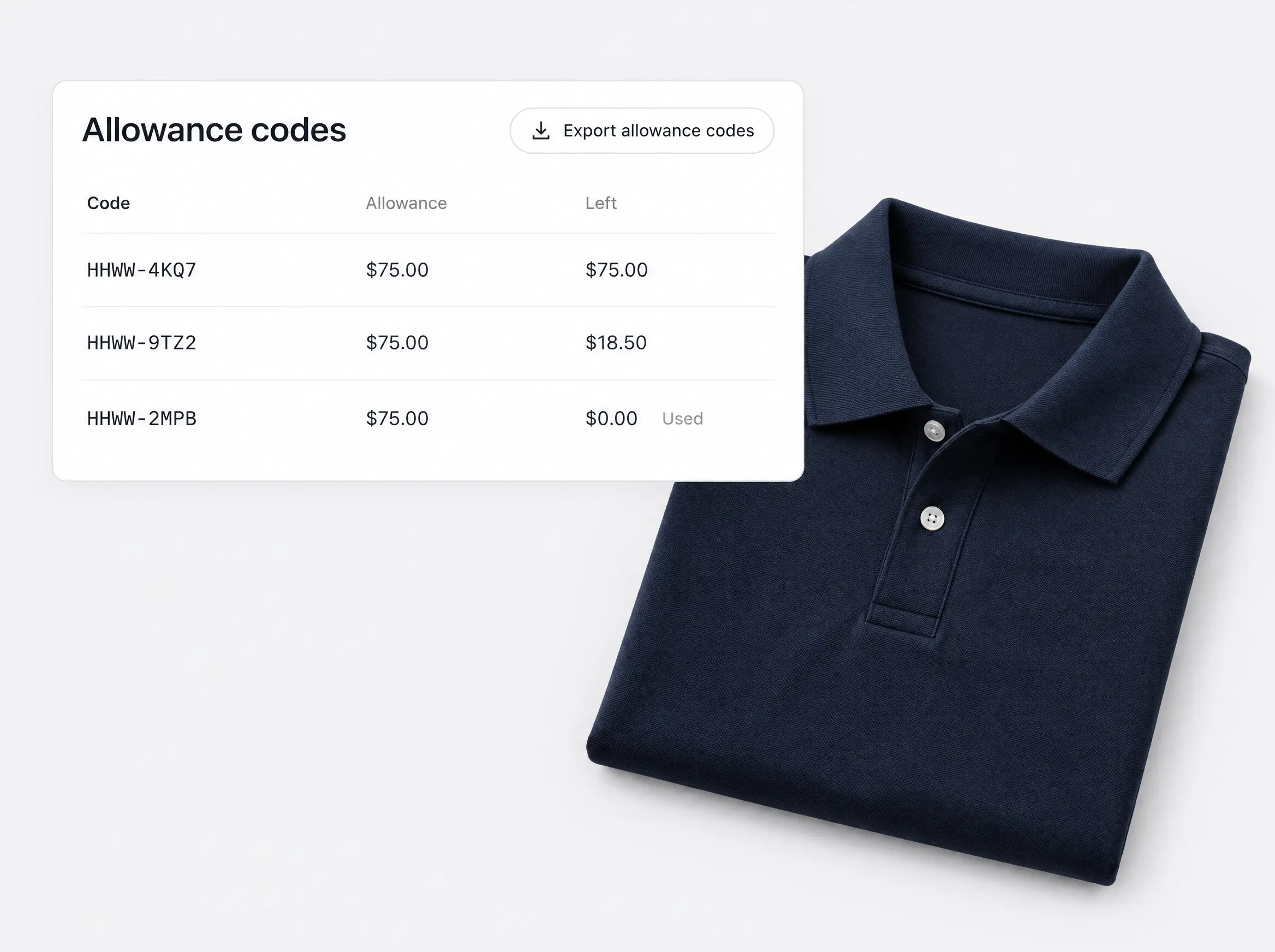
    Allowance codes give each person a set amount to spend. One export shows what is left on every code.

    Checked on every order

  • Finance sees it the same day

    Budgets per location, store credit and gift card balances sit in one place. Open credit shows in Business Central.

A spreadsheet of allowance codes on the left and the Redefine Suite account page with buyer order limits and budgets
From a sheet of codes to limits that live in the store.

Four controls in one store.

Pick a control to see what it does and what it replaces.

Order limits and approvers

Add buyers with roles like buyer, approver and accounts payable. Each buyer gets their stores and an order limit. Orders over it wait for approval.

  • Buyer roles
  • Order limits
  • Approvers per company

Replaces: approval emails

An order over the buyer order limit waiting in the approval list on the account page, with Approve and Decline buttons

Two sides of every budget

One person sets it. One person spends it.

A budget only works when both people can see it. One needs control, and the other needs to know what is left.

A program manager at a desk checking buyer limits and location budgets in Redefine Suite on a laptop

The program owner · setting the rules

Sets the budget

They choose who can buy, how much each person gets and who approves the rest. They want one view of spend, not a pile of email. Finance wants to see the same numbers that are in Business Central.

  • Roles
  • Limits
  • One view
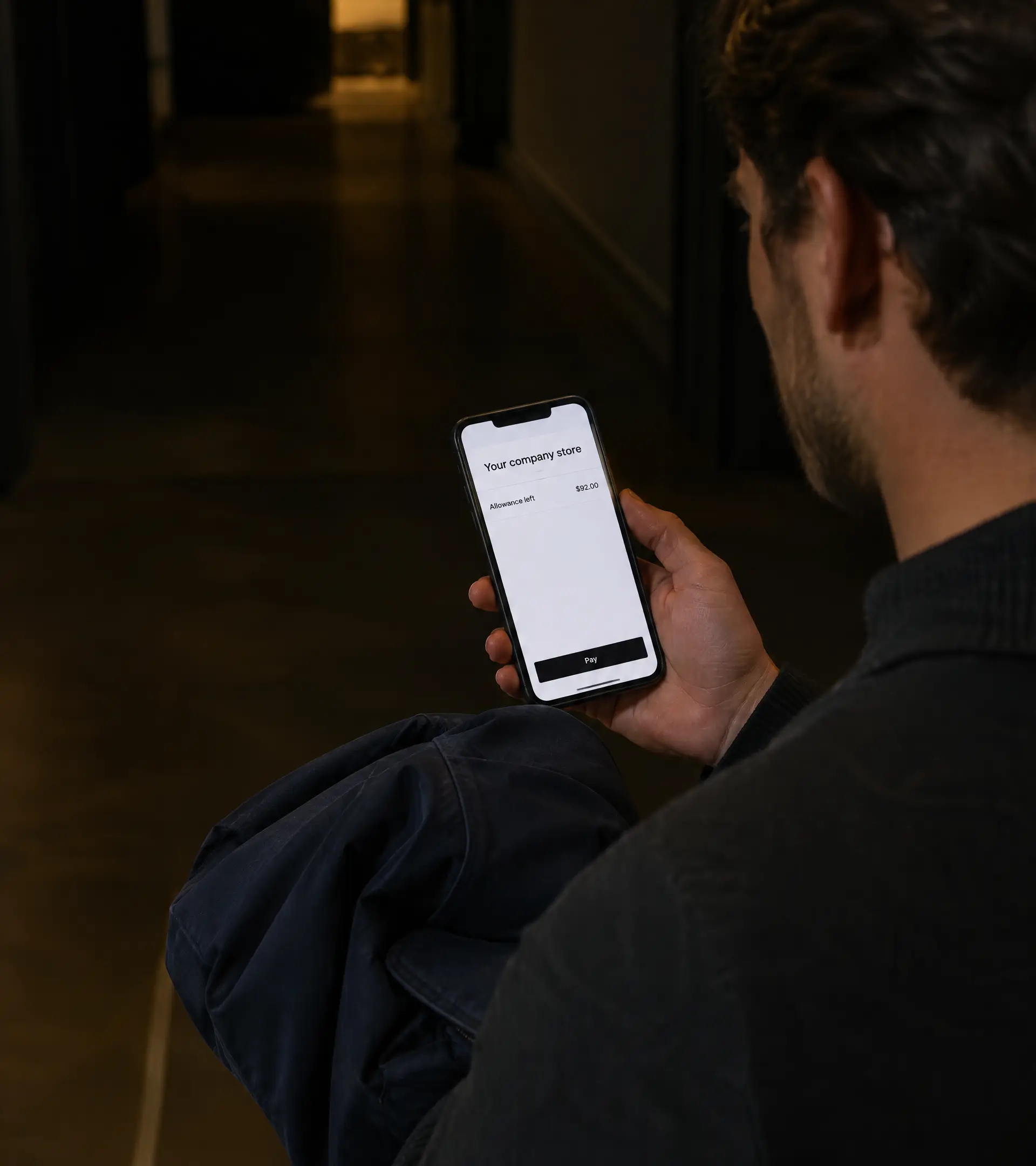
An employee holding a new branded work jacket while a phone shows how much allowance is left

The buyer · placing the order

Spends the budget

They pick their items and pay with an allowance, a code, credit or points. They want to see what is left before checkout, not after an order is stopped. When an order needs an approver, they know who it goes to.

  • Their balance
  • Their code
  • Their approver

One program cycle

From opening day to close

Codes go out, people order, balances go down, and the store closes on its date. Spend and credit stay in one report the whole time, so nobody waits for month end.

OpensCloses
Day 1Close date
  1. Codes

    Sent to buyers

  2. Orders

    Checked at checkout

  3. Approvals

    Over the limit

  4. Report

    Credit balances

In the demo we set up both sides: the rules your team keeps and the store your buyers see. Then you place an order that goes over the limit and watch it wait for approval.

See who is close to their limit.

Budgets, approvals and credit sit in one view, so finance is not waiting on month end.

See program store reporting

By program

Which control fits your program?

Most programs use more than one. Here is the one to set up first for each kind of program.

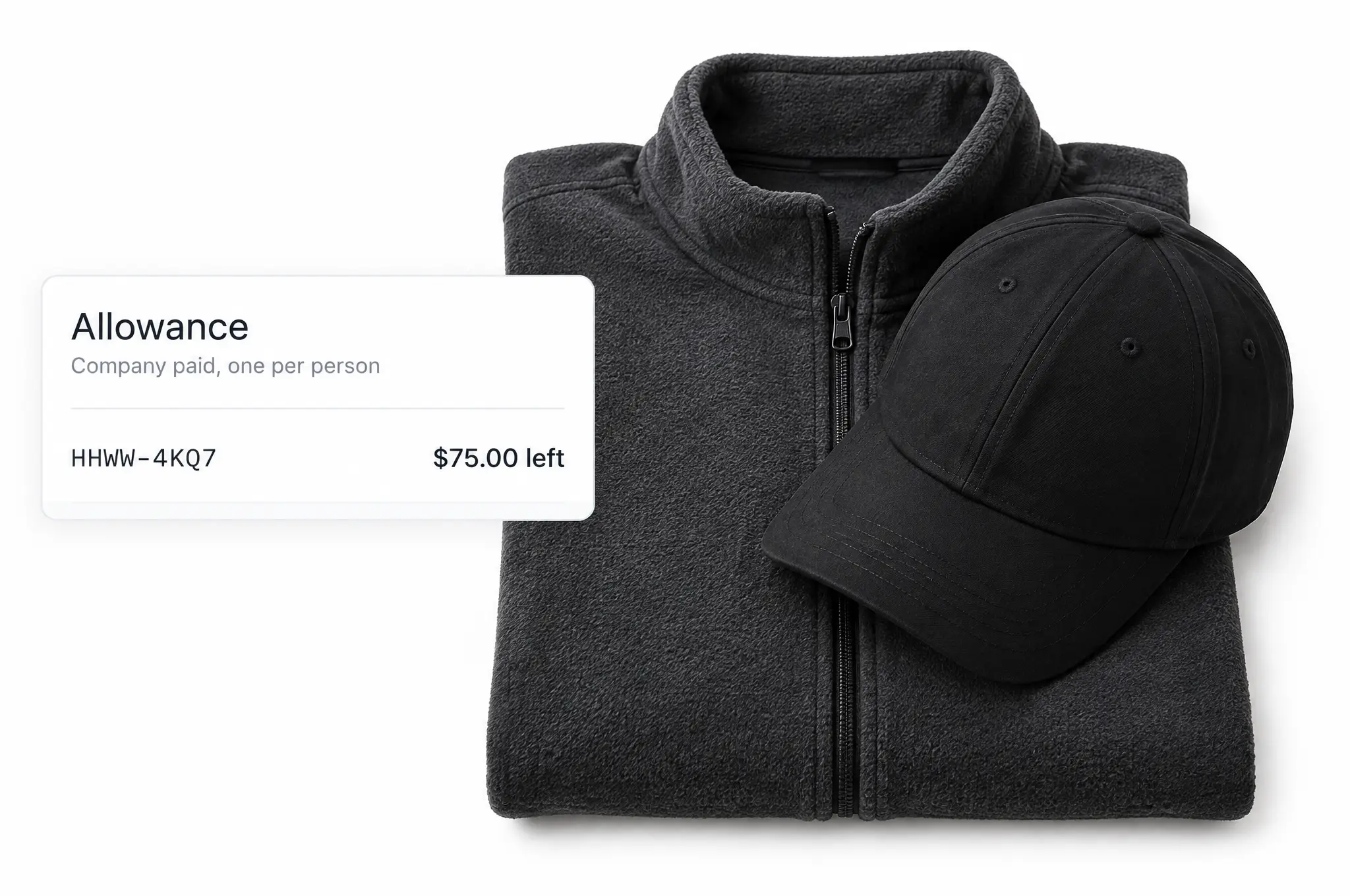
  1. A folded fleece vest and a black cap beside a card with an allowance code and $75.00 left to spend

    01 Staff

    Employee allowance

    Best for gear each person picks for themselves.

    1code per person

    How it works
    Each person signs in with an allowance code and can spend up to its amount.
    Ways to pay
    Allowance code or card
    Who sets it
    HR or the brand team
    What finance sees
    An export of every code and what is left on it
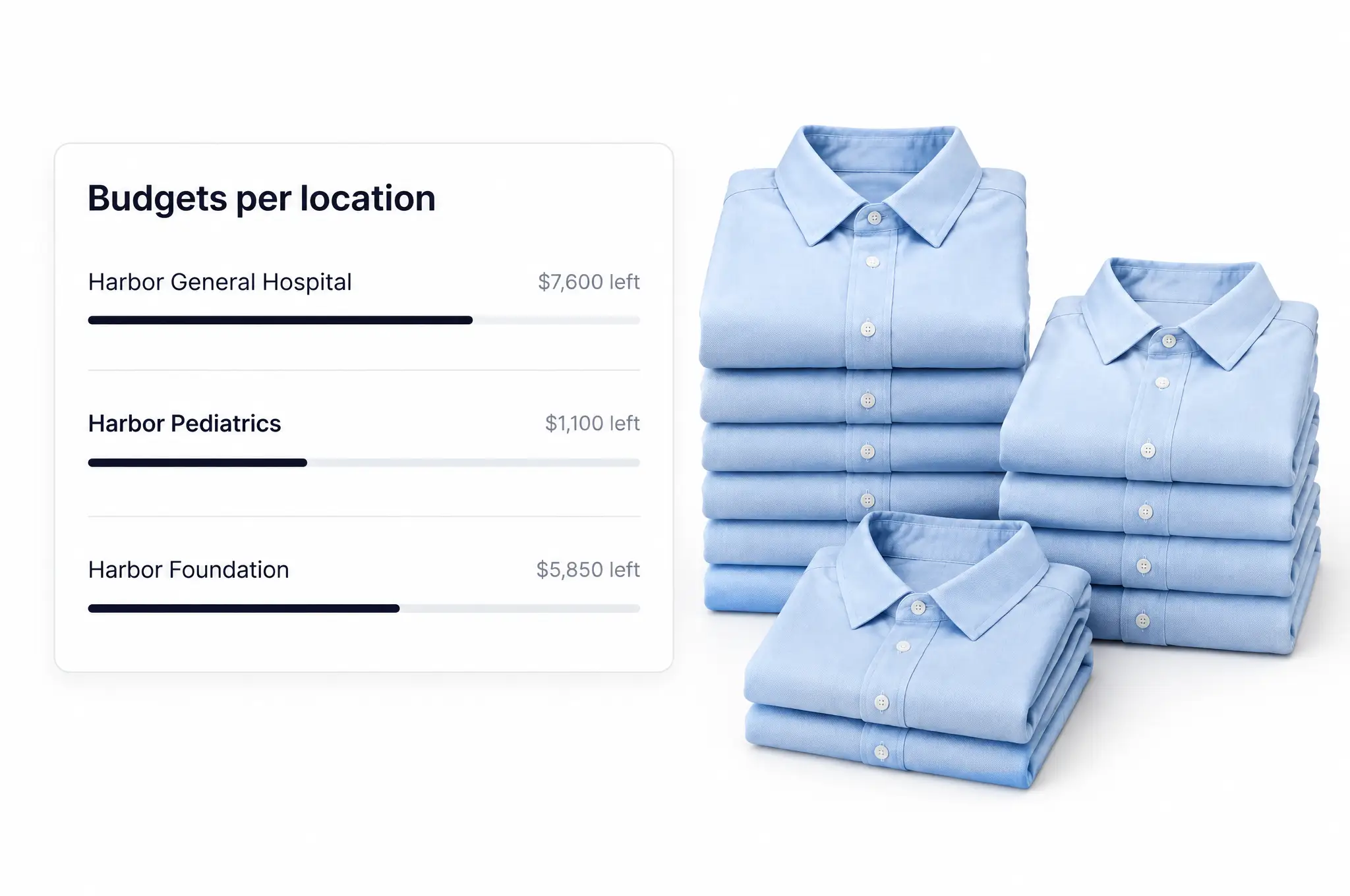
  2. Stacks of folded uniform shirts by size, each stack tagged for a location that orders against its own budget

    02 Sites

    Location budgets

    Best for uniform and kit programs run by site.

    1budget per location

    How it works
    Each office, store or site gets its own budget. Buyers there order up to it, and bigger orders wait for an approver.
    Ways to pay
    Account budget or purchase order
    Who sets it
    Operations or each site manager
    What finance sees
    Spend by location on the account
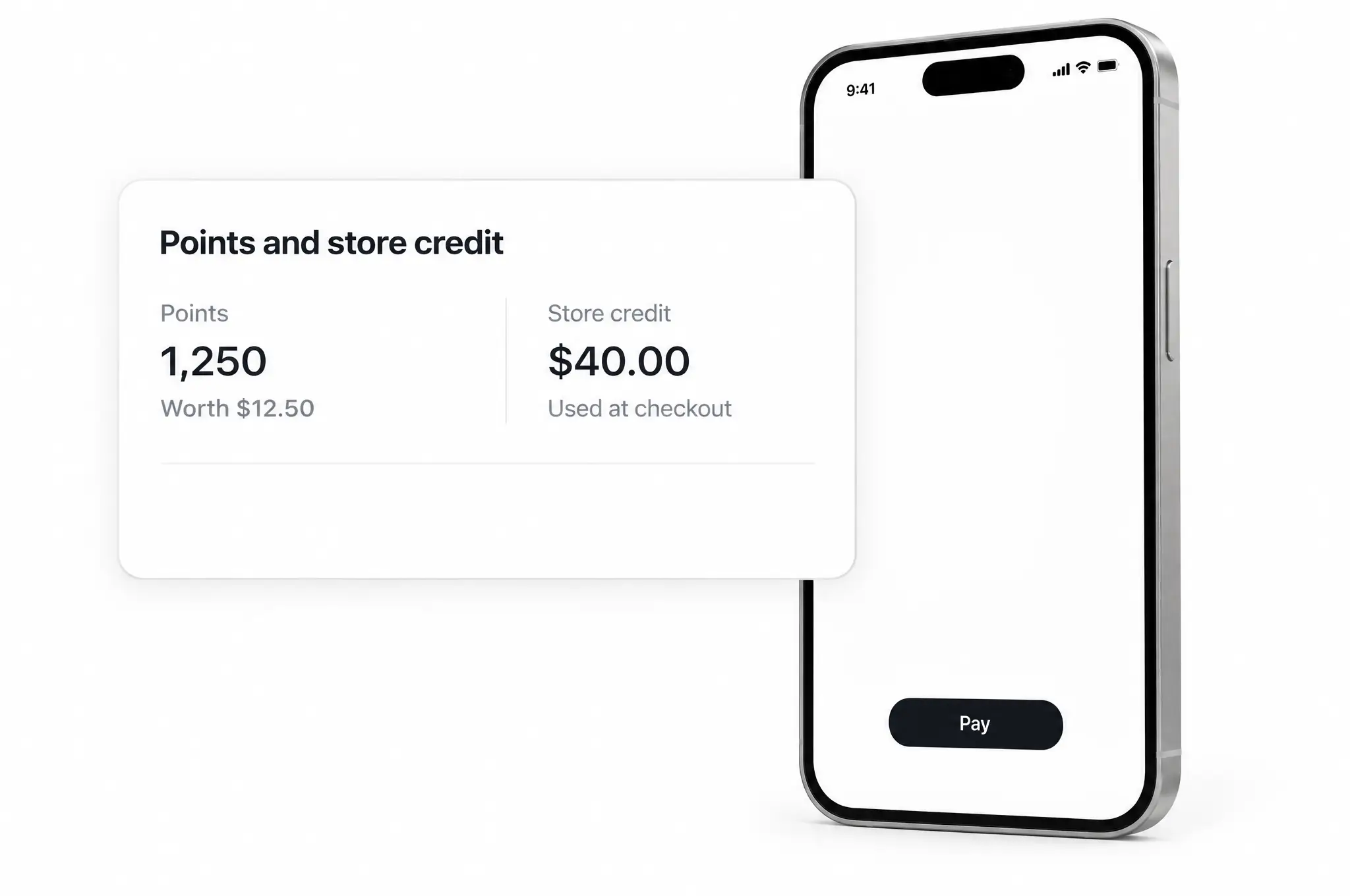
  3. A phone at checkout showing the points balance and store credit a person can spend

    03 Rewards

    Credit and points

    Best for sales rewards and thank-you gifts.

    1balance per person

    How it works
    People earn points or get store credit, then spend it at checkout. Points earned on one store spend on all of them.
    Ways to pay
    Points, store credit or gift card
    Who sets it
    Sales or marketing
    What finance sees
    Store credit balances in one report

You can turn on more than one control for the same store.

Who uses budget and redemption controls?

HR, sales and brand teams that give people gear on a budget. Promo distributors set them up for the stores they run for clients.

Each store keeps its own rules. See company store software

What happens when an order is over the limit?

Each buyer can have an order limit. An order over it goes to the approver you chose for that company.

Approvers see what is waiting on the account page. See program store administration

How do allowance codes work?

Turn on sign in with an allowance code for a store. Each code holds a set amount to spend.

One export shows what is left on every code. See redemption store software

Can each location have its own budget?

Yes. Set a spending budget for each place a company buys for, like an office or a store.

Buyers order for the location they belong to. See team store software

Which ways to pay can a store take?

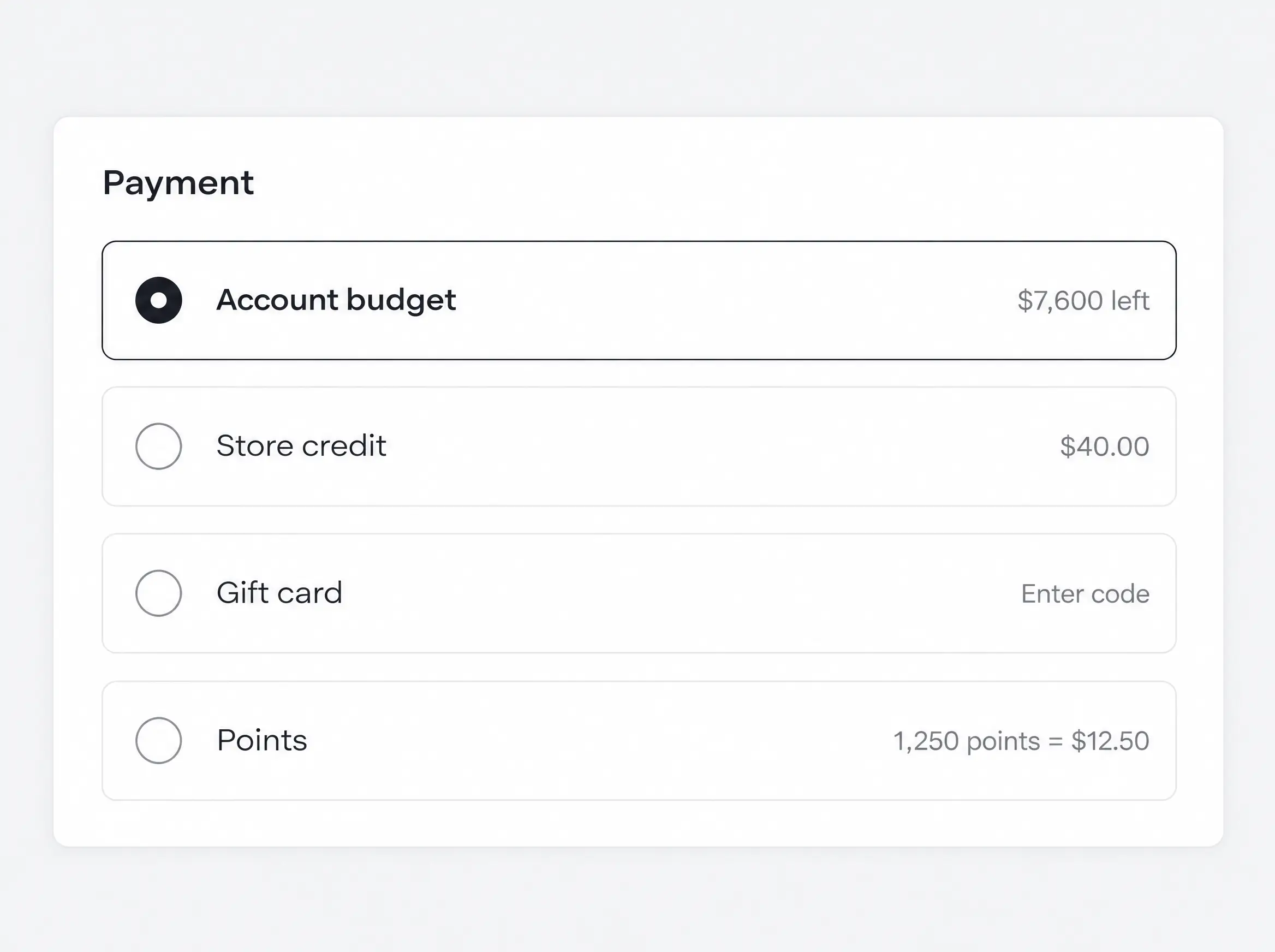
Card, ACH, purchase order, on account, account budget, company paid, gift card and store credit. Each store picks its own.

People can also spend points at checkout. See program store software

How does finance see the spend?

Store credit balances have their own report. Each store can post orders to a Business Central customer under a program ID.

Credit limits, terms and holds come from Business Central. See program store reporting

Do points and credit run out?

You set when points expire. Gift cards and store credit show their balance and end date.

Open credit shows in one list, so nothing is lost. See all of Redefine Suite

Book a demo

See your own budgets at work.

In the demo, we set up one of your programs in Redefine Suite with its buyers, limits and codes. A demo set up with your own budgets and codes. You can also use the demo booking page.

Two colleagues reviewing the store credit balances report in Redefine Suite on a large monitor
  • Built on your own program
  • Your buyers and their limits
  • Your codes, credit or points
  • 550+ projects delivered

Book a personalized demo

Tell us about the program. We set up the demo around it.

  1. 1We confirm your request
  2. 2A short call about the program
  3. 3Your own demo
  4. 4You decide what comes next