Trusted Power BI dashboards shipped sprint by sprint. Not 9 months from now.
We build the semantic models, DAX measures, and Power BI reports your finance and operations teams actually open. Scoped before work starts. Prototype in week 2. Go-live with documentation, not handover panic.
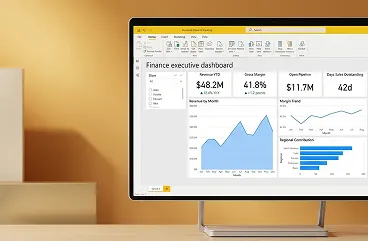
A Redefine-built finance dashboard delivered to a mid-market services client.
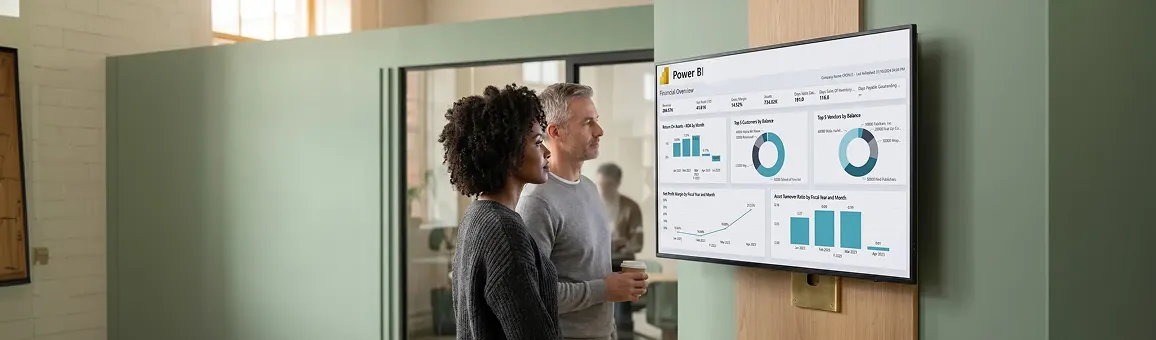
Old way of building reports versus new way.
Most internal Power BI builds stall at the same three places: a data model nobody trusts, DAX measures that disagree row-to-row, and a publish pipeline that ships through someone's laptop. Here is what changes when development is run as a real engineering discipline.
One PBIX file on a developer's laptop. No source control. No way to roll back a broken measure.
DAX written by feel. The same measure named three different ways. Numbers disagree depending which page you open.
Star schema? Nope. 14 flat tables joined by best guess. Refresh takes 47 minutes and times out twice a week.
Publish via File, then Publish. No staged workspace. Finance opens Monday's report and a column is gone.
Zero documentation. When the developer leaves, the model becomes a haunted artifact nobody dares change.
Tabular model in Git. Every DAX measure, every relationship, every parameter under source control with full diff history.
DAX style guide. One canonical measure per business concept. Naming conventions enforced. Variance under 0.01% across pages.
Star schema by default. Fact and dimension tables. Aggregations where they pay back. Refresh drops to 4 to 7 minutes.
Dev, Test, and Production workspaces with deployment pipelines. Finance never sees a broken report in production.
Living documentation. Lineage diagrams, measure dictionary, key performance indicator definitions. New analyst onboards in days, not months.
Click any node. See exactly what happens at each stage.
Every Power BI build moves through six engineering gates. Click a node to inspect the deliverable, the tooling, and what your team signs off on. The diagram advances on its own every four seconds. Click any node to take control.
We catalog every system that feeds the future report and lock down what each key performance indicator actually means before we touch DAX.
Source list, key performance indicator dictionary version 1, and access requests. Typical effort: one 60-minute call plus async review.
Fact and dimension tables, conformed dates, role-playing dimensions, and aggregations where they pay back.
One canonical measure per business concept. Variance under 0.01% across every page. Style guide enforced.
Revenue Year-to-Date =
  CALCULATE(
    [Revenue],
    DATESYTD( dim_date[Date] )
  )

Revenue Year-over-Year % =
  DIVIDE(
    [Revenue] - [Revenue Prior Year],
    [Revenue Prior Year]
  )
Themed, accessible, mobile-aware layouts. Drillthrough pages. Bookmark navigation. Tooltip pages where they help.
Three Power BI workspaces wired to a deployment pipeline. Your team runs user acceptance testing in the test workspace. Production never gets a broken report.
Your team owns it. No vendor lock-in. No haunted PBIX file on a former contractor's laptop.
Every artifact your team owns at go-live.
Five build tracks. Click any row to see exactly what ships inside it, the tools we use, and what your team signs off on. No black boxes, no "trust us" handovers.
01
Data engineering and extract-transform-load pipelines
Source connectors, dataflows, incremental refresh, and
gateway setup so refreshes stop timing out.
- Connector setup for SQL, Dynamics 365, SAP, Business Central, SharePoint, REST application programming interfaces, and flat files
- Power Query M scripts version-controlled with documented transformations
- Incremental refresh policies sized to your data growth and service-level agreement
- On-premises gateway configuration, clustering, and monitoring
Refresh schedule, gateway owner list, and source credentials policy. Effort: one 45-minute review.
02
Semantic model development
Star schema, role-playing dates, calculation groups,
row-level security, and aggregations.
- Star schema design with fact and conformed dimension tables
- Calculation groups for time intelligence and currency conversion
- Row-level security roles mapped to your Azure Active Directory groups
- Aggregation tables where they pay back in refresh and query time
Schema diagram, row-level security role matrix, and key performance indicator definitions. Effort: one workshop plus async review.
03
DAX measure library
One canonical measure set, naming conventions enforced,
tested for variance.
- Base measures, time intelligence, and key performance indicator variants in one library
- Naming conventions and folder structure that scale to 200 or more measures
- Test cases tied to source-of-truth values from your enterprise resource planning system
- Performance tuning with VertiPaq Analyzer and DAX Studio
Measure dictionary version 1 and 10 golden-record test cases. Effort: one finance validation call.
04
Report and dashboard builds
Layouts, themes, drillthrough, bookmarks, and mobile-aware
report pages.
- Theme JSON tied to your brand, fonts, and accessibility palette
- Drillthrough pages from key performance indicator cards to transaction detail
- Mobile report layouts for executive consumption on phones
- Subscription, alert, and pinned-tile setup for each persona
Prototype review, user acceptance testing script, and final layout walkthrough. Effort: 2 reviews of 60 minutes each.
05
Documentation and team enablement
Lineage documentation, measure dictionary, recorded
training, and 30-day stabilization.
- Source to report lineage diagram exported to Visio or Lucid
- Measure dictionary with definition, owner, and dependency map
- Recorded sessions for analyst, power user, and admin personas
- 30-day stabilization window for bug fixes at no extra charge
Every artifact lives in your tenant and your Git repository. No vendor lock-in.
Need a feature you do not see? Most engagements add one custom track for industry-specific scenarios (manufacturing overall equipment effectiveness, healthcare claims, retail recency-frequency-monetary analysis). Tell us during scoping.
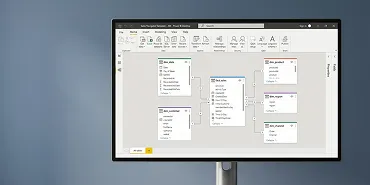
A Redefine-built tabular model open in Power BI Desktop.
One headline metric. One real engagement.

Three financial planning and analysis analysts stopped exporting Excel pivot tables on Mondays. Variance commentary moved from Thursday to Tuesday. Chief financial officer close-day moved from day 9 to day 5.
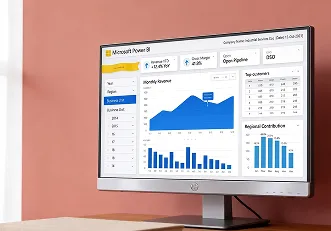
A 1,400-person industrial services group operating across 12 regions on Dynamics 365 Finance and Operations.
Field maintenance and facilities contracts for commercial real estate and manufacturing clients.
Three financial planning and analysis analysts spent every Monday exporting general ledger extracts to Excel, building pivot tables, and emailing PDFs. Numbers disagreed across departments. The chief financial officer close pack landed on day 9.
We built one semantic model on top of the Dynamics 365 Finance and Operations finance dimensions, 62 DAX measures with documented test cases, and three Power BI reports (executive overview, regional profit and loss, and accounts receivable aging). Refresh runs at 06:00 daily. The Monday pivot ritual stopped after week 6. Close-day moved to day 5 within one quarter.
Build it once. Stop paying the manual reporting tax every month.
A 200-person mid-market business pays roughly the cost of a senior financial planning and analysis salary every year just to keep producing reports the old way. The work is the same every month: pull, pivot, format, email, answer the same five clarifying questions, repeat.
A scoped Power BI development engagement converts that recurring burn into a one-off build. The semantic model, DAX library, and three core reports typically pay back in 4 to 7 months. After that, the model is yours, the time savings compound, and analysts move from spreadsheet plumbing to actual analysis.
Microsoft Power BI development shipped to real clients.
Caption below each card shows the industry sector and the type of report. More samples available on request.
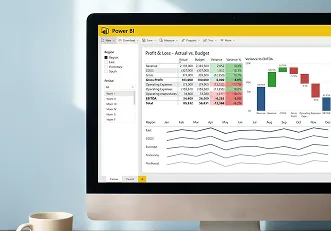
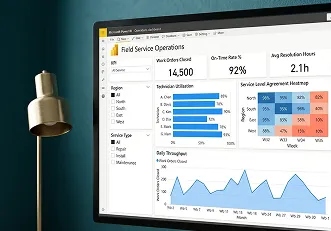
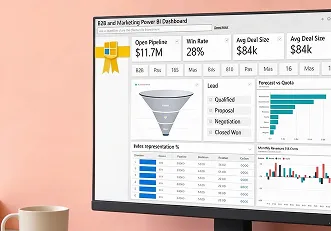
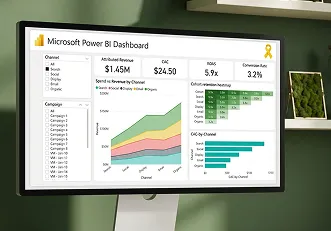
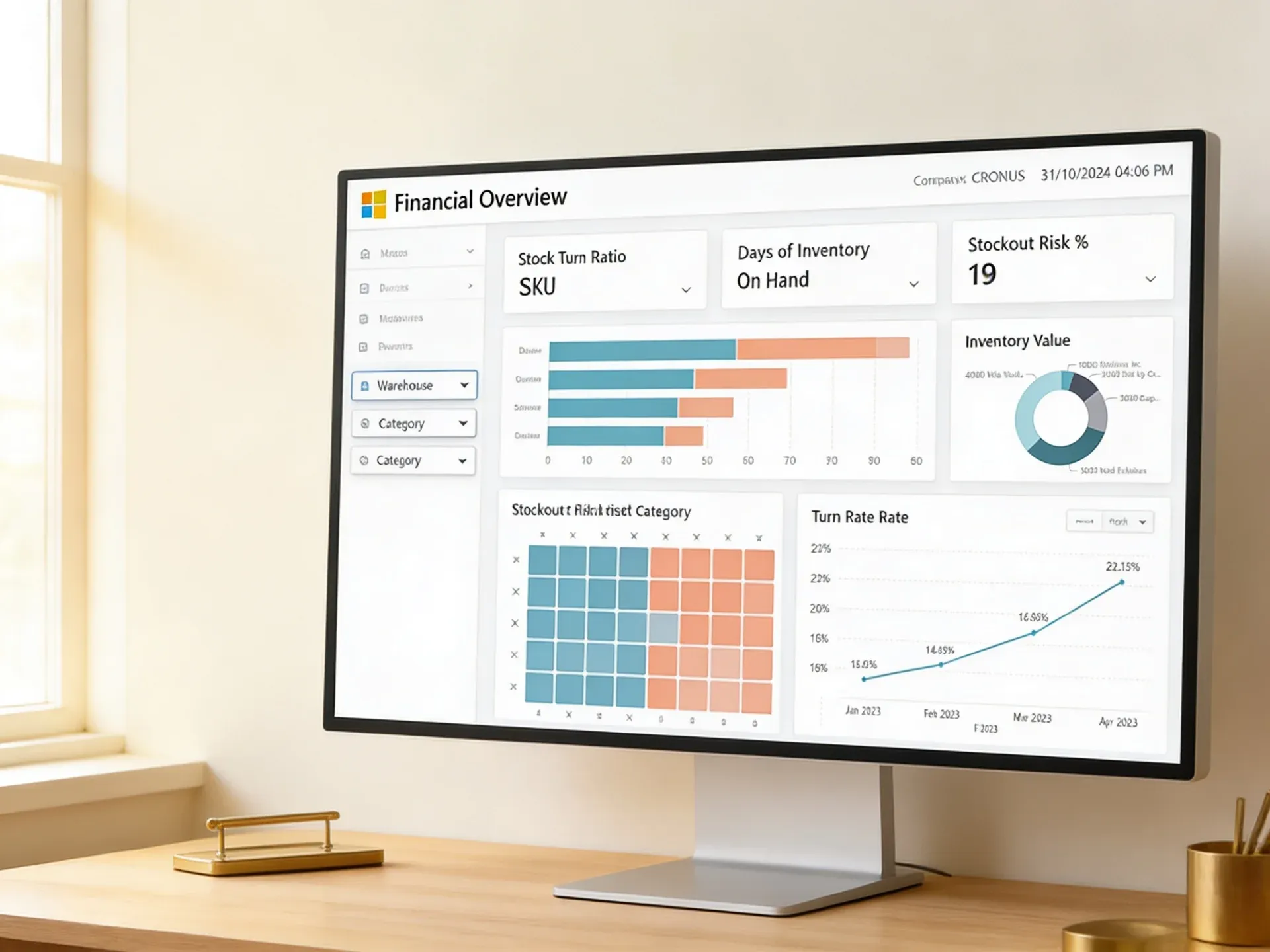
More samples available on request. Request samples built for your industry.
Your power bi development partner versus typical billings.
240+ reports shipped. Every build is fixed-scope, fixed-fee, with source files in your tenant from day one. Here is the discipline behind that record.
- YesFixed-scope, fixed-fee per sprintYou see the proposal, the line items, and the deliverables before signing.
- YesSource control on the tabular modelEvery DAX change reviewable. Rollback safe. No black-box PBIX files.
- YesDev, test, and production workspace pipelineFinance never opens a broken report on a Monday.
- YesDocumentation shipped with the buildLineage diagram, measure dictionary, recorded enablement included.
- Yes30-day stabilization at no extra chargeBug fixes and measure tweaks after go-live are part of the engagement.
- YesYour tenant. Your repository. Your code.No vendor lock-in. Everything we build is portable.
- NoTime and materials, monthly burnScope drift is the business model. You do not know what month 4 costs until month 4.
- NoPBIX file on a developer's laptopNo source control, no rollback, no diff history.
- NoPublish straight to productionUser acceptance testing happens after finance reports the bug. Often Monday morning.
- No"Documentation is a separate statement of work"Lineage and measure documentation sold as a second engagement after go-live.
- NoPost-launch fixes billed at full rateEvery "small tweak" goes on the next invoice.
- NoSoft lock-in via undocumented modelOnly the original developer can change anything. Annual retainer expected.
Where a power bi development firm fits in your roadmap.
- Power BI consulting servicesStrategy and roadmap before you build
- Power BI implementation servicesEnd-to-end rollout including tenant setup
- Power BI dashboard developmentExecutive dashboard builds with key performance indicator design
- Power BI report developmentPaginated and operational report builds
- Power BI semantic model developmentTabular models and DAX libraries on their own
- Power BI return on investment assessmentQuantify the cost of your current reporting state
- Power BI integrationsDynamics 365, SAP, Business Central source connections
- Power BI Operations ServicesOngoing model and report ownership after go-live
- Power BI audit servicesHealth check before deciding to rebuild
- Power BI support servicesService-level agreement backed ongoing fixes and enhancements
What to ask a power bi development company before signing.
Six to ten weeks from kick-off to production for a typical scope: one semantic model, 40 to 80 DAX measures, and two to four report pages. Larger scopes (multi-region profit and loss, supply chain) run 12 to 16 weeks. We share the timeline as part of the scoped proposal in week 1.
Fixed scope, fixed fee per sprint. You see every line item in the proposal before signing. Out-of-scope requests get re-scoped as a separate work order, not added silently to the next invoice.
You do. Every artifact ships into your Power BI tenant and your Git repository. The tabular model, DAX library, deployment pipeline, lineage documentation, and recorded training are yours. No vendor lock-in, no annual retainer required to keep using what we built.
Yes. Most engagements pair a Redefine senior developer with one or two of your analysts. Your team is in every code review, every user acceptance testing session, and on every Git pull request. By the end they are confident extending the model without us.
Dynamics 365 (Finance and Operations, Business Central, Customer Engagement), SAP, NetSuite, Salesforce, HubSpot, Azure SQL, Synapse, Fabric, Snowflake, SharePoint, Azure Data Lake Storage, REST application programming interfaces, and most CSV or flat-file feeds. If a source is not on this list we build a custom connector during sprint 1.
Row-level security roles map to your existing Azure Active Directory groups. We document the role matrix and validate it during user acceptance testing. For SOC 2 and HIPAA scenarios, we work inside your existing tenant policies (sensitivity labels, data loss prevention, conditional access) and never extract production data to our environment.
The 30-day stabilization window covers immediate fixes at no extra charge. After that, you can either extend your team's ownership using the documentation and recorded training, or move to a managed support agreement with a defined service-level agreement. Either path is yours to choose.
Submit a brief. Get a scoped proposal in 3 days.
No commitment. No pitch. We review the brief, share questions back within 48 hours, and send a line-by-line scoped Power BI development proposal within 3 business days.
Submit your brief › call within 48 hours › scoped proposal in 3 days › Sprint 1 begins within 1 week of sign-off