Connect Workday to Power BI and Report on People, Finance, and Operations Together
Power bi and workday integration services designed to integrate power bi with workday data sources and pull Workday HCM, Payroll, and Financials into a governed semantic model. Combine it with your ERP, CRM, or planning tool data. Scoped in writing before a line of code is written.
Submit your brief → call within 48 hours → scoped proposal in 3 days → Sprint 1 within 1 week of sign-off
Hero · HR leader presenting Workday Power BI workforce dashboard to team
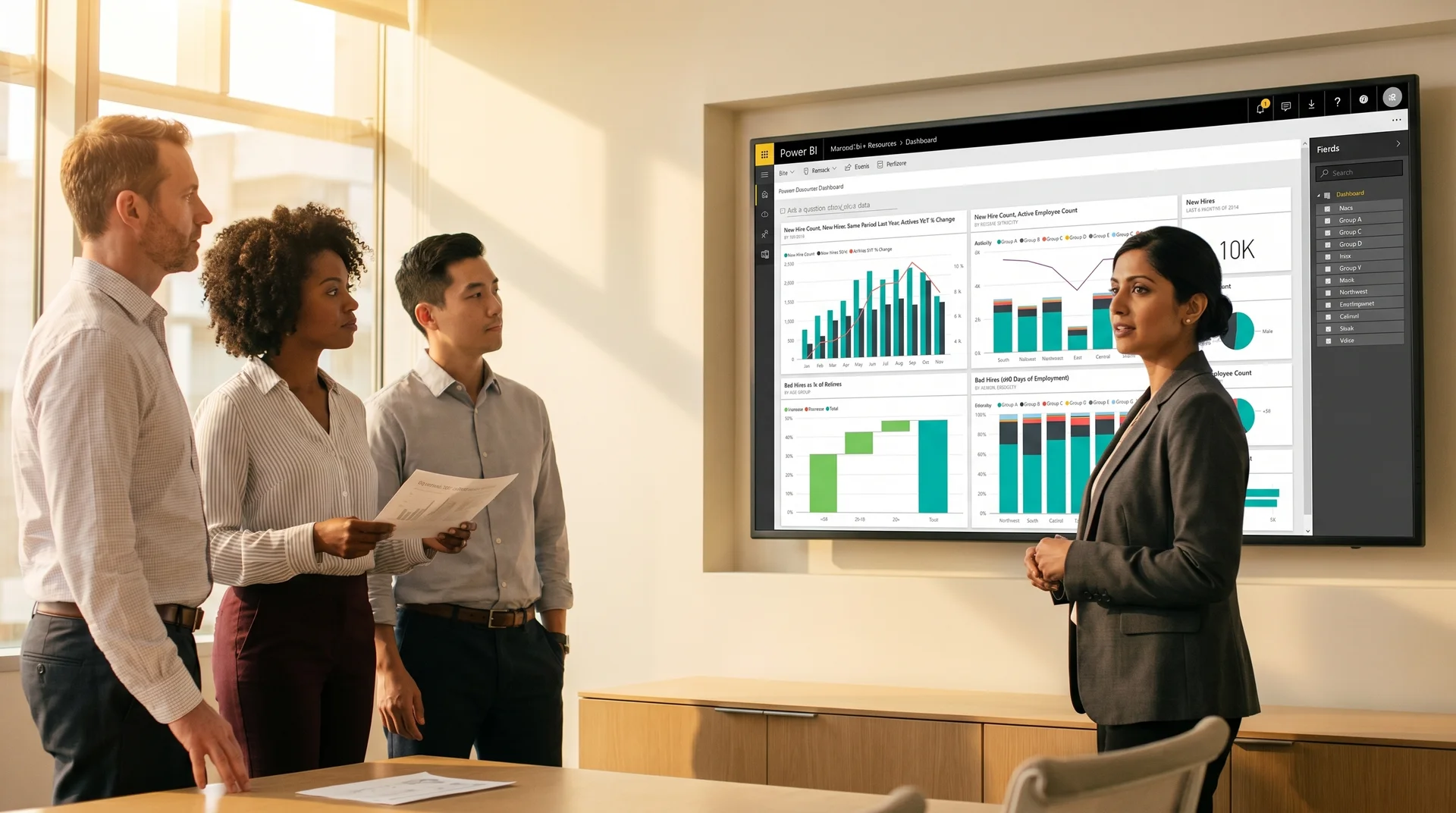
Glass-walled office, natural daylight, wide cinematic, no direct eye-contact · 1200 × 630
Workday holds your people data. It cannot show you what that data means for the business.
Workday reporting is built for compliance and transactions. When you integrate power bi with workday, you can cross-reference workforce data with financial performance, operational output, and business results in ways Workday Prism cannot.
Staying inside Workday reports
- Workday standard reports cannot join headcount to revenue per employee or cost-per-hire to business unit performance
- Finance teams pull compensation data into Excel separately from the general ledger, creating multiple versions of workforce cost
- No row-level security across business units means one shared Workday report sees every employee in the organization
- Workday Prism Analytics requires a separate licence and still keeps data inside a single-system view
- Executive dashboards that should show workforce cost alongside revenue require manual assembly every reporting cycle
After workday reporting in power bi
- Workday headcount, compensation, and turnover joined to ERP revenue and operational data in one semantic model
- Row-level security by business unit, region, or management hierarchy built into the Power BI workspace
- Finance, HR, and Operations see a single version of workforce cost that reconciles to the general ledger automatically
- HR business partners see their regions, finance sees total workforce cost, leadership sees everything, all from the same model
- Power bi workday dashboards that refresh automatically, maintained by your Power BI team inside your governance standards
One Workday integration. Three roles. Each seeing exactly what they need.
Workday power bi integration built correctly gives each audience a purpose-built view backed by the same governed semantic model. No duplicate data extracts, no separate reports maintained by different teams.
HR Leader sees
- Headcount trend by department, region, and role level pulled directly from Workday HCM
- Turnover rate, time-to-fill, and offer acceptance rate alongside industry benchmarks
- Workforce cost as a percentage of revenue without needing Finance to run a separate report
- Open role aging and recruiter pipeline status from the Workday Recruiting module
Row-level security restricts this view to the HR leader's business unit unless they have global access. No sensitive compensation data exposed to managers below their permission level.
Workforce Overview · Q4
Refreshed from Workday HCM · last updated 6 hours ago
Finance Director sees
- Total workforce cost by department joined to budget versus actual from the general ledger
- Compensation and benefits as a share of total operating expense across all business units
- Revenue per employee and profit per full-time equivalent by region and product line
- Workday Payroll actuals reconciled to ERP postings with variance flags for exceptions
Finance sees workforce cost in the same workspace as all other financial data. No separate extract, no reconciliation spreadsheet, no version conflict with HR.
Workforce Cost versus Budget · YTD
Workday Financials joined to ERP GL · last updated 6 hours ago
Operations Analyst sees
- Time tracking and absence data from Workday Time Tracking joined to project delivery metrics
- Capacity planning view combining current headcount, open roles, and project pipeline demand
- Skills and certification data from Workday Learning linked to project requirements and gaps
- Overtime trends by team joined to project profitability from the ERP system
Operations sees workforce utilization alongside delivery output. No switching between Workday and the project management system to get the full picture.
Team Capacity · Engineering
Workday Time Tracking + Project data · last updated 6 hours ago
Three ways to connect Workday to Power BI. One documented in writing before your build starts.
The purpose of power bi workday connector consulting is choosing the right path for your data volumes, refresh requirements, and Workday tenant configuration. We document the tradeoffs before any development begins.
Report as a Service API
Workday Report-as-a-Service exposes existing Workday reports as REST endpoints. Power BI queries these directly. Best for small datasets and simple reporting with no joins to external systems.
Workday REST API
A custom Power BI connector queries the Workday REST API using OAuth. Gives access to richer Workday objects including Workers, Organizations, and Compensation. Limited by API rate quotas at high volumes.
Staging Data Warehouse
Workday data is extracted to a staging data warehouse where it is joined to ERP, CRM, and other sources before Power BI connects. Best for large organizations needing cross-system analytics and governance at scale.
Integration Architecture · Analyst configuring Workday API connection to Power BI
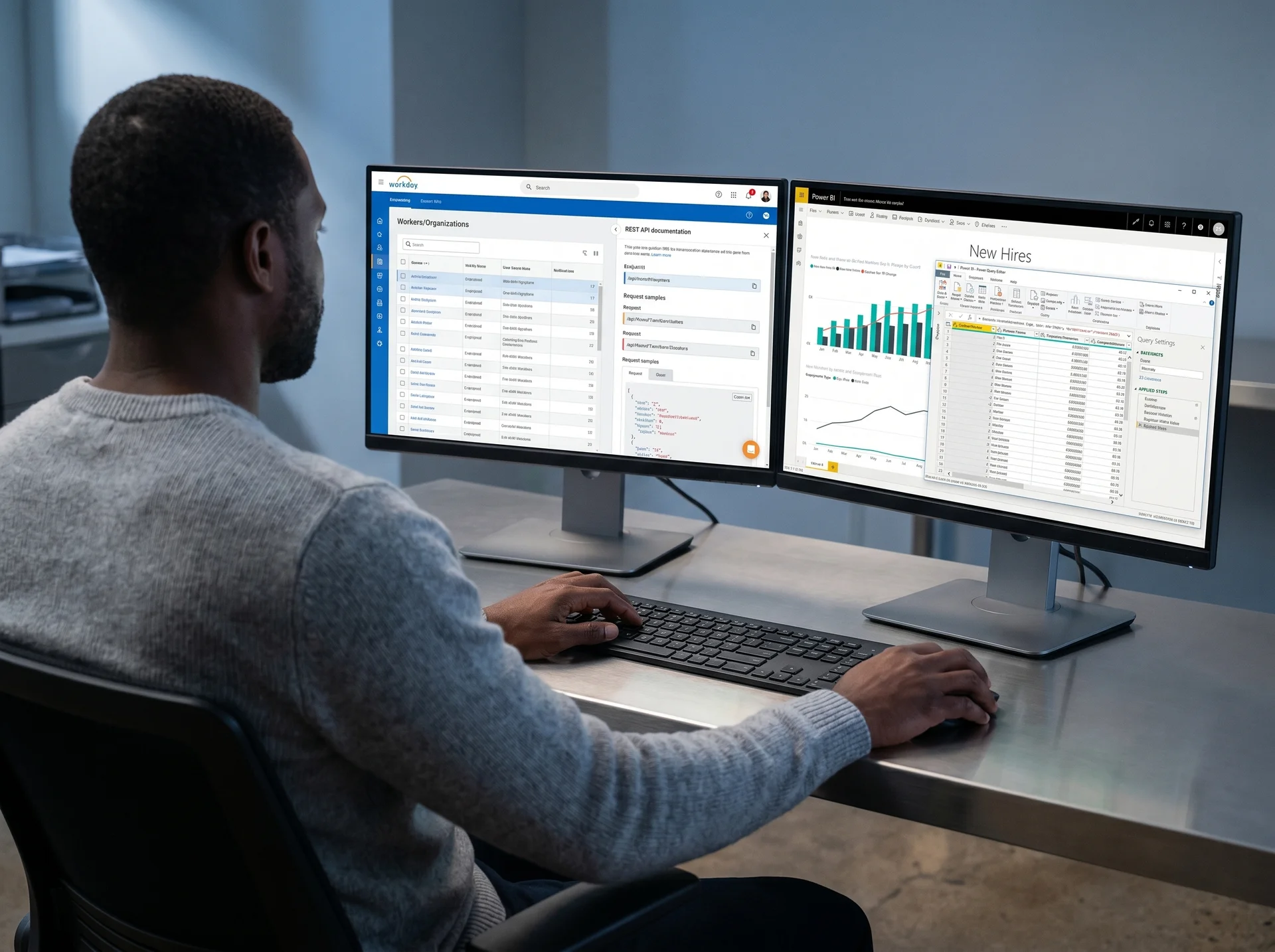
Over-the-shoulder, two monitors, Workday REST API and Power Query, clean office light · 720 × 540
Every Workday data object mapped, modeled, and owned by your team
Power bi and workday integration services that deliver a governed semantic model your team can maintain and extend without returning to an outside partner.
Workday Tenant Audit
We audit your Workday tenant modules, API access, Report-as-a-Service configuration, and security policies before scoping. You receive an architecture recommendation with tradeoffs documented in writing before any code is written.
Pipeline Build and Refresh Configuration
The integration pipeline is built using the recommended approach, with service account authentication, incremental extraction strategy, and refresh scheduling configured for reliable automated updates without manual intervention.
Semantic Model with Governed DAX
Workday objects mapped to a documented DAX measure library covering headcount, turnover, compensation, time tracking, and budget variance. Consistent metrics shared across every Power BI report in your workspace.
Cross-System Joins
Workday HCM data joined to ERP, CRM, project, or financial planning system data using employee identifiers and cost center codes as relationship keys. Workforce cost reconciles to the general ledger automatically.
Role-Based Security and Governance
Row-level security by management hierarchy, business unit, or region built into the Power BI semantic model. Workspace naming standards, access policies, and an admin runbook delivered at go-live.
Power BI Workday Dashboards
Workforce overview, compensation analysis, turnover and retention, and capacity planning dashboards built in Power BI. Validated against Workday source data before delivery. Full template ownership transferred to your team.
Integrating other platforms alongside Workday?
19 global entities unified. Power BI pulling from four source systems into one governed analytics platform.
A renewable energy provider based in New York operated across 19 global legal entities with no centralized system for reporting across business units. Decentralized architecture made comprehensive analysis impossible, and reporting tools across the organization lacked alignment with business strategy and mobile support.
19 global entities operating in separate data silos with no ability to produce consolidated financial and operational reports across the organization
Budget control and project reporting managed in disconnected systems, preventing project-wise performance visibility for leadership
Microsoft Power BI was implemented pulling data from Dynamics 365 Finance and Operations, Dynamics 365 Field Service, SQL databases, and Excel spreadsheets into a single consolidated analytics platform. All 19 global entities streamed data to one governed Power BI workspace.
Power BI dashboards provided comprehensive business intelligence across all data sources including power plant operations, asset management, financial performance, and project budget control, enabling strategic decision-making from a single platform.
Global legal entities unified on one Power BI analytics platform
Separate systems joined in one governed Power BI semantic model
Case Study · Power BI multi-source dashboard in global operations center
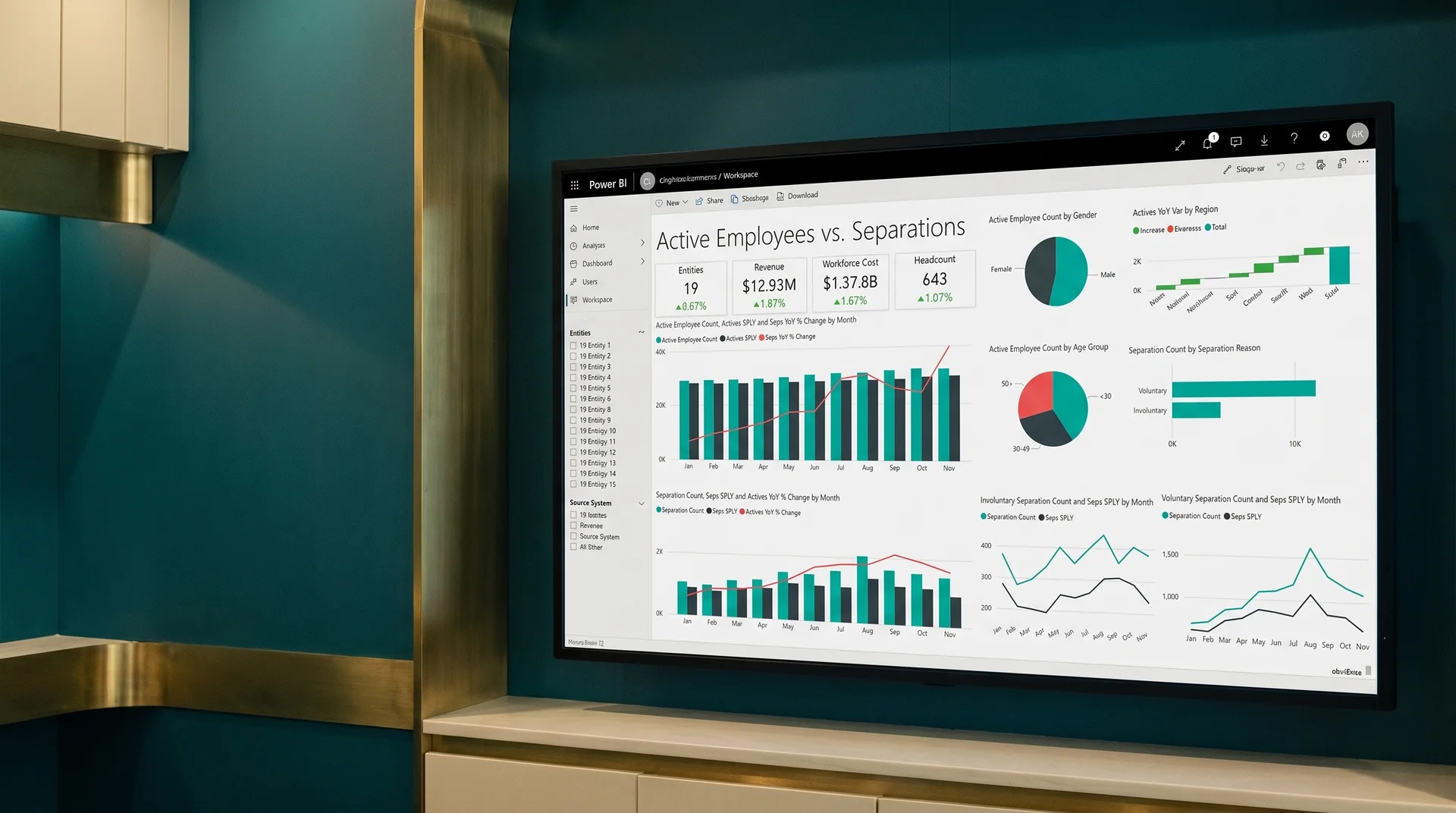
Power BI global enterprise dashboard in operations center, wide angle · 960 × 540
Explore Power BI implementation servicesCommon Workday Power BI integration failures that a scoped build prevents
Workday power bi integration projects that skip the architecture phase produce dashboards that stop refreshing or return incomplete data within weeks of launch.
API Rate Limits Causing Partial Refreshes
Workday APIs enforce daily request quotas per tenant. A Power BI refresh that pulls too many objects or date ranges simultaneously will hit the quota limit and return incomplete data silently. Incremental extraction strategy is designed before the build to stay within limits.
Report as a Service Scope Creep
Teams that start with Report-as-a-Service often need cross-system joins after launch. Migrating to a pipeline architecture midway doubles the work. The right approach is documented in the architecture recommendation before any development begins.
Security Role Misconfiguration
Workday security policies control which data objects are visible via API. If the integration service account does not have the correct Workday security roles, certain fields return empty silently without an error. Security role requirements are validated in Phase 1 before any pipeline is built.
Workday Tenant Upgrade Breaking Connectors
Workday releases updates that can change API field names, add required authentication parameters, or deprecate report endpoints. Connectors built without versioning and service account authentication break at the next Workday upgrade cycle. We configure integrations for maintenance resilience.
Compensation Data Exposed to Wrong Roles
Compensation and payroll data in a Power BI semantic model is visible to any user who can access the dataset if row-level security is not explicitly configured. Workday's compensation sensitivity requires security design before any data lands in Power BI. Role-based security is part of scope, not an afterthought.
Batch Refresh Conflicts with Workday Processing Windows
Workday runs batch processing jobs overnight that lock certain data objects. Power BI refreshes scheduled during these windows can fail or return stale data. Refresh scheduling is aligned with Workday processing windows in the integration design, not discovered when dashboards show yesterday's numbers.
What separates a governed workday power bi integration from one that needs rebuilding after six months
Most Workday Power BI integration failures trace back to two root causes: no architecture documentation before build, and no security design before compensation data entered Power BI. Both are addressed before Sprint 1. When you integrate power bi with workday data correctly, the platform stays stable through tenant upgrades.
How this engagement works
Workday tenant audit before architecture is recommended. API access, security roles, Report-as-a-Service configuration, and tenant upgrade schedule reviewed before any path is chosen.
Architecture recommendation and security design documented in writing before development. Tradeoffs between all three connection methods, refresh strategy, and row-level security design covered before a single pipeline is configured.
Service account authentication on every production integration. Refresh does not break when a developer's personal Workday credentials expire or are deprovisioned during staff changes.
Full DAX library, pipeline documentation, security design, and workspace governance transferred at project close. No retainer required to maintain or extend the integration independently.
How this typically goes elsewhere
Start with Report-as-a-Service because it is fast to deploy, discover that cross-system joins are needed three weeks later, and rebuild the architecture at additional cost.
Build the dashboard without security design. Compensation data visible to every Power BI workspace member. Flag raised by HR six weeks after launch, rebuild required.
Use a developer's personal Workday credentials for the integration service account. Credentials are deprovisioned when the developer leaves. Dashboards stop refreshing on a Monday morning.
Frequently asked questions about workday reporting in power bi
Power BI does not ship a certified native Workday connector in Power BI Desktop. Integration is achieved through three primary approaches: the Workday Report-as-a-Service API, the Workday REST API with a custom connector, or an extract-transform-load pipeline into a staging data warehouse before connecting to Power BI. Each approach has different tradeoffs for data freshness, volume, and maintenance overhead. We document the recommended approach in your scoped integration proposal before any development begins.
Power BI integrations can surface data from Workday HCM including headcount, compensation, open roles, turnover, and time tracking, as well as Workday Financials including general ledger, accounts payable, accounts receivable, and budget performance. Workday Payroll and workforce planning data can also be integrated. The specific objects available depend on your Workday tenant configuration and the API access your IT team can provision.
Workday data refresh in Power BI is typically scheduled rather than real-time because Workday APIs are designed for batch extraction, not streaming. Most integrations refresh one to four times per day depending on data volatility. For near-real-time requirements, a staging database with incremental extraction reduces latency and avoids hitting Workday API rate limits. Refresh strategy and frequency are covered in the architecture recommendation included in your proposal.
Yes. Combining Workday HCM or Financials data with ERP, CRM, or financial planning tool data in a single Power BI semantic model is one of the primary drivers for this integration. A data warehouse approach allows Workday data to be joined to other source systems using shared keys such as employee identifiers or cost center codes, enabling dashboards that span HR, Finance, and Operations in a single governed workspace.
Is this the right power bi workday integration engagement for your organization?
Good fit for organizations that
- Have an active Workday HCM or Financials tenant and need workforce data alongside business performance in Power BI
- Already use Power BI for financial or operational reporting and want workday reporting in power bi alongside existing dashboards
- Need compensation or payroll data in Power BI with row-level security that respects management hierarchy
- Want Workday workforce cost to reconcile automatically to the ERP general ledger in a single Power BI model
Not a fit if you
- Need Workday configured or customized before an integration can be built, as this is an analytics project, not an HCM implementation
- Have no Power BI workspace in place and need a full Power BI rollout before the Workday integration can be built
- Cannot provision an integration service account in your Workday tenant due to IT policy constraints that cannot be changed
Not sure? Tell us your setup and we will give you a direct answer on the right starting point.
Get a scoped proposal for your Workday Power BI integration
Submit your brief and receive a written architecture recommendation, phase milestones, effort estimate, and security design within three business days. Scoped before work starts, no commitment required.
What are you integrating?
Call within 48 hours · proposal in 3 days · Sprint 1 within 1 week of sign-off
Brief received
We will review your Workday and Power BI setup and send a scoped architecture proposal within 3 business days.
Response within 48 hours of brief submission
Written scoped proposal in 3 business days
60 plus projects completed across Power BI and analytics
Full code ownership transferred at project close
Pre-footer · Finance and HR team reviewing integrated Workday Power BI reports

Your Workday data and your business data belong in the same governed workspace.
No commitment. No pitch. A written architecture recommendation and integration scope in three business days so you know exactly what power bi and workday integration services cost, what is included, and when the dashboards go live.
Your team's time investment is typically 2 to 3 hours per week. One sprint review, async feedback on layouts, and a final sign-off. We handle the architecture and build.