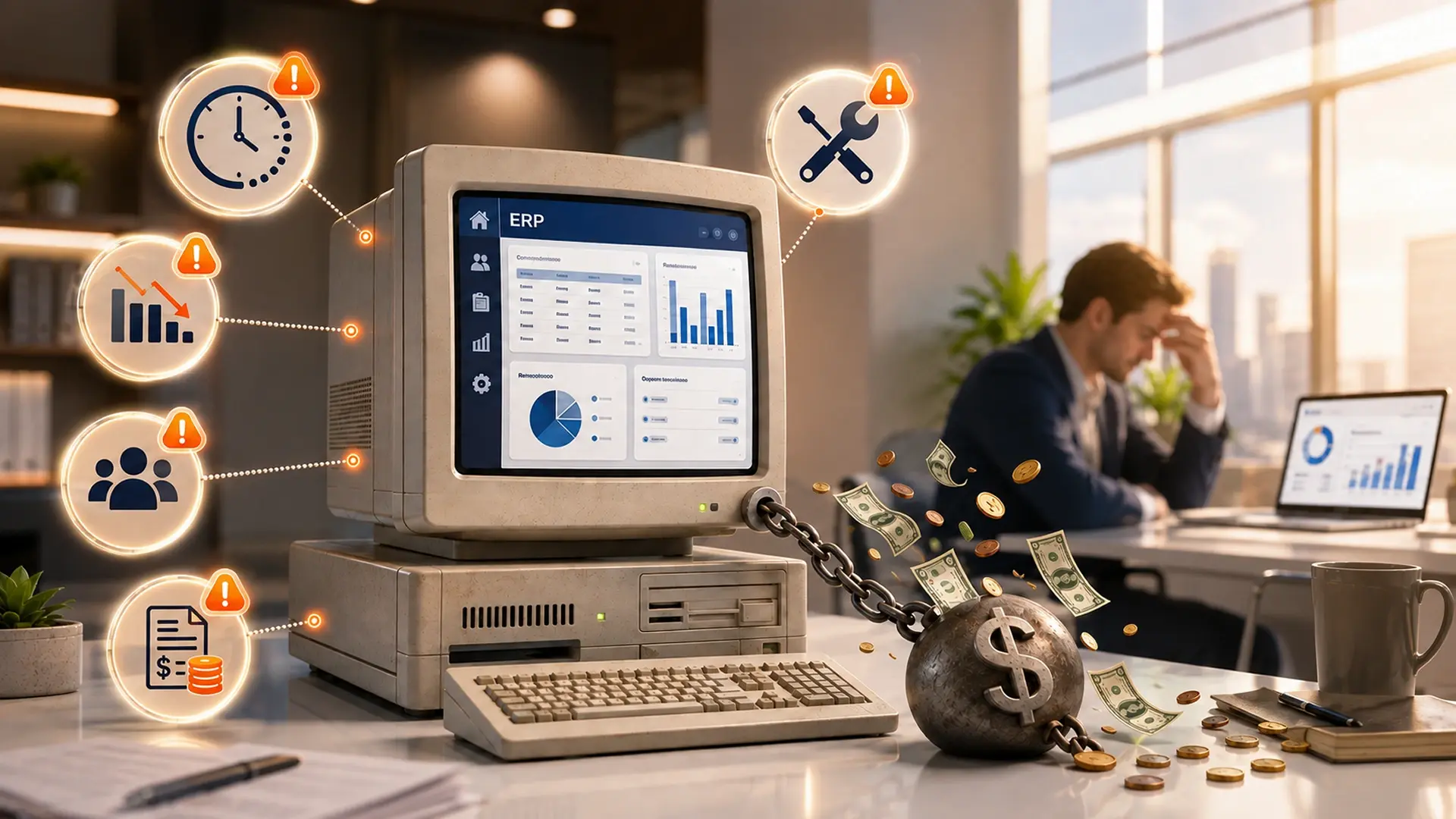
A legacy ERP starts costing you real money when it forces employees into manual workarounds, delays financial and operational reporting, keeps getting more expensive to maintain, raises your security and compliance exposure, or blocks the automation and growth initiatives your business needs next. Two or more of these signs usually mean the cost of keeping the system has quietly passed the cost of fixing it.
Your ERP still processes invoices, records transactions, and stores customer information. Technically, it still works. But employees export reports into spreadsheets, finance waits days for accurate numbers, integrations fail on a rotating basis, and every change requires expensive outside help.
The system has not stopped working. It has simply started making everything else in the business more expensive. That distinction matters, because most companies wait for an ERP to break completely before they act, and by then they have usually paid for the fix several times over in lost labor, missed decisions, and stalled growth. A closer look at how a modern platform like Dynamics 365 closes that gap is often the fastest way to see exactly where the money is leaking.
Legacy ERP costs extend well beyond licensing and infrastructure. The biggest ones usually show up as manual labor, delayed decisions, integration maintenance, downtime, missed opportunities, and security exposure, none of which appear as a tidy line item on a budget. Gartner points to technical debt, poor business fit, skills shortages, and high running cost as the main forces pushing organizations to modernize legacy systems.1 This article walks through five signs that your ERP has crossed that line, what each one is actually costing you, and how to decide whether the right fix is to optimize, modernize, or replace the system entirely.
What counts as a legacy ERP problem
A legacy ERP is an older enterprise resource planning system that still runs the business day to day, but relies on outdated architecture, limited integrations, unsupported technology, or years of undocumented customization that make it slow and expensive to change. Oracle frames this the same way: legacy ERP systems often lack the modern capabilities a competitive, data-driven business needs today, even when the software itself has not technically failed.2
Age alone does not make an ERP a liability. A ten-year-old system that is still supported, secure, well-integrated, and aligned with how the business runs can keep delivering real value. A three-year-old platform can also turn "legacy" fast if a poor implementation or fragmented processes make it hard to change safely. Our Dynamics 365 health check is built around exactly this distinction, since it scores the system against how the business runs today rather than against its age. Watch for these characteristics instead of counting birthdays:
- Runs on aging on-premises infrastructure or an outdated database
- Carries years of heavy, undocumented customization
- Cannot integrate cleanly through modern, open APIs
- Depends on a shrinking pool of specialists who understand it
- Relies on manual exports and spreadsheets to answer basic questions
- Costs more each year just to keep running, let alone improve
- No longer receives full vendor support or security patches
The real question isn't age. It's whether your ERP still supports how the business actually operates today, and whether it can support where you want to take the business next. If the answer to either is no, the system is quietly working against you.
The 5 signs your legacy ERP is costing you money
Most of these signs build up slowly instead of arriving all at once. If two or more sound familiar, the cost of keeping the system has probably already outpaced the cost of fixing it.
1. Employees spend too much time on manual work and spreadsheets
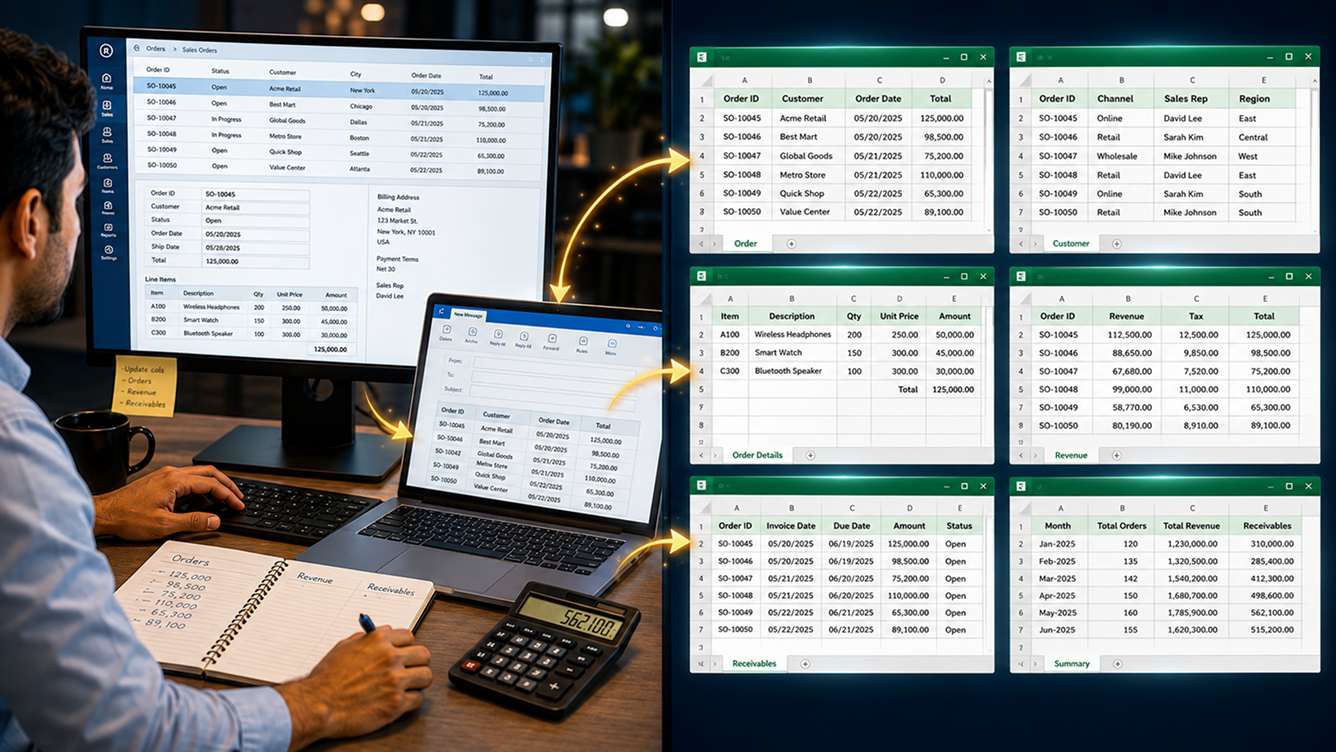
An ERP should cut repetitive work by connecting processes and keeping business data consistent in one place. When employees keep exporting, copying, reconciling, or re-entering the same information, the system is quietly pushing labor costs back onto the team.
- Finance exports ERP data into Excel to build management reports
- Orders get typed into more than one system by hand
- Teams keep shadow spreadsheets that live outside the ERP entirely
- People reconcile customer, vendor, or inventory data over and over
- Month-end close depends on manual journal entries
- New hires need weeks of training just to learn the workarounds
Microsoft positions modern ERP platforms such as Business Central as systems that connect finance, sales, service, and operations while automating the handoffs between them.3 When your ERP cannot do that, skilled employees spend paid hours doing what software should be doing, and every extra manual touchpoint adds another chance for a wrong price, a duplicate order, or a missed invoice.
Here is a simple way to size the cost: multiply your headcount by weekly manual hours, by average hourly employment cost, by 52 weeks. A business with 12 employees losing 5 hours a week to manual ERP workarounds at an average loaded cost of $40 an hour lands at 12 × 5 × $40 × 52 = $124,800 a year, and that number excludes the cost of errors, rework, and management time spent chasing them down.
Not sure how much manual work your ERP is creating?
A short discovery call usually surfaces it fast.
2. Reporting is slow, incomplete, or built on outdated data
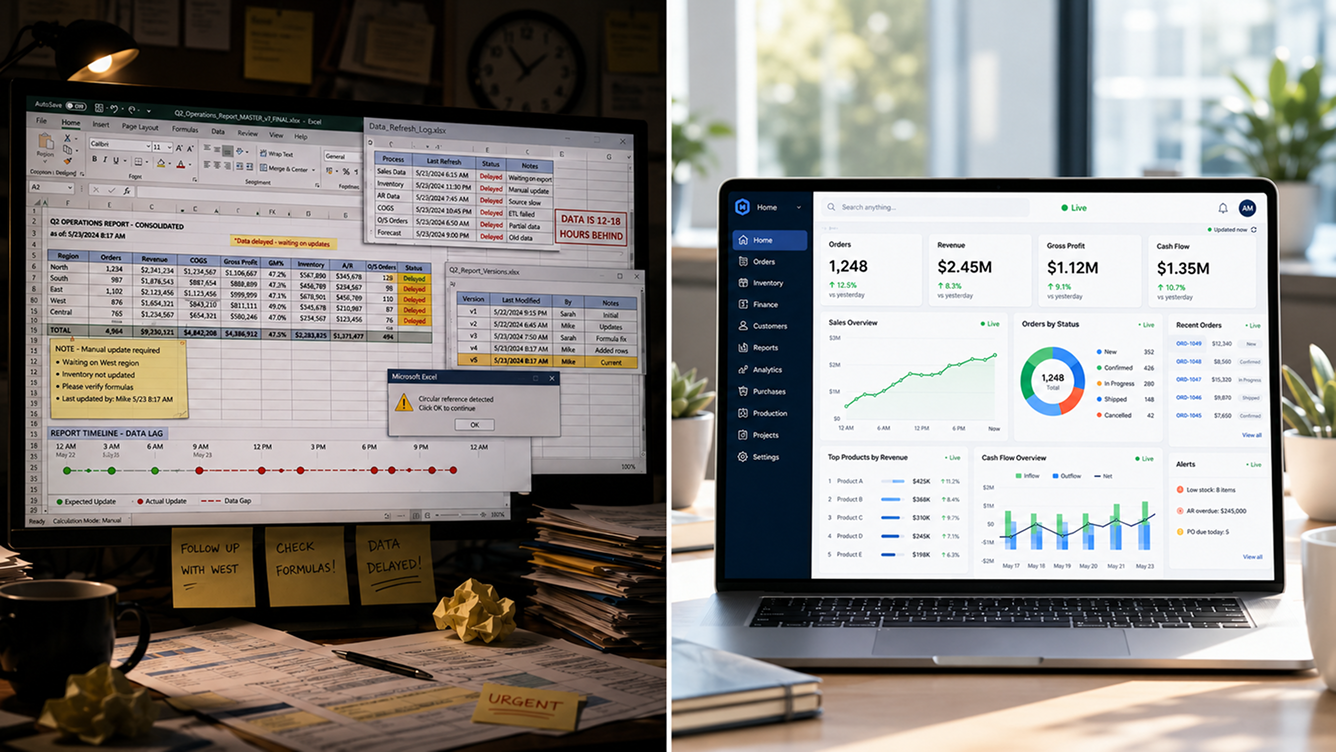
Leaders cannot make timely decisions when ERP data is hard to access, split across systems, or several days out of date. A legacy ERP can record every transaction correctly and still fail completely as a decision-support tool.
- Reports take hours or days to produce, not minutes
- Different departments report different numbers for the same metric
- Managers cannot drill into the transactions behind a total
- Dashboards rely on spreadsheets that someone has to refresh by hand
- IT has to write custom queries just to answer routine business questions
A distributor might see revenue climbing month over month while having no real-time view into product-level margin. By the time finance manually combines freight, supplier, and sales data, several high-volume products turn out to be selling below target margin, and the ERP did not cause that loss directly. Its reporting limitations simply kept the business from catching it sooner. Microsoft's own Business Central documentation highlights integrations with tools like Power BI and Power Automate specifically to close this kind of visibility gap.3 Clean, well-structured ERP data migration work is usually what makes that real-time view possible in the first place, since a dashboard is only as reliable as the data feeding it.
3. Maintaining and integrating the ERP keeps getting more expensive
Legacy ERP environments tend to accumulate custom code, middleware, point-to-point integrations, and technical dependencies over the years. Every new requirement becomes pricier because the team has to protect everything already built around the system just to make one small change.
- Routine upgrades require extensive testing of custom code
- Only one employee or outside consultant really understands key customizations
- Adding a new app or integration turns into a major IT project
- Developers are afraid to touch the core system for fear of breaking it
- The business keeps postponing upgrades because disruption feels too risky
Gartner names technical debt and rising cost as two of the clearest signals that it is time to modernize a legacy application, rather than keep patching it.1 A useful exercise here is separating "run the business" ERP spending from "change the business" spending. If nearly all of your ERP budget goes toward keeping existing functionality alive, the platform is quietly eating the budget you meant to spend on improvement.
| Configuration | Customization |
|---|---|
| Uses supported, built-in platform settings | Adds or modifies custom code |
| Usually survives platform updates | Often needs redevelopment after an upgrade |
| Easy to document and hand off | Frequently depends on one specialist's memory |
| Lower long-term maintenance cost | Tends to produce recurring upgrade bills |
Not all customization is bad. Some of it protects a genuine competitive advantage. The problem shows up when years of undocumented changes make the system too fragile to update with confidence. A dedicated managed services arrangement usually pays for itself here, since ongoing, documented support keeps small fixes small instead of letting them turn into fragile custom code nobody wants to touch.
4. Security, compliance, and reliability risks keep climbing
An outdated ERP can create financial exposure through unpatched vulnerabilities, unsupported components, weak access controls, and aging infrastructure. That cost sometimes shows up as an actual incident, but it also builds quietly through security administration, compliance labor, and downtime long before anything breaks.
- The ERP or its underlying operating system is no longer fully supported
- Patches get delayed because a customization might break if you apply them
- Users share accounts or carry far more access than their role needs
- Audit trails are incomplete or pieced together by hand
- Disaster-recovery steps have never actually been tested
NIST is direct about this trade-off: patching known vulnerabilities meaningfully reduces security risk, but patching is also resource-intensive and can affect system availability, which is exactly why legacy environments fall behind.4 To put a number on the stakes, IBM found that the average cost of a data breach for U.S. organizations climbed to a record $10.22 million in 2025, even as the global average fell.5 A legacy ERP does not cause a breach on its own, but unsupported components, difficult patching, and poor visibility all raise the cost and complexity of managing that risk. NIST's broader guidance treats cybersecurity as an enterprise risk issue, not a purely technical one, which is exactly how leadership should be framing an aging ERP.6 A Dynamics 365 health check is a practical first step toward putting a real number on that exposure before it turns into an incident.
"The cost of a legacy ERP is not what you pay to keep it running. It is the total value lost because the system makes work slower, riskier, and harder to scale."On why legacy ERP costs stay hidden
5. The ERP is blocking growth, automation, and digital transformation
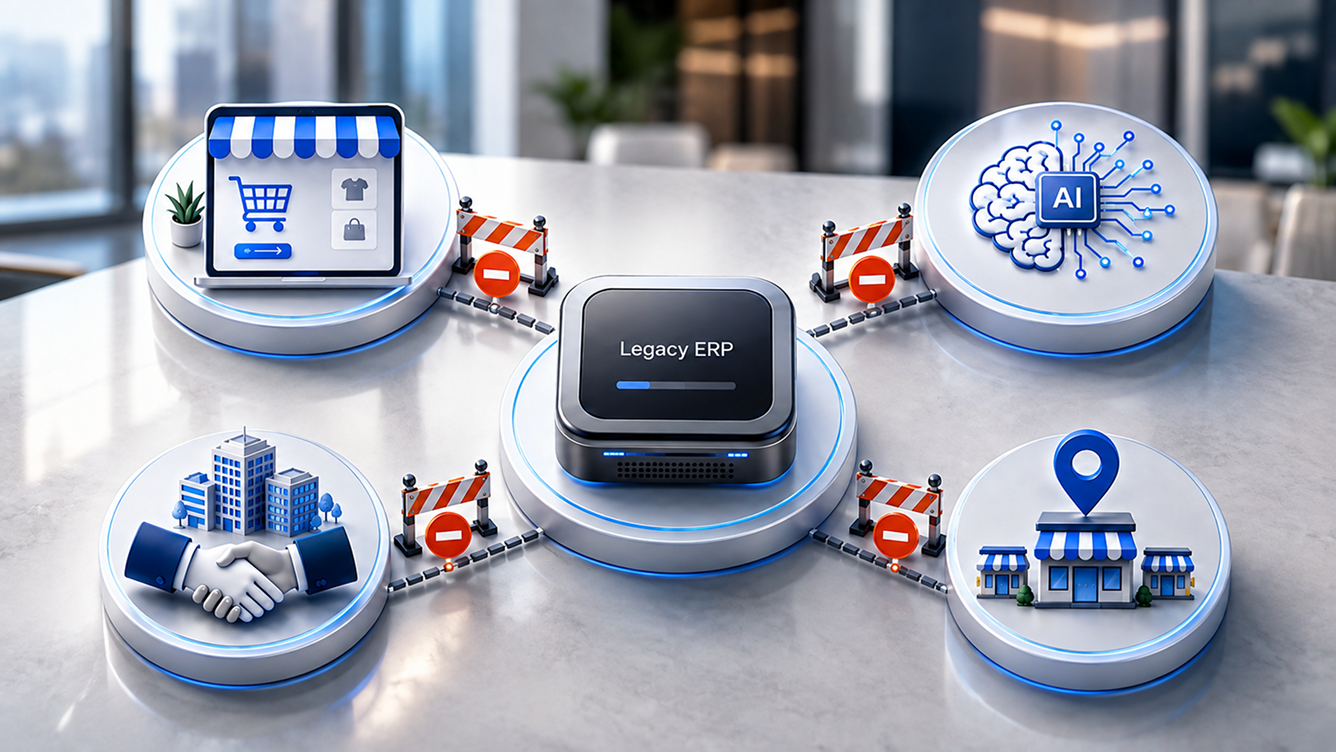
The most expensive legacy ERP problem is often the opportunity the business cannot pursue. An ERP becomes a strategic constraint once the organization cannot launch new products, support an acquisition, automate a process, connect ecommerce, or bring in analytics and AI without extensive custom development.
- New locations need their own database or a stack of manual workarounds
- Ecommerce orders do not flow automatically into the ERP
- The system cannot cleanly handle multiple entities, currencies, or regions
- APIs are missing, limited, or genuinely difficult to work with
- AI and automation projects depend on exporting and cleaning data by hand
Microsoft's current Dynamics 365 strategy leans heavily on integrated data, automation, and AI agents that support decisions at scale, and Gartner similarly frames legacy ERP modernization as increasingly necessary for organizations that want to benefit from intelligent application strategies.7,1 A manufacturer that cannot connect production, forecasts, and inventory in real time will keep carrying excess safety stock simply because planners do not trust the ERP's availability numbers. The fix is not more inventory. It is a system that tells the truth in real time.
Want to see what a modern ERP would unlock?
We map your current bottlenecks against what Dynamics 365 handles out of the box.
What a legacy ERP is really costing you
Add up your legacy ERP cost across six buckets rather than one. Some numbers you can pull directly from invoices. Others need an honest estimate, and that is fine, because even a rough number beats no number at all.
- Labor cost: manual entry, spreadsheet reporting, reconciliation, and rework
- Technology cost: servers, hosting, database licenses, backups, and middleware
- Support cost: consultants, specialist developers, and upgrade testing
- Risk cost: downtime, security exposure, and compliance labor
- Revenue leakage: pricing errors, stockouts, and delayed fulfillment
- Opportunity cost: the ecommerce launch, acquisition, or AI project you keep postponing
Total annual legacy ERP cost = direct technology cost + labor inefficiency + error and downtime cost + risk exposure + lost revenue + delayed opportunity value. Some of these figures you can measure precisely. Risk and opportunity costs usually need an agreed-upon assumption from your leadership team, and that is still far better than leaving them out of the conversation entirely.
Use this as a starting worksheet before you talk to anyone about migration. If you would rather have a partner run the numbers with you, our legacy ERP health check walks through each of these six categories against your actual system.
Do you need to replace it, or just fix it
Spotting one of the five signs above does not automatically mean you need a new platform. Most of the time, a targeted fix solves the problem for far less money and disruption.
| Situation | Likely response |
|---|---|
| Reports are poorly designed, but the underlying data is reliable | Improve reporting and BI |
| A handful of workflows remain manual | Add targeted process automation |
| One integration is unreliable | Redesign that single integration |
| The ERP version is supported but poorly configured | Optimize the existing system |
| Customizations are blocking every upgrade | Simplify or refactor customizations |
| The platform is unsupported and limits growth | Evaluate full ERP replacement |
| Several signs are hitting cost, risk, and strategy at once | Begin a formal modernization assessment |
Score your own system honestly across the five signs above, rating each one from 0 (no real problem) to 3 (a direct hit on revenue, risk, or growth). A total from 0 to 3 usually means keep monitoring and optimizing. A total from 4 to 7 means prioritize targeted improvements. From 8 to 11, run a formal modernization assessment. From 12 to 15, start evaluating full replacement options. Treat this as a conversation starter, not a verdict. The financial impact behind the score matters more than the score itself. If you land in the 8 or higher range, it is worth booking a discovery sprint before committing to either path.
Upgrade, modernize, migrate, or replace: what's the real difference
These four terms get used loosely, so it helps to define them plainly before you plan a budget.
- ERP upgrade: moving to a newer version of the same platform. SAP describes this as replacing an outdated or unsupported ERP version with a current one while keeping the same core system.8 This works best when the platform still fits the business.
- Legacy ERP modernization: improving the existing environment through cloud hosting, modern integrations, automation, and refactored customizations, without swapping the core platform.
- ERP migration: moving data, processes, and users from one ERP environment to another, whether that means a version change, an on-premises-to-cloud move, or a switch between vendors.
- ERP replacement: retiring the current system entirely. This makes sense when vendor support is ending, customization has become unmanageable, or growth depends on capabilities the platform cannot realistically provide.
Whichever direction you lean toward, run the total cost of ownership over five to seven years, covering implementation, licensing, data migration, training, and support, not just the sticker price of year one. Gartner advises CIOs to weigh the costs and the potential benefits of ERP modernization together rather than treating it as a purely technical decision, and that framing holds whether you are evaluating a modernization project or a full Dynamics 365 implementation.9
When Dynamics 365 Business Central is worth evaluating
Business Central tends to be a good fit for growing small and midsize organizations that need to connect finance, sales, service, inventory, and operations in one place. Microsoft describes it as a business-management platform built specifically to link those functions and streamline the handoffs between them.3
- The business has outgrown entry-level accounting software
- Finance and operations currently run on disconnected systems
- The company already relies on Microsoft 365 day to day
- Teams want native Power BI and Power Automate integration
- The business runs several entities but does not need a large-enterprise ERP
Business Central is not the right fit for every organization, and platform selection should always depend on process complexity, transaction volume, industry requirements, and long-term strategy rather than a single vendor's marketing page. If you are migrating off an aging Dynamics NAV or GP environment specifically, our NAV to Business Central migration path is built around exactly that scenario, and our managed services team can keep the new environment running once you are live.
Key takeaways
- An ERP does not have to fail outright before it starts hurting profitability. Watch for manual work, slow reporting, rising maintenance cost, security risk, and blocked growth.
- Most legacy ERP cost is hidden in employee hours, delayed decisions, and missed opportunities, not in a single visible invoice.
- One warning sign rarely justifies full replacement. Two or more, hitting cost, risk, and strategy together, usually does.
- Compare the total cost of keeping the system against the total cost of modernizing it over five to seven years, not just against next year's budget.
Frequently asked questions
What are the most common legacy ERP problems?
The most common problems are manual data entry and spreadsheet workarounds, slow or unreliable reporting, rising maintenance and integration costs, growing security and compliance risk, and an inability to support automation, ecommerce, or AI initiatives. Most legacy ERP systems show several of these signs at once rather than just one.
How do I know if my ERP system is outdated?
Look at vendor support status, how hard upgrades have become, how many customizations sit on top of the core system, how much reporting depends on manual spreadsheet work, and whether the platform can integrate with modern tools through open APIs. An ERP that requires increasing manual effort just to stay the same is usually the clearest sign.
How much does a legacy ERP actually cost a business?
Total cost includes direct technology spend such as licensing, hosting, and maintenance, plus indirect costs like manual labor, reconciliation, and downtime, plus opportunity costs from delayed automation, ecommerce, or AI projects. Many businesses underestimate the true number because indirect and opportunity costs rarely show up as a single line item.
When should a business replace its ERP instead of upgrading it?
Replacement makes sense when the platform is unsupported, customizations have become unmanageable, growth depends on capabilities the system cannot realistically deliver, or modernizing the existing environment would cost nearly as much as moving to a new platform. A single limitation rarely justifies replacement on its own.
What is the difference between ERP modernization and ERP replacement?
ERP modernization improves the existing environment through cloud hosting, better integrations, automation, and refactored customizations while keeping the core platform. ERP replacement retires the current system entirely and moves the business to a new one. Modernization is usually less disruptive; replacement is usually necessary when the core platform itself is the limitation.
How long does ERP migration typically take?
Timelines vary widely based on company size, data quality, the number of integrations, and how many customizations need to be rebuilt or retired. A focused, single-entity migration can take a few months, while multi-entity or heavily customized environments commonly take six months to a year or more.
Sources & citations
- Gartner, "Enterprise Resource Planning (ERP) Insights" and related Gartner research on legacy and mainframe systems migration: technical debt, poor business fit, skills shortages, and high cost as core drivers of legacy modernization.
- Oracle, "Your Complete Guide to Modern ERP": legacy ERP systems often lack the capabilities a competitive, data-driven business needs.
- Microsoft, "Business Central | Microsoft Dynamics 365" and Microsoft Learn Business Central documentation: platform capabilities, Power BI and Power Automate integration.
- NIST National Cybersecurity Center of Excellence, "Critical Cybersecurity Hygiene: Patching the Enterprise": the security value and operational cost of enterprise patching.
- IBM, "IBM Cost of a Data Breach Report 2025": U.S. breach costs rising to a record $10.22 million even as the global average declined.
- NIST, NIST IR 8286 Rev. 1, "Integrating Cybersecurity and Enterprise Risk Management": treating cybersecurity as enterprise risk rather than a purely technical issue.
- Microsoft, "Agentic ERP Software Solutions | Microsoft Dynamics 365": current ERP strategy around integrated data, automation, and AI agents.
- SAP, "ERP Upgrade: The Path to Modernization": the definition and role of an ERP upgrade versus a full replacement.
- Gartner, "How CIOs Can Balance Benefits and Costs in ERP Modernization": weighing modernization cost against long-term benefit.
Figures were current as of research in mid-2026 and are reviewed roughly every quarter. Breach cost, licensing, and vendor roadmap figures shift over time, so confirm current numbers directly with the cited source before building a formal business case.

Umang Patel
Co-owner | Ecommerce Architecture, Systems & Integrations
Umang Patel has worked in ecommerce and technology since 2001. He specializes in backend systems, ecommerce architecture, ERP and platform integrations, automation, and reverse engineering complex business processes. At Redefine Innovations, he leads technolo
Areas of expertise: Ecommerce Architecture • Backend Systems • ERP Integration • Automation • Headless Commerce • Reverse Engineering