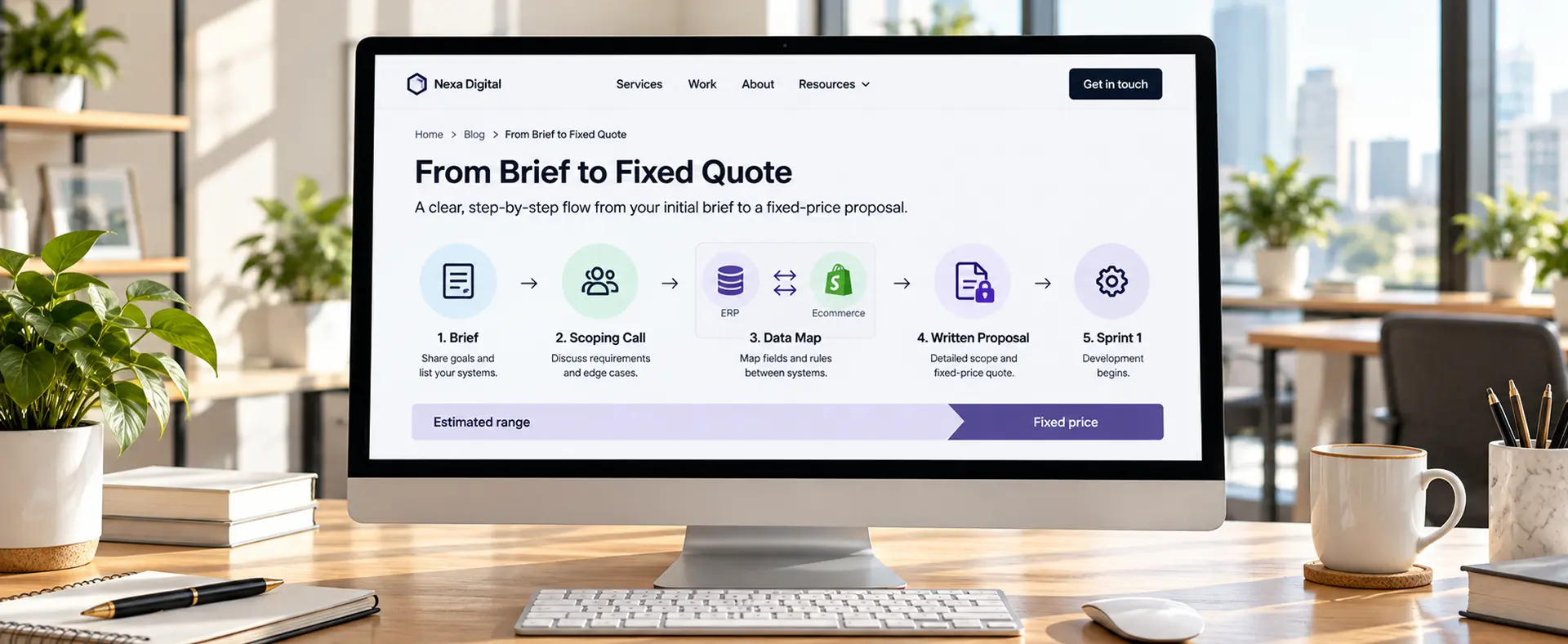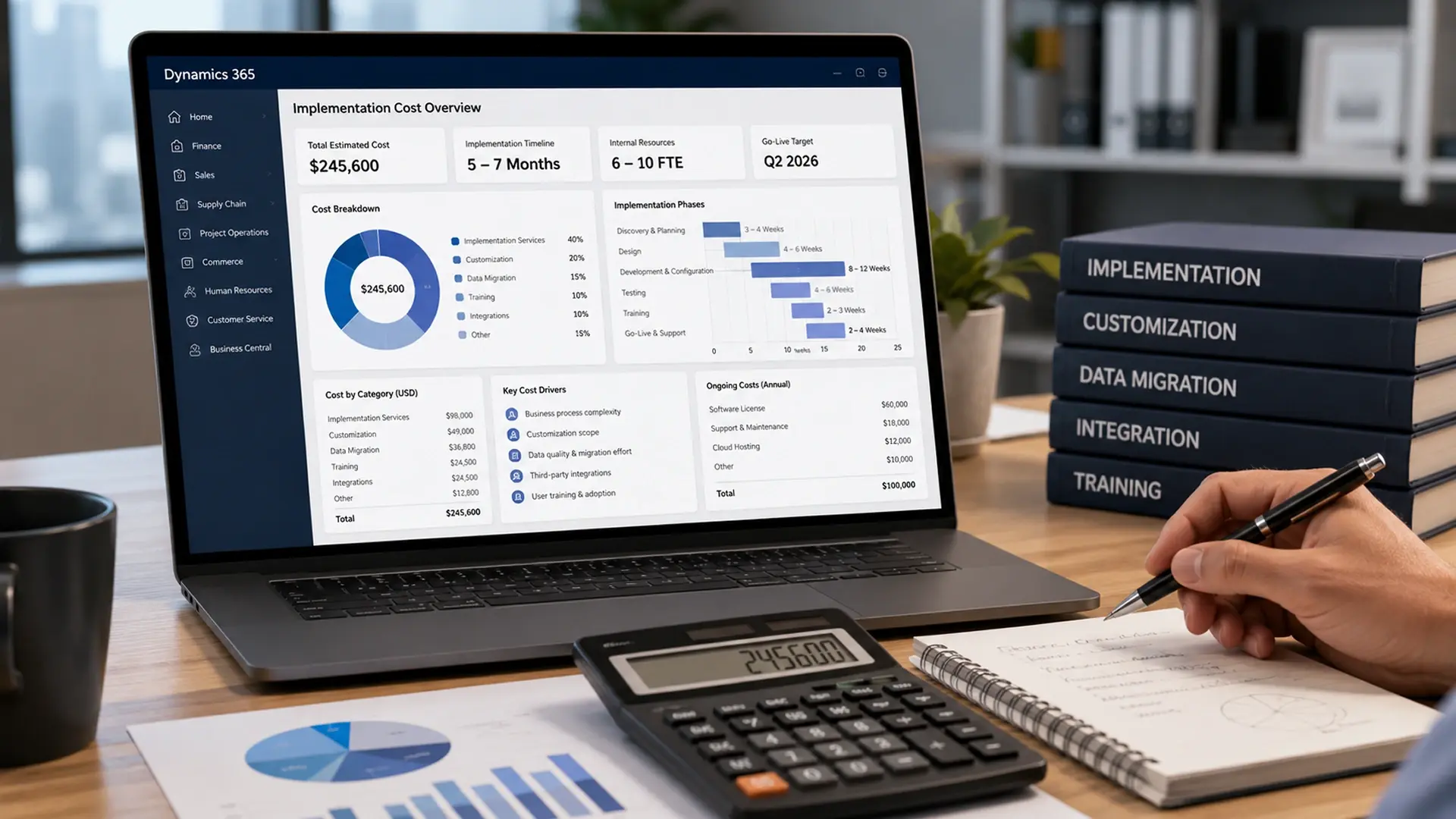
A Dynamics 365 implementation typically costs anywhere from $18,000 for a lean, out-of-the-box Business Central rollout to well over $300,000 for a customized Finance or Supply Chain deployment. The total depends on your module mix, user count, how much you customize, how messy your existing data is, and how many systems you need to connect. Licensing is usually the cheapest part of the whole project.
If you have asked a partner "how much does Dynamics 365 cost" and gotten back a shrug and a range that spans six figures, you are not alone. The honest answer is that Dynamics 365 pricing has several separate layers, and the license fee you see on Microsoft's site is usually the smallest one.
Let's walk through every layer that makes up a real Dynamics 365 implementation cost: licensing, implementation services, customization, data migration, training, infrastructure, and ongoing support. You will also see a worked budget example, current 2026 pricing following Microsoft's November 2025 rate change, and independent ROI research so you can weigh the investment against the payoff before you sign anything. If you would rather skip the math and get a number specific to your business, our Dynamics 365 implementation cost calculator walks you through the same variables in a few minutes.
Why 2026 numbers matter: Microsoft raised Business Central prices on November 1, 2025, its first increase to the product in more than five years. Essentials moved from $70 to $80 per user, per month, and Premium moved from $100 to $110. If you are budgeting from an older blog post or a quote from last year, you are likely working from stale numbers.
What actually drives Dynamics 365 implementation cost
Before you look at a single dollar figure, it helps to understand why the range is so wide in the first place. Six variables do most of the work in any Dynamics 365 quote.
- Module selection. Business Central serves small and mid-market finance and operations needs. Finance and Supply Chain Management serve larger, more complex organizations, and they cost several times more to license and implement.
- User count. Licensing scales directly with named users, and implementation effort tends to scale with the number of roles and departments you are onboarding, not just headcount.
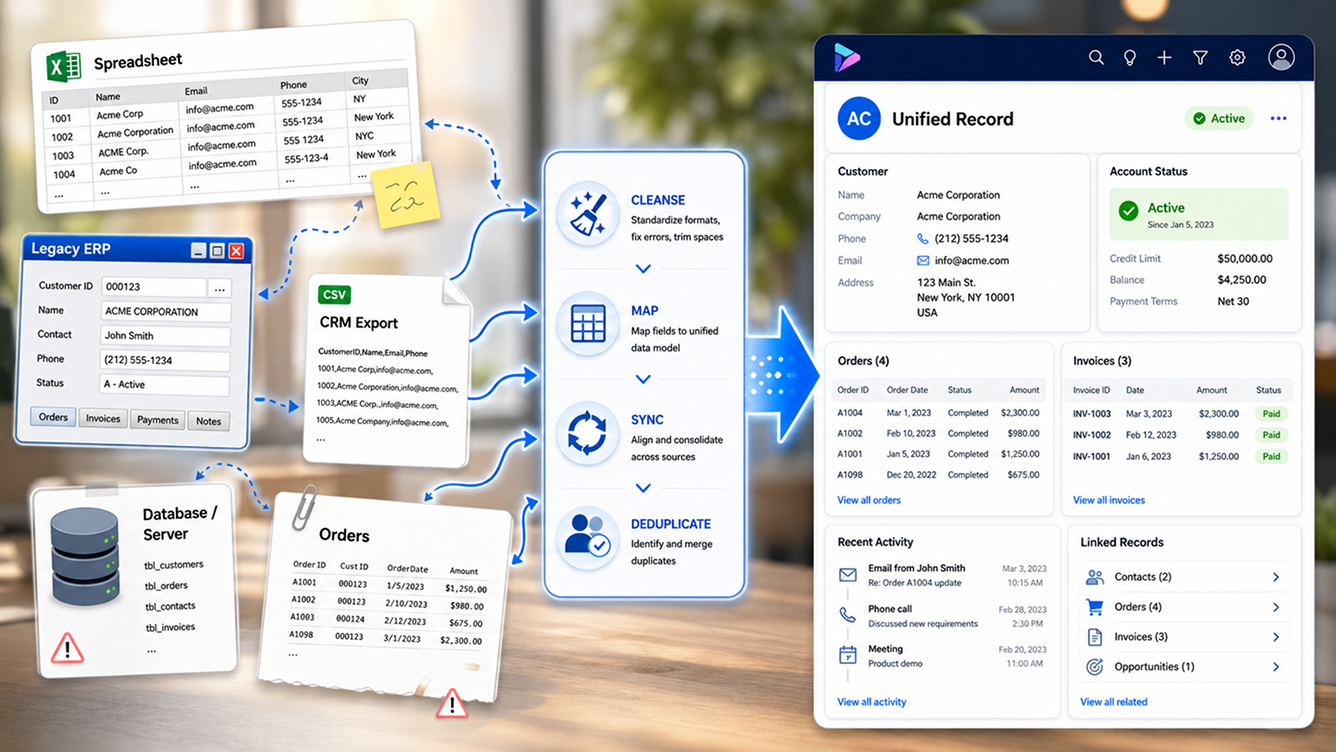
- Data quality. Clean, well-structured source data migrates quickly. Years of inconsistent spreadsheets and legacy system exports do not, and cleanup work can add 30 to 50 percent to a migration budget.
- Customization depth. Sticking close to Microsoft's standard workflows keeps costs down. Custom fields, workflows, and integrations each add development, testing, and future upgrade overhead.
- Integration count. Every legacy system, ecommerce platform, or third-party tool you connect to Dynamics 365 adds its own scope, and real-time integrations typically cost several times more than simple batch imports.
- Deployment approach. A phased rollout that starts with one core module usually costs less up front and carries less risk than a single, all-at-once cutover across every department.
Keep these six drivers in mind as you read the numbers below. Two companies buying the exact same Business Central license can end up with implementation costs that differ by tens of thousands of dollars, purely because of data quality and integration count.
Dynamics 365 licensing costs by module
Licensing is where most people start, and it is genuinely the most straightforward number to pin down, since Microsoft publishes it directly. Every Dynamics 365 application ships with a full-functionality base license, and Microsoft discounts additional modules through what it calls an attach rate, which lowers your per-user cost once you already own one qualifying app.
| Module | Licensing cost (2026) |
|---|---|
| Business Central Essentials | $80 per user/month |
| Business Central Premium | $110 per user/month |
| Business Central Team Member | $8 per user/month |
| Finance | $210 to $300 per user/month |
| Sales | $65 to $150 per user/month |
| Customer Service | $50 to $195 per user/month |
| Field Service | $105 per user/month |
| Project Operations | $135 per user/month |
| Customer Insights | $1,700 per tenant/month |
Microsoft's November 2025 update also increased the storage that ships with each Business Central license, from 2 GB to 3 GB per user on Essentials and from 3 GB to 5 GB per user on Premium, and folded core Copilot AI features into the base license at no added cost. If your team assigns a Premium license to someone who only needs to approve a workflow or view a report, that is money left on the table. A quick Business Central licensing calculator pass, or a proper licensing advisory review, usually finds seats that belong on the $8 Team Member tier instead.
Not sure which license tier your team actually needs?
We map every named user to the lowest license tier that still covers their job. We do not earn commission on Microsoft licenses, so the recommendation is genuinely neutral.
Implementation costs by module and company size
The implementation service itself, meaning the consulting hours it takes to configure Dynamics 365 to your business and get you live, is where budgets start to diverge from the sticker price. Industry benchmarks from Microsoft partners put a basic, mostly out-of-the-box configuration in these ranges.
| Module | Typical implementation cost |
|---|---|
| Business Central | $5,000 to $30,000 basic, up to $100,000+ for complex builds |
| Finance | $30,000 to $300,000 |
| Sales | $5,000 to $30,000 |
| Customer Service | $5,000 to $20,000 |
| Customer Insights | $5,000 to $25,000 |
| Field Service | $15,000 to $40,000 |
| Project Operations | $50,000 to $70,000 |
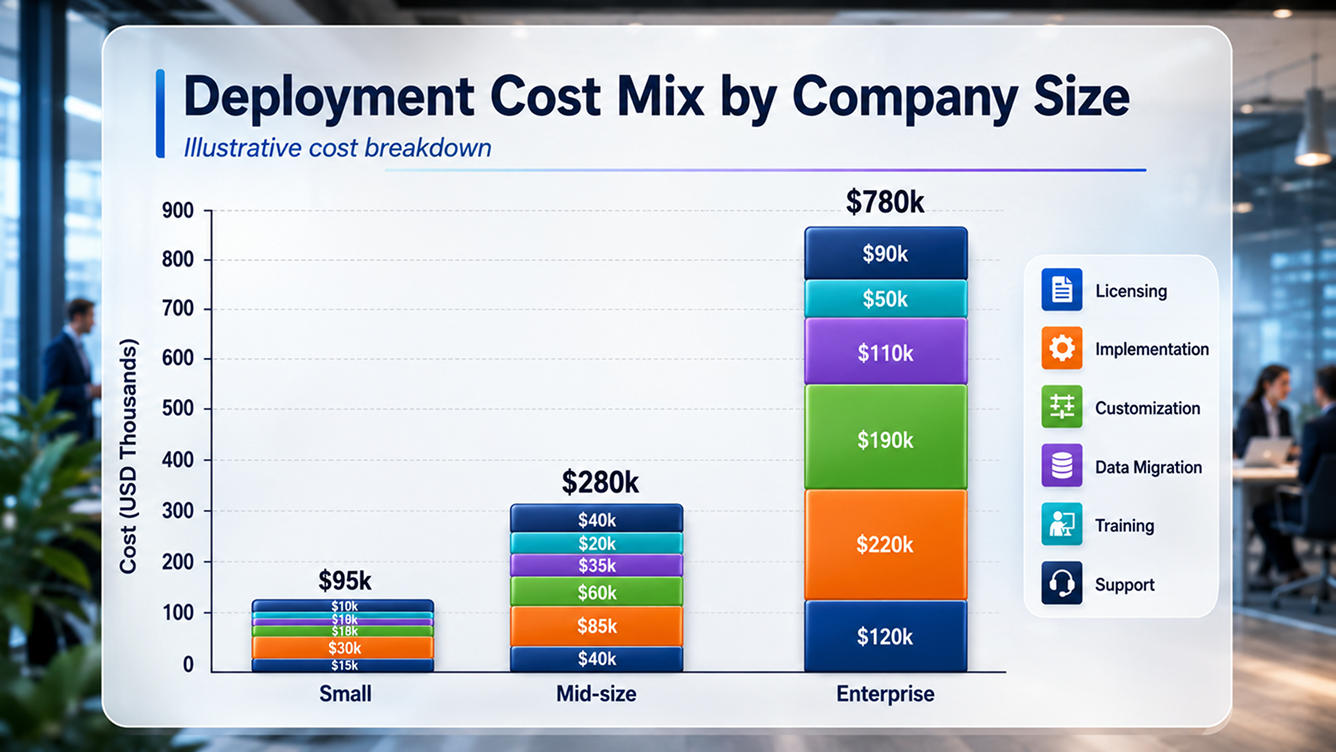
Company size shifts these numbers further. A 10 to 50 user Business Central implementation with a fixed-price, sprint-based partner typically starts around $18,000, delivered in 8 to 14 weeks from a signed statement of work. Enterprise implementations spanning 500 or more users across four or more modules commonly run $500,000 to $2,000,000 in professional services alone, before annual licensing. If those figures feel abstract, our Dynamics 365 implementation service page breaks the sprint structure down week by week so you can see where the hours actually go.
Customization costs
Dynamics 365 covers a wide range of standard business processes out of the box, but very few organizations run entirely inside the default configuration. Custom fields, workflows, forms, and business logic close the gap between what Microsoft ships and how your business actually operates, and this is one of the categories most likely to blow past an initial estimate if scope is not locked down early.
| Module | Customization cost range |
|---|---|
| Business Central | $5,000 to $30,000 |
| Finance | $30,000 to $300,000 |
| Sales | $10,000 to $120,000 |
| Customer Service | $10,000 to $100,000 |
| Field Service | $15,000 to $150,000 |
| Project Operations | $15,000 to $150,000 |
One rule of thumb worth keeping in your back pocket: if your customization quote runs past 40 percent of your licensing cost, stop and ask whether a configuration change, rather than custom code, could get you the same result. Custom development also carries an ongoing tax, since every Microsoft platform update needs to be tested against your custom code before you can safely apply it.
Data migration and integration costs
Most Dynamics 365 projects treat data migration and integration as their own workstream, priced separately from the core implementation, and this is the category most likely to hide a budget surprise. Initial estimates almost always assume your source data is cleaner than it actually is.
- Data cleanup reality check. If your data needs meaningful cleanup before it can move, add 30 to 50 percent to your original migration estimate, and budget $5,000 to $25,000 specifically for validation and cleansing tools.
- Legacy integration surprises. Connecting an older system through a custom API can run $10,000 to $50,000 depending on how well documented that system's interface actually is.
- Real-time versus batch. A real-time integration, where two systems stay continuously in sync, typically costs three to five times more to build and maintain than a scheduled batch import.
If you are migrating off Dynamics GP, an older NAV installation, or NetSuite, plan for this workstream early rather than bolting it on after the implementation is already scoped. A dedicated data migration engagement with a fixed-price transfer contract and a zero data loss commitment tends to surface these cleanup costs before they turn into a change order mid-project, and migration-specific paths like a NAV to Business Central migration or a NetSuite to Business Central migration already account for the quirks specific to that source system.
Training and change management costs
A Dynamics 365 rollout only pays off if your team actually uses it the way it was designed to be used, and training is the line item most often trimmed to save money, usually to the project's detriment. Underinvesting here is one of the fastest ways to end up with a system your staff quietly works around instead of adopting.
| Module | Typical training cost |
|---|---|
| Business Central | $2,000 to $6,000 |
| Finance | $5,000 to $10,000 |
| Sales | $1,000 to $5,000 |
| Customer Service | $1,000 to $5,000 |
| Field Service | $3,000 to $8,000 |
| Project Operations | $4,000 to $10,000 |
Budget 20 to 30 percent of your first-year project cost for change management and user adoption activities, not just formal training sessions. That figure covers role-based walkthroughs, updated process documentation, and the inevitable round of questions that shows up in week three, after the excitement of go-live has worn off. Role-based Dynamics 365 training paired with a post-go-live optimization sprint is usually a better use of budget than a longer initial build, since it catches the gap between how the system was configured and how your team actually works.
Infrastructure and ongoing support costs
Because Dynamics 365 is delivered as a cloud subscription, most infrastructure cost is already bundled into your license. The exceptions are add-on storage beyond your included allocation and any on-premises hardware you keep running for a hybrid deployment.
| Module | Infrastructure cost | Ongoing support cost |
|---|---|---|
| Business Central | $2,500 to $10,000 | $100 to $2,000/month |
| Finance | $10,000 to $60,000 | $500 to $5,000/month |
| Sales | $1,000 to $6,000 | $100 to $1,000/month |
| Customer Service | $1,000 to $6,000 | $100 to $1,000/month |
| Field Service | $2,500 to $15,000 | $150 to $2,000/month |
A common industry shorthand puts ongoing support contracts at 15 to 25 percent of your annual licensing cost, which lines up closely with the ranges above once you include a named support contact rather than a generic ticket queue. Support quality matters as much as price here. A managed services arrangement with a guaranteed response time protects the return you are trying to get out of the system in the first place, and a periodic Dynamics 365 health check catches configuration drift and licensing waste before either one becomes expensive.
A worked example: 50-user first-year budget
Numbers land better with a concrete example, so here is a realistic first-year budget for a mid-sized company rolling out Business Central Premium to 50 users, using current 2026 list pricing.
- Licensing. 50 users at $110 per user, per month equals $5,500 per month, or $66,000 for the year.
- Implementation and configuration. A mid-complexity Business Central rollout for this size of team typically runs $30,000 to $60,000.
- Data migration and cleanup. Plan for $5,000 to $25,000, depending on how much of your existing data needs work before it moves.
- Training and change management. Budget $5,000 to $10,000 for role-based sessions and documentation.
- Ongoing support, first year. At roughly 20 percent of the annual licensing cost, that works out to about $13,200.
Add those together and a realistic first-year total lands between roughly $120,000 and $175,000, before contingency. Add the 15 to 35 percent buffer most experienced consultants recommend, and a prudent budget for this scenario sits closer to $140,000 to $220,000 for year one, with licensing alone continuing at $66,000 per year afterward. That range will move up or down based on your actual customization scope and how many outside systems you need to connect.
"Licensing is the number everyone quotes. Implementation, data, and adoption are the numbers that actually decide whether the project succeeds."Redefine Dynamics 365 Practice
What the ROI data actually says
A large budget only makes sense next to a credible return, so it is worth looking past vendor marketing and at the independent research. Forrester Consulting has run several Total Economic Impact studies on Dynamics 365, commissioned by Microsoft but conducted under Forrester's own methodology and editorial control, interviewing real customers and modeling the results into a composite organization.
- Business Central: Forrester projected more than 200 percent ROI over three years and roughly $460,000 in net present value, with payback inside six months, for a composite organization built from four customer interviews.
- Enterprise Dynamics 365 ERP: a separate Forrester study of large, complex organizations projected 101 percent three-year ROI and $12.9 million in net present value.
- Midmarket Dynamics 365 ERP: Forrester's midmarket study, built from four interviews plus a 108-respondent survey, projected a payback period of roughly 16 months.
- Dynamics 365 Customer Service: a March 2024 Forrester study found $14.7 million in benefits over three years against a $3.54 million investment, a 315 percent ROI with payback inside six months.
Treat these as directional benchmarks rather than a promise. Forrester itself states plainly that it makes no assumption about the ROI any other organization will achieve, and each study models one composite business built from a handful of real customers. Your actual payback depends on how disciplined your scope stays, how clean your data is going in, and how seriously your team takes adoption after go-live.
A simple way to frame the decision: most of these studies show payback inside 6 to 18 months. If your project timeline and scope realistically point toward a payback well beyond two years, that is worth revisiting with your implementation partner before you commit.
How to keep your Dynamics 365 budget under control
None of the cost categories above are inherently risky. Budgets go sideways when scope drifts after the design phase closes, or when nobody set clear success criteria in the first place. A handful of habits keep most projects on track.
- Lock requirements before you price customization. Changes requested after the design phase closes are consistently the most expensive changes to make.
- Prioritize configuration over custom code. Standard Dynamics 365 functionality upgrades cleanly with every Microsoft release. Custom code needs to be re-tested every time.
- Get an honest read on your data before you quote migration. A short discovery pass on your actual source data prevents the most common mid-project change order.
- Phase multi-module rollouts. Starting with your highest-impact module, proving it works, and expanding from there carries far less risk than a single all-at-once cutover, especially past 50 users.
- Budget contingency up front, not as an afterthought. Building 15 to 35 percent into the original number is far less painful than asking for more money mid-project.
A short Dynamics 365 health check or a fixed-price discovery sprint before you sign a full implementation contract is usually the cheapest insurance you can buy against exactly these overruns, since it surfaces data and integration issues while they are still easy to price rather than after the statement of work is locked. If you are still comparing Dynamics 365 against another platform for your business, our broader Dynamics 365 consulting overview lays out how the module and migration paths fit together, and our consulting practice can help you sequence the decision against the rest of your technology roadmap.

Want a fixed-price number instead of a range?
Tell us your module mix, user count, and current systems. We'll come back with a line-by-line proposal before any work starts.
Key takeaways
- Licensing is the cheapest part of the project. Business Central runs $80 to $110 per user, per month in 2026, following Microsoft's November 2025 price update.
- Implementation, customization, and data migration together usually cost more than a full year of licensing, and data quality is the single biggest swing factor in the final number.
- Budget 15 to 35 percent contingency on top of your first estimate. Legacy integrations and messy source data are the two most common reasons projects go over.
- Independent Forrester research shows real, measurable ROI for well-scoped deployments, typically with payback inside 6 to 18 months, but the outcome depends on discipline, not just the software.
Frequently asked questions
How much does a Dynamics 365 implementation cost in 2026?
Most Business Central implementations for a 10 to 50 user business run from about $18,000 to $100,000, depending on customization and data migration complexity. Dynamics 365 Finance and Supply Chain implementations for larger organizations typically start around $30,000 and can reach several hundred thousand dollars or more once multiple modules, integrations, and custom development enter the scope.
What is included in Dynamics 365 implementation cost?
A full Dynamics 365 implementation budget covers licensing, the implementation service itself, customization, data migration, integrations with other systems, user training, infrastructure or storage add-ons, and ongoing support after go-live. Licensing is usually the smallest line item, implementation, customization, and data migration together typically account for most of the first-year cost.
How much does Dynamics 365 Business Central cost per month?
As of Microsoft's November 2025 price update, Business Central Essentials costs $80 per user per month and Premium costs $110 per user per month. Team Member licenses remain $8 per user per month, and Device licenses run $45 per device per month. These are Microsoft's list prices and can vary by region, currency, and partner agreement.
Why do Dynamics 365 implementations go over budget?
The most common overruns come from messy source data that needs cleanup before migration, legacy system integrations that need custom API work, scope creep after requirements are locked, and underestimating the training and change management time a team needs to actually adopt the new system. Budgeting an extra 15 to 35 percent contingency on top of the initial estimate covers most of these surprises.
How long does a Dynamics 365 implementation take?
A standard Business Central implementation for a 10 to 50 user business typically takes 8 to 14 weeks from a signed statement of work to go-live. Larger implementations involving Finance, Supply Chain Management, or several integrated modules commonly run 16 to 24 weeks or longer, particularly when legacy data needs significant cleanup.
Is Dynamics 365 worth the investment?
Independent Forrester Total Economic Impact studies commissioned by Microsoft found more than 200 percent projected three-year ROI for Business Central and 101 percent projected ROI for enterprise Dynamics 365 ERP deployments, driven mainly by consolidated systems, faster financial processes, and reduced manual work. Results vary by organization, so these figures describe modeled composite businesses rather than a guarantee for every deployment.
Still weighing licensing tiers against each other? Our Dynamics 365 partner fit quiz takes a few minutes and points you toward the module mix and deployment approach that actually fits your size and complexity.
Sources & citations
- Microsoft Dynamics 365 Blog, "New Microsoft Dynamics 365 Business Central Pricing Effective November 2025": official confirmation of the price change and effective date for Essentials, Premium, Team Member, and Device licenses.
- AlphaBOLD, "Dynamics 365 Implementation Cost in 2026": module-by-module implementation, customization, training, infrastructure, and ongoing support cost ranges used as cross-industry benchmarks throughout this guide.
- Microsoft Dynamics 365 Blog, Forrester Total Economic Impact study of Dynamics 365 Business Central: projected three-year ROI, net present value, and payback period figures cited in the ROI section.
- Microsoft Dynamics 365 Blog, Forrester Total Economic Impact studies of Dynamics 365 ERP for enterprise and midmarket organizations: enterprise and midmarket ROI, net present value, and payback benchmarks.
- Microsoft Dynamics 365 Blog, Forrester Total Economic Impact study of Dynamics 365 Customer Service: benefit, investment, and ROI figures for the Customer Service module.
Figures were current as of research in mid-2026. Forrester's Total Economic Impact studies were commissioned by Microsoft, but Forrester states it retains editorial control over findings and makes no assumption that any other organization will achieve the same results. Confirm current Microsoft list pricing and get a scoped quote from a partner before finalizing any budget.

Umang Patel
Co-owner | Ecommerce Architecture, Systems & Integrations
Umang Patel has worked in ecommerce and technology since 2001. He specializes in backend systems, ecommerce architecture, ERP and platform integrations, automation, and reverse engineering complex business processes. At Redefine Innovations, he leads technolo
Areas of expertise: Ecommerce Architecture • Backend Systems • ERP Integration • Automation • Headless Commerce • Reverse Engineering