





Get a scoped Power BI migration plan.

Redefine Innovations moves reports from Excel, SSRS, Tableau, Qlik or Cognos to one Power BI model.

Parsons Kellogg: 58% less time on manual reports in Power BI.

Proof

Less time on reports, more trust in the numbers

Reports are only as good as the data under them. Here is what our team did for two clients, and our track record.

  • Parsons Kellogg
    58%
    Less time on manual reports, once the reports went live in Power BI.
  • MAXIMUM
    80%
    Less data typed by hand, with listings fed from Business Central.
  • Projects
    550+
    Projects delivered over 25+ years, since 2001.

Source: the Parsons Kellogg and MAXIMUM case studies (MAXIMUM was ERP data work, not a Power BI move) and the Redefine company record.

Still running reports in an old tool?

Get a scoped Power BI migration plan and proposal.

Book a Power BI Consultation

Short answer

What is Power BI modernization?

Updated

Power BI modernization is moving your reports from old tools like Excel, SSRS, Tableau, Qlik or Cognos into one modern Power BI model. Redefine Innovations lists what you have, picks the reports people use, rebuilds the data model, Power Query and DAX, and checks that the new numbers match the old ones before you switch. Then the old tool can go.

Many teams copy the old reports one for one. That moves the old mess into a new tool. We first ask which reports people open, then rebuild those on one clean model, so the new reports are faster and easier to trust.

We check the numbers first. Each new report must match the old totals line by line before anyone switches.

Three ways to start

Pick by where your reports are today

PathWhat you getBest whenWhere it stops
Migration planReports live in an old toolA list of what moves, in what orderIt plans the move, then you choose
Power BI auditYou are on Power BI but it is slowA list of model and DAX fixesIt checks, it does not move tools
Full migrationYou know what must moveNew model and reports, checkedIt is a project with an end date

What we look at first

  • [1] Every report you run today
  • [2] Who opens each report, and how often
  • [3] The data sources under each report
  • [4] The licenses you pay for now

Moving from another tool? See Power BI migrations. Already on Power BI and need a health check first? See Power BI audit services.

From old reports to live ones

Move from static reports to live answers

Finance team reading a live Power BI Monthly close report on a wall screen, old printed reports pushed aside

Live answers

The numbers refresh on their own. Your team reads them, not builds them.

Before

Someone exports data, pastes it into a sheet and sends the report out a week late.

After

Power BI pulls the data on a set plan, and the report is ready when you open it.

  • One model holds the rules, so every report uses the same math

  • Data refreshes on a set plan, with no exports

  • Each number can be traced back to its source

One team

Move forward with one BI team

A move to Power BI often needs four vendors. Redefine puts all of the work in one team, with one plan.

Book a Power BI Consultation

Before

One builds reports, one moves data, one runs the ERP, one trains staff. Nobody owns the result.

  • Report builder

    Rebuilds what you show it

  • Data engineer

    Moves data, not reports

  • ERP team

    Guards the source system

  • Training partner

    Trains, then leaves

After

One Redefine team owns your whole move, with one owner.

Redefine Innovations

One team

  • Reports and DAX
  • Data model
  • Source systems
  • Training

Reporting cost

What do reports built by hand cost you?

Hours spent copying and pasting reports add up each month. See what they cost, using your own numbers.

Your numbers

Per month

200
10.0%
$50
60.0%

Cost of hand work each month

Your estimate

After the move
$1K
Today
$6K

Time you get back

$5Kper month

$60K a year of staff time.

Book a Power BI Consultation

This is an estimate from your own numbers, not a promise.

Estimate: hours x (share by hand today minus share by hand after) x cost of one hour. Not a promise.

Four reporting problems we fix

  • IT admin scrolling old reports in the SQL Server Reporting Services web portal at night

    SSRS reportsOld tools no one owns

    Old SSRS, Qlik or Cognos reports

    Few people know how they work, so we rebuild them in Power BI.

  • Finance manager looking at the Tableau Cloud workbook list on a laptop

    2 toolsTwo bills each month

    Paying for Tableau and Power BI

    You pay twice for the same reports. We move them, then you drop one.

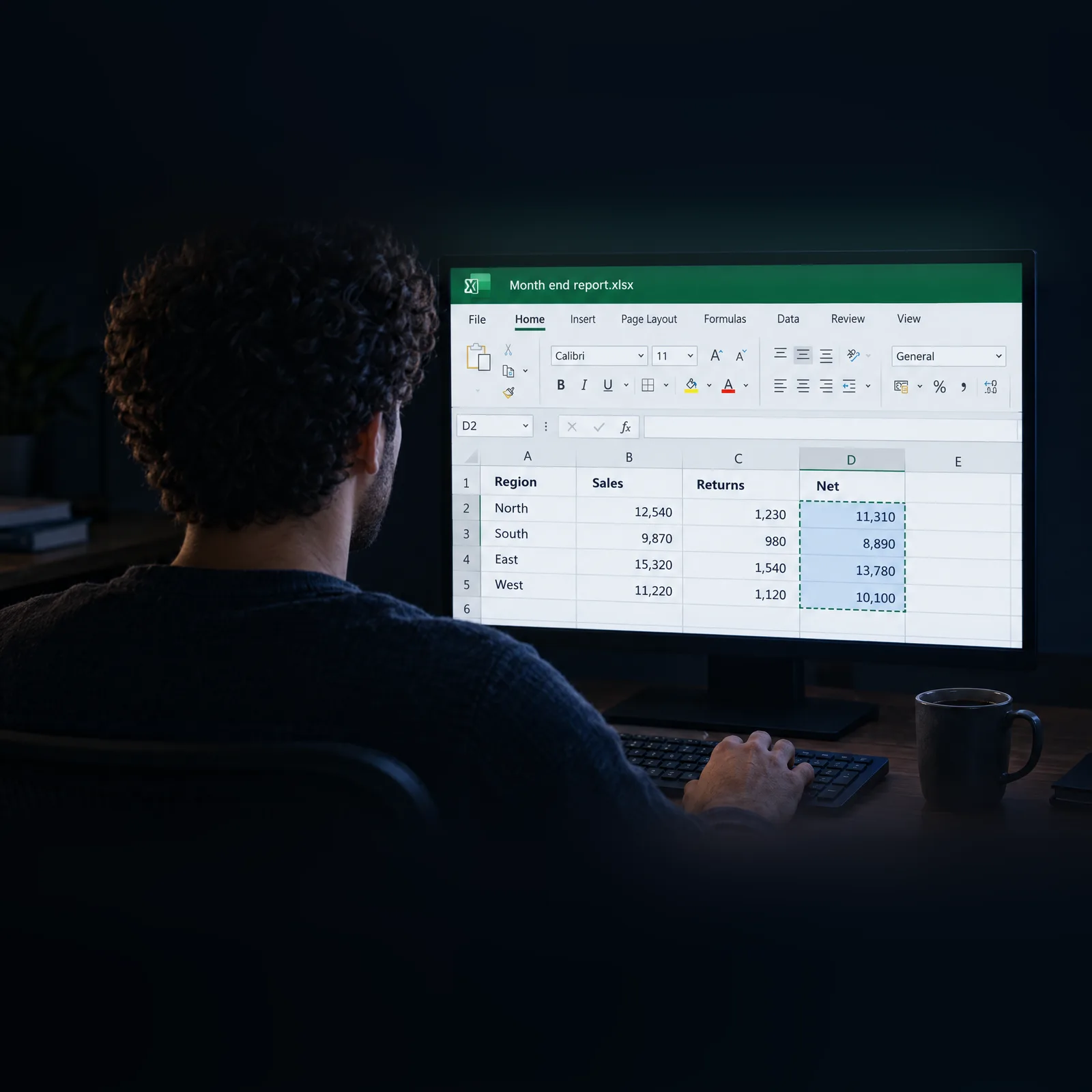
  • Analyst copying numbers between Excel sheets late at night for a month-end report

    Excel by handEach month

    Rebuilding Excel reports by hand

    Copy and paste takes days and lets errors in. Power BI does it on its own.

  • Data lead seeing a Refresh failed warning on a semantic model in the Power BI Service

    DAX errorsFailed refresh

    Old Power BI files that break

    Broken DAX stops the refresh, so numbers go stale. We fix the model.

An engineering mindset for reporting

We run growth the way engineers run software.

Redefine Innovations is an engineering company. Developers, ERP engineers and marketers sit on one team, so a fix reaches your data, not just a slide deck.

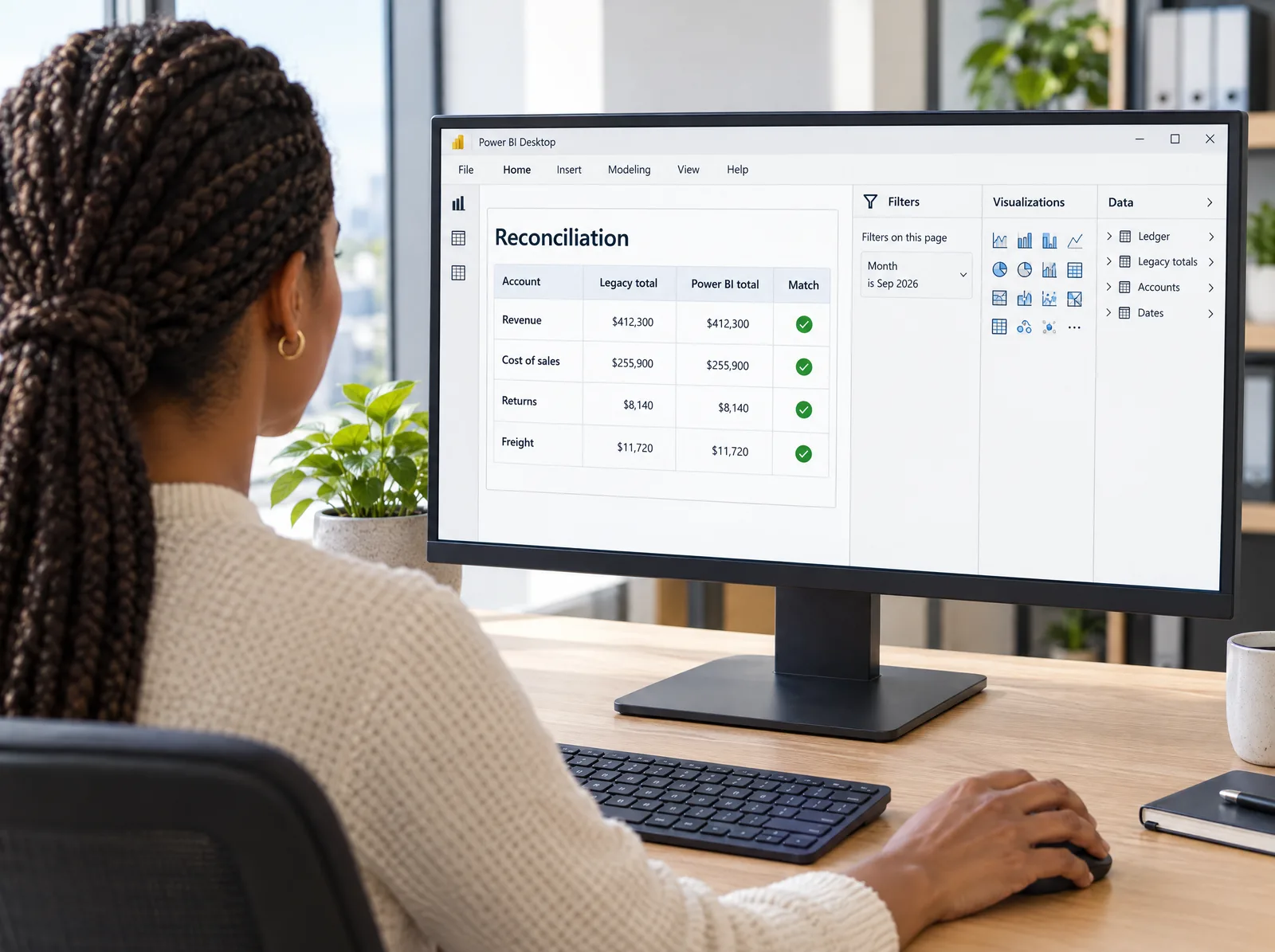
  1. Analyst checking a Power BI table where every legacy total matches the new Power BI total

    01 Our way: How we work

    Every change is a test with a success number.

    Each new report must match the old totals before you switch.

    Old way: Instead of the usual consultant habit

    Changes ship on a hunch.

    Work counts as done when it is sent.

  2. Two engineers rebuilding a data source in the Power BI Power Query Editor

    02 Our way: How we work

    Engineers build and fix the systems.

    They rebuild the model, Power Query and DAX, not just the charts.

    Old way: Instead of the usual consultant habit

    Advice stops at a slide.

    Nobody changes the system.

  3. Operations manager reading a Power BI mobile data alert that names an owner and a plan

    03 Our way: How we work

    Alerts fire the week a number drifts.

    Each alert comes with a planned response and one owner.

    Old way: Instead of the usual consultant habit

    Problems wait for the monthly report.

    By then, the choice is already made.

How Redefine works

TheREDEFINEMethod

Move the reports people use, and prove the numbers match.

We do not copy every old report one for one. We find the reports people use, rebuild them on one model, and check each number before you switch.

Book a Power BI Consultation

Tell us what you report with today. We start with a short call and a scoped plan.

Why this approach matters

  • The move follows what your business needs from its reports.
  • You skip work on reports no one reads.
  • Your team can trust the new numbers from day one.
  1. Start here

    Step 1: Diagnose

    We list every Excel, SSRS, Tableau, Qlik or Power BI report, with its data and who uses it.

    You receive A full report list

  2. Choose what matters

    Step 2: Prioritize

    We pick the reports and data that matter most, with the people who use them.

    You receive A ranked move order

  3. Do the work

    Step 3: Deliver

    Engineers rebuild the data model, Power Query, DAX and reports in Power BI.

    You receive New reports in Power BI

  4. Check the result

    Step 4: Prove

    We match the new totals to the old ones, line by line, before the switch.

    You receive Totals that match

  5. Keep improving

    Step 5: Improve

    We retire the old tool, tune for speed and train your team.

    You receive One tool, tuned and taught

What you receive

A scoped Power BI migration plan, rebuilt reports, checked numbers and one tool to run.

Clean data, real results

How MAXIMUM got one source for its numbers

Business Central and marketplaces

MAXIMUM

A maker of weather instruments that sells on its own site and on marketplaces.

Better stock accuracy across every channel
+97%
A brass MAXIMUM wind speed instrument on a wood wall beside a window over a stormy sea
A MAXIMUM wind instrument. Photo from the MAXIMUM case study.

The problem

Prices and stock had to be typed in four places. The numbers did not agree, so no report could be trusted.

What we did

We made Business Central the one source for prices and stock, and fed Amazon and Wayfair listings from one feed.

  • One source
  • Business Central
  • One feed
  • Clean data

The result

  • 4 places to update a price, now 1
  • 80% less data typed by hand
  • Stock that matches on every channel

This was ERP and listings data work, not a Power BI move. Clean data like this is what a Power BI model needs first. For Power BI proof, see Parsons Kellogg.

Your migration plan

Know what moves first.

A scoped Power BI migration plan and proposal. It lists your reports, says what moves, merges or retires, and sets the order and the risks.

Sections
5
Top finding
1
Move order
Ranked
Book a Power BI Consultation

Redefine

Confidential

Prepared for: your company

Power BI Migration Plan

Contents

  1. 01Report list3
  2. 02Move, merge or retire7
  3. 03Target Power BI model12
  4. 04Move order and risks18
  5. 05Scope and estimate22

Power BI Migration Plan

Your company

01 / 05

Top finding

Unused reports

Many old reports are rarely opened. Moving only the ones people use cuts the work.

Your reports, from all to must-move

Work saved

Large

Priority

High

Move in this order

Model Reports Retire old tool

How your Power BI Migration Plan is laid out: the cover and page 3.

What is the REDEFINE Method?

The REDEFINE Method is Redefine Innovations' business-first framework for identifying business constraints, prioritizing improvements, delivering appropriate solutions, verifying outcomes, and sustaining improvements.

It has five stages: Diagnose, Prioritize, Deliver, Prove and Improve. Read the REDEFINE Method

How much does Power BI migration cost?

It depends on how many reports you have, how many data sources feed them and how clean the data is.

You get a scope and a price after the first review, before any work starts.

How long does a migration take?

It depends on the number of reports, the data sources and how ready the data is.

After the first review, we give you a plan with dates that fits your team. See Power BI implementation services

Does Redefine replace the ERP or database?

No. Your ERP and database stay. We improve how Power BI connects to them.

If the data layer needs a fix, we name it and fix that part only. See Power BI and Business Central integration

How does Redefine handle messy data?

We find the gaps and errors first, then clean the data before we build on it.

We also fix how data comes in, so it stays clean after the move.

SSRS vs Power BI: should SSRS reports move to Power BI?

Many can. Detailed, print-ready SSRS reports can become Power BI paginated reports.

If you need to stay on your own servers, Power BI Report Server is an option. Some reports work best left as they are, and we tell you which.

Can Tableau dashboards move to Power BI?

Yes, but they cannot be copied over as they are.

We rebuild the data model and write the DAX, then remake each view so it is clear in Power BI. See Power BI development services

Which Power BI licenses are needed?

It depends on who shares reports and how much data you run. The options are Pro, Premium Per User, or Premium and Fabric capacity.

We match the license to your needs as part of the migration plan. See Power BI consulting services

Migration plan

Get your scoped Power BI migration plan

Tell us which tools you report with today and what feels stuck. A Redefine consultant reviews it with you and sends a scoped Power BI migration plan and proposal.

Finance director reading a printed report titled Your Power BI Migration Plan
  • A consultant reads every request
  • A scoped Power BI Migration Plan
  • 25+ years of systems work
  • 550+ projects delivered

Tell us about your reports

Tell us which tools you use, how many reports you run and what goes wrong. A report that breaks is a good place to start.

  1. 1Send your details
  2. 2We talk about your reports
  3. 3You get a scoped Power BI Migration Plan
  4. 4We plan the move together