Do editors need to write code?
No. Editors build pages from blocks and change text and images in simple forms.
Custom code can still be added for each store in store design. See the CMS platform
Visual editor for content teams
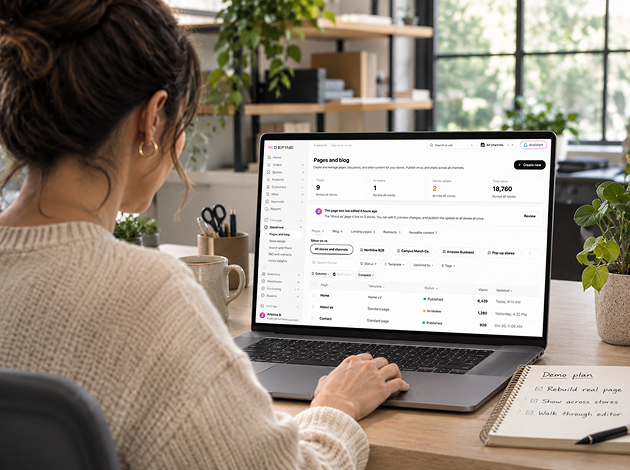
Redefine Suite has a visual editor built into the admin. Your team adds blocks, sees the page on a computer and a phone, and publishes it to the stores you pick.
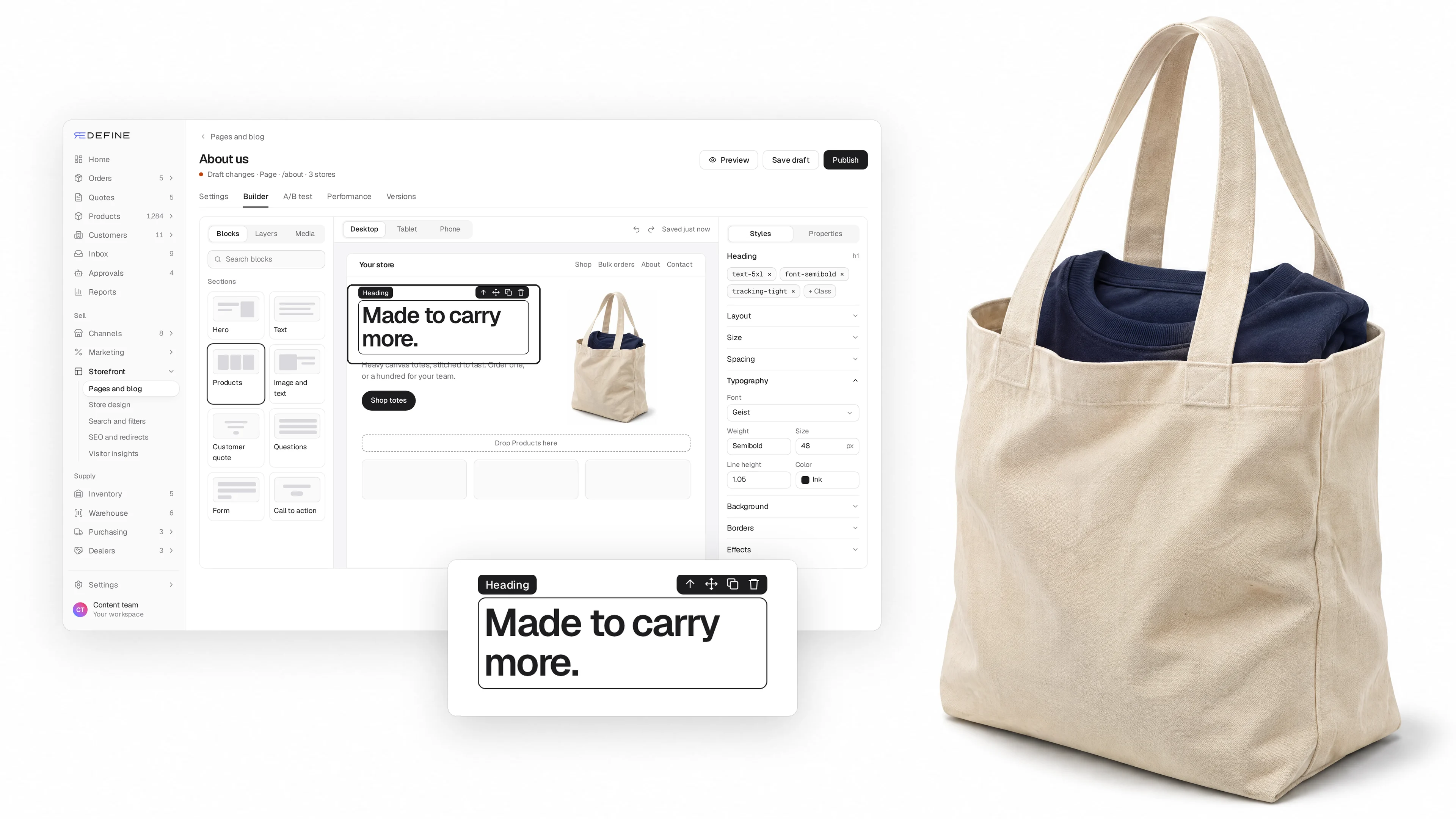
See one of your pages built in the visual editor.
A demo built around one of your own pages.
Short answer
Updated
A visual editor lets a content team build and change web pages by adding blocks and seeing the result, with no code. Redefine Suite by Redefine Innovations has one built into its admin. Pages, landing pages and blog posts are built from blocks, checked on a computer and a phone, and published to the stores you pick.
On many sites, each page change is a ticket for a developer. Small fixes wait, and each store ends up with its own copy of the same page.
In Redefine Suite, editors build the page, check it, and publish it to every store in one place.
Three ways to change store pages
What each page holds
See all of Redefine Suite.
Where page changes get stuck
A new banner, a fixed line of text, a page for one store. Here is how it goes with tickets, and with the Redefine Suite visual editor.
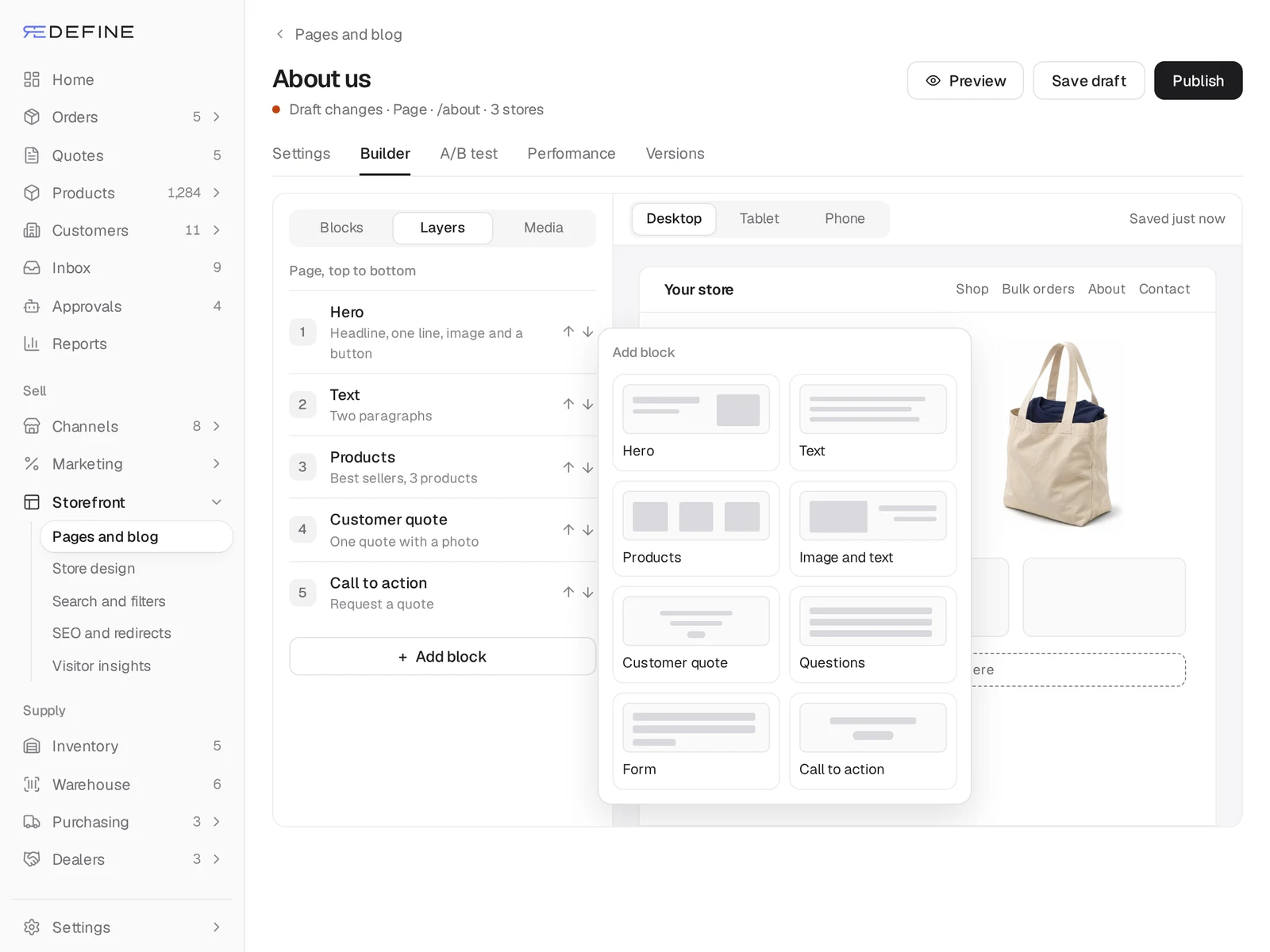
01 Our way: With Redefine Suite
Add the block you need.
Pick from eight blocks, like Hero, Products, Form or Questions. Move them up or down.
Old way: Instead of
A ticket to the web team.
A small fix waits a week for a developer.
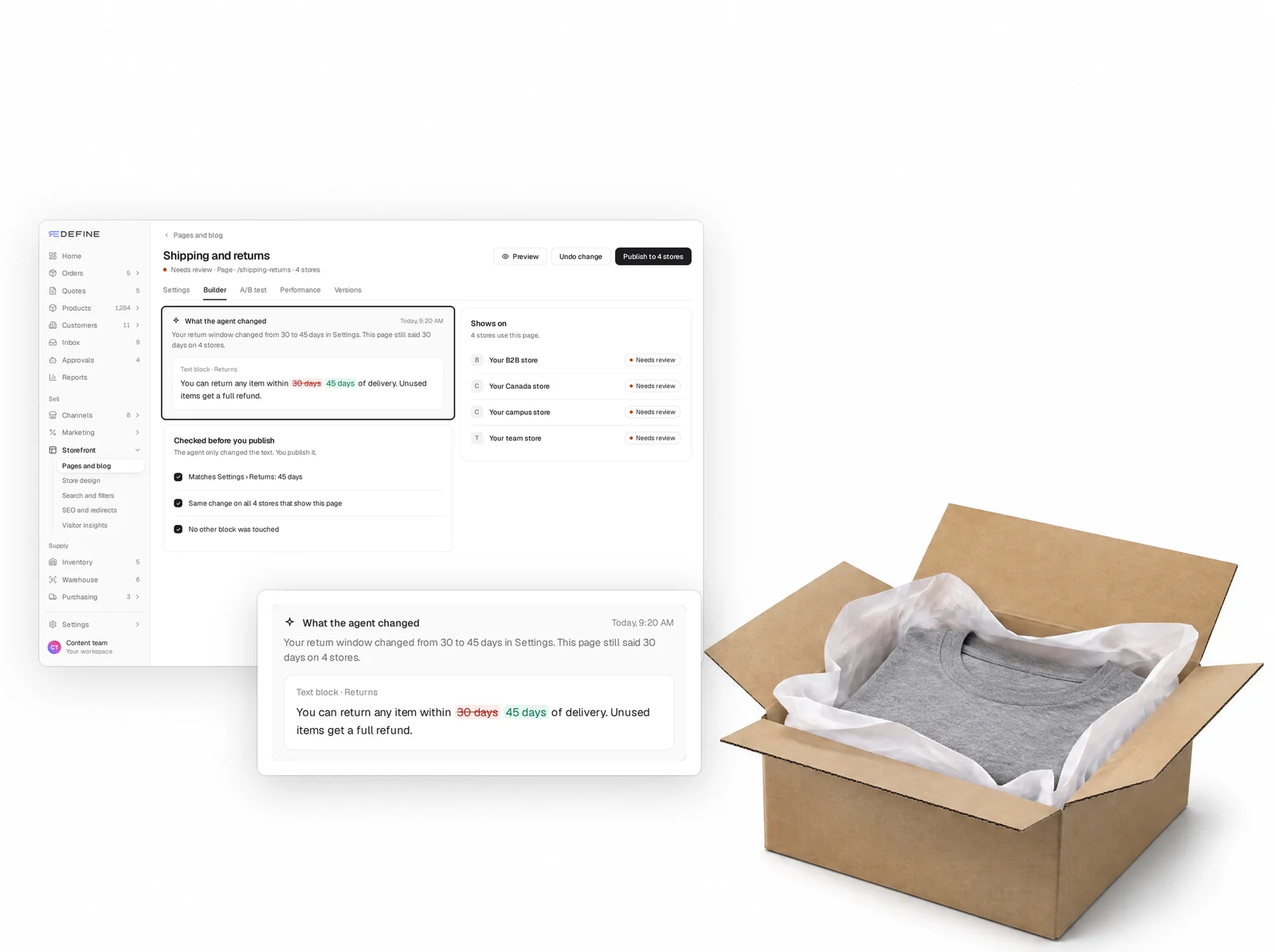
02 Our way: With Redefine Suite
Pages that stay true.
When a setting changes, the agent finds pages that still say the old thing. It fixes the text for you to check.
Old way: Instead of
Old facts stay live.
A page still says 30 days after the policy moved to 45.
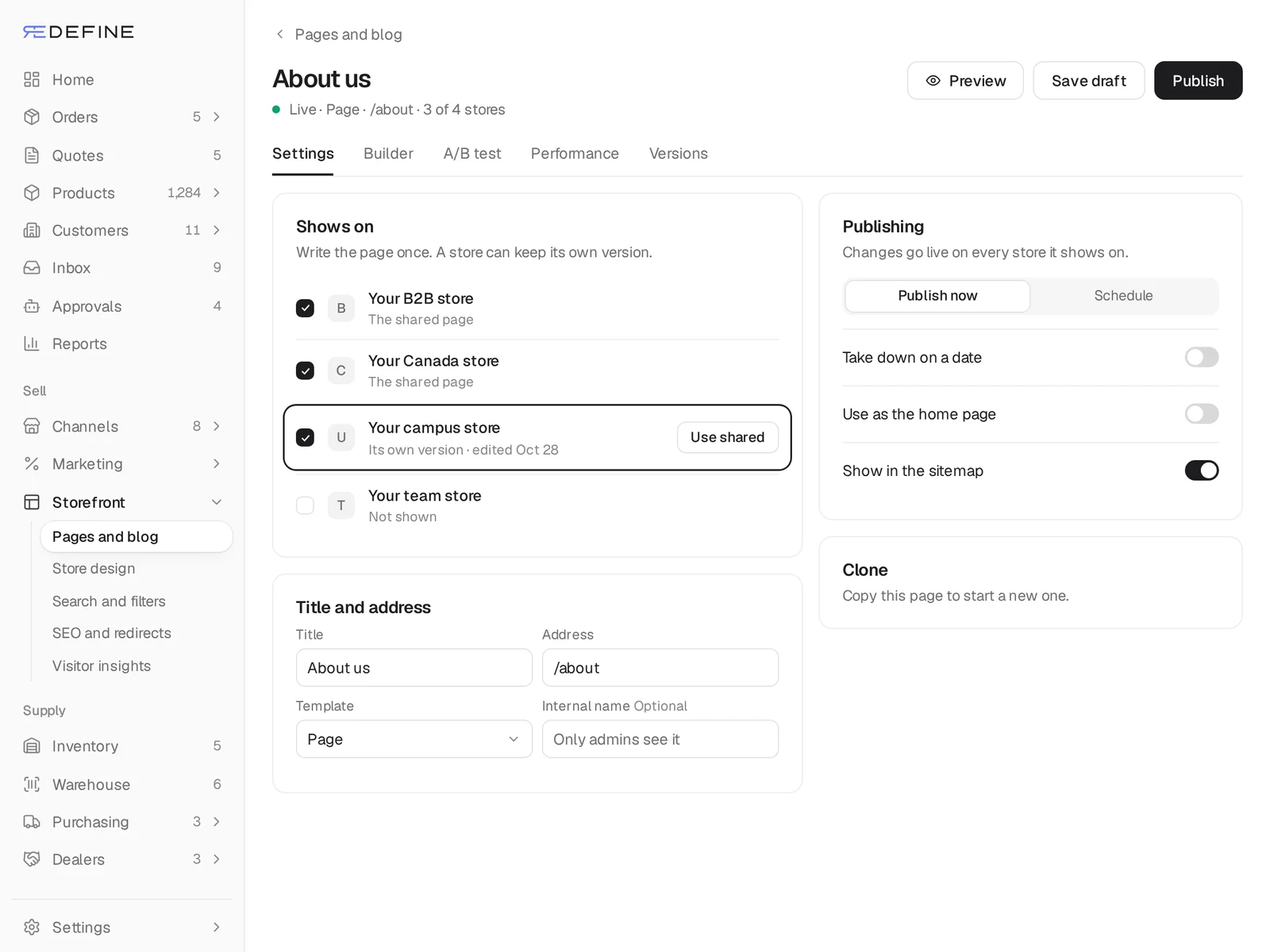
03 Our way: With Redefine Suite
One page, many stores.
Write a page once. Any store can keep its own version, and switch back at any time.
Old way: Instead of
A copy for each store.
Each copy is edited by hand, and they drift apart.
One editor
Title and address, blocks, the agent, search text, versions, the stores it shows on and when it goes live. Your team edits it all in one place.
See publishing workflows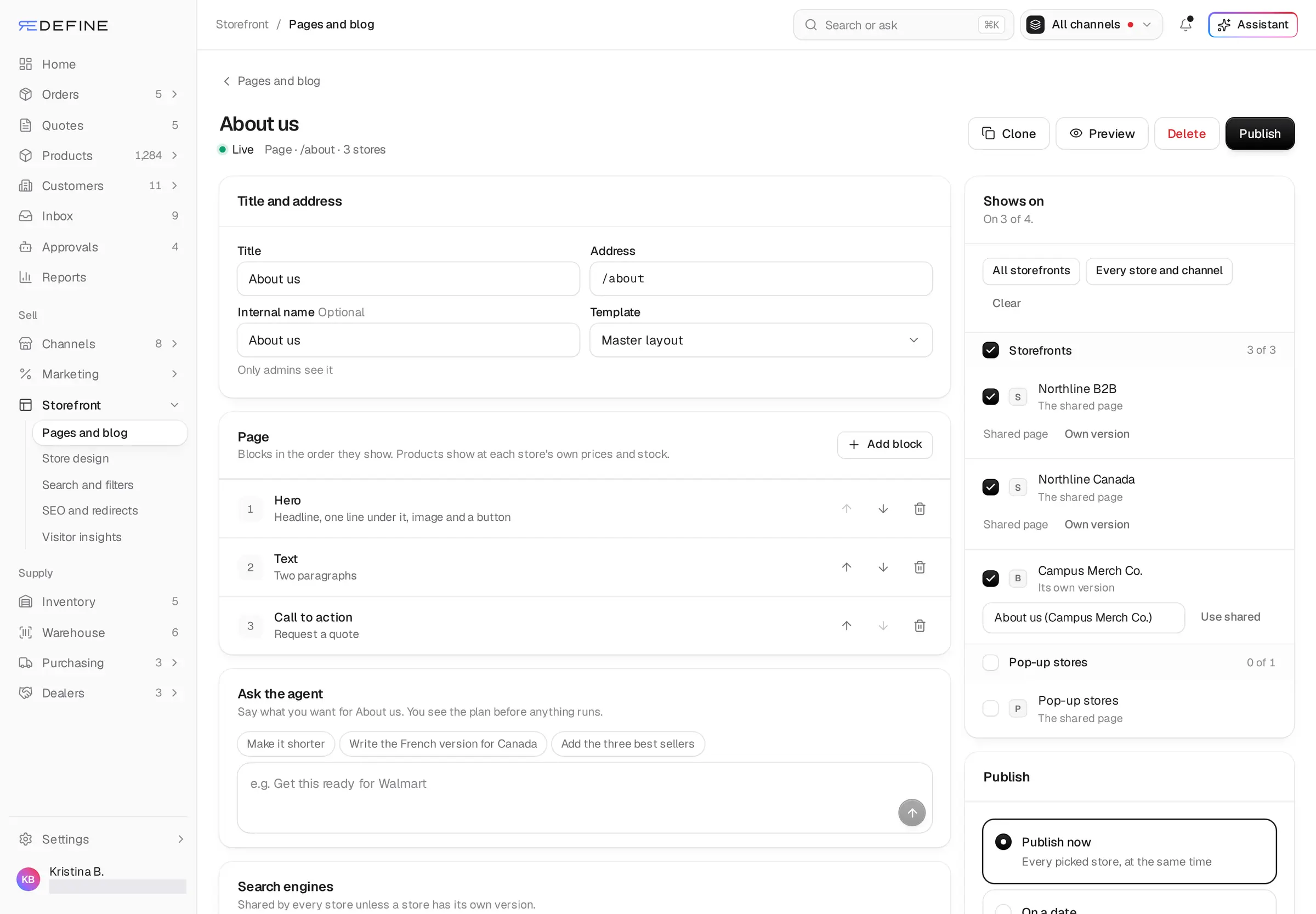
Visual editing
Editors build with blocks, ask for changes in plain words, and keep every store on brand. No one waits on a developer for a text fix.
A Products block shows a collection, a bundle or products you pick. Each store shows its own prices and stock. So one page works on every store, and no one types a price by hand. When a price changes, the page changes too.
See content modeling software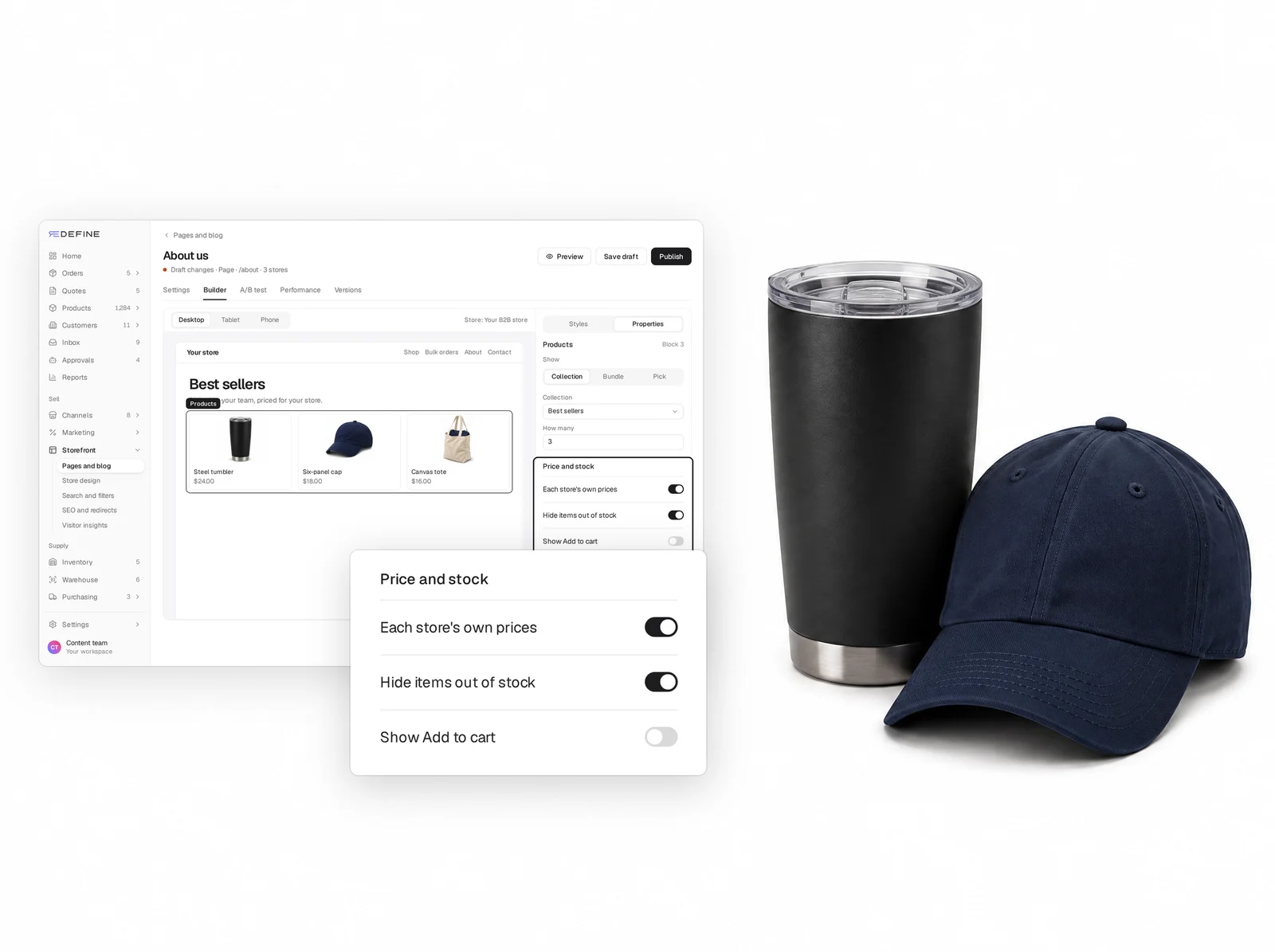
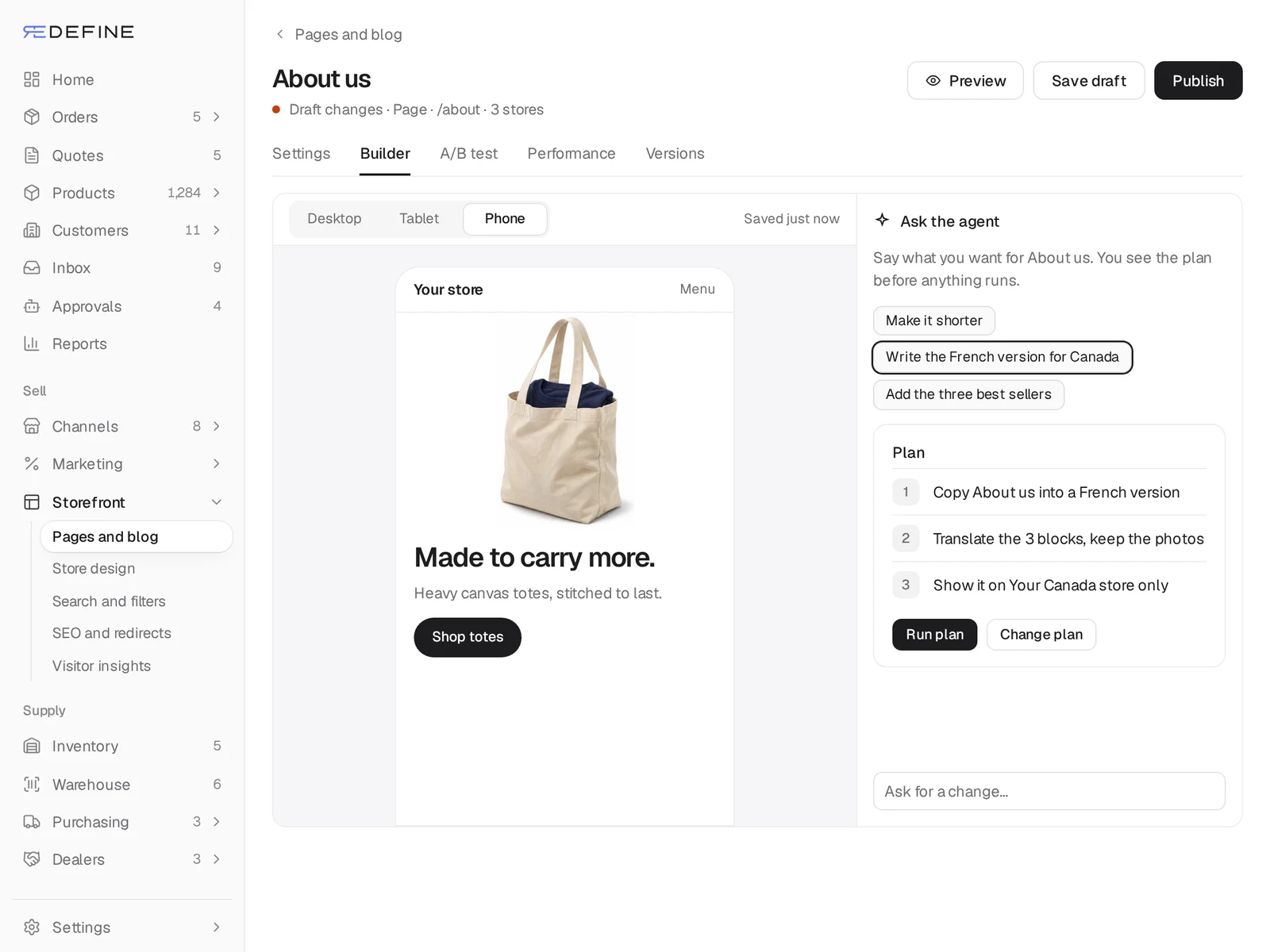
Type what you want, like "make it shorter" or "add the three best sellers." The agent shows its plan before anything runs. You read it, then you decide. Nothing goes live until you say yes.
Logo, colors, menus, header and footer are set once for every store. A store can change one value. If a store drifts, like an old phone number in a footer, the admin tells you, and one click fixes it. Your brand looks the same on every store.
See multi-site CMS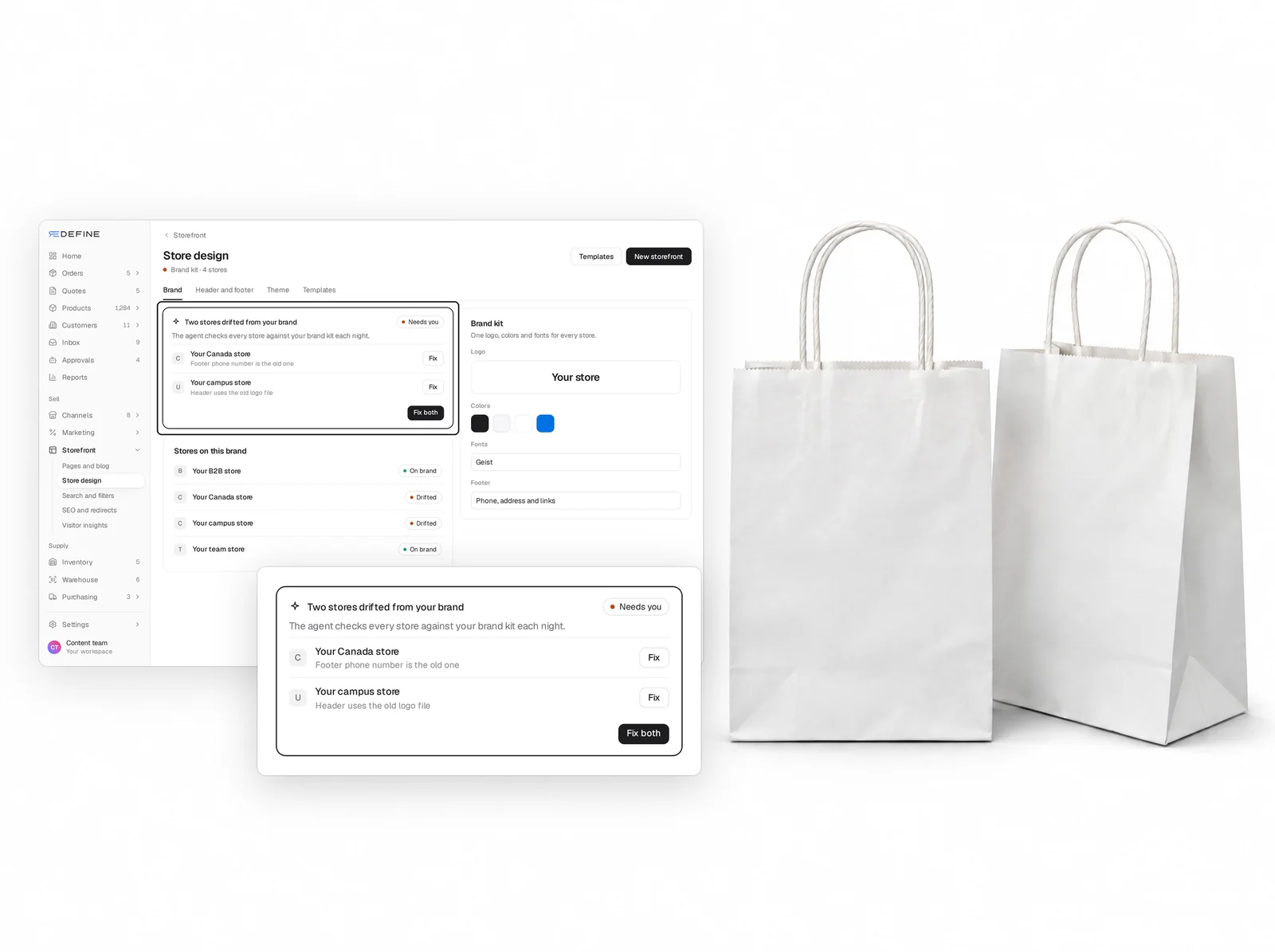
More in the editor
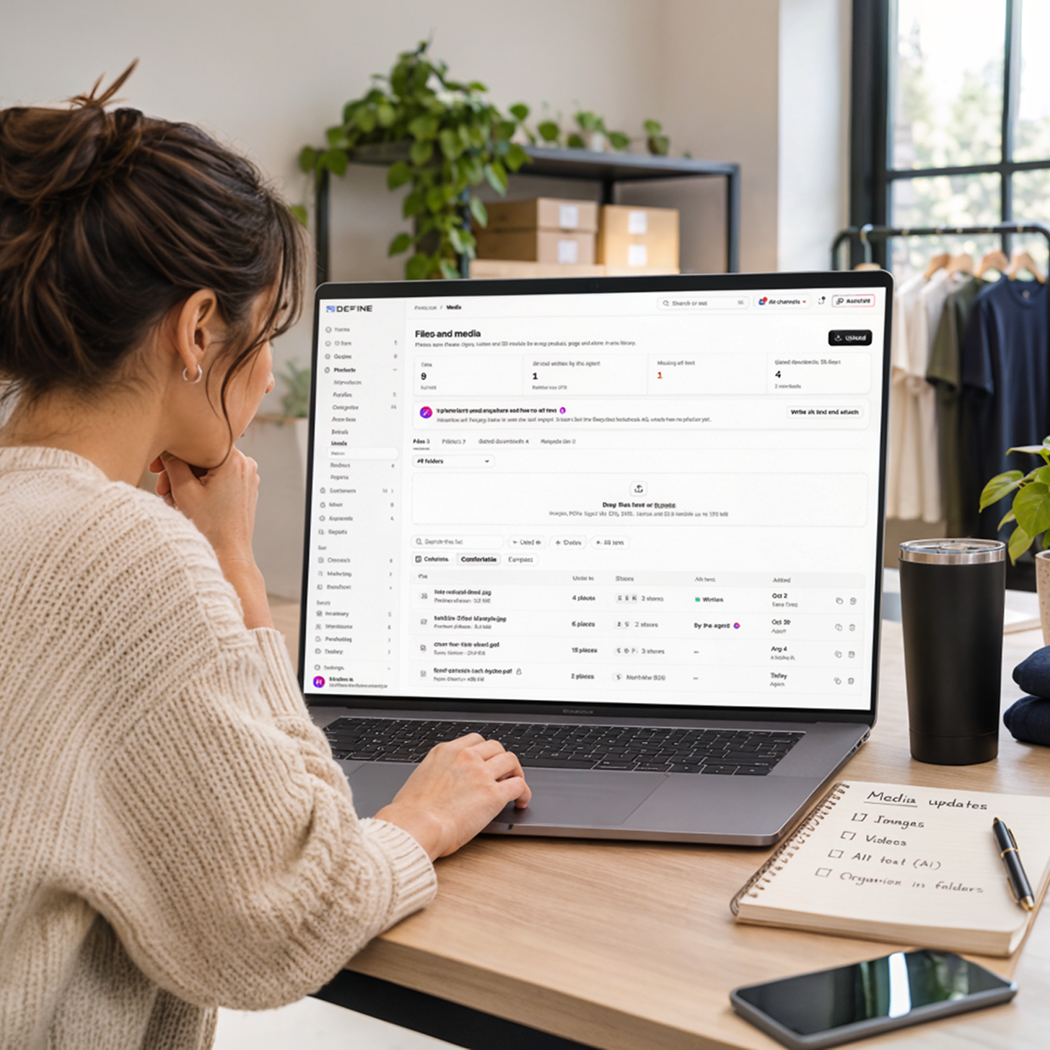
Keep images, videos and files in folders. The agent writes the alt text.
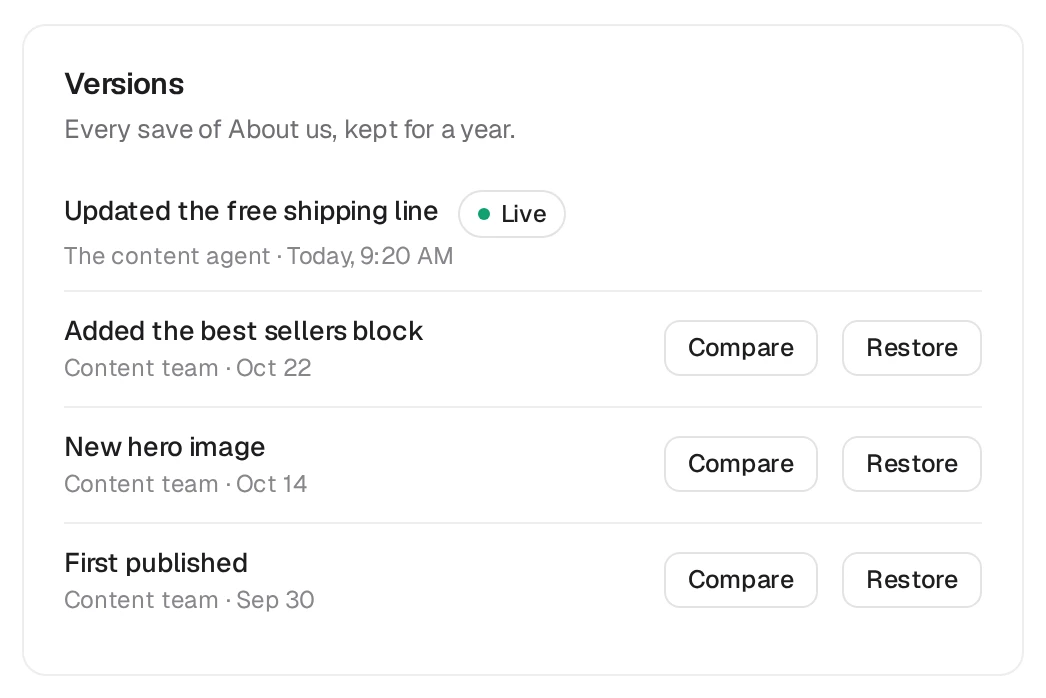
Each save is kept for a year. Compare two versions, or bring an old one back.
See publishing workflows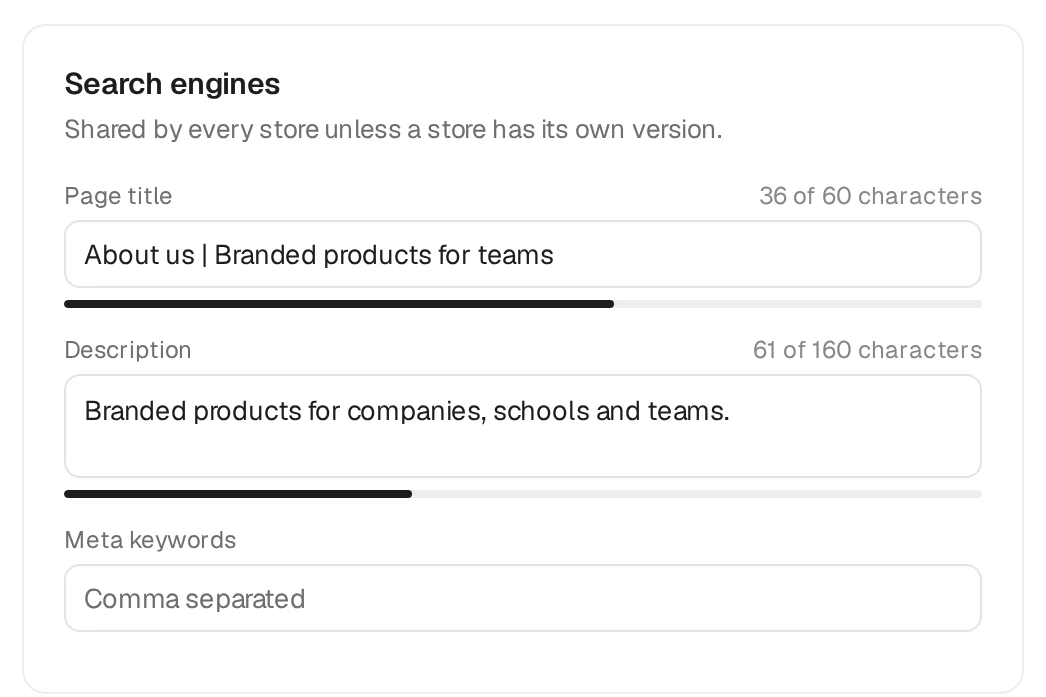
See how a page shows in search on a computer or a phone, with a count for the title.
See the DTC ecommerce platform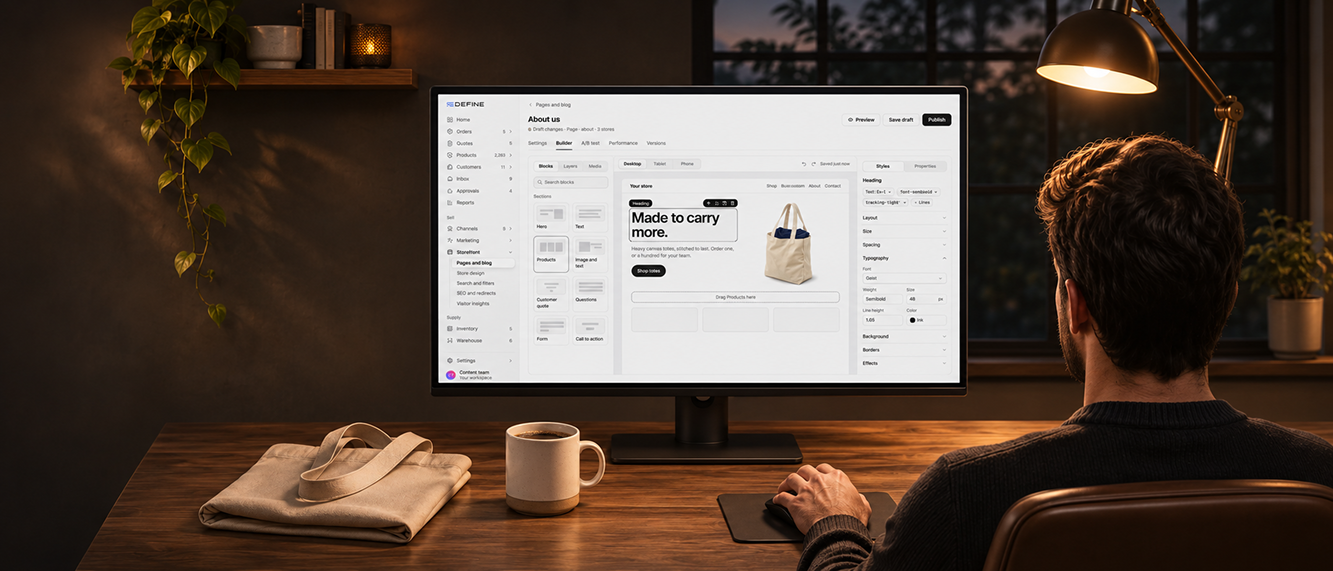
For content teams
Editors, marketers and store managers work in one admin. Each person gets a role and the stores they can see. A new hire can edit a page on day one.
See the CMS platformBefore and after

Content team
Editors make the change and publish it.
Each change goes to a developer as a ticket, then waits.
Editors add blocks, check the page on a phone, and publish it.
Publish now on every picked store at once
Or pick a date, and a date to take it down
Use a page as the home page on any store
Questions
No. Editors build pages from blocks and change text and images in simple forms.
Custom code can still be added for each store in store design. See the CMS platform
Yes. Preview shows the page on a computer and on a phone.
The search preview shows both views too. See the DTC ecommerce platform
Yes. A page is shared by the stores you pick. Any store can keep its own version.
You can switch a store back to the shared page at any time. See multi-site CMS
You ask for a change in plain words. The agent shows its plan before anything runs.
It also finds pages that say something old and fixes the text for you to check. See agentic commerce AI
Yes. Every save is kept for a year.
You can compare two versions or restore an old one. See publishing workflows
Pages, landing pages, blog posts and customer stories.
Templates help new pages and new stores start the same way. See content modeling software
Book a demo
In the demo, we rebuild one of your real pages in the visual editor and show it on each of your stores. A demo built around one of your own pages. You can also use the demo booking page.
Tell us which page you want to see. We set up the demo around it.