Is Redefine Suite a DTC ecommerce platform?
Yes. It runs your online store, products, shoppers and checkout data in one admin.
If you also sell to stores or businesses, the same admin runs that too. See B2B commerce
Redefine Suite for DTC brands
Run your store, your shoppers and your checkout data in one admin. See the step where shoppers leave, then fix it in the same place, without one more app.
01
Insights
The biggest leak, named each week.
02
Funnels
The step where shoppers leave.
03
Heatmaps
Taps that do nothing.
04
Fixes
Carts, merch and store look.
See your store run from one admin.
A demo built around your own store.
Short answer
Updated
A DTC ecommerce platform is the software a brand uses to sell straight to shoppers, with no store or marketplace in between. It runs the online store, the products, the checkout and what you know about each shopper. Redefine Suite by Redefine Innovations is a DTC ecommerce platform that also shows why shoppers leave, in the same admin.
Many brands start with a store builder. Then they add an app for each new job: reviews, points, cart emails, heatmaps. Each app keeps its own data and sends its own bill.
Redefine Suite keeps these jobs in one admin, so what you know about a shopper stays in one place.
Three ways to run a DTC store
What it runs
See all of Redefine Suite.
Sound familiar?

Your team
You should be packing orders, not checking five apps.
Reviews, points, cart emails and heatmaps each live in their own app, with their own bill.
The same admin shows where shoppers leave and where you fix it.
One shopper record for store, reviews and points
Funnels and heatmaps built into the admin
Store changes made once for every storefront
Checkout funnels
Each store gets a checkout funnel built in. It shows how many shoppers reach each step and how many leave there. Press Watch who left to see their visits. More on analytics and reporting.
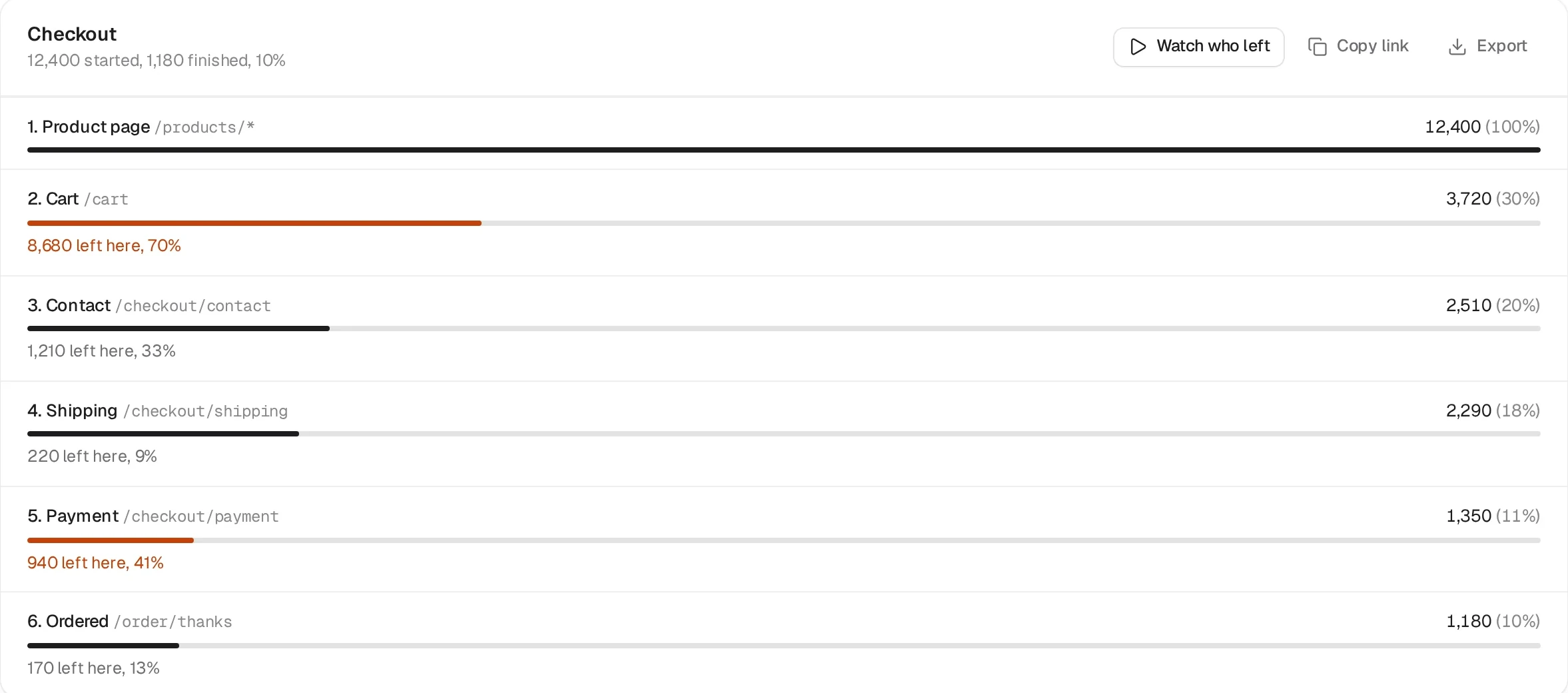
One funnel
Tap a point to see what the heatmap shows you.
Each store
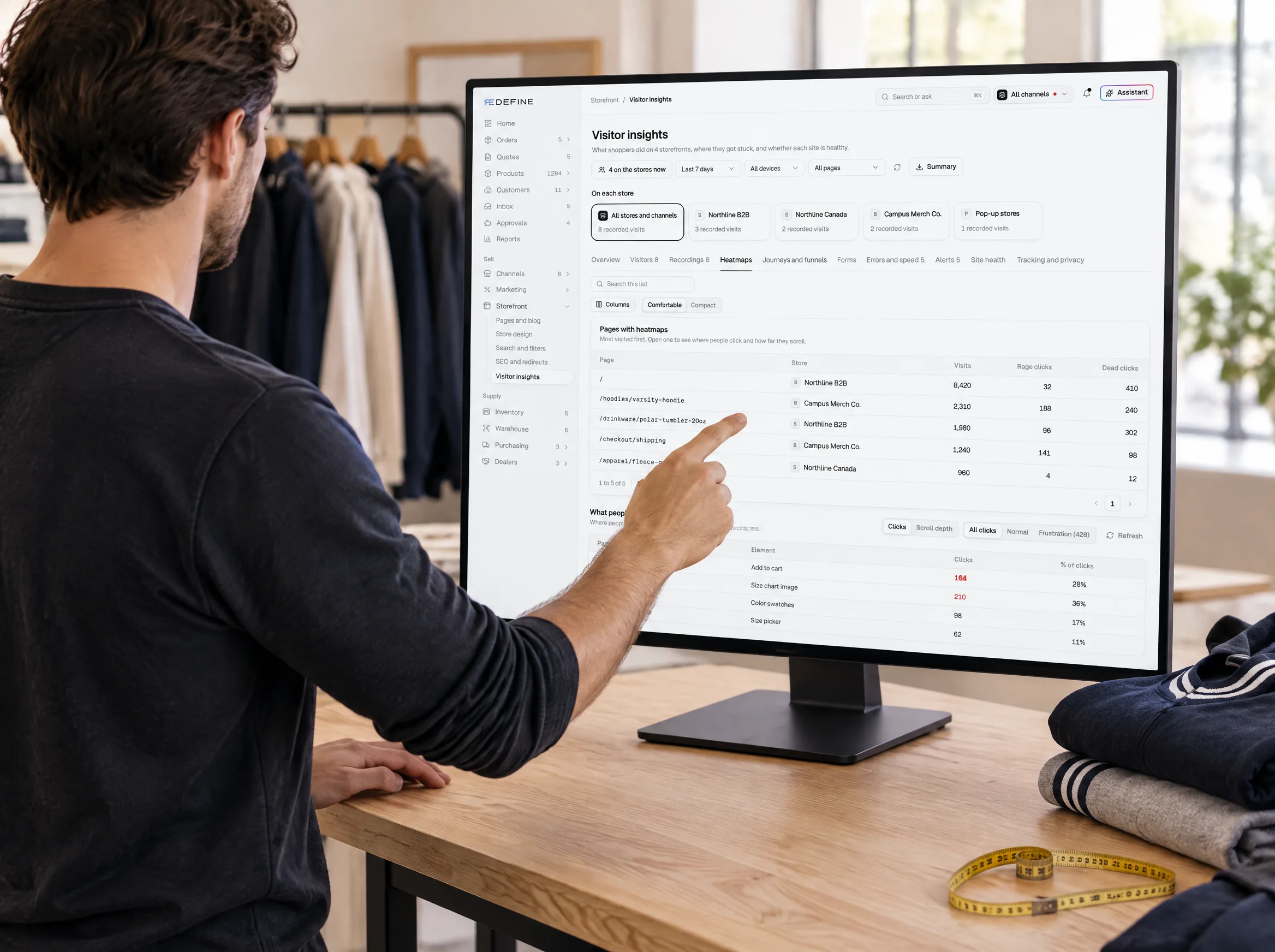
Pick one store or see them all. Each store has its own heatmaps.
Busiest pages
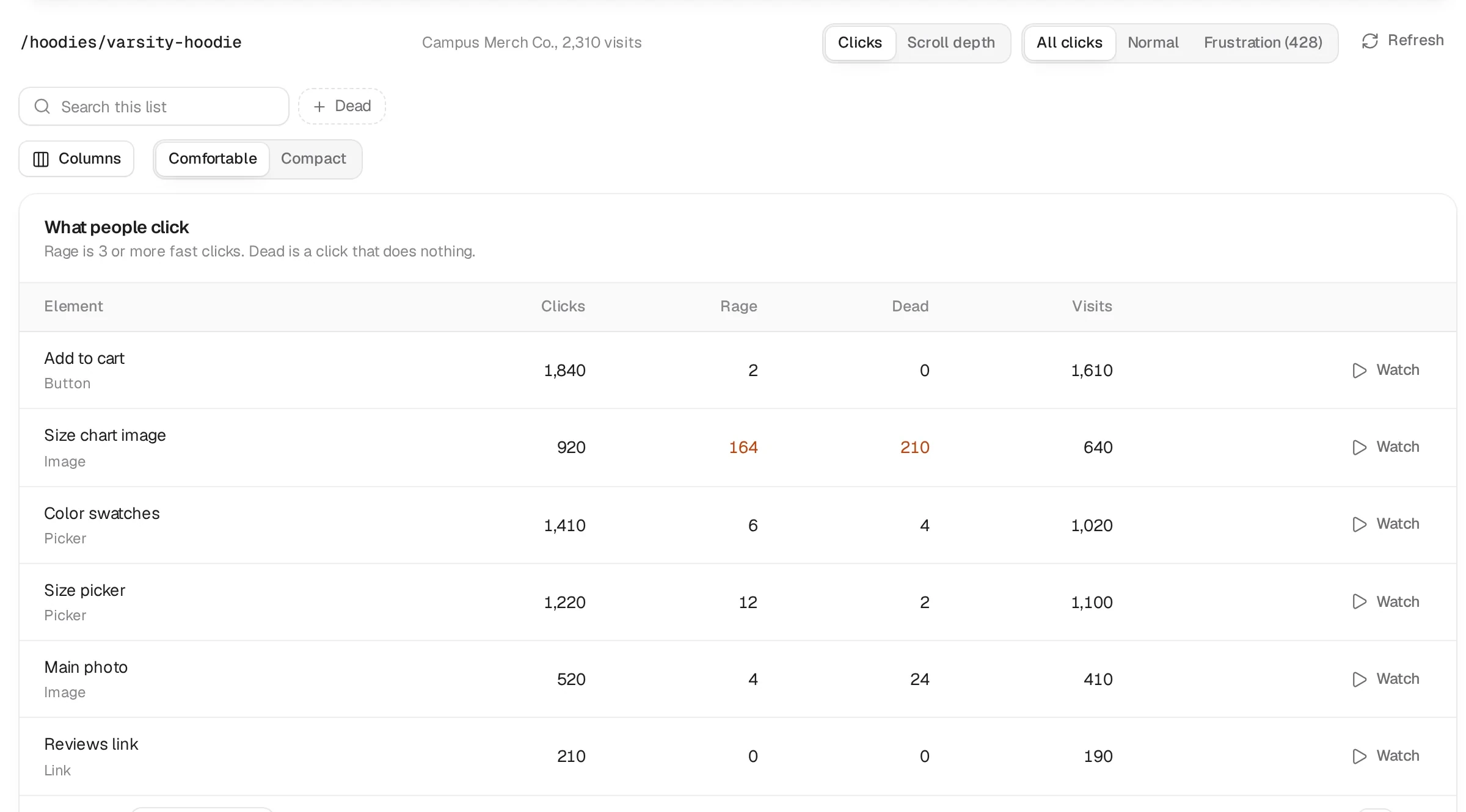
Pages with the most visits come first, with rage and dead clicks next to them.
Rage clicks
Shoppers tap the same spot again and again. Here a size chart image does nothing when tapped.
Watch the visit
Press Watch to replay visits where it happened, then fix the page.
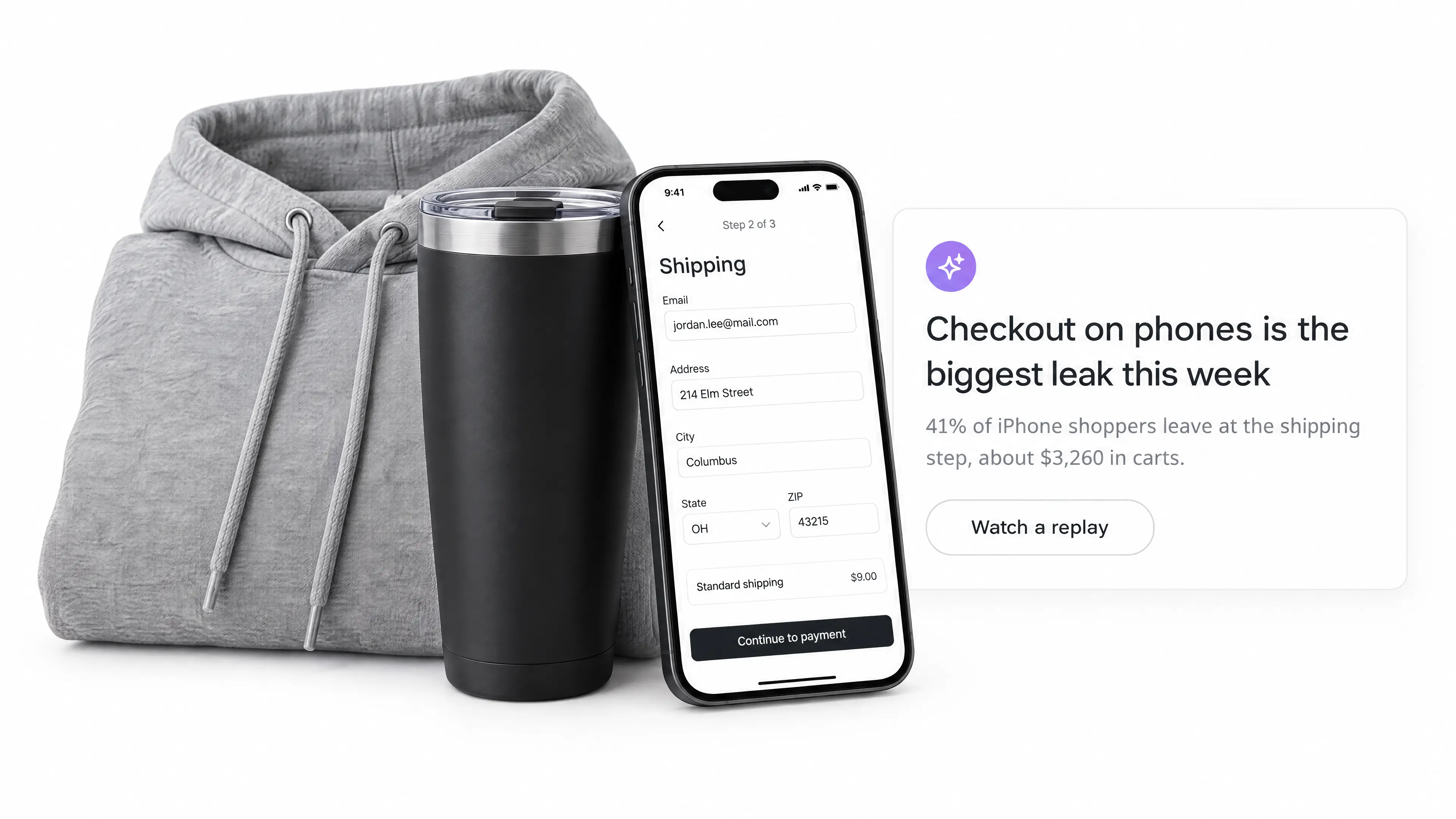
Visitor insights names the biggest leak each week, like checkout on phones.
See analytics and reporting
Fix it in the same place
DTC teams often buy an app for each of these jobs. In Redefine Suite, each one is a screen in the same admin.
01 With Redefine Suite: In Redefine Suite
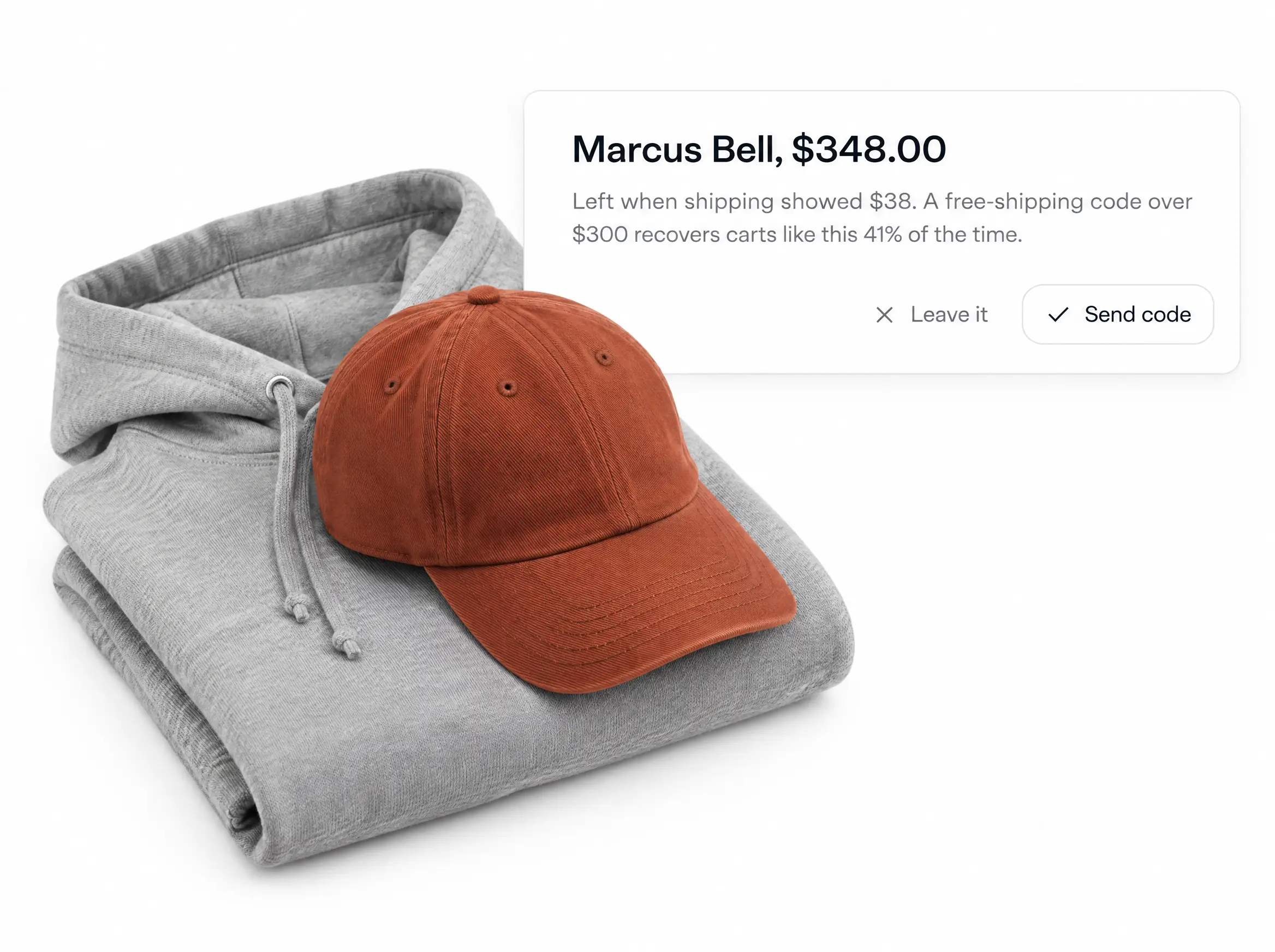
The cart agent brings shoppers back.
You set the wait time, top discount and number of emails. Each step has an Undo.
Before: Instead of
A separate cart email app.
Its discounts can clash with sale prices.

02 With Redefine Suite: In Redefine Suite
Set the product order for each store.
Sorting rules, pins and agent ideas. More on promotions and merchandising.
Before: Instead of
Moving products by hand.
Each sale means new edits.
03 With Redefine Suite: In Redefine Suite
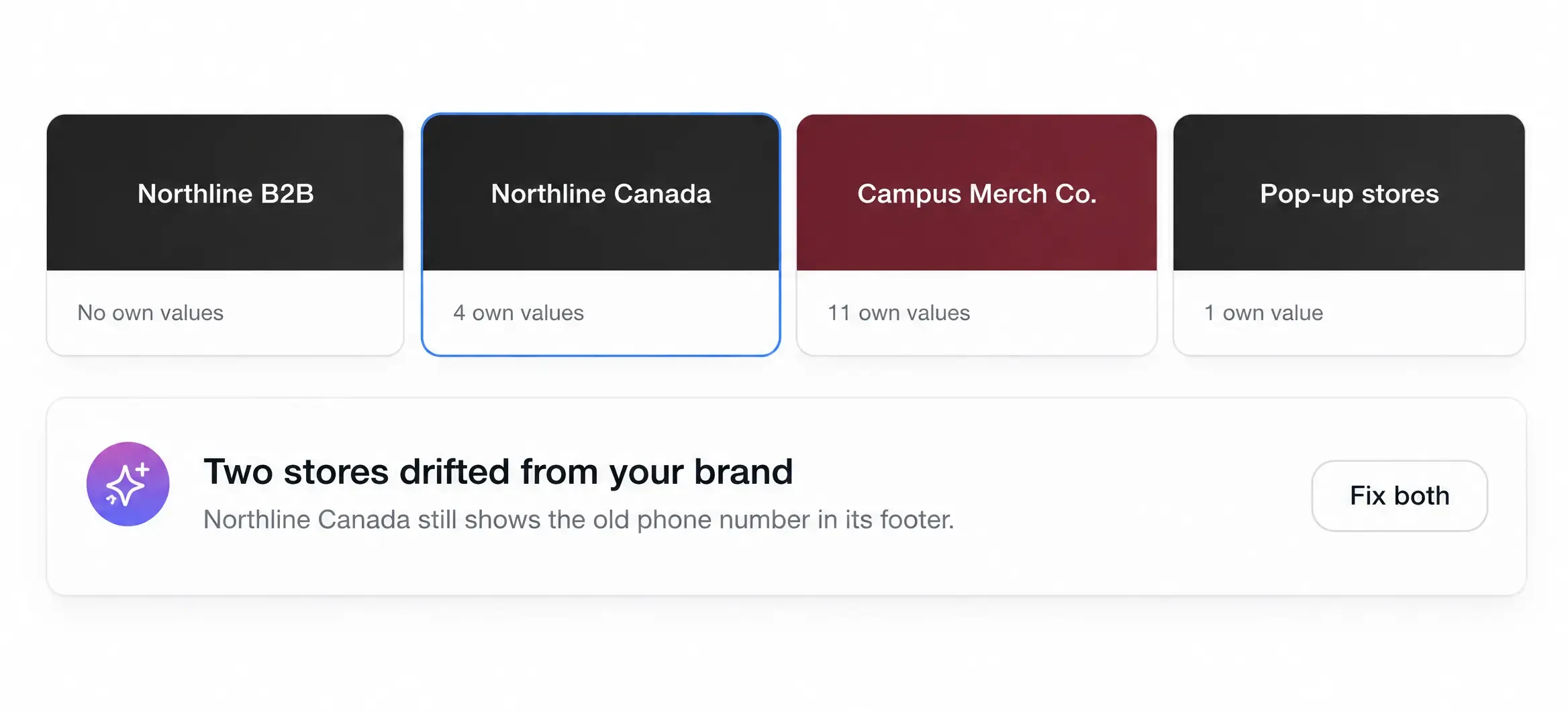
Change the look once for every store.
Edit once for every storefront. A drift alert flags the odd one out.
Before: Instead of
A developer ticket for each change.
You hear 'maybe with custom code.'
04 With Redefine Suite: In Redefine Suite
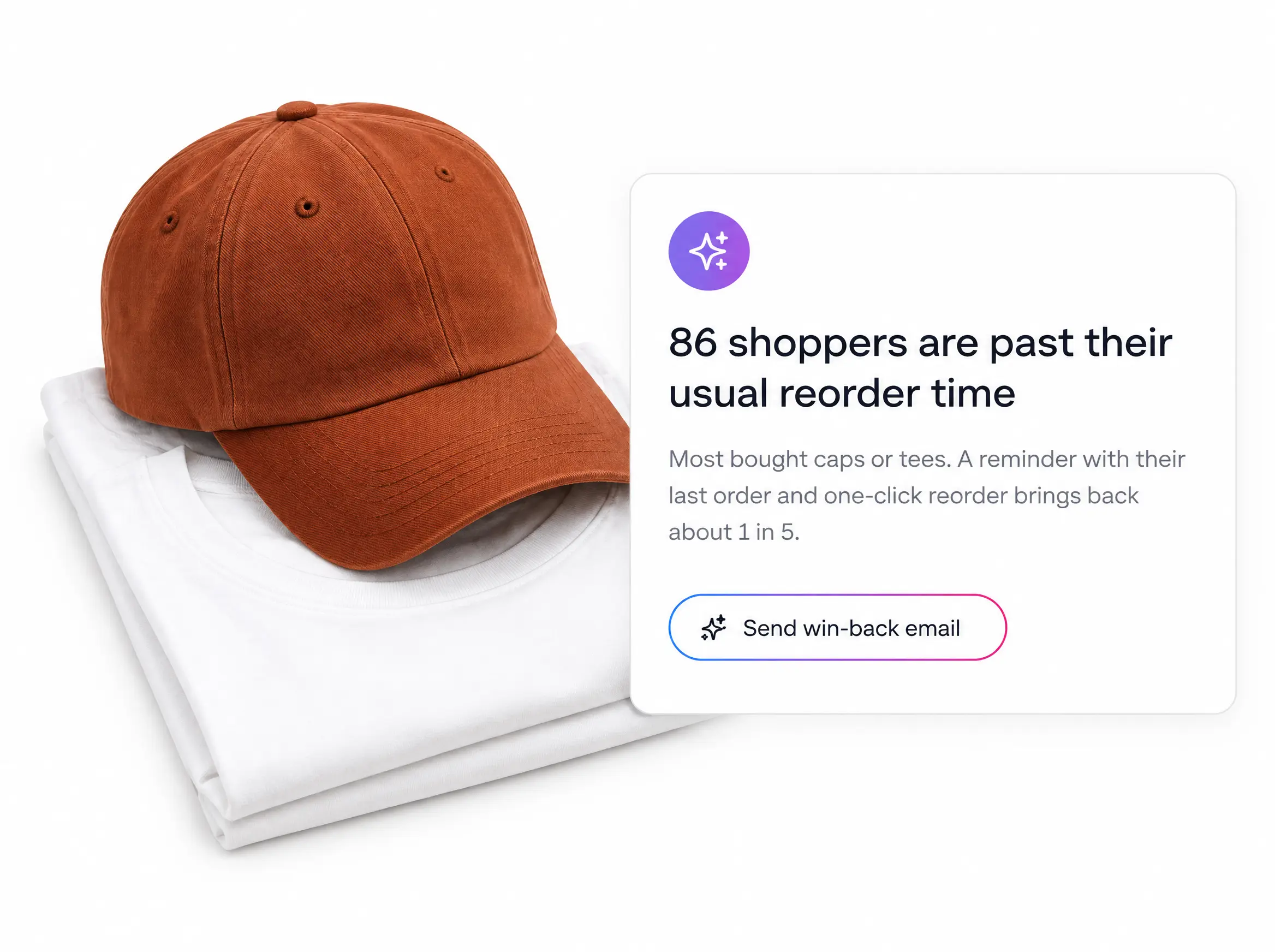
Spot shoppers about to leave.
Levels, points and an at-risk list with a win-back email. More on customer accounts.
Before: Instead of
A points app with its own list.
Shopper data in one more place.
Keep shoppers coming back

Shoppers
Levels, points and perks live on each shopper, in the same admin as the store.
Reviews
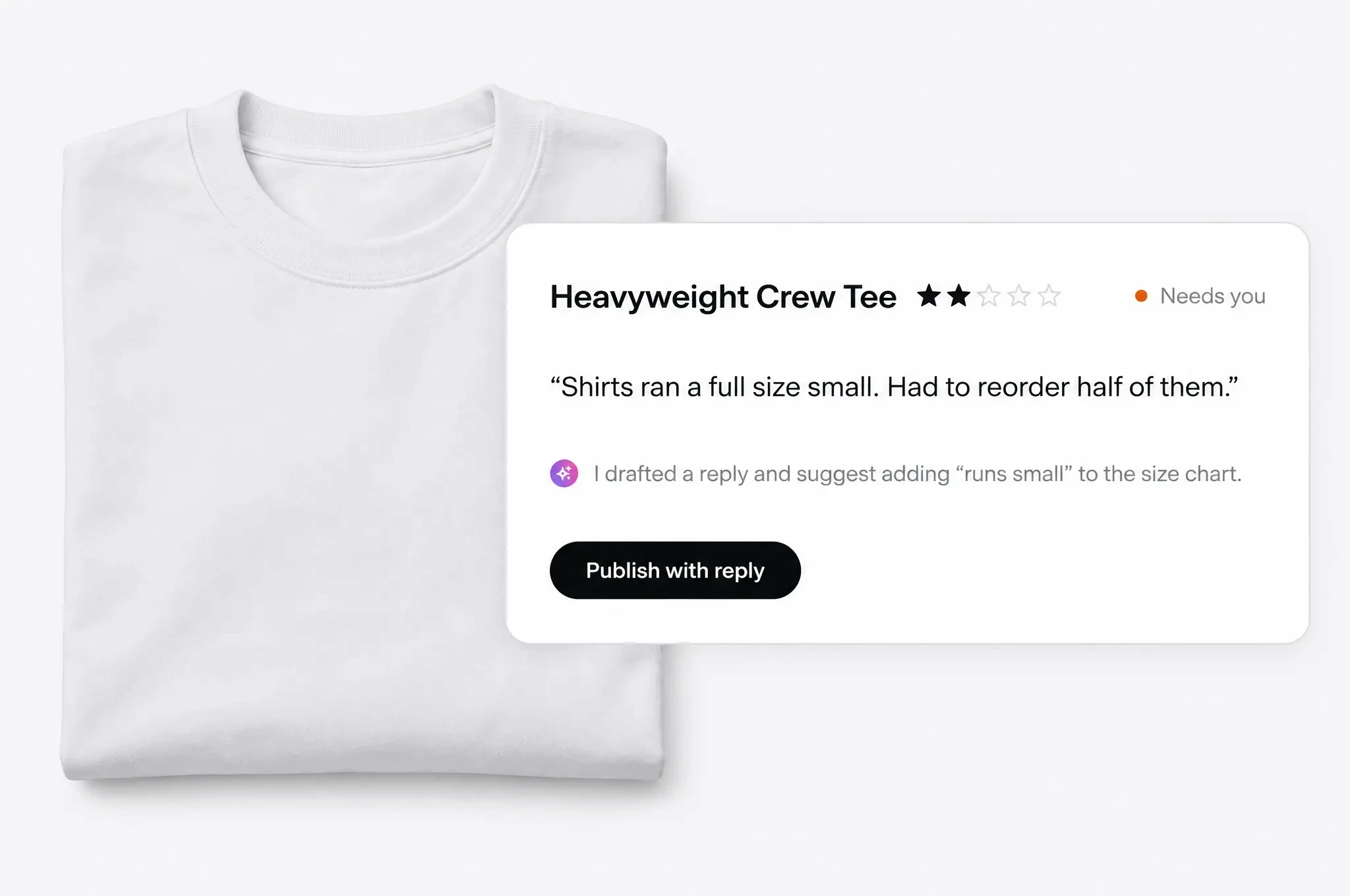
New reviews come in with a reply ready. You edit it and post.
See product information management
Bundles
The agent suggests bundles from items shoppers buy together. You decide.
See promotions and merchandisingBefore and after
Each row is a screen on this page.
Questions
Yes. It runs your online store, products, shoppers and checkout data in one admin.
If you also sell to stores or businesses, the same admin runs that too. See B2B commerce
These jobs are built into the admin: reviews, levels and points, cart recovery and bundles.
Some brands keep a tool they love. We go through your app list with you in the demo. See the omnichannel commerce platform
Visitor insights has funnels, heatmaps and recorded visits for each store.
You see the step where shoppers leave, then watch the visits. See analytics and reporting
Yes. You decide if promotions stack, if the best one wins, or if they cannot combine.
You get a warning when two promotions together would go below your margin floor. See promotions and merchandising
Yes. One admin runs many storefronts. A change to the store look can go to all of them at once.
Each store keeps its own product order and heatmaps. See product information management
Yes. Orders and stock live in the same admin as the store and the shoppers.
We show your own order flow in the demo. See order management
Book a demo
In the demo, we show how your own store, shoppers and checkout could run in Redefine Suite. A demo built around your own store. You can also use the demo booking page.
Tell us what feels stuck. We set up the demo around it.