
Redefine Suite / Customer account management

Every customer, one clear record.

Companies, buyers and shoppers sit in one admin. Every store and Business Central use the same record.

See your own customers in one admin.

A demo built around your own accounts.

Book a personalized demo

Short answer

What is customer account management?

Updated

Customer account management means keeping each customer's details, people, prices, orders and history in one record. In B2B, one company account holds many buyers, stores and ship-to addresses. Redefine Suite by Redefine Innovations keeps company accounts, contacts and shoppers in one admin, synced with Business Central.

Many teams keep customer details in a CRM, an ERP screen and a few spreadsheets. Then a buyer has two accounts, or a rep calls the wrong person.

Redefine Suite keeps one record per company, with its buyers, stores, prices and history, and a log of every change.

How the options compare

Three ways to keep customer records

OptionHow it worksWhat you getSee also
Redefine Suite customer accountsCompanies, buyers and shoppers in one admin, synced with Business CentralOne record that every store, quote and order readsB2B commerce
CRM add-onContacts and sales notes kept apart from the storeGood notes, but no store roles, prices or cartsQuote-to-order workflows
Spreadsheets and ERP screensDetails typed in by hand in each placeCopies that drift apartMulti-brand and multi-region commerce

What one customer record holds

  • [1] Company accounts with tier, terms and stores
  • [2] Contacts with roles and sign-ins
  • [3] Shoppers with levels and carts
  • [4] A change log for every edit

See all of Redefine Suite.

Sound familiar?

Customer details should not live in five places.

Open a problem to see how Redefine Suite fixes it.

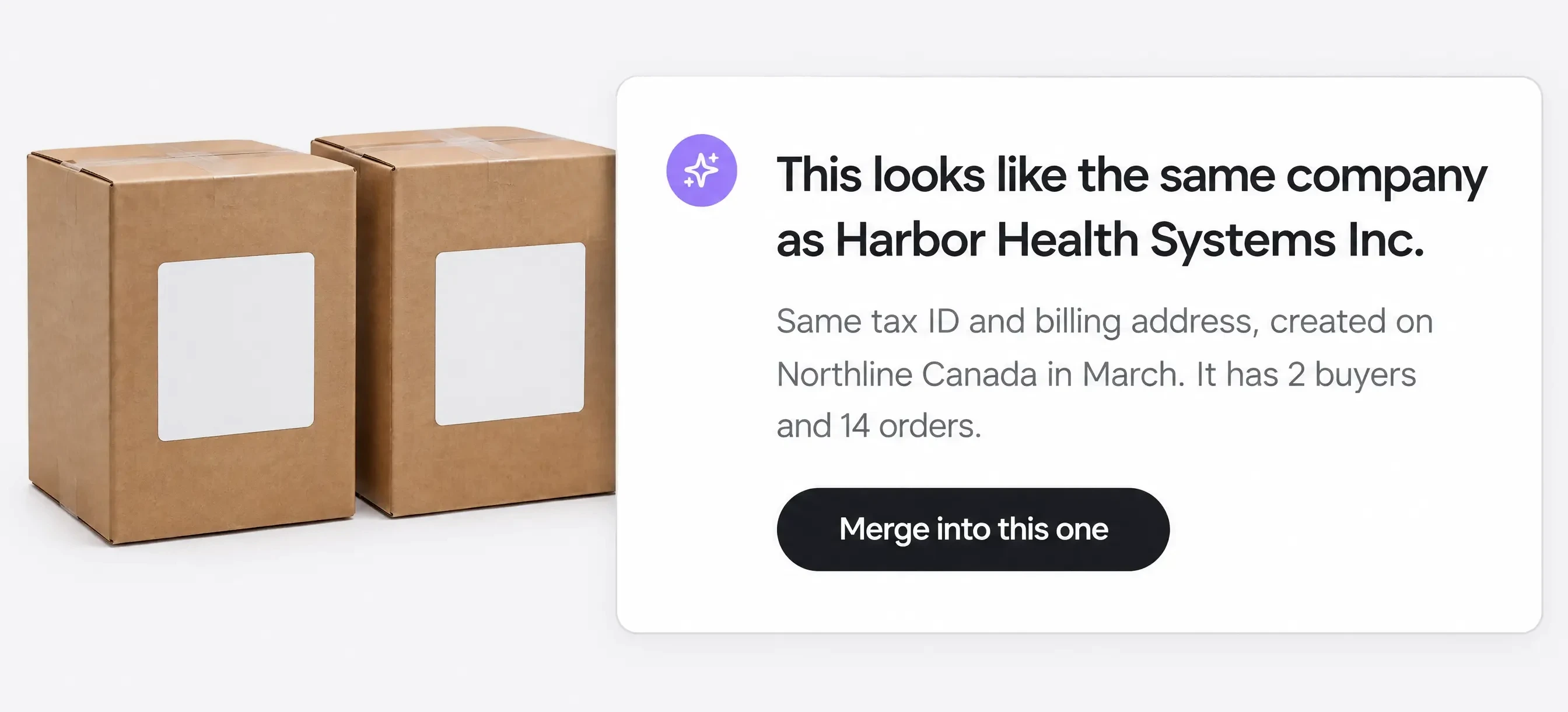
The same company, twice.

Two accounts, two histories.

A buyer signs up again with a new email. Now their orders are split across two records.

How Redefine Suite fixes it

  • Merge suggestions

    Redefine Suite spots likely matches for you.

  • Nothing lost

    History stays on record after a merge.

Nobody knows who can buy.

Roles live in emails and memory.

A new buyer orders over their limit, or on the wrong store. Someone has to undo it.

How Redefine Suite fixes it

  • Five roles

    Admin, buyer, approver, accounts payable and viewer.

  • Limits per buyer

    Each buyer gets stores and an order limit.

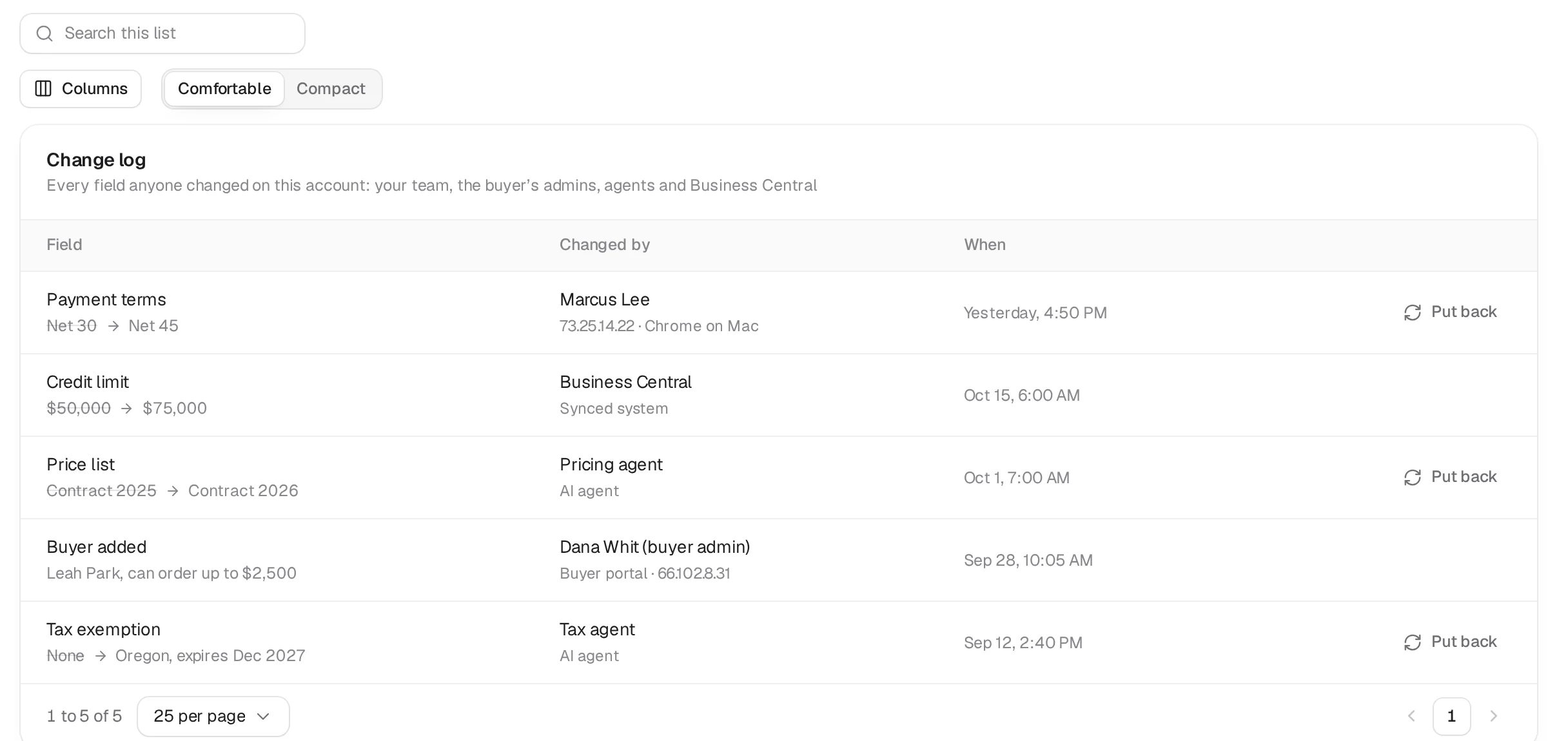
Changes with no trail.

Terms change, and nobody knows why.

Someone edits credit terms. A month later, nobody can say who did it.

How Redefine Suite fixes it

  • Change log

    Who changed what, and when.

  • Put back

    Undo a change from the log.

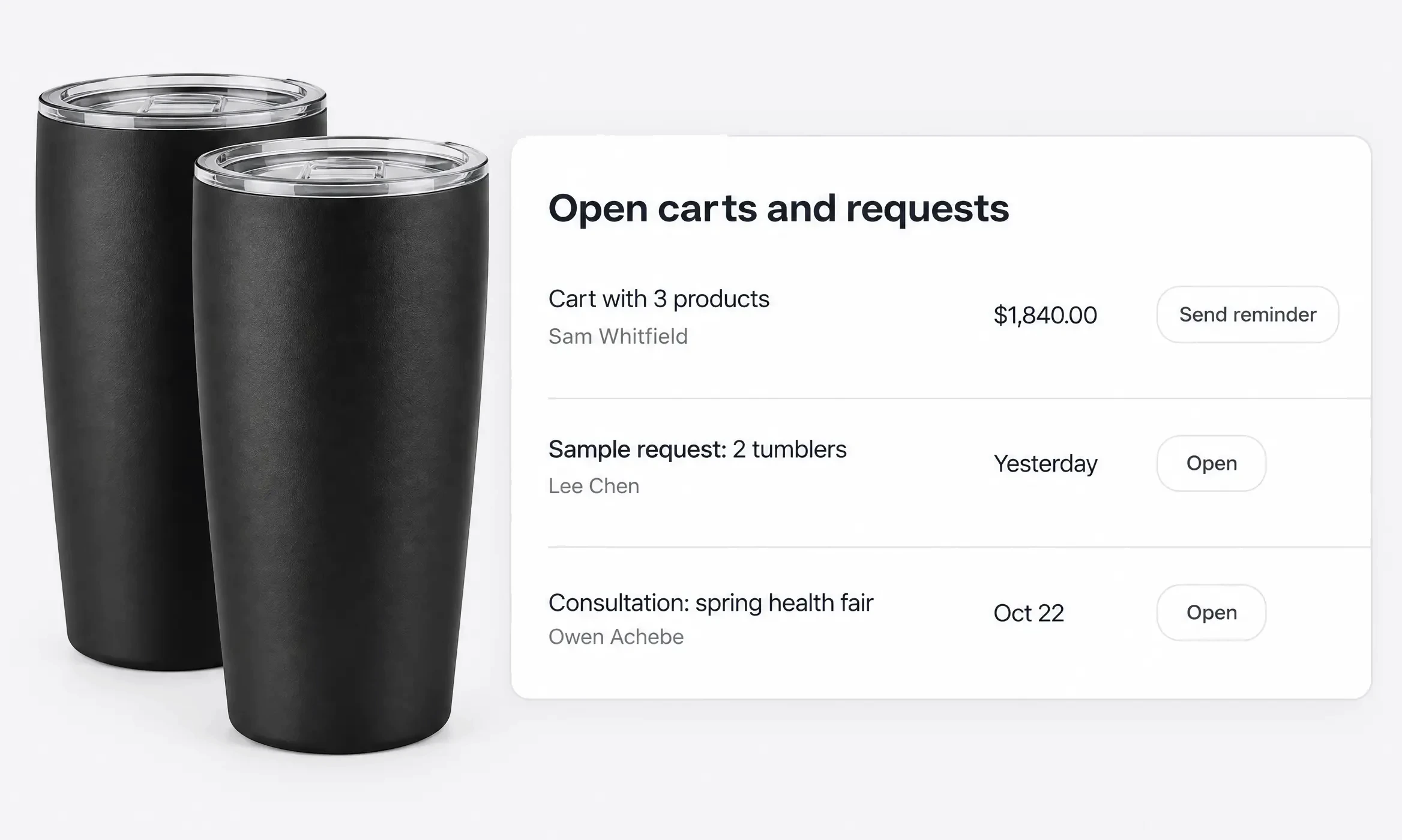
Carts left behind.

Open carts sit for weeks.

Buyers fill a cart, then stop. Nobody follows up, and the order never comes.

How Redefine Suite fixes it

  • Cart reminders

    Send reminders that bring buyers back.

  • Cart to quote

    Buyers can turn a big cart into a quote request.

Inside sales rep on a headset call, flipping through a printed customer list full of sticky notes and crossed-out

Accounts, contacts and shoppers

Three kinds of customer. One place.

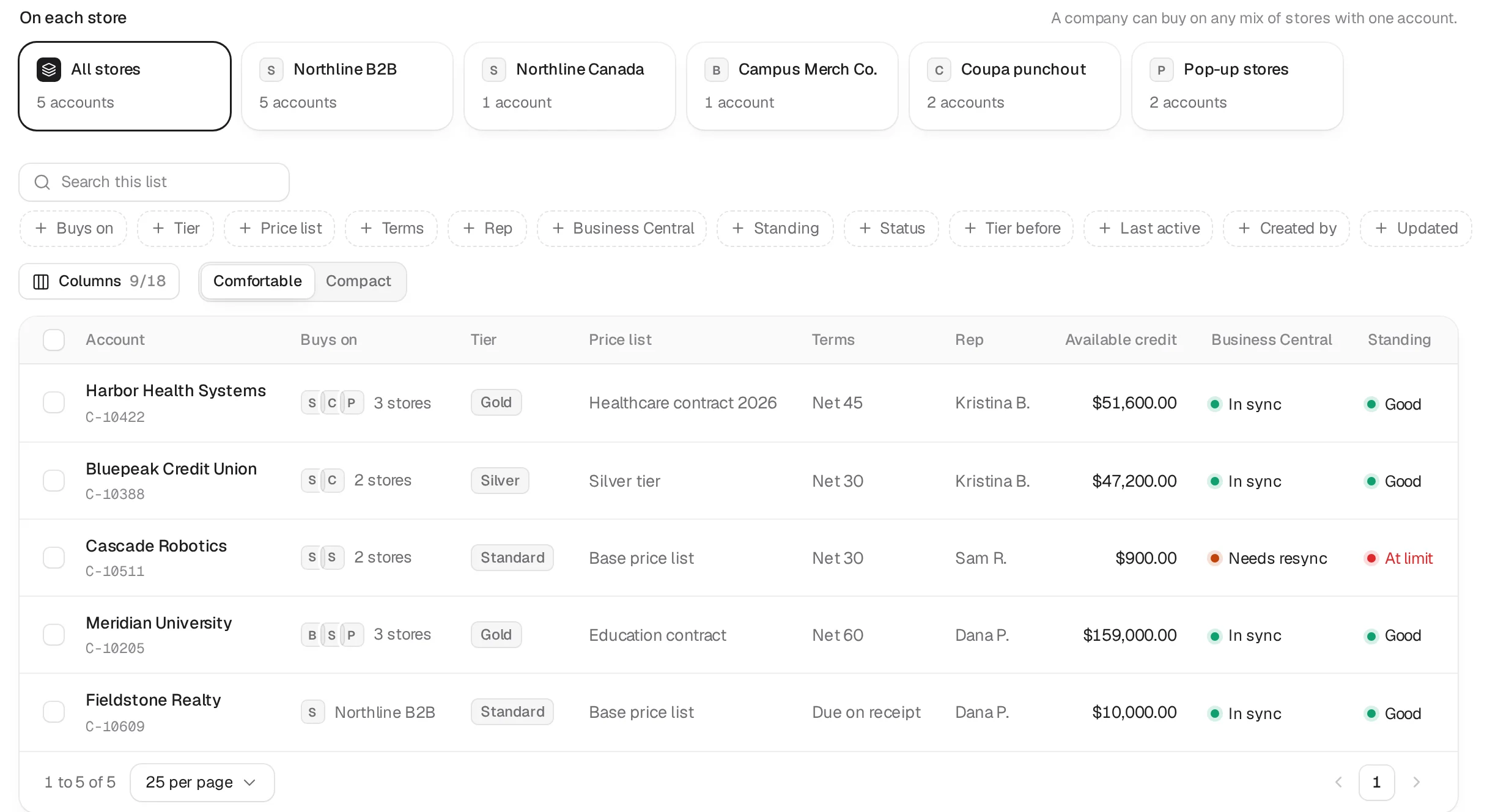
Business accounts, the people who buy for them, and shoppers who buy for themselves all live under Customers. Each one has its own list and filters.

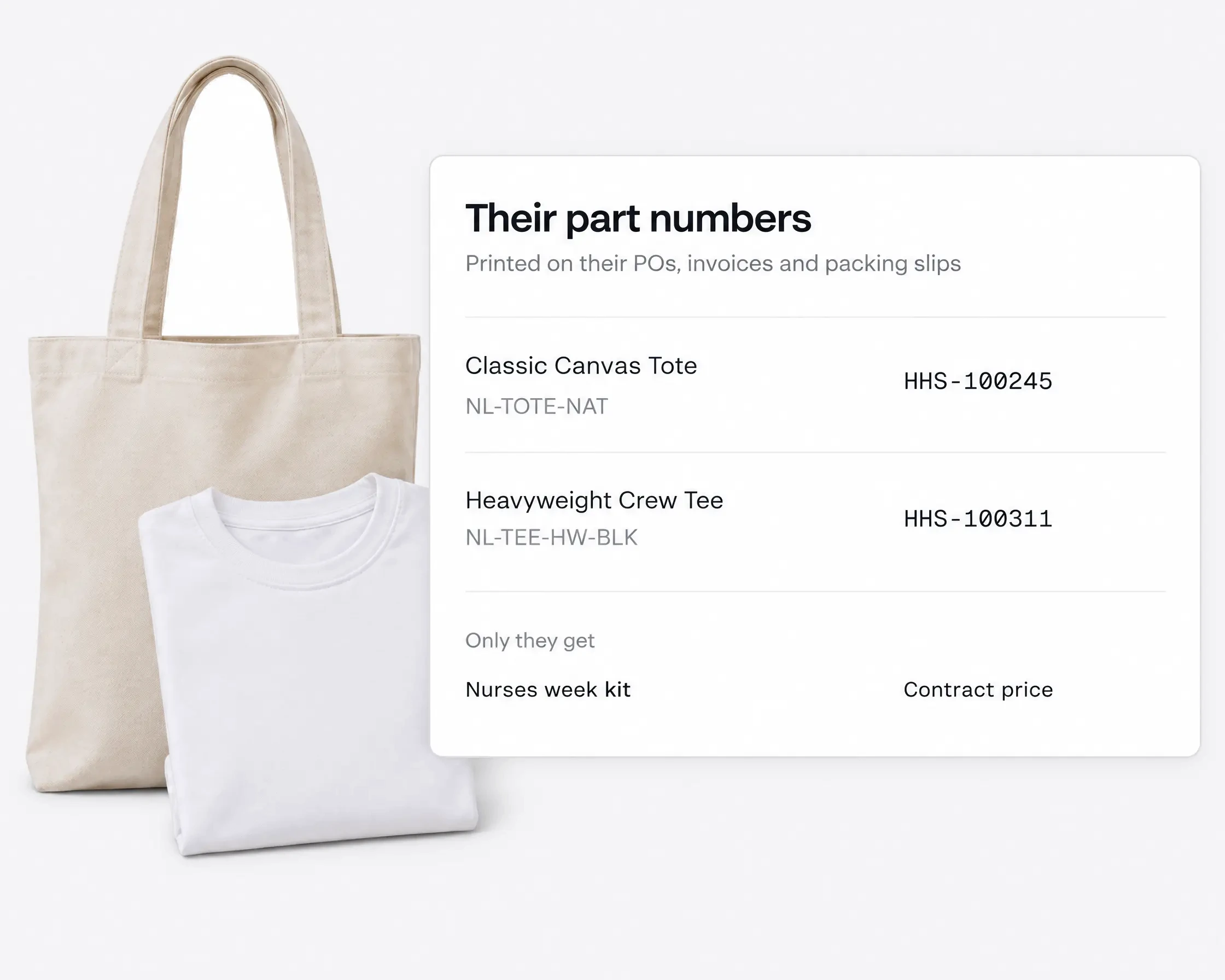
  1. Redefine Suite accounts: each company with the stores it buys on, tier, price list, terms, rep, available credit and

    01 Companies

    Accounts

    Each business you sell to, with its tier, terms, credit and the stores it buys on.

    What it holds
    Tier, price list, terms, sales rep, credit and standing.
    Good for
    Companies with many buyers
    Synced with
    Business Central, one customer per account
    Linked to
    Contacts, orders, quotes and invoices

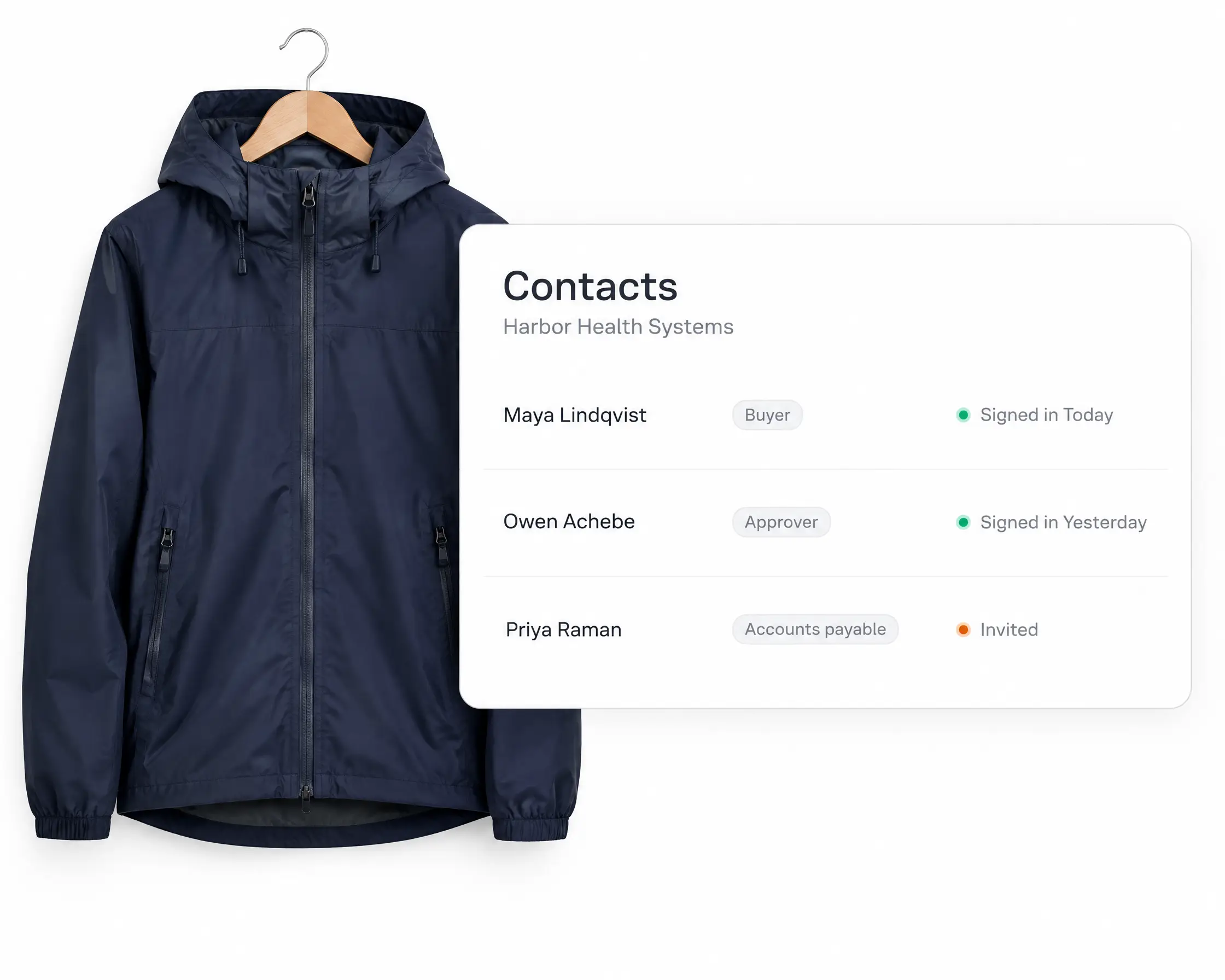
  2. A navy rain jacket beside a contacts card for one company: a buyer, an approver and an accounts payable contact, with

    02 People

    Contacts

    The people at each account, with their role, their limit and their sign-in.

    What it holds
    Name, role, account and portal sign-in.
    Good for
    Each person who buys or approves
    Roles
    Admin, buyer, approver, accounts payable or viewer
    Linked to
    Their account and the stores they can buy on
  3. Rust caps and a white tee beside a shoppers card: 3,718 shoppers, 1,204 bought in 90 days, 86 at risk, and two shoppers

    03 Shoppers

    Shoppers

    People who buy for themselves, not for a company.

    What it holds
    Level, life cycle, addresses and perks.
    Good for
    People who shop on your stores
    Watch list
    Shoppers at risk of leaving, flagged for you
    Linked to
    Carts, wishlists and points

Account page

Everything about one company, on one page.

Each company gets one page with 13 tabs. Here are three that sales and service teams use every day.

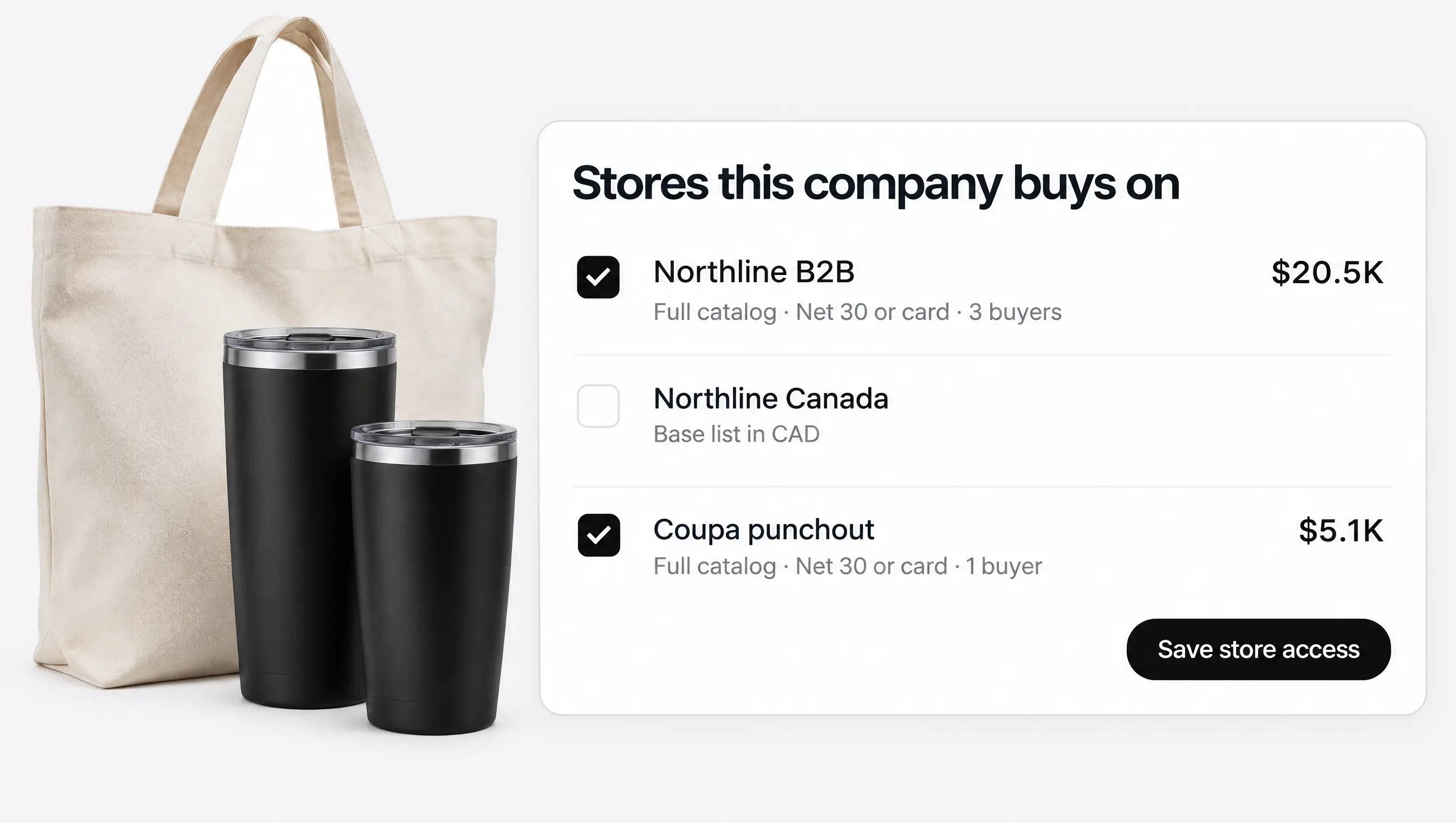
Store access

Which stores they buy on

Turn each store on or off for this company. Pick their own price list or the store's list. See 12 months of sales by store, so you know where they buy.

  • Turn a store on or off for this company.
  • Use their price list or the store's own list.
  • See which stores they buy on most.
Price list
Theirs or the store's
Sales
Last 12 months by store
See multi-brand and multi-region commerce
A canvas tote and two tumblers beside a card of the stores one company buys on, with its catalog, terms, buyers and

At a glance

Built for companies with many buyers.

What one customer record holds in Redefine Suite.

  • Office manager at a reception desk checking a packing slip against a clipboard as she opens a box of company supplies

    Redefine Suite

    One record for every company you sell to.

  • Kinds of customer record

    3

    Accounts, contacts and shoppers.

  • Tabs on each account page

    13

    From Stores to Change log.

  • Records for each company

    1

    One account, synced with one Business Central customer.

  • Buyer roles

Counts as of October 2026.

Clean data

Clean records that stay clean.

Redefine Suite helps you find the same company twice, see every change, and bring buyers back to their carts. Your records stay clean after the first clean-up.

When two accounts look like the same company, Redefine Suite tells you and offers a merge. Refresh from Business Central keeps the company name and account number right.

  • Keep one record for each company.
  • Keep Business Central in step.

Merge and sync in one place

Two identical cartons beside a card that found a duplicate company with the same tax ID and billing address, with a

What is the difference between an account and a contact?

An account is the company. A contact is a person who works there.

One account can have many contacts. Each one gets a role, the stores they can buy on and an order limit. See B2B commerce

What can each buyer do?

Each buyer gets one of five roles: admin, buyer, approver, accounts payable or viewer.

Each company can send orders to its own approvers, with a budget for each location. See approval workflows

Does it work with Business Central?

Yes. Each company account is one customer in Business Central.

Credit limit, terms and holds come from Business Central. You can refresh from it or sync to it on the account page. See the omnichannel commerce platform

What if the same company has two accounts?

Redefine Suite spots likely matches and suggests a merge.

You merge the other account into this one. The old account is closed, not deleted, so its history stays on record. See audit and traceability

Can we see who changed an account?

Yes. The change log shows each change, who made it and when.

Payment terms, credit limits, price lists, buyers and tax exemptions are all logged. Put back undoes a change. See access and permissions

Can it manage shoppers too, not just companies?

Yes. Shoppers have their own list with levels, addresses and life cycle.

Shopper levels can get their own discounts, shipping or tax rules. Carts and wishlists show what they left behind. See promotions and merchandising

Book a demo

See your own accounts in Redefine Suite.

In the demo, we load a few of your real accounts and show each tab. A demo built around your own accounts. You can also use the demo booking page.

Account manager and finance lead in a meeting room looking at the Stores tab of a company account in Redefine Suite on
  • Built on your own accounts
  • Your role and approval questions
  • Your ERP setup, checked
  • 550+ projects delivered

Book a personalized demo

Tell us what goes wrong with customer records today. We set up the demo around it.

  1. 1We confirm your request
  2. 2A short call about your accounts
  3. 3Your personalized demo
  4. 4You decide what comes next