Can one promotion run on many stores?
Yes. Pick any mix of stores, marketplaces and punchout catalogs. Each one gets the deal in a form it can use.
One store can get a different amount when it needs one. See multi-brand and multi-region commerce
Promotions and merchandising software
Redefine Suite runs your deals and your product order for every store from one admin. Set a sale once. Each store gets it in its own form, and each deal is checked against your margin floor.

See your next sale planned in one admin.
A demo built around your next sale.
Short answer
Updated
Promotions and merchandising software sets the deals and the product order that shoppers see. Deals can be discount codes, automatic offers or free shipping. Redefine Suite by Redefine Innovations runs both for every store from one admin, and checks your margin before a deal goes live.
Many teams set up each sale by hand on each store. One store gets the code late, two deals stack, and the margin drops before anyone sees it.
Redefine Suite keeps offers, product order, badges and placements in one place, with a margin check on every store.
Three ways to run sales on many stores
What each promotion holds
See all of Redefine Suite.
Where sales go wrong
A late code, two deals on one cart, or a store left out. Here is how promotion management plays out with a spreadsheet and with Redefine Suite.
01 Our way: With Redefine Suite
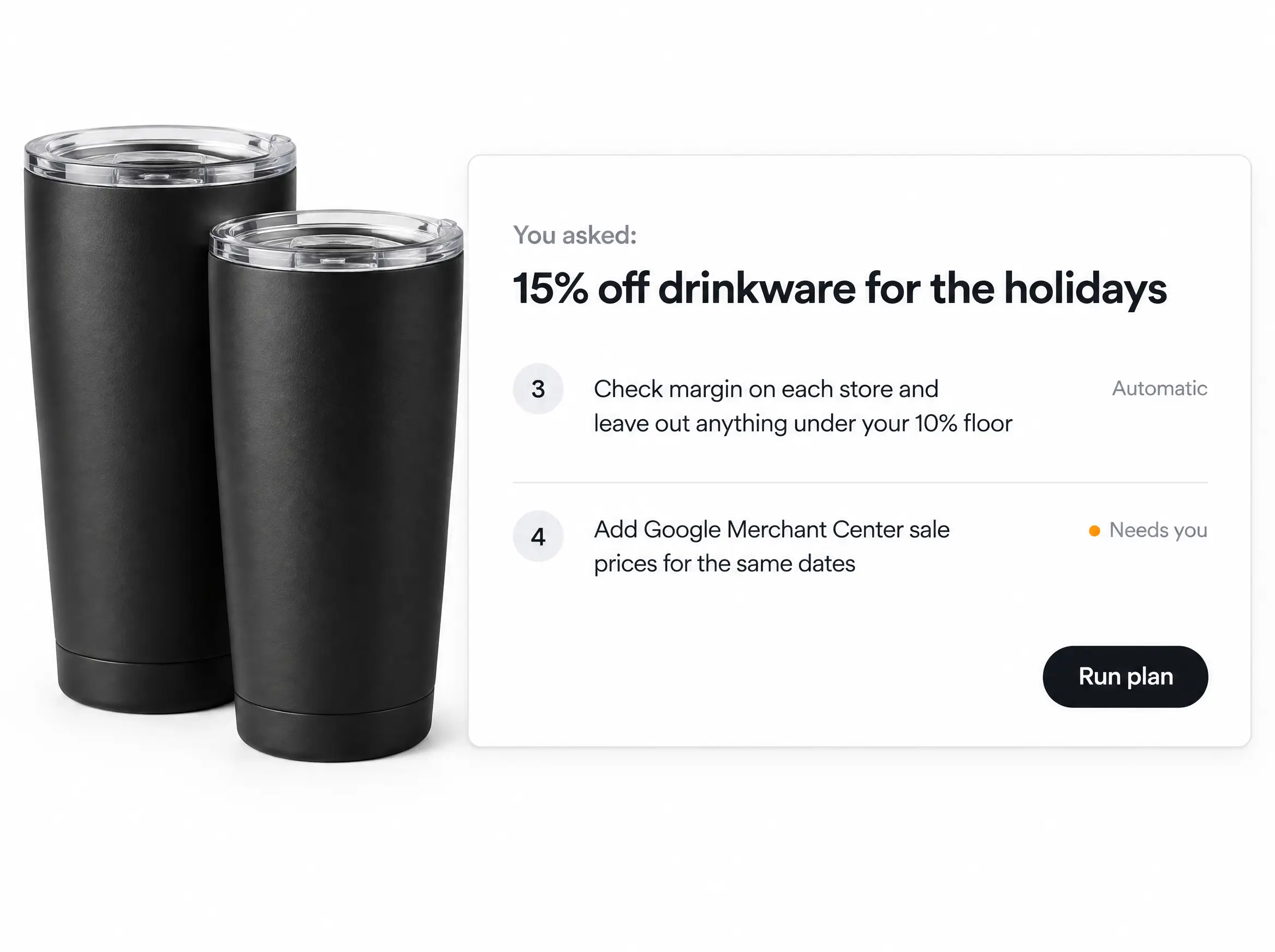
Plan a sale in plain words.
The agent writes the plan. Steps that need you wait for your yes.
Old way: Instead of
A sales calendar in a spreadsheet.
One store starts late and another never ends.
02 Our way: With Redefine Suite
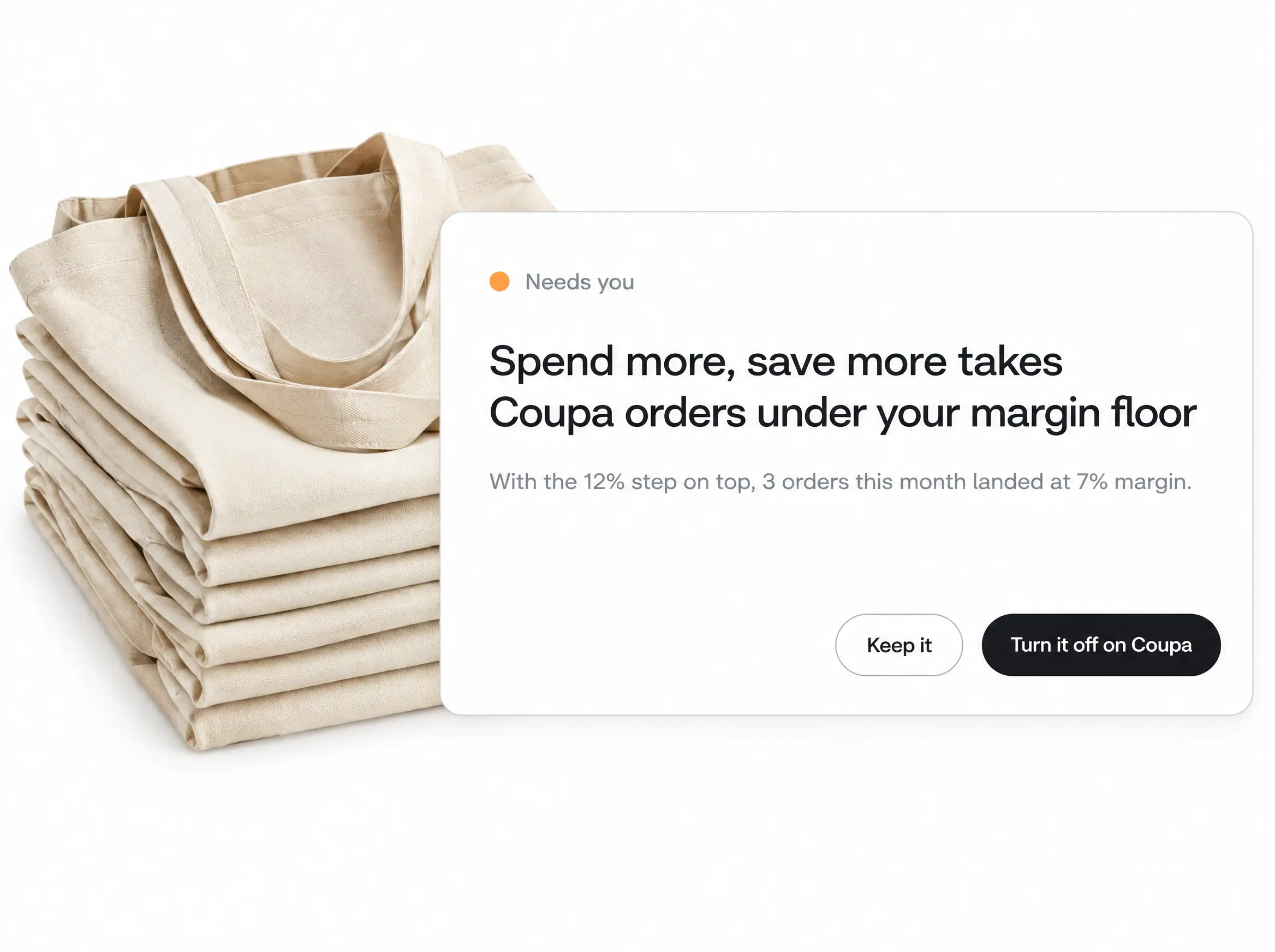
Deals never cut below your margin floor.
When two deals together go too deep, the admin tells you first.
Old way: Instead of
A code and an automatic deal both apply.
You find the loss at month end.
03 Our way: With Redefine Suite
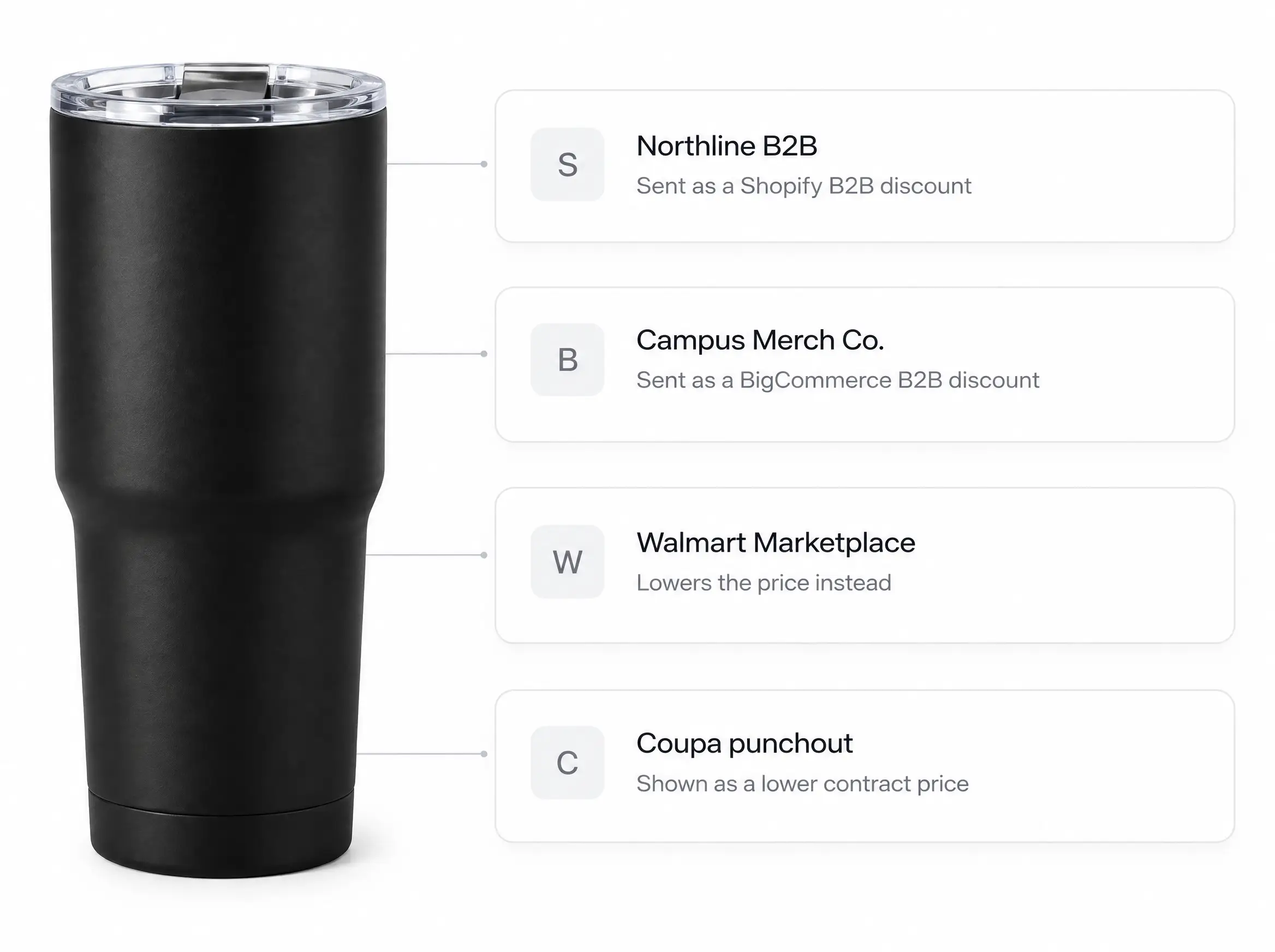
Set a deal once for every store.
Each store, marketplace and punchout catalog gets it in a form it can use.
Old way: Instead of
A discount app on each store.
The same sale is set up again, and again.
One admin
See what is live, what starts soon and what needs you. A two-month calendar shows each sale on its dates, with revenue from all promotions in the last 30 days.
See the promotion agent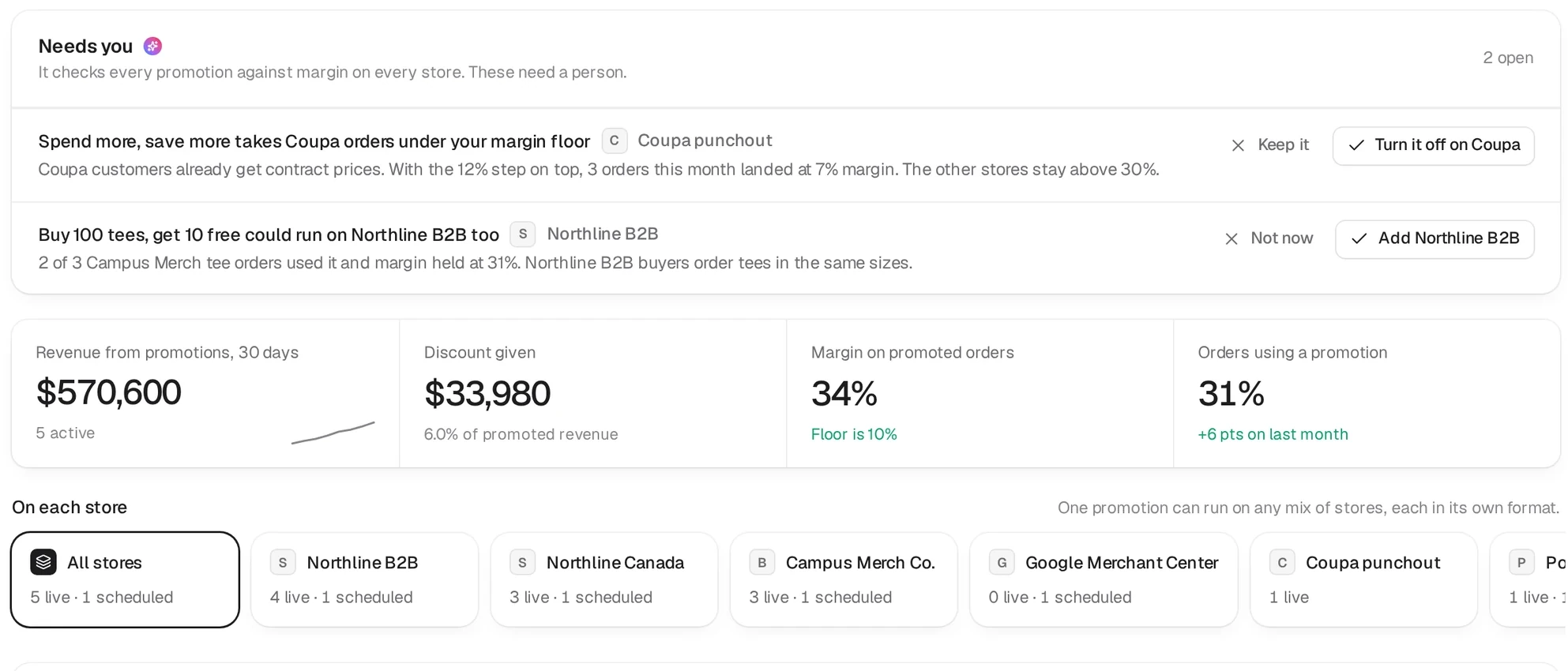
Merchandising
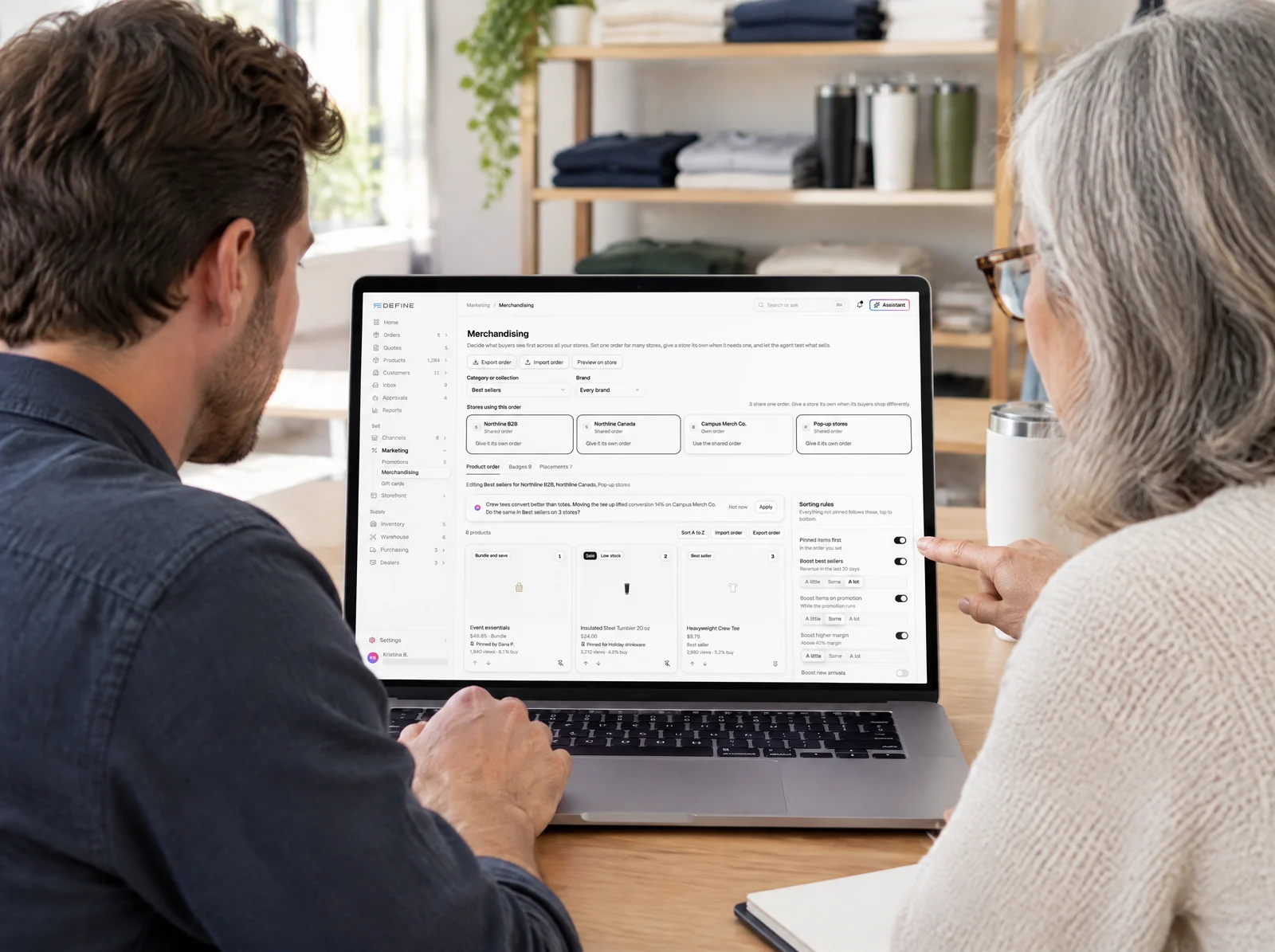
Merchandising sets what shoppers see first. Redefine Suite keeps the product order, the badges and the store spots in one place, for every store you run.
01 / Product order
Pin a product to a spot in a collection, like a tumbler for a holiday sale. Sorting rules fill the rest, such as best sellers or new arrivals. Out of stock items move to the end on their own. Each store can share one order or keep its own.
See the DTC ecommerce platform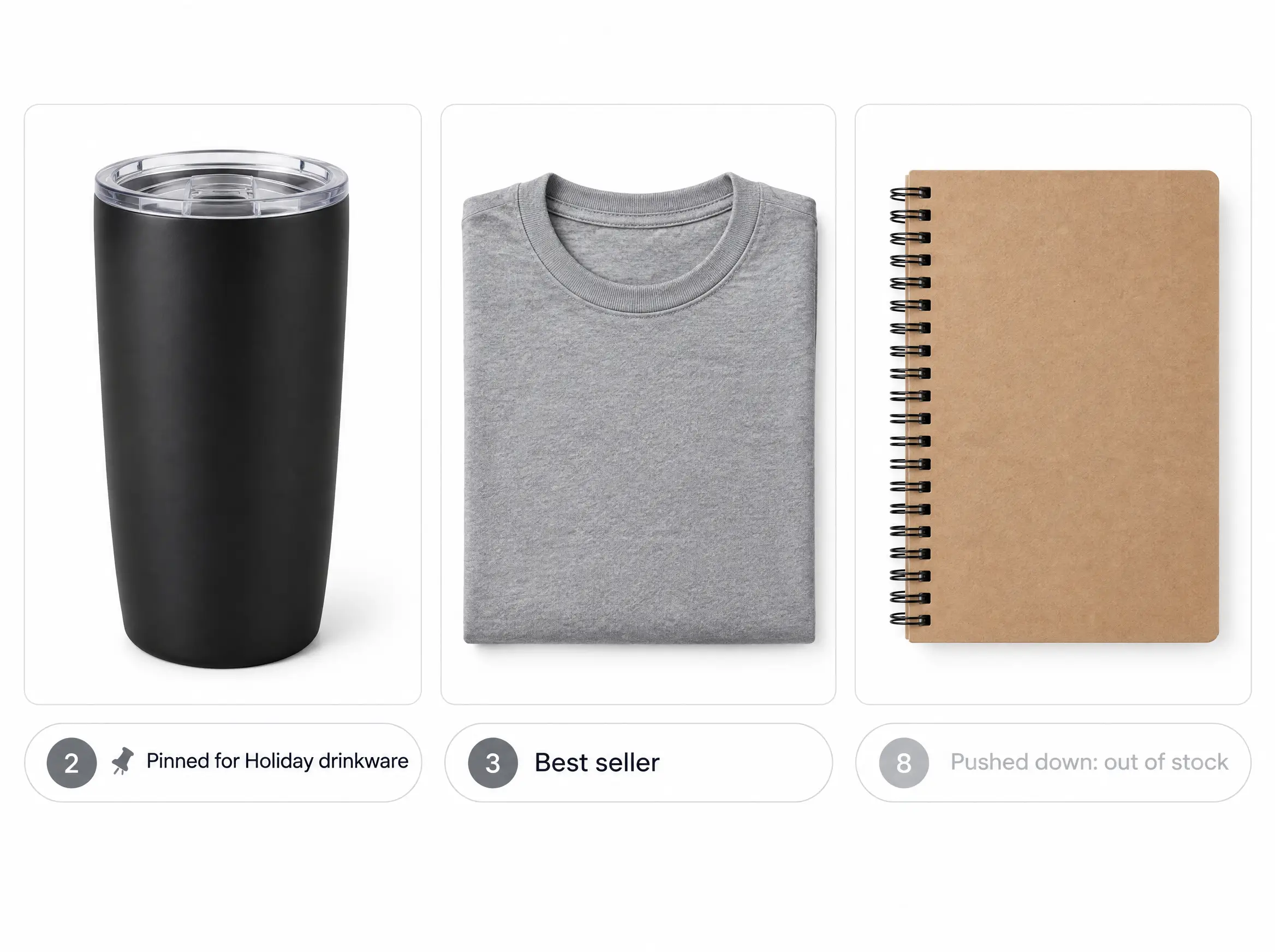
02 / Badges
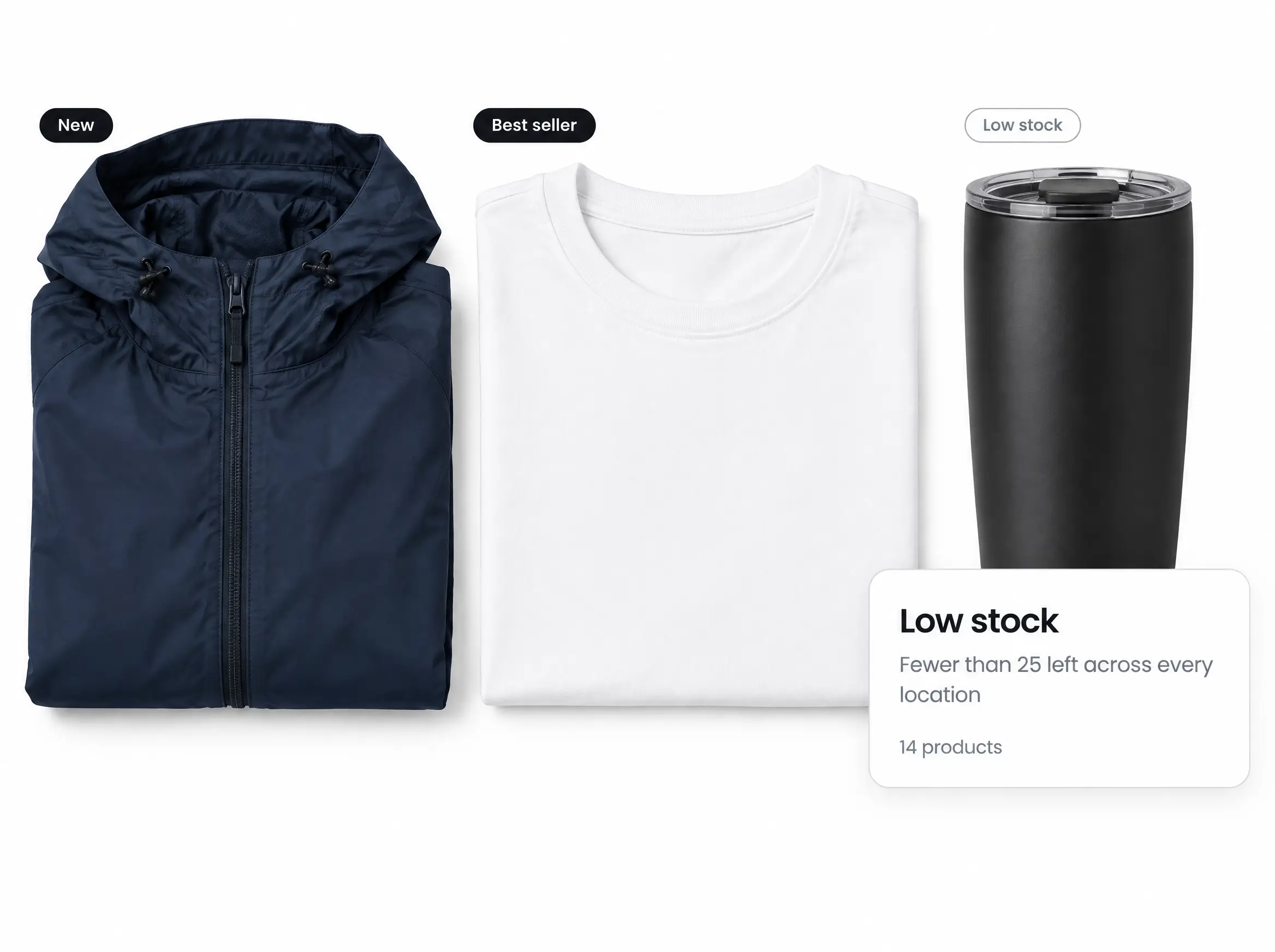
New, Best seller and Low stock badges switch on and off by rule, so no one edits them by hand. Low stock can mean fewer than 25 left across every location. You see how many products each badge is on right now.
03 / Spots
Spots on the home page and in the cart are filled from collections, promotions, bundles and forms. In the cart, a spot can show items that unlock the next discount tier. Shoppers see what to add to save more, and each spot has its own dates.
See kits and bundles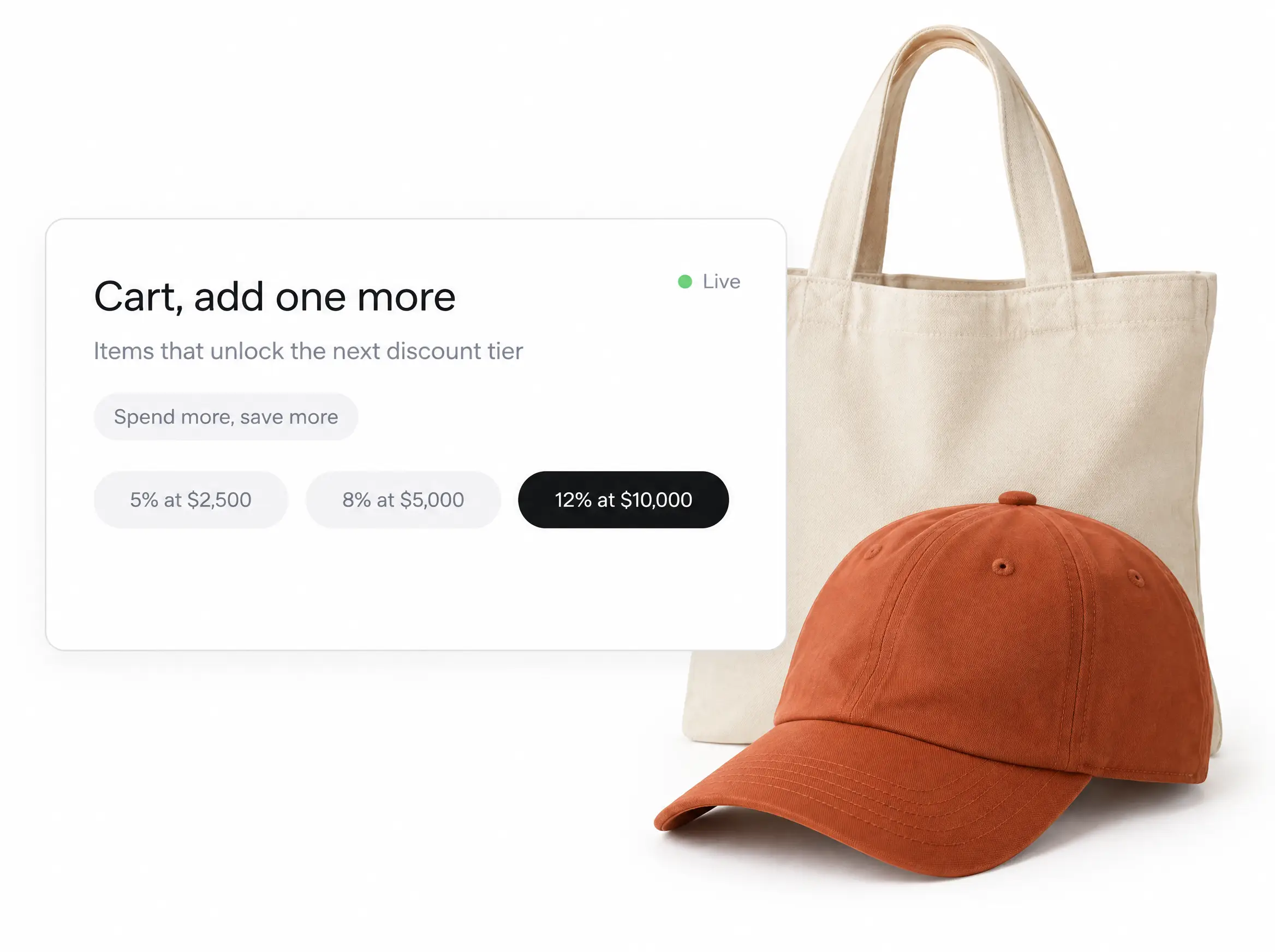
More ways to sell

Sell gift sets and multipacks as one item, with their own price.
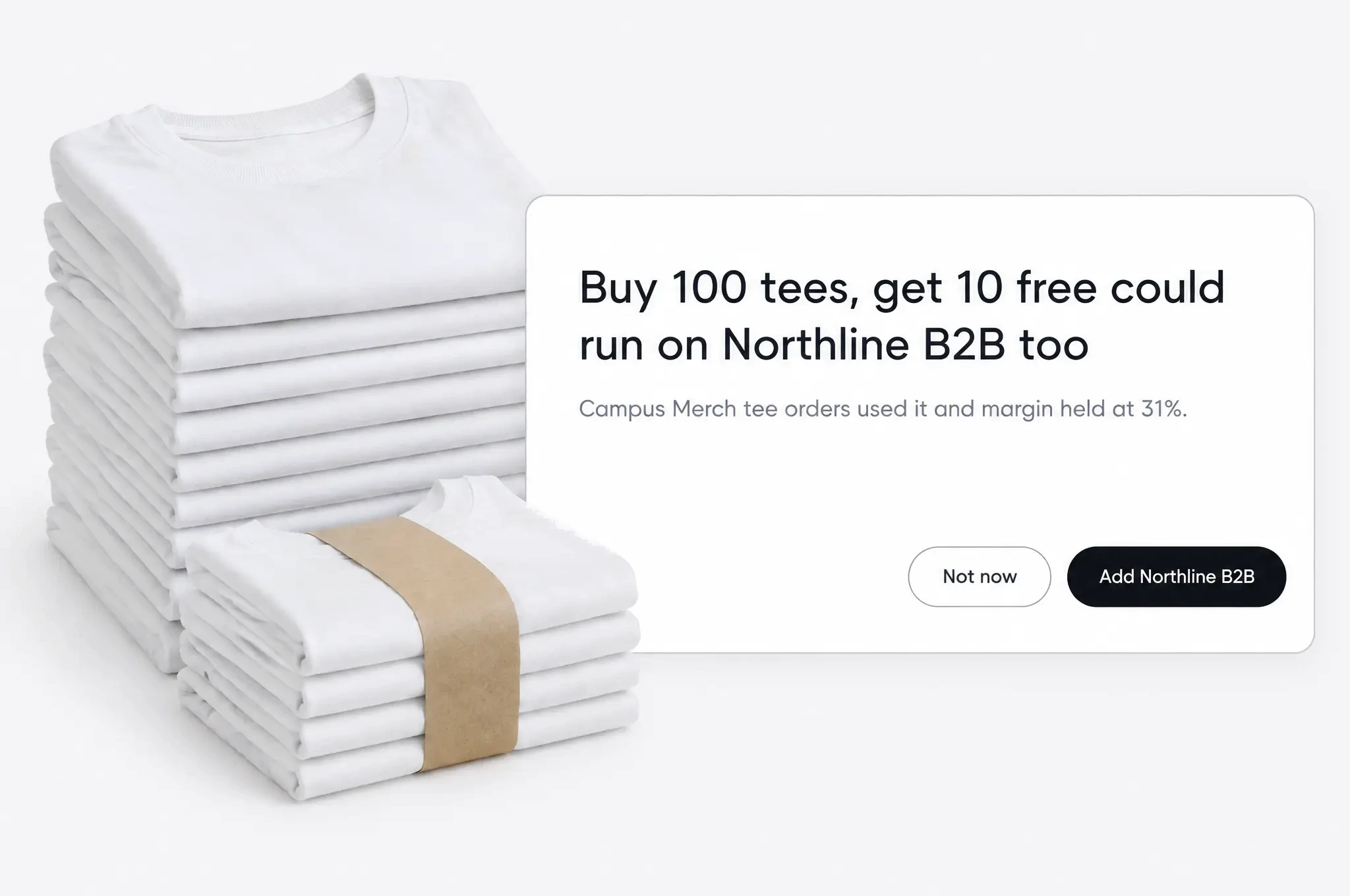
Give a free item with a big order. Reuse a deal that worked on another store.
See B2B commerce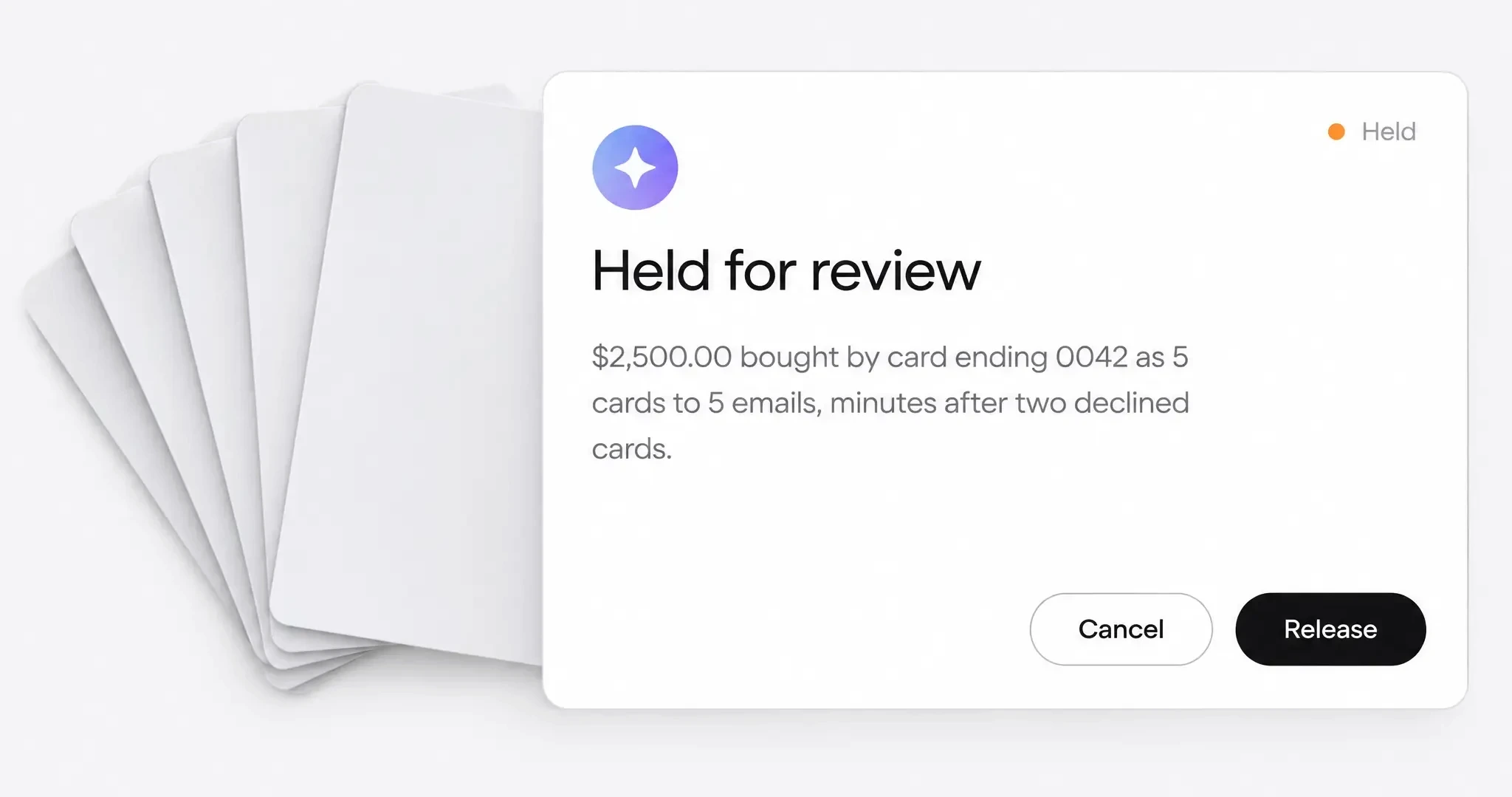
Sell gift cards, track balances, and hold risky orders before they go out.
See customer accounts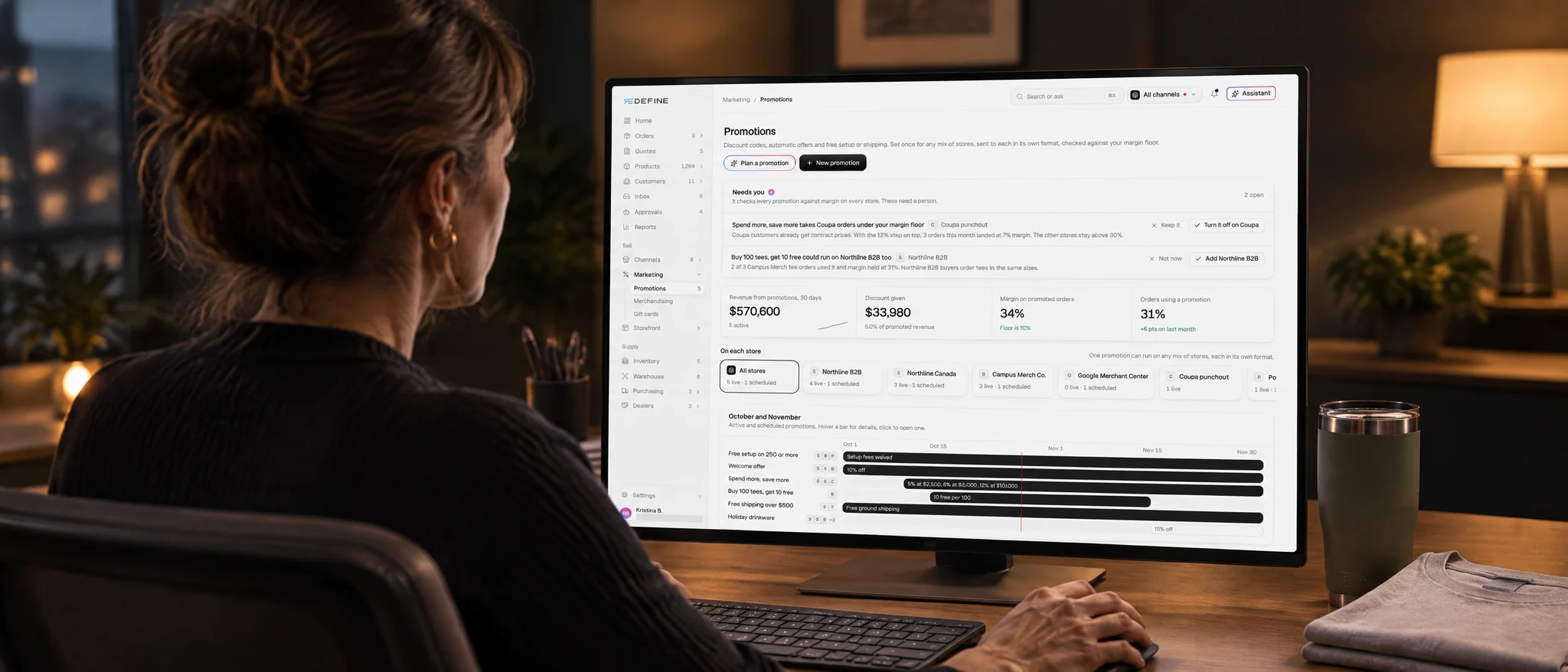
One plan for the team
Marketing, sales and store teams look at one calendar. Each promotion shows its uses, its revenue and the discount it gave.
See the omnichannel commerce platformPop-up stores

Pop-ups and events
Short stores for events get the same sale as your main store.
Each pop-up gets its own code, made by hand from a spreadsheet.
Add every pop-up to the promotion once. A store that opts out is skipped.
One deal for stores, marketplaces and pop-ups
A different amount per store when you need one
Sales reps see the deal when they quote
Questions
Yes. Pick any mix of stores, marketplaces and punchout catalogs. Each one gets the deal in a form it can use.
One store can get a different amount when it needs one. See multi-brand and multi-region commerce
Each promotion has a stacking rule. It stacks, the best deal wins, or it can't combine.
The admin warns you when two deals together would go below your margin floor. See customer-specific pricing
Yes. You can limit a deal to buyer groups, like schools or new companies.
Buyers on a punchout catalog see the deal as a lower contract price. See procurement and punchout
You type the sale you want in plain words. The agent writes a plan with each store and date.
Steps that need a person wait for your yes. See agentic commerce AI
Yes. Stores can share one product order, or a store can have its own.
Pins and sorting rules set the order, and badges turn on by rule. See the DTC ecommerce platform
Each promotion shows its uses, its revenue and the discount it gave.
The list also shows revenue from all promotions in the last 30 days. See the omnichannel commerce platform
Book a demo
In the demo, we set up one of your real promotions and show how each store gets it. A demo built around your next sale. You can also use the demo booking page.
Tell us about your next sale. We set up the demo around it.