What kinds of bundles can I make?
Fixed sets, build your own bundles, pre-built kits and multipacks. A bundle can mix fixed items with a choice group.
The buyer picks a size or color in the choice group. See team store software
Kits, bundles and packages
Redefine Suite builds welcome kits, gift sets and multipacks from the products you already sell. Each kit shows which item runs out first. Prices stay above your margin floor.
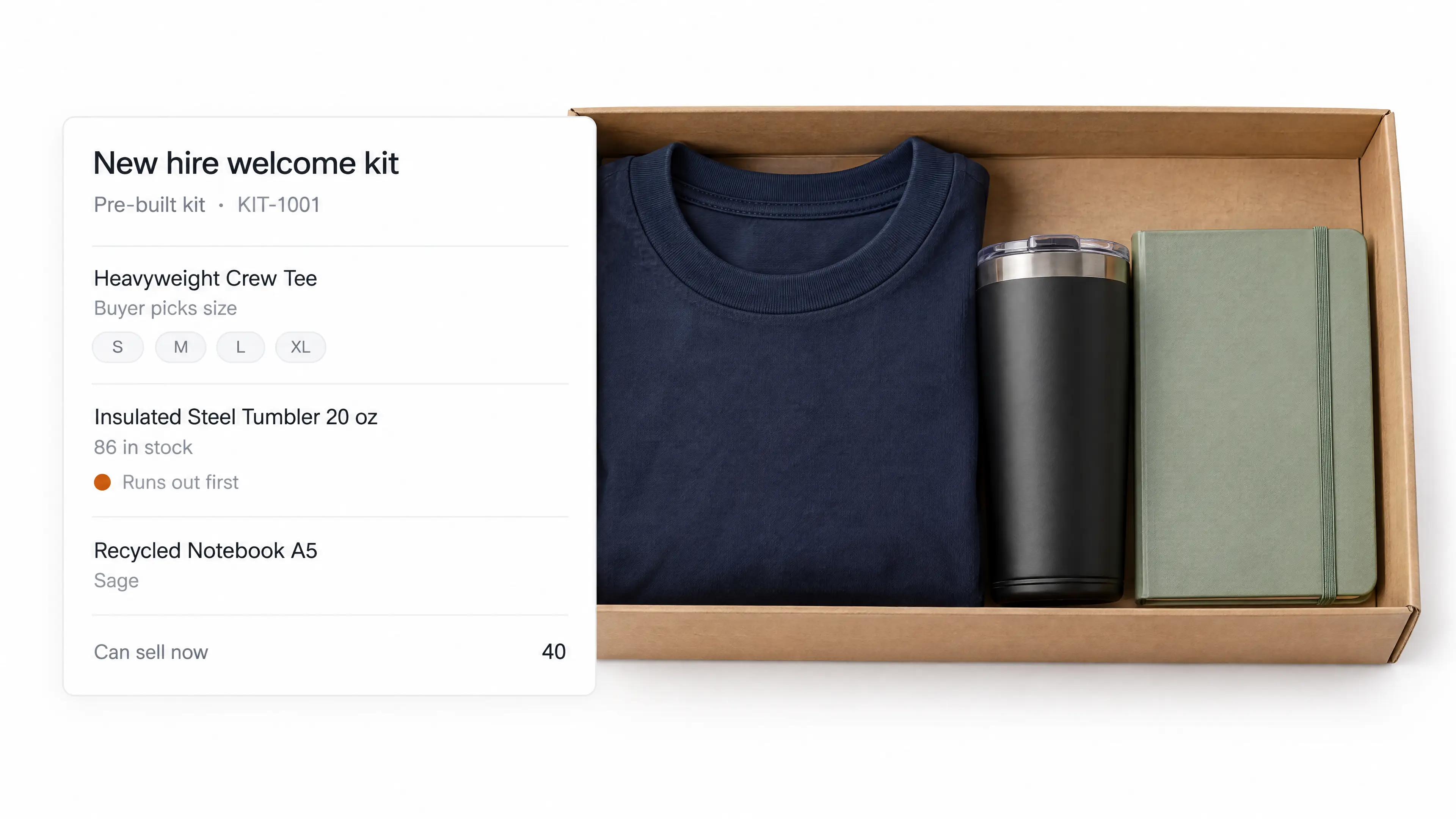
See your own kits built in Redefine Suite.
A demo built on your own products and stores.
Short answer
Updated
Product bundling software lets you sell several products as one kit, bundle or pack. Redefine Suite by Redefine Innovations builds each bundle from your real products, so stock, price and margin come from the items inside it, and each store or channel lists it its own way.
A welcome kit can hold a tee, a tumbler and a notebook. If the kit is set up as its own product, nobody sees that the tumbler is almost gone. You sell kits you cannot ship, or you give away margin with a discount.
In Redefine Suite a bundle never copies its items. It points to them, so stock and cost are always true.
Three ways to run kits and bundles
What a bundle is built from
See all of Redefine Suite.
Kits by hand
Stock, price and channels. Here is how each one runs when a kit is set up by hand, and how it runs in Redefine Suite.
01 Our way: With Redefine Suite
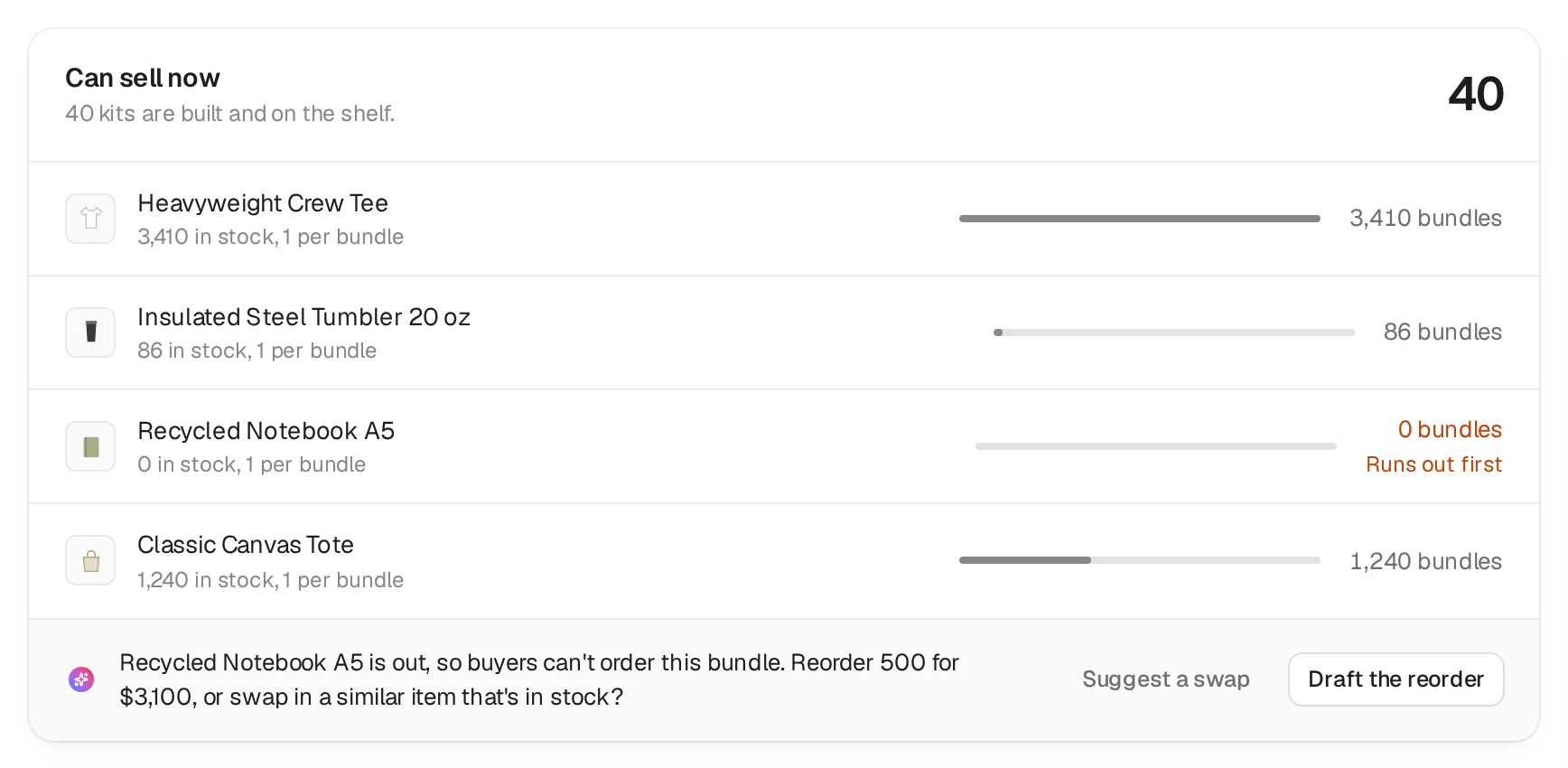
Kit stock counts itself.
A kit never copies its items. It counts the stock of each one and shows you which item will run out first.
Old way: Instead of
Kit counts typed in by hand.
A kit sells after an item is gone.
02 Our way: With Redefine Suite
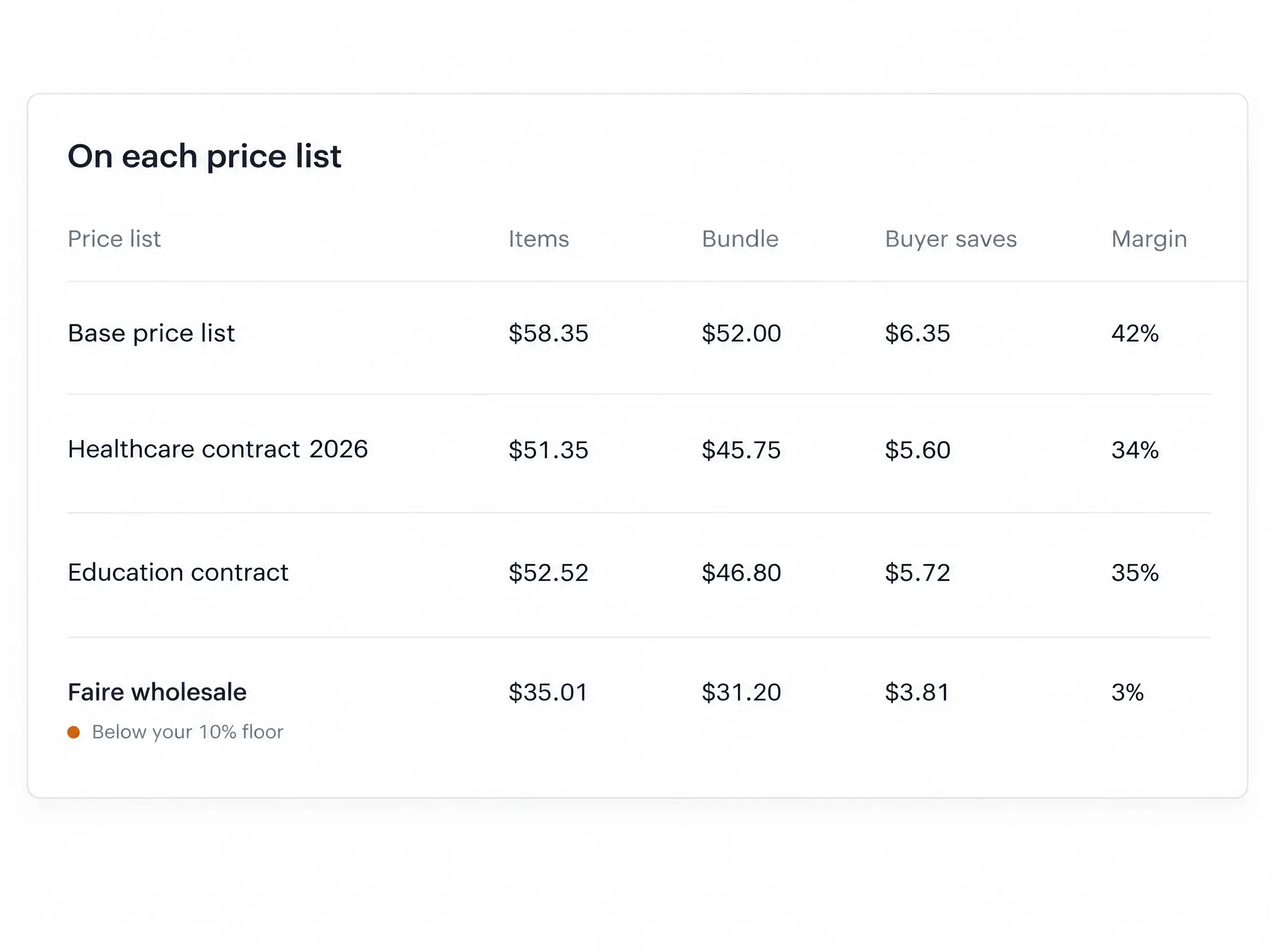
Prices stay above your floor.
Set a percent off, a fixed price or the sum of the items, for each price list. You get a warning before a price drops below your margin floor.
Old way: Instead of
One discount for every buyer.
Margin found too late.
03 Our way: With Redefine Suite
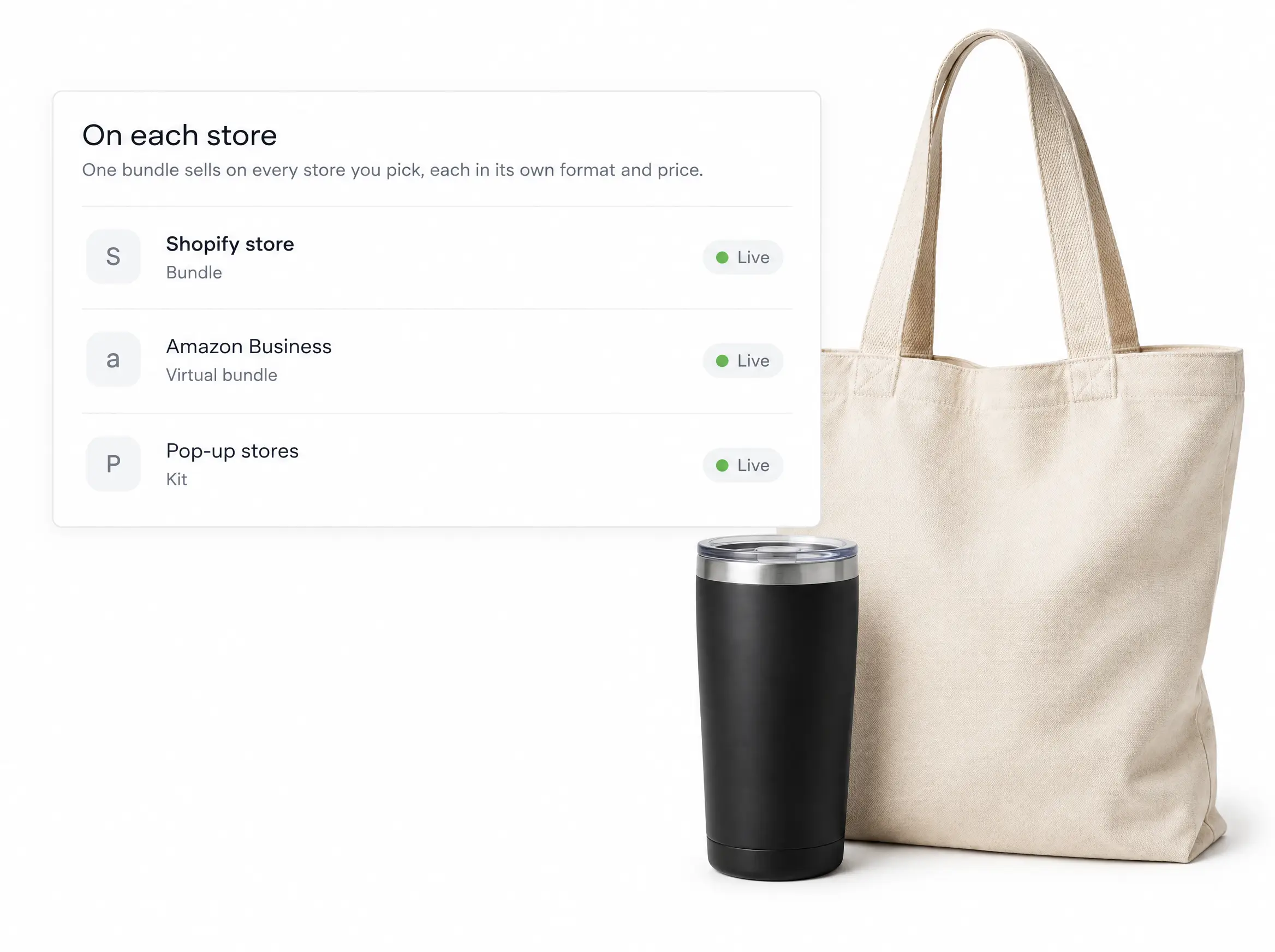
Each channel gets its own version.
One bundle can sell as a Shopify bundle, an Amazon virtual bundle or a kit on a program store.
Old way: Instead of
A new bundle set up per channel.
Stores show different contents.
All your bundles
Fixed sets, build your own bundles, kits and multipacks sit in one list. Each row shows how many can sell, the price and where it sells.
See marketplace and channel management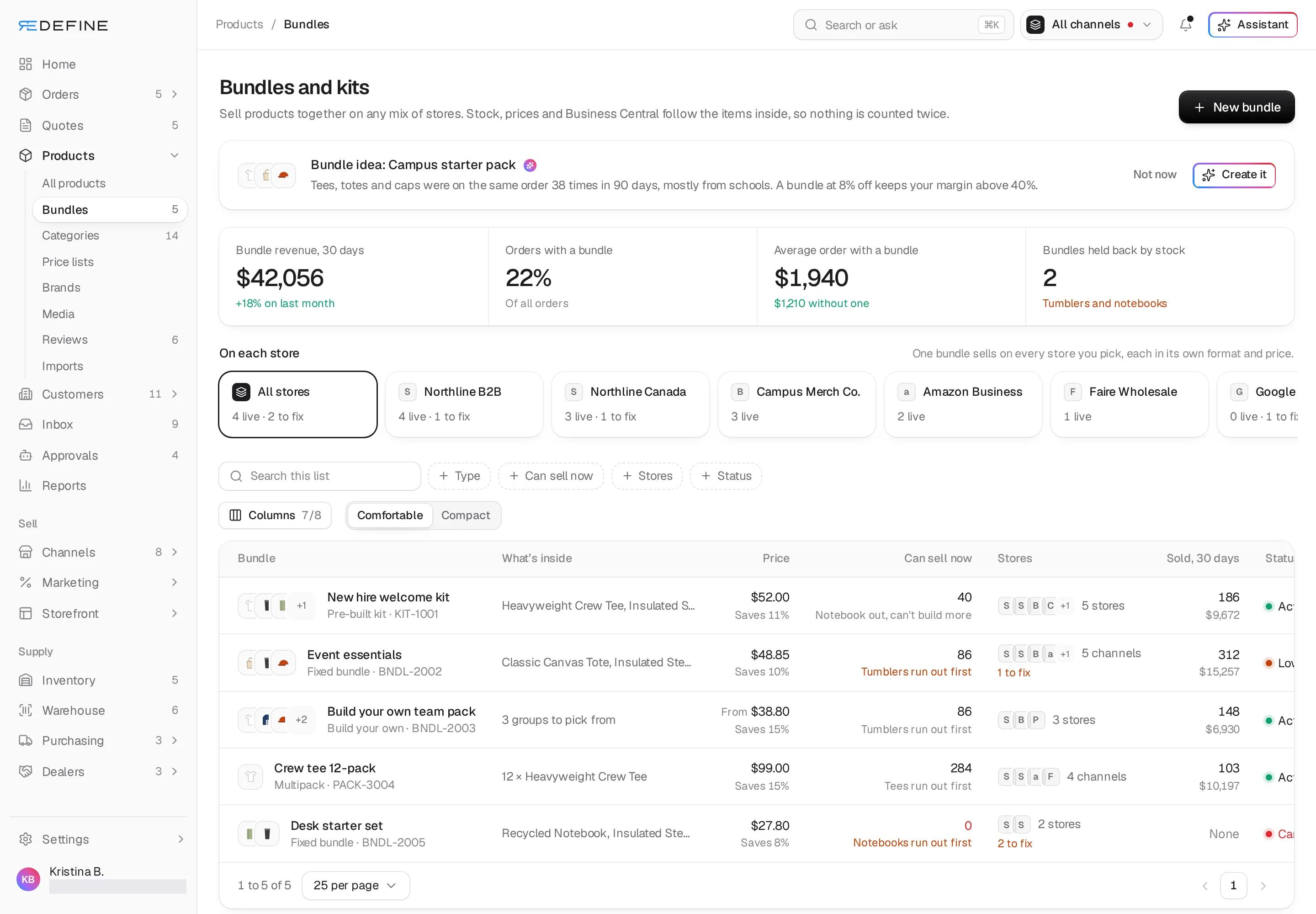
Bundle builder
Bundle builder tools only help if every kit stays true to its items. Each part below keeps one bundle right for every store, from the first item you add to the box it ships in.
01 / Four types
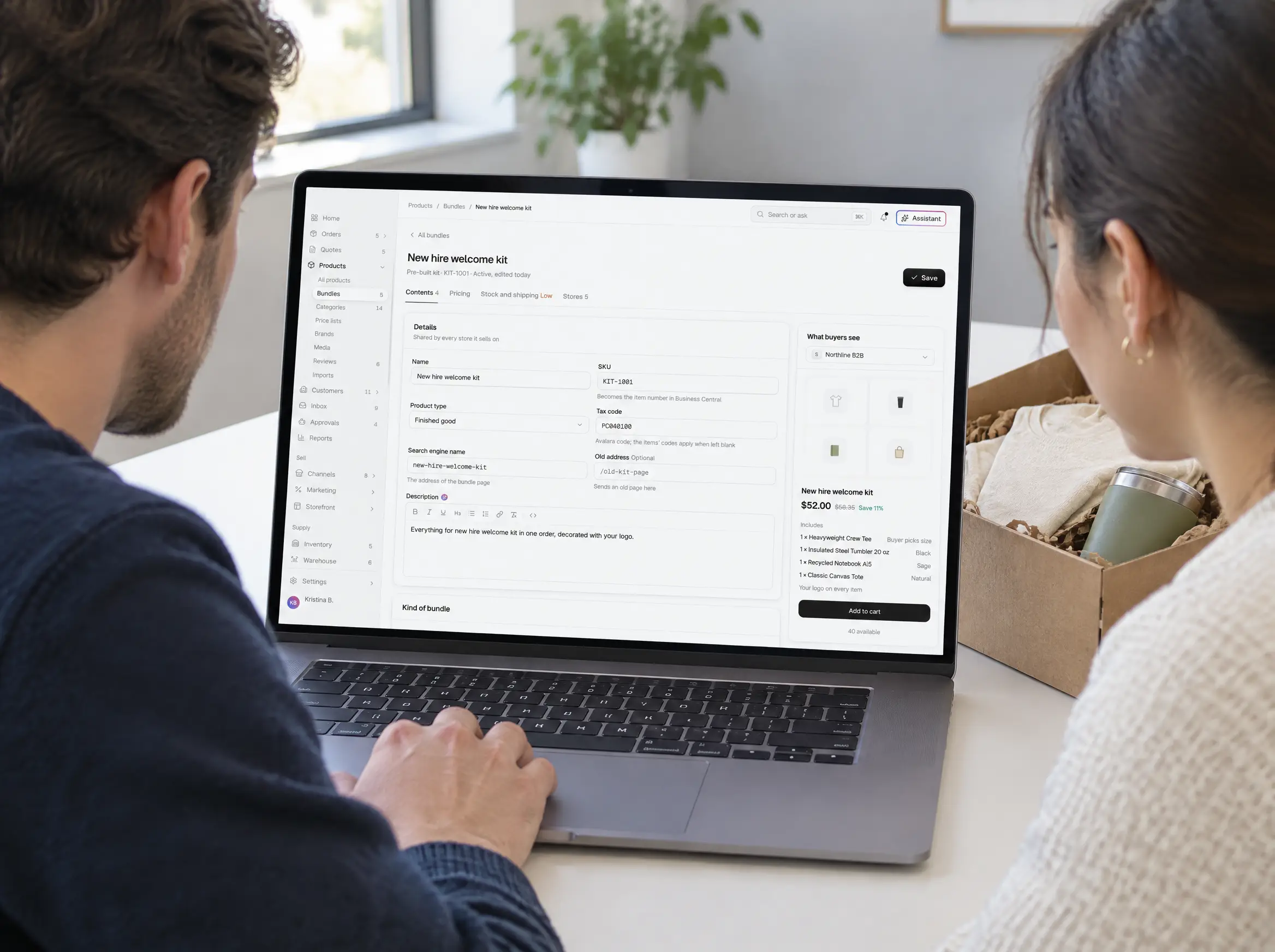
Make a fixed set, a build your own bundle, a pre-built kit or a multipack. Give it a name, a SKU, a tax code and a box size. Add fixed items, or a choice group so the buyer picks a size or color.
See supplier catalog management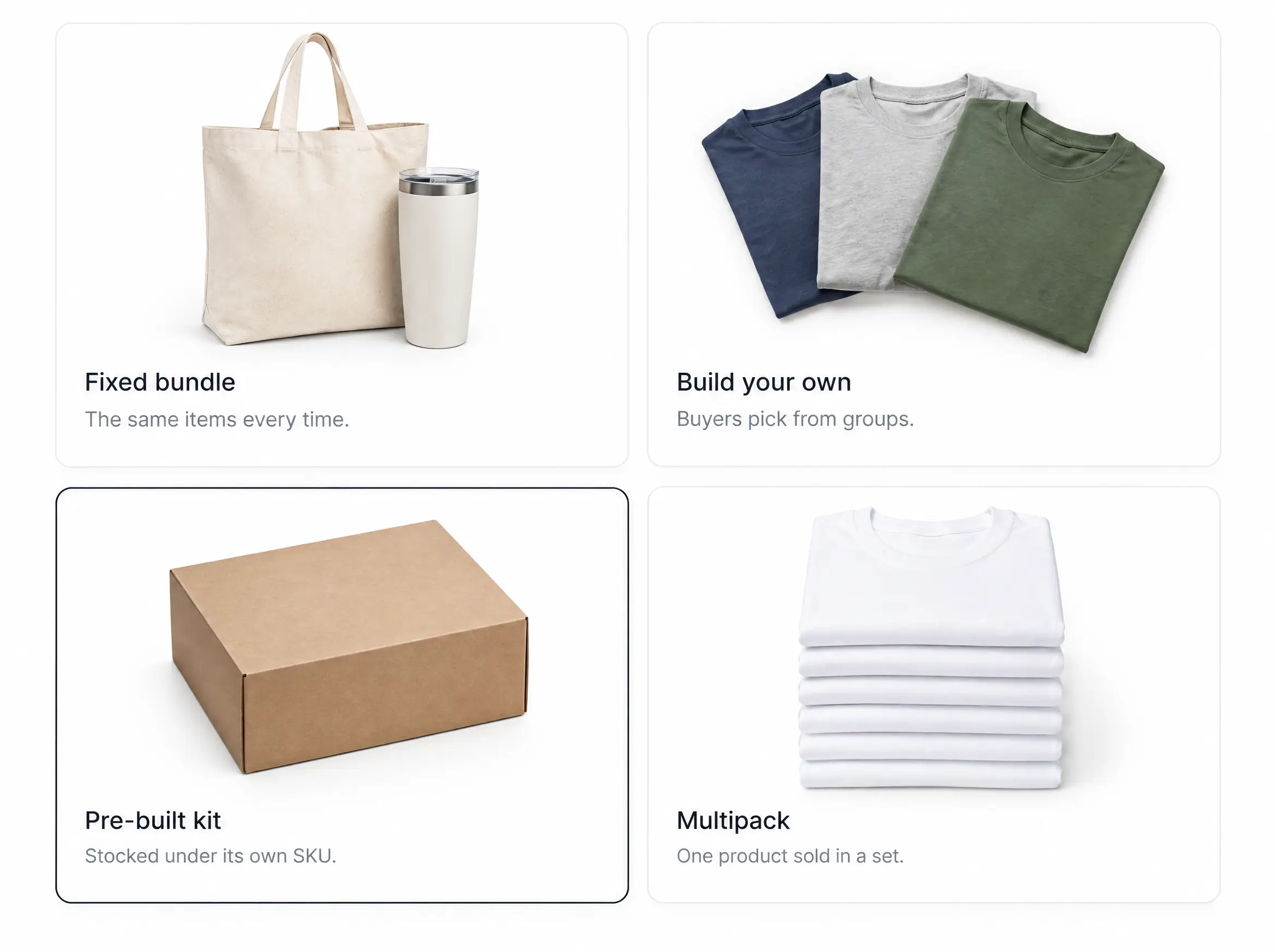
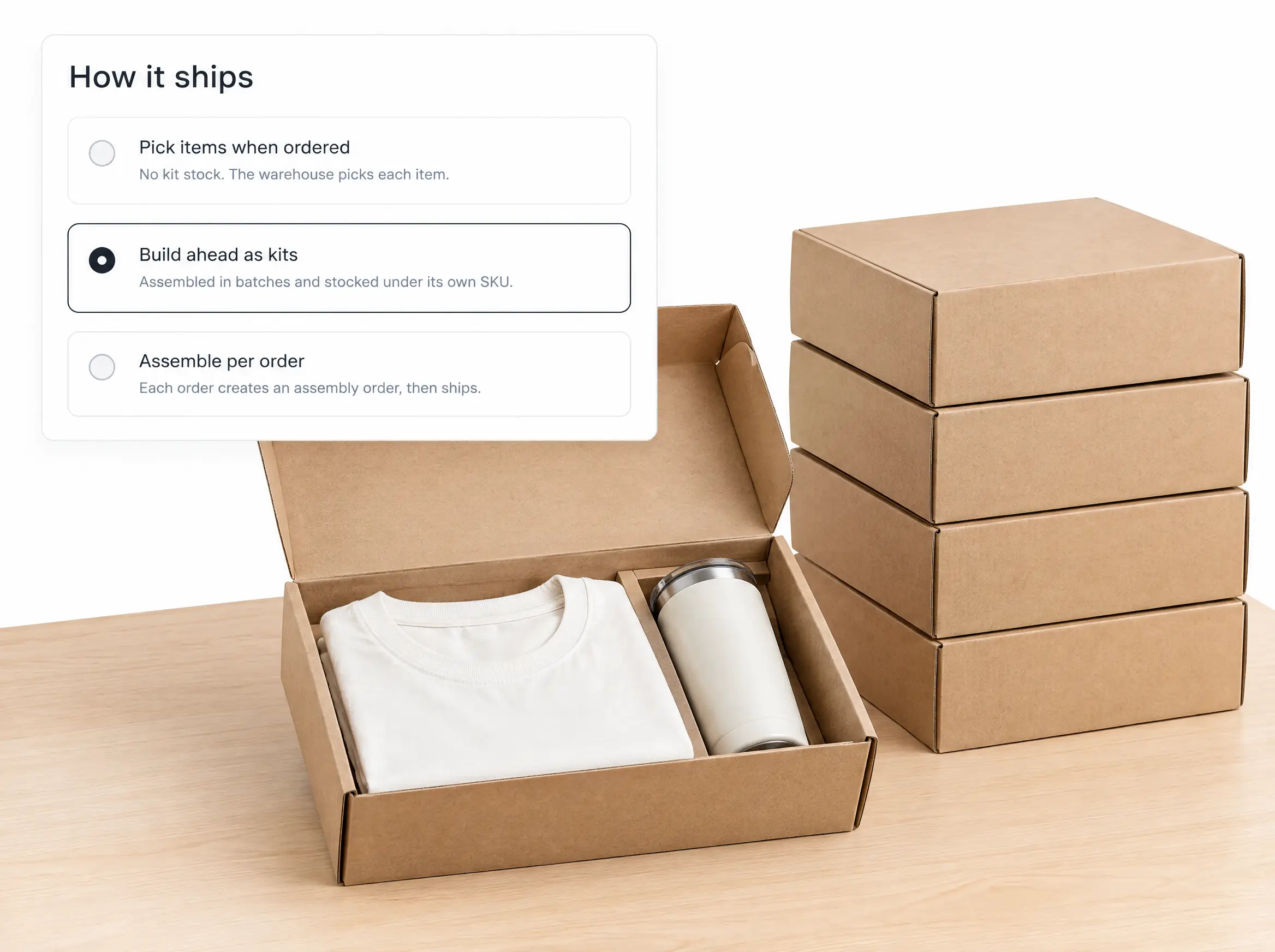
02 / Packing
Pick the items when an order comes in, or build kits ahead with their own SKU. Kits built ahead use assembly orders in your ERP. Or assemble each kit for its order. Every product page also shows the bundles it is in.
03 / Preview
A preview sits next to every bundle setting. Change the contents, the price or a choice group, and you see the store page change too. Nothing reaches a store or channel until you save it.
See proof and approval workflows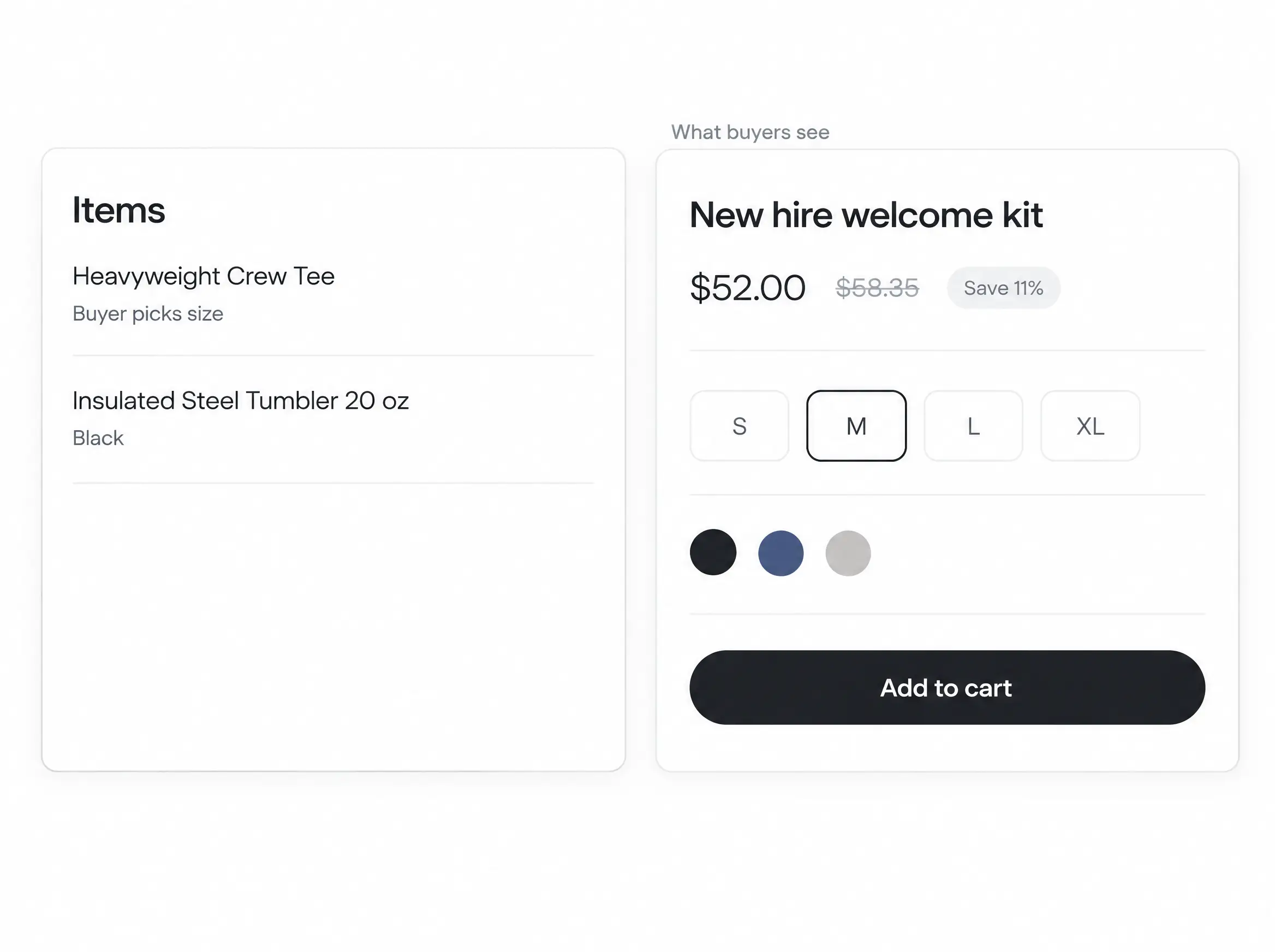
Client story

Built by Redefine
Redefine built the stores, stock and reports behind Parsons Kellogg, a promotional products and apparel company. Read the Parsons Kellogg story The linked story documents 8x..
Stores, stock and the ERP each kept their own numbers, and reports took hours by hand.
Now stores, stock and the ERP share one set of numbers, and the warehouse moves faster.
Inventory accuracy: 99.0%
Manual report time: down 58%
Revenue: $120M+ a year

Bundle ideas
The agent looks at items customers often buy together and suggests a bundle. You check it, price it and decide if it goes live.
See budget and redemption controlsQuestions
Fixed sets, build your own bundles, pre-built kits and multipacks. A bundle can mix fixed items with a choice group.
The buyer picks a size or color in the choice group. See team store software
A bundle points to its items and never copies them. It counts each item and shows which one runs out first.
So a kit stops selling when one item is gone. See order management system
Use a percent off, a fixed price or the sum of the items, for each price list. Add quantity breaks if you like.
You get a warning before a price drops below your margin floor. See company store software
Yes. Build kits ahead with their own SKU using assembly orders in your ERP, pick the items when an order comes in, or assemble each kit for its order.
Choose per bundle. See program store administration
Yes. Each channel lists the bundle its own way, like a Shopify bundle or an Amazon virtual bundle.
Program stores show it as a kit. See redemption store software
You do. A buyer preview sits next to every setting, and nothing changes on a store until you save it.
Proofs and sign-offs can follow your approval steps. See proof and approval workflows
Book a demo
Tell us about one kit you sell today, like a welcome kit or a gift set. In the demo, we build it with your own items, prices and stores. A demo built on your own products and stores. You can also use the demo booking page.
Tell us which kits take your team the most time. We set up the demo around them.