








Power BI security

Build a Power BI Row-Level Security Report

Power BI row level security helps keep data safe. Redefine Innovations makes sure it works for your team. We serve businesses on Power BI and other platforms.

Security lead and data owner reading a Power BI RLS coverage report beside a printed RLS coverage report

Roles, members and open data sit in one map. You check roles before you share reports.

Parsons Kellogg: manual reporting time fell 58% after reports went live in Power BI. See the case study.

Need a wider review? See our Power BI audit services.

Proof

Trust our proven results

See why teams trust us with their data. Here is a short look at our track record.

  • Redefine Innovations
    550+
    Projects delivered for business teams.
  • Our team
    25+
    Years of building reports and systems for business teams.
  • Microsoft
    Partner
    A Microsoft Solutions Partner for your Power BI work.

Redefine Innovations has built for business teams since 2001.

Keep data safe with the right security.

Talk with our Power BI team.

Book a Discovery Call

Short answer

What is Power BI RLS coverage?

Updated

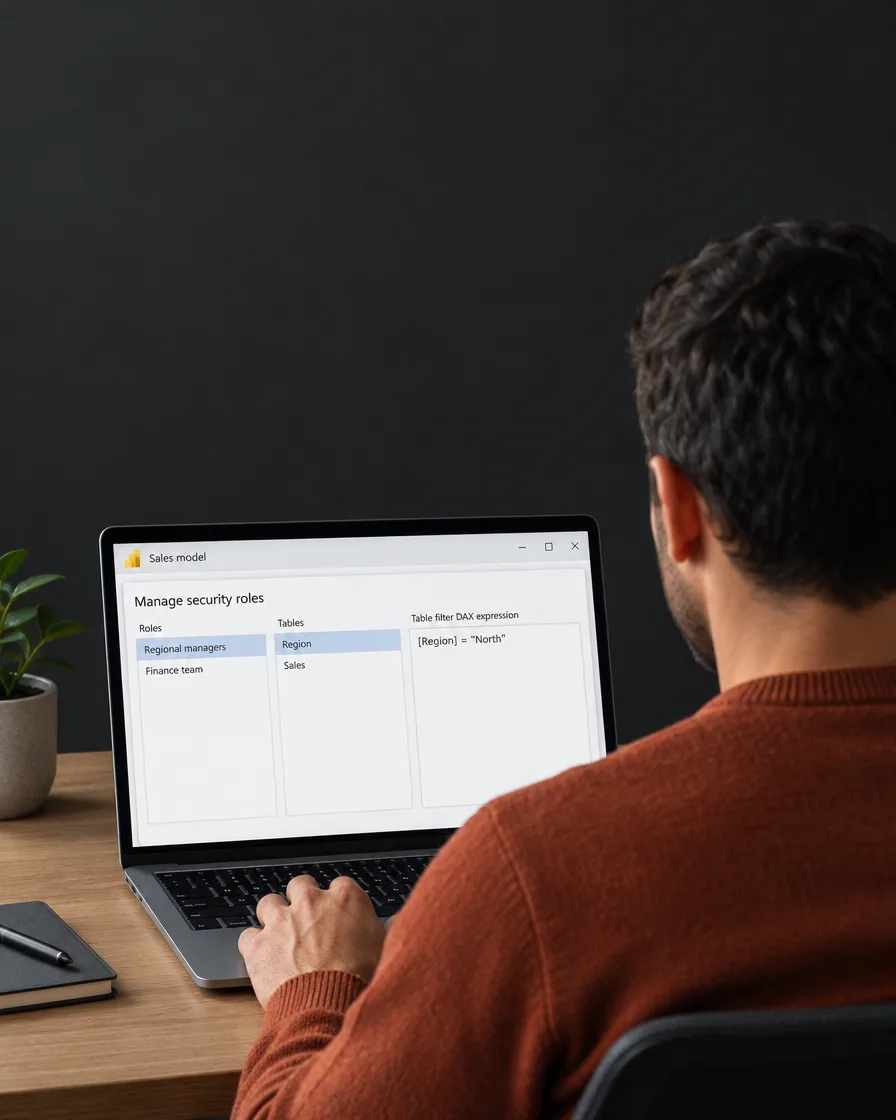
Power BI row level security coverage is a report built by Redefine Innovations. It helps data owners, security, and IT teams. It shows which datasets and reports have RLS roles. It also shows users and groups for each role and where data is open. This report is built using Power BI and lets teams check roles before sharing reports.

Many teams test one role at a time. That shows one user, not the whole map. One report shows every dataset, role and member together.

People with edit rights in a workspace skip RLS roles. The report shows them too, so open access is easy to see.

Three ways to check row-level security

Pick by what you need to know

CheckWhat it showsWhat you getBest when
RLS coverage reportEvery dataset, role, user and group togetherA map of roles and open dataYou need to know who sees which rows
Testing with View asOne role as one userA single test resultYou want to test one change
Manual role reviewRoles opened one dataset at a timeA list made by handYou have very few datasets

What your report shows

  • [1] Datasets with no role
  • [2] Roles with no members
  • [3] Rules that do not match users
  • [4] People who bypass roles

Want a wider look first? Read about our Power BI audit services.

Only the right people should see the right data rows.

Your report shows who sees what, on one page.

Data owner placing a green dot on a printed access table titled Who sees which rows

Power BI row-level security

Four hidden gaps become one clear map

Find common gaps in role-based access to your data.

  • 01

    Datasets with no role

    See where roles are missing.

  • 02

    Roles with no members

    Spot roles without users.

  • 03

    Rules that do not match users

    Align users and rules.

  • 04

    People bypassing roles

    Block unwanted access.

  • Redefine Innovations

    One map

    One coverage map: view it all in one place.

    • Dataset check
    • Role check
    • Rule check
    • Rights check

Manual security check calculator

What manual role checks cost you each year

Check the risk and effort of manual security checks with your own numbers.

Your inputs

Your numbers

5 people
10 hours/week
$40/hour

An estimate from your own numbers, not a promise of savings. Hours saved assumes a report takes over 70 percent.

Result

Hours a year spent on manual role checks
2,600
Hours saved a year
1,820
Estimated yearly cost of manual role checks
$104,000

Common issues and solutions for Power BI teams.

An engineering mindset for reporting

We build reporting the way engineers build software.

Redefine Innovations is a team of Power BI developers, data engineers, and analysts who work together. We fix not just charts but also data models and security roles.

  1. Analyst sticking a Goal note onto a printed bar chart titled Datasets with a role

    01 Our way: How we work

    Every change is tested against a success number.

    You see what each change is worth.

    Old way: Instead of the typical agency habit

    Changes ship on opinion.

    Nobody can say what is true.

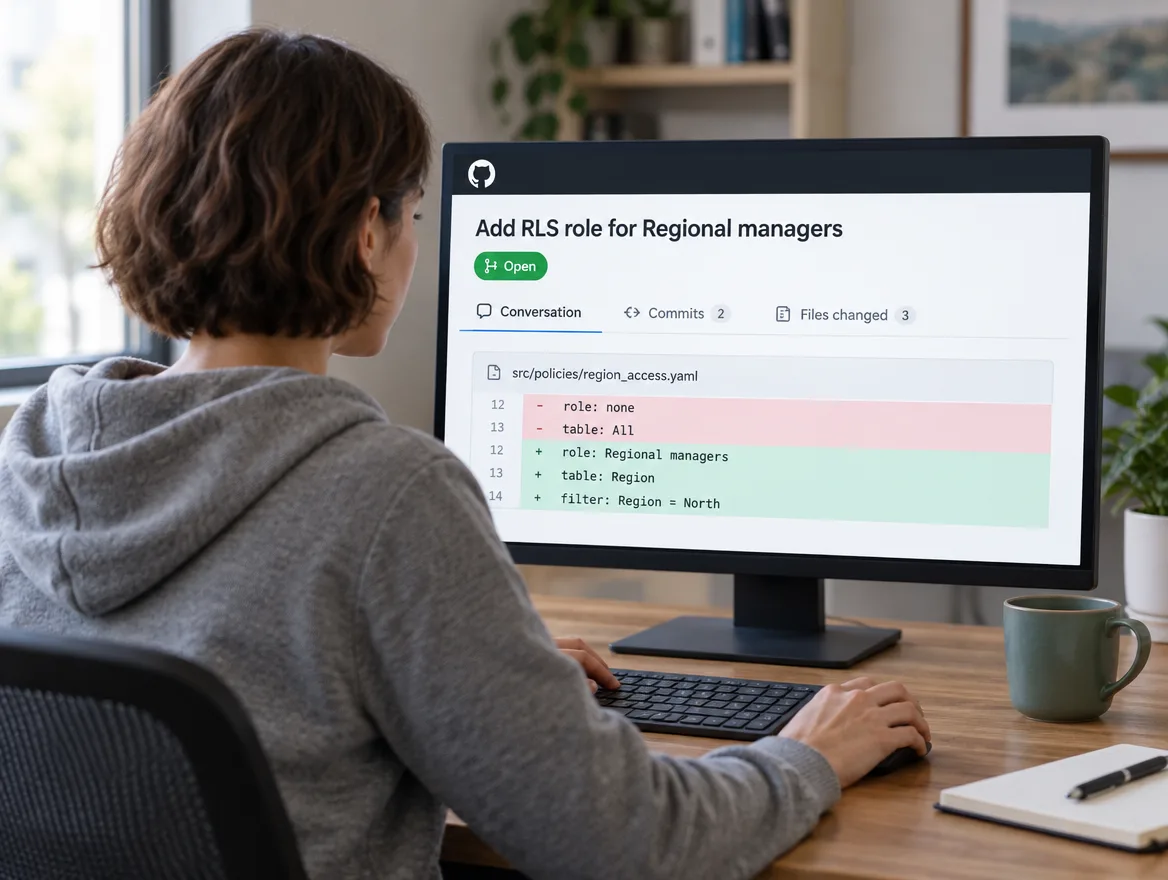
  2. Developer reading a GitHub pull request that adds an RLS role for Regional managers

    02 Our way: How we work

    Engineers fix the data model, refresh and security.

    The fix reaches the cause, not only the chart.

    Old way: Instead of the typical agency habit

    Fixes stop at the visual.

    The model and the roles stay as they were.

  3. Data analyst ticking a task on a printed checklist titled Role checks with a done-when line under each task

    03 Our way: How we work

    Every task has a done-when line.

    You know when each task is finished.

    Old way: Instead of the typical agency habit

    Done when sent.

    Nobody checks if it worked.

  4. Owner reading a Grafana dashboard where the datasets with no role line crosses a red alert threshold

    04 Our way: How we work

    Alerts fire when a number drifts, with a planned response and one owner.

    Problems are caught while they are small.

    Old way: Instead of the typical agency habit

    Problems appear in the monthly review.

    By then, the harm is done.

How Redefine works

TheREDEFINEMethod

See who sees which rows.

Redefine Innovations helps you set up Power BI row level security coverage.

Book a Discovery Call

A call with our Power BI team.

Why this approach matters

  • You see the limits of data access.
  • You see that data access fits team roles.
  • You avoid sharing mistakes.
  1. Start here

    Step 1: Diagnose

    We learn who needs to see which data.

    You receive A data access map

  2. Choose what matters

    Step 2: Prioritize

    We pick the data access that matters most.

    You receive A focus plan

  3. Do the work

    Step 3: Deliver

    We build your coverage report.

    You receive A completed report

  4. Check the result

    Step 4: Prove

    We review the report for accuracy.

    You receive A feedback review

  5. Keep improving

    Step 5: Improve

    We suggest updates to keep it right.

    You receive A written list of next steps

What you receive

An RLS coverage report and a role map for users and groups.

Good to know: people with edit rights in a workspace skip RLS roles. We would not change your roles first, because those need your guidance.

Case study / Power BI reporting

See Real Results in Power BI Reporting

Parsons Kellogg sells promotional products and corporate apparel.

Operations manager reading a Power BI inventory report with 99.0 percent inventory accuracy in a warehouse office
  1. 01

    Problem

    Reports went live in Power BI and the warehouse moved faster.

  2. 02

    Diagnosis

    Manual reporting time fell 58% and inventory accuracy reached 99.0%.

  3. 03

    Solution and result

    Power BI reports for the business and the warehouse.

Manual reporting
58%
Inventory accuracy reached
99.0%
Reports built in
Power BI

The same care goes into your coverage report.

Your report

Your Finished Coverage Report

Get a clear view of who can access what data.

Sections
5
Biggest gap
1
Next steps
Listed
Book a Discovery Call

Redefine

Confidential

Prepared for: your team

RLS Coverage Report

Contents

  1. 01View dataset roles3
  2. 02View user roles7
  3. 03Data access overview12
  4. 04Role mismatch alert18
  5. 05Workspace rights audit22

RLS Coverage Report

Your team

01 / 05

Biggest gap found

Coverage

Some datasets have no role. Add roles before you share reports.

Where data is open

Fix first

Roles

Priority

High

Fix in this order

Roles Members Rights

How your RLS Coverage Report is laid out: the cover and the first finding.

What is the REDEFINE Method?

The REDEFINE Method is Redefine Innovations' business-first framework for identifying business constraints, prioritizing improvements, delivering appropriate solutions, verifying outcomes, and sustaining improvements.

It has five stages: Diagnose, Prioritize, Deliver, Prove and Improve. Read the REDEFINE Method

What do static and dynamic RLS mean?

Static roles do not change. Dynamic roles update based on user data. Both kinds show up in the coverage report.

Redefine sets this up with your team, so the roles fit how you work.

Does the report change roles?

No, it does not. It only shows how roles are set, and who is in each one.

Your roles stay as they are until you decide to change them.

Who can see the coverage report?

Only those with report access rights can view it. Nobody gets new access from the report.

Redefine works with your security settings from the start.

How does it handle higher workspace rights?

People with edit rights can skip RLS roles. The report shows them, so open access is easy to see.

Redefine sets this up with your team. See Tenant health

How is this different from testing a role with View as?

This report shows full mapping, not just single tests. View as checks one role for one user at a time.

Redefine sets this up with your team, so you see every role together.

Your Discovery Call

Ready to See Who Accesses Your Data?

Find out who sees each data row. We help keep your data safe.

Data owner and security lead circling the top line on a printed list titled Top access gaps together
  • A role map you keep
  • Reports checked before you share
  • 25+ years building for business teams
  • 550+ projects delivered

Book your Discovery Call

Tell us what feels stuck. A person reads every request.

  1. 1Your team talks to our experts
  2. 2We review your goals and roles
  3. 3You get a customized plan