



Get a plan for your BigCommerce CRM link. Then we build it.

Redefine Innovations connects BigCommerce stores to CRMs such as Salesforce, HubSpot, Dynamics 365 Sales and Zoho, for sales, marketing and ecommerce teams.

Sleek Shop: 92% of orders automated, up from about 15%. Read the case study. We plan first so it fits your business. Other systems? See BigCommerce integration services.

Get a step-by-step plan for linking your store and CRM.

Data flows, field maps and sync timing. No commitment.

Get my integration plan

BigCommerce results

When data syncs, teams stop retyping.

Results from BigCommerce stores we joined to their other systems.

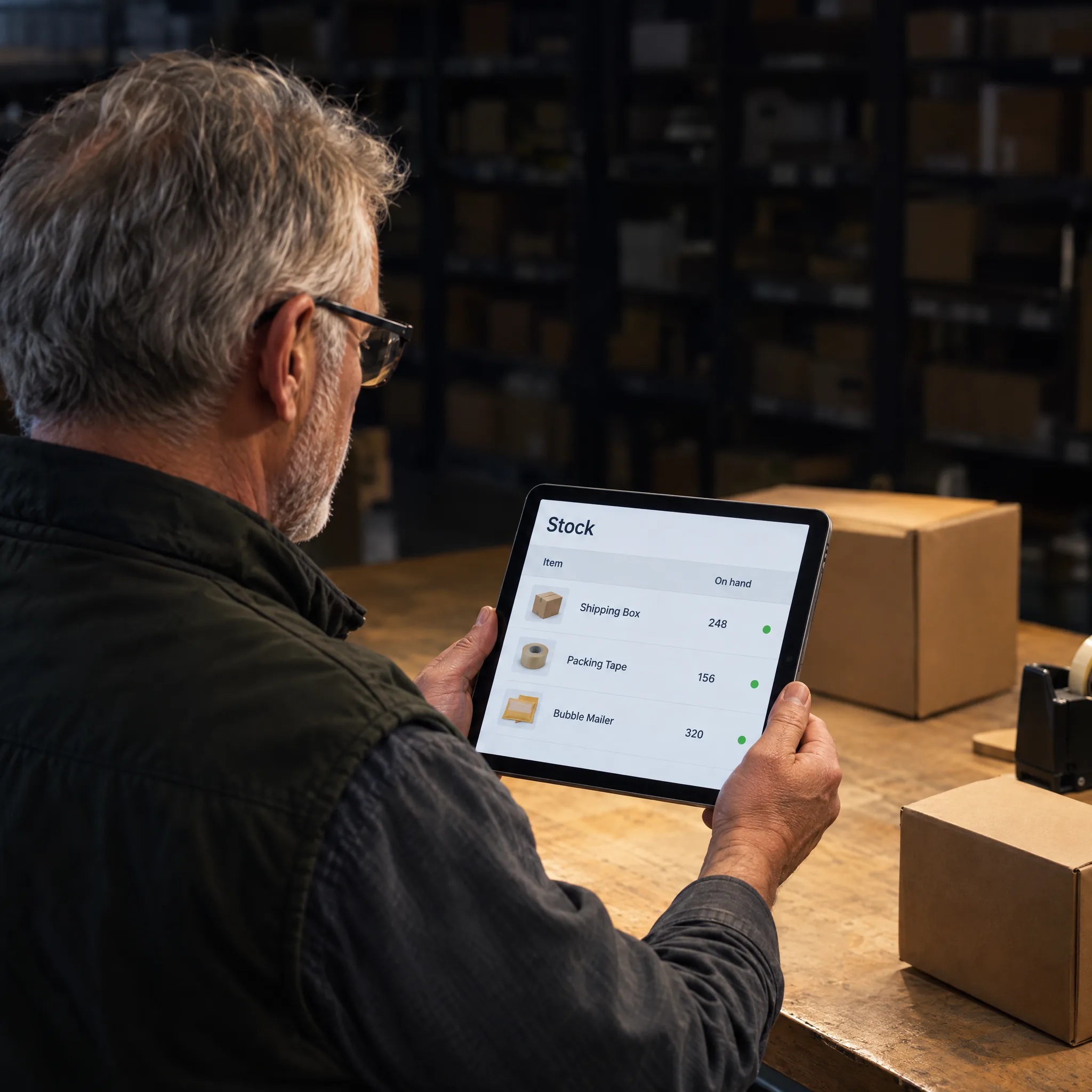
  • A salon owner places a supply reorder on a tablet at her shop counter

    Your store

    Every order on the right customer.

  • Orders automated

    92%

    Up from about 15%. Sleek Shop.

  • Inventory accuracy

    99.1%

    Peekawhoo, with one shared customer record.

  • Operating costs

    -26%

    Peekawhoo, after the POS link.

  • Yearly revenue on BigCommerce

Sources: Sleek Shop and Peekawhoo case studies. These were order, stock and POS links, not CRM installs. The same team builds CRM links.

Short answer

What is BigCommerce CRM integration?

Updated

BigCommerce CRM integration links your store data to your CRM. Redefine Innovations connects BigCommerce to Salesforce, HubSpot, Dynamics 365 Sales or Zoho for sales, marketing and ecommerce leads. Customers, companies, orders, revenue, B2B quotes and segments then show up in the CRM on a set schedule, and alerts tell your team when a sync fails.

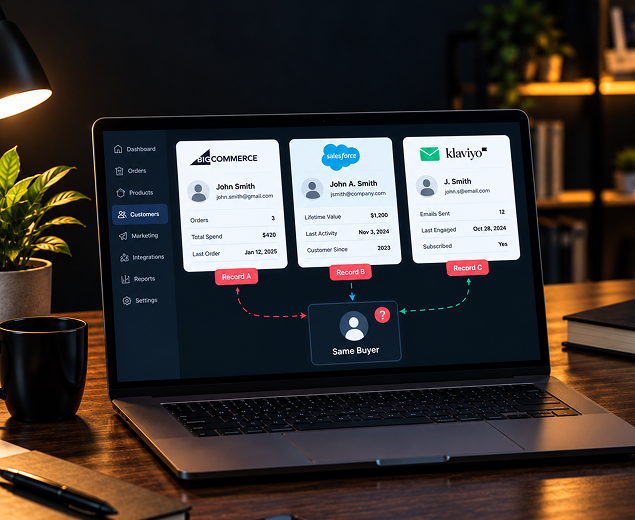
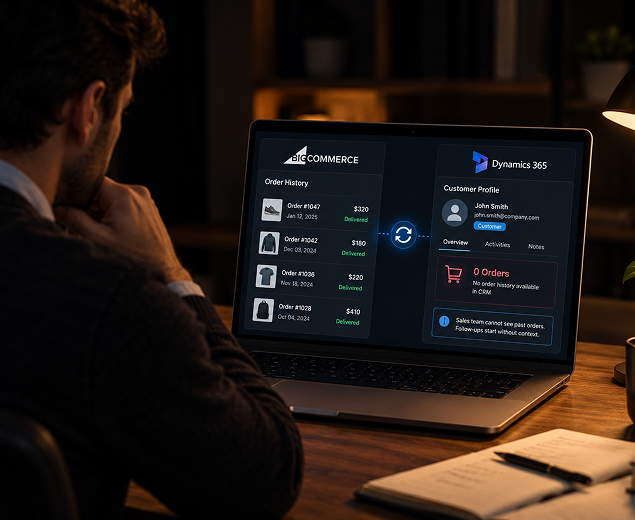
Without a link, sales cannot see what a buyer ordered, and the same buyer sits in two places. A good link gives each record one home and keeps the CRM up to date.

We test every data flow on a copy first. Then the sync goes live.

Three ways to link your CRM

Your plan says which fits

WayBest whenWhat you getWatch for
Ready-made connectorStandard fields and one storeA fast start with set field mapsCustom fields and B2B quotes
MiddlewareMany systems share the same dataRules, retries and logs in one placeA monthly fee for the tool
Custom APIYour CRM has its own rulesFull control of every fieldUpdates when an API changes

What your plan covers

  • [1] Customers and companies
  • [2] Orders and revenue
  • [3] B2B quotes
  • [4] Marketing segments

See all our services for BigCommerce stores on our BigCommerce services page.

Connecting your store changes what your CRM sees.

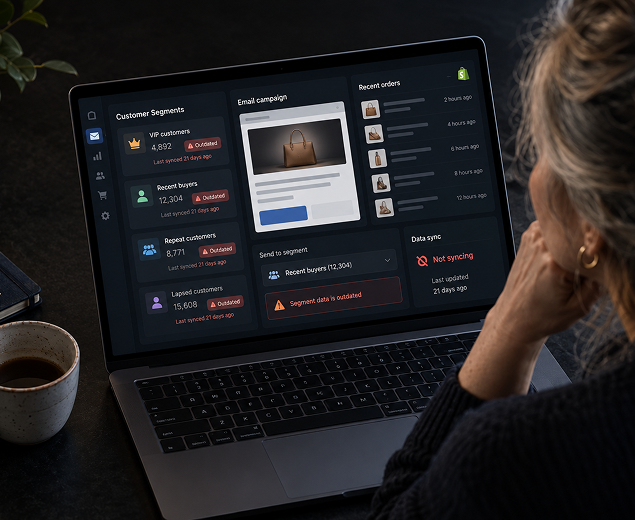
Sales sees every order. Marketing sees real segments. Service sees the whole buyer.

See what your CRM misses

Four vendors become one team

Four vendors, or one team?

The CRM link joins your store, the CRM and marketing. One team should own all of it.

An ecommerce manager works late sorting printed order lists and notes from several vendors

Four vendors · four handoffs

Data passed by hand

An agency makes the store look great but misses how data connects. A developer fixes code but not the whole data join. A CRM consultant syncs the CRM but not your store needs. Marketing runs campaigns on data that comes late.

  • Agency
  • Developer
  • CRM consultant
  • Marketing
A developer, an ERP engineer and a marketer map the link between the store, the CRM and email

Redefine · one team

One team owns the link

Developers, ERP engineers and marketers plan and build your BigCommerce CRM link together. One owner watches the sync, so a fix reaches the store code, the CRM fields and the campaigns at once.

  • Developers
  • ERP engineers
  • Marketers

What moves

The data your CRM gets

We map each record once. Then it syncs on a set schedule. Duplicates are merged, and failed records go to a retry queue with an alert.

FromTo
BigCommerceYour CRM
  1. Customers

    Contacts and companies

  2. Orders

    Totals and revenue

  3. B2B quotes

    Quotes and accounts

  4. Segments

    For email and ads

We start with customers and orders, because every quote, segment and report in the CRM depends on them. Then we add the next flow, one at a time, and check each one before it goes live.

Your numbers

Find the revenue your CRM does not see

Enter your store's numbers. The gap is what the same visitors would earn at a target rate you choose. It is an estimate from your own numbers.

Your numbers

Monthly

35,000
1.4%
$190
1.9%

Monthly revenue

Your estimate

Current
$93K
Potential
$126K

Monthly revenue gap

$33Kper month

$399K a year from the same traffic.

Get my integration plan

Your plan shows which data to sync first.

Estimate: visitors x (target rate minus your rate) x average order value. This result is an estimate from your own numbers, not a promise.

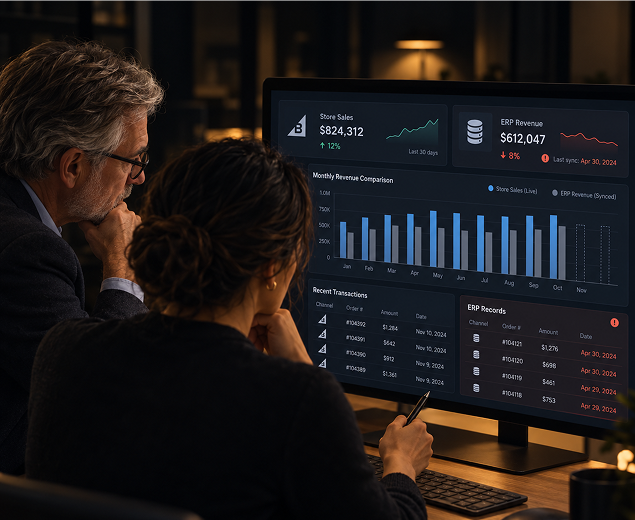
Where store data gets lost

Systems that do not adapt to your store? See BigCommerce development services.

An engineering mindset for BigCommerce CRM integration

We run growth the way engineers run software.

Typical agency habits compared with Redefine habits
Work habitTypical agencyRedefine
How changes shipOpinionShips on gut feelTestWith a success number
Where fixes stopAt the ad accountIn the store and CRM data
When problems showIn the monthly reportAlerts the week a number drifts
When work is doneWhen sentDone whenline on every task

Redefine Innovations is an engineering company that does marketing. One team fixes the store code and the CRM data, not just ads.

How Redefine works

TheREDEFINEMethod

Build CRM connections in simple steps.

Order and customer flow must be steady first. We would not start with a two-way sync of every custom field before that.

Get my integration plan

A written CRM integration plan. No obligation to build with us.

Why this approach matters

  • Your plan rests on clear data, not guesses.
  • Fewer surprises once the sync is live.
  • New flows are easy to add as you grow.
  1. Start here

    Step 1: Diagnose

    We find the data gaps between your BigCommerce store and your CRM: missing customers, companies, orders, quotes and segments.

    You receive A system assessment

  2. Choose what matters

    Step 2: Prioritize

    We pick what adds the most value first. Customers and orders come before a two-way sync of every custom field.

    You receive A priority list

  3. Do the work

    Step 3: Deliver

    We build and test the sync, with field mapping, merging of duplicates and a retry queue.

    You receive A working CRM sync

  4. Check the result

    Step 4: Prove

    We check that CRM records match BigCommerce orders, and tune what does not.

    You receive A match report

  5. Keep improving

    Step 5: Improve

    After launch we watch the alerts and add the next data flow as your needs grow.

    You receive An ongoing support plan

What you receive

A written integration plan with data flows and sync timing, a working BigCommerce CRM sync with field mapping, and alerts plus a monthly review of the next flow.

Case study / BigCommerce data

Sleek Shop

One view of every buyer.

Sleek Shop sold on many platforms. Staff kept orders, stock and buyer data in step by hand.

Hair color bottles on a salon counter while a stylist works, a Sleek Shop product scene

Result

Orders automated

Before

about 15%

After

92%

Source: Sleek Shop case study.

  1. 01 / Problem

    Data lived in many places.

    Marketplaces, dropship partners and the store each kept their own records.

  2. 02 / Diagnosis

    Orders were the gap.

    Orders and stock were kept in step by hand, so the buyer view split.

  3. 03 / Action

    Join every system to BigCommerce.

    Real-time tracking, unified customer views, Klaviyo email and automated orders.

  4. 04 / Result

    92% of orders automated.

    71% fewer oversells, and over $30 million a year.

Read the Sleek Shop case study

This was an order and customer data build on BigCommerce, not a CRM install. The same team builds CRM links.

Your CRM integration plan

Your BigCommerce CRM integration plan.

A written plan to link your store and your CRM. It lists the data flows, how often they run, how fields map and how duplicates are merged.

Sections
5
Data flows
4
Road map
1

Redefine

Confidential

Prepared for: your store

BigCommerce CRM Integration Plan

Contents

  1. 01Data flows and timing3
  2. 02CRM and BigCommerce fit7
  3. 03Field mapping12
  4. 04Plan for duplicates18
  5. 05Priority steps22

BigCommerce CRM Integration Plan

Your store

01 / 05

Sync first

Customers

Orders reach BigCommerce, but sales cannot see them in the CRM. Map these first.

Share of fields mapped

Build next

Quotes

Priority

High

Recommended sequence

Customers Orders Segments

How your BigCommerce CRM Integration Plan is laid out: the cover and the data map page.
Get my integration plan

After delivery, our team can help you refine the link as your needs grow. No commitment.

What CRM systems can you integrate with BigCommerce?

We link BigCommerce to Salesforce, HubSpot, Dynamics 365 and Zoho. A ready-made connector works for simple needs. Custom work fits complex setups.

Need help with the CRM itself? See CRM consulting services

How long does a typical integration take?

It depends on your needs and how complex your setup is. We check your systems first, so your plan gives a real timeline.

We plan the work so your team keeps selling while we build.

How much does a BigCommerce CRM integration cost?

Cost depends on your CRM, the number of data flows and your custom fields.

Your integration plan gives a clear price before any work starts.

What happens to my live orders and data?

Your live orders keep running. We test every flow on a copy first.

After launch, a failed record goes to a retry queue and sends an alert.

What is the REDEFINE Method?

The REDEFINE Method is Redefine Innovations' business-first framework for identifying business constraints, prioritizing improvements, delivering appropriate solutions, verifying outcomes, and sustaining improvements.

It has five stages: Diagnose, Prioritize, Deliver, Prove and Improve. Read the REDEFINE Method

Who works on the integration?

One team of developers, ERP engineers and marketers. They make sure the link fits your business goals.

Want a developer on your team? Hire a BigCommerce developer

What comes after the integration is done?

The team watches sync alerts, fixes failed records and reviews the data each month with one owner.

Then we plan the next flow, such as B2B quotes or service cases. See BigCommerce support and maintenance

Start here

Get your BigCommerce CRM plan

Tell us what you need help with. Get a plan for your store and your CRM data. No commitment.

A store owner fills in a short form on a laptop to request a CRM integration plan
  • A written plan you keep
  • Data flows and field maps
  • 25+ years in ecommerce
  • 550+ projects delivered

Get your CRM integration plan

Tell us about your store and your CRM. We will confirm by email and start your BigCommerce CRM Integration Plan.

  1. 1Send your store details
  2. 2We look at your info and make your plan
  3. 3A call to walk through the plan and what to build first
  4. 4Your plan is sent for you to review