


Migrate WooCommerce to Shopify

Your Shopify migration plan for WooCommerce stores.

Redefine Innovations moves WooCommerce stores to Shopify, with developers, ERP engineers and marketers on one team.

Get a written plan for your store's move to Shopify.

Dr. Dee Blanco moved from WordPress to Shopify. Sales came from day one. Read the case study

Laptop showing the Shopify admin Products page, with every product moved over from WooCommerce

Your products, customers and orders move first. The new look can come after.

Proof from WordPress stores we moved.

See all Shopify services
The redesigned Drs. Berne home page, with its products now run from Shopify

Drs. Berne

WordPress site, Shopify catalog.

  • ~50%

    Less catalog admin

  • +38%

    Mobile usability

  • 550+

    Projects delivered

  • Dr. Dee Blanco: WordPress to Shopify, sales from day one.

Sources: the Drs. Berne and Dr. Dee Blanco case studies.

Get a written migration plan for your store.

Written for your store. No obligation.

Get my migration plan

Short answer

What is WooCommerce to Shopify migration?

Updated

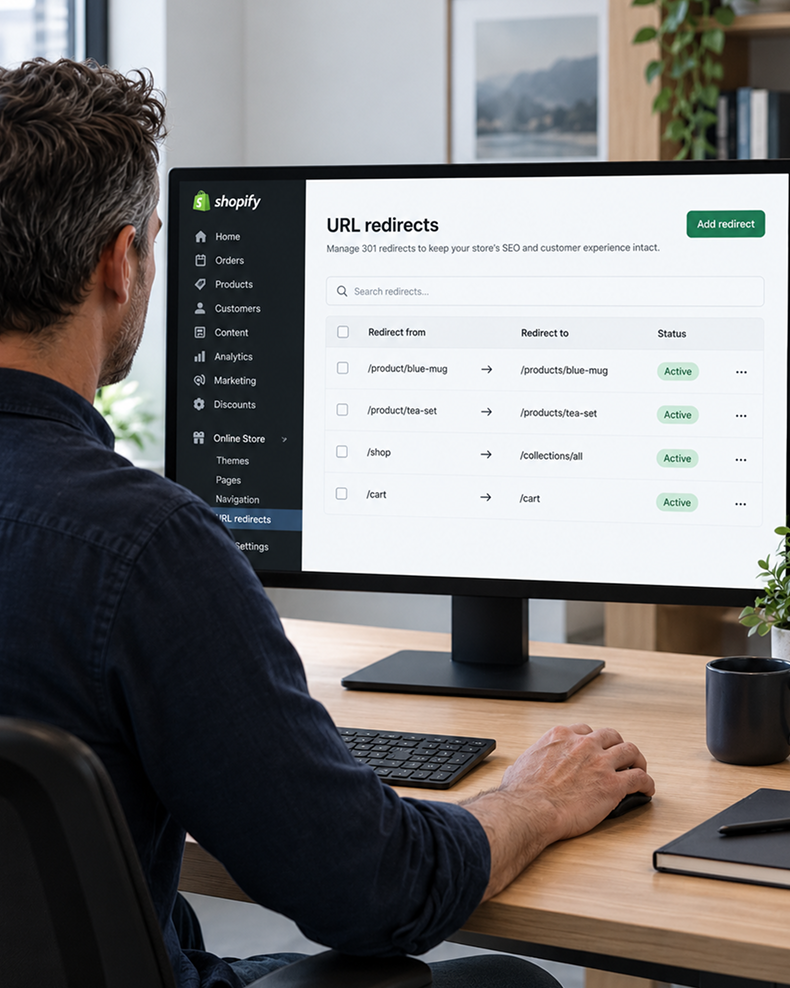
WooCommerce to Shopify migration means moving your products, customers, orders, blog posts and links from WooCommerce to Shopify. It includes redirects that protect your search traffic and Shopify apps that replace your plugins. Redefine Innovations does this for store owners and ecommerce leads, with developers, ERP engineers and marketers on one team.

WooCommerce runs on plugins, and plugins do not move to Shopify. Each one needs a Shopify app, a built in feature or custom code. Old links need redirects, or search traffic drops.

We list your plugins and links first, so we know what moves and in what order.

Three ways to leave WooCommerce

Pick by what your store needs

WayWhat you getBest whenWhere it stops
Planned move with one teamYou have many plugins, orders and blog postsData, apps, redirects and a launch planIt needs planning before the move
Import app onlyYour catalog is small and simpleProducts and customers copied overIt does not map links or replace plugins
Stay on WooCommerceYour plugins and hosting run wellNo move at allUpdates and hosting stay your job

What your plan reviews

  • [1] Products, variants and stock
  • [2] Customers and order history
  • [3] Plugins and what each one does
  • [4] Old links, blog posts and redirects

Moving from another platform? See Migrate to Shopify, BigCommerce to Shopify or Magento to Shopify.

Escape constant plugin conflicts

Shopify runs the hosting, security and checkout updates, so your team can get back to selling.

  • Plugin conflicts
  • Hosting issues
  • Update worries
  • Slow pages

Four vendors become one team.

Most moves split work across four vendors. We put all four on one team.

  • One team

    Four jobs. One plan.

    1. Build
    2. ERP
    3. Market
    4. Support
    5. One team
  • 1

    team for your store code, data, marketing and support.

  • A developer, an ERP engineer and a marketer from one team walk through the studio together

    Developers, ERP engineers, marketers

    One team plans your move and keeps the store running.

  • Why it matters

    With one team, nothing gets lost between vendors.

  • How we work

    Five steps, one owner.

    See the REDEFINE Method

Revenue calculator

Could your store earn more?

Enter your numbers to see the extra revenue a small lift in conversion rate could bring.

Your numbers

Monthly

35,000
1.4%
$190
1.9%

Monthly revenue

Your estimate

Current
$93K
Potential
$126K

Monthly revenue gap

$33Kper month

$399K a year from the same traffic.

Get my migration plan

This is an estimate based on your numbers, not a promise.

Estimate: visitors x (new rate minus current rate) x average order value. Not a forecast.

An engineering mindset for WooCommerce onto Shopify

We run growth the way engineers run software.

Redefine Innovations is an engineering company that does marketing. Developers, ERP engineers and marketers work as one team.

A typical agency

  1. Plan

    On opinion

  2. Fix

    Ad account only

    Weak spot

  3. Launch

    Done when sent

  4. After launch

    Monthly report

  • Changes

    Changes ship on opinion

    A new theme or app goes live because it looks good.

    Result: no one knows if it worked.

  • Fixes

    Fixes stop at the ad account

    Ads get tuned while slow pages and broken tracking stay.

When problems get found

Monthly

Problems wait for the monthly report.

Work is done when it is sent.

Common worries

What worries store owners about leaving WooCommerce

Each worry has a fix. Here is how we handle the four we hear most.

How Redefine works

TheREDEFINEMethod

Your path from WooCommerce to Shopify.

A move starts with your current store. We audit your WooCommerce plugins, hosting, products, customers, orders, links and blog posts before anything moves.

Get my migration plan

Written for your store. No obligation.

Why this approach matters

  • Spend first where the risk is highest.
  • Catch problems the week they show up.
  • Check each step, so the result lasts.
  1. Start here

    Step 1: Diagnose

    We audit your plugins, hosting, products, customers, orders, links and blog posts.

    You receive An audit of your store

  2. Choose what matters

    Step 2: Prioritize

    We rank the work by risk. A full redesign is not where we start. Links, redirects and order data come first.

    You receive A ranked task list

  3. Do the work

    Step 3: Deliver

    We move your data, swap plugins for apps, set up redirects and move the blog. Then we check that orders match the old store.

    You receive A migration checklist

  4. Check the result

    Step 4: Prove

    We test checkout, redirects, tracking and site search before and after launch.

    You receive Test results before and after launch

  5. Keep improving

    Step 5: Improve

    We watch rankings, redirects and sales, and fix problems the week they show up.

    You receive Performance reports

What you receive

A migration plan for your store, checks after launch, and ongoing help if you want it.

Case study

Dr. Dee Blanco's move to Shopify

A WordPress store moved to Shopify while it kept selling.

Dr. Dee Blanco

Holistic vet and wellness brand ยท WordPress to Shopify

The problem

The brand needed to leave WordPress for Shopify without losing search rankings.

  • AThe old site needed to be faster and easier to grow.
  • BThe move could not cost customers, rankings or sales.

Before and after / Dr. Dee Blanco

A WordPress store, now on Shopify

Drag the round handle to compare the old WordPress store with the new Shopify store. Accounts, addresses and content all moved over. Old plugins became secure Shopify apps. Old links got redirects, so search traffic kept its way in. Sales kept coming from day one.

Before

WordPress

Slow pages, hard to grow

After

Shopify

Sales kept coming from day one

Before: the WordPress store, with a plugin for each job. After: the Shopify store, with a custom theme and Shopify apps. Real screens from the Dr. Dee Blanco project, before and after the move.Read the full case study

Your migration plan

Your WooCommerce to Shopify migration blueprint.

It shows what moves, what changes and what to do first. You keep it and choose the next step.

Get my migration plan

Written for your store. No obligation.

Your migration blueprintPrepared for: your store

Moving from

WooCommerce

Moving to

Shopify

  1. 01What moves: products, customers, orders and blog postsIncluded
  2. 02Plugins changed to apps or removedIncluded
  3. 03Your link and SEO planIncluded
  4. 04How your team's work changesIncluded
  5. 05Steps to start right awayIncluded
Your blueprint uses your own store's data.

How much does a WooCommerce to Shopify migration cost?

Cost depends on your catalog size, order volume, number of plugins and any custom work.

Your written plan sets out the full scope before any work starts.

How long does it take to migrate?

Timing depends on your store's size and the plugins you use.

Your plan gives you the timeline.

Are there risks to my data?

The risks are lost links, broken redirects, missing orders and tracking gaps. We check each one before launch.

The old store stays live until the new one passes its checks. See Shopify technical SEO

What happens to my WordPress plugins?

WooCommerce plugins do not move as they are. Each one is matched to a Shopify app, a built in Shopify feature or custom code.

Fewer plugins means fewer updates and conflicts. See Shopify app development

What happens after my store is on Shopify?

After launch we check redirects, search, checkout and tracking, and send a short report.

Ongoing help is there if you want it. See Shopify maintenance services

What is the REDEFINE Method?

The REDEFINE Method is Redefine Innovations' business-first framework for identifying business constraints, prioritizing improvements, delivering appropriate solutions, verifying outcomes, and sustaining improvements.

It has five stages: Diagnose, Prioritize, Deliver, Prove and Improve. Read the REDEFINE Method

Start here

Ready to make the switch?

Your plan covers what moves, what changes and how to protect your search traffic.

A store owner and a planner tick through a printed WooCommerce to Shopify migration plan together
  • A written plan you keep
  • Plugins, links and data covered
  • 25+ years in ecommerce
  • 550+ projects delivered

WooCommerce to Shopify Migration Plan

Tell us about your store. We will confirm by email and start on your plan.

  1. 1Send your store details
  2. 2We review your current setup
  3. 3Your written migration plan
  4. 4A call to walk through it