
Can each store have different features?
Yes. Each module can be on every store, on some, or off. Off on a store hides it from that store's buyers and its pages in the admin.
Who sees each module is set in roles. See access and permissions
Admin
Turn features on per store, link your systems and test changes first.
See your own workspace set up, store by store.
A demo built on your own stores, systems and team.
Short answer
Updated
Admin controls are the settings that decide how your commerce software runs: which features each store has, which systems it talks to and how the admin looks. In Redefine Suite by Redefine Innovations, they all sit under Settings, so one person can set up and change the whole workspace.
Many teams change settings in many tools, with no safe way to try a change first. One wrong switch can stop orders. Redefine Suite shows what each feature needs before you turn it off, and Sandbox mode lets you test with no real charge.
Each module shows which stores it is on, what it needs and who sees it. Each link to another system shows if it works.
Three ways to run store settings
What admin controls cover
Part of Governance, security and compliance in Redefine Suite.

SwagHQ
A custom admin and CMS, tested on staging every week.
+29%
Checkout conversion
0.9s
Page load time
8
Services delivered
Custom build, not Redefine Suite
Set up the workspace
Pick the features each store gets, check what they need, then set the rules every store shares.
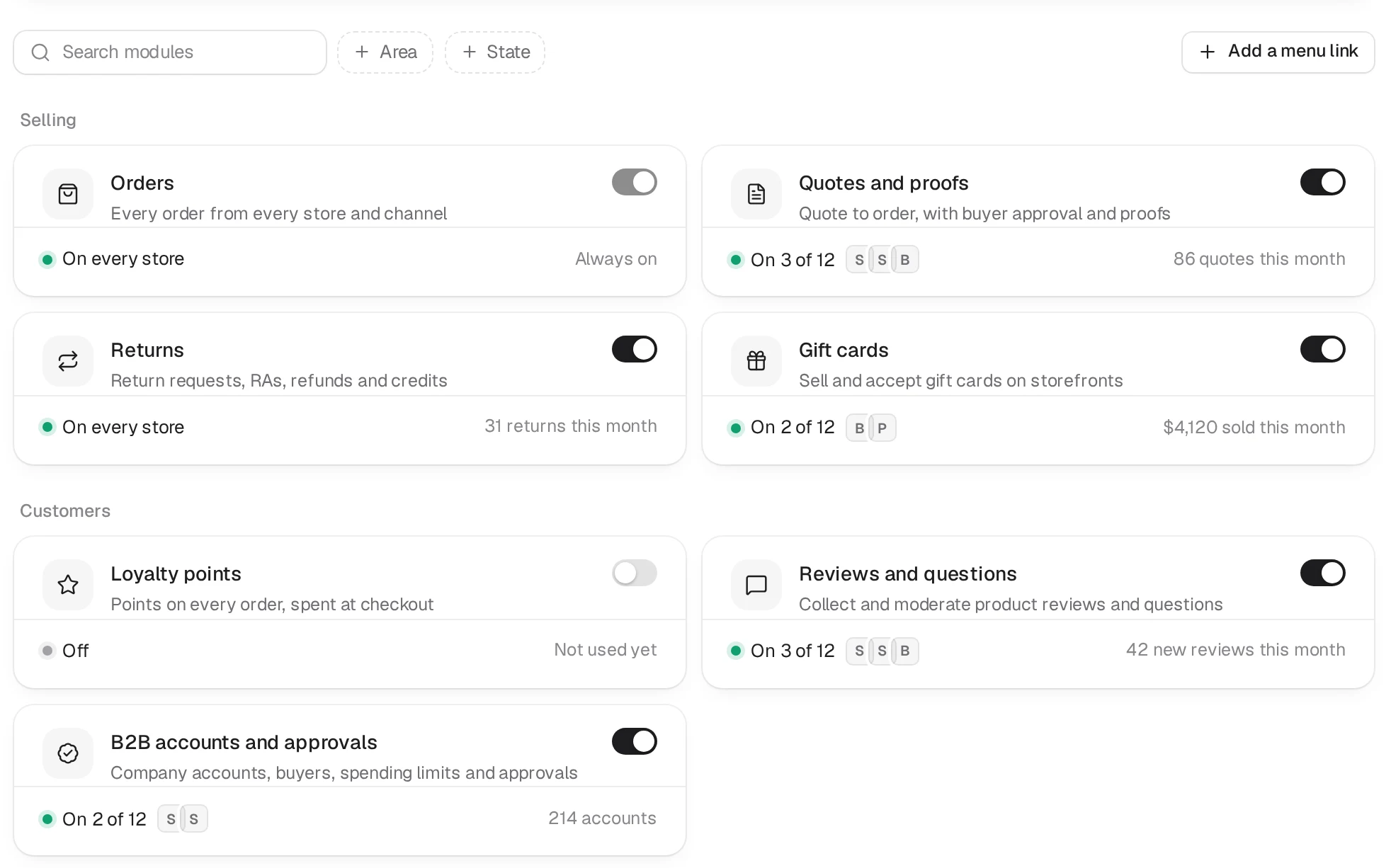
Each module shows if it is on every store, on some or off, and how much it is used. Turn one off on a store, and that store's buyers no longer see it.
On every store, on some, or off
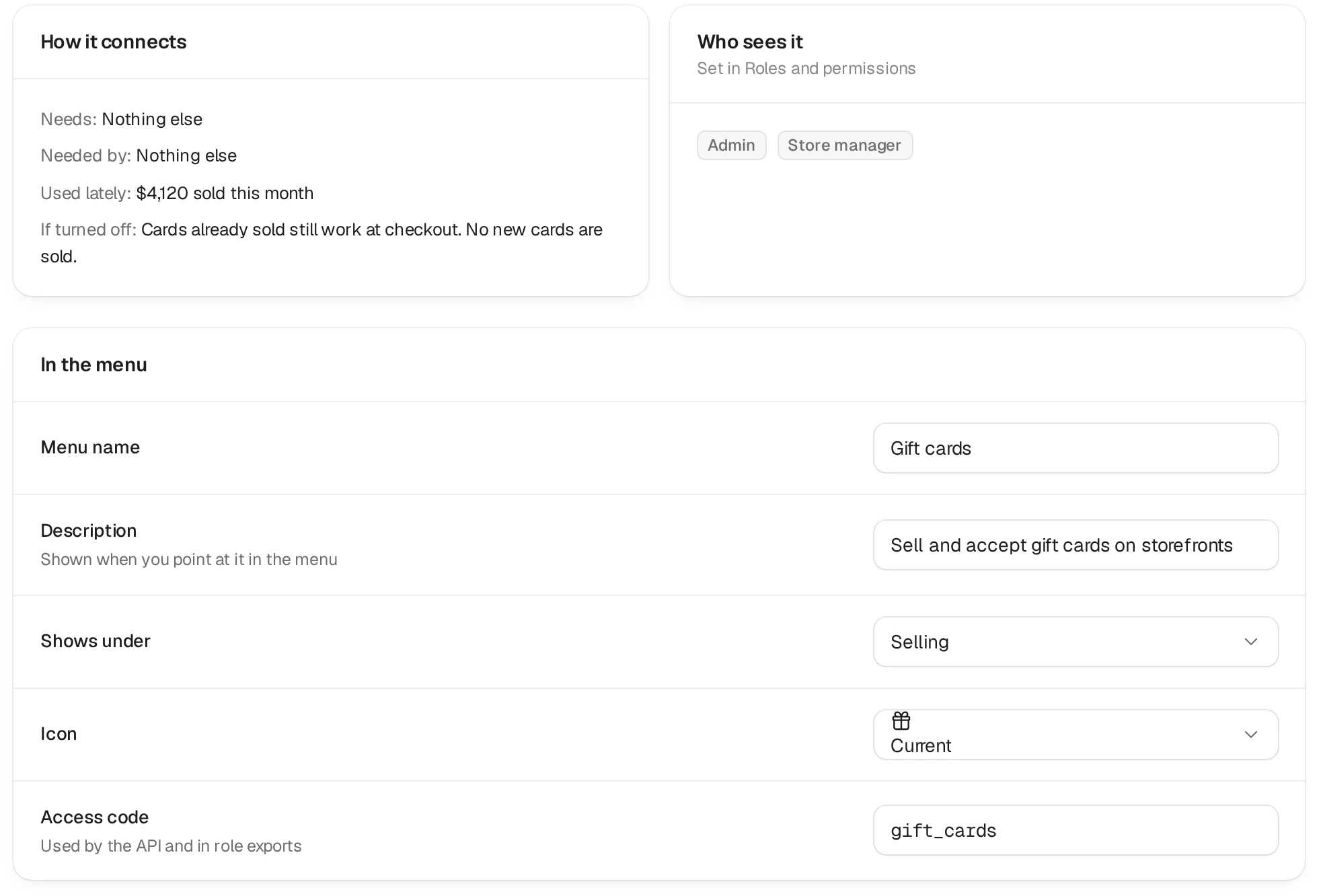
Each module lists what it needs, what needs it and what happens if you turn it off. Gift cards already sold still work at checkout. Who sees it is set in roles.
Needs, needed by, if turned off
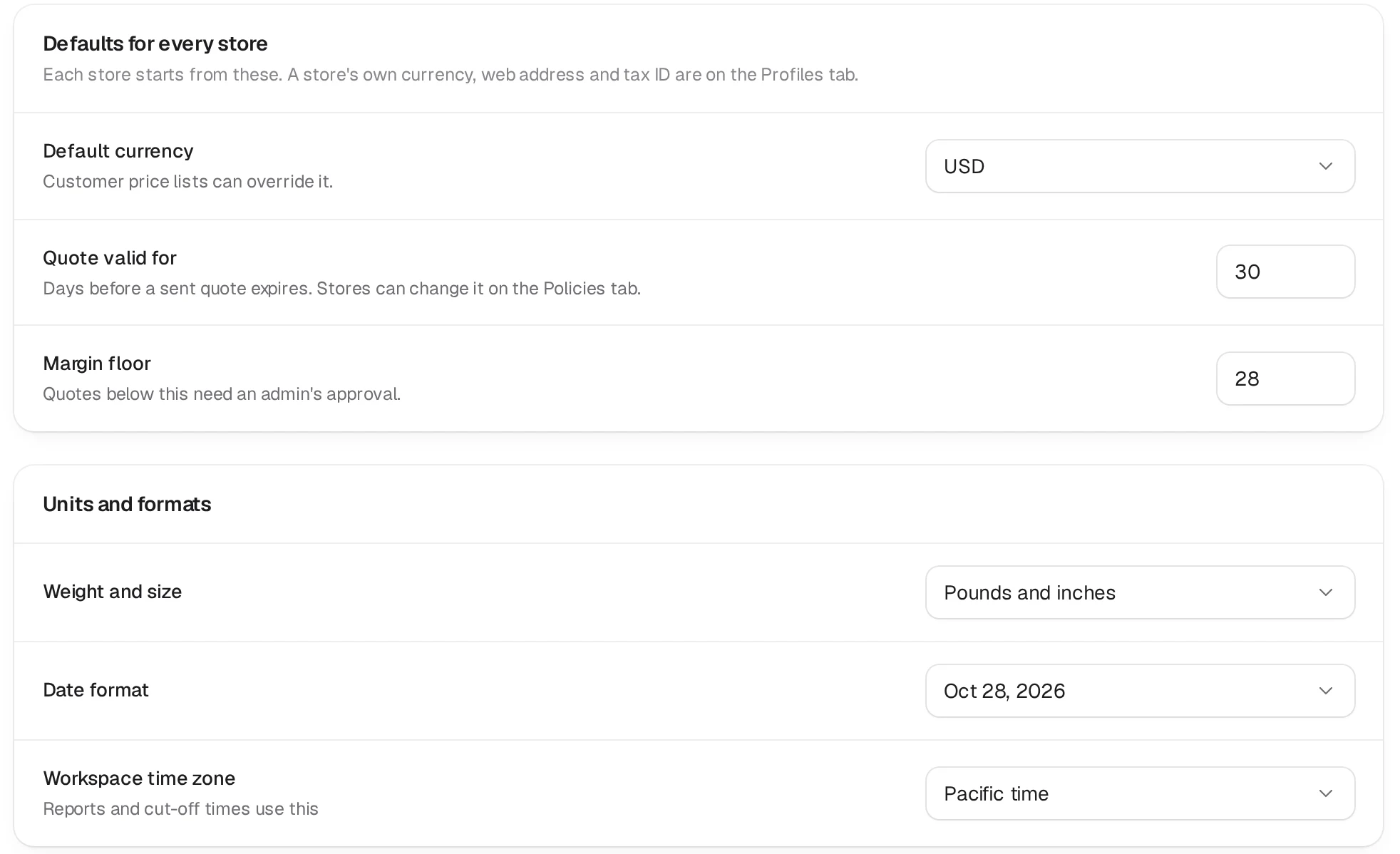
Set the currency, how long a quote is good for and the lowest margin you accept. Units, formats and the time zone for reports and cut-off times live here too.
Defaults for every store
Test first
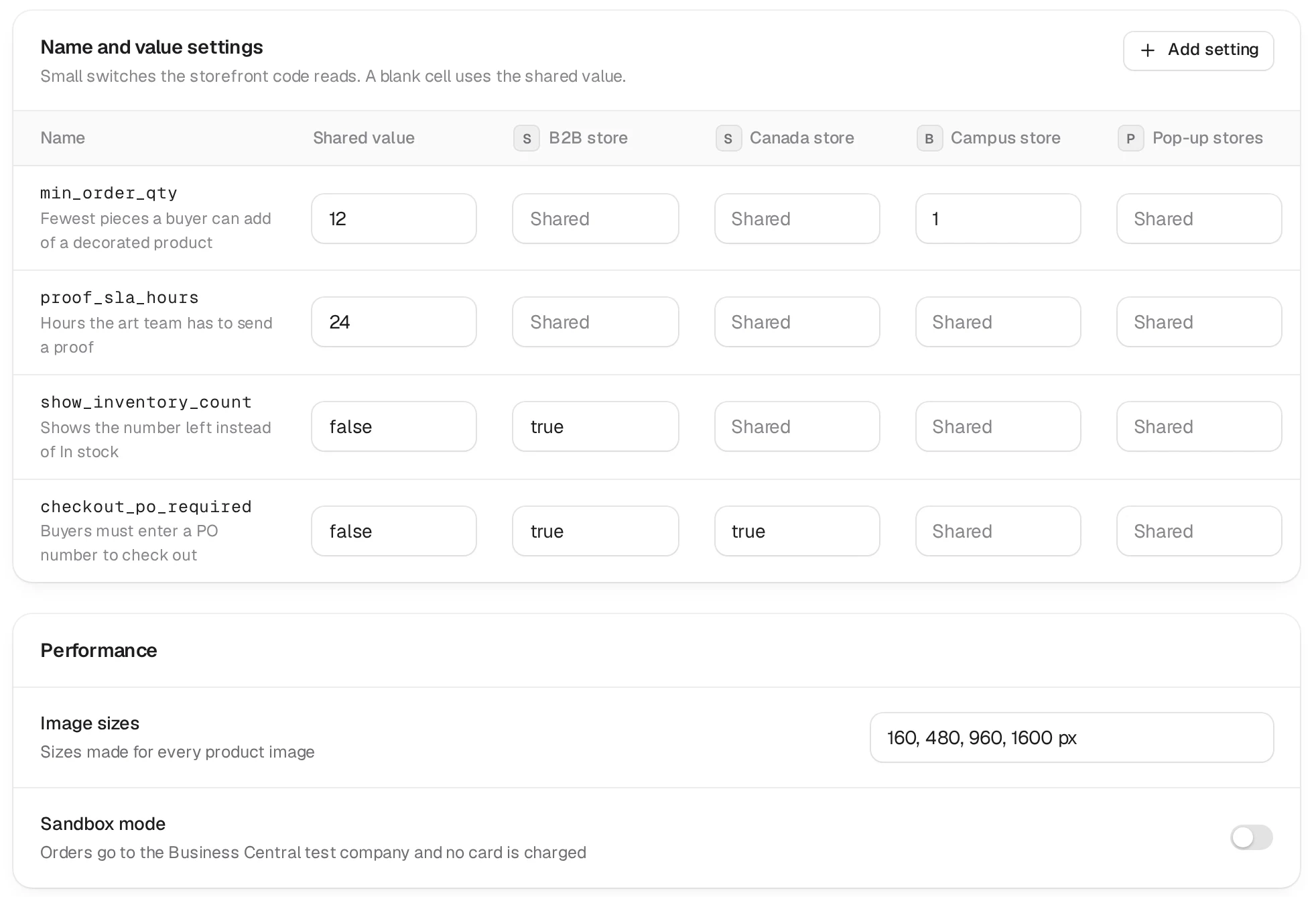
A sandbox environment is a safe copy to test in. Turn on Sandbox mode, place a test order, and check it end to end.

How it connects
Business Central keeps items, prices and invoices. Redefine Suite keeps content, channels and buyers. Pick a part to see what crosses each line.
Connections map
Who owns what
One owner per record
Orders go to Business Central. Items, prices, credit and invoices come back from it, so no one edits a price in two places.
Each link shows Connected, Not connected or what needs you, like a token that expired. You reconnect it from the same card.
Settings live here
Modules, company defaults and the admin look are set once here. Each store gets the features you pick and shares the same defaults.
Each API key shows who uses it and when it was last used. Name and value settings are small switches your store code reads.
Failures show up
Stock and price files go out every 15 minutes, every hour or every 6 hours. Each feed shows its last run and if it worked.
Webhooks tell your other apps when an order is placed or a shipment is made. One that fails shows the time it started failing.

At 6 AM
Stock and price files went out overnight, on the schedule you set.

Mid-morning
A sync stops. An email says which link, so you reconnect it.

Lunch
Turn on only the modules that store needs. The rest stay hidden.

Afternoon
After a big change, clear pages or images for one store. Prices and stock stay live.

Lights off
At 8 AM a daily email lists what changed, so you start the day knowing.
Questions
Yes. Each module can be on every store, on some, or off. Off on a store hides it from that store's buyers and its pages in the admin.
Who sees each module is set in roles. See access and permissions
A sandbox is a safe place to test a change before buyers see it. In Sandbox mode, orders go to the Business Central test company and no card is charged.
Turn it off when the test is done. See compliance and privacy
A feature toggle turns a feature on or off without new code. Modules work this way. Name and value settings are small switches your store code reads.
Each one can have one value for all stores, or its own value for one store. See governance controls
Its card shows what needs you, like a token that expired, with a Reconnect button. You can also get an email when a link stops syncing.
A failing webhook shows when it started to fail. See identity and security
Yes. Pick light, dark or match device, the font, an accent color and how tight the screens are. Add your logo, a browser icon and a welcome line on the sign-in page.
You can reset it to the defaults at any time. See accessibility compliance
Stock and price files can go out every 15 minutes, every hour or every 6 hours. Each feed shows its last run and its status.
In the demo, we set up your own stores and feeds. See all governance and security
Book a demo
Tell us how many stores you run and which systems they link to. In the demo, we set up your modules, links and Sandbox mode. A demo built on your own stores, systems and team. You can also use the demo booking page.

Tell us which problem costs you the most. We set up the demo around it.