

Product content management

Write it once. Every channel gets its version.

Redefine Suite keeps each product's name, copy, images and search text in one master record. Every store and marketplace gets its own version. You see what will change before you save.

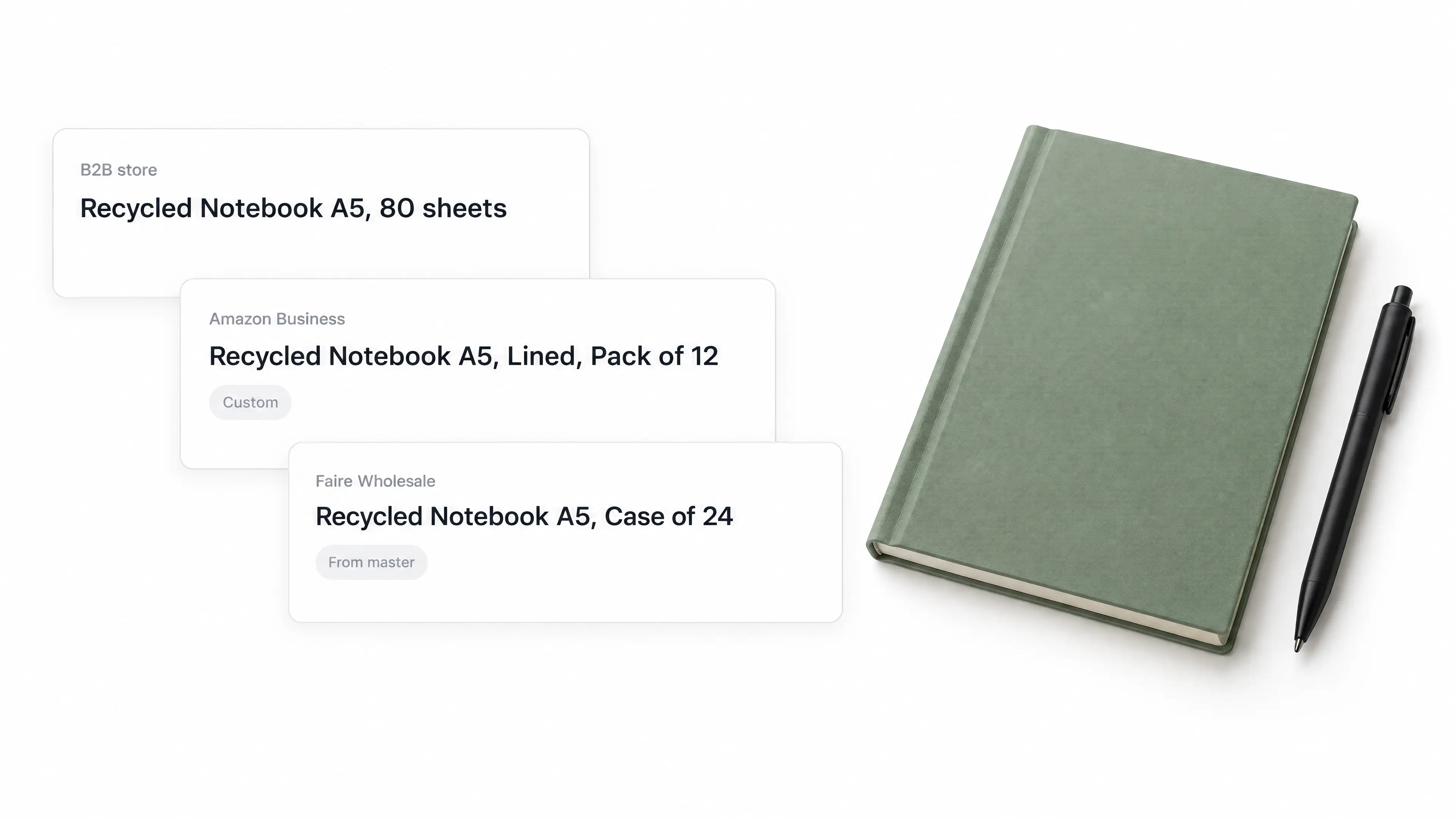
A green A5 notebook beside three versions of its title, one each for the B2B store, Amazon Business and Faire Wholesale
Write the master → each channel takes its version → fix what is missing → publish
Projects delivered
550+
Master record per product
1
Copy fields per product
4

See your own products in Redefine Suite.

A demo built on your own products and channels.

Book a personalized demo

Short answer

What is product content management software?

Updated

Product content management software keeps the words, images and files for each product in one place and sends the right version to every channel. In Redefine Suite by Redefine Innovations, each product has one master record. Each store and marketplace follows it, or keeps its own value for a field, and you can see which is which.

One tote can sell on your own store, a B2B site, Amazon and Google. Each one wants a different title, bullet style or image. If copy lives in a spreadsheet per channel, a name change reaches some channels and not others.

In Redefine Suite a channel never copies the product. It follows the master, so one change reaches every channel that has no value of its own.

How the options compare

Three ways to run product content

OptionHow it worksWhat you getSee also
Redefine SuiteOne master record, and a version for each channelChanges reach every channelProduct information management
A spreadsheet per channelCopy is pasted into each channel by handChannels drift apartBulk product data operations
A tool for each channelEach marketplace has its own listing toolNo one sees the whole productMarketplace and channel management

What one product record holds

  • [1] Name, tagline, short and long description
  • [2] Key features, material, size and specs
  • [3] Images, videos, spec sheets and care guides
  • [4] Search title, description and sharing text

See all of Redefine Suite.

Copy by hand

Copy pasted by hand breaks in three places.

Writing, changes and images. Here is how each one runs when copy is pasted into every channel, and how it runs in Redefine Suite.

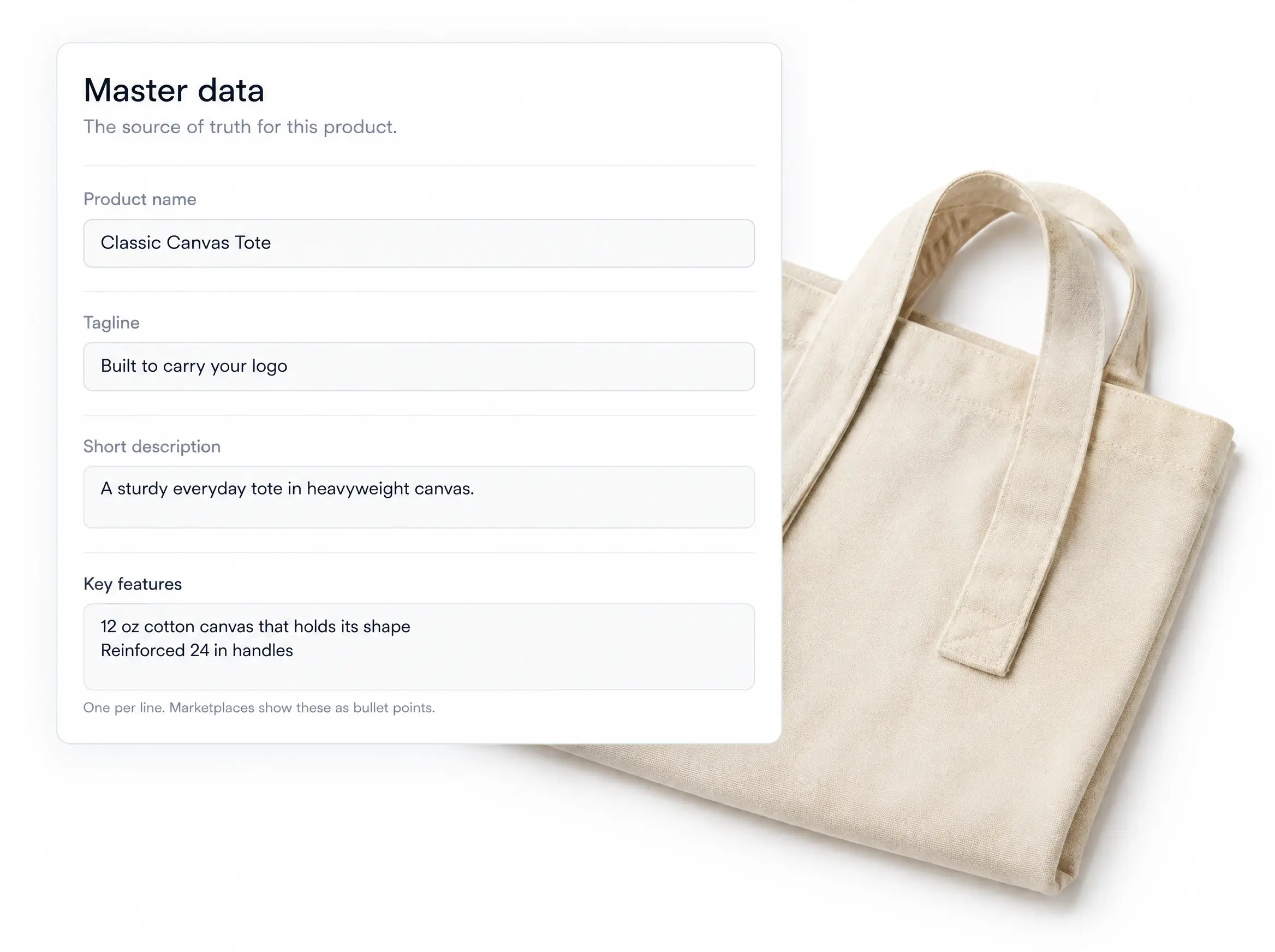
  1. The master data copy fields for one product: name, tagline, short description, description, key features and more details

    01 Our way: With Redefine Suite

    Write the copy one time.

    Name, tagline, short and long description, key features and more details live on the master. Key features show as bullet points on marketplaces.

    Old way: Instead of

    The same copy pasted in each channel.

    One typo, fixed in five places.

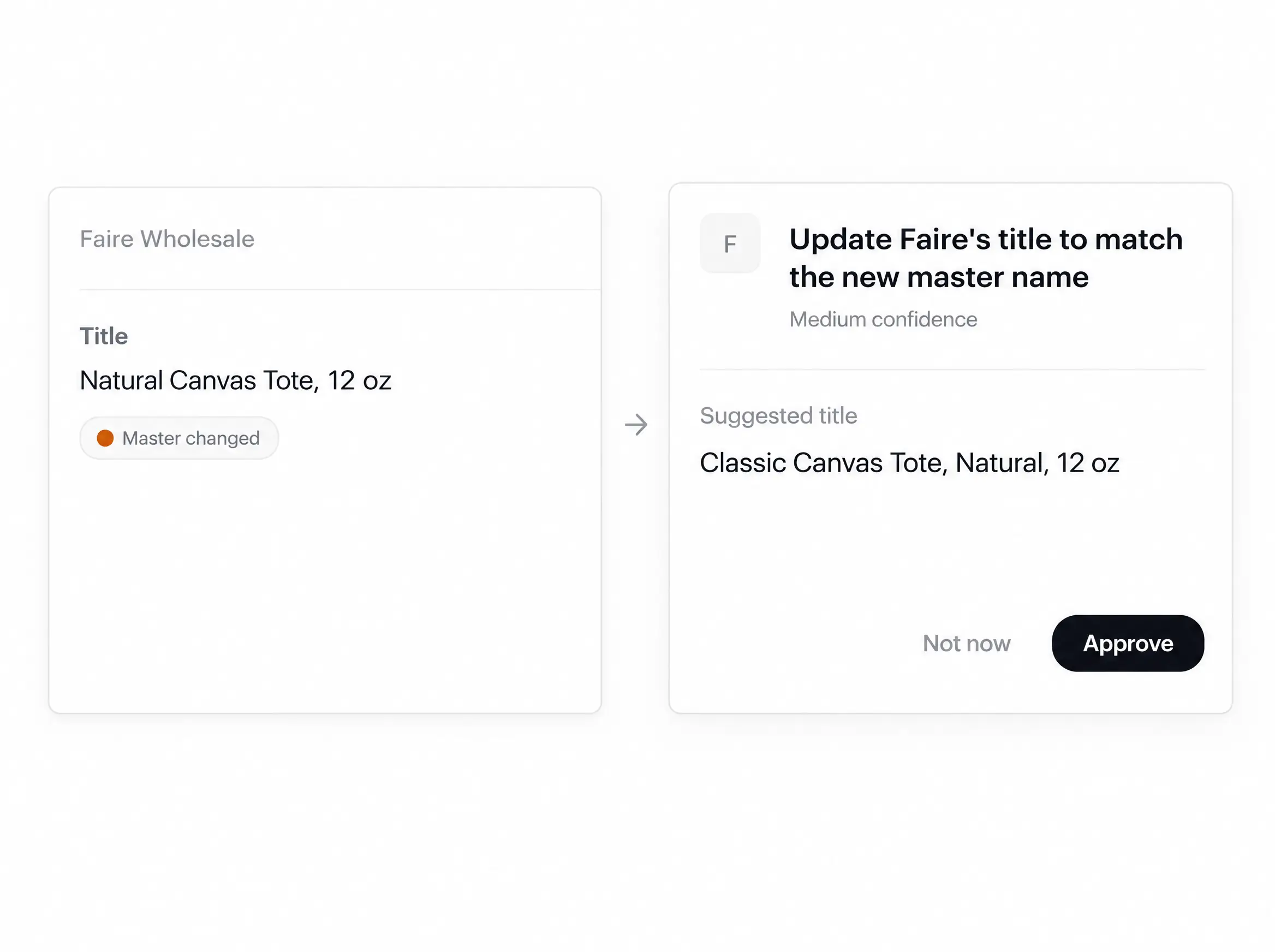
  2. A channel title flagged after the master name changed, with a suggested new title waiting for approval

    02 Our way: With Redefine Suite

    See changes before they go out.

    Before you save, you see which channels update and which keep their own value. If the master changes later, a channel with its own value is flagged.

    Old way: Instead of

    A rename that reaches some channels.

    Old titles stay live for months.

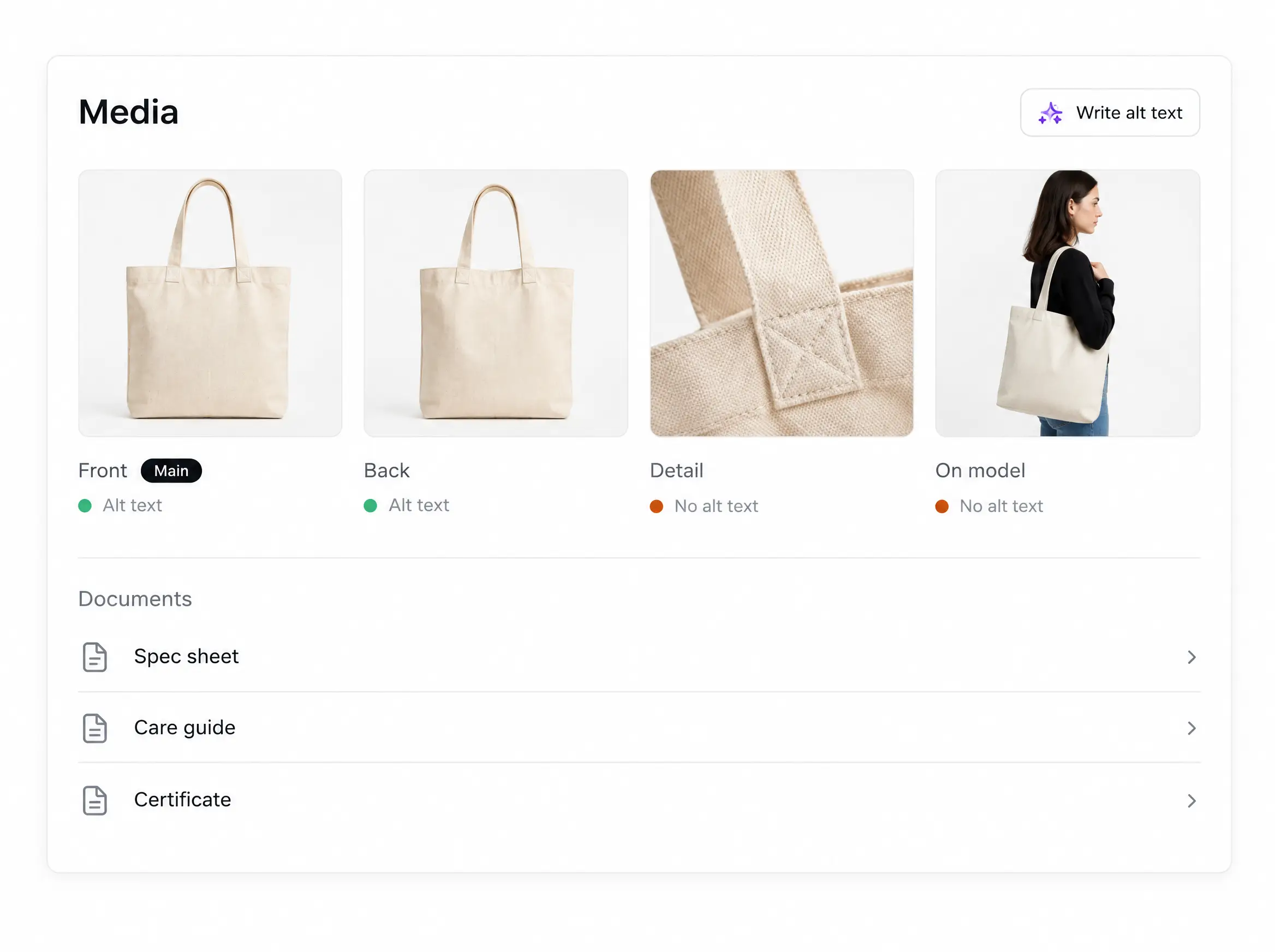
  3. A product media tab with four images, alt text on each, a Write alt text button and the spec sheet and care guide below

    03 Our way: With Redefine Suite

    Images and files stay with the product.

    Drag images into order. The first one is the main image. Each image has alt text, and spec sheets and care guides show in the downloads area.

    Old way: Instead of

    Photos uploaded to each site.

    The wrong image on a channel.

What each channel gets

See every channel's version on one screen.

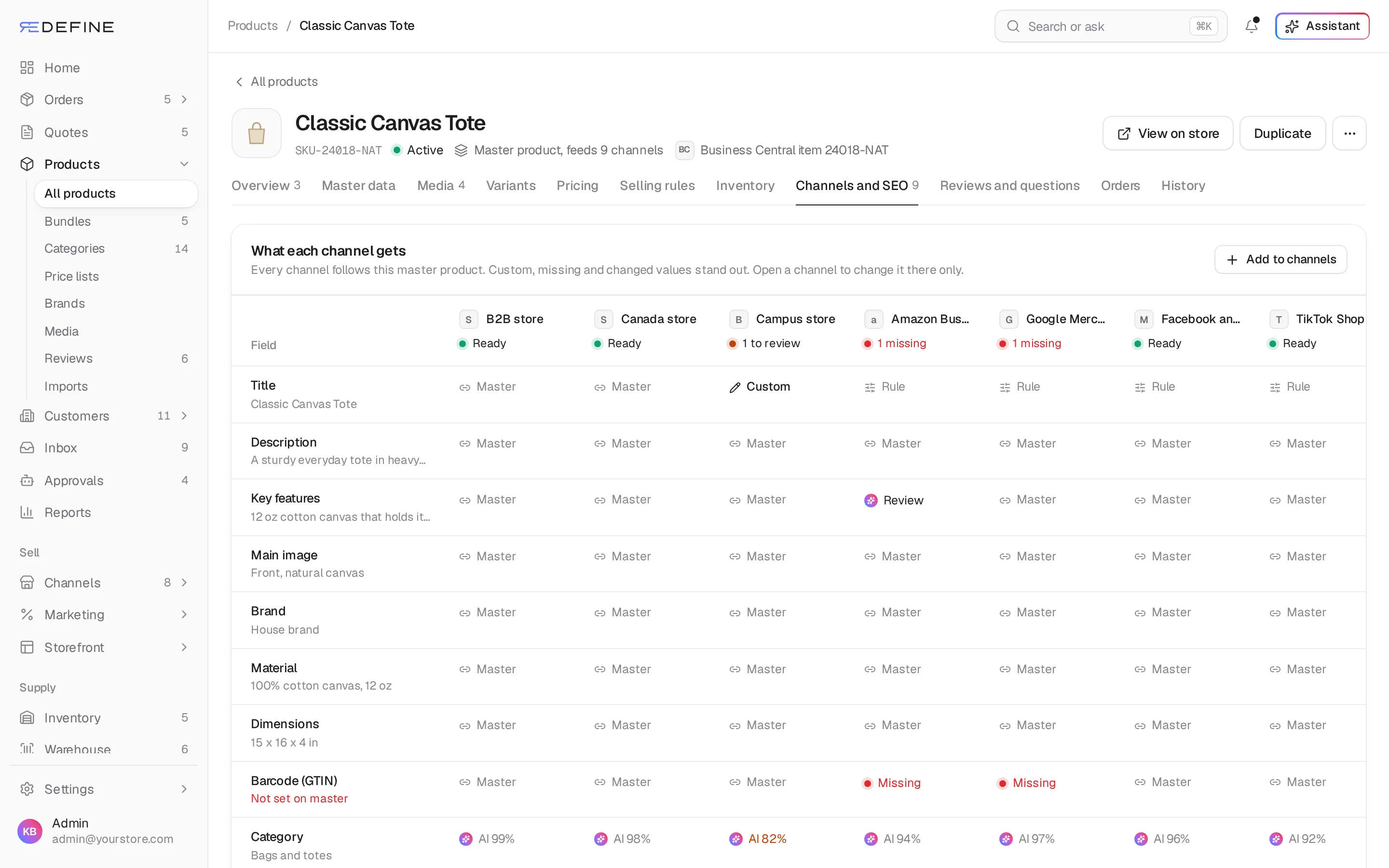
Each field runs down the side and each channel runs across the top. A cell shows if the channel follows the master, has its own value, uses a rule, or is missing something.

See product syndication readiness
Redefine Suite grid showing what each sales channel gets for one product, with each field marked as master, custom,

Product content

Ready for search, help and every channel.

Good product descriptions are only half the job. Each part below helps the same product show up in search, read well on each channel, and pass its checks before it goes live.

  1. 01 / Search

    Write the search listing with a preview.

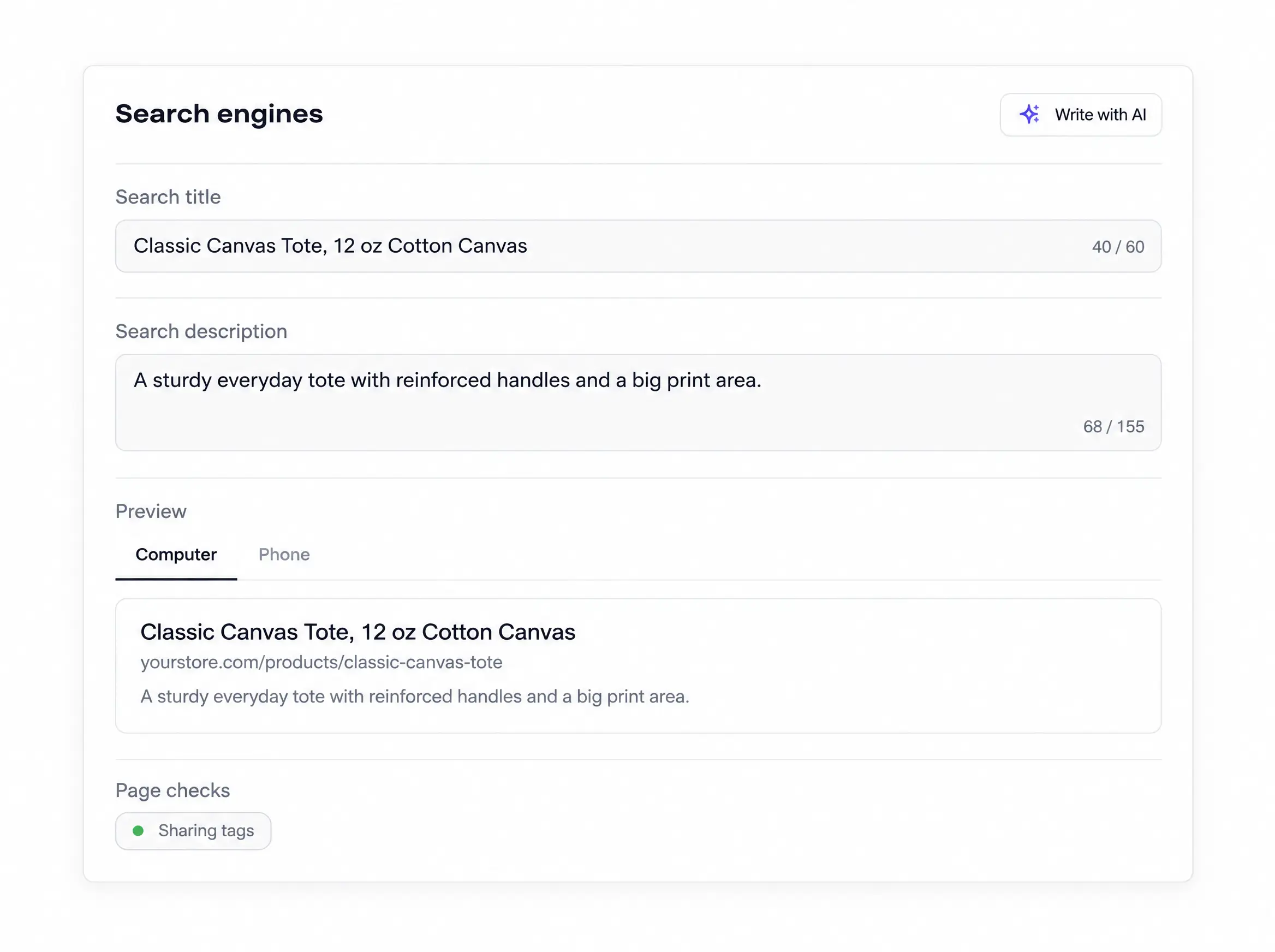
    Set the search title and description with a live count, and see the result on a computer and a phone. Add sharing text for each social site. Page checks show if rich results will fail.

    See product data enrichment
    A product search listing editor with title and description counters, a Write with AI button and a preview of the search
  2. 02 / Agent

    Ask for a change in plain words.

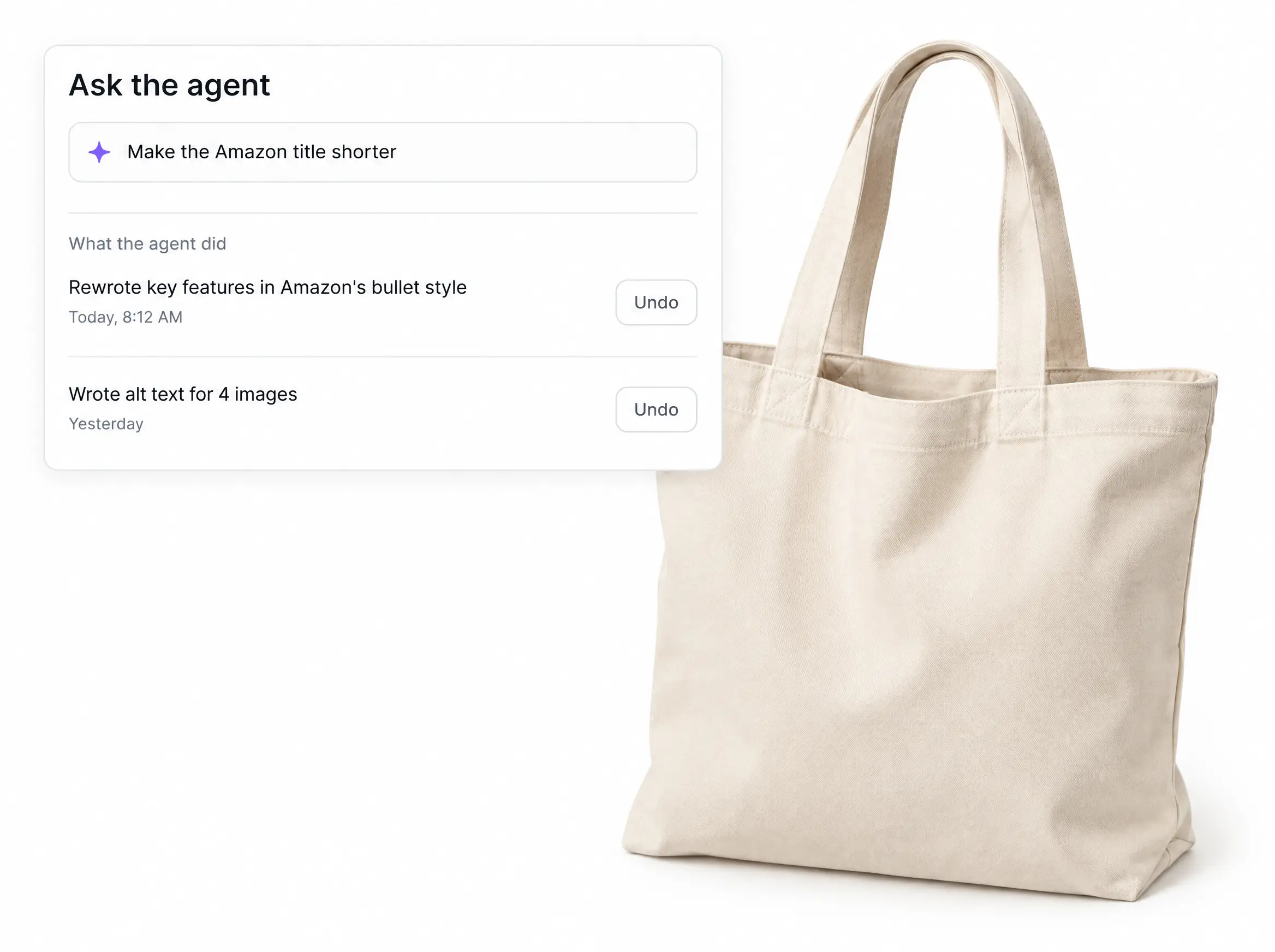
    Type a request like "Make the Amazon title shorter" and see the plan first. The catalog agent writes bullets in each channel's style and alt text for images. Small changes go live on their own, and you can undo any of them.

    An ask the agent box with a request to shorten a marketplace title, above a list of changes the agent made, each with undo
  3. 03 / Ready

    Know what is missing before you publish.

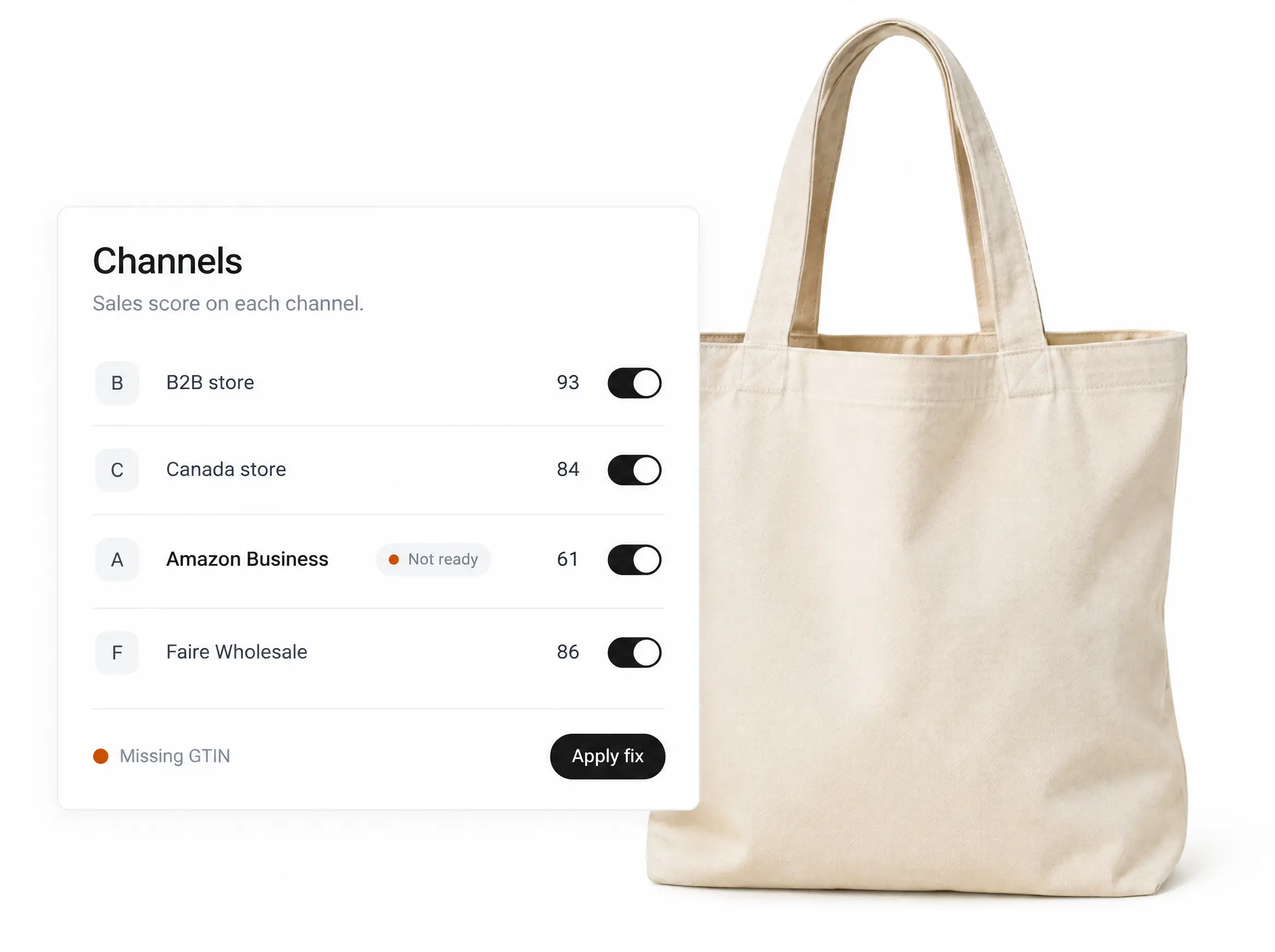
    A field a channel needs shows as missing right on the master. Set the score a product must reach to publish. Each channel also gets a sales score from 0 to 100, with the fixes that raise it.

    See product data validation
    A tote beside its sales score on each channel, with one channel not ready because the barcode is missing and a button

Client story

IMTRA runs 13,000+ items from one system.

Two people checking marine hardware against its product pages on a monitor

Built by Redefine

Redefine built the B2B portal behind IMTRA, a marine and industrial products company with 13,000+ items on Business Central. Read the IMTRA story.

Before

Product and stock data came from 4 sources by hand, and the ERP needed many manual sync steps.

After

Now one import feeds every channel, and an automatic push replaced most manual sync steps.

  • Items: 13,000+

  • Data sources: 4 to 1 import

  • Manual ERP sync steps: ~85% replaced

A content editor at a desk checking product photos and their alt text on screen

Media and files

Every photo, video and spec sheet in its place.

Images, videos and documents attach to the product, not to each site. Pick which options each image shows for. The agent writes alt text, and you check it.

See media asset management

Can each channel have its own title and copy?

Yes. Each channel follows the master product until you change a field for that channel only. You can reset it to the master at any time.

The grid shows which fields are custom on each channel. See product syndication readiness

What happens when I change the master?

Before you save, you see which channels will update and which keep their own value.

If a channel kept its own value, it is flagged so you can update it or leave it. See product data validation and governance

Can AI write product descriptions?

Yes. Ask the catalog agent in plain words, like a shorter Amazon title or bullets in a channel's style. It shows the plan first.

Small changes go live with undo. Barcodes and new channels wait for a person. See product data enrichment

Can I write copy in other languages?

Yes. Ask the agent for a French description for Canada, or translate in bulk from the review list. You check each change before it goes live.

Each store gets copy in its own language. See product localization

Can I update copy on many products at once?

Yes. Edit many products in a grid, or describe one change for many products and see the plan before it runs.

The agent can fill missing data and write alt text in bulk. See bulk product data operations

Do categories carry their own content?

Yes. A category has its own page text, search title, description and banners, and each marketplace gets its own category match.

The agent shows how sure it is about each match. See taxonomy and classification

Book a demo

See your own product content in Redefine Suite.

Tell us about one product you sell on more than one channel. In the demo, we set up its master record and a version for each channel. A demo built on your own products and channels. You can also use the demo booking page.

Two colleagues at a laptop checking how one product looks on each channel before it goes live
  • Built on your own products
  • Your own stores and channels
  • You approve every change
  • 550+ projects delivered

Book a personalized demo

Tell us which channels take your team the most time. We set up the demo around them.

  1. 1We confirm your request
  2. 2A short call about your products
  3. 3Your personalized demo
  4. 4You decide what comes next