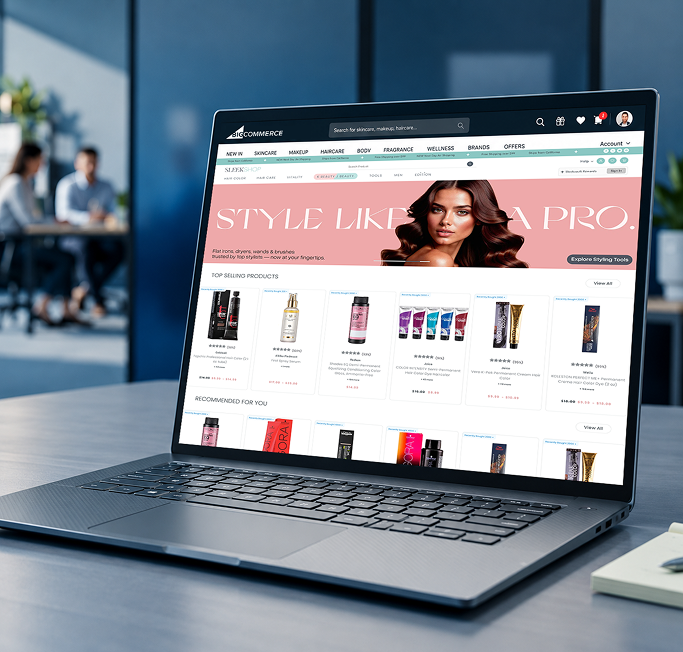
Need one portal like this?Line-by-line proposal in 3 days
Submit a briefIMTRA case study
One login now runs IMTRA's ERP, stores and stock.
We built a Next.js admin portal on top of Business Central. Every team now works from one dashboard.
14
Modules, one portal
4
Store types
1
Login, every team
The engagement at a glance
- Industry
- Marine and industrial, 13,000+ items
- ERP
- Business Central
- Front end
- Next.jsReactTypeScript.NETPostgresPower BI
- Store types
- 4, own configurators
- Teams
- Ops, merchandising, customer
- Model
- Fixed price, you own the code
 Next.js
 React
React TypeScript
Services
- Enterprise eCommerce platform
- ERP integration
- Multi-channel commerce admin
Built with
- Next.js 16
- React 19
- TypeScript
- Business Central
- TanStack Query
- Redux Toolkit
- Tailwind CSS
- Radix and shadcn/ui
- Formik
- Zod
- Axios
- GrapesJS
- Jest
- Playwright
- Sentry
- .NET
- Postgres
- Power BI
 Next.js 16
 React 19
 Business Central
 TanStack Query
 Redux Toolkit
 Tailwind CSS
 Radix and shadcn/ui
 Formik
 Zod
Zod Axios
Axios Jest
Jest Sentry
Summary
Case study summary
Stock, orders and stores lived in four places. Now one portal runs them, with Business Central as the record.
All key facts
- Client
- IMTRA, a 70-year-old marine and industrial products company, 13,000+ items across 24 brands
- Partner
- Redefine Innovations, one team, fixed price, full code ownership
- Built
- Next.js admin portal on top of existing services
- ERP
- Microsoft Dynamics 365 Business Central, orders and customers synced both ways
- Modules
- Catalog, inventory, stores, orders, returns, B2B, promotions, CMS, assets, configurators, roles
- Quality
- Jest unit tests, Playwright end-to-end suite, Sentry monitoring
Four systems, four truths. One portal instead.
Manual sync between them caused delays, stock mismatches and order errors.
See how it connects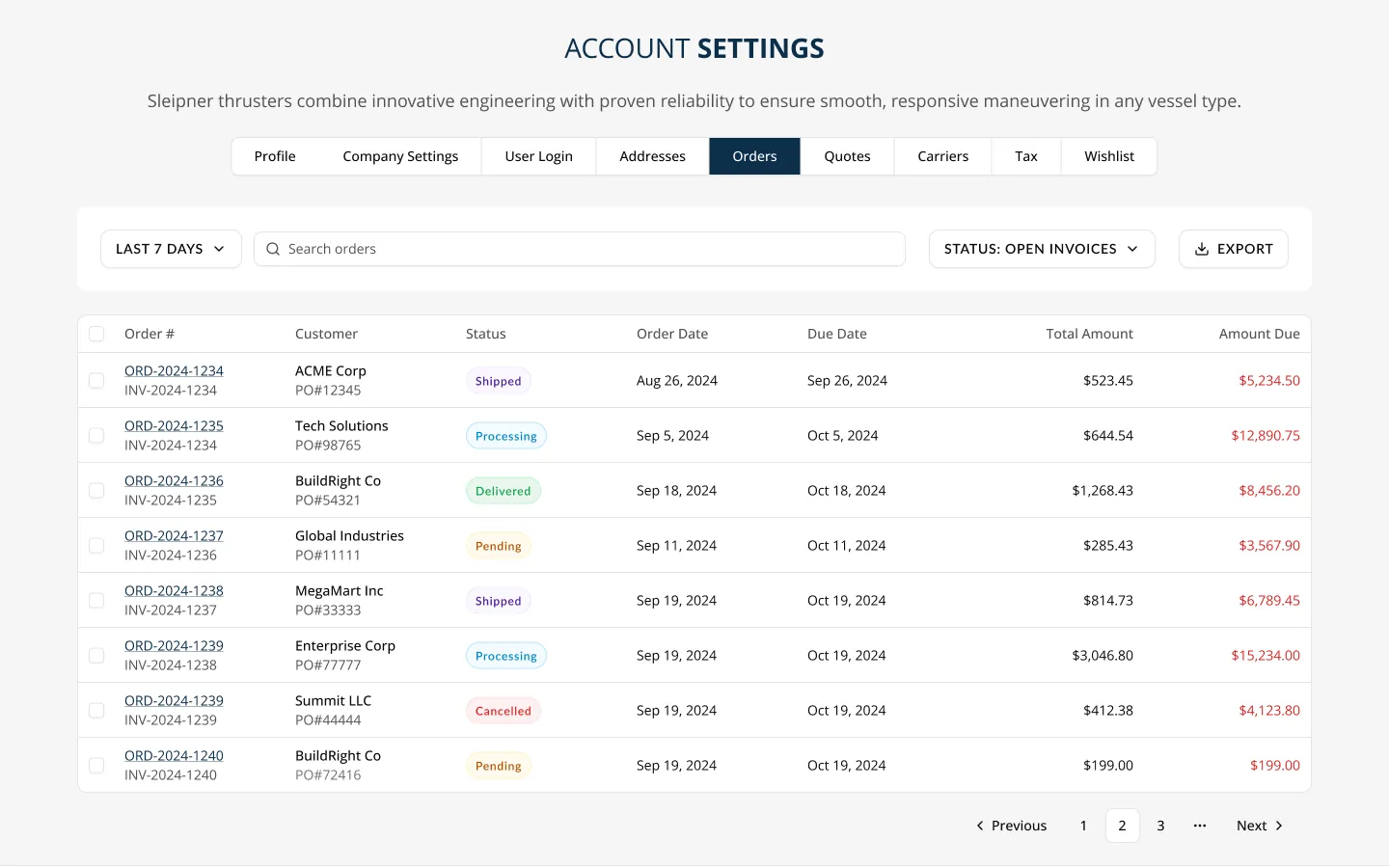
The challenge
What held operations back.
IMTRA's teams had no single place to manage products, stock, orders and customers.
Data silos
Stock lived in the ERP and in vendor feeds.
Fix: One inventory view with BC sync
Manual order sync
Orders waited for import into Business Central.
Fix: Push, refresh and resync in the portal
Developer bottleneck
Every store change needed a developer.
Fix: A configurator per store type
Growth without control
More stores and B2B needed permissions.
Fix: Role-based access and 2FA
4
Four sources of stock to reconcile by hand: the ERP, vendor feeds, brand imports and manual entry.
Before and after
Same stores. One portal.
Fragmented
Six tools. No shared view.
Business Central
Own tool
Vendor feeds
Own tool
Storefronts
Own tool
Marketplaces
Own tool
B2B requests
Own tool
CMS
Own tool
Manual sync
4
Connected
One portal. Business Central as the record.
Business Central
In the portal
Vendor feeds
In the portal
Storefronts
In the portal
Marketplaces
In the portal
B2B requests
In the portal
CMS
In the portal
IMTRA Admin Portal
1
The work
One portal, fourteen modules.
The portal sits on IMTRA's existing services and ERP, so nothing in the backend was rebuilt.
- Next.js 16
- React 19
- TypeScript
- Business Central
- TanStack Query
- GrapesJS CMS
- .NET
- Postgres
- Power BI
Sales channels
4 store types plus marketplaces
Vendor and brand feeds
Inventory imports
IMTRA Admin Portal
Next.js 16 · built by Redefine
Business Central ERP
GrapesJS CMS
Roles and 2FA
Sentry monitoring
Business Central · system of record for orders and customers
Product feeds
Master and active feeds with import and export.
Inventory
Vendor, brand, manual and BC stock with buffers.
Multi-store
eCommerce, wholesale, distribution and corporate.
Orders
Status workflows, phone orders and BC tabs.
Returns and credits
Requests linked to BC customer records.
B2B portal
Companies, quotes, dealer locator.
GrapesJS CMS
Page builder with revision compare.
Roles and 2FA
Access set per module.
- 01
Master feed: import, export and attributes
- 02
Active feed: curated listings per store type
- 03
Store listings: categories, facets, bundles, pricing
- 04
Orders pushed to Business Central, then synced back
- Tools in one portal
- 6
- ERP, feeds, stores, marketplaces, B2B, CMS
- Order status in BC
- 3 tabs
- New, pending, imported
- Store types
- 4
- Each with its own configurator
Next.js admin portal · Dynamics 365 Business Central · full code ownership on day one
Watch one order reach Business Central.
The same three status tabs the IMTRA team uses.
One storefront order
- 1New
- 2Pending with BC
- 3Imported from BC
- 4Visible to every team
Press Run the order to see it move.
09:14:02 Order #10482 lands in New
09:14:02 Pushed to Business Central, now Pending with BC
09:14:05 Business Central confirms, now Imported from BC
09:14:05 Status shows for operations and customer teams
Sync engine
Built so nothing syncs twice.
Business Central stays the record. Every push is retry-safe, and every store sees its own stock.
Built with
- Next.js
- .NET
- Postgres
- Power BI
- Dynamics 365
Order push attempt
From the storefront or a resync
Order ID already synced?
Yes: skip the duplicate and return the existing Business Central order
No: create the Business Central order and store its ID
Running a push or refresh again never makes a duplicate, and a network drop mid-sync cannot corrupt an order.
Stock sources
- Business Central level
- Vendor feed
- Brand import
- Manual entry
Store buffer
Units held back on purpose, set per store
Available to sell
Per store, per SKU
Each store can hold units back without touching another store's count.
| Record | Direction | Timing |
|---|---|---|
| Orders | Portal pushes to Business Central, status refreshes back | On demand and on event |
| Customers and companies | Business Central to portal, portal to Business Central for B2B | On demand and manual |
| Business Central stock | Business Central to portal, with buffers | Scheduled and manual |
| Vendor stock | Vendor feed to portal | Scheduled import |
| Brand stock | Brand feed to portal | On-demand import |
| Master products | Master to active to store listings | Real time |
| Promotions and coupons | Portal to storefronts | On activation |
| Shipping and payment setup | Portal to store configurators | On save |
Every record has a named home, a set direction and a set timing, so teams know which system to trust.
Operations
Orders, returns, Business Central sync tabs, stock position and shipping setup.
Merchandising
Product feeds, store listings, categories, bundles, pricing, promotions, CMS and assets.
Customer team
B2B portal, companies, quotes, dealer locator and consultation bookings.
Access is set per module, and every login uses 2FA, so each team sees only its own tools.
- 01
Admin shell, roles and 2FA
Foundation
- 02
Product feeds and stock sync
Inventory
- 03
Order push, refresh and returns
Orders and ERP
- 04
Stores, B2B, CMS and QA suite
Rollout
Each phase shipped modules the team could use right away, with no big-bang cutover.
The results
Fourteen modules. One login.
Every figure here comes from the delivered scope.
Modules in one portal
14
Operations, merchandising and customer teams share one login.
- Dashboard
- Product feeds
- Inventory
- Multi-store
- Store listings
- Orders
- Returns
- B2B portal
- Promotions
- CMS
- Assets
- Configurators
- Roles and 2FA
- BC sync
What changed
- Order statusfrom Manual follow-up to Status tabs
- Stock across channelsfrom 4 sources by hand to 1 unified import
- New store setupfrom Developer ticket to Self-serve, zero dev
- B2B customersfrom Separate process to Same system as D2C
- Store types
- 4
- Each with a configurator
- Manual ERP sync steps
- ~85%
- Replaced by automated push
- Order sync
- Both ways
- Push, refresh, resync
- Sign-in
- 2FA
- On every login
- Backend rebuilt
- None
- Built on existing services
In their words
For the first time, our operations team can see where every order sits in the ERP pipeline without calling anyone.
From the published IMTRA case study.
Why Redefine
An ERP project, safe to say yes to.
Microsoft Solutions Partner
Business Central work by a certified partner.
You own the code
Every repository and environment is yours from day one.
Weekly demos
Working software every week, not status reports.
Before you ask
Questions buyers ask us.
What does the Business Central integration cover?
Orders and customers sync both ways: push to BC, refresh from BC, and resync. Inventory syncs from BC with buffer levels per store. About 85% of manual ERP sync steps are now an automated push.
Did the backend have to be rebuilt?
No. The portal sits on top of IMTRA's existing services and ERP, and is API driven.
Can each team see only its own modules?
Yes. Access is set per module, so operations, merchandising and customer teams each get their own view. Every login uses 2FA.
How is each release tested?
Jest unit tests run in the admin code, and a Playwright suite covers the key order, product and customer journeys. Sentry watches production.
550+ projects · 25+ years · Microsoft Solutions Partner
Running your business across disconnected systems?
Send a brief. Get a line-by-line proposal in 3 business days.
Day 0
Submit your brief
48 hours
Call about your brief
3 days
Scoped proposal
1 week
Sprint 1 after sign-off