



Dynamics 365 assessment

A 30-day Dynamics 365 assessment, in one clear plan.

Redefine Innovations runs a 30-day Dynamics 365 assessment and looks at your whole system, talks to your users and ranks what to fix first.

Parsons Kellogg on Dynamics 365: 58% less time on reports done by hand. See the case study.

An operations lead and a Redefine consultant reviewing user roles in Dynamics 365 Business Central on a laptop

Proof

Results from our Dynamics 365 clients

A good plan starts with a true picture of your system. These numbers come from Dynamics 365 work our team did.

  • Parsons Kellogg
    -58%
    Less time on reports done by hand.
  • Half Price Drapes
    99.2%
    Stock counts right, up from about 82%.
  • Imtra
    ~85%
    Hand sync steps to Business Central now run on their own.

These were Dynamics 365 data and reporting projects, not assessments. Sources: Parsons Kellogg, Half Price Drapes, Imtra.

Is your Dynamics 365 doing its job?

Get your assessment scope from a Redefine consultant.

Request Your Assessment Scope

Short answer

What is a Dynamics 365 assessment?

Updated

A Dynamics 365 assessment is a full review of how your system is set up and used. Redefine Innovations looks at custom code, security roles, data, links, licenses and reports, and talks with your key users. You get a written report and a ranked action plan, so you know what to fix first.

Most systems drift over time. New fields, quick fixes and extra users pile up until work slows down.

So we look at the whole system, not one part, and rank each finding by what it costs you.

Two ways to check your Dynamics 365

Pick by how deep you need to go

WayWhat you getBest whenWhere it stops
AssessmentYou need a full picture and a planA report and a ranked action planIt finds and ranks; the fixes come after
Health checkYou want a quick tech checkA scored report and a short fix listIt does not cover user talks or licenses
OptimizationYou already know what to fixFixes built and testedIt assumes the problems are known

What we look at

  • [1] Setup and custom code
  • [2] Security roles and who can do what
  • [3] Data quality and system links
  • [4] Licenses and reports

Need a lighter check? See the Dynamics 365 health check. Ready to fix? See Dynamics 365 optimization.

Clear next steps

Find your next step with a Dynamics 365 assessment.

You get the facts you need to choose what to change, and in what order.

See how we work
A small team sorting findings cards into a ranked row on a wall during a Dynamics 365 assessment

Before and after

Many loose ends. One ranked plan.

Scattered

Issues sit in many places, and nobody owns them.

  • Setup

    No one sees it all

  • Custom code

    No one sees it all

  • Roles

    No one sees it all

  • Data

    No one sees it all

  • Links

    No one sees it all

No clear order
Areas with open issues

5

Ranked

One plan with each fix in order.

  • Quick wins

    Ranked and owned

  • Big fixes

    Ranked and owned

  • Owners

    Ranked and owned

  • Costs

    Ranked and owned

  • Risks

    Ranked and owned

  • Next steps

    Ranked and owned

Action plan
Plan your team can use

1

Rework calculator

What are system gaps costing you?

Use your own numbers. See how much order value goes through rework each month.

Your numbers

Monthly

2,000
90.0%
$250
97.0%

Order value per month

Your estimate

Right now
$450K
After fixes
$485K

Order value that needs rework today

$35Kper month

$420K a year in orders that need a second touch.

Request Your Assessment Scope

This is an estimate from your own numbers, not a promise.

Estimate: orders a month x (share right after fixes minus share right now) x average order value. Not a promise.

Three Dynamics 365 problems we find most

Tap a card to see the problem, then what we do.

An engineering mindset for a Dynamics 365 assessment

We run growth the way engineers run software.

Redefine is an engineering company. Developers, Dynamics 365 experts, data analysts and business consultants work as one team, so your review sees both the system and how people use it.

  1. Engineer writing a fix goal and the number that proves it on a whiteboard

    01 Our way: How we work

    Every change is a test with a success number.

    Each fix in your plan comes with a number that shows it worked.

    Old way: Instead of the usual agency habit

    Changes ship on a hunch.

    Nobody can say if a change helped.

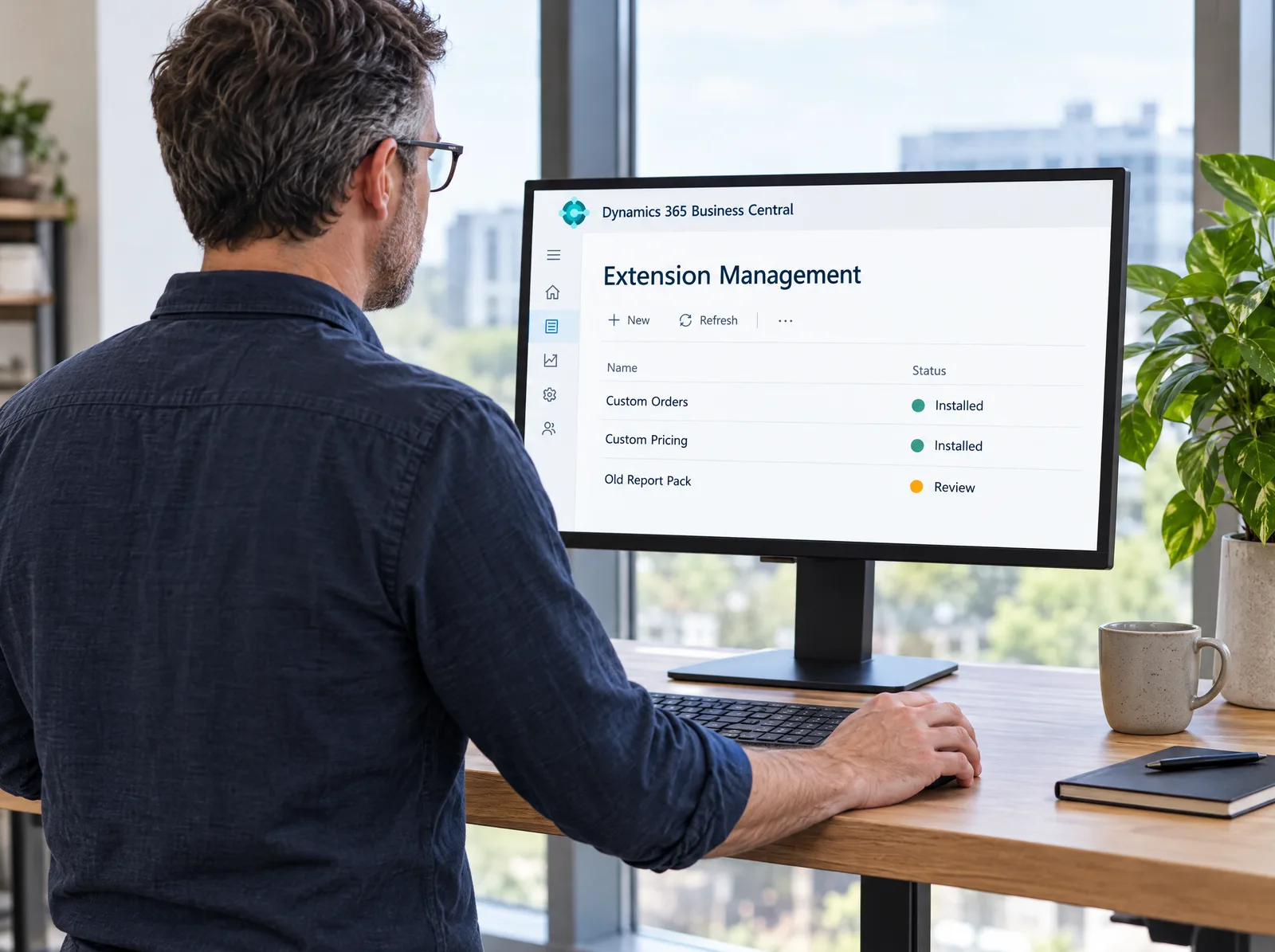
  2. Developer reviewing installed extensions and custom code in Dynamics 365 Business Central

    02 Our way: How we work

    We fix the cause in the system and the data.

    Engineers trace each issue to its source.

    Old way: Instead of the usual agency habit

    Fixes stop at the surface.

    The same issue comes back next month.

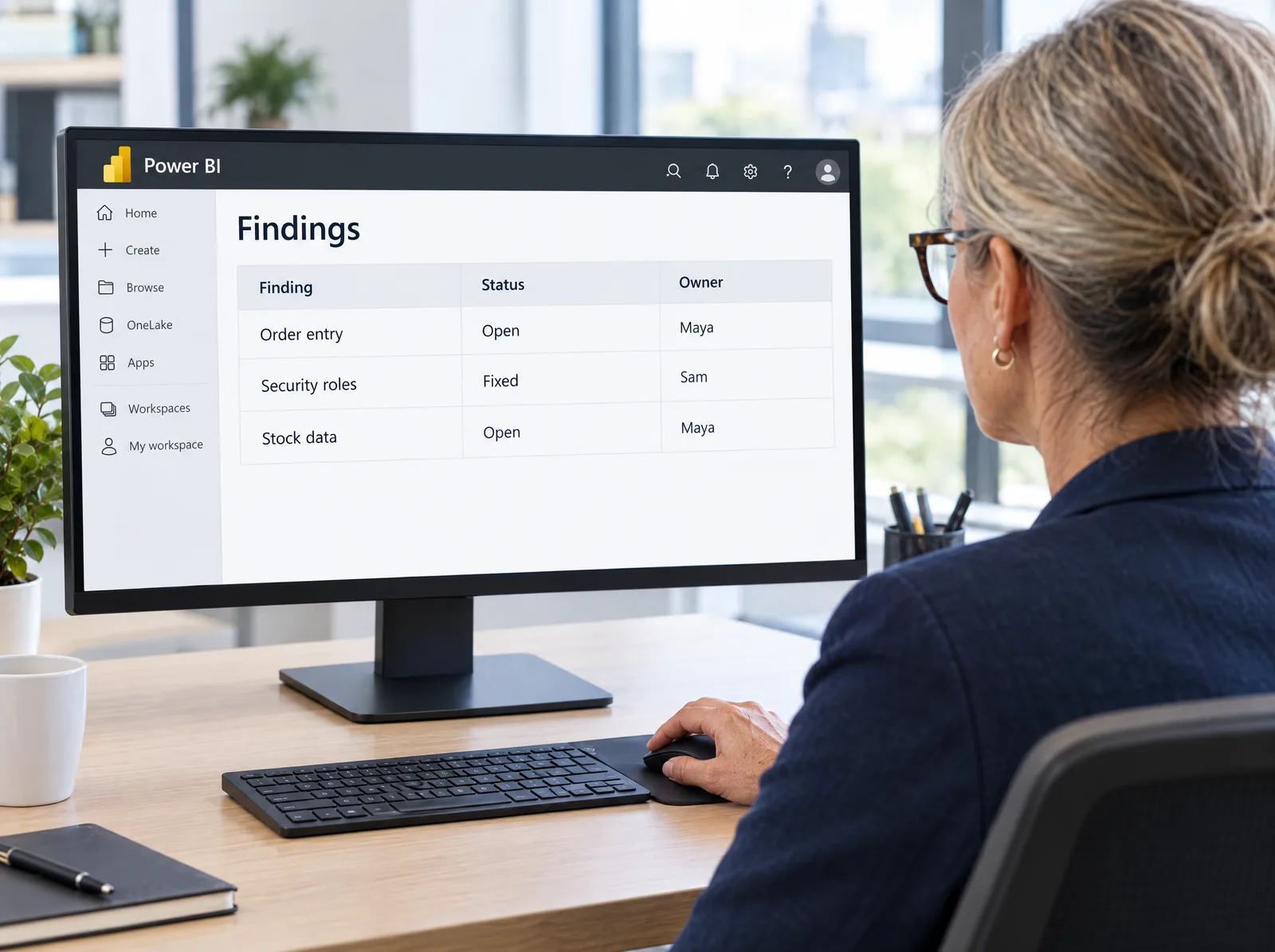
  3. Operations manager reading a Power BI table of assessment findings that names one owner each

    03 Our way: How we work

    Alerts fire as soon as a number drifts, with one owner.

    Someone sees a problem the day it starts.

    Old way: Instead of the usual agency habit

    Problems wait for the monthly report.

    By then the damage is done.

How Redefine works

TheREDEFINEMethod

Look at the whole system, rank what matters, then act.

Changes made without a full picture often miss the real problem. We look first, so your next dollar goes to the fix that matters most.

Request Your Assessment Scope

We share the assessment scope after a first talk.

Why this approach matters

  • Clear priorities.
  • Choices based on facts.
  • Better use of your team.
  1. Start here

    Step 1: Diagnose

    We talk with your key users and look at your setup to find the weak spots.

    You receive A list of issues

  2. Choose what matters

    Step 2: Prioritize

    We rank each finding by its effect and the work it takes, so quick wins come first.

    You receive A ranked action plan

  3. Do the work

    Step 3: Deliver

    We write up setup, custom code, roles, links, data, licenses and risks in one report.

    You receive A full written report

  4. Check the result

    Step 4: Prove

    We check the report covers what we agreed. Business results are checked on their own.

    You receive A scope check

  5. Keep improving

    Step 5: Improve

    We hand over a list of next steps. More help is your choice, never added by default.

    You receive A list of next steps

What you receive

A full report and a ranked action plan for your Dynamics 365.

Case study / Reporting on Dynamics 365 and Power BI

Parsons Kellogg

Reports by hand were slowing the team.

This was a Dynamics 365 data and reporting project, not an assessment. It shows how we find the real cause first.

An operations lead and a consultant reading a Power BI report linked to Dynamics 365 at a desk

Result

Reporting

Before

By hand

After

Power BI

Source: Parsons Kellogg case study.

  1. 01 / Problem

    Reports were made by hand.

    Staff spent hours building reports from sheets.

  2. 02 / Diagnosis

    The cause was the data.

    Reports needed live data from Dynamics 365.

  3. 03 / Action

    Move reports to Power BI.

    We put reports live in Power BI, linked to Dynamics 365.

  4. 04 / Result

    58% less manual reporting.

    Inventory accuracy reached 99.0%, and the warehouse moved faster.

We did this for Parsons Kellogg. It was a Dynamics 365 data and reporting project, not an assessment. The same team reviews your system.

Your assessment

See what your assessment report covers.

This is the written report a Redefine consultant sends after the review. It shows where your system stands and what to do first.

Sections
5
Findings
1
Risks
First
Request Your Assessment Scope

Redefine

Confidential

Prepared for: your business

Assessment Scope

Contents

  1. 01How your team uses it3
  2. 02Setup and custom code7
  3. 03Data quality12
  4. 04Roles and system links18
  5. 05Ranked action plan22

Assessment Scope

Your business

01 / 05

Top finding

Order entry

Your team keys in the same order data in two places. One link ends the double typing.

Orders keyed in twice

Effort to fix

Medium

Priority

High

Fix it in this order

Map the link Build it Test it

How your Assessment Scope is laid out: the cover and page 3.

What is the REDEFINE Method?

The REDEFINE Method is Redefine Innovations' business-first framework for identifying business constraints, prioritizing improvements, delivering appropriate solutions, verifying outcomes, and sustaining improvements.

It has five stages: Diagnose, Prioritize, Deliver, Prove and Improve. Read the REDEFINE Method

How long does the assessment take?

It depends on how big your system is and how many apps you use.

We agree the timing with you when we share the scope.

How is the assessment priced?

The price depends on your system and your goals.

After a short talk, you get a clear scope with every cost before work starts.

What if I need help with the action plan?

Each item in your plan names the Redefine service that fits it. Your team can also do the work on its own.

Many teams start with fixes: See Dynamics 365 optimization

Do you offer help after the assessment?

Ongoing help is not part of the assessment. You can keep working with us through managed services.

The report and plan stay with your team to use with any partner. See Dynamics 365 managed services

Can you assess more than one Dynamics 365 app?

Yes. We look at apps like Finance, Sales and Business Central.

We set the depth for each app in your scope.

How is this different from the health check?

The assessment goes deeper. It adds user talks, roles, links, licenses and reports, and ends in a ranked plan.

The health check is a lighter tech review: See the Dynamics 365 health check

Assessment scope

Request your assessment scope

See what a full review covers for your system. Tell us how your team uses Dynamics 365 today.

Business owner reading a printed Dynamics 365 assessment report at a long table by a window
  • A person reads every request
  • A written scope
  • 25+ years building business systems
  • 550+ projects delivered

Your Assessment Scope

Tell us which Dynamics 365 apps you use and what feels slow. A short note is fine.

  1. 1We read your answers
  2. 2We ask a few questions
  3. 3You get your scope
  4. 4You choose the next step

See also Know each customer, in one clear profile., D365 migration services., D365 services, in one clear plan., The right D365 solutions for how you work., D365 tools that show cost before you start., and Dynamics 365 is live. Now make it work well..