




D365 offers that fix one problem first.

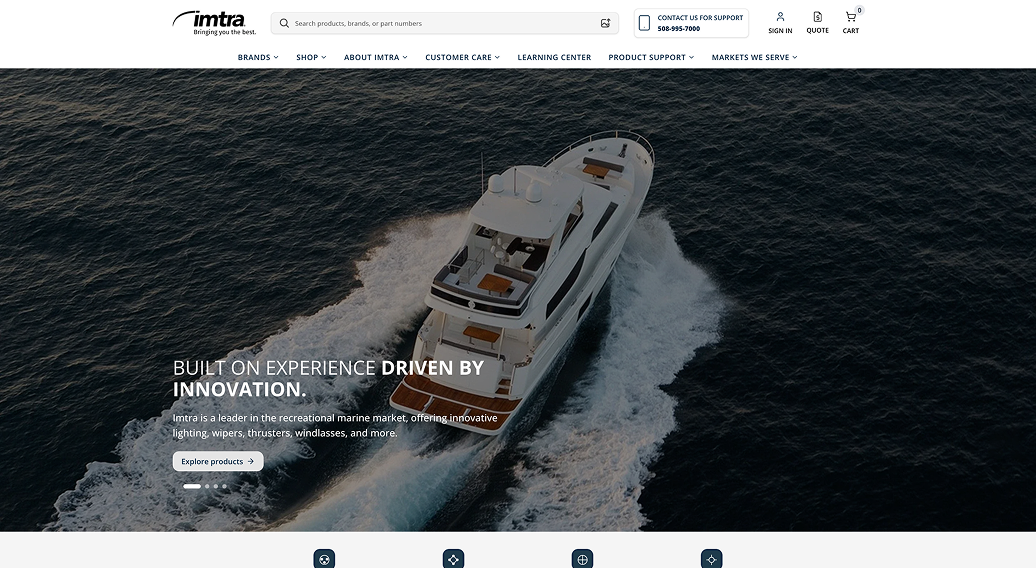
Redefine Innovations sells D365 offers as fixed-scope packages that fix one problem first. Imtra: about 85% of manual ERP sync steps now run on their own. See our case studies.

Proof

Results from our Dynamics 365 work

Each package starts with clean data and clear goals. These are real results from Dynamics 365 systems our team worked on. These were Dynamics 365 and Business Central data, report and sync projects.

Imtra sync steps
~85%
Read the case study
Half Price Drapes stock accuracy
From about 82% to 99.2%
Read the case study
Parsons Kellogg report time
-58%
Read the case study
Projects delivered
550+
Read the case study

Not sure which package fits?

Get your Package Recommendation from a Redefine consultant.

Get Your Package Recommendation

Short answer

What are Dynamics 365 packages?

Updated

Dynamics 365 packages are set blocks of work that each fix one problem in your Microsoft Dynamics 365 or Business Central system. Each package has a clear scope and a named result, such as a health check report, a cleaned customer list or working links. Redefine Innovations helps you pick the package that matches the problem you have now.

A full project is big. Many teams only need one thing fixed first, like bad data, a broken link or a system that is out of date.

So each package has one job and a set scope. You know what you get before work starts.

Package, project or monthly help?

Pick by what you need now

WayWhat you getBest whenWhere it stops
PackageOne clear problem to fix firstA set scope with one named resultIt fixes one area; it is not a full rollout
Full projectYou need a new system or a big changePlan, setup, data and go-liveIt takes longer and covers the whole system
Monthly helpYour system is live and needs careFixes, checks and small changes each monthIt runs what you have; it is not a new setup

What we look at first

  • [1] The problem that costs you most today
  • [2] Your Dynamics 365 or GP setup
  • [3] How clean your data is
  • [4] The links to your other systems

Need a full project? See Dynamics 365 implementation. Want a full review first? See the 30-day Dynamics 365 assessment.

Build for growth with smart packages.

Each package fixes one problem with a clear scope, so your team sees the result fast.

A team sorting problem cards into three piles on a table to pick a package

One team

Four experts. One team.

Fixing Dynamics 365 takes many skills. When each one sits with a different firm, problems fall through the gaps.

Get Your Package Recommendation

Before

Each expert has a different plan. Nobody owns the result.

  • System checker

    Checks the setup

  • Data mover

    Moves and cleans data

  • Link builder

    Links your systems

  • Report builder

    Builds your reports

After

One Redefine team covers all four, with one plan and one contact.

Redefine Innovations

One team

  • Checks
  • Data
  • Links
  • Reports

Workaround cost calculator

What do Dynamics 365 problems cost you?

Use your own numbers to see what staff time goes to workarounds each month.

Your numbers

Monthly

2,000
80.0%
$45
90.0%

Value of staff time a month

Your estimate

Now
$72K
Once fixed
$81K

Lost to workarounds

$9Kper month

$108K a year in staff time, not cash.

Get Your Package Recommendation

This is an estimate from your own numbers, not a promise.

Estimate: staff hours x (share once fixed minus share now) x hourly cost. Not a promise.

Pick the package for your problem.

An engineering mindset for Dynamics 365 offers

We run growth the way engineers run software.

Redefine is an engineering company. Developers, Dynamics 365 and ERP engineers, data experts and business consultants sit on one team, so the people who scope your package are the people who build and test it.

  1. Analyst checking each package task against its goal in a spreadsheet

    01 Our way: How we work

    Every change is a test with a success number.

    Each change has a number to check it worked.

    Old way: Instead of the usual agency habit

    Changes ship on a guess.

    Nobody knows if it helped.

  2. Engineer fixing customer records at the source in Business Central

    02 Our way: How we work

    We fix the setup and clean the data under it.

    Engineers find the cause in the setup or the data, not just the error.

    Old way: Instead of the usual agency habit

    Fixes stop at the surface.

    The same problem comes back.

  3. Manager reading a Dynamics 365 alert email on a phone that names one owner

    03 Our way: How we work

    Alerts fire the week a number drifts.

    Each alert has one owner and a planned next step.

    Old way: Instead of the usual agency habit

    Problems wait for the monthly report.

    Customers find the problem first.

How Redefine works

TheREDEFINEMethod

Know the problem, pick what matters, fix it, check it, plan the next step.

A package works when it fixes the problem that costs you most. So we find that problem before we pick the package.

Get Your Package Recommendation

Your recommendation is made for your system. We start with your goals.

Why this approach matters

  • Keep to business priorities.
  • Choices based on real data.
  • Clear steps you can see.
  1. Start here

    Step 1: Diagnose

    We look at your Dynamics 365 or GP setup and how clean your data is, and find what hurts most.

    You receive A system review

  2. Choose what matters

    Step 2: Prioritize

    We pick the few actions that help most and skip big projects you do not need yet.

    You receive A priority list

  3. Do the work

    Step 3: Deliver

    We do the work in the package scope: data, links, reports or fixes.

    You receive Finished package work

  4. Check the result

    Step 4: Prove

    We check the work against the agreed scope and your goals. Business results are checked on their own later.

    You receive Checked results

  5. Keep improving

    Step 5: Improve

    We hand over notes and the next logical step. Monthly help is a separate choice.

    You receive Clear next steps

What you receive

A package matched to your problem and goals.

Case study / Business Central data

Clean, linked data is where every package starts

Business Central stock data

Imtra

Imtra sells more than 13,000 marine and industrial items. Its stock runs on Dynamics 365 Business Central.

Manual sync steps automated
~85%
Two warehouse staff checking stock by location on a Business Central screen beside tall shelves
Photo: stock checked in Business Central. Results: Imtra.

The problem

Stock came from 4 sources, kept by hand.

What we did

We built one stock import and an automated push from Business Central.

  • One stock import
  • Automated push
  • Stock checks
  • Channel links

The result

  • 4 stock sources down to 1
  • About 85% of sync steps automated
  • Stock you can trust

A Business Central stock sync project, not one of these packages. The same team scopes yours.

Numbers from the Imtra case study.

Your package recommendation

See what your Package Recommendation covers.

This is the written note a Redefine consultant sends after looking at your system. It names the package that fits and what comes next.

Sections
5
Problem
1
Package
Next
Get Your Package Recommendation

Redefine

Confidential

Prepared for: your business

Package Recommendation

Contents

  1. 01Your system today3
  2. 02The problem that costs most7
  3. 03The package that fits12
  4. 04What the package covers18
  5. 05Next steps22

Package Recommendation

Your business

01 / 05

Top problem

Copy records

The same customer sits in the system three times, so reports and orders do not match.

Records to fix

Effort to start

Low

Priority

High

Do it in this order

Check data Merge copies Set rules

How your Package Recommendation is laid out: the cover and page 3.

What is the REDEFINE Method?

The REDEFINE Method is Redefine Innovations' business-first framework for identifying business constraints, prioritizing improvements, delivering appropriate solutions, verifying outcomes, and sustaining improvements.

It has five stages: Diagnose, Prioritize, Deliver, Prove and Improve. Read the REDEFINE Method

How do you price a Dynamics 365 package?

The price depends on your needs, the scope and how complex your system is. You get a written scope with every cost before work starts.

How long does a package take?

It depends on the package and your system setup. After the review, we give you clear steps and keep you posted the whole way.

How are packages different from other Dynamics 365 services?

A package fixes one clear problem with a set scope. A full project covers the whole system.

Need the whole system done? See Dynamics 365 implementation

Who does the work?

Engineers, data experts and consultants on one team. The same team works on Business Central, Dynamics 365 apps, data and reports.

Each package starts with a short review tied to a business problem.

What if we need more than one package?

A package can lead into a bigger project, such as a move from GP to Business Central. What we learn carries over.

Moving off GP? See GP to Business Central migration

Can you help after go-live?

Yes. The post go-live package looks at user issues, slow steps and open defects found after go-live.

See what it covers: See the post go-live package

Package recommendation

Find your Dynamics 365 package

Know which package fits your problem and what comes next. Tell us what feels stuck.

Operations lead reading a printed Dynamics 365 package recommendation at a table by a window
  • A person reads every request
  • A written package recommendation
  • 25+ years building business systems
  • 550+ projects delivered

Your Package Recommendation

Tell us what is not working in Dynamics 365 or GP today. A short note is fine.

  1. 1We read your answers
  2. 2We talk about your goals
  3. 3You get your recommendation
  4. 4You choose the next step