What files can I import?
Product files in CSV or Excel, and supplier stock files mapped by style, color, size and quantity.
A blank file is there if you want a place to start. See supplier catalog management
Bulk product data operations
Redefine Suite makes bulk product editing safe. Edit many products in a grid, import a file, or say the change in plain words. You check each change first, and every change is logged.
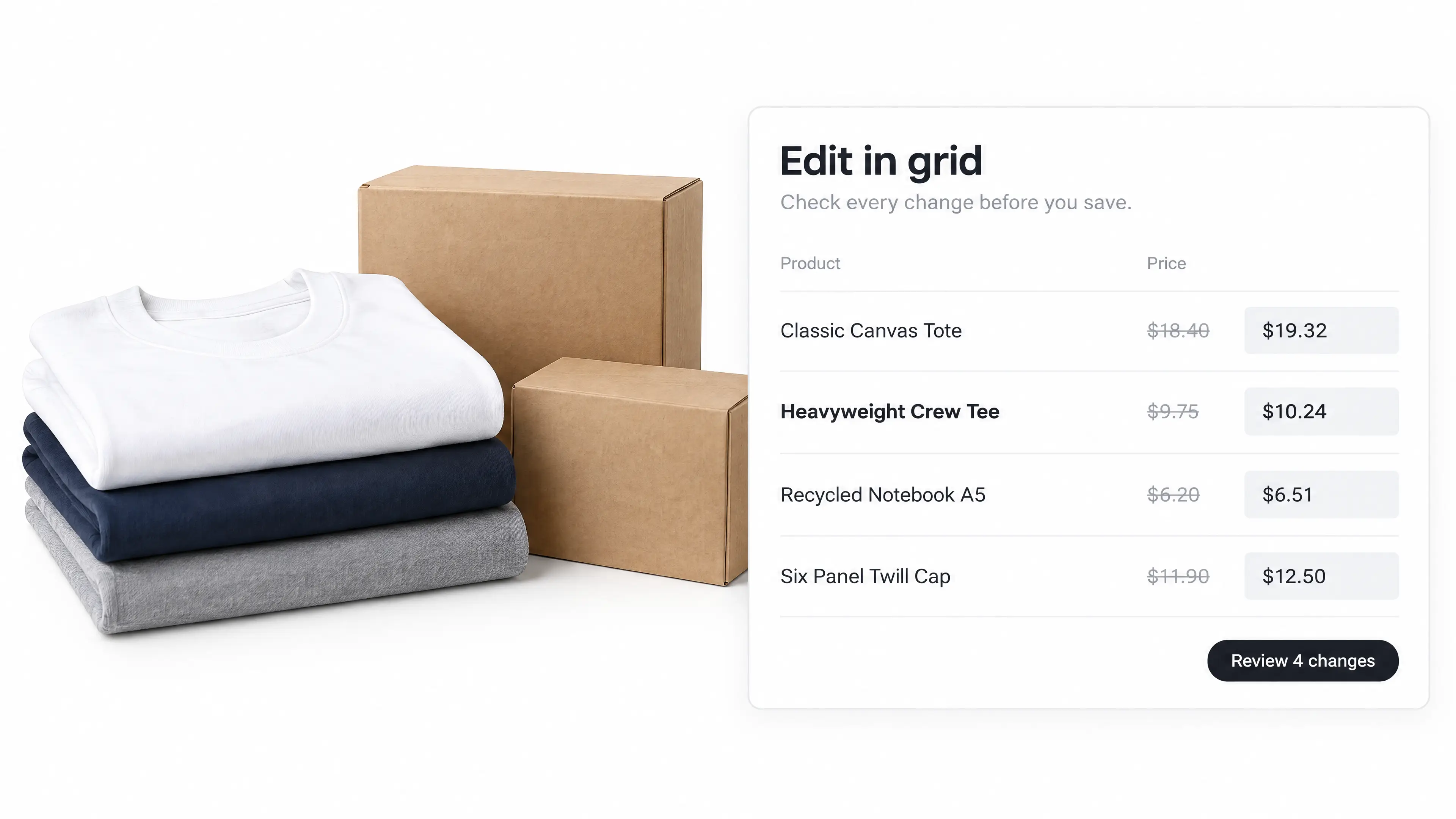
See your own product file changed in bulk.
A demo built on your own product file.
Short answer
Updated
Bulk product editing means changing many products at once instead of one at a time. Redefine Suite by Redefine Innovations does it three ways: a grid that works like a spreadsheet, file imports that check every row, and plain-words edits that an agent plans for you to approve.
New prices, supplier files, store listings and missing alt text all touch hundreds of products. Done in exports and spreadsheets, one shifted column can break good data across the whole catalog.
Redefine Suite checks each change before it saves. It logs every change, so you can see who made it. Agent changes can be undone.
Three ways to change many products
What you can change in bulk
See all of Redefine Suite.
Bulk changes
Imports, price updates and big fixes. Here is how three common jobs run by hand, and how they run in Redefine Suite.
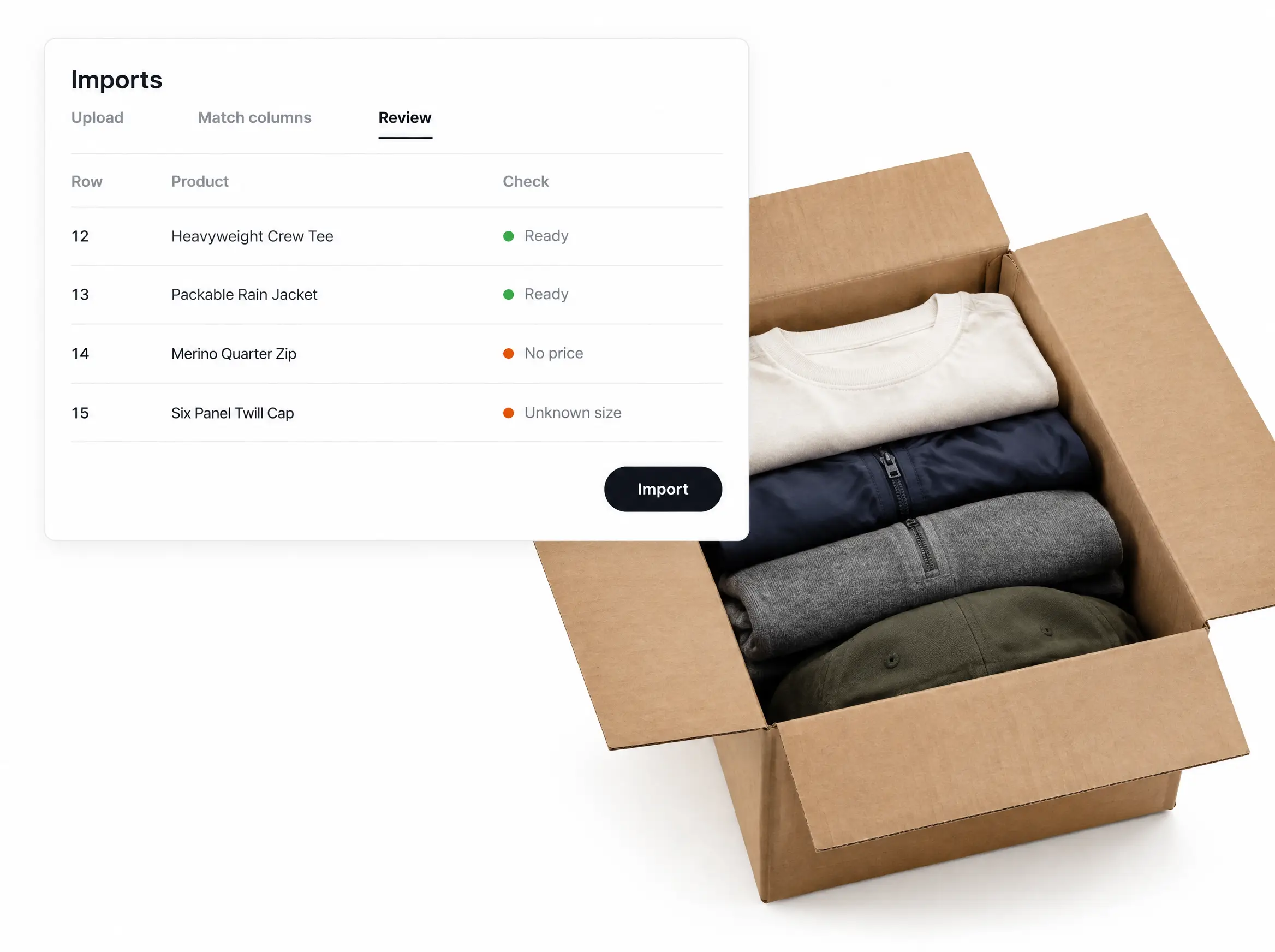
01 Our way: With Redefine Suite
Imports check every row first.
Upload the file and match its columns once. Redefine Suite shows each row and flags problems before anything saves. Then you see the results.
Old way: Instead of
A spreadsheet pasted over the catalog.
A shifted column overwrites good data.
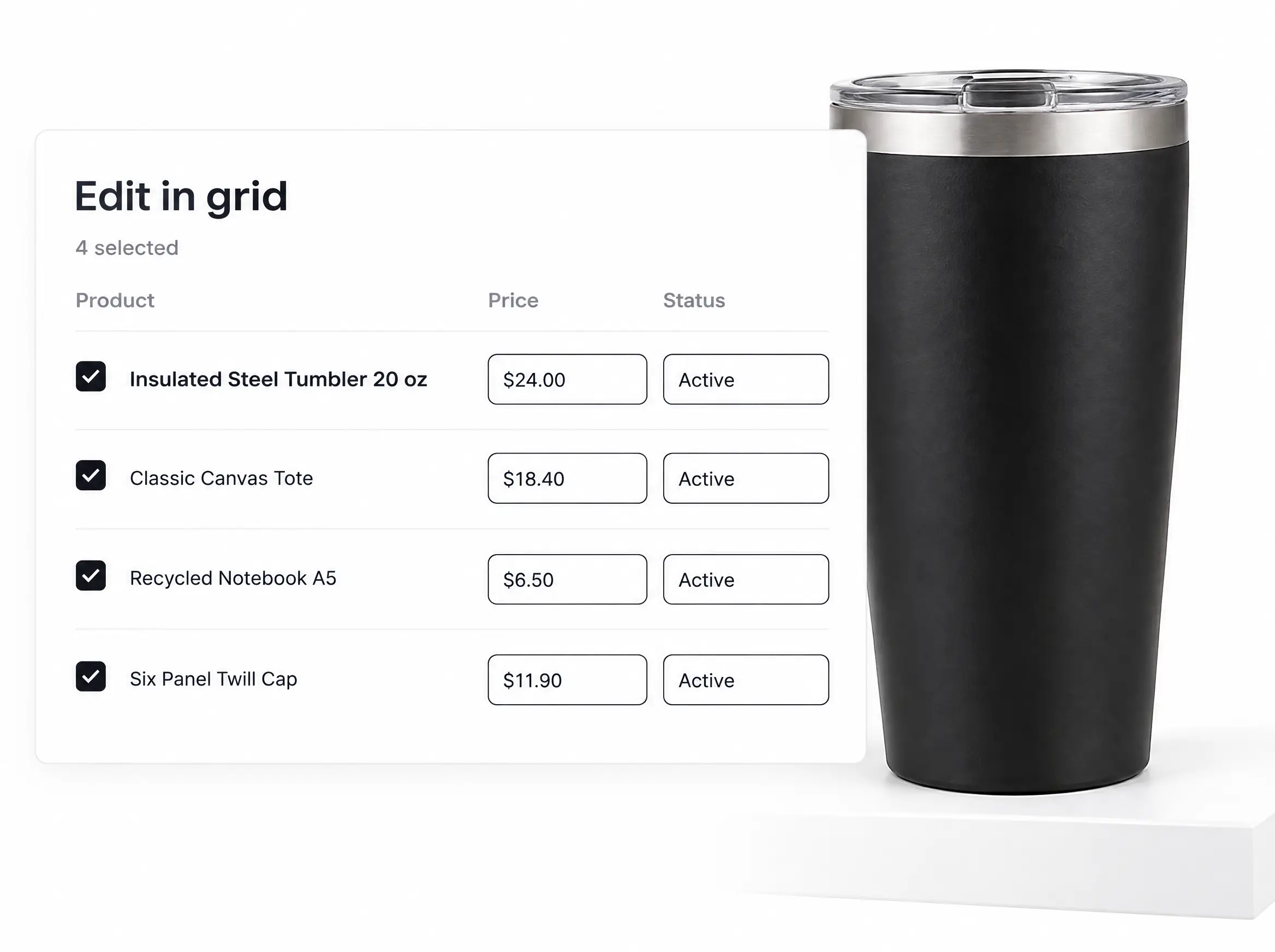
02 Our way: With Redefine Suite
Edit hundreds of rows on one screen.
Filter the products you need. Then change prices, statuses or any field in a grid that works like a spreadsheet.
Old way: Instead of
Export, edit, import again.
Edits made in the meantime get lost.

03 Our way: With Redefine Suite
Say the change in plain words.
Ask for a change, like new prices for one brand. The agent shows its plan. Only steps outside your rules wait for you.
Old way: Instead of
Rules that live in one person's head.
Nobody can say what changed or why.
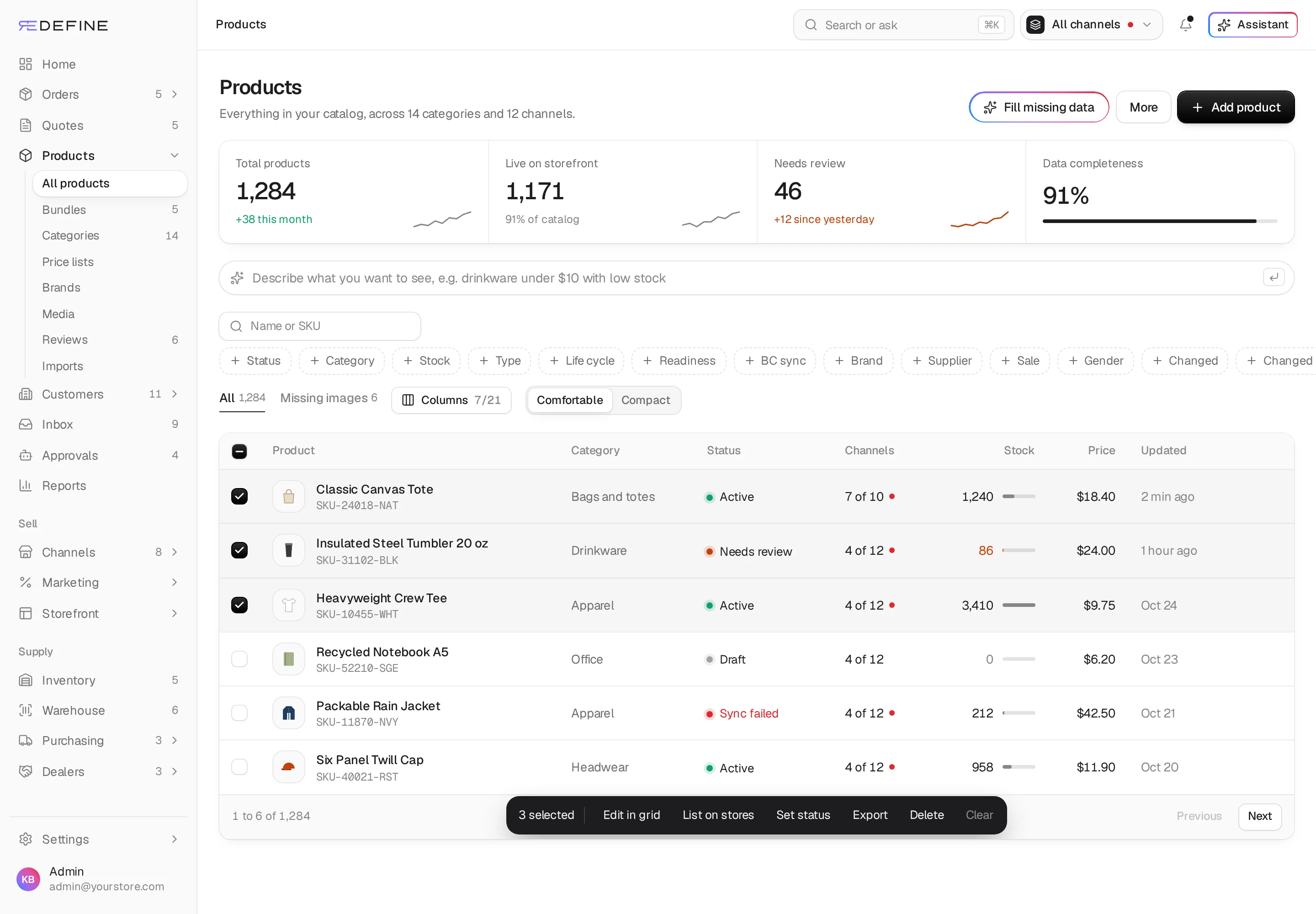
Tap a point to see what each part does.
Filters
Narrow the list by status, brand, category, supplier, readiness or who changed it.
Bulk bar
Pick rows and a bar shows what you can do: set status, list on stores, edit in a grid or archive.
Saved views
Save a view, like products with no price, and open it any time.
Export
Export only the rows, columns and stores you pick.
How it works
Bulk product editing only helps if the data stays right. Each part below keeps one master record true for every store and channel you sell on, from the first file you bring in to the last fix you make.
01 / Import
Upload a CSV or Excel file, or a supplier stock file. Match its columns once, or start from a blank file. Check the preview, then see the results. Every import and export stays in a history you can open later.
See supplier catalog management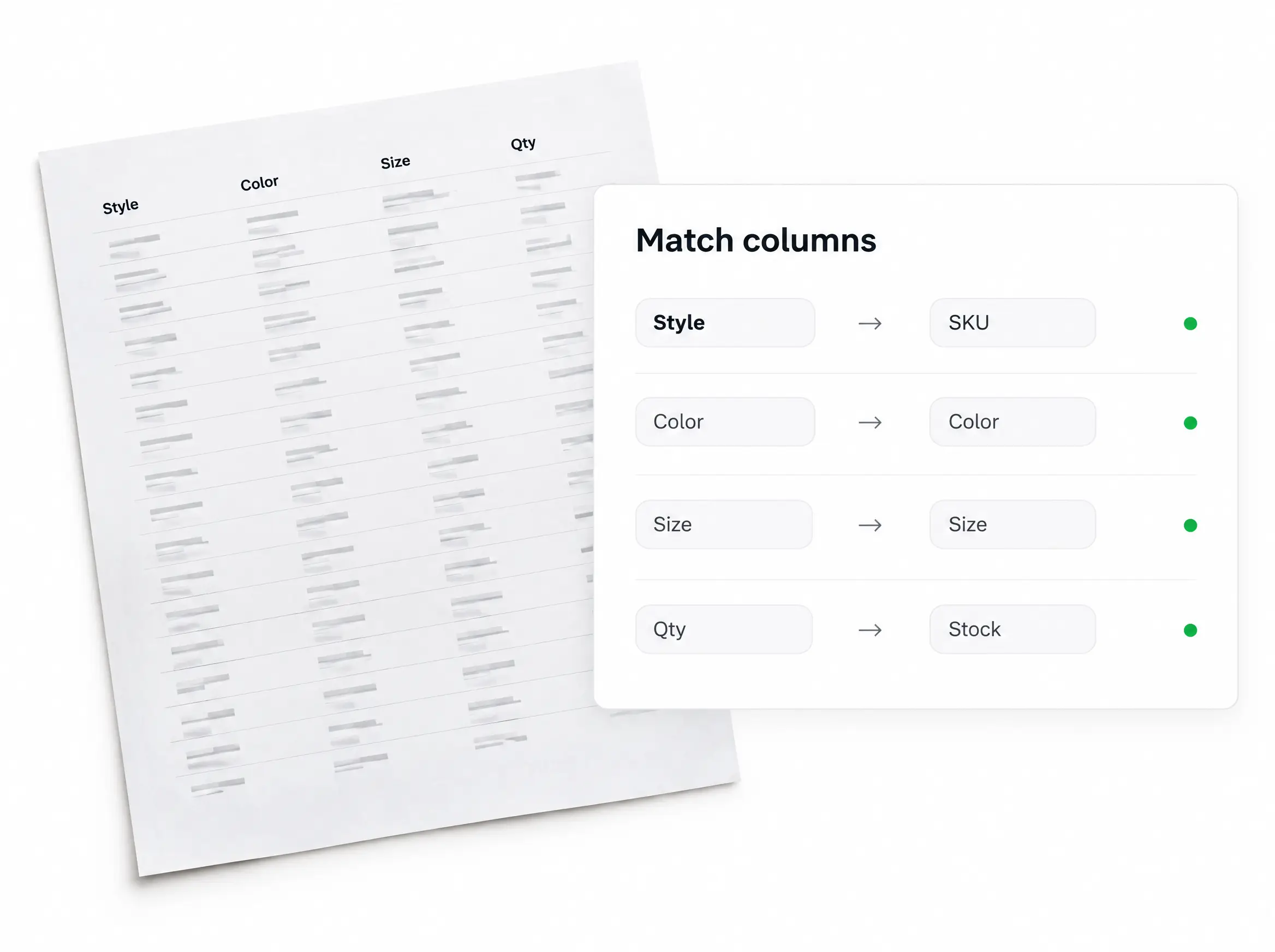
02 / Review
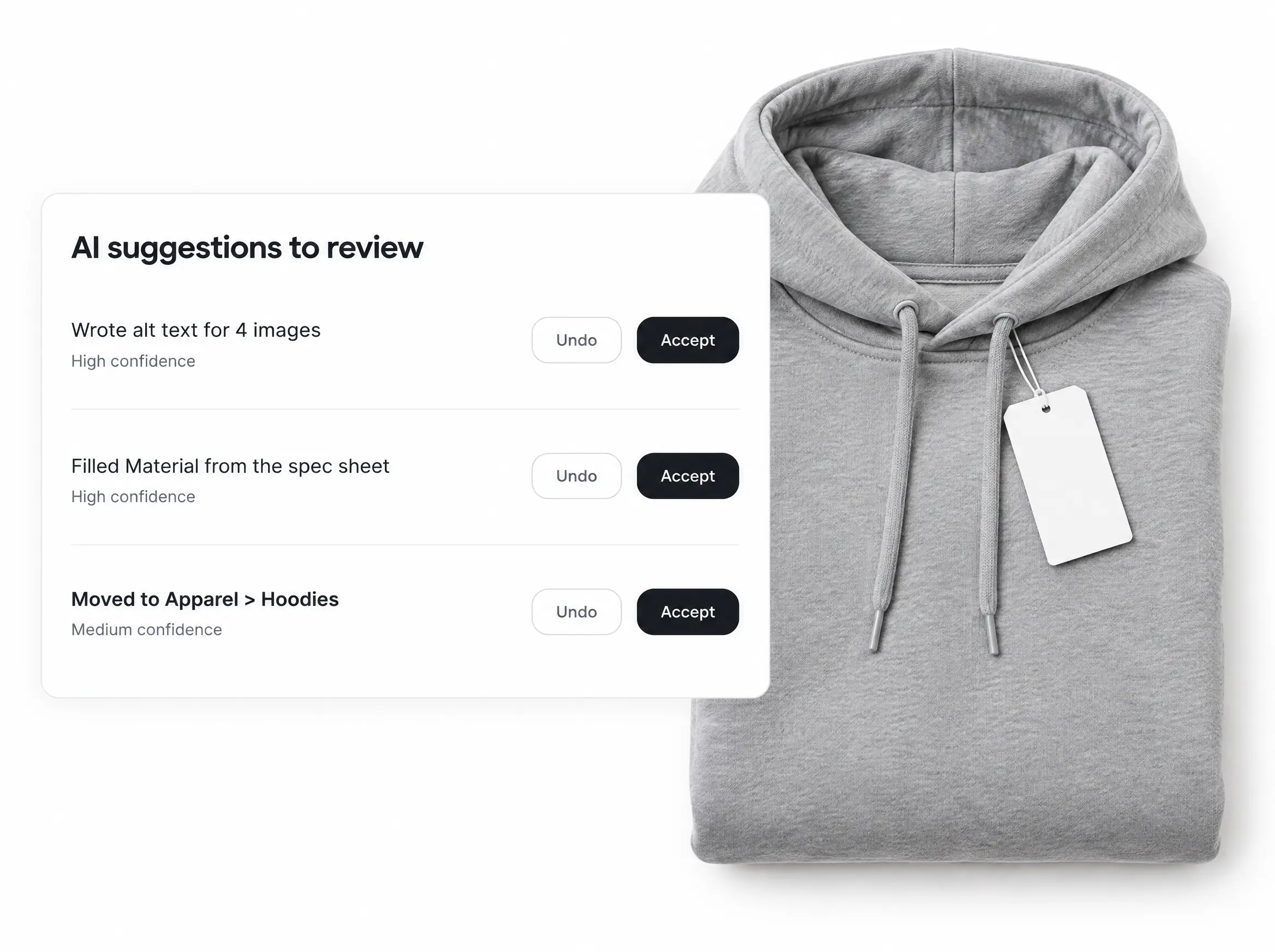
The agent can fill missing data, translate, write alt text and clean up categories for many products at once. Each value shows where it came from and how sure the agent is. You accept it or undo it.
03 / Publish
Set the readiness score a product must reach before it can publish. Fields a channel needs show as missing right on the product, with the channel named. So gaps get fixed before they reach a store or a buyer.
See product data validation
Change history
Every product keeps a history you can search. Agent changes sit in a log with an undo button. So one bad bulk edit is easy to roll back.
See audit and traceability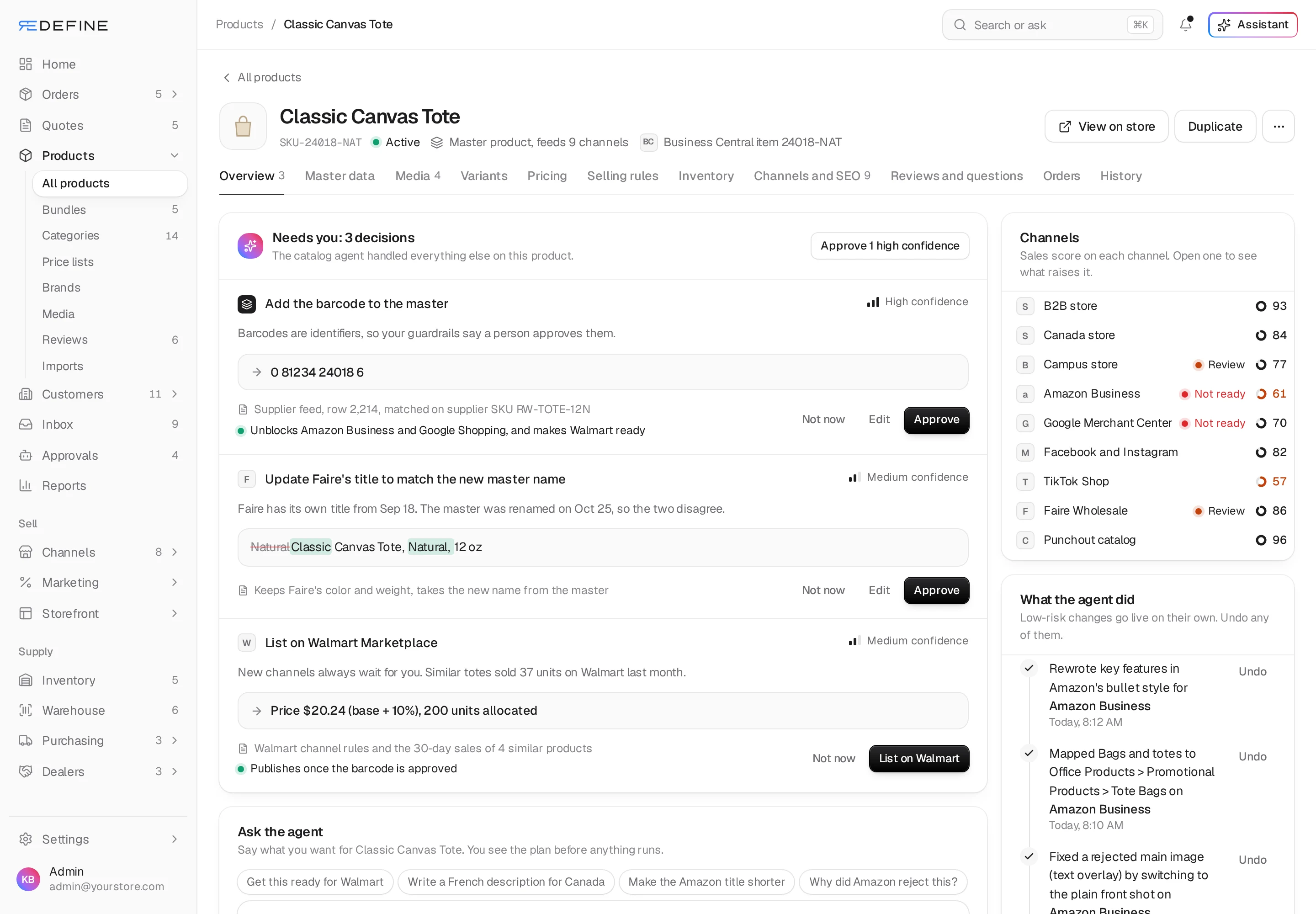
Client story

Built by Redefine
Redefine built the systems behind IMTRA's 13,000+ marine and industrial items, linked to Business Central. Read the IMTRA story.
Stock came from 4 sources, copied by hand.
One import now feeds every channel.
Items: 13,000+
Stock sources: 4 by hand to 1 import
Manual ERP sync steps: about 85% replaced

Before a big change
Describe the change, like new prices for one brand. The agent shows each step first, and prices that cross your rules wait for a person. If you use Business Central, items, cost and prices sync both ways.
See product content managementQuestions
Product files in CSV or Excel, and supplier stock files mapped by style, color, size and quantity.
A blank file is there if you want a place to start. See supplier catalog management
Yes. Agent changes sit in a log with an undo button, and every product keeps a history you can search.
So you can always see who changed what. See audit and traceability
Imports show and check each row first. Readiness rules stop products that are not ready from publishing.
Fields a channel needs show as missing on the product. See product data validation
Only inside the rules you set. AI values show their source and confidence until someone confirms them.
Category clean up works the same way. See taxonomy and classification
Yes. Filter by store, list products on stores in bulk, and export each store's data.
The master record stays the same. See product syndication readiness
Yes. The agent translates in bulk, and you review the changes before they stay.
Accept the ones you like and undo the rest. See product localization
Book a demo
Send us one product or supplier file. In the demo, we import it, change it in bulk and show the check before anything saves. A demo built on your own product file. You can also use the demo booking page.

Tell us which bulk job takes your team the most time. We set up the demo around it.