








System to system integration

Link two systems so your data matches.

Redefine Innovations joins your key systems in pairs, so records move on their own and errors get caught.

A Redefine engineer reads your answers and writes your plan.

JWE Inc: all 11 hand steps between Shopify and Business Central now run on their own. See the case study.

An ops lead and a Redefine engineer checking that store orders sync to the ERP in the Shopify admin

Two systems, two versions of the truth. We pick which one owns each record, then link them.

Proof

What our clients gained

Two systems that share data well show up in real numbers. These come from pairs we linked.

  • JWE Inc
    11/11
    Hand steps between Shopify and Business Central automated.
  • Forloh
    ~100%
    Hand syncs between Shopify and Amazon automated.
  • Half Price Drapes
    99.2%
    Stock right, up from about 82%.

These were store, ERP and marketplace links. Numbers come from each case study. Sources: JWE Inc, Forloh, Half Price Drapes.

Two systems that do not agree?

Start with an Integration Plan from a Redefine engineer.

Get Your Integration Plan

Short answer

What is a system to system integration?

Updated

A system to system integration links two business systems so data moves between them on its own. It is also called point to point integration. Redefine Innovations links pairs such as Shopify and NetSuite. We pick which system owns each kind of record, set the sync direction, and log and retry errors so nothing gets lost.

Most teams type the same order or customer into two systems. The two copies drift apart.

A direct link sends each change from one system to the other, with rules for who wins when they disagree.

Three ways to link two systems

Pick by how many systems share the data

Way What you get Best when Where it stops
Ready connector Both apps have one that fits Set up and tested fast The shortest path
Direct link Two systems share the data We build one clear link Easy to watch and fix
Hub Three or more systems share it One hub moves data for all See ERP integration

What we decide first

  • [1] Which system owns each record
  • [2] Which way each record syncs
  • [3] How fields match on both sides
  • [4] Where failed records go

Three or more systems? See ERP integration or CRM integration.

Make your systems talk, in your language.

When two systems agree on every record, your team stops fixing data and gets back to work.

Two colleagues mapping how one record moves between two systems with paper cards on a wall

One team

Four vendors become one team.

A link between two systems needs many skills. When each sits with a different firm, work falls between them.

Get Your Integration Plan

Before

Each one fixes their side. Nobody owns the link.

  • Systems engineer

    Sets up each system

  • Data expert

    Cleans and maps data

  • Integration developer

    Builds the link

  • Business consultant

    Sets the goals

After

One Redefine team does all four, with one plan and one person to call.

Redefine Innovations

One team

  • Systems
  • Data
  • Build
  • Plan

Cost of a bad link calculator

What do two systems that disagree cost you?

Use your own numbers. See what fixing records by hand takes.

Your numbers

Monthly

3,000
80.0%
$10
98.0%

Records right each month

Your estimate

Right now
$24K
After the link
$29K

Spent fixing records by hand

$5Kper month

$65K a year in staff time, not cash.

Get Your Integration Plan

This is an estimate from your own numbers, not a promise.

Estimate: records x (share right after minus share right now) x fix cost. Not a promise.

Five system pairs we link

An engineering mindset for paired systems

We run growth the way engineers run software.

Redefine is an engineering company. Integration engineers, developers, ERP and CRM experts and business consultants work as one team, so every link is built, tested and watched.

  1. An engineer writing a link test goal and its result on a whiteboard

    01Our way: How we work

    Every change is a test with a success number.

    A link is done when both systems show the same record.

    Old way: Instead of the usual agency habit

    Changes ship on opinion.

    Nobody can say if the link works.

  2. An engineer reading an error log where a failed record is fixed and sent again

    02Our way: How we work

    Engineers fix the data, not just the error.

    We find why a record failed and fix that cause.

    Old way: Instead of the usual agency habit

    Fixes stop where the error shows.

    The same error comes back next week.

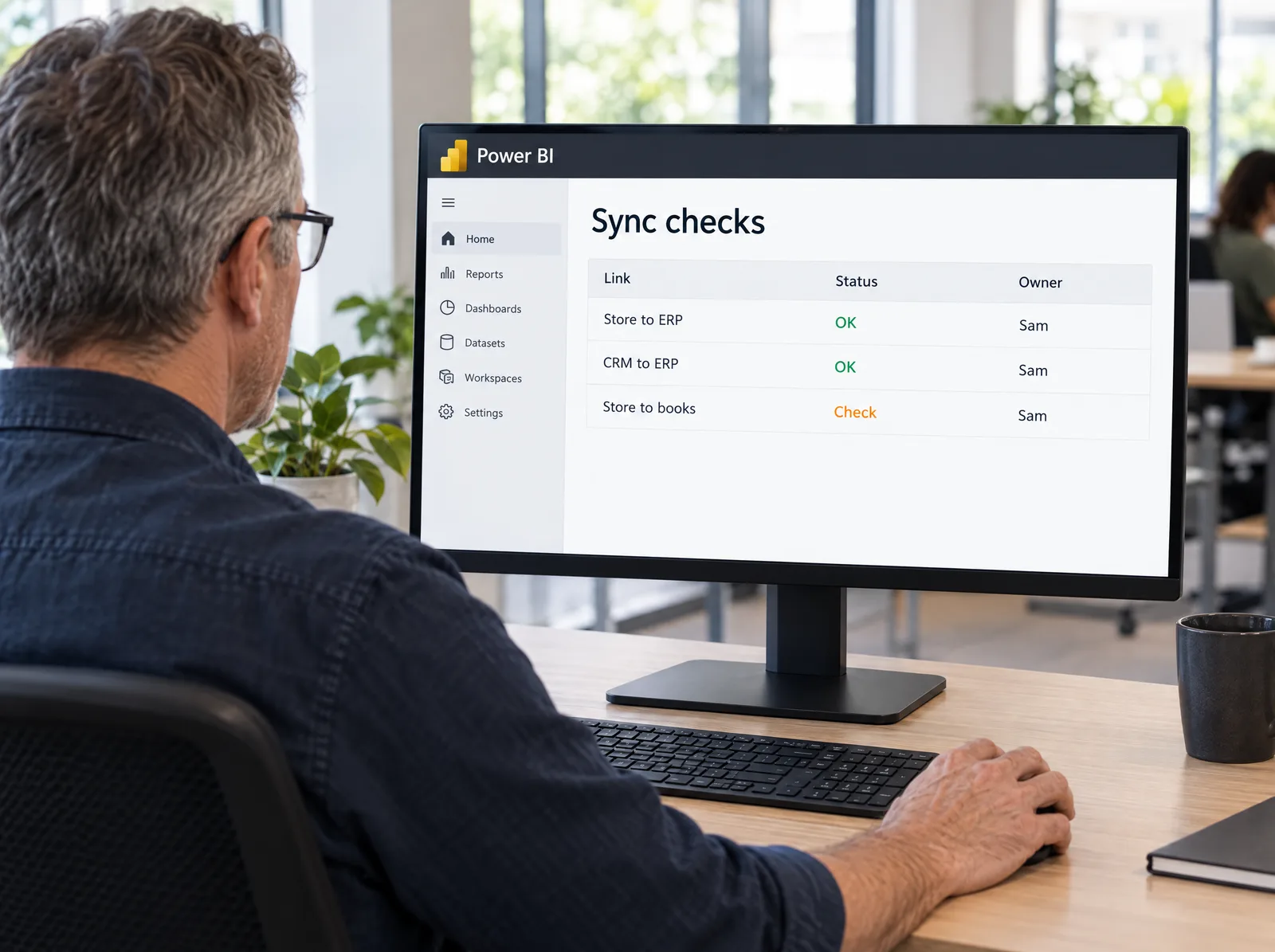
  3. An ops lead reading a Power BI sync check page that names one owner for each link

    03Our way: How we work

    Alerts fire the day a link drifts, with one owner.

    One person sees a failed record the day it starts.

    Old way: Instead of the usual agency habit

    Problems show up in the monthly report.

    By then many records are off.

How Redefine works

TheREDEFINEMethod

Look at both systems first, link what matters most, check each record before you rely on it.

Before any field is mapped, each kind of record needs one system that owns it. Most teams skip this step, and the link fights itself.

Get Your Integration Plan

Your plan comes first.

Why this approach matters

  • Clear steps keep the work short.
  • Small fixes beat big risks.
  • Each step has a result you can check.
  1. Start here

    Step 1: Diagnose

    We look at both systems and pick which one owns each kind of record. We find where records break or repeat.

    You receive A list of what limits you

  2. Choose what matters

    Step 2: Prioritize

    We pick the links that save the most work first and skip the steps that add little.

    You receive A short list of tasks

  3. Do the work

    Step 3: Deliver

    We map the fields, set the sync direction, and add an error log and alerts.

    You receive Links built and tested

  4. Check the result

    Step 4: Prove

    You check that orders and customers move right before go-live. Business results are checked on their own.

    You receive Test results you can check

  5. Keep improving

    Step 5: Improve

    We suggest next steps from what the link shows. Ongoing support is a separate choice, never added by default.

    You receive A plan for what is next

What you receive

A written integration plan with who owns each record, which way it syncs, and how errors are caught.

Case study / headless store with ERP

Corporate Gear

Corporate Gear sells custom logo apparel and branded gear to companies, from a headless store linked to its ERP.

The Corporate Gear store home page with custom logo apparel and branded merchandise
  1. 01

    Problem

    Buyers left the store before they ordered.

  2. 02

    Diagnosis

    Slow, hard to use pages got in the way of buying.

  3. 03

    Solution and result

    We rebuilt the store as a headless site linked to the ERP and kept testing.

Conversion
2.4%
Yearly sales now
$45M+
Accessibility errors from 142
0

We did this for Corporate Gear. It was a headless store and growth project, not a system pair build. The same team plans your link.

Your integration plan

See what your Integration Plan covers.

This is the written plan a Redefine engineer sends after looking at both systems. It shows which system owns each record and how errors get caught.

Sections
5
Systems
1
Records
First
Get Your Integration Plan

Redefine

Confidential

Prepared for: your business

Integration Plan

Contents

  1. 01Your two systems today3
  2. 02Who owns each record7
  3. 03Field map12
  4. 04Sync direction18
  5. 05Errors and alerts22

Integration Plan

Your business

01 / 05

First link to build

Store to ERP orders

Orders are typed into the ERP by hand. Each one is slow and a chance for a mistake.

Orders typed by hand

Effort to fix

Medium

Priority

High

Do it in this order

Pick owners Map fields Test and watch

How your Integration Plan is laid out: the cover and page 3.

What is the REDEFINE Method?

The REDEFINE Method is Redefine Innovations' business-first framework for identifying business constraints, prioritizing improvements, delivering appropriate solutions, verifying outcomes, and sustaining improvements.

It has five stages: Diagnose, Prioritize, Deliver, Prove and Improve. Read the REDEFINE Method

How long does an integration project take?

It depends on the two systems and how many kinds of records move.

We look at the scope first and agree the time with you in writing before work starts.

How is this different from ERP or CRM integration?

This service links one pair of systems, such as HubSpot and Shopify.

When three or more systems share the same data, ERP or CRM integration fits better. See ERP integration

What is in your integration plan?

It names which system owns each kind of record, such as customers, orders and products.

It sets the sync direction for each one, and how failed records are logged and sent again.

What systems can you link?

Stores, ERPs, CRMs and accounting tools, such as Shopify with NetSuite.

Our pair pages cover common pairs, like Salesforce and SAP. See Salesforce and SAP

Will this fix errors and sync problems?

Yes. Failed records go to an error log that shows why each one failed.

One named owner checks the log and sends records again once they are fixed.

What will a system integration cost?

Cost depends on how many kinds of records move, which way they sync, and how many there are.

You get a written scope before any build work starts.

Integration plan

Get your Integration Plan

Tell us which two systems you want to link. We look at both and send a clear plan.

A business owner reading a printed integration plan at a standing desk by a window
  • A person reads every request
  • A written integration plan
  • 25+ years building business systems
  • 550+ projects delivered

Your Integration Plan

Tell us your two systems and what you want them to share. A short note is fine.

  1. 1You fill out the form
  2. 2We look at your systems
  3. 3We check your readiness
  4. 4You get your plan