









Integration strategy

Plan your integrations before you build them.

Redefine Innovations looks at your systems, finds the risks and maps which links to build first, so you pick the right tools.

JWE Inc: every hand step found in the first review was automated at go-live. See the case study.

An operations lead and a Redefine consultant planning which systems to link first with a Power BI systems review

Proof

Results that started with a clear plan

Each project began with a look at the systems and the data. These numbers come from work our team did.

  • JWE Inc
    11/11
    Hand steps found in the first review, all automated.
  • A Secret Admirer
    99.9%
    Uptime since launch after the store move.
  • Eyeglasses123
    -26%
    Lower overhead per order after hand steps went away.

Each result is from that client's own case study. Sources: JWE Inc, A Secret Admirer, Eyeglasses123.

Not sure which systems to link first?

Get your integration evaluation report from a Redefine engineer.

Get Your Integration Evaluation Report

Short answer

How do you build an integration strategy?

Updated

To build an integration strategy, Redefine Innovations looks at your systems, how data moves between them and where it breaks. We rank the risks, decide what to link first and pick the right way to link each pair: a store app, a connector tool or a custom API link. You get a written plan before any build starts.

Many teams pick a tool first. Later they find it does not fit an older system or the amount of data they move.

So we start with your systems and your goals. The tool choice comes after the plan.

Ways to link two systems

Pick by what you need to move

WayWhat you getBest whenWhere it stops
Store appOne simple linkQuick to startBreaks on custom fields
Connector toolCommon systemsLess code to keepLimits on odd cases
Custom API linkYour own rules and volumeFits how you workNeeds one clear owner

What the plan covers

  • [1] Your systems today
  • [2] Risks, ranked
  • [3] Tools and design
  • [4] The order to build

Already live and breaking? See the integration audit or integration rescue.

Know before you build with a clear plan.

Map your systems and the risks first. Then every build has a reason and a test.

A small team mapping their systems and the links between them on a whiteboard before any build

Before and after

Four vendors become one team.

Apart

Advice, design, tools and the build each come from a different vendor.

  • Advice

    Own vendor

  • Design

    Own vendor

  • Tools

    Own vendor

  • Build

    Own vendor

  • Support

    Own vendor

No shared plan
Vendors you manage

4

Together

Consultants, system architects, tool advisors and integration engineers in one team.

  • Advice

    Same plan

  • Design

    Same plan

  • Tools

    Same plan

  • Build

    Same plan

  • Tests

    Same plan

  • Support

    Same plan

One Redefine team
Team you talk to

1

Cost of no plan

What do missed sync failures cost you?

Use your own numbers to see what catching more failures early could save.

Your numbers

Monthly

300
40.0%
$50
85.0%

Failure cost avoided per month

Your estimate

Avoided now
$6K
Could avoid
$13K

Still lost to missed failures

$7Kper month

$81K a year, from your own numbers.

Get Your Integration Evaluation Report

This is an estimate from your own numbers, not a promise.

Estimate: failures x (could catch minus catch now) x cost of one missed failure. Not a promise.

Five planning problems, five next steps

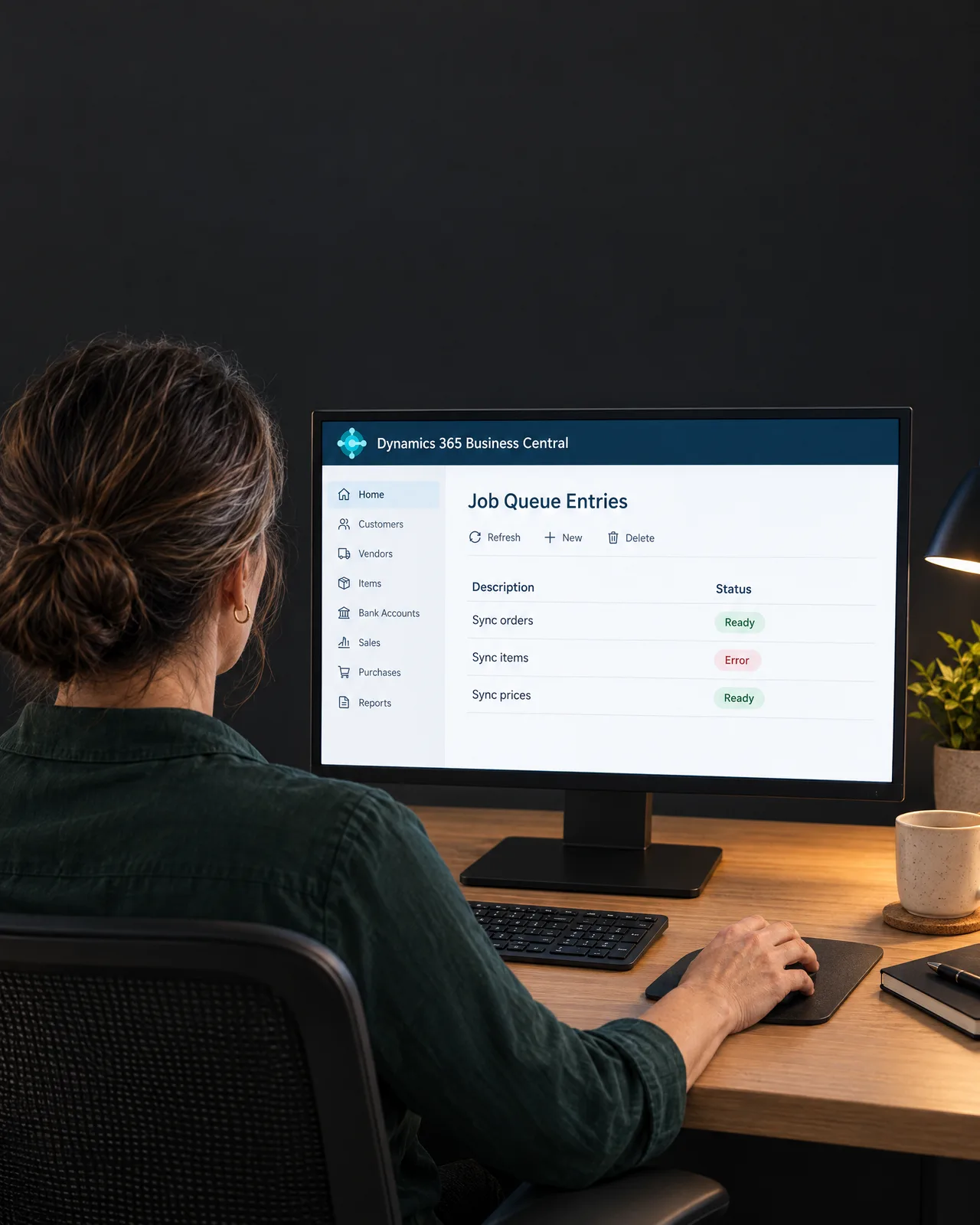
  • Operations lead finding a failing sync job in the Dynamics 365 Business Central job queue

    Hidden risks

    Risks found early.

    An audit shows where your current links can break.

  • System architect comparing a connector tool and a custom API link on two printed sheets

    Picking tools

    Tools that fit.

    We help you choose how many systems link and how.

  • Integration engineer reading a printed manual for an older order system before planning the link

    Old systems

    Old systems, linked.

    We link older systems that have no modern API.

  • Engineer drawing a custom order flow with a check step on a whiteboard

    Custom paths

    Flows built your way.

    We build flows that follow your own rules.

  • Sales operations lead checking that accounts moved from an older system are complete in Salesforce

    Moving systems

    A safe move.

    We move your links to a new setup with no lost data.

An engineering mindset for an integration plan

We run growth the way engineers run software.

Redefine is an engineering company. Engineers, ERP and CRM experts and data experts plan and build your links as one team, so the plan and the build match.

  1. Engineer writing a link goal and the check that proves it on a whiteboard

    01 Our way: How we work

    Every change is a test with a set goal.

    Each link in the plan has a number that shows it works.

    Old way: Instead of the usual agency habit

    Changes ship on opinion.

    Nobody can say if a link helped.

  2. Developer reading a sync check log where one failed record is found and fixed

    02 Our way: How we work

    Engineers fix the system and data issues.

    We look under the screens at the data and the rules.

    Old way: Instead of the usual agency habit

    Fixes stop at the surface.

    The same problem comes back next month.

  3. Operations manager reading a Power BI table of link alerts that names one owner

    03 Our way: How we work

    Alerts fire when a number moves, each with an owner.

    Someone sees a failed sync the week it starts.

    Old way: Instead of the usual agency habit

    Problems wait for the monthly report.

    By then the data is a mess.

How Redefine works

TheREDEFINEMethod

Look at your systems first, then plan the links that matter most.

Picking a tool first can clash with older systems or the amount of data you move. So we plan before we pick.

Get Your Integration Evaluation Report

Findings and next steps, in writing.

Why this approach matters

  • Spend less on the wrong build.
  • Set clear priorities.
  • Build links you can trust.
  1. Start here

    Step 1: Diagnose

    We look at your systems and how data moves between them, and find the gaps and risks.

    You receive A review of your systems

  2. Choose what matters

    Step 2: Prioritize

    We rank what to do first. We do not plan a big build when a smaller step does the job.

    You receive A ranked priority map

  3. Do the work

    Step 3: Deliver

    We build the plan into links, with the tools we chose together, and fix issues as they come up.

    You receive Links built to plan

  4. Check the result

    Step 4: Prove

    We check each link after each step. Business results are checked later against your goals.

    You receive A link check report

  5. Keep improving

    Step 5: Improve

    We point out what to improve next. Ongoing help is a separate choice.

    You receive Ideas for next steps

What you receive

A full evaluation, with clear next steps.

Case study / Custom store move

A Secret Admirer

A store move planned so nothing was lost.

This was a custom store move for A Secret Admirer. Careful planning kept every product and customer.

The A Secret Admirer store on a phone, with a diffuser banner, gift offers and candle and gift basket collections

Result

Manual catalog work

Before

By hand

After

-80%

Source: A Secret Admirer case study.

  1. 01 / Problem

    Catalog work was done by hand.

    The team copied catalog work across tools that did not share data.

  2. 02 / Diagnosis

    We mapped what had to move.

    Products, customers, links and pages were all planned before the move.

  3. 03 / Action

    The store moved with nothing lost.

    0 products and 0 customers were lost in the move.

  4. 04 / Result

    The new platform runs well.

    It has run at 99.9% uptime since launch, with 80% less manual catalog work.

We did this for A Secret Admirer. It was a custom store move, not an integration evaluation. The same team plans your links.

Your report

See what your Integration Evaluation Report covers.

A Redefine engineer writes this after looking at your systems. It shows the risks, the tools that fit and the order to build.

Sections
5
Systems
1
Risks
Roadmap
Get Your Integration Evaluation Report

Redefine

Confidential

Prepared for: your business

Integration Evaluation Report

Contents

  1. 01Your systems today3
  2. 02Risks found7
  3. 03Tool and design picks12
  4. 04Step by step roadmap18
  5. 05Next steps22

Integration Evaluation Report

Your business

01 / 05

Top risk

Order link

Orders move by hand between two systems. One planned link can move each order on its own.

Systems it touches

Risk level

High

Priority

High

Build in this order

Review Plan Build

How your Integration Evaluation Report is laid out: the cover and page 3.

Everything in Integration evaluation

Every Integration evaluation page, in one list. Pick the one that fits your problem.

All pages under Integration evaluation

12 pages

  1. 01

    Enterprise application integration services

    Enterprise application integration links the core systems a larger business runs on, like ERP, CRM, HR and finance, so they share one set of data.Read more

  2. 02

    HubSpot Salesforce integration services

    A HubSpot Salesforce integration links your marketing tool and your sales tool, so contacts, leads, deals and lifecycle stages match in both.Read more

  3. 03

    Integration assessment audit

    An integration audit is a review of every link between your business systems.Read more

  4. 04

    iPaaS integration services

    iPaaS integration services help you link your apps and data through one cloud platform.Read more

  5. 05

    Legacy System integration services

    Legacy system integration connects older systems to modern apps, so data can move between them.Read more

  6. 06

    NetSuite BigCommerce integration services

    A NetSuite BigCommerce integration links your BigCommerce store to NetSuite.Read more

  7. 07

    Salesforce SAP integration services

    Salesforce SAP integration links Salesforce, where sales tracks accounts and quotes, with SAP, where finance runs orders, stock and invoices.Read more

  8. 08

    Shopify ERP integration services

    Shopify ERP integration joins your Shopify store to an ERP like Business Central or NetSuite.Read more

  9. 09

    Shopify Salesforce integration services

    A Shopify Salesforce integration links your Shopify store with Salesforce.Read more

  10. 10

    Use Cases/Customer data Synchronization services

    Customer data integration keeps one true record for each customer across your CRM, ERP, store, marketing and support tools.Read more

  11. 11

    Workato integration services

    Workato integration services plan, build and run Workato recipes and connectors that move data between your apps.Read more

  12. 12

    Zapier to Custom integration services

    Replace Zapier when task costs keep rising, failed zaps stop with no alert, or one flow touches many systems.Read more

What is the REDEFINE Method?

The REDEFINE Method is Redefine Innovations' business-first framework for identifying business constraints, prioritizing improvements, delivering appropriate solutions, verifying outcomes, and sustaining improvements.

It has five stages: Diagnose, Prioritize, Deliver, Prove and Improve. Read the REDEFINE Method

How long does the evaluation take?

It depends on your systems and your goals.

We look at your setup first, then agree the dates with you.

How is this different from a quick fix?

We plan the tools and the order of the work, not just one fix.

The plan covers all your systems, so each link fits the next one: See all integration services

How is the price set?

The price follows the scope. The number of systems and links shapes it.

We share the cost after a first look at your setup, and the plan names the work.

Can you plan around older systems?

Yes. We look at how each older system can share data, then plan the safest way to link it.

For older systems with no modern API, see: Legacy system integration

How is this different from the integration audit?

This page is about planning before you build. The audit checks links you already run.

Both use the same team. Pick the one that fits where you are: See the integration audit

Can you help pick a middleware or iPaaS tool?

Yes. We compare a connector tool, an iPaaS platform and custom code for your flows, then say which fits.

For help with iPaaS builds, see: iPaaS integration

Integration evaluation

Get your integration evaluation report

Tell us which systems you run and what you want to link, and we plan the steps that matter most.

Business owner reading a printed integration evaluation report at a long table by a window
  • A person reads every request
  • A written report
  • 25+ years building business systems
  • 550+ projects delivered

Your Integration Evaluation Report

Tell us your systems and what you want them to do. A short note is fine.

  1. 1You fill out the form
  2. 2A specialist talks with you
  3. 3We look at your systems
  4. 4You get your report