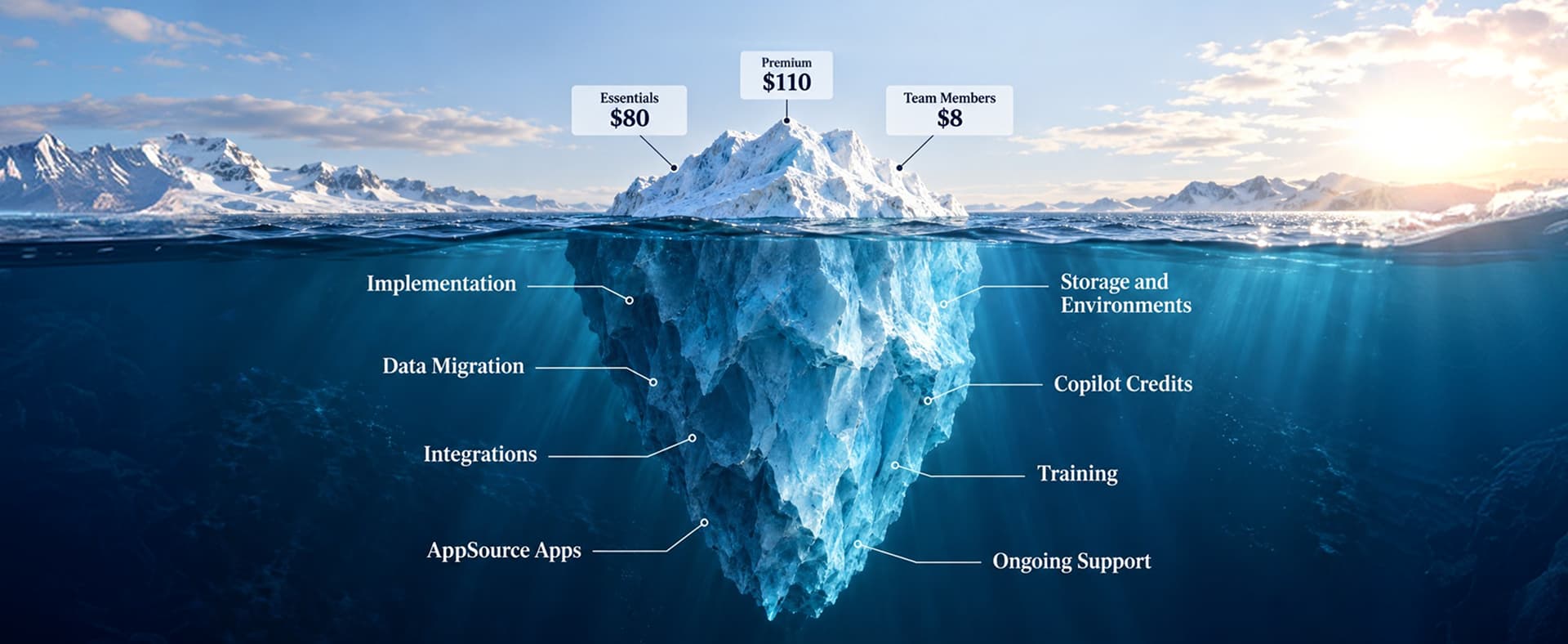
Microsoft Dynamics 365 Business Central pricing in 2026 starts at $80 per user per month for Essentials and $110 per user per month for Premium, both paid yearly. Team Members licenses cost $8 per user per month for people who read data, approve workflows, and update select records. Device licenses cost $45 per shared device per month. Essentials covers finance, sales, purchasing, inventory, and projects, while Premium adds manufacturing and service management. The total Business Central cost also includes implementation, data migration, integrations, add-on apps, and ongoing support.
Price your Business Central licenses in two minutes
- Which users need full licenses and which do not
- Essentials vs Premium cost side by side
- Where Team Members and device licenses save money
- A three-year number you can take to your CFO
Map each role to the right license tier and see your monthly, annual, and three-year cost before you talk to a vendor.
Microsoft Dynamics 365 Business Central pricing starts at $80 per user per month for Essentials and $110 for Premium, both paid yearly, according to Microsoft's US pricing page.1 Microsoft raised both prices on November 1, 2025, in the first Business Central increase in more than five years.2
Last year's budget is already out of date, and the price page skips what decides your real bill: who needs a full license, what storage costs, and what implementation will run.
We help companies plan, license, and run Microsoft Dynamics 365 every day. This guide answers the questions we hear most, with a worked example and a free Business Central licensing calculator you can use to price your own team.
What Is Business Central Pricing?
Business Central pricing is the per-user, per-month subscription Microsoft charges for Dynamics 365 Business Central, its cloud ERP for small and mid-sized businesses. Microsoft lists Essentials at $80, Premium at $110, Team Members at $8, and Device licenses at $45 per month, all paid yearly.
How much does Business Central cost per month?
A Business Central subscription for 10 Essentials users and 10 Team Members costs $880 per month ($800 plus $80), or $10,560 per year at US list price.
The license covers the software, not setup, configuration, or training. That work comes from a Business Central implementation partner, and it is priced separately.
What Is the Difference Between Business Central Essentials and Premium?
Business Central Premium includes everything in Essentials plus manufacturing and service management, for $30 more per user per month. Companies that do not build products or run field service usually only need Essentials.
Business Central plans at a glance
| Plan | US price (per month, paid yearly) | Who it fits |
|---|---|---|
| Essentials | $80 per user | Finance, sales, purchasing, inventory, warehouse, and project users |
| Premium | $110 per user | Everything in Essentials plus manufacturing and service order management |
| Team Members | $8 per user | People who read data, approve workflows, and update select records |
| Device | $45 per device | Shared terminals on a shop floor, warehouse, or point of sale |
Full user licenses
Business Central Essentials: $80 per user per month
Business Central Essentials runs the core of the business: general ledger, banking, sales and purchase orders, inventory, warehouse, and jobs. For most distributors, retailers, and service firms, Essentials is all the ERP they need.
Business Central Premium: $110 per user per month
Business Central Premium adds two modules to Essentials. A company that uses neither pays $360 more per user each year for features nobody opens.
What does Business Central Premium add?
Premium manufacturing features
Business Central Premium adds production orders, bills of materials, routings, and capacity planning for companies that build what they sell.
Premium service management features
Business Central Premium adds service orders, service contracts, and service items for companies that install, repair, or maintain equipment.
Light and shared licenses
Business Central Team Members: $8 per user per month
A Business Central Team Members license lets a user read data, approve workflows, and create or update select information, according to Microsoft.1
Business Central Device: $45 per device per month
A Business Central Device license covers one shared terminal, so several shift workers can use it without a full license each.
Business Central pricing outside the US
Microsoft sets local list prices by country. Its UK and Ireland pricing pages show these yearly-billed prices, excluding VAT:3,4
| Plan | United Kingdom (GBP) | Ireland (EUR) |
|---|---|---|
| Essentials | £61.50 | €69.30 |
| Premium | £84.60 | €95.30 |
| Team Members | £6.20 | €6.90 |
Our Microsoft Dynamics 365 consultants map each role to the right plan before you sign.

Did Business Central Prices Go Up? The November 2025 Increase
Yes. Microsoft raised Business Central Essentials from $70 to $80, Premium from $100 to $110, and Device from $40 to $45 per month, effective November 1, 2025, and added more storage per license.2
| License | Before | After | Storage per license |
|---|---|---|---|
| Essentials | $70 | $80 | 2 GB to 3 GB |
| Premium | $100 | $110 | 3 GB to 5 GB |
| Device | $40 | $45 | 1 GB to 1.5 GB |
Who pays the new Business Central prices, and when?
New Business Central subscriptions
Any Business Central subscription bought on or after November 1, 2025, pays the new prices from day one.
Existing Business Central customers
Existing Business Central customers move to the new prices at their first renewal on or after November 1, 2025.
Why do some sites still show $70 and $100?
Articles quoting $70 for Essentials and $100 for Premium describe pre-November 2025 pricing. If your renewal is coming up, use it: a Dynamics 365 health check before renewal often finds inactive users, over-licensed approvers, and Premium seats that should be Essentials.
How Does Business Central Licensing Work?
Business Central licensing assigns each full license to one named user, requires a full user to set up the tenant, and does not allow Essentials and Premium licenses in the same company.
Business Central licenses belong to named users
Two part-time staff cannot share one Business Central full license. Only Device licenses allow shared use.
A full user has to sign in first
According to Microsoft Learn, a Business Central device user cannot be the first to sign in to a new tenant. An administrator, full user, or external accountant has to set it up first.5 Entitlements also beat permissions: a Team Members user with SUPER permissions still only sees what Team Members allows.
Can you mix Essentials and Premium licenses?
Business Central does not let you mix Essentials and Premium licenses in the same company, according to Microsoft's 2024 release notes.6
Premium users in Essentials companies
A Business Central Premium user can sign in to an Essentials company but cannot use Premium features there.
Essentials users in Premium companies
A Business Central Essentials user cannot sign in to a Premium company at all, so one manufacturing user can push a whole company to Premium. Plan your company and environment setup around this rule.
Cheaper licenses for outside and occasional users
Business Central External Accountant license
Microsoft's Dynamics 365 Licensing Guide allows up to three External Accountant licenses per Business Central tenant. They carry the same rights as a full user, except user setup and administration.7
Microsoft 365 read-only access
Microsoft 365 licenses can give read-only access to Business Central alongside Essentials or Premium.5 Our Dynamics 365 consulting team builds a role-by-role license map so each person lands on the cheapest license that covers the work.
What Does a Business Central Subscription Include?
A Business Central subscription with Essentials or Premium users includes one production environment, three sandbox environments, and 80 GB of shared database storage, according to Microsoft Learn.8
What is included in a Business Central subscription
Business Central storage
Base tenant storage
A Business Central tenant starts with 80 GB of database storage, shared across all environments.
Per-license storage
Each Business Central license adds storage: 3 GB per Essentials user, 5 GB per Premium user, and 1.5 GB per device.
What costs extra in a Business Central subscription
Infrastructure add-ons
- Additional environments. Each add-on brings one production environment, three sandboxes, and 4 GB of storage.
- Database capacity. Partners sell extra storage in 1 GB or 100 GB add-ons.
Software add-ons
- Copilot Credits. Business Central agents run on Copilot Credits bought separately, with up to 20% off when pre-purchased.1
- AppSource apps. Third-party apps for EDI, shipping, tax, or payments carry their own fees.
- Reporting. Many teams add Power BI, with its own licenses.
Can you pay for Business Central monthly?
Yes, but it costs more. Since April 1, 2025, Microsoft prices monthly billing on an annual Business Central subscription 5% higher than paying yearly, and a month-to-month term carries a 20% premium, according to Microsoft partner Encore.9
Syncing a store, CRM, or 3PL needs ecommerce ERP integration, and live cross-system reporting needs a Power BI integration.
The real number: Your Business Central subscription is the licenses plus every add-on your processes depend on. Price both before you compare.
What Does Business Central Cost Beyond the License?
Business Central implementation typically costs $25,000 to $150,000 or more, plus yearly support at roughly 25% of the implementation cost, according to ERP Research's 2026 Business Central cost guide.10
Business Central implementation cost by company size
| Company size | Typical implementation range |
|---|---|
| Small business, 10 to 25 users | $25,000 to $45,000 |
| Growing SMB, 25 to 60 users | $45,000 to $90,000 |
| Mid-market, 60 or more users | $90,000 to $150,000 or more |
Business Central data migration cost
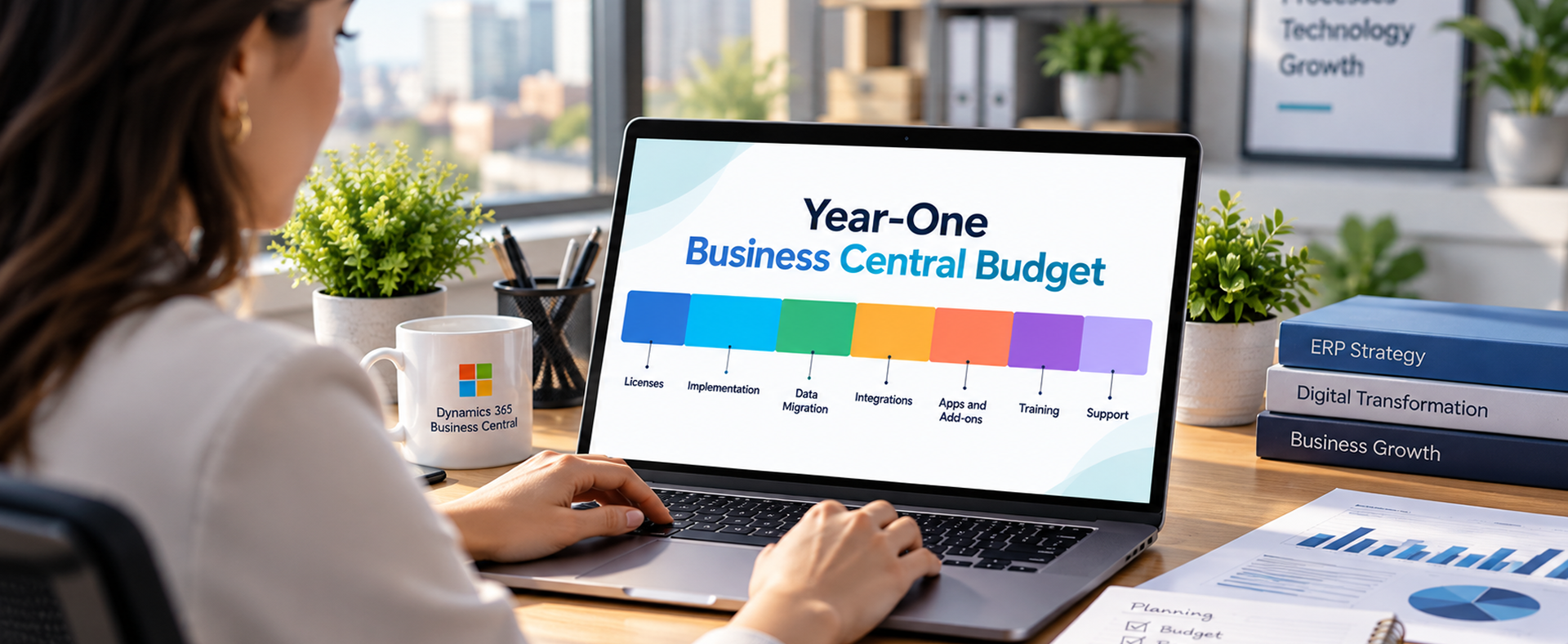
Data migration is the Business Central cost teams underestimate most. A dedicated Dynamics 365 data migration effort pays for itself in fewer post-launch fixes. For every cost layer, see our Dynamics 365 implementation cost guide.
How Is On-Premises Business Central Licensed?
On-premises Business Central uses either a perpetual license with a yearly Enhancement Plan or an on-premises subscription, and both rose in price in October 2025, according to Microsoft partner AGOLUTION.11
On-premises licensing options
Perpetual license with Enhancement Plan
Business Central perpetual licenses rose 10%, and the Enhancement Plan moved from 19% to 20% of license value.
On-premises subscription
Business Central on-premises subscriptions rose 10% to 14%.
For most companies, cloud wins once you add servers, SQL licenses, and upgrades. Running Dynamics NAV? A NAV to Business Central migration moves you to the cloud for good.
What Is the Difference Between Dynamics 365 and Business Central?
Dynamics 365 is Microsoft's family of business applications. Business Central is the Dynamics 365 ERP built for small and mid-sized businesses, while Dynamics 365 Finance and Supply Chain Management serve large, multi-entity enterprises at a much higher price.
Microsoft ERP pricing compared
| Product | US starting price | Best fit |
|---|---|---|
| Business Central Essentials | $80 per user per month | Small and mid-sized businesses |
| Business Central Premium | $110 per user per month | SMBs that manufacture or run service |
| Dynamics 365 Finance | $210 per user per month | Large, multi-entity enterprises |
| Dynamics 365 Finance Premium | $300 per user per month | Enterprises with advanced planning needs |
Dynamics 365 Finance starts at $210 per user per month, according to Microsoft.12 A Dynamics 365 Finance implementation suits global groups with complex consolidation. Most SMBs get what they need from Business Central at under half the per-user price.
What should Dynamics GP customers do?
Microsoft ends Dynamics GP product support on December 31, 2029, and security patches on April 30, 2031, according to its end-of-support announcement.13 A GP to Business Central migration is the path Microsoft built for GP customers.
How Do You Estimate Your Business Central Cost?
Multiply full users, light users, and shared devices by their license prices, then add add-ons.
Worked example: 37-person distributor
| Line item | Essentials build | Premium build |
|---|---|---|
| 15 full users | $1,200 | $1,650 |
| 20 Team Members at $8 | $160 | $160 |
| 2 device licenses at $45 | $90 | $90 |
| Monthly total | $1,450 | $1,900 |
| Annual total | $17,400 | $22,800 |
Moving 20 people to Team Members instead of Essentials saves $17,280 a year. Choosing Premium without needing it adds $5,400 a year.
Four steps to your own Business Central estimate
- List every user. Include approvers, viewers, and part-time staff.
- Tag each role. Full user, Team Member, or shared device.
- Pick one plan for full users. Premium only if you manufacture or run service.
- Add the extras. Storage, environments, apps, Copilot Credits, and Power BI.
Want this done on your real org chart? Our Business Central Discovery Sprint turns it into a scoped license and project budget.
Is Business Central Worth the Cost?
For most growing SMBs, yes. A Forrester Total Economic Impact study commissioned by Microsoft projects more than 200% ROI over three years, a potential six-month payback, up to 30% faster monthly close, and more than 10% lower total cost of ownership.14
The gains come from retired spreadsheets, not the license, so ERP consulting up front matters.
Common Business Central Licensing Mistakes
- Buying full licenses for people who only approve or view
- Choosing Premium company-wide because one team might need it later
- Ignoring storage until a sandbox copy fails
- Budgeting licenses but not implementation, migration, or integrations
- Skipping a license review before renewal
Regular Dynamics 365 optimization keeps your Business Central license count matched to real usage.
"The cheapest Business Central license is the one nobody needed in the first place."A common lesson from Business Central renewals
Business Central Pricing Checklist
If your CRM sits outside Microsoft, add CRM ERP integration so sales and finance share one customer record.
Frequently Asked Questions
Business Central pricing questions
How much does Business Central cost per user?
Business Central Essentials costs $80, Premium costs $110, and Team Members cost $8 per user per month, paid yearly, at US list price.
Is there a Business Central free trial?
Yes. Microsoft offers a 30-day free trial of Business Central.
Can I pay for Business Central monthly?
Yes. Monthly billing on an annual Business Central subscription costs 5% more than paying yearly, and a month-to-month term costs 20% more.
Business Central licensing questions
Is Copilot included in Business Central?
Yes. Copilot is included in Business Central Essentials and Premium, but agent features use Copilot Credits, which cost extra.
Can I mix Essentials and Premium users?
Not in the same company. Business Central Premium users can sign in to Essentials companies, but Essentials users cannot sign in to Premium companies.
What can a Business Central Team Members user do?
A Business Central Team Members user can read data, approve workflows, and create or update select information.
Does my external accountant need a paid license?
No full seat is needed. Each Business Central tenant can have up to three External Accountant licenses.
Business Central subscription and buying questions
Who do I buy Business Central from?
Business Central is sold through Microsoft Cloud Solution Provider partners, who also handle billing and Dynamics 365 support.
Final Thoughts: License the Work, Not the Org Chart
Full ERP for $80 a user is hard to beat. Companies that overpay license the wrong people, pick the wrong plan, or forget the project.
The right Microsoft Dynamics 365 partner will map roles, plans, add-ons, and implementation with you before you sign.
"Buy licenses for the work people do, not for the titles on your org chart."The simplest Business Central licensing rule
Renewing or buying Business Central this year?
Send us your user list. We will map every role to the right license, flag what you can drop, and show your real three-year cost, including the parts the price page leaves out.
Talk to our Dynamics 365 licensing advisors
Sources & Citations
Official Microsoft pages and industry research used for the pricing, licensing, and ROI claims in this guide:
- Microsoft, "Dynamics 365 Business Central Pricing (US)": Essentials $80, Premium $110, Team Members $8 per user per month, paid yearly; Team Members rights; Copilot included; Copilot Credits sold separately; 30-day free trial.
- Microsoft Dynamics 365 Blog, "New Microsoft Dynamics 365 Business Central Pricing Effective November 2025": first increase in more than five years; old and new Essentials, Premium, and Device prices; per-license storage; renewal timing.
- Microsoft, "Dynamics 365 Business Central Pricing (United Kingdom)": GBP list prices, paid yearly, excluding VAT (checked September 2026).
- Microsoft, "Dynamics 365 Business Central Pricing (Ireland)": EUR list prices, paid yearly, excluding VAT (checked September 2026).
- Microsoft Learn, "Licensing in Business Central": first-user rule, device license limits, entitlements over permissions, Microsoft 365 read-only access.
- Microsoft Learn, "Use a Premium License to Sign In to Environments with Essentials Licenses": rules for mixing Essentials and Premium licenses.
- Microsoft, "Dynamics 365 Licensing Guide (February 2026)": up to 3 External Accountant licenses per tenant with full-user rights except administration; Device license scope.
- Microsoft Learn, "Managing Capacity in the Business Central Admin Center": 80 GB base storage, one production and three sandbox environments, database and environment add-ons.
- Encore Business Solutions, "Changes to Microsoft Monthly Billing Plans for Annual Term Subscriptions": 5% uplift for monthly billing on annual terms from April 1, 2025, including Business Central; 20% premium for month-to-month terms.
- ERP Research, "Business Central Pricing 2026 Cost Guide": implementation ranges by company size; support at roughly 25% of implementation cost per year.
- AGOLUTION, "Price Changes for Dynamics NAV and Business Central On-Premises from October 2025": 10% perpetual license increase; Enhancement Plan from 19% to 20%; 10% to 14% on-premises subscription increases.
- Microsoft, "Dynamics 365 Finance Pricing": Finance at $210 and Finance Premium at $300 per user per month, paid yearly.
- Microsoft Dynamics 365 Blog, "Announcing End of Support for Dynamics GP": GP support ends December 31, 2029; security patches end April 30, 2031.
- Microsoft Dynamics 365 Blog, "Forrester TEI Study Projects More Than 200% ROI Using Dynamics 365 Business Central (March 2026)": more than 200% ROI over three years, six-month payback, up to 30% faster close, more than 10% lower TCO.