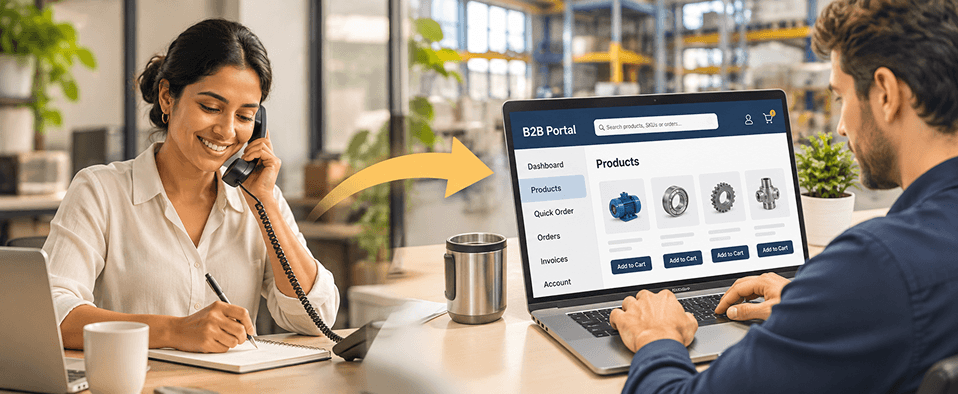
A B2B portal is a secure, logged-in website where business customers, dealers, or suppliers order and manage their accounts without calling a rep. It connects to your ERP, so each buyer sees their own contract prices, live stock, and invoices. With 70% of B2B buyers preferring fully digital, self-service buying, it replaces orders your team re-types from email and phone.
"Our customers still email and phone in orders, and reps spend all day re-typing them."
If that sounds like your sales desk, this guide is for you. You run sales or ecommerce at a manufacturer or distributor. Reorders take days instead of minutes. Pricing mistakes slip through. And wholesale customers who want to buy online are quietly trying competitors who let them.
B2B buyers who want to self-serve are now the majority. Gartner found that 67% of B2B buyers prefer a rep-free buying experience1, and 70% prefer a completely digital, self-service one.2 Slow ordering is usually a sign that your systems are holding back growth in ways that compound, not a sign that your team is working too slowly.
This guide is written by Redefine Innovations, which builds B2B portals, ecommerce stores, and ERP integrations for manufacturers, distributors, and brands on Shopify Plus, BigCommerce, and its own Redefine Suite platform. It covers what a B2B portal is, the four portal types, a prioritised feature list, how a portal syncs with your ERP, build versus buy, and US$ cost ranges with the factors that move them.
What Is a B2B Portal?
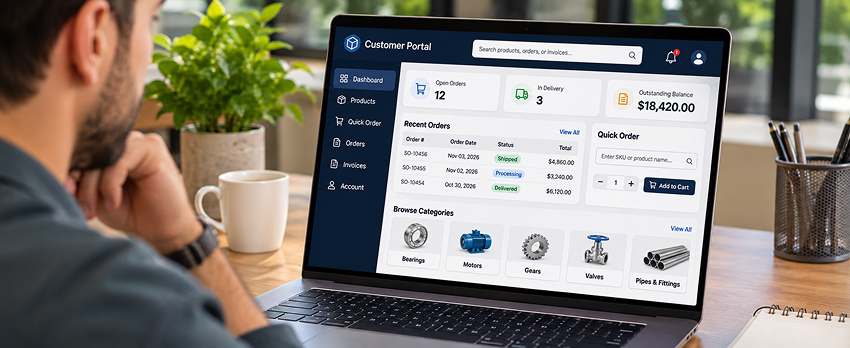
A B2B portal is a private, logged-in website where business customers buy from a supplier and manage their account without calling a rep. It reads from the supplier's ERP, so every buyer sees their own prices, stock, and order history.
For example, a plumbing distributor's contractor logs in at 6 a.m., sees the 40 SKUs they buy most at their contract price, checks that the branch has stock, reorders last week's job list in two clicks, and pays on net 30 terms. The order drops into the distributor's ERP without anyone re-typing it.
A B2B portal differs from a public B2C store in three ways. Prices depend on who is logged in. Buyers order in bulk and often repeat the same order. And one company account can have many users with different permissions, from the buyer who builds the cart to the manager who approves it. Handling those account hierarchies, users, and roles well is what separates a real B2B portal from a store with a login page.
Digital ordering is where B2B growth now sits. US manufacturing and wholesale B2B sales grew just 0.4% in 2025 to $15.12 trillion, while digital commerce grew at a double-digit pace, according to Digital Commerce 360 (January 2026).3
What Are the Types of B2B Portals?
If you want your existing customers to order from you online, build a B2B portal. If you want new buyers to find you, list on a B2B marketplace such as Alibaba or Amazon Business. A portal serves one seller's own customers at their own prices; a marketplace lists many sellers for many buyers.
Within your own company, there are four main types of B2B portal. The difference between them is who logs in and what they need to do there.
| Portal type | Who logs in | What they do | Typical first win |
|---|---|---|---|
| Customer ordering portal | Direct business customers (contractors, retailers, end users) | See contract prices, place and reorder orders, track shipments, pay invoices | Fewer phone and email orders |
| Dealer and distributor portal | Resellers and channel partners | Order from a restricted catalog at tier pricing, check stock, download marketing assets | Faster dealer reorders |
| Supplier portal | Your vendors | Receive POs, confirm ship dates, upload invoices and product data | Less PO chasing |
| Partner portal | Agencies, installers, service partners | Register deals, access training, log warranty claims | Cleaner channel data |
Some manufacturers also run a program store, a fifth variant where one corporate client's employees order branded or approved items against a budget. It works best when it shares the same catalog and pricing engine as the customer portal.
Most manufacturers and distributors launch the customer ordering portal first, because that is where order re-typing costs the most time.
What Features Should a B2B Customer Ordering Portal Have?
A B2B customer ordering portal needs seven must-have features: account pricing, live stock, quick reorder, company accounts with roles, quotes, PO and net terms checkout, and self-service order history and invoices. Everything else can wait for phase two.
Launch the seven features in this order. Indicative times assume a platform with a native ERP connector and clean ERP data; custom builds and messy data take several times longer.
- Load account pricing at login. Show each company its contract, tier, and volume prices from the ERP. Effort: medium. Indicative time: 2 to 5 days. Buyers check prices first.
- Show live stock by location. Display available quantity before the buyer adds to cart. Effort: medium. Indicative time: 2 to 5 days.
- Enable quick order and reorder. Let buyers paste SKUs, upload a CSV, or repeat a past order. Effort: low. Indicative time: 1 to 2 days.
- Set up company accounts and roles. Give one company many users, with buyer, approver, and admin permissions and spend limits. Effort: medium. Indicative time: 3 to 5 days.
- Turn on quotes. Let buyers request a quote for large or custom orders and convert the approved quote into an order. Effort: medium. Indicative time: 1 to 2 weeks.
- Offer PO and net terms checkout. Accept purchase order numbers and net 30 or net 60 terms alongside cards. Effort: low to medium. Indicative time: 2 to 5 days.
- Open order history, invoices, and tracking. Let buyers download invoices and track shipments without emailing your team. Effort: medium. Indicative time: 1 to 2 weeks.
For reference, Redefine's dealer portal timeline activates account pricing on days 3 to 4 of a 7-day launch. On Redefine Suite, customer-specific pricing runs contract and tier rules from one engine across every portal.
Must-have vs nice-to-have B2B portal features
| Feature | Priority | Why |
|---|---|---|
| Account pricing from the ERP | Must-have | Wrong prices kill trust on day one |
| Live stock | Must-have | Buyers will not order blind |
| Quick order and reorder | Must-have | Most B2B orders repeat |
| Company accounts, roles, approvals | Must-have | One customer, many buyers |
| Quotes | Must-have for custom or high-value orders | Keeps big deals in the portal |
| PO and net terms | Must-have | Most B2B buyers do not pay by card |
| Invoices and order history | Must-have | Removes the "where is my order" call |
| Punchout to Ariba, Coupa, Jaggaer | Nice-to-have (must-have for large procurement buyers) | Their buyers shop from their own system |
| Product configurator | Nice-to-have | Only if products are built to order |
| AI search and recommendations | Nice-to-have | Helps once the basics work |
| Marketing asset library for dealers | Nice-to-have | Useful for dealer portals |
Move punchout up the list if a handful of large accounts buy through e-procurement systems such as Ariba or Coupa, because those buyers often cannot order any other way.
How Does a B2B Portal Connect to Your ERP?
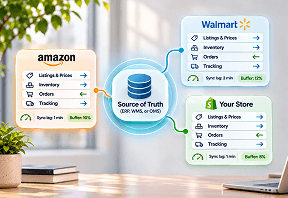
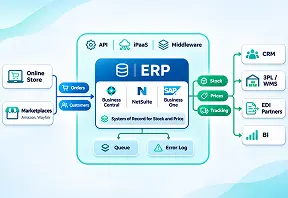
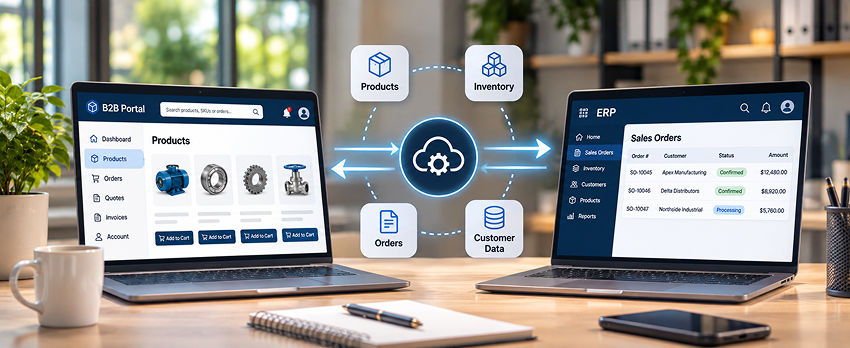
A B2B portal connects to your ERP through an API, a connector, or middleware, so prices, stock, and customer data flow into the portal and orders flow back out. The ERP stays the system of record for money and inventory.
ERP integration is where most B2B portal projects stall. The average enterprise runs 897 applications, and only 29% of them are integrated.4 A portal that cannot read live prices or post orders back just moves the re-typing from email to a new screen.
| Data | Direction | How often | Usual system of record |
|---|---|---|---|
| Customer accounts and ship-to addresses | ERP to portal | On change | ERP or CRM |
| Contract and tier pricing | ERP to portal | Real time or on change | ERP |
| Stock by warehouse | ERP or OMS to portal | Every few minutes or real time | ERP or OMS |
| Product data and images | PIM to portal | On change | PIM |
| Orders and quotes | Portal to ERP | Real time | ERP once posted |
| Order status and tracking | ERP or OMS to portal | On change | ERP or OMS |
| Invoices and credit balance | ERP to portal | Daily or on change | ERP |
Three ways to connect a B2B portal to an ERP
- Platform app or connector: quickest for common pairs like Shopify and NetSuite, but can break on custom fields.
- Custom API integration: built around your pricing rules and volumes, with an error queue and a match report.
- Middleware or file export: used for older ERPs that have no modern API.
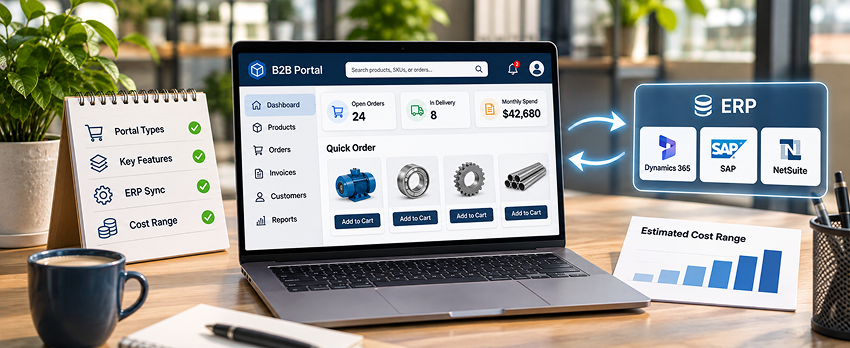
The ERPs most manufacturers and distributors connect are Microsoft Dynamics 365 Business Central and Finance, Oracle NetSuite, SAP, Acumatica, and Sage. Redefine's ecommerce ERP integration services cover all of them.
Should You Build or Buy a B2B Portal?
Buy a B2B portal when your pricing and ordering rules are close to standard. Build one when your products, pricing, or workflows are unusual enough that a platform would need heavy customisation anyway.
| Option | Best for | Watch out for |
|---|---|---|
| B2B features on a SaaS platform (Shopify Plus, BigCommerce) | Brands adding wholesale to an existing store | ERP sync and complex pricing still need apps or integration work |
| Dedicated B2B commerce platform (Sana, Oro, Redefine Suite) | Manufacturers and distributors with ERP-driven pricing and many accounts | Platform fit with your ERP, and a smaller app ecosystem |
| Custom build | Unusual products, configurators, or workflows | Highest cost, longest timeline, and you own the upkeep |
Shopify Plus includes B2B, with unlimited B2B catalogs on the Plus plan.5 That makes it a strong option for brands already selling DTC on Shopify. Redefine compared the main storefront platforms in its Shopify vs BigCommerce vs Volusion vs Magento breakdown.
Whichever route you take, design the portal for the buyer who reorders 200 lines on a Monday morning, not the one browsing for ideas. Quick order, account pricing, and order status should sit one click from login.
What Does a B2B Portal Cost?
A B2B portal's first-year cost ranges from about $27,600 in platform licence alone on a SaaS route (Shopify Plus at $2,300 a month, before setup and ERP integration) to $80,000 to $250,000 or more for a custom build, plus 15% to 20% of the build cost each year to maintain.5,6 ERP integration depth is the biggest single cost driver.
| Portal scope | Typical first-year cost (US$) | Timeline | What drives it |
|---|---|---|---|
| B2B on a SaaS platform | From $27,600 licence (Shopify Plus, $2,300/month), plus setup and ERP integration | Weeks to a few months | Apps needed, ERP connector, pricing complexity |
| Simple custom self-service portal | $80,000 to $120,000 build | 3 to 5 months | Basic ordering, light ERP sync |
| Mid-complexity integrated portal | $150,000 to $200,000 build | 5 to 8 months | Real-time ERP pricing and stock, roles, quotes |
| Enterprise or multi-portal build | $250,000 or more build | 8 to 12+ months | Multi-region, multi-tenant, compliance, several portal types |
| Discovery phase (custom builds) | $5,000 to $20,000 | 4 to 8 weeks | Number of systems and stakeholders |
| Hosting (custom builds) | $6,000 to $60,000+ per year ($500 to $5,000+ per month) | Ongoing | Traffic and scale |
| Maintenance (custom builds) | 15% to 20% of build cost per year | Ongoing | Feature changes, ERP upgrades |
Sources: Shopify Plus pricing page (checked November 2026); Netguru custom portal cost ranges (updated January 2026).5,6
The five B2B portal cost drivers
- ERP integration depth. Real-time pricing and stock cost more than a nightly sync.
- Pricing rules. Contract, tier, and volume pricing per account adds logic and testing.
- Number of portal types. A customer portal plus a dealer portal plus a supplier portal is three sets of roles and screens.
- Catalog size and data quality. Dirty product data is the most common hidden cost.
- Compliance and security. SSO, audit trails, and SOC 2 or GDPR needs add scope.
Dedicated B2B platforms usually price by modules or order volume rather than a public rate card. For example, Redefine Suite pricing is sized to the modules a company switches on, with no separate integration fee between them.
The real cost: The licence or build fee is the visible cost of a B2B portal. Re-typing orders, fixing pricing errors, and losing reorders to faster competitors is the cost a manufacturer without one is already paying.
How Do You Launch a B2B Portal?
Launch a B2B portal in six steps: pick the first portal type, map your ERP data, clean your catalog and pricing, choose build or buy, pilot with a few accounts, then roll out with sales on board.
- Pick one portal type and one buyer group. Start with the accounts that phone in the most repeat orders.
- Map your ERP data. List where accounts, prices, stock, orders, and invoices live, and how often each must sync.
- Clean product data and pricing. Fix SKUs, units of measure, and price lists before anyone sees them online.
- Choose build or buy. Score each option on ERP fit, pricing fit, and total cost over three years.
- Pilot with five to ten accounts. Watch which features they use and where they still call.
- Roll out and bring sales with you. Credit reps for portal orders from their accounts, so they push adoption instead of resisting it.
Mapping ERP data (step two) is where most B2B portal timelines slip. An integration assessment maps every system that touches an order before you commit to a platform.
"A B2B portal that cannot read your ERP just moves the re-typing to a new screen."The most common B2B portal mistake
Common B2B portal mistakes to avoid
- Launching to every customer at once instead of piloting
- Showing list prices instead of each account's contract price
- Treating ERP integration as a phase-two task
- Leaving sales reps out of the plan, so they keep taking phone orders
What Should You Check Before Choosing a B2B Portal?
Before choosing a B2B portal, check that you know your first portal type and pilot accounts, that your pricing and product data are clean, that you have mapped your ERP sync, and that you have priced the full three-year cost.
If you cannot tick at least seven of the items below, spend two to four weeks on the gaps first. That work cuts discovery time on any platform and gives every vendor the same brief, so quotes compare like for like.
- We know which portal type we are launching first
- We know which accounts will pilot it
- Our account pricing lives in one place and is accurate
- We know where stock, orders, and invoices live and how often they must sync
- Our SKUs, units of measure, and images are clean
- We have listed the must-have features and parked the nice-to-haves
- We have priced the full three-year cost, not just the licence
- We know our SSO, roles, and audit requirements
- Sales reps know how portal orders will be credited
- We know who owns the portal after launch, from content to pricing updates
- We have a target for the share of orders placed online in year one
Frequently Asked Questions
How long does it take to launch a B2B portal?
A B2B portal takes from a few weeks to over a year to launch, depending on the route. B2B features on an existing SaaS store can go live in weeks. A mid-complexity custom portal with real-time ERP sync usually takes five to eight months. A dedicated B2B platform with native ERP connectors often lands in between. Data cleanup most often stretches the plan.
Will my customers actually use a B2B portal?
Most B2B customers will use a portal if it is faster than calling. Show contract prices and live stock from day one, make reorder one click, and pilot with your most frequent buyers first. Give reps credit for portal orders from their accounts so they steer customers online instead of taking the call. Adoption usually grows account by account.
Do I need separate portals for dealers and direct customers?
You do not need separate systems for dealers and direct customers. One B2B platform can serve both if it supports restricted catalogs, tier pricing, and different permissions per account group, with separate branding per audience. Two separate systems mean two catalogs and two ERP connections, which doubles the upkeep and the chance of price mismatches.
Can a B2B portal work with customers who order through EDI?
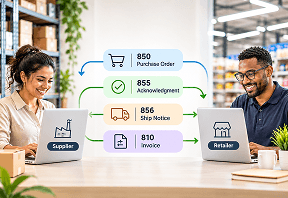
Yes, a B2B portal can run alongside EDI. Many distributors use EDI for large accounts that send POs system to system, and a portal for everyone else. Both should feed the same order queue and the same ERP. Redefine's EDI integration services connect EDI trading partners alongside portal orders, so the team works from one list.
Is a B2B portal secure?
A B2B portal is secure when it has single sign-on, role-based permissions per user, an audit log of who changed what, encryption in transit and at rest, and SOC 2 or equivalent attestation from the vendor. Also ask how the portal removes a user who leaves a customer company, because stale logins are a common gap.
Does a B2B portal replace my ERP?
No, a B2B portal does not replace your ERP. The ERP stays your financial and inventory record. The portal is the front door customers use, and it reads from and writes to the ERP. If a vendor suggests replacing your ERP to launch a portal, treat that as a separate, much larger project.
How Can Redefine Help You Launch a B2B Portal?
Redefine Innovations builds B2B portals on Shopify Plus, BigCommerce, and its own Redefine Suite platform, starting with one customer portal connected to your ERP and piloted with your busiest accounts.
On Redefine Suite, dealer and distributor portals give each account its own catalog, contract prices, live stock, saved order templates, and approval routes, connected natively to SAP, NetSuite, and Microsoft Dynamics.
Two results published on Redefine's B2B commerce and dealer portal pages (checked November 2026) show what changes. A promotional products company reported 4x faster order processing and zero manual re-entry of ERP orders. A regional equipment dealer moved 100% of its inventory online, synced from its ERP in real time, and manual order processing dropped to near zero for the accounts that adopted the portal. See more Redefine client results.
"The best B2B portal is the one your customers use instead of the phone."The bottom line
Ready to move orders off the phone?
Bring your ERP, your top 20 accounts, and the way they order today. We will show you which portal type to launch first, which features matter for your buyers, and a realistic cost and timeline range, even if the right answer is a platform you already own.
Sources & Citations
Primary research and official vendor pages used for the statistics and cost claims in this guide:
- Gartner, "Gartner Sales Survey Finds 67% of B2B Buyers Prefer a Rep-Free Experience" (9 March 2026): survey of 646 B2B buyers, August to September 2025.
- Gartner, "Gartner Survey Finds 69% of B2B Buyers Turn to Sales Reps to Validate AI-Generated Insights" (20 May 2026): 70% of 645 B2B buyers prefer a completely digital, self-service buying experience.
- Digital Commerce 360, "US B2B Sales Exceed $15 Trillion in 2025" (26 January 2026): US manufacturing and wholesale B2B sales of $15.12 trillion, up 0.4%, with digital commerce growing at a double-digit pace.
- Salesforce and MuleSoft, 2025 Connectivity Benchmark Report Insights (2025): average enterprise manages 897 applications, and only 29% are integrated.
- Shopify, Shopify Plus Pricing (checked November 2026): Plus starts at $2,300 per month and includes unlimited B2B catalogs.
- Netguru, B2B Web Portal Development: Features, Process, Costs & Case Studies (updated January 2026): custom portal cost tiers, discovery, hosting, and annual maintenance ranges.

Umang Patel
Co-owner | Ecommerce Architecture, Systems & Integrations
Umang Patel has worked in ecommerce and technology since 2001. He specializes in backend systems,
ecommerce architecture, ERP and platform integrations, automation, and reverse engineering complex
business processes. At Redefine Innovations, he leads technology and project teams building scalable
systems across both B2B and DTC ecommerce environments.
Areas of expertise: Ecommerce
Architecture • Backend Systems • ERP Integration • Automation • Headless Commerce • Reverse Engineering