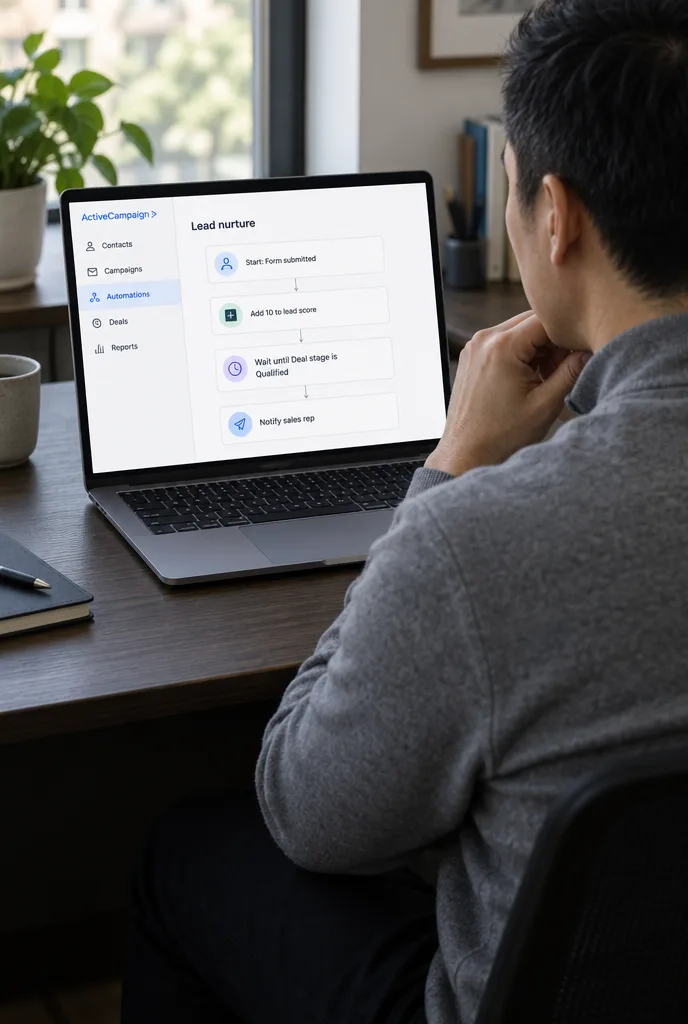
ActiveCampaign integration sends your store and CRM data into ActiveCampaign, so contacts, orders, carts and deal stages can start the right automations. Redefine Innovations maps these events and fields into ActiveCampaign contacts, deals and triggers for ecommerce and marketing teams. We test each event before go-live.
ActiveCampaign can only act on the data it gets. When order or deal data is missing, cart emails do not send and nurture emails reach the wrong people.
So we agree how contacts match first, then map the events, then build and test the sync.
When every order, cart and deal stage reaches ActiveCampaign, each automation knows who to email and when.
Marketing
Cart emails
Deal nurture
Win-back
Four vendors, one team
One team owns the whole sync
An ActiveCampaign integration touches your store, your CRM and your email. Redefine brings that work into one coordinated team.
The usual way · four handoffs
Four vendors, four views
The store agency owns orders. The CRM admin owns deals. The email agency owns automations. A freelance developer owns the connector. When an event goes missing, each one points at the next.
Ecommerce agency
CRM admin
Email marketing agency
Freelance developer
One sync
The Redefine way · one owner
One team, one view
Developers, CRM engineers and marketers work as one Redefine team. One person owns the store, CRM and ActiveCampaign connection, from mapping through testing.
Developers
CRM engineers
Marketers
One path for every event
From store to automation
Each event takes the same path. The same team maps it, builds it, tests it and watches it, so no step falls between two vendors.
An engineering mindset for ActiveCampaign integration
We run growth the way engineers run software.
Redefine Innovations is an engineering company. Developers, ERP engineers and marketers work on one team, so a fix reaches the system, not just the slide deck.
Typical agency habit
Advice and opinion
Changes ship on opinion
A new trigger or field goes live because it feels right, with no number to check it against.
Failed syncs show up in the monthly report
Missing events are found weeks later, after the cart and nurture emails have already gone quiet.
[!] Weeks of emails lost
Advice stops at the recommendation
You get a list of fixes, and someone else has to build them. Done means the email was sent.
Engineering habit
Tests, owners and alerts
Every change is a test with a success number
Each event has a "done when" line, such as one test order that starts the automation once.
Alerts fire the week a number drifts
A failed sync alerts one named owner, with a planned response, before your emails are affected.
One owner per alert
Engineers build and fix the systems
The same team that maps the data writes the code, so the fix lands in the store, CRM or connector.
One alert, one owner: a failed order event is caught the same week.
Revenue calculator
Estimate your revenue loss
Missing order data stops automations from running. Move the sliders to see what that could cost each month.
Your inputs
Your numbers
10020,000
1%20%
$20$990
Estimate: contacts x conversion rate x average order value. Uses only your inputs. Not a forecast.
Step by step to ActiveCampaign data you can trust.
Contacts must match the same way in your store and CRM before any field is mapped, or duplicates follow. So Redefine does not build automations until event data reaches ActiveCampaign correctly.
A written event schema brief for your store, CRM and ActiveCampaign.
Why this approach matters
Reliable data makes every automation more dependable.
The events that matter most to the business are built first.
The sync keeps up as your store and CRM change.
Start here
1
Step 1: Diagnose
We review your ActiveCampaign account, your store and your CRM. We mark which events and fields arrive correctly and which are missing.
You receive A current state report
Choose what matters
2
Step 2: Prioritize
We pick the events and automations that matter most first, such as abandoned cart, post-purchase and deal stage.
You receive A ranked integration plan
Do the work
3
Step 3: Deliver
We build the connection with the method chosen in scoping: the ActiveCampaign API, webhooks, a native connector or middleware. Mapping covers standard fields, custom fields and deals.
You receive Field and event mappings
Check the result
4
Step 4: Prove
Each event must meet its "done when" line before go-live, such as a test order that flows through and starts the right automation.
You receive Event and automation test results
Keep improving
5
Step 5: Improve
We watch for failed syncs and add missing events as your needs grow, so automations keep pace with the business.
You receive Ongoing monitoring and updates
What you receive
A current state report, a ranked integration plan, completed field and event mappings, test results and ongoing monitoring.
Case study / BigCommerce tracking and email
CCTV Security Pros
The tools could not see which channel made the sale.
A security camera store on BigCommerce. We set up GA4 tracking, then ran ads and email on that data. Not an ActiveCampaign project. Read the case study.
Result
Attribution coverage
Before
15%
After
92%
Source: CCTV Security Pros case study.
01 / Problem
No clear view of what sold.
The store could not tell which platform drove each sale.
02 / Diagnosis
Tracking came first.
Spend could not move to what works until sales data was complete.
03 / Action
GA4 on every channel.
Google Ads, Facebook, Marketplace and email all report to one place.
04 / Result
15% to 92% coverage.
Revenue passed $15 million, with each email tracked.
Your event schema brief
Know what to build before you build it.
Get your event schema brief: a written map of which events and fields go from your store and CRM into ActiveCampaign, and how. Use it to decide the build and its scope.
What your brief maps
Your events, fields and match rules.
Every event and field gets one line, so your team and ours agree on the data before code is written.
3 parts
Key events in scope
Orders, carts, sign-ups and deal stages.
Field and custom field mapping
Which store and CRM field fills which ActiveCampaign field.
Contact and deal matching rules
How one buyer stays one contact.
What your brief decides
Triggers, method, risks and next step.
It names the risks and open questions, then gives a scoped next step with price and timing.
2 parts
Automation triggers
Which automation each event can start.
Connection method
ActiveCampaign API, webhooks, native connector or middleware.
Event 03
Status: Mapped
Order placed in your store starts the post-purchase automation
Source
Your store order, with total and items.
Lands as
An ActiveCampaign event on the matched contact.
Also checked
Native connector (no custom fields). Nightly batch sync.
Done when
A test order starts the automation once, for one contact.
One row of your briefPrepared for your store
Questions
Answers before you connect ActiveCampaign
Clear answers before you ask for your brief.
REDEFINE Method
What is the REDEFINE Method?
The REDEFINE Method is Redefine Innovations' business-first framework for identifying business constraints, prioritizing improvements, delivering appropriate solutions, verifying outcomes, and sustaining improvements.
It has five stages: Diagnose, Prioritize, Deliver, Prove and Improve. For ActiveCampaign, each stage ends with something you can review, starting with your event schema brief. Read the REDEFINE Method
Cost
How much does ActiveCampaign integration cost?
It depends on the number of systems, events and custom fields, your data volume and the connection method.
The price is set after your event schema brief, so you see it before any build starts.
Timing
How long does an ActiveCampaign integration take?
It depends on scope, such as how many systems and events are in the plan.
Timing is set after your event schema brief, based on what the brief finds. That way there are no surprises later.
Native or custom
What is the difference between the native connector and a custom integration?
A native connector covers standard fields and common platforms. It suits simple needs.
A custom integration can map custom fields and objects, add CRM and ERP data, handle several stores and stop duplicate contacts. Your brief compares both. See API integration services
Systems
Which systems can connect to ActiveCampaign?
Stores such as Shopify, Shopify Plus, BigCommerce, WooCommerce and Magento. CRMs such as Salesforce, HubSpot, Zoho CRM and Dynamics CRM. Also NetSuite, Stripe and WordPress.
What are ActiveCampaign webhooks and the ActiveCampaign API used for?
Webhooks send a message when something happens, such as a contact who unsubscribes. The API reads and writes contacts, deals, custom fields and events.