
Want your PLA ads pulling their weight?
- Google Shopping & Performance Max management
- Feed structure and Merchant Center cleanup
- 20+ years running paid search for ecommerce
No obligation, just a clear answer on what your PLA campaigns need.
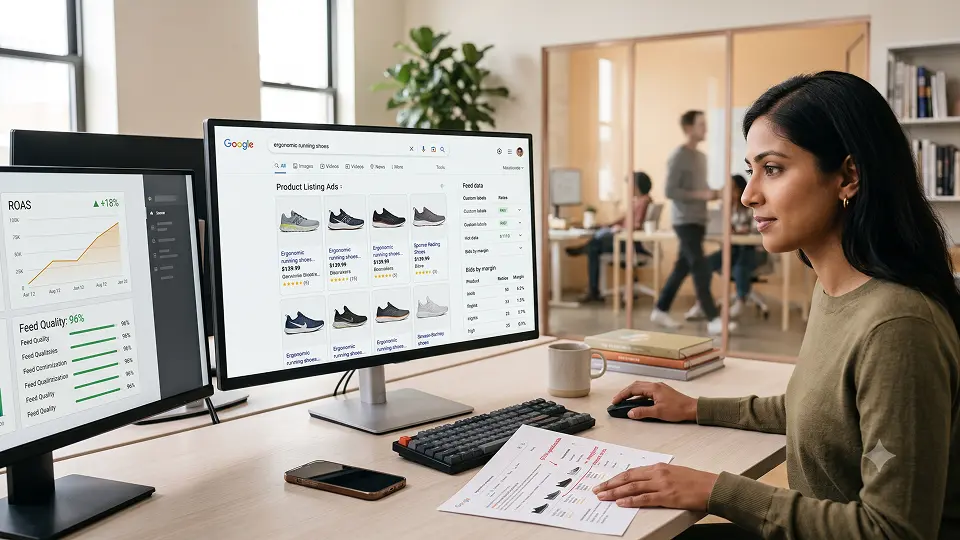
PLA advertising still drives some of the highest-intent traffic in ecommerce, but the mechanics have changed since PLA first launched under Google AdWords. This guide covers what PLA ads are today, what are PLA keywords (and why that question has a different answer than you'd expect), and 14 field-tested practices for PLA campaign optimization in 2026.
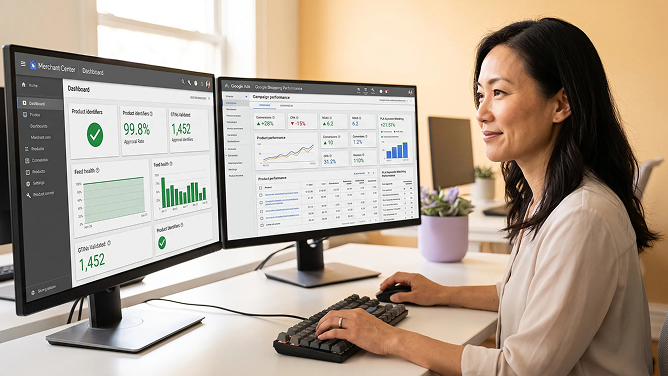
Where this comes from: These 14 practices are the same ones the Redefine Innovations paid search team applies when auditing a new client's Google Shopping account. The order they're written in (structure, then bidding, then feed quality, then ongoing optimization) mirrors the order we actually work through when a Shopping account isn't performing.
1. What Is PLA Advertising?
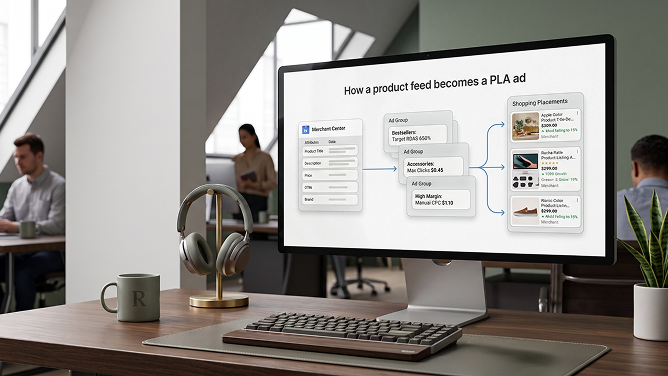
Product Listing Ads (PLA) are the image-based product ads that appear in Google Shopping results, built from a product feed rather than written ad copy. Each PLA ad shows a product photo, price, and store name, pulled directly from a feed connected to Google Merchant Center, and linked to a Google Ads account for bidding and delivery.
PLA advertising was originally set up under Google AdWords, which is why some marketers still search for "AdWords PLA" or "adwords pla" out of habit. Google Ads replaced the AdWords name in 2018, but the underlying mechanism, a feed feeding image-based ads, is essentially the same system that now powers Standard Shopping campaigns and Performance Max.
Why this matters in 2026: Performance Max campaigns now account for the majority of Google Shopping spend, and typically 74 to 97 percent of PMax budget still lands on feed-based Shopping placements rather than Display or YouTube, according to smec's 2026 analysis of over €500 million in managed retail ad spend. Whether you call it a PLA ad, a Shopping ad, or a PMax asset group, the product feed is still doing most of the work. Google itself has kept building on that feed: in April 2026 it extended AI Max to Shopping campaigns, using the same Merchant Center feed to match conversational, long-tail queries that standard product-title matching misses.
2. What Are PLA Keywords?
Strictly speaking, PLA ads don't use keywords the way search ads do. Instead of bidding on chosen search terms, Google matches shopper queries to the attributes in your product feed: title, description, product type, category, and brand. This is one of the most commonly misunderstood parts of PLA marketing, since advertisers coming from search campaigns instinctively look for a keyword list to build.
The one place keywords do apply to PLA ads is negative keywords, which block your ads from showing on searches you know are irrelevant. Beyond that, "PLA keywords" really means feed attributes: the words in your titles and descriptions determine what your PLA ad matches to, which is why feed copy deserves the same care that keyword research gets in a search campaign.
3. How PLA Campaigns Work in 2026
PLA ads today run through one of two campaign types built on the same Merchant Center feed: Standard Shopping or Performance Max. Standard Shopping gives you direct control over ad groups, bids, and negative keywords. Performance Max hands bidding and channel selection to Google's AI across Search, Shopping, YouTube, Display, and Gmail.
Keeping that feed in sync with your actual inventory, pricing, and product catalog in real time is its own technical challenge, especially once orders start coming from multiple channels. This is usually where a dedicated ecommerce integration layer between your store, ERP, and Merchant Center earns its keep, since a feed that lags behind stock levels quietly undermines every practice in this guide.
Products without a valid GTIN are commonly excluded from competitive Shopping placements entirely, regardless of bid. Google's own Merchant Center guidance confirms that products with an assigned GTIN submitted without one may face limited visibility or outright disapproval. That single feed requirement quietly disqualifies more struggling PLA campaigns than any bidding mistake does, which is why practice 8 below puts feed data first.
Let someone else own the feed and the bids
Redefine runs Google Shopping and Performance Max for ecommerce brands end to end, from Merchant Center cleanup to weekly optimization.
4. Feed & Campaign Structure (Practices 1-4)
Most PLA campaign optimization problems start with structure, not bidding. Get the ad group and feed structure right first, because every bid and negative keyword decision that follows depends on it.
01Identify Your Bestsellers Before You Build Anything
Pull six or more months of conversion data from GA4 or your Shopping reports and separate genuine bestsellers from slow movers before you touch campaign structure. A $4 product with a $0.75 margin can lose money fast: 20 clicks at $0.50 each costs $10 against a possible $15 in profit, and that math gets worse at scale. Know which products can absorb a click cost before you list them.
For you Stops you from funding traffic on products that can't afford it
02Never Dump Every Product Into One Ad Group
The default "All products" setting applies one bid to every single item in your feed, whether it's a $12 accessory or a $1,200 flagship product. This is the single most common mistake in PLA ads, and it either overspends on cheap products or leaves your best sellers underbid against competitors.
For you One bid for your whole catalog almost always underperforms
03Build Separate Ad Groups Per Product Line
Group products by category, price tier, or margin so each group can carry its own promotional message and bid. A store selling laptops and laptop accessories should run those as two distinct ad groups, each with copy and bids suited to that product line, not one blended "electronics" bucket.
For you Lets you message and bid each product line on its own terms
04Use Custom Labels Instead of Manual Product-by-Product Targets
Custom labels (custom_label_0 through custom_label_4 in your feed) are the most practical way to segment a large catalog without manually tagging every SKU. Use them to flag bestseller tiers, seasonal items, or margin bands, then build ad groups and bids around those labels rather than individual products. For catalogs running into the thousands of SKUs, rules-based or AI-driven tagging can keep labels current without a person re-touching the feed every week.
For you Scales PLA campaign optimization across thousands of SKUs without manual upkeep
5. Bidding & Budget Discipline (Practices 5-6)
Bids should reflect what each product group can actually afford, not a flat number applied across the account. Two practices do most of the work here.
05Set Bids Per Ad Group Based on Margin
Higher-margin ad groups can absorb a higher cost per click; thin-margin groups need tighter bids or they'll erode profit on every conversion. This is also where automated bidding fits in: start with Maximize Clicks or manual CPC for the first four to six weeks so the group has enough conversion history, then move to Target ROAS once you're seeing 30 or more conversions a month in that group.
For you Turns your PLA campaign into a pricing tool, not a flat-rate expense
06Build and Maintain a Negative Keyword List
Since PLA ads have no positive keyword targeting, negative keywords are one of the few direct levers you have to filter out unprofitable clicks. Terms like "reviews," "specifications," "jobs," or "free" typically signal research or non-purchase intent rather than buying intent. Search Engine Land reported that Google raised the Performance Max negative keyword cap from 100 to 10,000 per campaign in March 2025, aligning it with Search campaigns, so build a master list once and apply it broadly rather than trimming it down to fit an old limit.
For you The clearest way to protect budget when there's no keyword bid to control
6. Feed Quality & Filters (Practices 7-9)
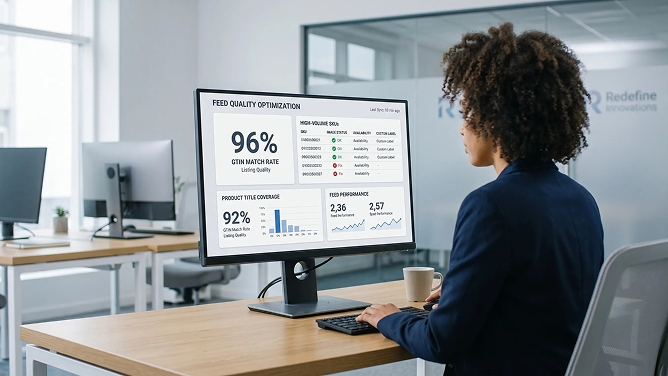
Because PLA ads run on feed data, feed quality is the ceiling on everything else you do. These three practices keep that ceiling high. If you've never had someone outside your team look at feed health, a structured technology stack audit is usually faster than guessing where the errors are hiding.
07Set Clear Product Filters Between Campaigns
Where you run multiple PLA campaigns across product lines, exclude each line from the others explicitly. A laptop-focused campaign should exclude accessories, and the accessories campaign should exclude laptops. Without clear filters, campaigns compete against each other in the same auctions, driving up your own costs.
For you Stops your own campaigns from bidding against themselves
08Fix Feed Data Quality Before Anything Else
Google reviews your feed status directly in Merchant Center; resolve critical errors (missing GTINs, rejected images, price mismatches) before launching or scaling any PLA campaign. Products excluded for feed errors don't just underperform, they're often invisible in the auction entirely, no matter what you bid. Most recurring feed errors trace back to inconsistent data across systems, which is exactly what a data integration pipeline between your store, inventory, and pricing sources is built to fix.
For you The highest-leverage fix available, and usually the most overlooked
09Refresh Titles and Images for Seasonal Products
If part of your catalog is seasonal, update titles and descriptions to include the season or relevant occasion so they match how people are actually searching. Skip this for generic, non-seasonal product lines, where a stable, keyword-rich title performs more consistently over time.
For you Keeps PLA ads relevant without constant full-feed rebuilds
7. Ongoing Optimization (Practices 10-14)
PLA campaign optimization doesn't end at launch. The last five practices are about the weekly and monthly habits that keep a PLA campaign performing as competitors, seasons, and Google's own algorithms shift.
- 10. Track activity patterns and adjust bids by day and hour. Use ad scheduling and bid adjustments where your data shows consistent dips or spikes, rather than running a flat bid around the clock.
- 11. Keep prices competitive. Google displays your price directly next to competitors selling the same product; check the price competitiveness report in Merchant Center and adjust where you're consistently priced out of the click. This matters more every year: WordStream's 2026 benchmark report, based on over 13,000 campaigns, puts the average Google Ads cost per click at more than double what it was ten years ago, so a price gap that was tolerable a few years ago can now be the deciding factor in whether a shopper clicks your listing or a competitor's.
- 12. Build a bank of product ratings and reviews. Feed in your product ratings data; in a price tie, higher star ratings and more reviews routinely win the click over a cheaper, unreviewed listing. Once that traffic lands, make sure the product page itself reinforces that trust signal; a quick conversion rate review often finds ratings that never made it past the feed onto the actual page.
- 13. Use a supplemental feed and a catchall product group. Large feeds inevitably have products that don't fit any defined group; a catchall group and a supplemental feed for label overrides make sure nothing falls out of matching entirely.
- 14. Review search terms weekly and let performance data guide Performance Max. Check which queries are matching your PLA ads, expand your negative keyword list accordingly, and once a product group shows consistent conversions in Standard Shopping, consider scaling it into Performance Max, a pattern known as the feeder strategy.
"A PLA campaign is never really finished. It's a feed you keep improving and a negative list you keep growing."The practical summary of PLA campaign optimization
8. Performance Max vs. Standard Shopping: Which Should Run Your PLA Ads?
In 2026, the choice usually isn't one or the other; it's how to combine them. Standard Shopping still gives the most direct control over the practices above. Performance Max scales the rest of the catalog across every Google channel using the same feed.
| Dimension | Standard Shopping (PLA) | Performance Max |
|---|---|---|
| Control | Direct control over ad groups, bids, and negative keywords | Google's AI manages bidding, channel, and audience |
| Channels | Google Shopping network only | Search, Shopping, YouTube, Display, Gmail, Discover |
| Reporting granularity | Full search term visibility | Limited query-level detail, especially outside Shopping |
| Best for | Margin protection, brand defense, clearance, new products with no history | Scaling proven products across the full catalog |
| Typical 2026 role | Feeder: identify winners with conservative ROAS targets | Scale: graduate winning products for full-channel reach |
This pairing, often called the feeder strategy, has become a recognized approach for advertisers with enough budget to run both: use Standard Shopping to find which products convert best under close-to-the-metal control, then let Performance Max scale those specific winners across Google's full inventory. Dennis Moons of Store Growers, who has managed more than $5 million in Google Ads spend, puts a number on what a healthy split looks like: for a well-configured ecommerce PMax campaign, 60 to 80 percent of spend should land on Shopping placements, with Display or YouTube eating the rest only if the feed can't yet support more Shopping volume. For accounts that don't yet have the volume for both, feed-only Performance Max on its own remains a reasonable starting point while you build conversion history. If your Shopping structure is showing signs of a ceiling, a focused look at your PPC and CRO program is usually the fastest way to find out why.
Not sure where your PLA budget is actually going?
We audit feed health, campaign structure, and channel mix before recommending a single change.
A well-run PLA campaign also doesn't operate in isolation. Product data quality overlaps directly with organic search visibility, since clean titles and structured data help both paid and organic listings. And once your Shopping traffic is converting, the same discipline pays off in ecommerce platform decisions like checkout speed and product page structure, since even a well-optimized PLA campaign can't outrun a landing experience that loses shoppers at the last step. Feed and campaign data are also worth feeding into a unified analytics dashboard so Shopping performance sits next to the rest of your marketing data instead of living in a separate tab.
Key Takeaways
- PLA ads run on product feed data, not keywords; "what are PLA keywords" really means feed attributes plus negative keywords.
- Never run one flat "All products" ad group. Segment by margin and performance so bids reflect what each group can afford.
- Feed quality (GTINs, titles, images, availability) is the ceiling on every other optimization. Fix it first.
- A strong, growing negative keyword list is one of the few precision tools available in PLA advertising.
- Performance Max and Standard Shopping are complementary in 2026, not competing choices; the feeder strategy uses both.
- PLA campaign optimization is ongoing: review search terms, pricing, and ratings on a weekly or monthly cadence.
Frequently Asked Questions
What are Product Listing Ads (PLA)?
Product Listing Ads (PLA) are the product-image ads that appear in Google Shopping results, showing a photo, price, and store name pulled from a product feed rather than from written ad copy. PLA ads run through a Google Merchant Center feed connected to a Google Ads account, and Google decides which ad to show based on product data and shopper intent rather than chosen keywords.
What are PLA keywords?
PLA ads do not use keywords in the way search ads do. Instead, Google matches shopper queries to your product feed attributes, such as title, description, product type, and category. The one keyword-style control you do have is negative keywords, which block irrelevant searches from triggering your PLA ads and protect your budget from low-intent clicks.
What is the difference between PLA ads and Performance Max?
Standard Shopping (the modern form of PLA) gives advertisers direct control over product groups, bids, and negative keywords within the Shopping network. Performance Max uses the same Merchant Center feed but lets Google's AI manage bidding and placement across Search, Shopping, YouTube, Display, and Gmail simultaneously. Most ecommerce accounts in 2026 run both together rather than choosing one exclusively.
How do I optimize a PLA campaign for better ROAS?
Start by fixing feed data quality (accurate GTINs, titles, images, and availability), then segment products into ad groups by margin and performance rather than lumping everything into one group. Set bids per product group based on profitability, build a strong negative keyword list, and review search term and price competitiveness reports weekly to keep refining targeting.
Is PLA the same as AdWords PLA or Google Ads Shopping ads?
Yes. Google Ads was called AdWords until the platform was renamed in 2018, so PLA ads set up under AdWords PLA campaigns are the same product listing ads that now run as Google Ads Shopping campaigns and Performance Max. The underlying mechanism, a Merchant Center feed feeding image-based product ads, has stayed consistent even as the campaign names and available tools have evolved.
How many ad groups should I create for a PLA or Shopping campaign?
There is no fixed number. The right approach is to group products that share similar price points, margins, and performance characteristics into their own ad groups, so each group can carry its own bid. A single "All Products" ad group applies the same bid to every item in your feed, which typically overspends on low performers and underbids your best sellers.
What is a negative keyword in Google Shopping and why does it matter?
A negative keyword tells Google not to show your PLA ads for a specific search term, such as "reviews," "specifications," or "jobs," which typically signal research or non-purchase intent rather than buying intent. Since PLA ads have no positive keyword targeting to fall back on, a well-maintained negative keyword list is one of the few direct levers advertisers have to filter out unprofitable clicks.
Should I run Standard Shopping alongside Performance Max in 2026?
For many ecommerce advertisers, yes. Because Performance Max and Standard Shopping now compete on a fair auction basis rather than PMax holding automatic priority, a hybrid setup lets Standard Shopping protect margins on specific product groups or handle clearance and brand defense, while PMax scales the rest of the catalog across every Google channel.
How does the product feed affect PLA performance?
Since PLA ads and Shopping campaigns rely on feed data instead of keywords, your titles, images, GTINs, availability, and pricing directly determine which searches your ads match and how competitive they look next to other sellers. Products with missing GTINs or thin titles are often excluded from competitive placements entirely, regardless of how much you are willing to bid.

Kristina Brown
Director of Business Development | CRO, UX/UI & Ecommerce Growth
Kristina Brown has more than two decades of ecommerce experience spanning both the operator and agency sides of the industry. She began working in her family's ecommerce business at age 14 before moving to the agency side. At Redefine Innovations, her work focuses on conversion rate optimization, ecommerce UX/UI, customer journeys, marketing strategy, and growth across B2B and DTC commerce.
Areas of expertise: CRO • Ecommerce UX/UI • Customer Journeys • Marketing Strategy • B2B & DTC Ecommerce


